
CORSAIR XC7 RGB Elite LCD CPU Water Block
4.1Editor score
480×480 IPS LCD screen
Hexa-Flow cooling engine
USB-C connectivity included
Choosing the right CPU water block is essential for maintaining optimal thermal performance in custom liquid cooling setups. High-quality blocks ensure efficient heat transfer from your processor to the coolant, preventing thermal throttling during intense workloads and gaming sessions.
We evaluated ten top-rated models based on thermal efficiency, build quality, socket compatibility, and aesthetic features like RGB lighting and integrated displays. Our analysis focuses on real-world performance data and user feedback to highlight the most reliable options available in the current market.
Each pick showcases specific strengths such as premium materials, advanced cooling engines, or unique visual customization. Prices and availability can change frequently, so always verify the latest details on the product pages before making your final purchasing decision.
4.1Editor score

4.6Editor score
4.6Editor score
As an Amazon Associate we earn from qualifying purchases.
This side-by-side comparison highlights the key specifications and unique selling points of each ranked water block to help you find the perfect match for your specific CPU socket and aesthetic preferences.




The EKWB EK-Quantum Velocity 3 stands out as a top-tier choice for enthusiasts seeking maximum thermal performance. With a rating of 4.6 stars, this block is engineered for modern AMD AM5 and Intel LGA 1700/1851 platforms, delivering reliable cooling under heavy loads.
We may earn a commission when you buy through this link, at no additional cost to you.
Its optimized internal geometry ensures maximum heat transfer efficiency from the CPU die to the coolant. The nickel-plated copper cold plate provides superior thermal conductivity while resisting corrosion over time. Compared to the Velocity 2, it achieves up to a 2-degree Celsius improvement, making it ideal for demanding workloads like rendering or overclocking.
While the price is higher than entry-level options, the performance gains justify the cost for serious builders. The precise mounting pressure ensures consistent contact across the CPU surface, which is critical for avoiding hot spots on larger chips. Installation requires standard tools and careful application of thermal paste.
This block is the ideal choice for users who prioritize raw cooling capability and build quality above all else. If you are building a high-end custom loop for a modern CPU, the Velocity 3 delivers the reliability and efficiency needed to keep your system running cool and quiet.
The internal design optimizes coolant flow to extract heat faster than many competing models on the market today.
Nickel plating protects the copper from oxidation ensuring longevity in various coolant types.
We may earn a commission when you buy through this link, at no additional cost to you.
The CORSAIR XC7 RGB Elite LCD transforms your CPU cooling into a stunning visual centerpiece. Rated 4.1 stars, it features a vibrant 480×480 IPS LCD screen that displays real-time temperatures, GIFs, or custom images directly on the water block.
We may earn a commission when you buy through this link, at no additional cost to you.
Its Hexa-Flow cooling engine mitigates laminar flow to ensure even cooling across all CPU cores. The ultra-fine copper cold plate with over 120 micro-cooling fins supports maximum overclocking potential. USB-C connectivity simplifies installation by allowing automatic iCUE setup without extra controllers.
While the screen adds complexity and cost, the integration with iCUE software makes managing your build incredibly seamless. The 31 individually addressable RGB LEDs further enhance the aesthetic appeal allowing deep personalization. Users report the display brightness is excellent even in well-lit rooms.
This block is perfect for builders who want to showcase their creativity alongside high performance. If you value unique visuals and smart connectivity features this premium option stands out as one of the most innovative water blocks available in the current market.
The IPS screen offers true color depth and high brightness making it visible from various angles.
USB-C port reduces cable clutter and simplifies the initial configuration process significantly.
We may earn a commission when you buy through this link, at no additional cost to you.
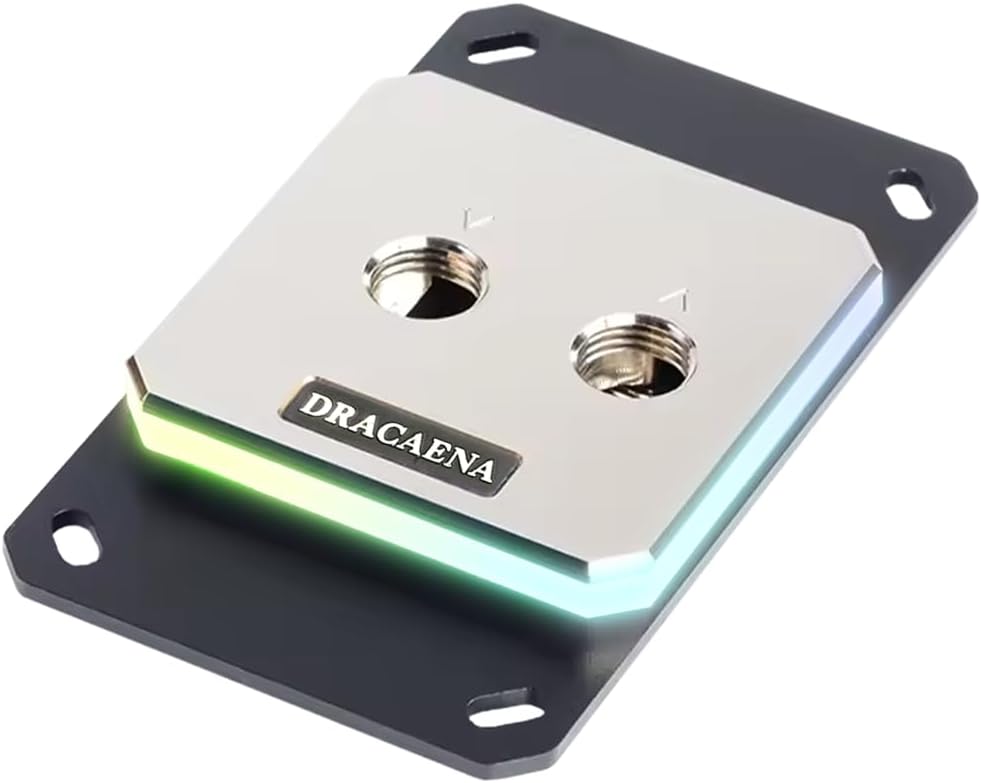
The Dracaena.io CPU Water Block offers exceptional value for AMD users seeking a reliable custom loop component. With a 4.6-star rating it supports virtually every AMD platform from AM2 to AM5 without needing extra adapters.
We may earn a commission when you buy through this link, at no additional cost to you.
Its all-copper internal water channels and 0.4mm microfin base plate ensure maximum thermal conductivity. The compact 63mm by 63mm form factor fits most standard coolers easily. The 5V ARGB sync allows integration with major motherboard lighting ecosystems like ASUS Aura Sync.
While it lacks the premium branding of other options the build quality is solid and corrosion-resistant. The included kit contains backplates and mounting hardware making installation straightforward for beginners. Note that thermal paste is not included so you must apply your own before mounting.
This block is ideal for budget-conscious builders who need strong thermal performance without sacrificing quality. If you are building on an AMD platform and want a straightforward no-frills water block this model delivers consistent results at a fraction of the cost of premium alternatives.
Supports over fifteen years of AMD platforms including the latest AM5 Ryzen 7000 series.
No aluminum in the water path prevents corrosion and ensures efficient heat transfer throughout.
We may earn a commission when you buy through this link, at no additional cost to you.
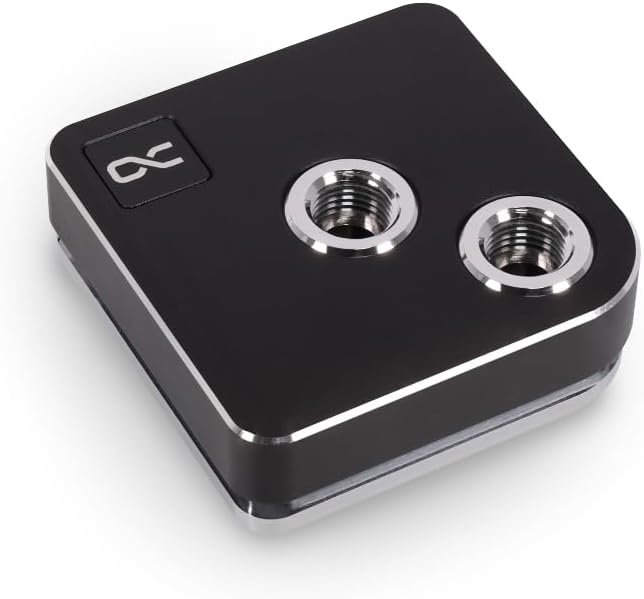
The Alphacool Core 1 is a straightforward water block designed for users who need reliable cooling without extra features. Rated 4.6 stars it supports both Intel LGA 1700 and AMD AM4/AM5 sockets making it a versatile choice for many builds.
We may earn a commission when you buy through this link, at no additional cost to you.
Its black finish blends well with dark themed systems. The dimensions of 72mm by 72mm by 26.5mm ensure compatibility with most case layouts. The standard G1/4 threads simplify integration with any custom loop tubing and fittings.
While it lacks RGB lighting or advanced displays the Core 1 focuses purely on function. The internal cooling design is effective for maintaining safe temperatures during typical gaming or productivity tasks. This makes it a great option for builders prioritizing budget and simplicity.
If you want a trusted brand with proven performance at a reasonable price this block is a strong candidate. It avoids unnecessary bells and whistles to deliver consistent cooling results for standard custom loop configurations effectively.
Alphacool is known for durable components that stand up to long-term liquid cooling use.
Simple dimensions ensure easy installation even in smaller cases with tight clearances.
We may earn a commission when you buy through this link, at no additional cost to you.
This generic CPU water cooling block serves as an affordable entry point for users with older hardware. Rated 4.2 stars it features a 50mm copper base and inner water channel designed to carry heat efficiently from the CPU.
We may earn a commission when you buy through this link, at no additional cost to you.
The chrome plated faucets provide a polished look while supporting standard tubing connections. It fits legacy sockets like AMD AM2/AM3 and Intel LGA 1150/2011 among others. The accessory set includes four screws for basic mounting needs.
While performance may not match premium models the design ensures decent contact area for heat transfer. It is best suited for secondary PCs or budget builds where cost is the primary concern. Be mindful of potential fitment issues on modern high-profile CPUs.
This block offers a practical solution for extending the life of older systems with custom cooling. If you have an older platform and need a low-cost block to prevent overheating this model provides basic thermal protection effectively.
Supports older Intel and AMD sockets that are no longer compatible with many modern blocks.
The copper base helps conduct heat away from the processor surface effectively.
We may earn a commission when you buy through this link, at no additional cost to you.
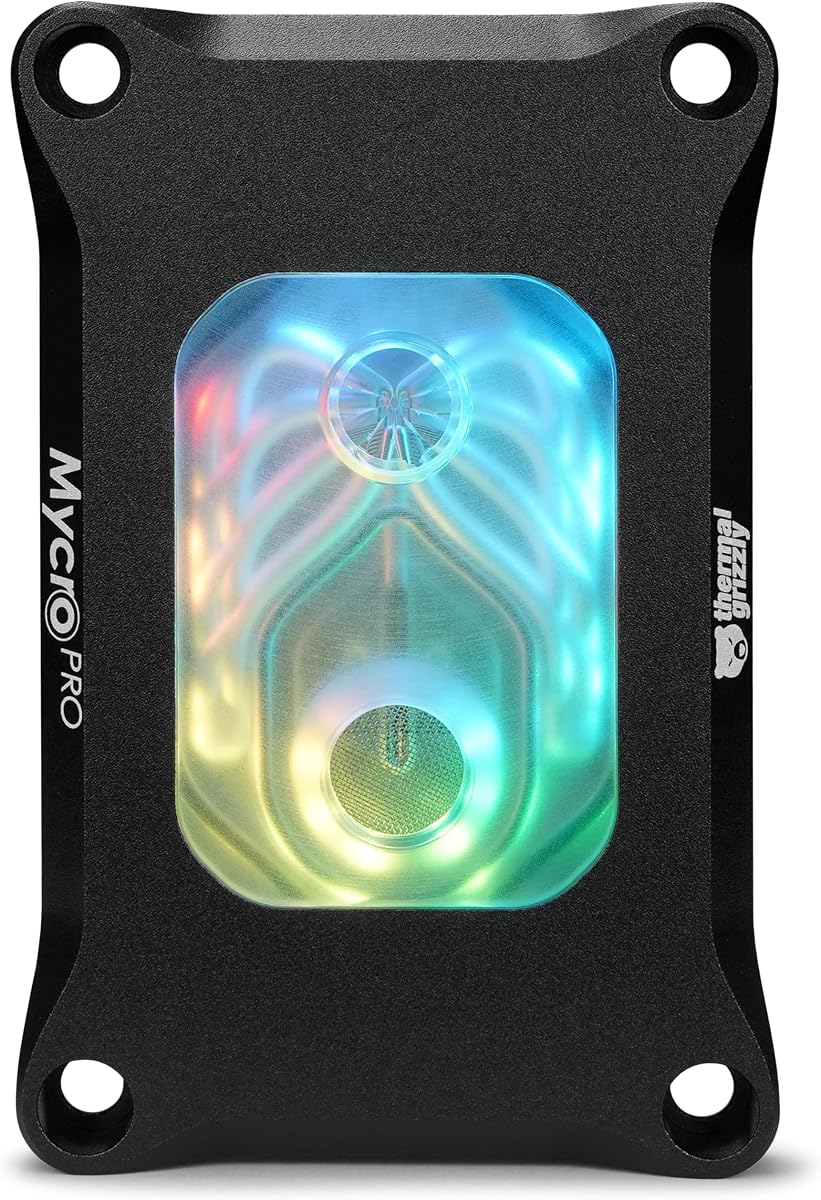
The Thermal Grizzly Mycro Pro RGB is built for high-end custom loops requiring efficient heat dissipation. Rated 4.6 stars it features 68 microfins with a 0.2mm structure to maximize surface area for thermal transfer under load.
We may earn a commission when you buy through this link, at no additional cost to you.
Its nickel-plated copper cold plate ensures reliability while the integrated fine mesh filter traps particles to maintain consistent flow. The acrylic and aluminum body with RGB window adds a clean illuminated look to compatible systems. Standard G1/4 threads allow easy integration.
While priced higher than budget options the precision machining justifies the investment for enthusiasts. The filter reduces maintenance needs by preventing debris from clogging the microfin structure. This is a strong choice for AMD users seeking top-tier performance.
If you prioritize engineering quality and long-term reliability in your loop this block delivers. It balances effective cooling with aesthetic appeal ensuring your system runs efficiently without sacrificing style or cleanliness inside the loop.
The 0.2mm microfins create significant surface area to maximize cooling efficiency under heavy load.
The mesh filter helps keep the internal channels clean reducing the need for frequent flushing.
We may earn a commission when you buy through this link, at no additional cost to you.
The TRYX Panorama WB offers a unique visual experience with a curved 6.67-inch 2K AMOLED screen on the block. Rated 3.6 stars it delivers 372PPI pixel density for vivid colors and immersive effects that stand out in any build.
We may earn a commission when you buy through this link, at no additional cost to you.
Its GIPHY availability allows effortless screen switching and browsing without local downloads. The Asetek Gen8 V2 thermal architecture ensures rapid heat transfer during gaming or rendering. A built-in VRM fan actively cools motherboard voltage regulators under heavy loads.
While the rating is lower than others the innovative features appeal to those wanting maximum customization. The 6-year total coverage including screen protection adds value to the high price tag. Compatibility with both Intel and AMD CPUs makes it versatile.
This block is for users who want their PC to be a conversation piece. If you value unique visuals and advanced connectivity over pure price-performance it offers an unforgettable display experience for custom loops.
The curved screen creates anamorphic visual effects that look stunning from most viewing angles.
The built-in fan targets voltage regulators ensuring stable power delivery during overclocking.
We may earn a commission when you buy through this link, at no additional cost to you.
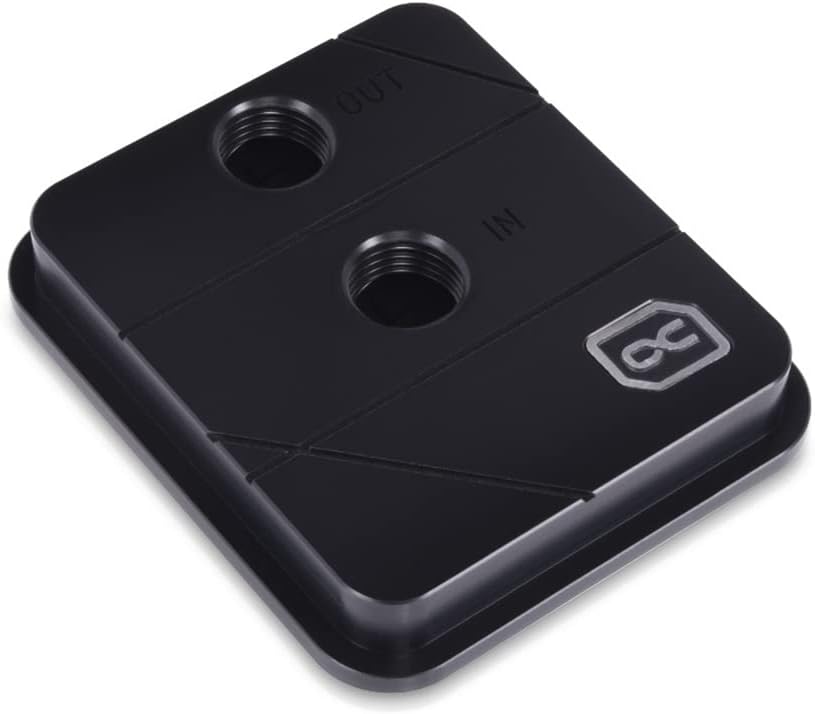
The Alphacool Core XP3 is a compact water block designed for Intel and AMD platforms. Rated 4.4 stars it features a nickel-plated copper material for reliable heat transfer. Its 73mm by 63mm by 21mm dimensions make it ideal for smaller cases.
We may earn a commission when you buy through this link, at no additional cost to you.
The acetal top material provides structural stability while maintaining a clean look. Maximum working temperature reaches 60 degrees Celsius ensuring safe operation under typical loads. The G1/4 threads standardize connections with most custom loop components easily.
While it lacks advanced lighting or displays the XP3 focuses on core thermal performance. Users appreciate the sturdy build and straightforward installation process. It remains a solid choice for those needing reliable cooling without extra features.
If you need a dependable block for a space-constrained build this model fits well. It delivers consistent results from a trusted manufacturer without compromising on essential thermal efficiency standards.
The 21mm height allows clearance in cases with tight vertical space or other tall components.
Nickel plating on the copper base prevents corrosion in various coolant environments.
We may earn a commission when you buy through this link, at no additional cost to you.
The CORSAIR iCUE Link XC7 RGB Elite is designed to reduce cable clutter with its proprietary ecosystem. Rated 4.1 stars it features a transparent flow chamber and 24 individually addressable RGB LEDs for customizable visuals.
We may earn a commission when you buy through this link, at no additional cost to you.
The Hexa-Flow cooling engine ensures even cooling across CPU cores while the built-in temperature sensor enables precise control via iCUE software. Universal connectors allow daisy-chaining with other components for a streamlined setup. This is ideal for those already invested in the iCUE system.
While it requires a separate System Hub the reduction in wiring simplifies the build process significantly. The stealth gray finish blends seamlessly into modern cases. It offers strong performance alongside smart connectivity features for advanced monitoring.
If you value organized cabling and software integration this block is a standout choice. It combines efficient cooling with a cohesive design that enhances both aesthetics and system management capabilities in your custom loop.
Universal connectors reduce wire clutter making internal system layout cleaner and more organized.
Built-in sensors allow precise temperature control and monitoring through the iCUE software suite.
We may earn a commission when you buy through this link, at no additional cost to you.
The Alphacool Core 1 LT features an acrylic color finish and digital RGB lighting for a distinct aesthetic. Rated 4.1 stars it supports both Intel LGA 1700 and AMD AM4/AM5 sockets making it widely compatible.
We may earn a commission when you buy through this link, at no additional cost to you.
Its base measures 71.8mm by 71.8mm ensuring fitment in most cases. The acrylic material provides a clear view of the coolant flow inside the block. The digital RGB lighting adds a touch of color to your custom loop setup.
While acrylic may require careful handling to avoid scratches it offers a different look compared to metal tops. The cooling performance remains reliable for daily tasks and gaming. Installation follows standard practices for Alphacool products.
If you want a visually distinct block with basic lighting this model fits well. It balances style with performance from a trusted manufacturer delivering solid results for standard custom loop configurations.
The acrylic finish creates a unique look differentiating it from standard metal or nickel water blocks.
Digital RGB lighting adds color that can be synchronized with other system lighting components.
We may earn a commission when you buy through this link, at no additional cost to you.
Selecting the right CPU water block depends on your specific socket type budget and aesthetic goals. Understanding key factors will help you find a model that delivers efficient cooling and fits your build perfectly.
Always verify that the block supports your CPU socket such as AM5 or LGA 1700. Mismatched mounts can lead to poor contact and thermal throttling. Check the product details for a list of supported platforms before purchasing to avoid return hassles later on.
Ensuring proper socket support guarantees a secure fit and optimal heat transfer from your processor to the coolant.
Nickel-plated copper cold plates are standard for high thermal conductivity and corrosion resistance. Avoid blocks with aluminum in the water path if you plan to use a custom loop as this can cause corrosion. High-quality materials ensure longevity and consistent performance over time.
Premium materials like copper and nickel provide the best balance of heat transfer and durability.
The design of internal channels and micro-fins impacts how effectively heat is moved to the coolant. More surface area usually means better cooling potential. Look for optimized geometries that prevent laminar flow and ensure even cooling across the entire CPU die.
Effective internal geometry ensures that all parts of the CPU are cooled evenly during heavy workloads.
Many modern blocks offer RGB lighting or integrated screens for customization. Decide if you want basic lighting or advanced displays that show temperatures or GIFs. Ensure your system supports the required connections like 5V ARGB headers or USB-C for these features to work.
RGB and display features enhance aesthetics but require compatible motherboard headers or controllers for full functionality.
Measure your case dimensions to ensure the block will fit alongside your RAM and GPU. Some high-profile blocks may cause clearance issues with tall memory modules. Standard dimensions like 70mm by 70mm are safer choices for most builds.
Checking physical dimensions prevents installation headaches and ensures your components fit properly inside the case.
Stick with reputable brands that offer warranties and quality control. A good warranty protects your investment against defects or leaks. Research customer reviews to see how the company handles support if issues arise.
Reputable brands provide peace of mind through reliable support and warranty protection for your cooling components.
Water blocks range from affordable options to premium models with displays. Set a budget based on your needs and prioritize performance if you are overclocking. Sometimes paying a bit more for better materials and efficiency saves money in the long run.
Determining your budget early helps narrow down choices without sacrificing essential cooling performance or quality.
Look for blocks that include mounting hardware and clear instructions. Complex setups may require extra brackets or separate controllers which add to the cost. USB connectivity or streamlined mounting systems can significantly reduce build time.
Easy installation features simplify the process and reduce the risk of errors during your initial assembly.
Always apply a high-quality thermal paste between the CPU and the cold plate to ensure optimal contact. Too much paste can insulate heat while too little can lead to air gaps. Aim for a pea-sized amount in the center before mounting the block securely.
Regularly check for leaks and maintain proper coolant levels in your reservoir. Over time air bubbles can form so bleeding your loop is essential for efficiency. Use distilled water or dedicated coolant mixes to prevent algae growth and corrosion inside the tubing.
Clean the block periodically by flushing it with distilled water if you notice reduced performance. Avoid using harsh chemicals that might damage the nickel plating or seals. Proper care ensures your water block remains efficient and lasts for years.
No not all water blocks fit every processor. Compatibility depends on the specific socket type such as AM5 or LGA 1700. Always check the manufacturer's list of supported sockets before buying to ensure a secure fit and effective cooling.
Copper offers superior thermal conductivity compared to other metals. A nickel-plated copper cold plate transfers heat from your CPU to the coolant efficiently. This material also resists corrosion helping your block last longer in various environments.
To clean a water block flush it with distilled water using a syringe or pump. Remove any residue or sediment that may have built up over time. Avoid harsh chemicals to protect internal components and plating from damage during maintenance.
RGB water blocks are worth it if you prioritize aesthetics and customization. They allow you to sync lighting with other components for a cohesive look. However they do not improve cooling performance significantly over non-RGB models.
Yes a pump is essential to circulate coolant through the loop efficiently. Without a pump heat would not transfer away from the CPU effectively. Ensure your pump is rated for your loop size and provides consistent flow.
Use distilled water with a biocide or a pre-mixed coolant designed for liquid cooling. These additives prevent algae growth and corrosion inside your components. Avoid tap water as minerals can lead to buildup and reduced efficiency over time.
Choosing the best CPU water block depends on balancing performance compatibility and visual preferences. The top picks offer a range of options from efficient cooling solutions to those with stunning display features.
Prioritize thermal efficiency and material quality when building a custom loop. A solid block ensures your system remains cool and stable under heavy loads without unnecessary complications.
Remember to check current prices and availability before making your final decision. Models may vary in stock or price so verify the details directly on the product pages for the most accurate information.