
SilverStone Technology RM44 4U Rackmount Server Chassis
4.3Editor score
Supports up to 360mm liquid cooling radiators
Compatible with SSI-EEB extended ATX boards
Includes USB Type-C interface for connectivity
Choosing the right 4U Server Chassis Cabinet Case is critical for building reliable and efficient server infrastructure. These enclosures protect sensitive hardware while providing essential cooling and expansion capabilities for demanding workloads.
We evaluated ten leading models based on build quality, airflow design, motherboard compatibility, and storage options. Our analysis focuses on real-world performance metrics to help you select the most suitable chassis for your specific setup requirements.
Each pick highlights unique strengths whether you need massive drive bays or advanced liquid cooling support. Keep in mind that pricing and availability can change frequently so verify current listings before making your final purchase decision today.
4.3Editor score

4.2Editor score

4.0Editor score
As an Amazon Associate we earn from qualifying purchases.
This side-by-side comparison highlights key specifications across all ten models to help you quickly identify which chassis meets your storage cooling and expansion needs most effectively.




The Rosewill RSV-L4500U stands out as a top contender for home labs needing extensive storage and reliable cooling. With a 4.2 rating from users it delivers robust performance for server applications where drive count matters most.
We may earn a commission when you buy through this link, at no additional cost to you.
Its standout quality is the inclusion of 15 internal 3.5 inch HDD bays allowing massive data capacity in a single chassis. The 8 pre-installed fans ensure temperatures remain controlled even under heavy load conditions.
While it excels in airflow and storage it lacks modern liquid cooling support which might limit high-performance CPU setups. The weight and bulk also require sturdy rack mounting solutions to handle safely during installation.
This chassis is ideal for NAS builders or small businesses prioritizing storage density over advanced liquid cooling features. It offers a balanced mix of security expansion and thermal management at a competitive market price point.
With 15 drive bays this chassis supports extensive data archival or distributed storage arrays without needing multiple enclosures.
Six front 120mm fans combined with two rear 80mm fans create a direct airflow path that keeps drives and components cool.
We may earn a commission when you buy through this link, at no additional cost to you.
This budget-friendly chassis offers a straightforward solution for basic server tasks where cost is a primary concern. It maintains a 4.0 rating for reliability in standard rack environments with essential security features included.
We may earn a commission when you buy through this link, at no additional cost to you.
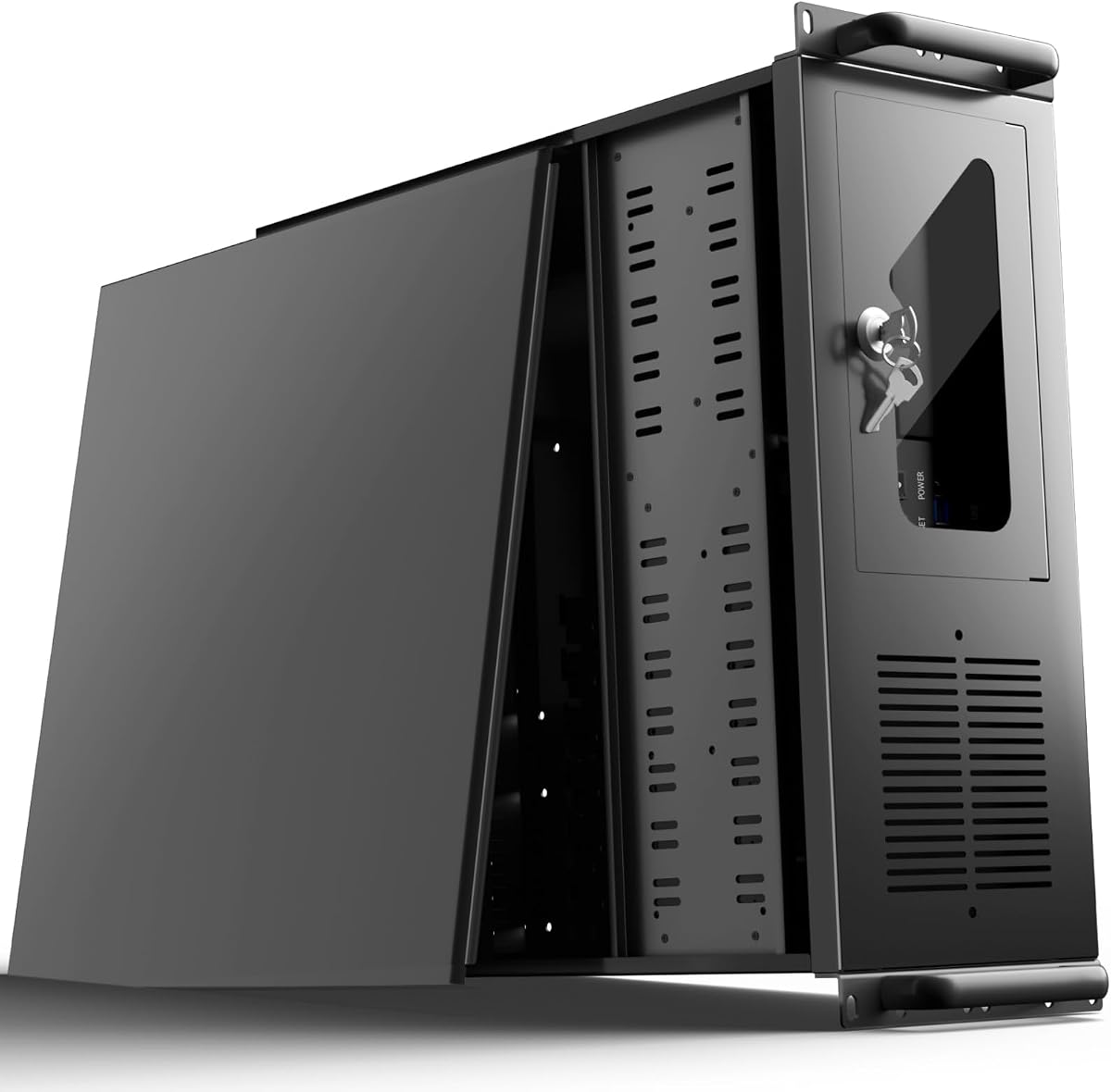
The lockable door design protects internal components from unauthorized access and physical tampering effectively. Its universal mountability ensures it fits any standard 19 inch front mount server rack without custom modifications.
However cooling is limited to one fan which may struggle with high heat loads over time. Users planning intensive workloads should consider additional aftermarket fans or alternative chassis with better thermal solutions.
Ideal for office file servers or light compute tasks this model balances price and functionality well. It serves as a practical entry point for those new to rackmount server deployments needing minimal setup.
The key lock mechanism provides physical security for valuable hardware and data against theft or accidental changes in shared spaces.
A foam filter on the front door minimizes dust inflow helping to prolong the service life of internal components and fans.
We may earn a commission when you buy through this link, at no additional cost to you.
SilverStone RM44 delivers premium features designed for high-performance computing environments needing top-tier thermal management. Its 4.3 rating reflects satisfaction with its ability to handle demanding workloads effectively.
We may earn a commission when you buy through this link, at no additional cost to you.
The ability to support up to 360mm liquid cooling radiators sets it apart from typical air-cooled server cases. This enables users to maintain lower CPU temperatures during intensive rendering or virtualization tasks.
While the expanded feature set comes at a higher cost it justifies the investment for critical infrastructure. The inclusion of USB Type-C ensures modern connectivity options are available for peripheral management directly from the front panel.
This chassis is best suited for power users or professionals building high-end virtualization servers or media render farms. It combines aesthetic appeal with functional excellence for modern data center deployments.
Accommodating 360mm radiators allows custom water cooling loops which are essential for keeping high TDP processors within safe thermal limits.
The USB Type-C interface provides faster data transfer speeds and broader device compatibility compared to older USB 3.0 ports.
We may earn a commission when you buy through this link, at no additional cost to you.
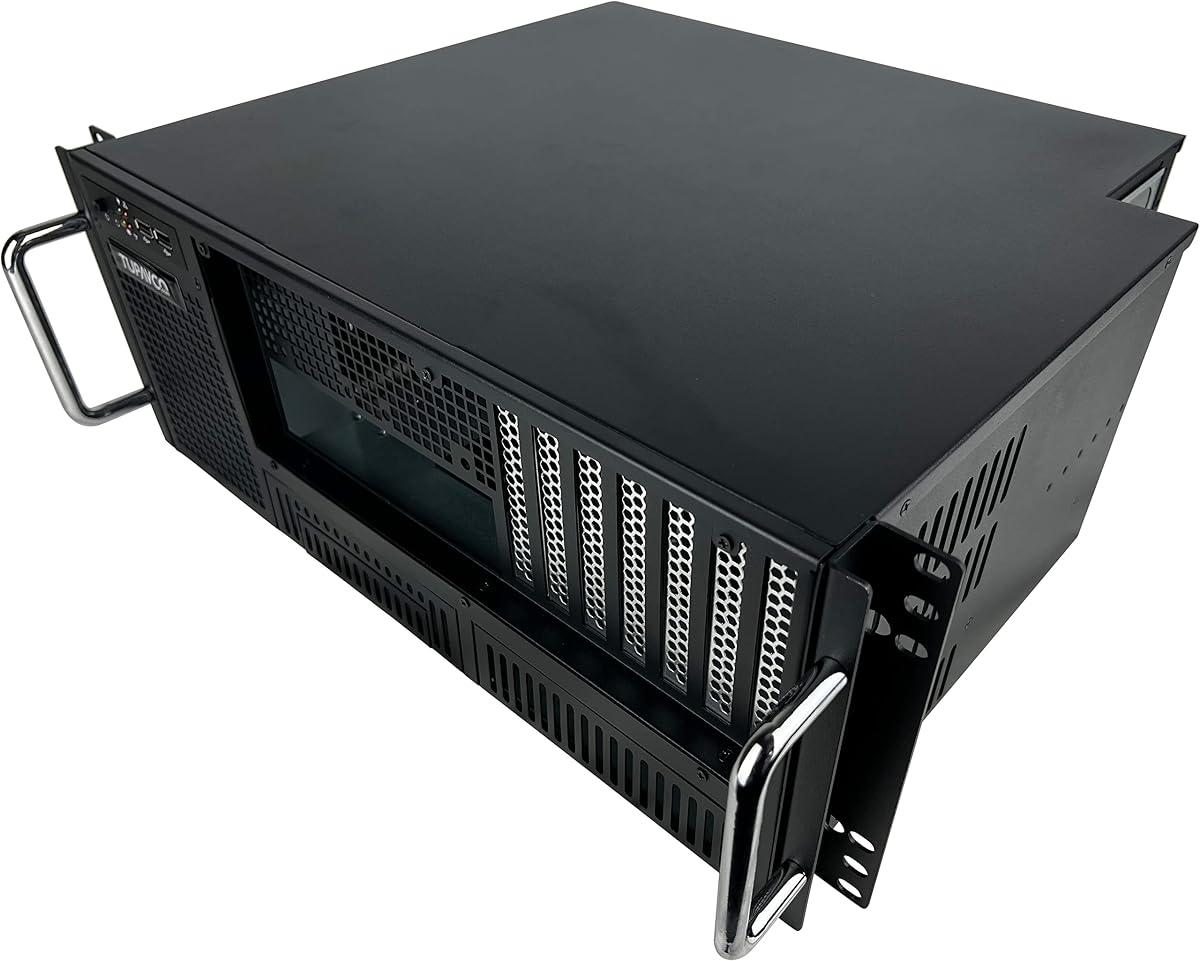
The Tupavco TP1842 focuses on convenience by placing expansion slots and I/O ports at the front for easier maintenance. It holds a 3.9 rating which suggests room for improvement in overall user satisfaction.
We may earn a commission when you buy through this link, at no additional cost to you.
Front accessible ports mean you can plug and unplug cards without removing the unit from the rack. This design significantly reduces downtime during troubleshooting or upgrades in busy server rooms.
However the lower rating may stem from limited cooling options compared to competitors with more fans. Users might need to add more fans to ensure stable operation during extended high-usage periods.
This chassis is a solid choice for IT technicians who prioritize accessibility over extreme thermal performance. It offers a reliable build that simplifies routine server maintenance tasks efficiently.
Expansion slots and USB ports at the front allow quick access without needing to pull the chassis out of the rack.
Made from Heavy-Duty SGCC Steel it provides durability and stability for long-term use in industrial environments.
We may earn a commission when you buy through this link, at no additional cost to you.
SilverStone RM4A offers a balance between liquid cooling capability and compact design. With a 3.6 rating it delivers on core features but might lack polish compared to higher rated models.
We may earn a commission when you buy through this link, at no additional cost to you.
Its support for 360mm radiators ensures high performance cooling is possible in a smaller package. This makes it attractive for environments where rack space is limited but thermal demands remain high.
However the limited internal drive bay count might not suit data-heavy users who need extensive storage expansion. The lower rating suggests some users may experience minor fit or installation challenges.
This model is suitable for compute-focused servers where CPU cooling is more critical than disk density. It supports high-end boards and modern connectivity while maintaining a streamlined footprint.
With strong CPU cooling support this chassis is ideal for workstations running virtualization or scientific simulations.
The inclusion of USB Type-C ensures compatibility with the latest external drives and peripherals for high-speed data transfer.
We may earn a commission when you buy through this link, at no additional cost to you.
The RackChoice 4U Chassis provides flexible options for both CPU cooling and motherboard sizes. It holds a 4.0 rating for offering good value with high-end specs for the price point.
We may earn a commission when you buy through this link, at no additional cost to you.
Its ability to support 360mm radiators makes it versatile for those wanting liquid cooling without breaking the bank. Combined with EATX support it allows for powerful motherboard choices typically found in workstations.
On the downside it lacks sliding rail support which means you might need a separate rack shelf for easy installation. The limited internal drive bays restrict storage expansion compared to other server-specific cases.
Ideal for hybrid workloads that need heavy computing and moderate storage this chassis offers great flexibility. It bridges the gap between standard desktop cases and true enterprise server enclosures.
Supporting elevated 360mm radiators allows users to choose AIO liquid cooling solutions for efficient heat dissipation.
With 8 full height expansion slots you can install multiple GPUs or network cards for specialized server roles.
We may earn a commission when you buy through this link, at no additional cost to you.
UTLGAMENG brings a storage-focused design perfect for home enthusiasts building media servers or personal clouds. With a 4.0 rating it satisfies users needing expandability without enterprise-level costs.
We may earn a commission when you buy through this link, at no additional cost to you.
With 12 dedicated hard drive bays this chassis handles large media libraries or backup volumes effortlessly. The robust key-lock mechanism ensures your valuable hardware stays secure from unauthorized access.
While it has solid storage features the included cooling might be just enough for low-load scenarios. Adding extra fans may be necessary if you plan to run intensive workloads continuously.
This option is highly recommended for home lab builders or gamers who need a dedicated server rack unit. It offers a sturdy build and flexible expansion to support diverse computing needs.
The side-panel air filter blocks dust inflow keeping internal components clean for better performance and longevity.
With 12 drive bays this case supports growing storage needs without requiring multiple chassis purchases.
We may earn a commission when you buy through this link, at no additional cost to you.
This specialized chassis targets data centers needing massive storage density with minimal downtime. Its 4.2 rating reflects user satisfaction with its ability to handle high-volume storage tasks reliably.
We may earn a commission when you buy through this link, at no additional cost to you.
The inclusion of 24 hot-swappable drive bays allows you to replace drives without powering down the system. This feature is essential for maintaining uptime in critical server environments where data accessibility is paramount.
However the high price point means it is not suitable for casual users or small setups. You will also need a compatible SAS controller to take full advantage of the advanced backplane features.
Ideal for enterprise NAS or archival storage solutions this chassis offers unparalleled density and flexibility. It ensures continuous operation with professional-grade storage management capabilities built right in.
24 hot-swappable bays enable drive replacement without power interruption ensuring high availability for critical data services.
Six internal Mini SAS backplanes provide robust connectivity options for high-performance enterprise storage arrays.
We may earn a commission when you buy through this link, at no additional cost to you.
This industrial chassis delivers professional-grade durability while supporting advanced cooling for demanding environments. Its 4.3 rating highlights strong performance in thermal management and build stability.
We may earn a commission when you buy through this link, at no additional cost to you.
Mesh ventilation on the front panel ensures optimal airflow to keep CPU components within safe temperature limits. Combined with AIO support it handles intensive workloads without compromising system stability over time.
Users note that while the chassis is excellent it does not come with the liquid cooler itself. This means you must budget for an additional AIO unit if you plan to use the cooling capability.
Best suited for industrial automation or edge computing this model offers robust construction and modern connectivity. It balances professional reliability with user-friendly features for efficient server maintenance tasks.
Extensive mesh ventilation promotes optimal airflow to maintain ideal operating temperatures during intensive workloads.
Front-mounted USB 3.0 ports provide quick data transfer and peripheral connections for efficient operation.
We may earn a commission when you buy through this link, at no additional cost to you.
Rackowl delivers a highly rated chassis offering balanced features for SMBs and home server users. With a 4.6 rating it excels in user satisfaction and overall build quality.
We may earn a commission when you buy through this link, at no additional cost to you.
Its spacious room provides ample space for hardware configurations without feeling cramped. Seven cooling fans ensure excellent airflow which keeps system temperatures low and operation quiet under load.
One trade-off is the use of USB 2.0 ports instead of the newer 3.0 standard which might limit data transfer speeds. However the inclusion of a front panel lock ensures your components remain secure.
This chassis is a top recommendation for general server use needing a mix of storage and compute power. Its reliable build and strong cooling make it suitable for small data centers or studios.
Seven included fans ensure excellent airflow to keep the chassis quiet even under moderate workloads.
The front panel lock provides safe protection for components and data against unauthorized physical access.
We may earn a commission when you buy through this link, at no additional cost to you.
Selecting the right chassis requires evaluating specific technical requirements that align with your intended workload. Understanding these factors ensures long-term reliability and performance.
Storage capacity is a primary decision factor especially if you plan to build a network attached storage system or archival server. Models vary from basic configurations with few drive bays to massive units capable of holding dozens of drives. Assessing your current data needs and future growth plans helps determine the right number of internal bays to prioritize.
Look for cases with flexible drive cages that support both 3.5 inch and 2.5 inch drives if necessary. Hot-swappable options are critical for minimizing downtime during maintenance or drive replacements.
Effective cooling is essential to prevent hardware failures and extend the lifespan of your server components. Chassis with multiple pre-installed fans provide better immediate airflow but consider cases that allow easy addition of more fans later. High-density setups generate more heat requiring superior thermal designs to maintain stable operating temperatures.
Airflow design should allow cold air to enter from the front and exit through the rear or top. Ensure your chosen model supports the type of cooling you prefer whether air-based or advanced liquid cooling solutions.
Verify that the chassis supports your planned motherboard form factor such as ATX E-ATX or SSI-EEB. Larger boards offer more PCIe slots but require more physical space inside the enclosure. Ignoring compatibility can lead to fitting issues or wasted investment in incompatible hardware.
Check the clearance heights for CPU coolers and graphics cards as well. Some high-performance components need significant vertical space which may not fit in compact rackmount designs.
PCIe and PCI slots determine how many add-on cards you can install for networking or storage controllers. A typical 4U chassis offers seven or eight slots which is sufficient for most expansion needs. Ensure the case has the right bracket size to accommodate full-height cards if you plan on using large GPUs or network cards.
If you require specific cards like RAID controllers or multiple network interfaces prioritize cases with ample rear slots. Proper cable management space is also vital to avoid obstructing these expansion slots with power cables.
Front panel inputs provide convenience for connecting peripherals and transferring data without accessing the rear of the server. USB ports should ideally be version 3.0 or higher to support faster data transfers. Also check for LED indicators that help you quickly monitor power and drive activity status.
Some cases also include audio jacks or eSATA ports which can be useful depending on your use case. Evaluate these details based on how often you interact with the front of your server.
Construction materials like SGCC steel and aluminum determine the physical robustness of the chassis. High-quality materials resist deformation and corrosion ensuring long-term reliability in demanding environments. Heavy-duty designs also dampen noise which can be beneficial for home labs or office settings.
Inspect the hinge quality and door mechanisms as well since they endure frequent use. A well-built enclosure should feel solid and stable when mounted in a rack without excessive vibration.
Mounting mechanisms determine how securely the chassis attaches to your server rack. Sliding rails simplify installation and removal while standard mounting holes ensure compatibility with most standard 19 inch racks. Verify if rails are included or must be purchased separately before finalizing your choice.
Consider the depth of your rack to ensure the chassis fits without extending beyond the rack frame. Proper mounting is essential for safety and stability especially if the rack will be moved occasionally.
Physical security features like front locks protect your hardware from unauthorized access and tampering. Lockable doors are vital in shared environments such as offices or colocation facilities to prevent theft. Additional filters help keep dust out which also indirectly improves security by maintaining clean internal components.
Evaluate whether the lock design allows for key access or reset combinations. A robust security feature adds peace of mind for valuable server infrastructure components.
Install the chassis securely into your 19-inch rack using the provided sliding rails or mounting brackets. Ensure all screws are tightened properly to prevent wobbling which can damage internal components over time. Align the rear cable ports with rack cable management arms to keep connections organized.
Regularly clean the dust filters located on the front or side panels to maintain optimal airflow. Use compressed air or a soft brush to remove debris every few months especially in dusty environments. This simple maintenance task significantly extends the life of your cooling fans and internal hardware.
Keep the area around the rack well-ventilated to assist the chassis cooling fans in dissipating heat effectively. Avoid stacking items in front of the rack that might block air intake or exhaust paths. Monitor drive indicators periodically to catch any potential hardware issues before they escalate into failures.
A 4U server chassis is an enclosure designed for mounting in a standard 19-inch rack that occupies four units of vertical space. It provides physical protection and cooling for server components such as motherboards drives and power supplies. This form factor is ideal for businesses needing expandable storage and powerful computing resources in a compact footprint.
Yes these chassis are designed specifically for standard 19-inch server racks to ensure proper mounting and airflow. While some can stand on a desk they are optimized for rack environments to maximize space efficiency and cooling performance. Without a rack you risk improper ventilation and instability during operation.
Many modern 4U chassis support liquid cooling including up to 360mm radiators for high-performance thermal management. Always verify the internal dimensions and mounting holes before purchasing to ensure the radiator and pump fit correctly. Proper installation is key to avoiding leaks and ensuring effective heat dissipation.
Most 4U cases support standard ATX M-ATX and Mini-ITX motherboards while some premium models also accommodate E-ATX or SSI-EEB boards. Always check the manufacturer specifications for maximum motherboard dimensions and standoff hole patterns. Compatibility issues can prevent proper installation or block access to ports.
Some high-end 4U chassis feature hot-swappable drive bays allowing you to replace drives without powering down the server. Basic models may have fixed bays requiring system shutdown for drive changes. Check the product specifications to confirm if hot-swap trays or backplanes are included for your specific model.
A standard PS-2 ATX power supply or a mini-redundant PSU is recommended depending on your power requirements. Ensure the unit has sufficient wattage to support all installed drives and expansion cards simultaneously. Higher capacity PSUs provide better stability for workloads with multiple high-performance components.
Most models come with multiple pre-installed cooling fans to ensure adequate airflow out the box. The exact number and size vary by model ranging from one basic fan to up to eight fans in large chassis. Adding more fans can improve cooling but ensure the case has room and connectors.
Yes 4U chassis are excellent for home media servers due to their ample storage bays and robust cooling options. They allow you to store large media libraries securely while keeping system temperatures stable during continuous playback or transcoding. Just ensure your rack setup matches your available space.
We reviewed ten models offering diverse features from massive storage to advanced liquid cooling support. Each case provides unique benefits tailored to different server needs whether for home labs enterprise storage or high-performance computing. Selecting the right one depends on matching your specific requirements with the available specs.
Prioritize storage capacity if you need massive data volumes or cooling power if you run heavy compute workloads. Always verify motherboard compatibility and mounting requirements before purchasing to avoid installation issues. Investing in quality construction ensures reliability and longevity for your server infrastructure.
Remember that prices and availability fluctuate so check current listings on Amazon for the most accurate details. Verify current listings to ensure you get the best deal for your budget and project needs. Take your time to compare specs carefully to make the best choice for your setup.