
K7 Total Security Antivirus Software 2026
4.2Editor score
Affordable one-year subscription plan
Webcam protection against hackers
Ransomware file encryption prevention
This guide compares the top laptop protection software options for 2026, evaluating antivirus, identity monitoring, VPN, and cloud backup features to help you
In todayâs digital landscape, securing your laptop is more critical than ever before. Laptop protection software provides essential safeguards against malware, phishing scams, and identity theft. Choosing the right solution ensures your personal data remains safe while you browse, shop, and work online with confidence every single day.
We analyzed leading security suites based on threat detection rates, system performance impact, and user interface simplicity. Our comparison includes comprehensive features like VPN access, dark web monitoring, and parental controls. This list covers the most reliable options available to protect your devices against evolving cyber threats effectively and efficiently.
Each pick highlights unique strengths, whether you need multi-device coverage or advanced identity protection tools. Prices and subscription terms may change frequently, so verify details before purchasing. Read through our detailed reviews to understand which software aligns best with your specific security needs and budget constraints for long-term peace of mind.
4.2Editor score
4.0Editor score

4.3Editor score
This side-by-side comparison evaluates all ten products based on device limits, security features, and subscription terms to help you find the perfect fit for your home or business needs.


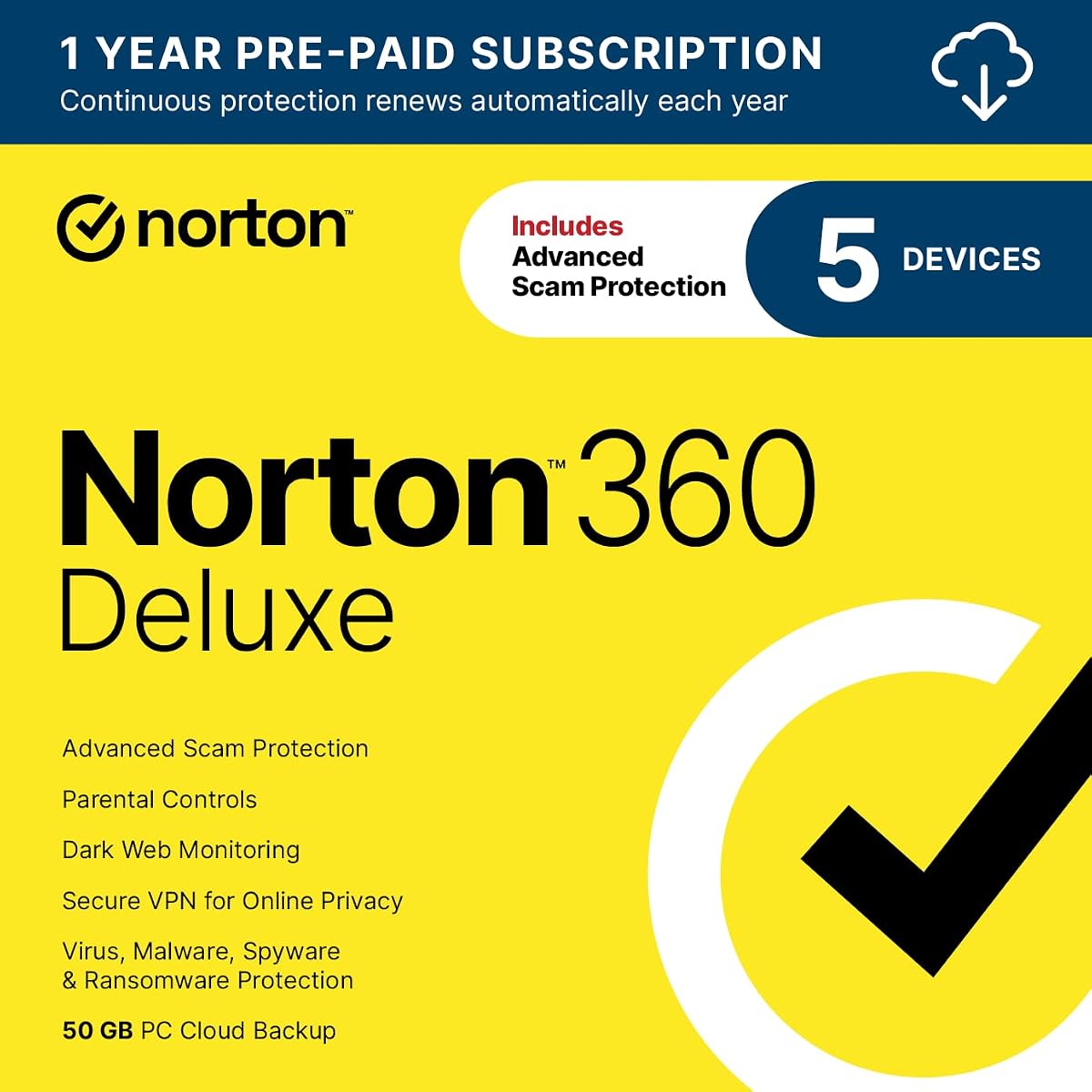
Norton 360 Deluxe stands out as a top-tier security suite for protecting multiple devices simultaneously. With a solid rating and robust feature set, it offers real-time protection against malware and viruses without slowing down your laptop performance significantly during daily tasks.
We may earn a commission when you buy through this link, at no additional cost to you.
The included 50GB secure cloud backup ensures your important files are safe from ransomware or hardware failure. The Genie AI assistant helps identify suspicious emails and messages, adding an extra layer of defense against sophisticated phishing attacks that traditional filters might miss.
While the renewal pricing can be higher than introductory offers, the value provided through comprehensive identity monitoring and unlimited VPN access justifies the cost. Some users find the software consumes more resources than lighter alternatives, but modern systems handle this load efficiently.
Ideal for families or professionals needing protection across PCs, Macs, and mobile devices. This choice is recommended if you prioritize cloud backup and AI-driven scam protection over minimal system impact. Always verify the renewal terms before subscribing to avoid unexpected charges later on.
The 50GB backup space allows you to store critical documents and photos safely away from local hardware risks.
This AI assistant actively monitors messages for signs of fraud, helping you avoid falling for common online scams.
We may earn a commission when you buy through this link, at no additional cost to you.
McAfee Total Protection 2027 delivers reliable security across five devices with a focus on ease of use. The adaptive protection system keeps alerts tuned to your usage patterns, reducing noise while ensuring critical threats are caught before they can harm your laptop data.
We may earn a commission when you buy through this link, at no additional cost to you.
Identity monitoring is a standout feature, watching for exposed personal info and guiding you on removal steps. Secure connections automatically activate on public Wi-Fi, keeping your data encrypted during travel or remote work scenarios where network security might be compromised.
The guided action alerts simplify security management for non-technical users by clearly explaining what threats are and how to fix them. While auto-renewal is standard, users must remember to manage settings to avoid unexpected charges if they do not intend to continue the subscription.
Best for users seeking a straightforward, comprehensive security package that balances performance and protection features. It is particularly useful for those concerned about identity theft and need a solution that works well across different operating systems without complex setup steps.
The system learns your habits to reduce false positives while catching new malware variants quickly before they spread.
Receive instant alerts if your personal data appears on risky sites so you can act immediately to secure your accounts.
We may earn a commission when you buy through this link, at no additional cost to you.
McAfee+ Premium 2027 offers unlimited device protection, making it ideal for tech-savvy households with many connected gadgets. The social privacy manager helps adjust settings on platforms to minimize exposure, while personal data scans guide you in removing information from data broker sites.
We may earn a commission when you buy through this link, at no additional cost to you.
Threat detection remains robust, catching suspicious links and scams automatically before they reach you. Secure connections ensure your data stays protected on public Wi-Fi every time you connect, providing peace of mind during commutes or travel where network security is often weak.
The premium price reflects the added value of unlimited devices and advanced privacy tools that go beyond standard antivirus functionality. Regular maintenance is needed to keep the software updated and to review privacy settings that change frequently across social media platforms.
Recommended for users needing broad coverage and strong privacy controls across all their digital endpoints. This software is perfect if you want to manage security for the entire family without worrying about individual device limits or paying per license fees for each new gadget.
This tool locates hidden privacy settings in social accounts and fixes them to limit unwanted data sharing by default.
Scans find your info on sites selling data and guide you through the process of removing it securely and effectively.
We may earn a commission when you buy through this link, at no additional cost to you.
This version provides solid protection for three devices with essential tools like a password manager and dark web monitoring included. It ensures your accounts stay secure by generating complex passwords and alerting you if your credentials appear on risky websites or forums.
We may earn a commission when you buy through this link, at no additional cost to you.
The unlimited VPN allows secure browsing on public Wi-Fi without extra fees, protecting your privacy automatically when you connect to unfamiliar networks. Identity monitoring watches for exposed info and notifies you so you can take action before hackers misuse your personal data.
Setup is straightforward with instant code downloads, though physical copies are not included in this digital version. The limit of three devices may not suit larger families, but it works well for individuals or couples who need reliable security across their main devices.
A great choice for those needing essential identity and privacy tools without complex features. Verify the device limit before purchasing to ensure it fits your needs, and remember to activate the code immediately after purchase to start protection without delay on your systems.
Generate and store complex passwords for all your accounts to prevent brute force attacks and credential stuffing issues.
Searches dark web forums for your personal information and alerts you if data breaches expose your credentials online.
We may earn a commission when you buy through this link, at no additional cost to you.
K7 Total Security offers exceptional value for individuals needing basic antivirus and internet security at a low price. It safeguards against viruses and ransomware, ensuring files remain unencrypted even if malicious apps attempt to lock them during an attack on your system.
We may earn a commission when you buy through this link, at no additional cost to you.
Webcam protection prevents unauthorized applications from spying on you, adding a privacy layer that many budget tools skip. The email delivery process sends activation codes within hours, so you can start protecting your laptop immediately without waiting for shipping delays.
While it lacks advanced features like unlimited VPNs identity monitoring, it covers the essentials effectively for home users. The single user license means it is best for personal devices rather than shared family computers where multiple people need independent protection profiles.
An excellent budget pick for students or those securing a single device against common online threats. Verify your email inbox promptly after purchase to find the download link and activation code, and install quickly to maintain continuous protection from malware or viruses.
Files are protected from encryption by untrusted apps so your photos and documents stay accessible during an attack.
Blocking unauthorized apps from accessing the camera prevents hackers from spying on you without your knowledge or consent.
We may earn a commission when you buy through this link, at no additional cost to you.
Unlike traditional software, this plan covers hardware repairs and accidental damage like drops or spills after the manufacturer warranty expires. It ensures your laptop remains usable without unexpected costs for parts and labor, making it a smart addition to any device purchase for peace of mind.
We may earn a commission when you buy through this link, at no additional cost to you.
You pay nothing for repairs including shipping, and real experts are available around the clock to help with connectivity or setup issues. Most claims are approved within minutes, and if a repair is impossible, an Amazon e-gift card covers the purchase price or you get a replacement.
The plan must be purchased with the product or within thirty days of purchase, and pre-existing conditions are not covered. It does not protect against cyber threats or data loss, so pair it with antivirus software for complete protection against both physical and digital risks.
Best for users worried about physical damage to expensive laptops who want straightforward repair coverage. Check the price tier to ensure it matches your device value, and review terms carefully to understand what is covered and how to file claims efficiently if needed.
Drops and spills are covered from day one, protecting against common accidents that void standard manufacturer warranties quickly.
Real experts are available 24/7 to help solve set-up and connectivity issues quickly for your covered device.
We may earn a commission when you buy through this link, at no additional cost to you.
This variant focuses on three devices with streamlined protection features for households with limited hardware needs. Instant code download ensures you can set up protection immediately after purchase without waiting for shipping, and auto-renewal keeps you covered without interruption or manual action required.
We may earn a commission when you buy through this link, at no additional cost to you.
Adaptive protection alerts keep your device safe by tuning notifications to your usage patterns. Identity monitoring and secure connections help keep personal data safe online, ensuring your information stays private when browsing or connecting to public Wi-Fi networks around the city.
Renewal pricing may be higher than the initial subscription term, so check details before committing to long-term plans. The limited device count works for couples or small families but lacks flexibility for larger households needing more than three simultaneous connections for full security.
Ideal for users wanting reliable security without complex setup steps across three main devices. Ensure you understand the auto-renewal terms before purchasing so you can decide whether to continue the service or cancel before the billing cycle begins again.
Alerts are tuned to your habits to reduce notification fatigue while ensuring critical threats remain visible and actionable.
Subscription renews annually for hassle-free protection, so manage settings in your account to avoid unexpected charges later.
We may earn a commission when you buy through this link, at no additional cost to you.
Bitdefender delivers world-class antivirus and cyber protection across Windows, Mac, iOS, and Android devices in a single package. The cross-platform suite ensures all your connected gadgets stay safe, and features like anti-tracker and microphone monitor add privacy layers beyond basic malware scanning and removal.
We may earn a commission when you buy through this link, at no additional cost to you.
Safe online banking uses a dedicated browser to secure transactions, protecting your financial data during shopping or bill payments. The activation code is mailed, so allow time for delivery, but once activated, you get full access to advanced threat defense and parental control tools for your family.
The speed-optimized design aims to minimize performance impact, though some modes like game or movie mode may require manual toggling. Eco-friendly packaging reduces waste but delays instant access compared to digital-only products found on other platforms for immediate installation.
Best for households needing a single solution for multiple operating systems. If you prefer instant access, consider digital alternatives, but if physical mail is acceptable, this suite offers robust privacy controls and cross-platform security for all your devices in one subscription package.
Organize and keep your digital life safe from hackers across all device types with unified security controls for all platforms.
Anti-tracker tools prevent sites from monitoring your online activity so you can browse with more privacy and anonymity.
We may earn a commission when you buy through this link, at no additional cost to you.
This version covers three devices with a solid feature set including dark web monitoring and Genie AI scam protection. The included 25GB cloud backup helps prevent loss of files due to ransomware or hard drive failures, offering extra safety for your most critical photos and documents.
We may earn a commission when you buy through this link, at no additional cost to you.
Real-time protection guards against existing and emerging malware threats, and it won't slow down your device performance during routine tasks. Dark web monitoring searches for exposed information, notifying you if your data is found so you can take action to secure your accounts quickly.
Auto-renewal ensures continuous protection without gaps but requires checking the renewal rate to avoid unexpected charges later. The lower cloud space limit may not suit power users needing more storage for backups compared to the five-device deluxe version available in other plans.
A good choice for small households needing essential security and basic cloud backup features. Verify device limits and storage needs before purchasing, and manage subscription settings to ensure you are aware of any price changes when the introductory term ends.
Thieves buy and sell info online; this feature searches the dark web and notifies you if your information is found there.
Help spot hidden scams online with built-in AI that analyzes messages so you never wonder if an email is suspicious.
We may earn a commission when you buy through this link, at no additional cost to you.
Norton 360 Premium supports up to ten devices, making it ideal for large families or small offices needing extensive coverage. The generous 75GB secure cloud backup helps prevent loss of files due to ransomware or hardware issues, offering significant storage for all your critical data needs.
We may earn a commission when you buy through this link, at no additional cost to you.
Dark web monitoring and Genie AI scam protection add intelligence to your defense system, identifying threats before they compromise your data. The suite protects against emerging malware threats and won't slow down device performance, ensuring smooth operation during intensive work or entertainment tasks.
Auto-renewal keeps coverage continuous, but users should check renewal rates before the initial term ends to avoid unexpected fees. While the cost is higher, the extensive device coverage and storage space justify the investment for those with many connected endpoints to protect.
Best for users needing broad protection across many laptops, phones, and tablets. Review the subscription terms to ensure you understand the renewal pricing, and use the management portal to monitor which devices are covered and to update security settings as needed.
The 75GB cloud space ensures ample room for photos and files so you do not lose data due to hard drive failures.
Support for ten devices means you can secure every laptop and mobile device in the home or small office network.
We may earn a commission when you buy through this link, at no additional cost to you.
Selecting the right laptop protection software requires evaluating several key factors that align with your specific security needs and device count.
Check how many devices the subscription supports. Most suites allow between three and ten devices, with some premium options offering unlimited coverage for all your gadgets.
Choose a plan that covers every laptop and phone you own to avoid gaps in protection.
Look for real-time scanning that catches malware, ransomware, and phishing attempts before they can harm your system data.
Prioritize software with high detection rates to ensure your files remain secure from evolving online threats.
Ensure the software runs efficiently without slowing down your laptop during daily tasks like browsing or video editing.
Opt for lightweight options if you need consistent speed alongside robust security measures.
Some suites track your personal info online and alert you if your data appears on risky websites or forums.
This is essential if you handle sensitive financial or health information on your devices regularly.
A built-in virtual private network encrypts your connection when using public Wi-Fi hotspots in cafes or airports.
Verify unlimited access versus limited data caps depending on how often you travel for work or leisure.
Secure cloud storage helps you recover files if ransomware encrypts your hard drive or if your computer fails physically.
Compare storage amounts like 25GB or 50GB to ensure you have enough space for critical documents.
Introductory pricing is common but often rises after the first year. Review renewal rates to avoid unexpected charges.
Look for flexible billing options and cancellation policies to manage your costs effectively over time.
Confirm compatibility with your operating system whether Windows, macOS, iOS, or Android devices in your home network.
Cross-platform suites simplify management by using one dashboard to control security across all your tech.
Install the software immediately after purchase and run a full system scan to ensure all devices are safe before connecting to the internet.
Keep automatic updates enabled so the software stays ahead of new malware and security threats that emerge every day.
Review alerts regularly and adjust settings to reduce false positives while maintaining strong protection against real risks.
Free tools provide basic antivirus but often lack identity monitoring, VPNs, and parental controls. For comprehensive safety especially when using public networks investing in paid software is highly recommended for most users.
Yes, many subscriptions support multiple devices ranging from three to unlimited depending on the plan you select. Always verify the device count before purchasing to ensure it fits your household needs.
Updates happen automatically to catch new threats. Ensure automatic updates are enabled so your software remains effective against emerging malware without needing manual intervention.
Even safe sites can host malware through ads or compromised scripts. Security software scans incoming data to block threats that bypass standard web browser protections effectively.
Reputable software can quarantine or remove most malware. Some plans include support teams to help restore your system safely if infection occurs unexpectedly.
Modern tools are optimized to run quietly in the background. If performance drops, check for conflicting apps or adjust scan settings to balance protection with speed.
Our top picks include Norton 360 Deluxe for all-round value, McAfee+ Premium for unlimited devices, and K7 Total Security for budget-conscious users needing basic coverage.
Prioritize features like dark web monitoring or cloud backup based on your data risk level rather than just focusing on threat detection metrics alone.
Verify current subscription terms and prices before purchasing since rates can change frequently and renewal costs may differ from introductory offers.