
Samsung 49 Inch Odyssey OLED G9 G91SD
4.3Editor score
QD-OLED panel technology
0.03ms response time
144Hz refresh rate
Finding the right display for your racing rig transforms how you experience speed and precision. A wide screen fills your vision like a real cockpit, letting you spot hazards and judge corners with confidence.
We analyzed performance specs, panel types, and ergonomic features across ten top models. Our comparison focuses on refresh rates, response times, and curvature to ensure smooth visuals during intense simulation sessions.
Each pick highlights unique strengths for different budgets and setups. Note that availability and costs shift regularly, so verify current details before buying to ensure you get the best value for your needs.
4.3Editor score

4.6Editor score
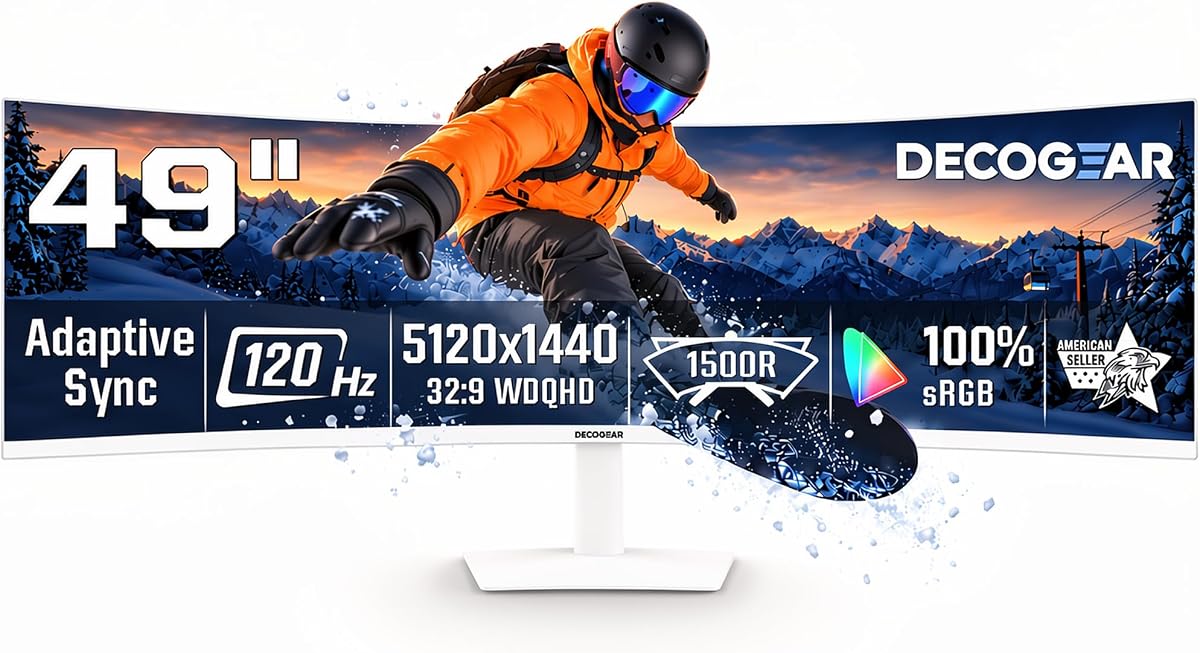
4.1Editor score
As an Amazon Associate we earn from qualifying purchases.
This side-by-side comparison highlights key specifications for all ten monitors. We focus on resolution, refresh rate, and curvature to help you match the display to your racing simulation needs.





This Raywego monitor offers a stunning panoramic view ideal for immersive simulation racing. With a high rating for clarity and smooth motion, it delivers the wide field of view needed for realistic track awareness.
We may earn a commission when you buy through this link, at no additional cost to you.
The 165Hz refresh rate ensures fluid visuals during high-speed turns. The curved design wraps around your vision while the DQHD resolution provides sharp detail for spotting curbs and track markers.
VA panels may lack OLED-level blacks but offer strong contrast. The bright display handles various lighting conditions well, though HDR support remains basic compared to premium models.
Racing enthusiasts wanting immersive visuals without extreme costs should consider this. It balances performance and value effectively for sim rigs.
The 32:9 aspect ratio expands your view like a real cockpit, helping you spot hazards earlier.
High refresh rates reduce motion blur ensuring clear visuals even during rapid acceleration.
We may earn a commission when you buy through this link, at no additional cost to you.
Samsung's QD-OLED monitor sets a premium standard with true blacks and vivid colors. The instant response time eliminates blur entirely making it perfect for competitive racing simulation.
We may earn a commission when you buy through this link, at no additional cost to you.
The infinite contrast allows deeper shadows to reveal track details. Dynamic thermal control manages heat during long sessions protecting the panel from over-stress.
Premium pricing is a consideration especially in bright rooms where OLED excels. Burn-in protection helps longevity but ambient light affects perceived contrast.
Drivers wanting top-tier visuals and response speed should invest here. The OLED technology delivers unmatched realism for simulation.
OLED tech provides infinite contrast revealing subtle shadows in dark corners.
Near-instant reaction ensures pixels change instantly eliminating motion blur.
We may earn a commission when you buy through this link, at no additional cost to you.
This affordable option delivers high resolution and wide view ideal for sim racing. Despite a modest refresh rate it offers solid clarity and convenient connectivity.
We may earn a commission when you buy through this link, at no additional cost to you.
USB-C connectivity allows one-cable setup for laptops. The adjustable stand ensures ergonomic comfort during extended sessions.
Motion smoothness falls short of higher refresh models. HDR performance is basic compared to premium panels but acceptable for the price.
Budget-focused racers needing wide view should choose this. It balances cost and utility effectively.
USB-C port supports power and data streamlining your desk clutter.
Split screen functionality allows multitasking while keeping game visible.
We may earn a commission when you buy through this link, at no additional cost to you.
INNOCN delivers high accuracy with wide view suitable for creators and racers. The color gamut ensures realistic visuals while USB-C simplifies setup.
We may earn a commission when you buy through this link, at no additional cost to you.
The adjustable stand allows ergonomic positioning for long sessions. Split screen features assist multitasking during training or analysis.
Refresh rate and HDR remain modest compared to gaming-focused panels. This suits those prioritizing color and clarity over speed.
Creators wanting wide view should consider this. It offers excellent balance for mixed use.
High sRGB coverage ensures true-to-life visuals for detailed graphics.
Dual input support allows side-by-side workflows on one display.
We may earn a commission when you buy through this link, at no additional cost to you.
This model excels with ultra-fast refresh and deep curvature for immersion. High brightness and contrast deliver vivid visuals for racing scenarios.
We may earn a commission when you buy through this link, at no additional cost to you.
Auto source switching speeds up setup between devices. The stand offers flexibility for height and tilt adjustments.
Extreme curvature may distort edges for some users. Premium pricing reflects high-end performance capabilities.
Competitive gamers needing speed should look here. The refresh and curve are top-tier.
High refresh rate minimizes motion blur ensuring crisp high-speed visuals.
1000R radius wraps screen around vision for total immersion.
We may earn a commission when you buy through this link, at no additional cost to you.
This 2025 model brings modern features and deep curve to racing. HDR600 ensures bright highlights while refresh rate supports smooth gameplay.
We may earn a commission when you buy through this link, at no additional cost to you.
Auto connect and ergonomic stand enhance user experience. The wide view aids situational awareness on tracks.
Price is high and curve depth varies by preference. Overall it remains a strong choice.
Users seeking modern features and brightness should consider. It delivers balanced performance.
Auto connect feature detects devices and switches inputs instantly.
Adjustable height and tilt reduce strain during long use.
We may earn a commission when you buy through this link, at no additional cost to you.
CRUA offers fast refresh and wide curve at a budget-friendly cost. High color coverage ensures vivid visuals suitable for racing.
We may earn a commission when you buy through this link, at no additional cost to you.
VESA compatibility supports custom arms for better ergonomics. FreeSync reduces tearing on compatible systems.
Stand adjustments are limited but functional. It provides solid value for basic gaming needs.
Budget-conscious gamers should look here. It balances specs and affordability well.
Fast refresh rate ensures smooth motion without high cost.
Wall mount support allows flexible positioning and cable management.
We may earn a commission when you buy through this link, at no additional cost to you.
ASUS ROG delivers comfortable viewing with eye care tech and adjustments. Free Creative Cloud adds value for creators racing.
We may earn a commission when you buy through this link, at no additional cost to you.
GamePlus overlays assist targeting and timing in games. The curved design wraps vision for immersion.
Lower resolution may affect sharpness on 49 inch. It remains a solid option for comfort.
Users valuing comfort and features should consider. It balances utility and health well.
Blue light filters reduce strain during extended viewing.
Free subscription adds value for photo and video editors.
We may earn a commission when you buy through this link, at no additional cost to you.
Z-Edge combines high refresh and resolution for smooth crisp visuals. Color accuracy supports creative needs alongside racing.
We may earn a commission when you buy through this link, at no additional cost to you.
USB-C supports one-cable setup for laptops. Audio is included for convenience.
Stand is basic but functional. The specs offer strong performance at mid cost.
Gamers needing high refresh should look here. It delivers speed and clarity.
Ultra-fast refresh ensures fluid motion during intense gameplay.
5K resolution provides crisp detail for track inspection.
We may earn a commission when you buy through this link, at no additional cost to you.
This OLED model delivers infinite contrast and fast refresh. Slim design fits modern setups while auto connect saves time.
We may earn a commission when you buy through this link, at no additional cost to you.
High speed ensures smooth visuals during intense racing. Side-by-side split supports multitasking.
Cost is high and burn-in risk exists for static content. It remains a premium choice.
Users seeking OLED speed should consider. It delivers unmatched visuals.
Ultra-thin profile saves desk space and looks sleek.
True blacks reveal details in dark scenes effectively.
We may earn a commission when you buy through this link, at no additional cost to you.
Selecting a monitor for racing requires balancing speed, resolution, and immersion. Key factors include refresh rates, panel tech, and ergonomic features.
Higher refresh rates like 144Hz or 240Hz ensure smooth motion and reduce blur during fast movement. This is vital for racing where quick reactions are needed.
Aim for 144Hz or higher for competitive racing simulations.
Fast response times minimize ghosting and motion blur. This helps you track moving objects clearly on the screen.
Look for 1ms or lower for the sharpest motion.
High resolution like DQHD or 5K2K provides crisp track details and clear text. This helps read HUD elements easily.
Choose DQHD or higher for detailed visuals.
Curved screens wrap around your vision increasing immersion. Ranges from 1500R to 1800R affect how much it wraps.
Select based on how deep you want immersion.
VA panels offer high contrast while OLED delivers true blacks. Each has tradeoffs in cost and burn-in risk.
Choose OLED for premium quality or VA for balance.
Multiple inputs like HDMI and DisplayPort support various devices. USB-C simplifies laptop setup.
Ensure ports match your hardware needs.
Adjustable stands reduce neck strain during long sessions. VESA mounts allow custom arms.
Prioritize height and tilt adjustments.
HDR brightness improves contrast in bright and dark scenes. This aids visibility in varied track lighting.
Look for HDR600 or higher for impact.
Adjust your monitor height so the top is at eye level. Tilt slightly back to reduce glare. Use a sturdy stand to prevent wobbling.
Use HDMI or DisplayPort for best refresh rates. Update graphics drivers to support high resolutions. Adjust brightness to room lighting.
Clean the screen gently with a soft cloth. Avoid harsh chemicals. Check for dead pixels upon arrival and report issues quickly.
Yes, a 49 inch ultrawide monitor fills your peripheral vision like a cockpit. It provides wide track views and improves immersion significantly.
A refresh rate of 144Hz or higher is ideal. It ensures smooth motion and reduces blur during high-speed turns. Higher rates help competitive drivers.
Curvature wraps the screen around your vision increasing immersion. Models range from 1500R to 1800R. Choose based on preference and desk depth.
OLED monitors deliver true blacks and fast response. They excel in dark scenes but cost more. Consider burn-in risk and budget before choosing.
DQHD 5120×1440 is standard and balances sharpness and performance. Higher 5K2K offers more detail but needs powerful hardware. Choose based on GPU.
Yes the wide screen supports multitasking. Use split-screen features to run apps side by side. It increases productivity during breaks.
The Raywego model stands out as the overall pick for its balance of speed and immersion. Samsung OLED options offer premium visuals for top-tier setups.
Prioritize refresh rate and response time if you value smooth motion. Curvature and resolution help match your desk space and hardware.
Always check current availability and details before buying. Prices change often so verify specs to ensure the display meets your needs.