
Dell Precision 3581 Workstation
4.0Editor score
Core i7-13800H
32GB DDR5 RAM
RTX A500 GPU
Finding the right laptop for Adobe Premiere Pro is crucial for smooth video editing workflows. Professional editors need machines with powerful processors, ample RAM, and dedicated graphics to handle 4K footage without lag or stuttering during playback.
We evaluated ten top contenders based on real-world performance metrics, portability, display quality, and value. Our analysis covers workstation-grade powerhouses, budget-friendly options, and premium ultrabooks designed specifically for creative professionals who demand reliability.
Each pick includes detailed specifications, pros and cons, and specific use cases to help you decide. Note that pricing and availability fluctuate frequently, so verify current deals before making your final purchase decision for your studio setup.
4.0Editor score

4.4Editor score

4.7Editor score
As an Amazon Associate we earn from qualifying purchases.
The following table provides a side-by-side comparison of all ten laptops featured in this guide. Use this to quickly compare processors, RAM, storage, and graphics capabilities across different price points and form factors for your specific editing needs.

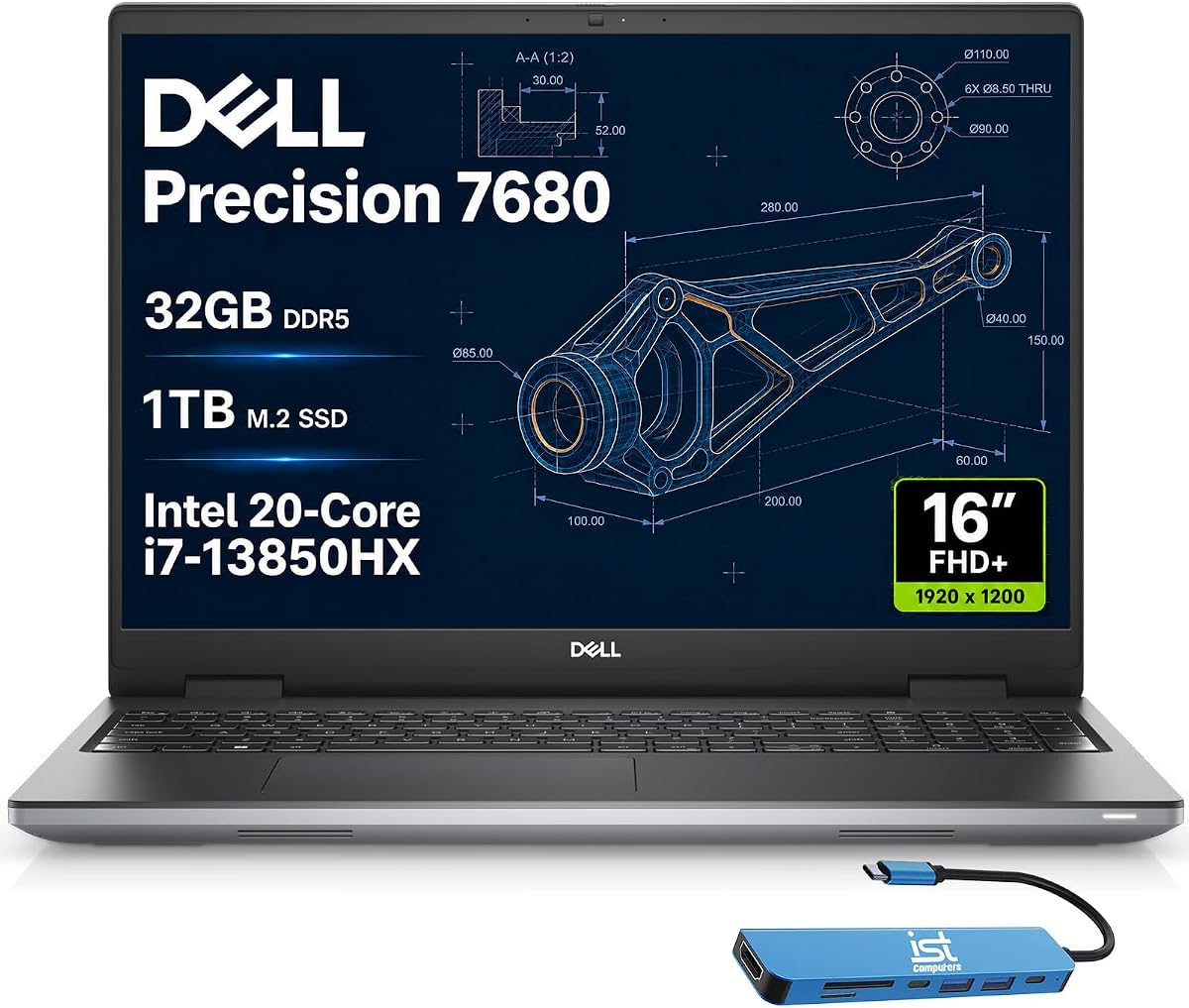


The Dell Precision 7680 stands out as the top choice for serious video editors needing raw power. It ranks highest in our guide due to its workstation-grade components that handle complex timelines effortlessly.
We may earn a commission when you buy through this link, at no additional cost to you.
Powered by the Intel Core i9-13950HX processor, this machine delivers superior speeds for rendering and playback. The 32GB DDR5 CAMM RAM ensures smooth multitasking across multiple Adobe apps simultaneously.
While it lacks the portability of ultrabooks, its build quality and enterprise-grade security features justify the weight for studio use. The display offers crisp visuals for color grading tasks.
Editors working with heavy 4K or 8K footage will appreciate the stability. This laptop is ideal for professionals who prioritize performance over portability in their workflow.
Certified for professional software to ensure crash-free editing sessions.
Supports multiple M.2 drives for massive project file archives.
We may earn a commission when you buy through this link, at no additional cost to you.
This laptop offers incredible value for editors on a tight budget. It brings workstation performance to a price point that is hard to beat for new buyers.
We may earn a commission when you buy through this link, at no additional cost to you.
The Core i7-13800H processor provides enough power for 1080p and 4K editing tasks. Paired with 32GB of RAM, it handles timeline scrubbing without lag.
While it is renewed, it includes a warranty for peace of mind. The dedicated GPU accelerates effects and rendering times significantly compared to integrated graphics.
Beginners and freelancers will find this an excellent starting point. It bridges the gap between consumer laptops and expensive professional machines effectively.
Get enterprise level specs without the premium price tag.
Handles heavy rendering tasks with consistent frame rates.
We may earn a commission when you buy through this link, at no additional cost to you.
The 2025 MacBook Pro leads in efficiency and display quality. Its M5 chip delivers fast speeds while maintaining cool temperatures during long editing sessions.
We may earn a commission when you buy through this link, at no additional cost to you.
The Liquid Retina XDR display offers true-to-life colors perfect for color grading. This screen is widely considered one of the best for creative work.
Battery life is exceptional, allowing edits on the go without needing a charger. The silent operation ensures focus in quiet environments or studios.
Mac users will love the seamless integration with other Apple devices. It is a top choice for those prioritizing screen quality and battery life.
XDR technology ensures accurate colors for professional grading.
Delivers desktop speeds with minimal power consumption.
We may earn a commission when you buy through this link, at no additional cost to you.
This configuration offers a balance of power and cost for editors. It retains the chassis quality of the i9 model but uses a slightly less expensive processor.
We may earn a commission when you buy through this link, at no additional cost to you.
Performance remains strong for most Premiere Pro tasks. The 32GB RAM allows for smooth multitasking with Photoshop and After Effects open simultaneously.
Connectivity options are robust with Thunderbolt 4 ports for external drives. This makes it easy to offload footage quickly during work.
Ideal for teams needing standardized equipment across multiple users. It fits well in office environments requiring consistent reliability.
Plenty of ports for connecting external drives and monitors.
Enterprise support ensures uptime for critical deadlines.
We may earn a commission when you buy through this link, at no additional cost to you.
With 64GB of RAM, this machine is built for extreme multitasking. You can run dozens of browser tabs and multiple Adobe apps without slowdown.
We may earn a commission when you buy through this link, at no additional cost to you.
The 2TB SSD provides ample space for active projects. This eliminates the need for external drives for most daily tasks.
Pro Support Plus adds value with fast on-site service. This is vital for professionals who cannot afford downtime.
Best suited for power users working with multiple concurrent timelines. It ensures system stability even under the heaviest loads.
Double the standard RAM for handling complex projects.
Fast NVMe speeds ensure quick access to large files.
We may earn a commission when you buy through this link, at no additional cost to you.
This renewed model offers a proven chassis at a lower cost. It is a great choice for those familiar with the Dell Precision lineup.
We may earn a commission when you buy through this link, at no additional cost to you.
Performance is solid for standard editing tasks. The older CPU is still capable of handling 1080p and light 4K editing.
Since it is renewed, check the specific refurbishment details. These units often undergo rigorous testing before sale.
Suitable for students or freelancers needing a backup machine. It provides a reliable workstation experience without the newest hardware.
Get a solid workstation for a fraction of new price.
Dell Precision durability remains consistent across models.
We may earn a commission when you buy through this link, at no additional cost to you.
The 17-inch screen offers a spacious workspace for timelines. This is a strong budget option for users who need screen real estate.
We may earn a commission when you buy through this link, at no additional cost to you.
The Ryzen 5 processor handles light editing efficiently. It is a good match for beginners learning the software basics.
Note the 8GB RAM may limit heavy multitasking. You might need to upgrade storage for larger project files.
Best for casual editors or home users. It provides a capable machine without breaking the bank significantly.
Extra inch of screen helps with workspace organization.
Includes accessories to get you started immediately.
We may earn a commission when you buy through this link, at no additional cost to you.
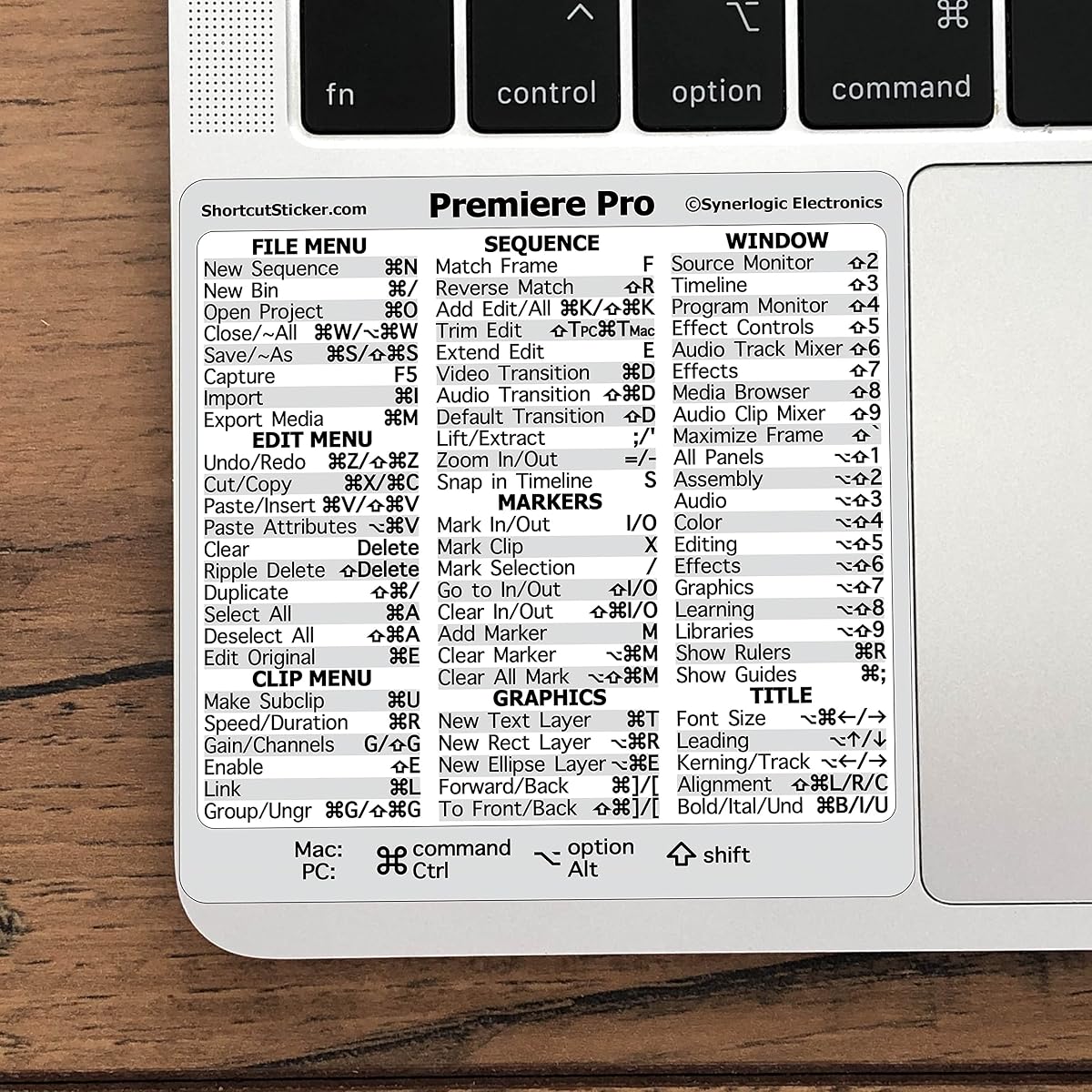
Shortcuts are essential for fast editing speeds. This sticker helps you master Premiere Pro tools without memorizing key combos.
We may earn a commission when you buy through this link, at no additional cost to you.
It is made of durable vinyl that withstands daily use. The print quality is clear and easy to read during work.
For anyone struggling with the learning curve, this is vital. It reduces the mental load during complex editing tasks.
A simple tool that offers immediate productivity gains. It complements any laptop setup effectively for editors.
Visual reference reduces time spent looking up commands.
Keyboard shortcuts significantly increase editing efficiency.
We may earn a commission when you buy through this link, at no additional cost to you.
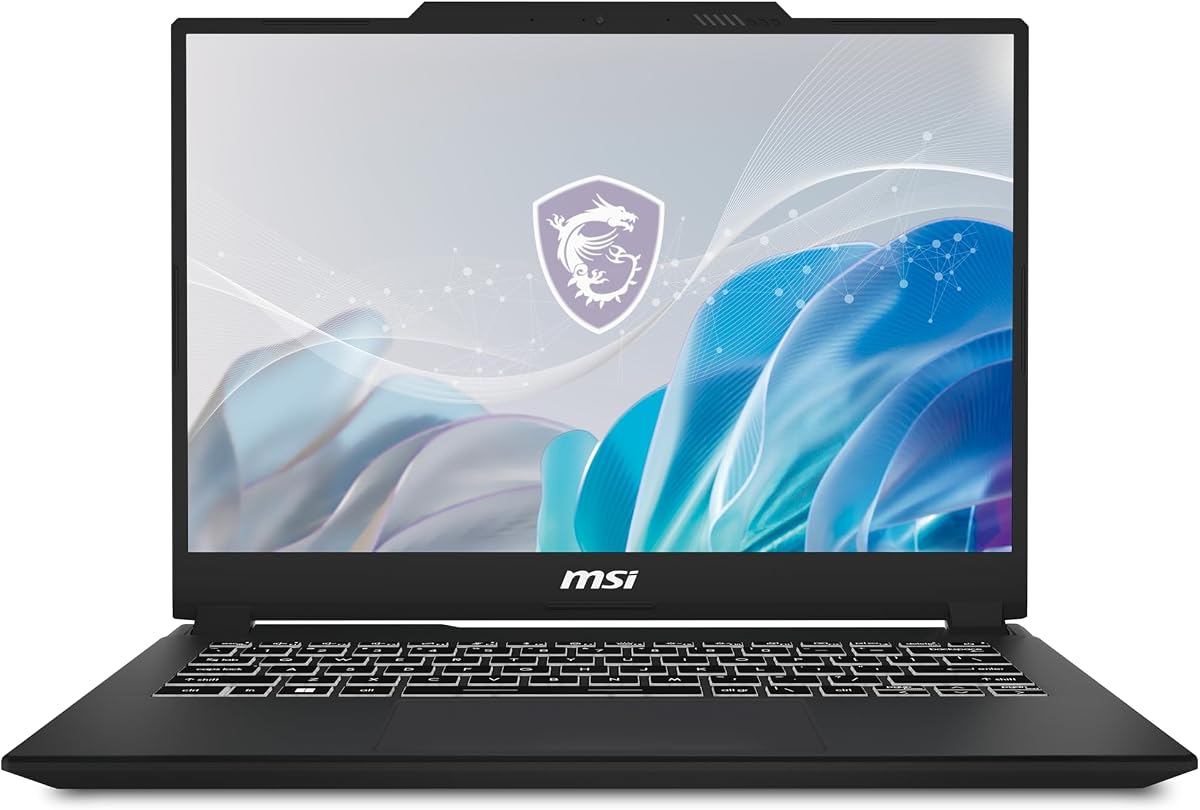
This laptop balances portability and creative performance well. The 2.8K display offers stunning visuals for color work.
We may earn a commission when you buy through this link, at no additional cost to you.
The RTX 4050 handles GPU acceleration efficiently. It supports smooth playback of high-resolution clips.
Cooler Boost keeps temperatures manageable during rendering. This ensures performance remains consistent during long exports.
Great for editors on the go who need quality. It fits in smaller bags while delivering professional features.
High resolution ensures accurate detail in frames.
Smaller footprint ideal for traveling and remote work.
We may earn a commission when you buy through this link, at no additional cost to you.
With 128GB of RAM, this machine is a desktop replacement. It handles virtually any workload without memory limitations.
We may earn a commission when you buy through this link, at no additional cost to you.
The Ada Generation GPU supports advanced rendering features. This is ideal for those using complex effects and 3D elements.
It is large and heavy, limiting portability. However, the performance justifies its use in a fixed studio.
Best for power users needing maximum specs. It ensures future-proof performance for demanding enterprise projects.
Top-tier specs ensure long-term usability for editing.
Enterprise certification guarantees software compatibility.
We may earn a commission when you buy through this link, at no additional cost to you.
Selecting the right laptop for video editing requires balancing performance, portability, and budget. We break down the critical factors to consider before purchasing.
The processor (CPU) is the engine of your editing workflow. Look for multi-core processors like Intel Core i7 or i9, or Apple M-series chips for smooth rendering.
Prioritize high clock speeds and core counts for faster export times.
RAM allows your system to handle multiple applications simultaneously. For Premiere Pro, 32GB is ideal for 4K editing, while 16GB works for 1080p.
Ensure the RAM is DDR5 for faster data transfer speeds.
A dedicated GPU accelerates effects and playback. Look for NVIDIA RTX cards with at least 4GB VRAM to handle GPU-accelerated tasks efficiently.
Professional workstation GPUs offer better stability for daily workflows.
Video files are large; fast SSD storage is essential. Aim for at least 1TB of NVMe storage to handle active projects without external drives.
Ensure the laptop supports expansion for future storage upgrades.
Accuracy matters for color grading. Look for high-resolution screens (1920×1200 or higher) with good color coverage for precise visual work.
Anti-glare coatings reduce eye strain during long editing sessions.
Ports like Thunderbolt 4 and HDMI are vital for external monitors and drives. Check the available ports to ensure they match your peripheral needs.
Wi-Fi 6E ensures fast file transfers over wireless networks.
Editing drains battery quickly. Look for models rated for long endurance if you plan to work away from a power outlet frequently.
Apple M chips generally offer better battery efficiency than Windows counterparts.
Consider the weight and size if you move between locations. 14-inch models are easier to carry, while 17-inch models offer more screen space.
Balance mobility needs against screen real estate requirements.
Always use a high-quality cooling pad when rendering 4K video for extended periods. Overheating can throttle performance and damage internal components over time.
Keep your SSD free of excess space to maintain optimal read/write speeds. Aim to keep at least 20% of the drive empty for smooth system performance.
Regularly update graphics drivers to ensure compatibility with the latest Premiere Pro updates. Outdated drivers can cause crashes or visual glitches.
Yes, a dedicated GPU significantly speeds up rendering and playback. Integrated graphics often struggle with 4K footage or complex effects.
For 1080p projects, 16GB is manageable but may struggle with heavy effects. 32GB is recommended for smooth 4K workflows and multitasking.
Intel Core i9 or AMD Ryzen 9 processors provide excellent multi-core performance. Apple M-series chips also offer high efficiency and power.
Yes, but expect slower rendering times. Use proxy workflows to edit smoothly on lower-end hardware with limited processing power.
A 15-inch screen works well, but 16-inch screens offer more workspace. Dual monitors are recommended for timeline and preview viewing.
1TB is a good starting point. 4K footage fills space quickly; consider external SSDs for archiving completed projects.
We have reviewed ten options ranging from high-end workstations to budget-friendly choices. The Dell Precision 7680 and MacBook Pro stand out as top picks for their balanced performance.
Prioritize RAM and storage over screen size if you are on a tight budget. These components directly impact your editing speed and smoothness more than anything else.
Prices and availability change frequently, so check current listings before buying. Investing in the right hardware ensures you can work efficiently without technical interruptions.