
TP-Link AX5400
4.5Editor score
WiFi 6 4T4R
5400 Mbps speed
2000 sq ft range
USB 3.0 port
Discover the best long range WiFi routers for 2026. This guide compares top models from TP Link and NETGEAR to help you choose the right router for your home
Finding a reliable long range WiFi router is essential for modern homes filled with smart devices. Whether you need coverage for a large house or a crowded network, the right router ensures stable connections everywhere.
This guide evaluates ten top models based on real-world performance, range capabilities, and feature sets. We analyzed specifications, user feedback, and technical details to help you make an informed decision for your network.
Each pick highlights key strengths and potential trade-offs to match your specific requirements. Please note that prices fluctuate frequently so always check the latest offers before purchasing your new router today.
4.5Editor score

4.3Editor score
4.2Editor score
The following comparison table provides a side-by-side look at the key specifications and capabilities of each router model to help you quickly identify which device best fits your specific networking requirements and budget constraints.






The TP-Link BE6500 stands out as a powerful long range WiFi router designed for next generation needs. It offers WiFi 7 technology with Multi-Link Operation for optimized performance and speeds up to 6.5 Gbps total bandwidth.
We may earn a commission when you buy through this link, at no additional cost to you.
This model provides robust coverage of up to 2400 sq ft using six high performance antennas and Beamforming. It features dedicated 2.5G WAN and LAN ports to handle multi-gigabit internet plans efficiently while supporting up to 90 devices.
While it offers impressive speed and security features like HomeShield, it does not work with the Deco mesh ecosystem. Users looking to expand via EasyMesh may need to pair it with specific compatible routers instead.
Buyers who want future-ready performance and strong wired capabilities will appreciate this router. It is ideal for large homes needing reliable connections for streaming gaming and smart devices simultaneously without drop.
Multi-Link Operation allows simultaneous transfers across bands to reduce latency and improve reliability for modern devices like latest smartphones and laptops.
Multiple 2.5G ports ensure your router is not a bottleneck when using high-speed internet plans and wired NAS or gaming consoles.
We may earn a commission when you buy through this link, at no additional cost to you.
The TP-Link AXE5400 brings WiFi 6E technology to mid range budgets with a tri-band design. It utilizes the new 6 GHz band to provide faster speeds and lower latency for compatible devices.
We may earn a commission when you buy through this link, at no additional cost to you.
This router delivers up to 5400 Mbps total throughput and features a dual-core CPU for reliable processing. It supports up to 150 devices efficiently and offers EasyMesh support to expand coverage with compatible units.
Though it lacks 2.5G ports found in newer models, it is an excellent choice for those needing the 6 GHz band without high cost. It is best for homes with many devices needing simultaneous connectivity.
Anyone seeking WiFi 6E benefits without premium pricing will find this a solid long range option. It ensures responsive gaming and streaming while keeping the network organized and efficient for all users.
Dedicated bands for different traffic types ensure congestion stays low even when multiple users stream or game at the same time.
EasyMesh compatibility lets you add extenders to cover larger homes without complex setup or loss of signal quality.
We may earn a commission when you buy through this link, at no additional cost to you.
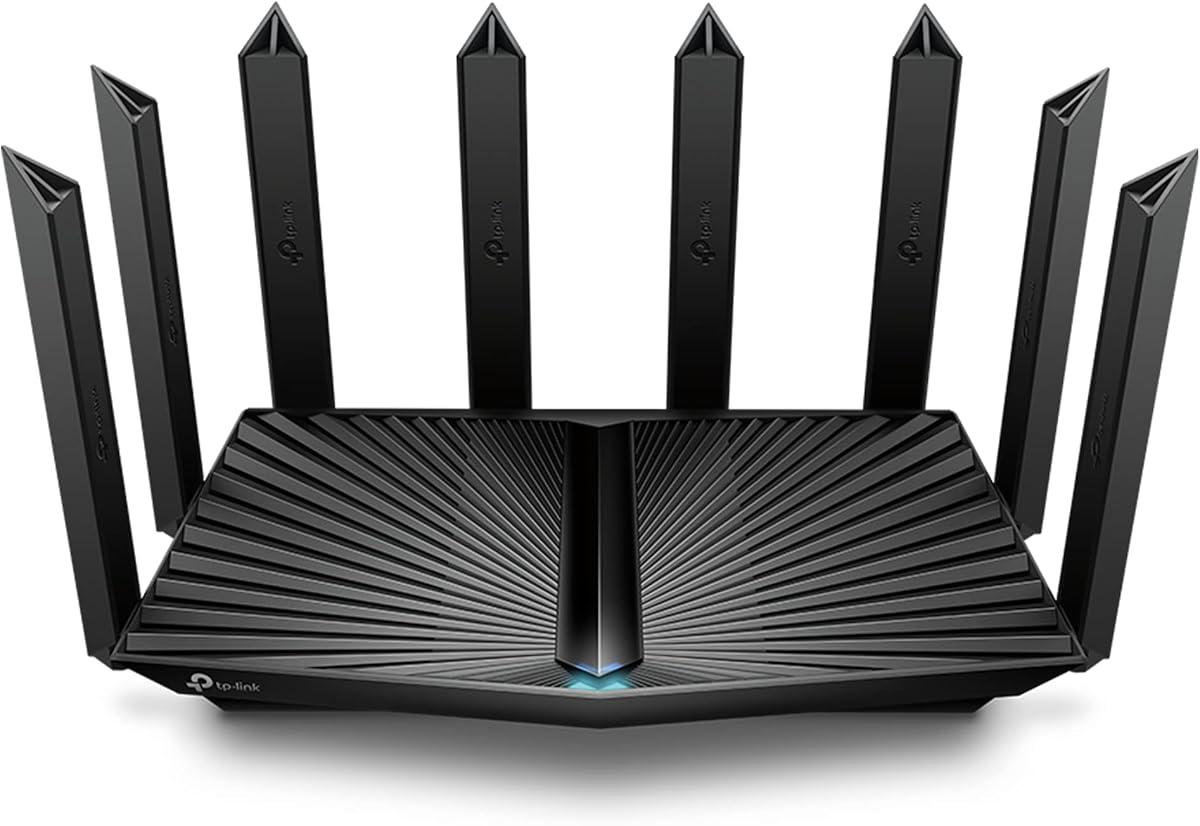
The TP-Link AX5400 offers excellent performance with WiFi 6 technology and a 4.5 user rating. It features 4T4R HE160 on the 5GHz band to deliver up to 4.8 Gbps ultra-fast connections.
We may earn a commission when you buy through this link, at no additional cost to you.
With six antennas and High-Power FEM this router covers up to 2000 sq ft reliably. It also includes a USB 3.0 port for easy media sharing and private cloud storage options.
While it does not have the latest 2.5G ports it provides solid speeds and efficiency via OFDMA and MU-MIMO. It is a great choice for medium homes needing reliable connectivity without high cost.
Families looking for a proven workhorse with strong signal reach will love this model. It handles streaming and smart devices well while keeping setup simple through the free Tether app.
Beamforming and multiple antennas concentrate signals towards devices ensuring consistent speeds even in rooms far from the router.
Connect a hard drive to the USB port to share files across your home network without needing a dedicated cloud service.
We may earn a commission when you buy through this link, at no additional cost to you.
The TP-Link AX6000 delivers top-tier WiFi 6 speeds with a dual-band setup reaching up to 6000 Mbps. It includes eight high-gain antennas to extend range and improve signal quality throughout larger homes.
We may earn a commission when you buy through this link, at no additional cost to you.
This router features a breakthrough 2.5G Multi-Gigabit port to support faster internet plans. It supports MU-MIMO and OFDMA to handle many devices simultaneously with low latency for better performance.
While it is a capable standalone unit it relies on OneMesh for expansion. The Alexa compatibility allows voice control for convenience though the physical size may be larger than compact models.
Buyers needing robust speed and coverage with smart home integration should consider this model. It ensures reliable connections for gaming and 4K streaming while protecting your network with HomeShield.
The 2.5G port prepares your network for faster internet speeds than standard Gigabit ports can handle for future proofing.
Use Alexa to toggle guest Wi-Fi or other settings without opening the app for quick and easy adjustments.
We may earn a commission when you buy through this link, at no additional cost to you.
The NETGEAR Nighthawk RS90 offers solid WiFi 7 performance in a dual-band design. It delivers up to 3.6 Gbps speeds across 2.4 and 5 GHz bands for fast streaming and gaming.
We may earn a commission when you buy through this link, at no additional cost to you.
It covers up to 2000 sq ft and supports up to 50 devices with stable connections. The Nighthawk app makes setup and management easy allowing you to pause devices or run speed tests.
While it lacks the 6 GHz band of tri-band models it is built to handle busy home traffic. Multi-Gig WAN port support helps unlock multi-gig internet plans if available from your provider.
Households wanting modern WiFi 7 reliability without the top-tier tri-band price will like this choice. It ensures privacy and security with built-in features and automatic updates to protect your family.
MU-MIMO and OFDMA allow multiple devices to send and receive data at the same time to prevent congestion.
The free mobile app guides you through setup and lets you manage the network from anywhere with an internet connection.
We may earn a commission when you buy through this link, at no additional cost to you.
The NETGEAR Nighthawk WiFi 7 Pro model delivers incredible speeds up to 9.3 Gbps with a tri-band design. It adds a dedicated 6 GHz band for fastest devices to avoid slowing down the network.
We may earn a commission when you buy through this link, at no additional cost to you.
Coverage reaches up to 2500 sq ft supporting up to 100 devices efficiently. Two 2.5G LAN ports plus a 2.5G WAN port ensure your wired connections keep up with high-speed internet plans.
This router excels in performance for users with many high-demand devices. While it comes at a higher price the added speed and capacity make it worth it for demanding home networks.
Tech enthusiasts needing the fastest possible throughput will appreciate this powerful unit. It keeps streaming gaming and smart home devices running smoothly with minimal interference or latency issues.
Fastest devices get their own high-speed lane to prevent slower traffic from impacting performance.
Multiple 2.5G ports let you connect NAS drives and gaming rigs directly without slowing down the network.
We may earn a commission when you buy through this link, at no additional cost to you.
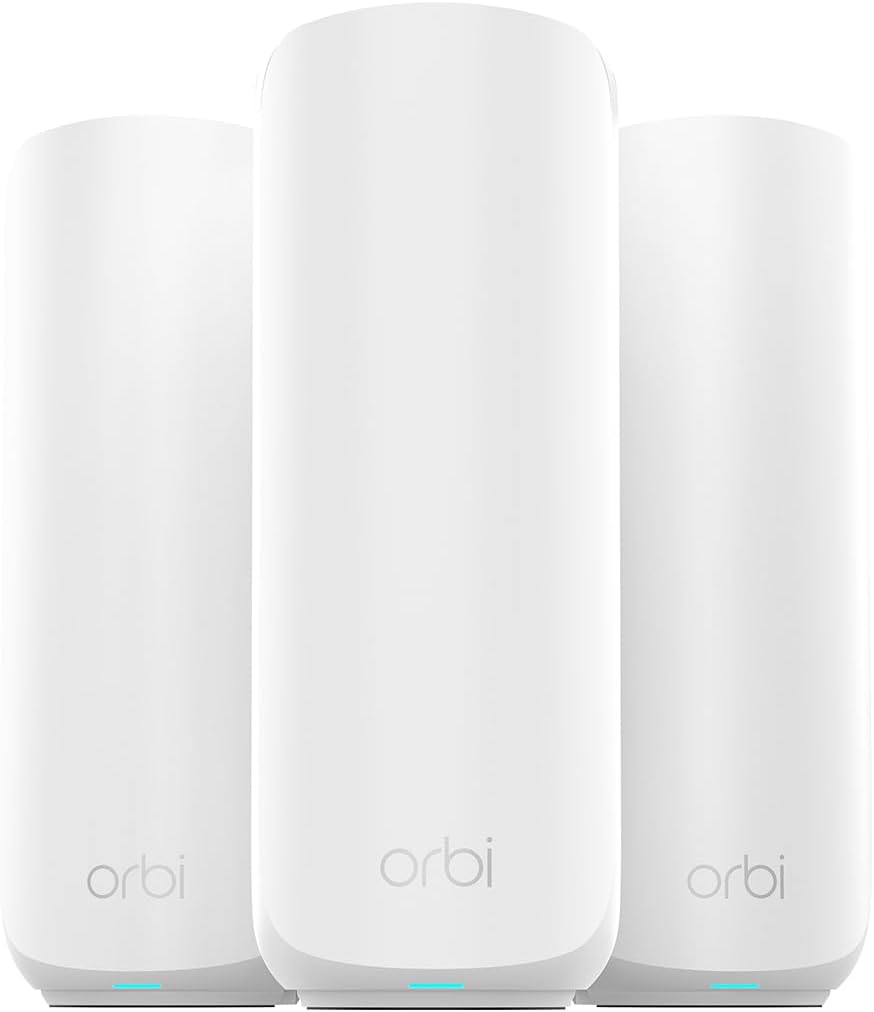
The NETGEAR Orbi 370 Series offers whole-home coverage of up to 6000 sq ft with a 3-pack mesh system. It uses WiFi 7 technology to deliver fast speeds up to 5 Gbps across large areas.
We may earn a commission when you buy through this link, at no additional cost to you.
Enhanced backhaul keeps WiFi fast on every device simultaneously without slow downs. The Orbi app guides setup and lets you manage devices from anywhere making it easy to control.
While it is a premium investment it eliminates dead zones effectively. You can add satellites for even larger homes ensuring reliable internet from the front door to the backyard.
Large homes needing complete coverage will find this system ideal. It supports up to 70 devices and ensures seamless connection quality for streaming smart devices and gaming everywhere.
Dedicated channels for communication between router and satellites maintain high speeds across the entire mesh network.
Add more satellites to expand your network to cover even larger or multi-story homes without losing performance.
We may earn a commission when you buy through this link, at no additional cost to you.
The TP-Link Deco X55 provides extensive coverage of up to 6500 sq ft with a 3-pack mesh setup. It uses WiFi 6 to deliver reliable speeds and supports up to 150 devices comfortably.
We may earn a commission when you buy through this link, at no additional cost to you.
Each unit has three Gigabit ports allowing wired backhaul for better speeds if desired. The AI-driven mesh learns the network to provide ideal WiFi unique to your home layout and usage.
While it uses WiFi 6 instead of 7 the value and ease of setup are compelling. It is a great choice for eliminating weak spots in large homes without complex configuration.
Homeowners needing a simple robust mesh system will appreciate the Deco app control. It keeps the network secure with advanced features and ensures seamless connections across all your devices.
The mesh intelligently adjusts to your home to ensure the best signal paths for all devices automatically.
Use Ethernet cables to connect units if available for even faster performance and stable connections.
We may earn a commission when you buy through this link, at no additional cost to you.
The TP-Link BE9300 delivers massive total speeds up to 9300 Mbps with a tri-band WiFi 7 design. It features multiple 2.5G LAN ports to ensure peak performance for wired devices.
We may earn a commission when you buy through this link, at no additional cost to you.
This model supports seamless 4K/8K streaming and VR gaming with optimized components. The private IoT network option adds a layer of security for smart devices using WPA3 encryption.
While the user rating is slightly lower the feature set is powerful for tech-savvy buyers. It is a strong choice for those wanting maximum throughput and wired connectivity in a single unit.
Users needing extreme speed and multiple high-speed ports will find this router valuable. It provides a safer internet experience with comprehensive HomeShield features and advanced security tools.
Four 2.5G LAN ports allow you to connect multiple high-speed devices simultaneously without bottlenecks.
Create a separate network for smart devices to isolate them from main traffic for better security.
We may earn a commission when you buy through this link, at no additional cost to you.
The TP-Link AC1200 offers budget friendly performance with Gigabit ports and dual-band WiFi. It delivers up to 1200 Mbps total which is suitable for streaming 4K content and browsing.
We may earn a commission when you buy through this link, at no additional cost to you.
Four external antennas with Beamforming extend and concentrate signals for boosted coverage. It supports WPA3 security and OneMesh to expand your network simply by adding a OneMesh extender later.
While it is an older standard compared to WiFi 6 or 7 it offers great value for small homes. The 4.5 rating confirms its reliability and ease of setup for everyday users.
Families on a budget needing basic strong connections will find this router adequate. It ensures your wired devices run at full speed and provides a secure foundation for your network.
Create a seamless network by adding compatible OneMesh extenders to eliminate dead zones without changing routers.
Four Gigabit LAN ports let you connect computers and TVs directly for stable fast wired connections.
We may earn a commission when you buy through this link, at no additional cost to you.
Selecting the right router involves balancing speed coverage and budget. Consider these factors to ensure your network meets your needs.
Modern routers offer WiFi 6 WiFi 6E or WiFi 7. Newer generations provide faster speeds and better handling of multiple devices. If you have latest devices choose WiFi 7 for future-proofing.
Look at the square footage supported by the router. Larger homes need units with high power antennas or mesh systems to ensure signals reach every corner without drops.
Check if the router has Gigabit or 2.5G ports. Faster ports are essential if you have high-speed internet plans or wired devices that need maximum throughput.
Decide if you need a mesh system or a standalone router. Mesh is better for large homes while single units suit smaller spaces. Ensure compatibility if you plan to expand later.
Built-in security like HomeShield or Armor adds protection against threats. Look for routers that offer parental controls and regular firmware updates to keep your network safe.
Routers with multiple external antennas usually offer better range. Beamforming technology helps focus signals on connected devices for stronger performance in distant rooms.
Set a budget before shopping. Premium models offer cutting-edge features but mid-range options often provide enough speed and coverage for most families at a lower cost.
User-friendly apps make setup and management easier. Look for intuitive interfaces that allow you to monitor devices and run diagnostics without technical expertise.
Place your router in a central location away from thick walls or large appliances. Elevating it on a shelf helps signals reach devices in other rooms more effectively.
Keep the firmware updated through the router app to ensure security and performance. Regular updates fix vulnerabilities and optimize your network for the latest devices.
Periodically reboot your router to clear cached data and refresh connections. This simple step can resolve minor issues like slow speeds or dropped connections.
Most single routers cover between 2000 to 2500 sq ft. For larger homes consider a mesh system to maintain signal strength in every room without dead zones.
Yes you need a separate modem to connect to your internet service provider. The router connects to the modem to create a local network for your devices.
If you have the latest devices and want future-proof speeds WiFi 7 is worth it. For most current needs WiFi 6 offers excellent performance at a lower price.
Modern routers support dozens of devices. High-end models can manage 100 or more devices simultaneously without slowing down the network significantly.
Many routers support Mesh or OneMesh technology. Check compatibility before buying to ensure you can add extenders to increase coverage as needed.
Ensure the router has proper ventilation and is not covered. Keep it in a cool place to prevent overheating which can cause performance issues or shutdowns.
Yes most modern routers have low latency features. Look for MU-MIMO and OFDMA tech to ensure smooth gaming even when other devices are active.
Change default passwords and enable WPA3 security. Use built-in tools like HomeShield to monitor devices and block threats automatically.
We reviewed ten top models offering strong coverage and speed. The TP-Link BE6500 stands out for future-ready features while the AX5400 provides great value.
Consider your home size and device needs when choosing. If you need massive coverage look at mesh systems like the Orbi 370 for seamless connectivity.
Always verify current prices and availability before buying. Technology changes fast so pick a router that balances performance and budget for your specific needs.