15.6 Student Laptop
4.6Editor score
Triple Display Support
Affordable Price Point
Intel N100 Processor
Finding a laptop with 2 HDMI ports can significantly enhance your workflow by allowing multiple external displays without extra adapters. This capability is crucial for professionals who need extended screen real estate for multitasking and productivity.
We evaluated ten top-rated models based on their connectivity options, processing power, and display quality. Each product was selected for its ability to support dual external monitors effectively through native or combined port configurations.
Each pick highlights key specifications and ideal use cases to help you choose the right machine. Please note that availability and pricing may change, so verify details before purchasing to ensure you get the best deal available today.
4.6Editor score

4.4Editor score

4.2Editor score
As an Amazon Associate we earn from qualifying purchases.
The following table provides a side-by-side comparison of the ten selected laptops, highlighting their core specifications and connectivity features to help you make an informed decision.


The Dell Inspiron 16 Plus 7640 stands out as a powerful machine for professionals requiring robust display capabilities. With a 16-inch 2.5K display and strong processing power, it handles demanding tasks with ease. Its connectivity options support multiple external screens, making it a top choice for extended workflows.
We may earn a commission when you buy through this link, at no additional cost to you.
This laptop features an Intel Core i7 processor paired with 16GB of fast LPDDR5 RAM. This combination ensures smooth performance when running multiple applications simultaneously. The 1TB SSD provides ample storage space for large files and quick access to your data. The 16:10 aspect ratio screen offers more vertical space for productivity.
While it has one primary HDMI port, using a USB-C to HDMI adapter or docking station allows you to connect a second display easily. The Dell ComfortView Plus technology helps reduce blue light exposure during long working sessions. Onsite service support adds peace of mind for business users.
Anyone needing a reliable laptop for business or creative work should consider this model. It balances performance and display quality effectively. We recommend it for users who prioritize screen real estate and processing speed for their daily tasks.
The 2.5K resolution provides sharp visuals that make text and images look crisp. This is particularly beneficial for designers and editors who need accurate color representation and detail.
Included onsite service means hardware issues can be resolved quickly at your location. This reduces downtime and keeps your workflow uninterrupted during critical project deadlines.
We may earn a commission when you buy through this link, at no additional cost to you.
The HP 17 Laptop is a powerhouse designed for users who need extreme multitasking capabilities. With 64GB of RAM and a 2TB SSD, it can handle almost any workload you throw at it. The large 17.3-inch screen provides ample space for viewing content and applications side by side.
We may earn a commission when you buy through this link, at no additional cost to you.
This model features an Intel Core i7 processor that delivers reliable performance for daily tasks. The touchscreen adds an interactive element that makes navigation intuitive. Connectivity includes HDMI and multiple USB ports, allowing you to connect various peripherals and external displays without hassle.
While the screen resolution is HD+, the size compensates for detail in many scenarios. The sheer amount of RAM ensures that no matter how many browser tabs or apps you open, the system remains responsive. It is ideal for data analysts or users with large file libraries.
If you prioritize internal specs over portability, this laptop is an excellent choice. It is well-suited for a desk setup where weight is not a concern. Consider this for heavy-duty computing needs in a stationary environment.
64GB of RAM allows you to run virtual machines and heavy software simultaneously without slowdowns. This level of memory is rare in consumer laptops.
2TB of storage means you rarely need to worry about running out of space. You can store years of documents, photos, and videos locally.
We may earn a commission when you buy through this link, at no additional cost to you.
The HP 15.6in Touch Laptop offers a balanced combination of performance and features suitable for business and students. It is equipped with an AMD Ryzen processor and 32GB of RAM, ensuring smooth operation during complex tasks. The Full HD touchscreen enhances interaction with your content.
We may earn a commission when you buy through this link, at no additional cost to you.
The backlit keyboard and dedicated numeric keypad make it ideal for data entry and typing in various lighting conditions. Connectivity includes essential ports like HDMI and USB, allowing you to connect external monitors or peripherals easily. Wi-Fi 6 ensures fast and stable internet connections.
While it does not have two native HDMI ports, USB-C connectivity can be used with adapters to extend your display. The IPS panel provides wide viewing angles, making it great for presentations or collaborative work. The Windows 11 Pro system adds professional security features.
This laptop is perfect for students and professionals who need a reliable all-rounder. It handles daily office tasks efficiently and supports external setups. We recommend it for users looking for a sturdy machine with good memory specs.
The numeric keypad is a significant advantage for accounting or data work. It speeds up input tasks significantly compared to standard laptops.
Windows 11 Pro includes tools for managing security and updates more effectively. This is beneficial for business environments requiring stricter control.
We may earn a commission when you buy through this link, at no additional cost to you.
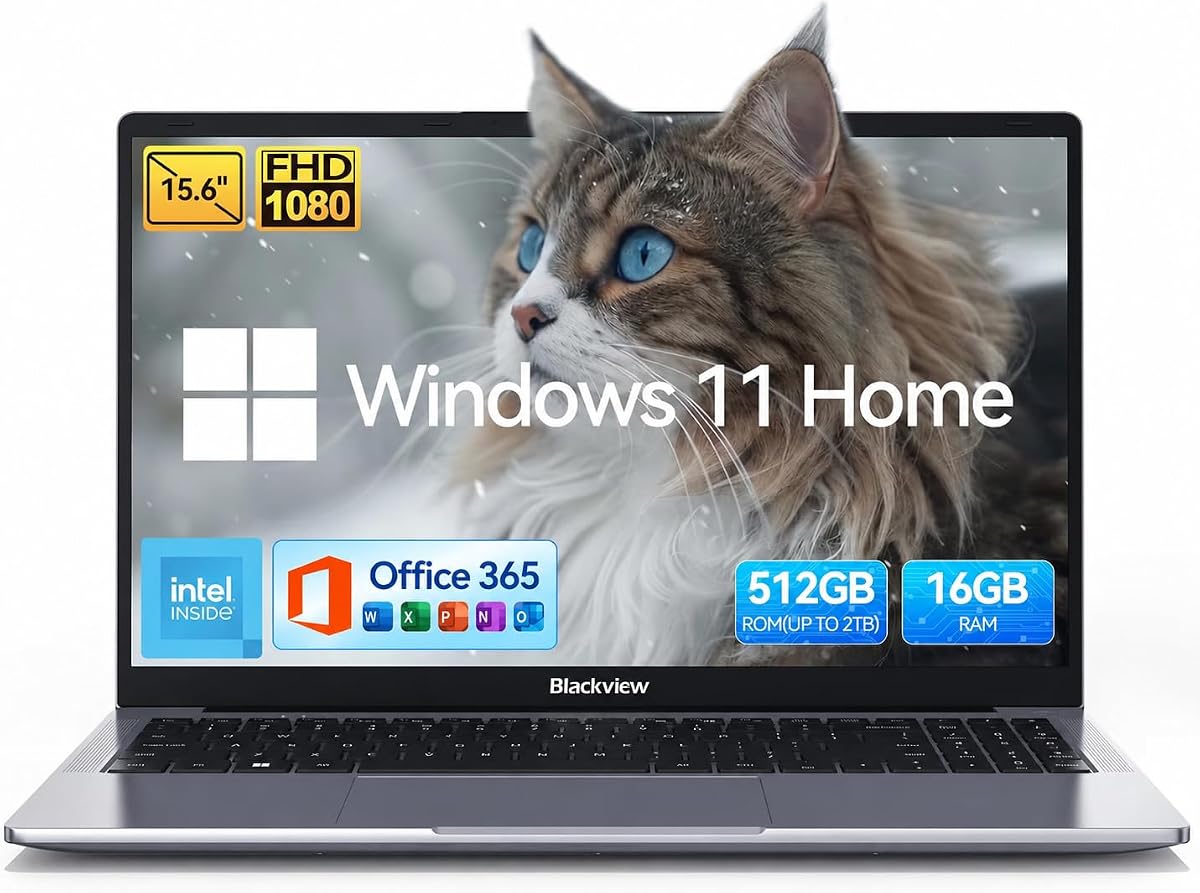
This student laptop offers an impressive feature set for its price, particularly its triple display capability. It allows you to connect two external monitors alongside the main screen for a vast workspace. With 16GB of RAM, it handles everyday multitasking tasks efficiently.
We may earn a commission when you buy through this link, at no additional cost to you.
The Full HD display provides clear visuals for study and entertainment. It comes pre-installed with Windows 11 Home and MS 365, so you can start working immediately. The lightweight design makes it easy to carry around campus or between meeting rooms.
While the processor is entry-level, it is sufficient for web browsing, document editing, and streaming. The battery life is moderate, lasting through a typical class day. This makes it a practical choice for those on a budget who still want multi-monitor functionality.
Students and light users will find this laptop offers great value. It supports complex workflows without a high cost. Consider this if you need multiple screens for research or homework without breaking the bank.
The ability to run three screens simultaneously is rare in this price range. It transforms a laptop into a desktop-like workstation.
Having software ready to use saves time and setup efforts. You can focus on your tasks instead of configuring your system.
We may earn a commission when you buy through this link, at no additional cost to you.
The Dell Inspiron 15 3530 is built for business users who need reliable performance and security. It features a 13th Gen Intel Core i7 processor and 32GB of RAM to ensure smooth operation. The 2TB SSD provides massive storage for files and applications.
We may earn a commission when you buy through this link, at no additional cost to you.
The touchscreen adds convenience for navigating interfaces and editing content. Windows 11 Pro offers features like Group Policy and device management suitable for professional environments. Connectivity includes HDMI and USB ports to support external displays and peripherals.
While it has one HDMI port, combining it with USB-C adapters can achieve dual monitor setups. The anti-glare display helps reduce reflection during long work sessions. It is designed to handle business tasks efficiently and securely.
Business users and professionals seeking a secure workstation will appreciate this model. It balances specs and OS features well. We suggest it for office environments where data protection is key.
Windows 11 Pro brings enterprise-level tools to your laptop. This includes better update management and security protocols.
2TB of storage means you can keep all your files locally without relying heavily on cloud services.
We may earn a commission when you buy through this link, at no additional cost to you.
This HP laptop is marketed as a 2026 edition with strong performance specs for business and academic use. It features a 12th Gen Intel Core i7 processor that delivers efficient multitasking. The 16GB RAM ensures smooth performance for daily applications.
We may earn a commission when you buy through this link, at no additional cost to you.
The Full HD display offers clear visuals for work and entertainment. It includes privacy features like a camera shutter and mic mute key which are useful for secure video meetings. Connectivity includes HDMI and USB ports for flexible setup options.
The lightweight design makes it easy to carry around for students and mobile professionals. Battery life is optimized to last through long days of work or study. While it does not have two HDMI ports, USB-C can support additional displays.
Anyone looking for a balanced and portable laptop should consider this option. It provides good performance for its weight. We recommend it for students and professionals who need mobility.
Physical shutters for camera and mic add a layer of security for remote work. This ensures you control when you are visible.
The i7 processor handles demanding tasks like video editing or large spreadsheets efficiently. This ensures productivity remains high.
We may earn a commission when you buy through this link, at no additional cost to you.
The Dell Pro 15.6 Laptop is designed for dependable everyday performance. It features an Intel Core 3 processor and 16GB of DDR5 memory for fluid multitasking. The display supports a 120Hz refresh rate which makes scrolling smooth and responsive.
We may earn a commission when you buy through this link, at no additional cost to you.
Connectivity is versatile with USB-A, USB-C, and HDMI ports allowing you to connect various devices easily. The carbon black design is durable for daily use. An SD card slot provides convenient media transfer options for photographers.
While the storage is modest, it is fast and can be expanded via external drives. The system runs Windows 11 Home smoothly for home or office use. It is a reliable choice for general computing tasks.
Users seeking a durable and functional laptop will find this model suitable. It handles browsing and media well. We suggest it for users who prioritize stability over raw power.
A 120Hz refresh rate reduces motion blur in videos and games. This makes the visual experience feel more fluid.
The chassis is designed to withstand daily wear and tear. This ensures longevity in active use environments.
We may earn a commission when you buy through this link, at no additional cost to you.
The Lenovo V15 Gen 4 is a business laptop focused on durability and connectivity. It has an AMD Ryzen 3 processor that handles everyday tasks efficiently. 16GB of LPDDR5 RAM ensures smooth performance for web browsing and office apps.
We may earn a commission when you buy through this link, at no additional cost to you.
It includes a physical Ethernet port which is rare and valuable for stable network connections. Windows 11 Pro comes with advanced security features like TPM 2.0 for data protection. The webcam shutter adds privacy when you are not on a call.
The anti-glare screen makes it comfortable to use in bright environments. While the keyboard lacks a backlight, the overall design is robust for professional use. Connectivity includes HDMI to support external monitors.
This laptop is ideal for business users who need reliable security and network options. It is built to last in various environments. We recommend it for corporate workers needing stable connectivity.
Having a dedicated RJ-45 jack ensures a wired internet connection when needed. This improves stability over Wi-Fi.
MIL-SPEC testing means the device can handle drops and shocks. This is perfect for on-the-go business travel.
We may earn a commission when you buy through this link, at no additional cost to you.
The Lenovo V-Series V15 is a powerful business laptop with impressive specs for multitasking. It features an AMD Ryzen 7 processor and 40GB of RAM to handle complex workflows. The 2TB SSD ensures plenty of space for data storage.
We may earn a commission when you buy through this link, at no additional cost to you.
A numeric keypad helps with quick data entry for accounting or spreadsheets. The Windows 11 Pro OS provides advanced tools for managing your work. Connectivity includes HDMI and Ethernet for flexible external setups.
The 15.6-inch display offers clear visuals for work content. It includes a webcam for video communication. While it does not have two HDMI ports, USB support allows for additional monitors.
This model is excellent for users who need high memory and storage in a business package. We suggest it for professionals managing large datasets.
The numeric keypad allows for rapid number input. This is essential for financial and statistical work.
40GB of RAM supports running heavy applications simultaneously. This minimizes system slowdowns during complex tasks.
We may earn a commission when you buy through this link, at no additional cost to you.
The Lenovo Essential 15.6 Laptop is designed for everyday computing and portability. It features an Intel N100 processor and 8GB of DDR5 RAM for smooth basic tasks. The FHD display offers clear visuals for general use.
We may earn a commission when you buy through this link, at no additional cost to you.
It comes pre-installed with Windows 11 Home in S mode and includes MS 365 Personal for productivity. The lightweight design makes it easy to carry around campus or home. Connectivity includes HDMI and USB ports for external devices.
The storage is limited, so external drives or cloud storage may be needed for large files. The energy-efficient components help extend battery life. It is suitable for students and casual users.
If you need an affordable and light laptop for basic tasks, this is a strong option. We recommend it for students with simple computing needs.
Having MS 365 ready out of the box saves setup time. This ensures you can create documents immediately.
Low power consumption helps the battery last longer. This is beneficial for users on the go.
We may earn a commission when you buy through this link, at no additional cost to you.
Selecting the right laptop for multi-monitor work requires understanding various technical specifications and connectivity options.
Verify if the laptop has multiple HDMI ports or relies on USB-C adapters. Many modern laptops have only one HDMI port, so check for Thunderbolt or DisplayPort support.
Look for models with dedicated HDMI outputs or docking support for dual external displays.
Consider screen resolution and size for clarity when working across multiple screens. Higher resolutions like 2.5K provide sharper text for detailed work.
Opt for IPS panels for better color accuracy and viewing angles.
A powerful CPU ensures smooth performance when driving multiple displays. Look for Intel Core i7 or AMD Ryzen 7 options for demanding workflows.
Entry-level processors may struggle with heavy multitasking across screens.
16GB or more RAM is recommended for seamless operation with multiple applications. Storage should be sufficient for your files, ideally 512GB SSD or more.
Faster RAM types like DDR5 improve overall system responsiveness.
Windows 11 Pro offers better management tools for businesses requiring secure environments. Home versions are suitable for standard personal use.
Check for pre-installed software that aids productivity.
Ensure the laptop has enough USB-A and USB-C ports for peripherals. Wi-Fi 6 guarantees stable internet connections for remote work.
Additional ports like Ethernet help maintain reliable wired networks.
Weight matters if you travel frequently. Lighter laptops under 4 lbs are easier to carry for students and mobile workers.
Battery life should be robust enough for a full workday.
MIL-STD-810H testing indicates a device can withstand harsh conditions. This is crucial for fieldwork or frequent travel.
Sturdy builds ensure longevity over years of use.
Connect external monitors using the HDMI port or compatible USB adapters. Use display settings to extend or mirror your screen depending on your workflow.
Keep the laptop on a hard flat surface to maintain airflow. Ensure vents are not blocked by covers to prevent overheating during extended use.
Store cables neatly and avoid bending them sharply to prevent damage. Use surge protectors to power monitors and laptops for safe electrical handling.
Most modern laptops include only one HDMI port to save space. To connect two external monitors, you often need a USB-C adapter or docking station with additional HDMI output capabilities.
Yes, you can combine the HDMI port with a USB-C DisplayPort adapter. This allows you to drive two external screens simultaneously on many models.
HDMI 2.0 supports higher resolutions and refresh rates. For 4K monitors, this version ensures a clear and smooth visual experience without lag.
Absolutely. More RAM allows you to run multiple applications across screens without slowdowns. Aim for 16GB or higher for best results.
Yes, many options listed offer portability and performance suitable for online classes and research. Look for battery life and weight for daily campus use.
Some models come with Windows 11 Pro which is ideal for business features. Others may have Windows 11 Home, which is sufficient for personal tasks.
Consider where you will use the laptop most. Larger screens like 17 inches offer more workspace but are heavier. 15-inch models balance portability and size well.
Yes, SSDs provide faster boot times and app loading than hard drives. They ensure your system stays responsive when working with multiple applications and files.
We have explored ten top models that support dual display setups to enhance productivity. Each option brings unique strengths in performance and connectivity for different needs.
Prioritize processor speed and memory if you handle heavy tasks. Ensure the chosen model supports the number of external monitors you require.
Always check the latest pricing and availability on retailer sites. Prices can change often so verify details before finalizing your purchase decision.