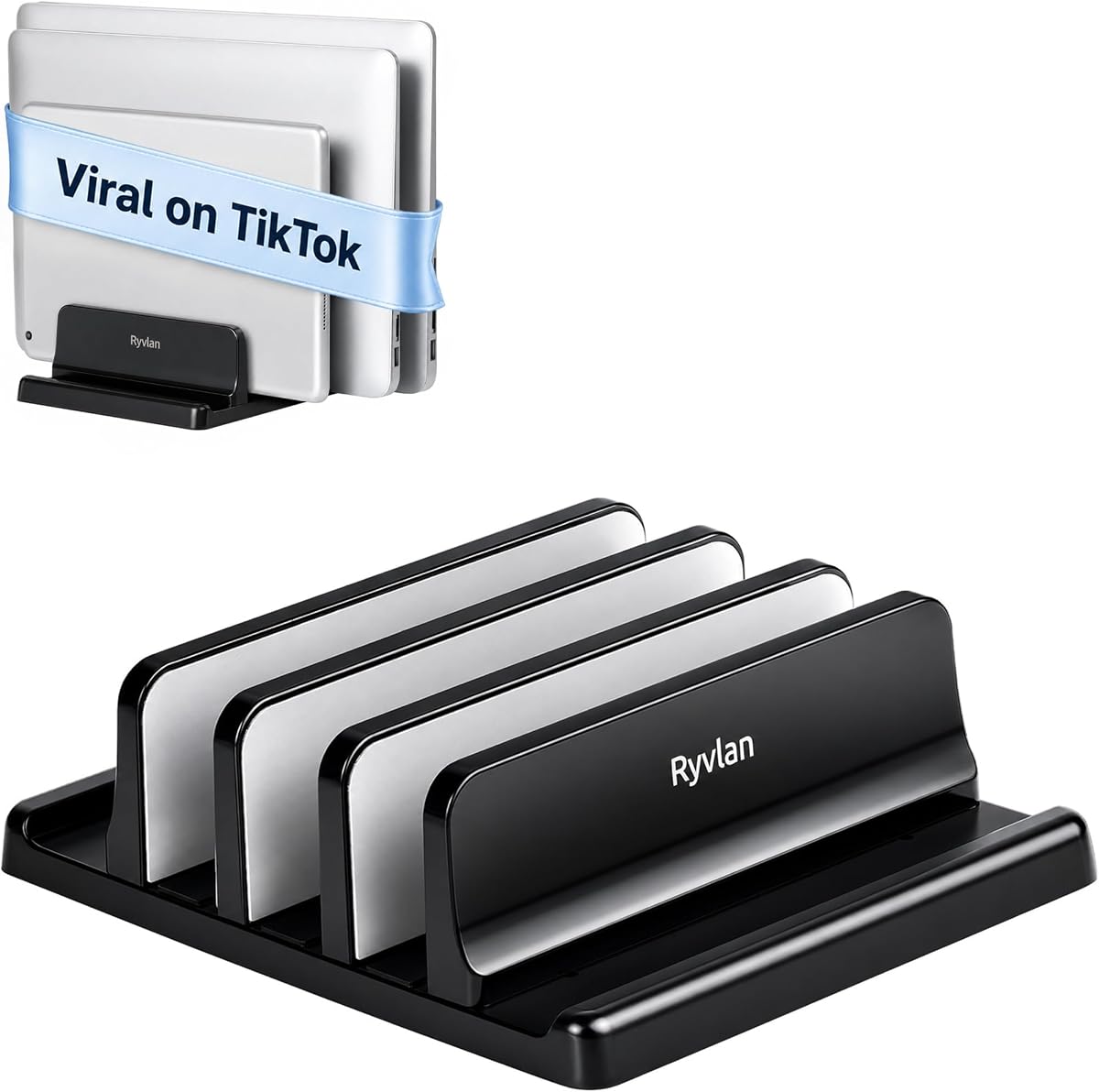
Ryvlan Vertical Laptop Stand
4.6Editor score
3-slot design
Adjustable width slots
Impact resistant ABS
Managing multiple devices can quickly turn your desk into a chaotic mess of cables and screens. A dedicated laptop rack for multiple laptops offers a structured solution to keep your workspace tidy and efficient. These stands elevate your gear vertically, freeing up valuable surface area for other tasks.
We evaluated ten leading options based on build quality, capacity, and ease of adjustment. Our selection includes vertical stands made from aluminum, bamboo, and steel. Each product was assessed for stability, cooling capabilities, and compatibility with various device sizes and thicknesses.
This list highlights the best solutions for home offices, classrooms, and shared workspaces. Every pick shows unique features like gravity locking or integrated power strips. Note that prices and availability change frequently, so check current listings before purchasing your ideal organizer.
4.6Editor score

4.6Editor score

4.2Editor score
As an Amazon Associate we earn from qualifying purchases.
The following table provides a side-by-side comparison of all ten selected laptop racks. It highlights key specifications such as slot count, material, and adjustment range to help you choose the right fit for your specific needs.


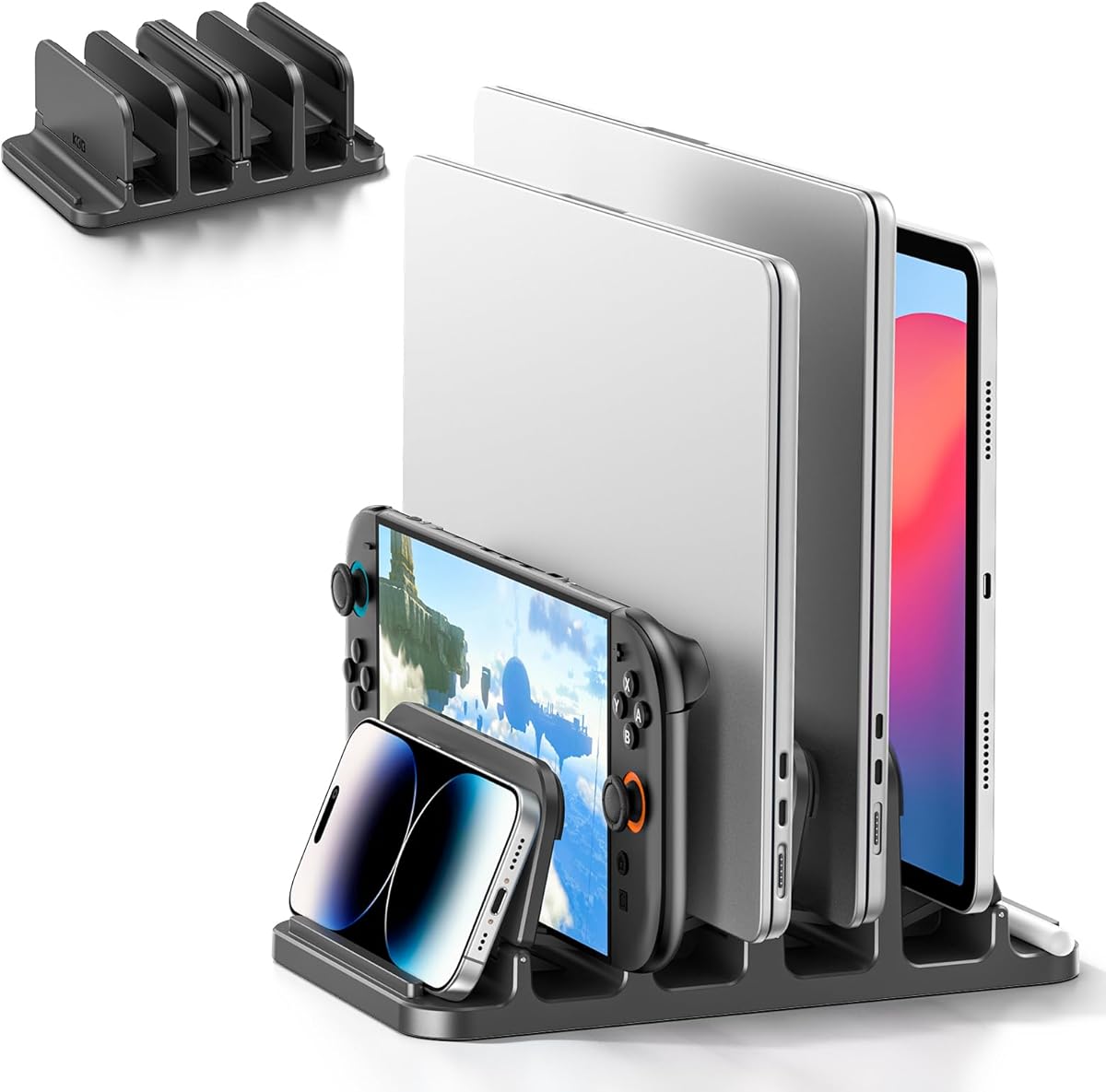


The Elestoria 5-Slot Vertical Laptop Stand stands out as our top pick for its robust build and flexibility. It receives high marks for holding multiple devices securely while freeing up desk space efficiently. Users appreciate the premium aluminum finish that matches modern laptop aesthetics.
We may earn a commission when you buy through this link, at no additional cost to you.
Its ability to dock up to four laptops plus a tablet makes it ideal for power users. The sliding brackets allow you to customize slot widths between 12mm and 38mm. This ensures a snug fit even for thick gaming laptops or devices with protective sleeves.
While the tool-free adjustment is convenient, it requires using the provided screws on the bottom. Some users might find this slightly tedious compared to snap-fit designs. However, the security gained from this mechanism prevents wobbling and protects your hardware from accidental falls.
This organizer is perfect for professionals who need a clean, efficient workspace. It supports clamshell mode setups by keeping laptops upright when connected to external monitors. We recommend it for anyone seeking a high-quality, durable solution for device organization.
The vertical orientation allows 360-degree airflow to cool devices better than laying them flat.
Constructed from solid aluminum alloy, it offers a stable platform that resists tipping and scratching.
We may earn a commission when you buy through this link, at no additional cost to you.
The Ryvlan Vertical Laptop Stand offers excellent value for those needing a simple organizer on a budget. It features a 3-slot design that holds laptops along with two additional slots for tablets or phones. This versatility makes it a strong contender for home offices.
We may earn a commission when you buy through this link, at no additional cost to you.
Adjusting the width of each slot is straightforward with the included wrench. The range from 0.47 inches to 1.2 inches accommodates everything from thin ultrabooks to thicker gaming machines. Silicone padding on all contact points ensures your devices stay scratch-free.
As it is made from impact-resistant ABS plastic, it may not feel as premium as metal options. It is also lighter, which could be a drawback if you frequently move heavy devices. However, it stays put on smooth surfaces thanks to its weighted base.
This stand is a smart choice for students or remote workers managing a few devices. It clears clutter effectively without breaking the bank. We suggest it for anyone looking for an entry-level vertical solution that performs reliably.
Measuring roughly 7.3 by 5.9 inches, it fits easily on small desks without taking over workspace.
Works with major brands like MacBook, Dell, HP, and Lenovo across a wide size range.
We may earn a commission when you buy through this link, at no additional cost to you.
For those managing a large fleet of devices, the Elestoria 10-Slot Vertical Laptop Stand provides unmatched capacity. It securely holds up to ten devices including heavy gaming laptops and tablets. The sleek grey aluminum finish adds a touch of professionalism to any setup.
We may earn a commission when you buy through this link, at no additional cost to you.
The open-side design allows easy access to charging ports without removing devices. You can adjust the dividers using base screws to accommodate devices ranging from 0.24 inches to 5.83 inches thick. This flexibility ensures even thick cases do not pose a problem.
While the footprint is slightly larger than standard stands, it remains compact relative to the storage provided. The weighted base prevents tipping even when fully loaded. It is a solid investment for shared workstations or offices with many laptops.
We recommend this rack for businesses or power users who need central storage. It keeps cables managed and devices ready for use. If you need to store many machines, this premium option is worth the investment.
Passive thermal convection helps prevent overheating by allowing air to circulate around devices freely.
Heavy base and polished edges ensure long-lasting stability and protect devices from scratches.
We may earn a commission when you buy through this link, at no additional cost to you.
The Unittype Bamboo Multi Device Organizer brings a natural touch to tech management. Made from sturdy bamboo, it complements modern decor while keeping electronics organized. The six slots are removable, allowing you to tailor the space for different items.
We may earn a commission when you buy through this link, at no additional cost to you.
It doubles as a mail organizer, making it versatile for non-tech items too. Non-slip rubber feet protect your desk surface from scratches. While it has less mechanical adjustment than metal stands, the slots are wide enough for many standard devices.
Bamboo is durable but may require more care than metal or plastic. It is not designed for heavy gaming laptops with extreme thicknesses. However, for everyday tablets and laptops, it offers a reliable and attractive solution.
We suggest this for home offices where style matters. It keeps your workspace tidy without looking overly industrial. If you prefer warm materials, this organizer is a great fit for your desk.
Bamboo is a sustainable resource, making this a greener choice than plastic alternatives.
Works well for electronics, magazines, or folders, maximizing utility beyond just laptops.
We may earn a commission when you buy through this link, at no additional cost to you.
This charging station solves the cable clutter problem by integrating power directly into the rack. It features six AC outlets and four USB ports to charge ten devices simultaneously. This makes it an ideal choice for classrooms or offices.
We may earn a commission when you buy through this link, at no additional cost to you.
The open rack design allows quick access to any device without opening doors. Built-in cable routing keeps cords tidy and prevents tangling. Surge protection ensures your devices are safe from voltage spikes during charging.
It is quite large compared to simple stands, so ensure you have the space. It also requires a dedicated power source, which might be limiting for small desks. However, the convenience of one power solution is significant.
We recommend this for shared workspaces where devices need frequent charging. It streamlines the workflow and keeps everything ready to go. If you need both storage and power, this is the top choice.
Integrated routing simplifies multi-device charging by hiding cords and reducing clutter.
Surge protected strip rated for 110V ensures safe operation for sensitive electronics.
We may earn a commission when you buy through this link, at no additional cost to you.
The KDD stand uses a clever gravity locking design to secure your devices. Simply place a laptop or tablet in a slot, and the mechanism locks it in place. This makes setup incredibly fast and user-friendly.
We may earn a commission when you buy through this link, at no additional cost to you.
With six slots, you can store laptops, phones, and even game consoles. Silicone anti-slip pads on the base and slots prevent any movement. It is a stable solution that keeps your desk neat without complex tools.
The slots are not as adjustable as metal stands, so check device thickness. It fits devices up to 1.1 inches thick. If your gear is standard size, this works perfectly. For thicker cases, it might be tight.
We suggest this for users who prioritize ease of access. It is great for quick switching between devices. If you want a simple, reliable organizer, the gravity locking is a standout feature.
No clamps or screws needed; simply slide in your device and let gravity do the rest.
Compatible with a wide range of devices from phones to laptops including consoles.
We may earn a commission when you buy through this link, at no additional cost to you.
This stand features a 5-in-1 design that holds a mix of laptops and phones. The brushed anodized aluminum matches MacBook Pro aesthetics perfectly. You can adjust slot widths using the included hex key to fit devices from thinnest to thickest.
We may earn a commission when you buy through this link, at no additional cost to you.
It supports devices up to 17.3 inches and keeps them cool via vertical airflow. Non-slip silicone pads on the bottom keep it stable on any desk. The finish is durable and resists fingerprints better than raw metal.
Adjustment requires a tool, which takes a bit of effort. However, once set, the grip is secure and reliable. It is heavier than plastic stands, which adds to its stability during use.
We recommend this for users with mixed device fleets. It balances style and function well. If you value a sleek look and strong build, this stand is an excellent choice.
Matte texture and material quality match Apple products for a cohesive desk setup.
Adjustable middle slot and side slots ensure a perfect fit for various device sizes.
We may earn a commission when you buy through this link, at no additional cost to you.
The POCHAR station is ready to use right out of the box with no assembly. It features wide-angle slots designed for laptops up to 14 inches and tablets. The integrated power strip provides convenience for shared environments.
We may earn a commission when you buy through this link, at no additional cost to you.
Build quality is high, with surge protection to avoid voltage spikes. It is ideal for classrooms and offices where reliability is key. The compact design fits well on desks but still manages eight devices effectively.
It is quite large so measure your space before purchasing. The slots are fixed so check thickness compatibility. However, the ease of use and power integration make it a strong contender.
We suggest this for schools or businesses needing quick deployment. It simplifies device management and charging. If you want a sturdy, no-fuss solution, this station works well.
Unbox and start using immediately; no tools or assembly instructions are required.
High quality materials ensure long-lasting performance in high-demand environments.
We may earn a commission when you buy through this link, at no additional cost to you.
This rack is built from premium steel, offering exceptional durability. It stands on the floor with ten slots for high-density charging needs. The removable partitions let you adjust space for larger devices like printers.
We may earn a commission when you buy through this link, at no additional cost to you.
Equipped with four universal wheels, you can move it easily. Two of these wheels have brakes to lock it in place. This mobility makes it perfect for large offices or training rooms.
It is tall and takes up floor space, so measure your room. However, the stability and capacity are unmatched for large setups. It keeps devices cool with unrestricted air circulation.
We recommend this for schools or large offices. It centralizes device storage away from desks. If you need to store many machines, this rack is a solid investment.
Wheels allow easy repositioning to different areas as needs change.
High-temperature baked painting finish ensures rust resistance and long-lasting durability.
We may earn a commission when you buy through this link, at no additional cost to you.
The MobileVision Bamboo Organizer is a compact solution for small desks. It measures just 10 by 6.5 by 7 inches yet holds five devices. Crafted from high-quality bamboo, it provides a stable platform for smartphones and laptops.
We may earn a commission when you buy through this link, at no additional cost to you.
Four integrated rubber feet prevent sliding and protect surfaces. The 1-inch slots are safe for standard devices but may not fit thick cases. It promotes a tidy environment by keeping gadgets within reach.
While the slots are fixed, the design ensures devices are safe. It is easy to clean with a damp cloth. For small offices, this organizer is an efficient choice that looks great.
We suggest this for personal workspaces or conference rooms. It is ideal for managing a few essential devices. If you want a small, stylish organizer, this is the top pick.
Offers efficient storage without taking up excessive desktop space compared to larger racks.
Slots prevent devices from being scattered or damaged ensuring they remain within reach.
We may earn a commission when you buy through this link, at no additional cost to you.
Selecting the right rack involves evaluating capacity, materials, and adjustability. This guide covers the key factors to consider before making a purchase.
Determine how many devices you need to store at once. Some racks offer 3 slots while others offer 10 or more. If you manage a team or a large home lab, a higher capacity unit will prevent overcrowding and keep access easy.
Build material affects durability and aesthetics. Aluminum offers premium looks and heat dissipation. Bamboo provides a natural look but requires care. Plastic is budget-friendly but may feel less sturdy. Consider what fits your office style and needs.
Adjustable slots allow you to customize widths for different device thicknesses. Look for racks with removable dividers or screw adjustments. Fixed slots are faster to use but may not fit every device especially those with thick cases.
A stable base prevents tipping when the rack is full. Heavier materials like steel or weighted aluminum improve stability. Ensure the bottom has non-slip feet to protect your desk surface and keep the rack in place.
Vertical storage naturally improves airflow around devices. Choose open designs that allow air to circulate freely. This helps prevent overheating during charging or idle periods which is vital for laptop health.
Some racks include built-in power strips or USB ports. This reduces cable clutter by consolidating charging sources. Check if the unit supports surge protection to keep your devices safe from electrical spikes.
If you move devices often, look for handles or wheels. Floor standing units may have wheels for easy relocation. Desktop stands should be light enough to move but heavy enough to stay stable during use.
Measure your available desk space before buying. Larger racks offer more capacity but take up more room. Ensure the dimensions fit your workspace without blocking access to other essential items.
Clean your rack regularly with a soft, damp cloth to remove dust. For bamboo or wood units, avoid excessive moisture. Check screws and joints periodically to ensure they remain tight. Proper care will extend the lifespan of your organizer.
Most adjustable racks can accommodate devices with cases if the total width falls within the adjustment range. However, if your case is very thick, you might need a stand with larger slot gaps. Check the specific product specs before buying.
Yes, the primary purpose of these racks is vertical storage. This design saves desk space and promotes better cooling for laptops. It is an efficient way to organize multiple machines without laying them flat.
Many of the top picks are designed to handle gaming laptops up to 17.3 inches. Ensure the thickness range matches your device. Some models specifically mention heavy-duty construction for gaming hardware.
Wooden stands often use fixed slots that hold devices by friction. Ensure the slots match your device width. Some have non-slip pads to keep them steady. Always place them on a stable surface.
Yes, most racks are versatile enough to hold tablets and phones alongside laptops. Some models include specific slots for smaller devices. This makes them ideal for mixed-device households.
Most vertical stands come pre-assembled and ready to use. Some may require minor adjustment using included tools. Always check the product description for assembly requirements before purchasing.
Quality racks include silicone or rubber padding on contact points. This prevents scratches from metal or wood surfaces. Look for protective features in the product details to ensure safe storage.
Open designs allow you to keep charging cables plugged in while stored. Some racks even include built-in power strips. This makes it easy to keep devices charged and ready to use.
Remember to check current prices and availability before purchasing. Deals change frequently so verify the details on the retailer page. With the right organizer, your workspace will remain clean and productive for years to come.