
Toshiba HDWL120XZSTA
4.6Editor score
Designed for laptops
Low power profile
Built in shock sensors
Finding the right storage solution is crucial for any computing setup. A 5400 Rpm HDD Hard Drive offers a balance of capacity and power efficiency suitable for many users seeking reliable data retention without high power consumption demands.
We analyzed ten leading models based on capacity cache size and specific use cases like NAS or desktop storage. Each product was evaluated for its ability to handle everyday computing tasks while maintaining quiet operation and thermal stability.
Each pick highlights key strengths and potential limitations to help you decide. Prices and availability change frequently so always verify current listings before purchasing to ensure you get the best deal for your specific storage requirements.
4.6Editor score

4.7Editor score

4.5Editor score
As an Amazon Associate we earn from qualifying purchases.
The following table provides a side-by-side comparison of all ten selected hard drives to help you quickly identify the model that best fits your specific storage capacity and performance requirements.


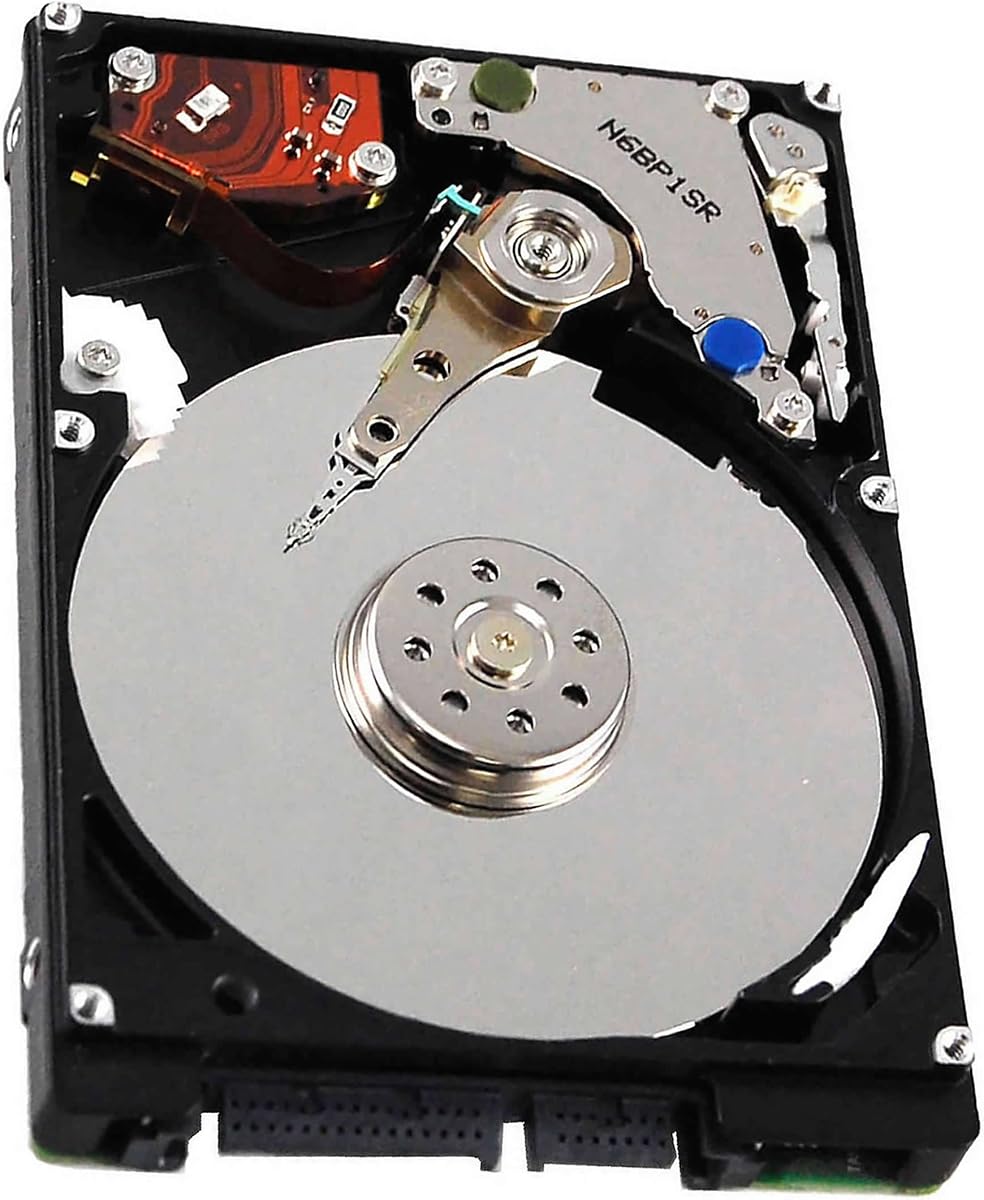


This drive stands out as a top choice for users needing dependable storage without high power demands. With a rating of 4.7 stars it has proven itself in various desktop and laptop configurations over time.
We may earn a commission when you buy through this link, at no additional cost to you.
The 2TB capacity provides ample space for media files and applications while the 5400 RPM speed ensures energy efficiency. The 128MB cache helps smooth out data access patterns for faster loading times in everyday scenarios.
While it may not match the speed of SSDs for intensive workloads it excels in cost effective bulk storage. The trade-off in speed is acceptable for users who prioritize capacity and power savings over raw performance.
This model is ideal for general home users or those expanding their laptop storage with a reliable internal solution. We recommend it for anyone seeking a balance of size capacity and consistent performance.
The 5400 RPM speed reduces power consumption which is beneficial for battery life in laptops and lower electricity bills in desktops.
Its 2.5 inch size makes it easy to install in laptops and small form factor PCs where space is at a premium.
We may earn a commission when you buy through this link, at no additional cost to you.
This drive offers significant storage capacity for users who need to archive large libraries of photos videos and games. Its 4.3 rating reflects strong performance in non intensive workloads.
We may earn a commission when you buy through this link, at no additional cost to you.
The 256MB cache is a notable feature that helps manage large file transfers more efficiently than smaller cache drives. This makes it well suited for media centers or backup repositories.
While it uses more power than smaller drives the capacity per watt remains competitive. Users should ensure their power supply can handle the additional load during spin up.
We recommend this drive for desktop users needing bulk storage for media and backups. It is a solid choice for those looking to minimize the number of drives in their system.
The 256MB cache allows for better buffering of data which improves performance when reading or writing large sequential files.
With 6TB available this drive is perfect for storing high definition media files for a home theater PC setup.
We may earn a commission when you buy through this link, at no additional cost to you.
This 5TB drive brings desktop class capacity to a 2.5 inch package which is ideal for users needing more space in limited environments. It has a solid 4.2 rating from users.
We may earn a commission when you buy through this link, at no additional cost to you.
The 128MB cache provides reasonable performance for general computing tasks. Its small size makes it versatile for both laptop upgrades and custom external USB enclosures.
While it costs more per terabyte than larger 3.5 inch drives the space savings can be worth it for compact setups. Users appreciate the ability to fit it in tight spaces.
We suggest this drive for professionals or enthusiasts with space constraints who still need terabytes of storage. It bridges the gap between portability and capacity effectively.
The 2.5 inch form factor allows installation in laptops or desktops making it a flexible option for various hardware configurations.
It works well in external USB enclosures allowing you to create a high capacity portable backup drive easily.
We may earn a commission when you buy through this link, at no additional cost to you.
This Toshiba drive is specifically designed to fit laptop PC requirements with features that enhance mobility and durability. It holds a strong 4.6 rating from users who value reliability.
We may earn a commission when you buy through this link, at no additional cost to you.
The low power profile helps extend battery life in mobile computing scenarios. Its 9.5mm height ensures compatibility with most modern slim laptop chassis.
Built in shock sensors provide added protection when the laptop is in motion reducing the risk of data loss from minor bumps. This makes it reliable for students or travelers.
We recommend this drive for anyone looking to upgrade their laptop storage cost effectively. It offers a great balance of size durability and performance for everyday computing.
The built in shock sensors detect movement and adjust the read write heads to prevent damage during physical transit.
Lower power requirements mean your laptop runs cooler and lasts longer on a single charge during mobile use.
We may earn a commission when you buy through this link, at no additional cost to you.
This mobile drive is optimized for on the go computing with features that prioritize efficiency and data flow. Its 4.6 rating suggests high satisfaction among users upgrading their laptops.
We may earn a commission when you buy through this link, at no additional cost to you.
Specialized caching technology helps manage data requests more efficiently which improves loading times for applications and media. This is crucial for multitasking workflows.
The drive is backed by a two year warranty and decades of innovation ensuring long term reliability. Users appreciate the peace of mind that comes with proven technology.
We recommend this drive for professionals who need reliable storage while traveling or working remotely. It is a solid investment for those who value data security and performance.
The caching system predicts data needs and loads them into memory first which speeds up access to frequently used files.
A two year limited warranty provides assurance against early failures ensuring you have support if issues arise.
We may earn a commission when you buy through this link, at no additional cost to you.
This renewed drive offers the reliability of WD Blue hardware at a more accessible price point. It is factory renewed and tested to ensure zero power on hours before shipping.
We may earn a commission when you buy through this link, at no additional cost to you.
The 256MB cache provides good performance for daily tasks and data transfers. Being renewed means it meets strict quality standards while reducing electronic waste.
While it may not come with the same warranty as a new drive it is a great option for budget conscious users. It is perfect for secondary storage or backup needs.
We recommend this drive for users who want proven hardware without paying full retail price. It is an excellent choice for those looking to build an eco friendly setup.
Factory renewed units undergo rigorous testing to ensure they perform like new drives with zero prior usage.
Choosing renewed products helps reduce electronic waste by giving high quality hardware a second life.
We may earn a commission when you buy through this link, at no additional cost to you.
This Momentus drive is designed for rugged environments where mobility and shock resistance are paramount. It holds a 4.3 rating from users needing reliable industrial or mobile storage.
We may earn a commission when you buy through this link, at no additional cost to you.
G-Force Protection adds robustness against shocks and drops making it ideal for laptops in transit. The 1000 Gs nonoperating shock rating ensures data safety even in tough conditions.
While capacity is low the durability features make it valuable for specific use cases. It is a reliable choice for devices that face physical stress during operation.
We recommend this drive for industrial applications or older laptops needing a durable upgrade. It excels in scenarios where reliability matters more than capacity or speed.
The high shock tolerance allows the drive to survive accidental drops or bumps that might damage standard drives.
This feature optimizes read and write commands to reduce wait times and improve overall drive efficiency.
We may earn a commission when you buy through this link, at no additional cost to you.
This drive is built specifically for Network Attached Storage environments ensuring continuous operation and data safety. It has a 4.5 rating reflecting its reliability in multi-user setups.
We may earn a commission when you buy through this link, at no additional cost to you.
IronWolf Health Management provides tools to monitor drive health and predict potential issues before data loss occurs. This proactive approach helps maintain uptime in critical environments.
The inclusion of three year rescue data recovery services adds significant value for users with important data. It provides a safety net against drive failures or accidental deletions.
We recommend this drive for serious home labs or business NAS systems. It is a premium investment that offers peace of mind for important data storage.
The health monitoring system uses software to track drive metrics and alert users to potential failures early.
Three years of rescue services ensures you can recover data if a drive fails or data is accidentally deleted.
We may earn a commission when you buy through this link, at no additional cost to you.
This desktop drive provides a robust storage solution with excellent capacity for modern computing needs. Its 4.7 rating highlights consistent performance across various applications.
We may earn a commission when you buy through this link, at no additional cost to you.
The free Seagate DiscWizard software makes migrating data from old drives easy. This is a valuable tool for users upgrading from smaller drives to this 4TB model.
Users appreciate the frustration free packaging which reduces assembly time and waste. The high sustained transfer rate ensures smooth playback and file transfers.
We recommend this drive for desktop users needing space for games and creative projects. It is a reliable workhorse for general computing and media storage.
DiscWizard software helps clone your old drive to the new one so you can move your OS and files seamlessly.
The sustained transfer rate supports large file movements without bottlenecks keeping your workflow efficient.
We may earn a commission when you buy through this link, at no additional cost to you.
This drive is engineered for NAS systems with continuous operation in mind. It has a 4.2 rating reflecting its stability in multi drive arrays and network storage.
We may earn a commission when you buy through this link, at no additional cost to you.
NASware tuning ensures the drive works seamlessly with RAID controllers and NAS enclosures. This reduces vibration and heat which extends drive life in enclosed units.
The support and warranty backing provide confidence for users relying on this drive for critical data. It is designed to run 24 7 without degradation.
We recommend this drive for users setting up or expanding a NAS system. It offers reliability and performance suitable for networked file sharing.
NASware is built into the firmware to handle the unique stress of multi drive environments and improve compatibility.
The drive is designed to handle the constant read write cycles of RAID arrays without premature failure.
We may earn a commission when you buy through this link, at no additional cost to you.
Selecting the right drive depends on your specific storage needs and computing environment. Understanding key factors ensures you get a product that performs well for your use case.
Choose a capacity that meets your current needs with room to grow. Consider how much data you store now and what you expect to add in the next few years.
Higher capacity drives cost more but reduce the need for future upgrades. Balance your budget with long term planning to find the ideal size.
Decide between 2.5 inch and 3.5 inch sizes based on your device. 2.5 inch is for laptops and small cases while 3.5 inch is for desktop towers.
Ensure your computer supports the chosen size before purchasing. Mismatched sizes may not fit or connect properly without adapters.
Look for SATA 6Gb/s for best compatibility and data rates. Older SATA 3Gb/s drives may limit performance on modern systems.
A faster interface ensures data moves quickly between the drive and computer. This is vital for large file transfers and application loading.
Larger cache sizes like 128MB or 256MB improve performance by buffering data. This helps smooth out read and write operations.
Consider larger cache for tasks involving many small files or frequent access. It contributes to a smoother overall user experience.
Identify whether you need the drive for desktop NAS or laptop use. NAS drives have extra durability and firmware for continuous operation.
Desktop drives are cost effective for home setups while mobile drives prioritize power efficiency. Matching the drive to the task maximizes value.
Check the warranty length and what it covers to ensure long term protection. Some drives come with data recovery services for added security.
A longer warranty indicates manufacturer confidence in the product's reliability. It gives peace of mind for investments in important data storage.
Review power specs if you use a laptop or have limited power supply. 5400 RPM drives generally use less power than faster alternatives.
Lower power means less heat and longer battery life on mobile devices. This is key for portable setups or energy efficient builds.
Consider noise if the drive will be in a quiet living space. Some drives generate more sound during spin up or heavy usage.
NAS drives often use vibration damping to keep noise down in enclosures. Check reviews for real world noise feedback before buying.
Ensure your computer is powered off before installing any internal hard drive. Connect the SATA data and power cables securely to avoid connection issues.
Keep the drive in a cool well ventilated area to prevent overheating. Dust can clog vents so clean your case periodically to maintain airflow.
Run disk diagnostics regularly to check for errors or bad sectors. Keeping your firmware updated ensures compatibility with newer systems and features.
Yes SSDs are much faster since they have no moving parts. However 5400 RPM HDDs are cheaper for large storage and use less power which is ideal for archiving.
You can store games on these drives but load times will be longer than SSDs. They are good for storing large game libraries where instant loading is not critical.
They tend to be quieter than faster drives but can hum during data access. Proper mounting and vibration damping can help reduce noise in desktop cases.
Most use standard SATA cables which are common with modern motherboards. Ensure the cable supports SATA 6Gb/s for the best data transfer performance possible.
With proper care they can last several years of regular use. Lifespan depends on usage intensity and environmental factors like heat and vibration.
Some models like IronWolf or WD Red are made for NAS use. Standard desktop drives may struggle with the constant read write demands of a server.
The top picks like the Seagate BarraCuda 2TB and Toshiba HDWL120XZSTA offer great value and performance for most users. Whether you need desktop storage or a laptop upgrade these options are reliable.
Prioritize factors like capacity and form factor when deciding which model to choose. Matching your specific needs to the right drive ensures satisfaction and longevity.
Remember that prices and availability change so check current listings before finalizing your purchase. Keeping an eye on deals helps you get the most storage for your budget.