
Asustor Drivestor 4 Gen 2
4.0Editor score
Low cost entry point
2.5GbE port support
Btrfs snapshot protection
This expert guide compares the top 4 Bay NAS models of 2026 for home media, business file sharing, and private cloud storage to help you choose the right one.
A 4 Bay NAS provides flexible storage for home and office use. It allows you to centralize files, protect data with RAID, and stream media efficiently to multiple devices without relying on expensive cloud subscriptions.
We compared ten leading 4 Bay NAS models based on performance, software features, expandability, and value. Our analysis focuses on real-world usability for media streaming, backups, and secure file sharing across different user needs.
Each pick highlights key strengths like speed, app support, or media capabilities. Prices and stock vary by retailer and time, so verify current offers before purchasing to ensure you get the best deal for your specific requirements today.
4.0Editor score

4.6Editor score

4.4Editor score
The following table compares the top ten 4 Bay NAS systems side by side. It highlights key specifications like processor type, network speed, and maximum storage capacity to help you identify the model that best fits your performance needs and budget constraints.


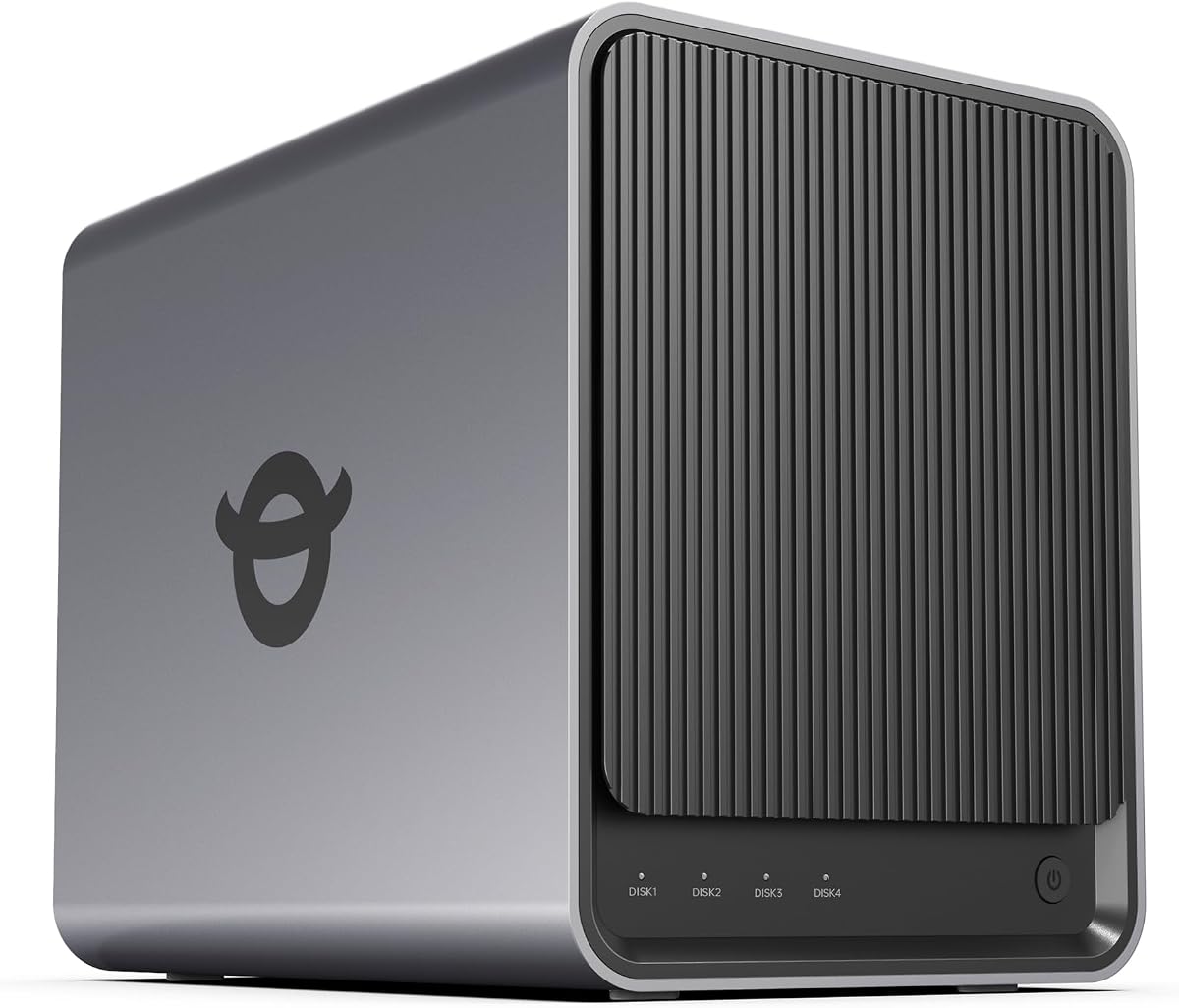

The Asustor Drivestor 4 Gen 2 is an excellent budget choice for users needing basic 4 bay NAS storage without breaking the bank. It offers a compelling price point while still delivering essential features like 2.5GbE networking and 4K media support.
We may earn a commission when you buy through this link, at no additional cost to you.
Its Realtek quad-core processor handles daily file transfers and media streaming adequately for small offices or homes. The 2.5GbE port allows faster data movement than older Gigabit models, and Btrfs snapshots provide extra security against accidental deletion or ransomware.
The main trade-off is the limited 1GB RAM which can slow performance when running multiple Docker apps or heavy workloads. Users needing advanced virtualization might find this restrictive compared to models with 4GB or 8GB base RAM configurations.
This NAS is best suited for budget conscious buyers who want reliable file storage and basic media center capabilities. If you prioritize cost savings over extreme performance, this unit delivers strong value for home and light office backup needs effectively.
Unlike many budget NAS units, it includes a 2.5GbE port for faster file transfers without needing extra network cards or expensive upgrades.
Btrfs file system support allows for instant snapshots to restore files to previous states if accidental deletion or corruption occurs unexpectedly.
We may earn a commission when you buy through this link, at no additional cost to you.
The TERRAMASTER F4-425 delivers robust hardware performance for its price, featuring a quad-core Intel processor and 2.5GbE networking that handles demanding tasks efficiently. It is particularly strong for users who need reliable media transcoding and fast file transfers on a budget.
We may earn a commission when you buy through this link, at no additional cost to you.
Its tool-free Push-Lock drive design makes installing hard drives incredibly fast and easy without tools. The system operates quietly at just 21dB, making it suitable for living rooms or offices where noise levels matter during daily use.
The TRAID array system offers flexible storage space advantages over traditional RAID, giving more usable capacity while maintaining data redundancy. This approach helps maximize your investment in hard drives and ensures better long-term storage efficiency.
This NAS is ideal for tech users who want raw performance and quiet operation without paying premium brand premiums. While the software is functional, it may lack the refined ecosystem of larger vendors like Synology or UGREEN for advanced automation workflows.
The Push-Lock design allows HDDs to be installed in just 10 seconds, simplifying maintenance and setup for home users without technical experience.
Operating at only 21dB, the F4-425 runs quietly enough for bedrooms or open offices without causing distraction during normal daily tasks.
We may earn a commission when you buy through this link, at no additional cost to you.
The UGREEN NAS DXP4800 Pro is a powerhouse designed for professionals and developers needing serious compute power and flexibility. With its Intel Core i3 processor and dual high speed network ports, it excels at running virtual machines and complex Docker workflows smoothly.
We may earn a commission when you buy through this link, at no additional cost to you.
Its hardware is future-proof with DDR5 RAM support up to 96GB and a mix of 10GbE and 2.5GbE ports for blazing fast transfers. This combination allows seamless editing of large video files directly from the NAS without lag or bottlenecks.
The Pro-grade security features like Data Vault and local AI processing ensure your sensitive information stays private while managing massive photo libraries efficiently. These tools are essential for users who handle confidential business data or large personal archives.
While it carries a premium price, this NAS offers unmatched performance and scalability for power users. If you need a private workstation that doubles as a secure server, the DXP4800 Pro provides the best balance of raw speed and reliability.
The combination of 10GbE and 2.5GbE ports delivers aggregate bandwidth up to 2.5GB/s theoretical speeds for rapid data movement across networks.
AI photo features run locally on the device ensuring privacy while organizing faces and scenes without sending data to external cloud servers.
We may earn a commission when you buy through this link, at no additional cost to you.
The Synology DS423 is a reliable workhorse for families and small businesses seeking a secure and user-friendly 4 Bay NAS system. Its robust operating system offers intuitive file sharing and comprehensive backup tools that protect against data loss effectively.
We may earn a commission when you buy through this link, at no additional cost to you.
It supports up to 30 IP cameras for surveillance, making it a versatile security solution alongside storage. The system handles media streaming and file access smoothly thanks to its Intel Celeron processor and efficient software optimization.
Data protection is a key strength here with immutable snapshots and multi-destination backups guarding against ransomware. This enterprise-grade protection is usually reserved for more expensive models but is available here at a mid-range price point.
This NAS is the top choice for users who prioritize ease of use and software quality over raw hardware specs. While it lacks PCIe expansion, its out-of-the-box features make it the ideal starting point for reliable home or office backup systems.
Ransomware-resistant backups and immutable snapshots ensure your critical data stays safe even if security threats arise unexpectedly.
Built-in support for up to 30 IP cameras lets you manage security and storage in one unified and easy-to-use interface.
We may earn a commission when you buy through this link, at no additional cost to you.
The Yxk Zero1 Pro stands out for its flexibility, allowing users to install third-party operating systems like TrueNAS or Unraid for advanced customization. It combines solid hardware specs with an open approach that appeals to enthusiasts and tinkerers.
We may earn a commission when you buy through this link, at no additional cost to you.
With an Intel N100 processor and HDMI output, it can serve as a dedicated media player directly connected to a TV. This unique feature simplifies home theater setups by eliminating the need for a separate streaming device.
The aluminum housing and dual-fan cooling ensure stability during long running tasks like overnight backups or large file transfers. This attention to thermal management helps maintain consistent performance over time without overheating issues.
This NAS is best for users who want hardware performance but also desire the freedom to choose their own software environment. If you enjoy customizing your server stack, the Zero1 Pro offers the hardware backbone you need for DIY projects.
Connect directly to a TV via HDMI to play 4K videos without needing a separate computer or streaming device for media access.
The open architecture allows installation of TrueNAS or Unraid for users who prefer those platforms over proprietary NAS software interfaces.
We may earn a commission when you buy through this link, at no additional cost to you.
The UGREEN DXP4800 Plus brings high-speed networking and excellent performance to a mid-range price point. Its 10GbE port makes file transfers incredibly fast, perfect for creators handling large video files or teams needing quick access to shared data.
We may earn a commission when you buy through this link, at no additional cost to you.
It features advanced AI photo tools that automatically organize your media, removing duplicates and grouping by scene. This saves time managing large libraries and helps you find specific memories quickly without manual sorting efforts.
The system supports up to 144TB of storage, offering massive capacity for growth without needing immediate upgrades. With compatible third-party drives and robust RAID options, it ensures your data remains safe and accessible as your needs expand.
This NAS is ideal for creators and small teams who need speed and reliability without the complexity of enterprise systems. Its user-friendly apps make remote access simple, ensuring you stay connected to your data from any device.
The 10GbE network port enables lightning-fast data transfers that significantly reduce wait times for large file movements or backups.
Face recognition and object tagging organize your library automatically, making it easy to find specific moments in seconds.
We may earn a commission when you buy through this link, at no additional cost to you.
The UGREEN DH4300 Plus is designed specifically for beginners who want to move from cloud storage to a private local solution. Its setup process is intuitive, guiding you step by step without requiring technical networking knowledge to get started.
We may earn a commission when you buy through this link, at no additional cost to you.
It includes smart photo backup and AI albums that keep family memories organized automatically. This feature is perfect for households with many photos, ensuring no important moments are lost due to lack of storage space on phones.
Data ownership is fully retained with local encryption and private storage. You avoid recurring cloud fees and gain full control over your files, ensuring your sensitive documents and media stay secure on your own hardware.
This NAS is the perfect choice for remote workers and families looking for a straightforward entry into self hosted storage. Its balance of cost, ease of use, and solid performance makes it a top recommendation for first-time NAS buyers.
Connect quickly via NFC to start configuring your NAS with your phone, skipping complex network settings for faster initial use.
All data stays on your hard drives with advanced encryption, giving you complete control without relying on third-party cloud providers.
We may earn a commission when you buy through this link, at no additional cost to you.
The Synology DS425+ is built for business environments where data control and security are paramount. It offers granular access controls and audit logs that help businesses maintain strict compliance and security over shared company documents and media assets.
We may earn a commission when you buy through this link, at no additional cost to you.
It supports multi-layered data protection including RAID and automated backups to prevent data loss from hardware failure or human error. This reliability is essential for business continuity ensuring that critical data is always available when needed.
The professional surveillance system allows you to manage up to 30 IP cameras, integrating security directly with your storage system. This unified approach simplifies network management and ensures all footage is stored centrally on a secure local server.
This NAS is best for small to medium businesses needing robust security and team collaboration features. While it costs more, the enterprise-grade software and support justify the price for users who cannot afford data breaches or downtime risks.
Detailed permissions ensure only authorized staff can access specific folders, enhancing security and protecting confidential business data effectively.
Integrated support for 30 IP cameras simplifies security monitoring, keeping footage secure on your own server without external dependencies.
We may earn a commission when you buy through this link, at no additional cost to you.
The UGREEN DXP4800 GT offers a compelling mix of performance and practical features for tech enthusiasts and creators. With an AMD Ryzen processor and dual 10GbE ports, it handles heavy workloads like 4K editing and backups with impressive speed and stability.
We may earn a commission when you buy through this link, at no additional cost to you.
Its built-in SD card slot and USB-A/C ports streamline workflows for photographers, allowing direct import of media without extra card readers. This convenience saves time during content creation and helps you back up footage immediately after a shoot.
Surveillance Center is included out of the box, supporting ONVIF cameras for local video security without subscriptions. This feature turns your NAS into a comprehensive security hub, keeping footage safe locally rather than relying on cloud fees.
This NAS is best for power users who want dual high-speed ports and versatile connectivity. With expandable RAM to 64GB, it scales well as your needs grow, making it a future-proof investment for advanced multitasking and virtualization tasks.
The integrated SD card slot lets photographers and creators import photos directly to the NAS, eliminating the need for external card readers.
Build a secure video system with up to 30 cameras directly on the NAS without extra hardware or monthly cloud subscription fees.
We may earn a commission when you buy through this link, at no additional cost to you.
The Synology DS925+ represents the pinnacle of user-friendly network attached storage with a balance of speed, software quality, and reliability. Its dual 2.5GbE ports provide fast connectivity, ensuring smooth media streaming and quick backups for multiple users simultaneously.
We may earn a commission when you buy through this link, at no additional cost to you.
Synology's operating system remains the industry standard for ease of use, offering polished apps for photos, media, and backups. The file and photo management tools are intuitive, making it easy for non-technical users to manage their data effectively.
Its 3-year warranty and robust support provide peace of mind for long-term use. The system's stability is backed by a large community, meaning help and custom apps are readily available if you need specialized functionality beyond the base features.
This NAS is the top choice for users who value software quality and reliability above all else. It combines solid hardware with an unmatched ecosystem, making it the best overall solution for home media and small business file sharing needs.
Two 2.5GbE ports provide redundancy and faster transfer speeds than standard Gigabit connections, improving performance for demanding workloads.
Synology's OS is widely praised for its polished apps and intuitive design, simplifying file management for users of all skill levels.
We may earn a commission when you buy through this link, at no additional cost to you.
Selecting the right 4 Bay NAS depends on your specific needs for speed, storage, and software features. This guide breaks down the essential factors to help you compare models confidently before purchasing.
The CPU determines how fast your NAS can handle tasks like file transfers, media transcoding, and running apps. Models with quad-core processors or newer chips like Intel N100 or AMD Ryzen handle multitasking better than single-core options.
Choose a processor that matches your workload intensity. For simple file storage, a basic chip suffices, but for 4K video editing or virtual machines, prioritize high-performance CPUs.
Network ports dictate how quickly you can move data over your local network. Most modern 4 Bay NAS units include Gigabit or 2.5GbE ports, with premium models offering 10GbE for extreme speed.
If you have gigabit internet or large internal transfers, opt for 2.5GbE or 10GbE to avoid bottlenecks. Ensure your router supports these speeds to maximize the NAS performance.
RAM affects the number of concurrent apps and users the NAS can support smoothly. Entry models may have 1GB or 2GB, while better units start with 4GB or 8GB.
Look for models with upgradeable RAM if you plan to expand usage later. 8GB is recommended for running Docker containers, virtual machines, or extensive media transcoding.
While the NAS itself holds 4 drives, consider how easily you can add more storage via USB or expansion units. Some models allow M.2 NVMe caching for faster app performance.
Check the maximum drive capacity per bay to ensure you can fit high-capacity drives. 32TB per bay is common now, allowing over 120TB total storage.
The operating system impacts daily usability. Synology is known for polished software, while others like UGREEN or TerraMaster offer different feature sets.
Evaluate the built-in apps for photos, backups, and media streaming. Ensure the interface is intuitive for your household members to avoid frustration.
Data protection is critical for any network storage. Look for features like RAID support, snapshot technology, and encryption to safeguard against data loss or ransomware.
Models with immutable snapshots protect against deletion attacks, while encryption ensures data privacy. Verify if the software supports multi-factor authentication for added security.
Many users turn to NAS for video security. Check if the system supports IP cameras and includes a surveillance app with motion detection and remote viewing.
Some models support up to 30 cameras and offer license options. Ensure the NAS has enough processing power to record multiple streams simultaneously without lag.
The total cost includes the NAS unit and the hard drives. Compare the price-to-performance ratio to find the best value for your budget.
Entry models offer basic storage at lower prices, while premium units justify costs with faster networking and better software. Avoid paying for specs you won't use.
First, install your hard drives securely in the tool-free bays and connect the unit to your network via Ethernet. Use the manufacturer's mobile app or web browser to initialize the system, create user accounts, and set up storage arrays like RAID 1 for safety.
Second, configure automatic backups for your computers and mobile devices. Enable photo syncing apps to save memories directly to the NAS and set up cloud sync if you need offsite redundancy. This ensures your data is safe from hardware failures.
Third, keep the NAS in a cool, dry place with good airflow to prevent overheating. Update the firmware regularly to maintain security and performance. Check drive health via the built-in tools to catch potential issues before they lead to data loss.
Yes, most 4 Bay NAS units are sold diskless meaning they do not include hard drives. You will need to purchase compatible SATA HDDs or SSDs separately to fill the drive bays and start storing data on the system.
RAID is a method of combining multiple drives into a single unit for better performance or data redundancy. It is important because it allows you to recover data if one drive fails, ensuring your files remain safe during hardware issues.
Yes, most modern NAS models support remote access via secure apps or web browsers. You can configure this during setup using a personal cloud service provided by the manufacturer to access files without complex networking.
Yes, a 4 Bay NAS is ideal for small businesses needing reliable file sharing and backups. Models like Synology DS423 or DS425+ offer enterprise features like granular permissions and surveillance support suited for office environments.
To prevent data loss, use RAID configurations to protect against drive failure and enable regular backups to an external drive or cloud. Keep the firmware updated and monitor drive health to catch failures early.
Yes, the NAS functions fully on your local network without internet. Remote access requires internet, but file sharing, backups, and local media streaming work perfectly when you are offline at home or the office.
Yes, many NAS units support 4K transcoding and streaming via DLNA, Plex, or HDMI output. You can stream movies directly to your smart TV or connect the NAS via HDMI if the model supports it.
The top picks like the UGREEN DXP4800 Plus, Asustor Drivestor 4 Gen 2, and Synology DS425+ offer the best balance of performance and software features for most users. These models stand out for their speed, reliability, and user-friendly interfaces.
When choosing, prioritize network speed and RAM capacity if you plan to run multiple apps or edit media directly. For simple storage needs, entry models provide adequate performance at a lower cost without sacrificing essential security features.
Remember that prices and stock levels change frequently so always check current deals before purchasing. Investing in a quality 4 Bay NAS now ensures your data remains safe and accessible as your digital storage needs grow.