
Acer Nitro V Gaming Laptop
4.6Editor score
Affordable RTX 4050
Fast 165Hz refresh
Reliable Wi-Fi 6
Finding the right gaming laptop for Diablo 4 requires balancing raw power with portability. You need a machine that handles intense combat and ray tracing without throttling during long dungeon dives.
We compared ten top models based on GPU strength, CPU multitasking, and display refresh rates. Each entry offers unique benefits for different play styles and budget considerations.
Every pick highlights key specs and real-world usage notes. Prices fluctuate often so verify current deals before purchasing to ensure you get the best value available today.
4.6Editor score

4.4Editor score

4.3Editor score
As an Amazon Associate we earn from qualifying purchases.
This side-by-side comparison evaluates hardware specifications, display quality, and thermal management across ten top gaming laptops tailored for demanding titles like Diablo 4.




The ASUS ROG Strix G16 stands out as a top choice for Diablo 4 players needing balanced performance. It combines an Intel Core i7 processor with an RTX 5060 GPU to deliver smooth gameplay during intense boss battles and dungeon crawls.
We may earn a commission when you buy through this link, at no additional cost to you.
Its 165Hz display ensures fluid visuals which is critical for spotting enemy attacks quickly. The ROG Intelligent Cooling system keeps thermals in check so you won't face throttling during extended sessions in the High Heavens.
While the RTX 5060 is not the most powerful GPU available it still handles ray tracing efficiently with DLSS 4. The main tradeoff is battery life which is typical for gaming machines of this caliber.
This laptop is ideal for gamers who want a reliable portable rig without breaking the bank. Its balance of power and build quality makes it a strong recommendation for serious Diablo 4 enthusiasts.
The 165Hz refresh rate minimizes motion blur allowing precise tracking of fast moving demons.
Tri-fan technology and vapor chamber cooling maintain stable frame rates under heavy load.
We may earn a commission when you buy through this link, at no additional cost to you.
The Acer Nitro V 16S AI offers exceptional multitasking capabilities thanks to its 32GB of DDR5 RAM. This configuration ensures that background apps won't slow down your gaming experience while Diablo 4 runs.
We may earn a commission when you buy through this link, at no additional cost to you.
Its 180Hz display delivers incredibly smooth motion which enhances the visibility of enemy movements and spell effects. The Ryzen 7 260 processor paired with the RTX 5060 provides a potent combination for modern gaming titles.
While it lacks Wi-Fi 7 the Wi-Fi 6 connection remains stable for online play. The extra weight is a minor concern compared to the performance benefits it offers for streamers and content creators.
This model is perfect for users who need more than basic gaming power. It handles heavy workloads and streaming simultaneously making it versatile for all your entertainment needs.
32GB RAM allows seamless switching between games streaming software and chat apps.
180Hz screen refresh rate reduces input lag for faster reaction times in PvP.
We may earn a commission when you buy through this link, at no additional cost to you.
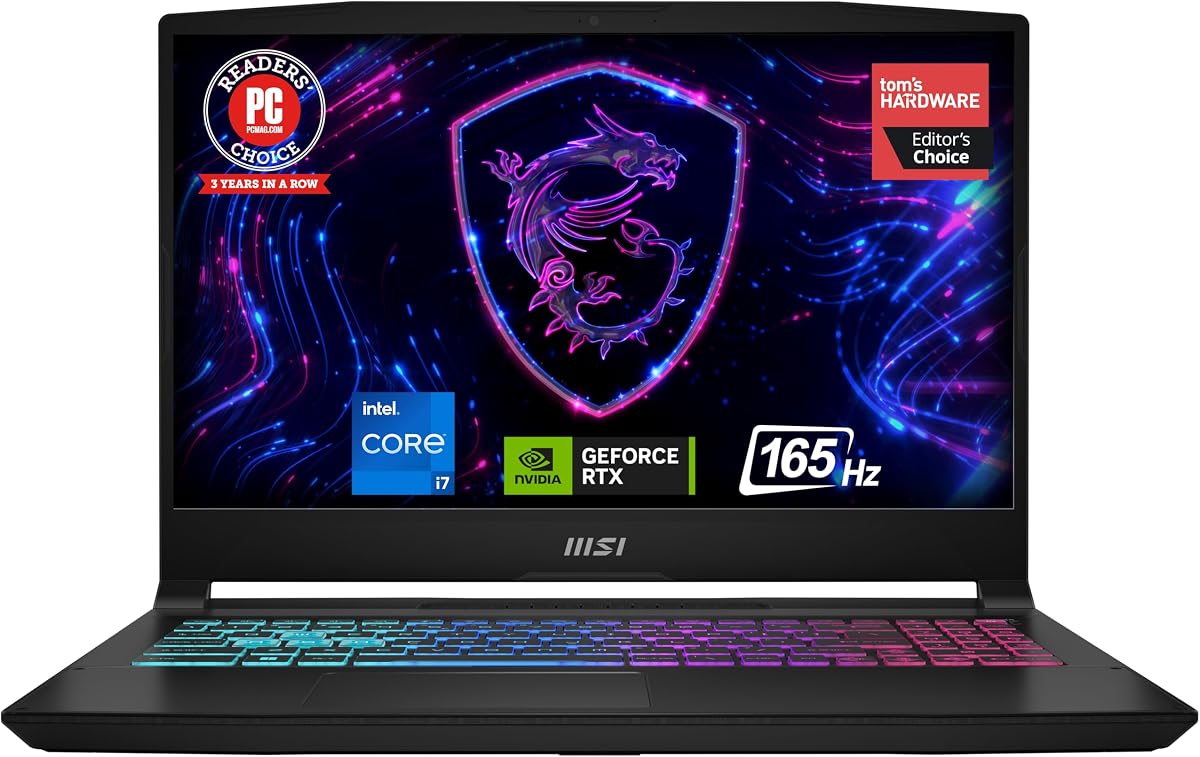
The Acer Nitro V Gaming Laptop provides an excellent entry point for Diablo 4 players on a budget. With a 165Hz display and RTX 4050 GPU it balances cost and performance effectively for casual gaming sessions.
We may earn a commission when you buy through this link, at no additional cost to you.
Its Intel Core i7 processor ensures smooth system operation while navigating menus and loading zones. The 1TB Gen 4 SSD allows rapid load times so you can jump into battles without long waits.
Although the GPU is not top tier it still supports ray tracing and DLSS 3.5 for better visual fidelity. The limited upgradeability might be a downside but the included specs are sufficient for most players.
This laptop is recommended for those seeking value without compromising essential gaming features. It delivers a smooth experience for Diablo 4 at settings that prioritize frame rates over ultra details.
Achieves high frame rates without requiring a premium price tag for entry level buyers.
Gen 4 SSD technology ensures quick access to game assets and save files.
We may earn a commission when you buy through this link, at no additional cost to you.
This ROG Strix model is designed for enthusiasts who demand the best visuals and frame rates. The RTX 5070 Ti and 240Hz 2.5K display provide an immersive experience that rivals desktop gaming setups.
We may earn a commission when you buy through this link, at no additional cost to you.
Intel Core Ultra 9 processor ensures that CPU bottlenecks are virtually eliminated during complex physics calculations. The ROG Nebula display offers vibrant colors and sharp details making every character model and spell effect look stunning.
The premium price reflects these high end components and build quality. While it is heavier it delivers unmatched performance for those who want to play at maximum settings without compromise.
If budget is not a concern this laptop is the definitive choice for Diablo 4. It future proofs your setup for upcoming game updates and graphical enhancements.
2.5K resolution paired with 240Hz creates the sharpest and smoothest visual experience.
RTX 5070 Ti supports full ray tracing at high settings without frame drops.
We may earn a commission when you buy through this link, at no additional cost to you.
The msi Cyborg 17 stands out with its large 17.3 inch screen which expands your field of view significantly. This is perfect for spotting enemies in the dark corners of dungeons during night raids.
We may earn a commission when you buy through this link, at no additional cost to you.
Despite its size the laptop remains surprisingly thin at 0.83 inches. The RTX 5060 GPU handles modern titles well and the Intel Core 7 processor ensures quick system response times.
The translucent black design offers a unique look that appeals to gamers who want style. However the 144Hz refresh rate is slightly lower than competitors which might matter to competitive players.
This device is ideal for gamers who prefer bigger screens and value portability. It brings desktop levels of immersion into a compact chassis that fits easily in a backpack.
The 17.3 inch display enhances immersion and detail visibility during complex battles.
Translucent design elements create a distinct visual style not found in standard laptops.
We may earn a commission when you buy through this link, at no additional cost to you.
The HP Victus 15.6 Gaming Laptop delivers reliable performance with its 32GB DDR5 RAM. This capacity ensures that background processes do not interfere with gameplay allowing smooth navigation through the Sanctuary.
We may earn a commission when you buy through this link, at no additional cost to you.
Its AMD Ryzen 7 processor provides robust multitasking capabilities ideal for streamers. The 144Hz IPS display offers good color accuracy and viewing angles which enhance the overall visual experience.
While the GPU is mid range it handles Diablo 4 well at optimized settings. The high customer rating suggests consistent quality and satisfaction among users who purchased this model.
This laptop is great for gamers who prioritize reliability and multitasking power. It serves well as a dual purpose machine for work and entertainment.
32GB RAM ensures smooth performance even when running multiple apps alongside the game.
IPS panel technology delivers consistent color fidelity across different viewing angles.
We may earn a commission when you buy through this link, at no additional cost to you.
This model targets entry level gamers who want a high refresh rate display on a budget. The 165Hz screen ensures fluid gameplay which is a key advantage even if other specs are modest.
We may earn a commission when you buy through this link, at no additional cost to you.
The RTX 4050 GPU provides solid performance for 1080p gaming. Intel Core i5 processor handles daily tasks and gaming without issues making it versatile for students.
Memory and storage are limited compared to higher models so upgrades may be needed later. However the included Gen 4 SSD ensures that load times remain impressively fast.
It is a good choice for budget conscious buyers who value smooth visuals. It balances essential gaming features without unnecessary premium costs.
Combines low cost with a high refresh rate for smooth gameplay without extra expense.
Gen 4 SSD ensures quick load times for game assets and system files.
We may earn a commission when you buy through this link, at no additional cost to you.
This Acer Nitro V model features a high refresh display paired with a modern Intel Core 7 processor. The RTX 5050 GPU provides sufficient power for casual gaming and content creation tasks.
We may earn a commission when you buy through this link, at no additional cost to you.
NitroSense AI performance tracking helps optimize fan speeds and system resources automatically. This ensures that the laptop stays cool and runs efficiently during long sessions in Hell.
The 180Hz display offers smooth visuals which is essential for competitive play. While the GPU is lower tier the overall balance of components makes it a strong contender.
Ideal for gamers who want a mix of performance and efficiency. The AI tools help manage heat ensuring consistent performance over time.
NitroSense uses AI to track and optimize system settings dynamically for gaming.
180Hz refresh rate provides fluid motion which is critical for fast paced action.
We may earn a commission when you buy through this link, at no additional cost to you.
The msi Katana 15 brings an RTX 4070 GPU which offers strong performance for higher resolutions. Its QHD display delivers sharper images than standard FHD screens enhancing detail visibility.
We may earn a commission when you buy through this link, at no additional cost to you.
Cooler Boost 5 technology keeps thermal levels stable during intensive gaming. The Intel Core i7 processor ensures that multitasking remains smooth even with demanding applications running.
While QHD on a smaller screen might require scaling the performance gain is worth it. Battery life is typical for gaming laptops but performance takes priority for desktop replacement use.
This laptop is suited for gamers who prioritize graphical fidelity. The stronger GPU allows for higher settings which makes Diablo 4 look its best.
QHD display provides sharper visuals which enhances immersion in detailed game environments.
RTX 4070 enables high settings and ray tracing at resolutions beyond 1080p.
We may earn a commission when you buy through this link, at no additional cost to you.
The GIGABYTE Gaming A16 introduces GiMATE an intelligent interface designed to personalize your tech experience. This innovative feature adds value beyond standard gaming capabilities making management easier.
We may earn a commission when you buy through this link, at no additional cost to you.
Powered by AMD Ryzen 7 processor and RTX 5060 GPU it handles heavy gaming tasks efficiently. The slim chassis design ensures portability without sacrificing performance or cooling capabilities.
While AI features may be niche they streamline workflow and productivity. The overall balance of power and portability makes it a strong contender for travelers.
Recommended for gamers who appreciate unique software integration. It offers a modern approach to managing system resources and game settings.
GiMATE adapts to user needs providing a personalized and intuitive system control experience.
Slim chassis design ensures easy transport while maintaining robust gaming performance.
We may earn a commission when you buy through this link, at no additional cost to you.
Choosing the right gaming laptop requires balancing performance needs with practical considerations like portability and budget.
The graphics card is crucial for handling ray tracing and high frame rates in Diablo 4. Look for at least an RTX 4050 or 5050 series to ensure smooth gameplay at recommended settings.
Prioritize models with DLSS support to boost performance without compromising visual quality.
A high refresh rate display ensures fluid motion which is vital for tracking fast enemies. Aim for 144Hz or higher to reduce motion blur during combat.
Faster refresh rates improve input feel and provide a competitive edge in PvP scenarios.
Modern games require strong CPU power for smooth world rendering and physics. Select laptops with recent Core i7 or Ryzen 7 processors for best performance.
Avoid older generations that may bottleneck the GPU during complex scenes.
RAM is essential for multitasking and ensuring the system runs smoothly. 16GB is standard but 32GB provides extra headroom for streaming and recording.
Upgradeable RAM slots allow future expansion as software requirements grow over time.
Fast storage reduces load times and improves system responsiveness. Aim for 1TB Gen 4 SSD to accommodate large game files comfortably.
NVMe SSDs significantly outperform traditional hard drives in read and write speeds.
Effective cooling maintains performance during long gaming sessions. Look for advanced vapor chambers or dual fan setups to prevent thermal throttling.
Good thermals ensure consistent frame rates even during intense combat scenarios.
Panel type and color accuracy impact immersion and visibility. IPS panels offer wide viewing angles and accurate colors for rich visual experiences.
Check for anti-glare coatings if you play in bright environments to reduce eye strain.
Weight and size matter if you travel with your laptop. Slimmer models are easier to carry but may compromise on battery life.
Choose a balance that suits your lifestyle whether you stay at home or travel frequently.
Ensure proper ventilation when playing by using a hard flat surface or cooling pad to prevent overheating.
Update graphics drivers regularly to benefit from performance optimizations and bug fixes for games.
Clean the keyboard and screen gently with a soft microfiber cloth to maintain hygiene and visibility.
An RTX 4060 or higher is ideal for smooth gameplay at high settings. Models with RTX 5060 or 5070 Ti offer even better performance for ray tracing.
While not strictly required a high refresh rate makes tracking enemies easier. Aim for 144Hz or higher for the best experience.
16GB is sufficient for gaming alone. If you stream or multitask consider upgrading to 32GB for smoother performance.
Yes budget models with RTX 4050 or 5050 can run the game well at optimized settings. Lowering visual fidelity helps maintain high frame rates.
Gaming laptops typically have short battery life. Plan to use the device plugged in during gaming sessions for best performance.
Most models include HDMI or USB-C video out. Check specs to ensure support for 4K if you plan to use a larger display.
Many allow RAM and storage upgrades. Check the manual or specifications to confirm which parts can be swapped after purchase.
Look for vapor chambers or multi fan systems. These components move heat away efficiently keeping the CPU and GPU cooler during intense gameplay.
The top picks cover a range of budgets from entry level to premium powerhouses. Each option balances performance with portability to suit different player needs.
Prioritize GPU and display quality if immersion is your main goal. Consider cooling and memory for long term reliability and multitasking ability.
Verify current deals and prices before buying as offers change frequently. Ensure you choose a model that matches your specific gaming style.