
CMTECK USB Computer Microphone G009
4.5Editor score
Omnidirectional condenser microphone
Active noise-cancelling chip
Adjustable gooseneck design
Finding a reliable audio tool for your workspace does not require breaking the bank. A cheap desk microphone can deliver professional clarity for calls and recordings when chosen carefully. Look for clear sound capture and sturdy build quality to ensure longevity in daily use.
We evaluated ten affordable models based on sound clarity, ease of setup, and design flexibility. Our comparison focuses on real-world performance in gaming, streaming, and office environments. Each product offers unique features like mute buttons and adjustable stands for versatile use.
Every pick below highlights specific strengths to help you match a mic to your needs. Prices and availability change frequently so verify details before purchasing. This guide ensures you find the best value for your budget without compromising essential audio performance.
4.5Editor score

4.4Editor score

4.4Editor score
As an Amazon Associate we earn from qualifying purchases.
This side-by-side comparison evaluates all ten models based on key specifications and design features to help you identify the most suitable option for your specific audio needs.
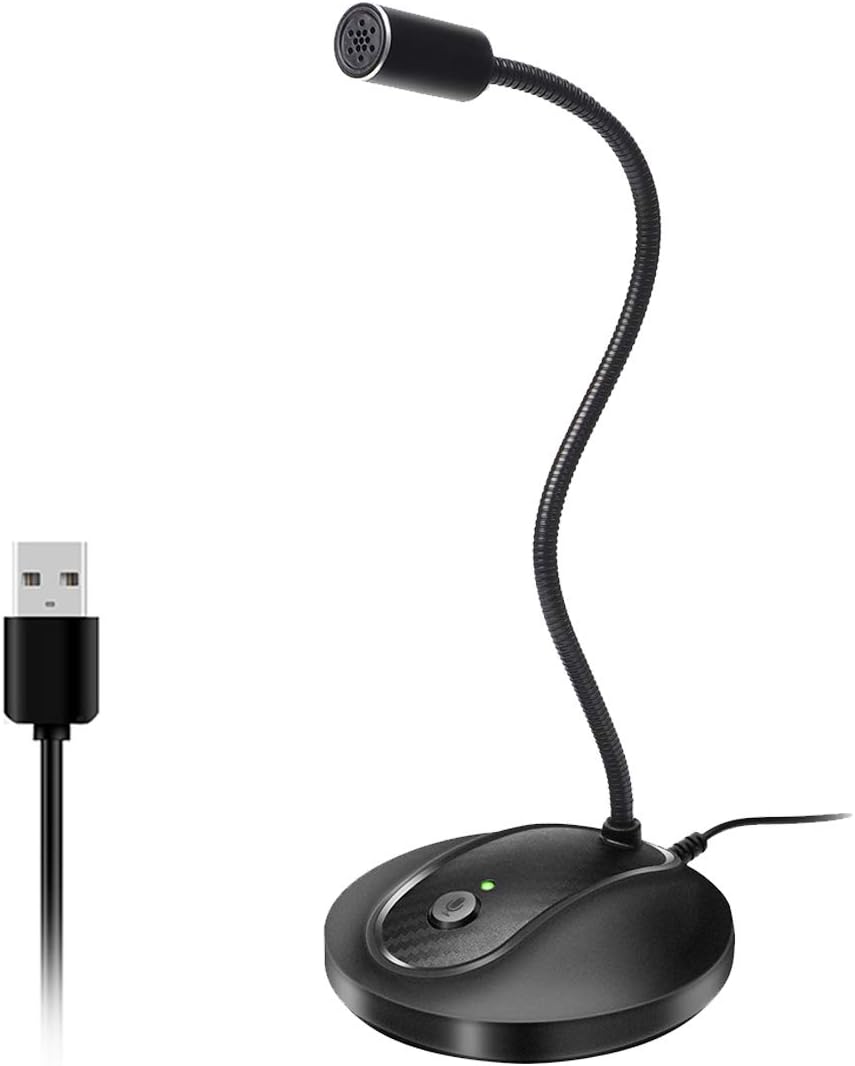



The CMTECK USB Computer Microphone G009 delivers reliable performance for basic recording tasks. It holds a strong rating among users seeking an affordable solution for calls and content creation.
We may earn a commission when you buy through this link, at no additional cost to you.
Its CCS2.0 SMART CHIP provides active noise-cancelling to reduce background distractions. The omnidirectional pattern ensures your voice is captured clearly from any angle within range.
The flexible gooseneck allows precise positioning for optimal sound pickup. While the build is compact, the metal pipe offers durability during daily adjustments.
This mic is ideal for students or remote workers needing a simple setup. You get clear audio without complex software installation or extra hardware costs.
The integrated chip filters background noise to keep your voice prominent during recordings.
Adjust the gooseneck to angle the mic perfectly for your speaking position.
We may earn a commission when you buy through this link, at no additional cost to you.
This USB microphone offers a flexible gooseneck design for easy positioning. Users appreciate the 360-degree adjustment which helps find the best audio capture zone.
We may earn a commission when you buy through this link, at no additional cost to you.
The noise-canceling technology reduces ambient sounds effectively for clearer communication. A built-in LED indicator ensures you always know when the mic is active.
Construction quality is solid with a heavy-duty ABS stand and metal pipe. It remains steady on the desk even during active recording sessions.
Best for casual users who need a dependable mic for online classes. The plug-and-play feature removes setup barriers for immediate use.
The gooseneck bends easily to direct the mic toward your mouth.
A weighted base prevents tipping during use in busy environments.
We may earn a commission when you buy through this link, at no additional cost to you.
This desktop microphone focuses on clarity and ease of use for creators. It captures voice with a natural tone and includes windproof caps to reduce unwanted noise.
We may earn a commission when you buy through this link, at no additional cost to you.
The touch-sensitive mute button offers quick control during recordings. A built-in LED indicator shows connection status clearly at a glance.
The non-slip silicone pad keeps the unit steady on your desk. The compact design makes it easy to carry in a bag for on the go work.
Ideal for streamers who need a lightweight and portable audio solution. The simple design ensures you spend less time setup and more time creating.
Windproof caps help filter out breath plosives during close speaking.
Take the mic to any desk and set it up instantly.
We may earn a commission when you buy through this link, at no additional cost to you.
The Amazon Basics Condenser Microphone delivers professional-quality audio for a reasonable price. Its cardioid pattern ensures clean sound by focusing on your voice.
We may earn a commission when you buy through this link, at no additional cost to you.
A large 14mm diaphragm captures rich lows and clear highs naturally. The shock absorber minimizes vibrations from the desk during active use.
It includes a 360-degree adjustable stand for flexible positioning. The threaded base allows connection to boom arms for custom setups.
Perfect for podcasters needing a standalone mic with studio features. You get premium sound without the cost of high-end proprietary gear.
This pattern isolates your voice to reduce room noise effectively.
Threaded base connects to standard stands for ergonomic positioning.
We may earn a commission when you buy through this link, at no additional cost to you.
This microphone is designed for creators who need full control over their audio. It features a wide frequency response to capture detailed vocal nuances accurately.
We may earn a commission when you buy through this link, at no additional cost to you.
Real-time monitoring helps you hear exactly what is being recorded. Physical knobs for gain and echo allow quick adjustments without software menus.
The included adapters extend compatibility to mobile devices for on-the-go recording. The solid metal base provides stability even during active movement.
Best for podcasters or streamers wanting studio features without extra interfaces. You get a complete solution for professional sounding content creation.
Add depth to your voice instantly with the physical echo knob.
USB-C and Lightning adapters allow recording with iOS devices.
We may earn a commission when you buy through this link, at no additional cost to you.
The TONOR Conference Microphone is built to capture sound from multiple people. Its omnidirectional pattern ensures voices from all sides are heard clearly.
We may earn a commission when you buy through this link, at no additional cost to you.
The pickup range of 11.5 ft makes it suitable for larger desks or tables. A nylon shielded cable reduces signal interference for consistent audio output.
It includes a built-in blue indicator light for status checks. The small design saves space while keeping the mic stable.
Ideal for conference calls or group meetings in a home office. It provides reliable audio for collaboration without requiring complex hardware.
Captures sound from all directions for group discussions.
Shielded cable prevents signal noise during transmission.
We may earn a commission when you buy through this link, at no additional cost to you.
This microphone features customizable breathing lights for a unique look. The sound quality is high with noise reduction filtering keyboard clicks effectively.
We may earn a commission when you buy through this link, at no additional cost to you.
The gooseneck is flexible enough to position the mic precisely. It offers a modern tech aesthetic that fits well on gaming setups.
Built with shock-resistant ABS base and non-slip pads to keep it steady. The compact design ensures it does not clutter your workspace.
Great for streamers who value visual style alongside audio quality. The mute button provides immediate control during live streams.
Breathing lights enhance your setup visual without noise.
Silicone pads anchor the mic firmly during active use.
We may earn a commission when you buy through this link, at no additional cost to you.
The LIANGSTAR USB Microphone includes a volume control for quick adjustments. The CCS3.0 chip handles noise reduction automatically for clearer voice capture.
We may earn a commission when you buy through this link, at no additional cost to you.
It supports a wide range of systems including Windows and Mac. The one-button mute is easy to reach during conversations.
The flexible design allows you to move the mic to any position. Sound reproduction is smooth and natural for casual recording tasks.
Best for users who want physical control over volume levels. It offers essential features without the need for software configuration.
Adjust input levels directly from the mic body easily.
Automatically reduces background noise during recording sessions.
We may earn a commission when you buy through this link, at no additional cost to you.
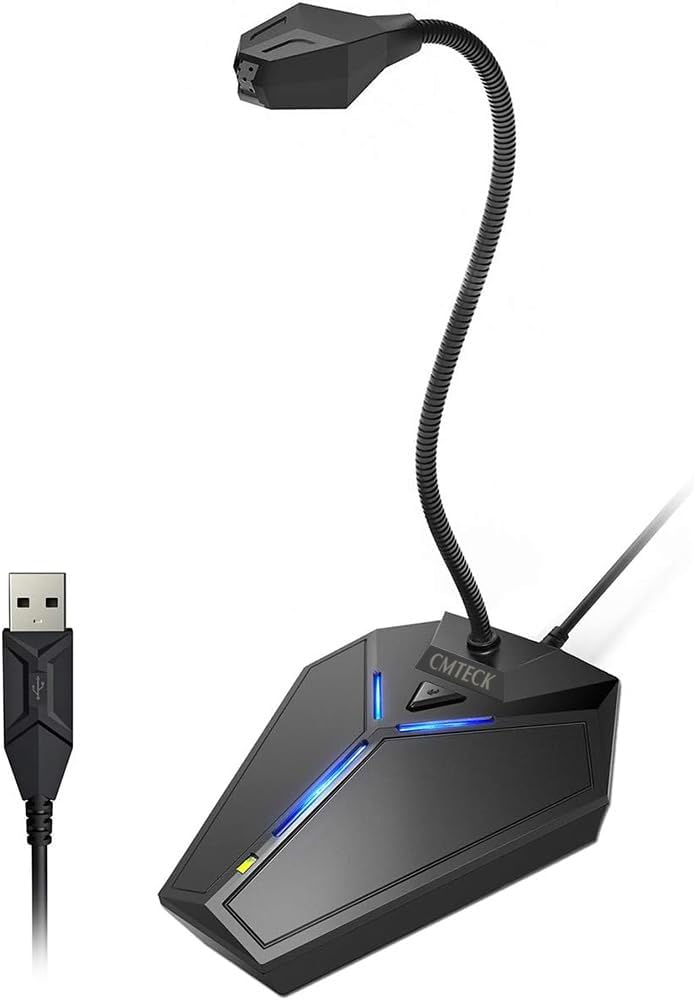
This CMTECK model delivers studio-quality audio for personal use. A high-performance chip suppresses background noise to ensure your voice comes through clearly.
We may earn a commission when you buy through this link, at no additional cost to you.
The unique blue LED light adds a visual touch to your desk. You can toggle it on or off with a dedicated switch.
The adjustable gooseneck allows precise positioning for better sound. The metal construction ensures durability for long-term use.
Ideal for those needing a simple mic for calls or basic recording. It balances visual style with practical audio performance.
Smart chip filters background sounds to keep voice clear.
Metal gooseneck bends to angle mic towards speaker.
We may earn a commission when you buy through this link, at no additional cost to you.
The KLIM Talk USB Microphone offers high definition audio with a patented filter. It ensures your voice is recorded with perfect clarity for colleagues.
We may earn a commission when you buy through this link, at no additional cost to you.
An aerodynamic design adds a stylish touch to your workspace. The flexible neck allows for comfortable positioning during long sessions.
A standout feature is the five year warranty showing product confidence. The base is balanced and sturdy to keep the mic in place.
Best for professionals valuing durability and warranty coverage. It provides reliable audio for daily work and communication tasks.
Patented filter enhances clarity for better team communication.
Five year warranty ensures long-term reliability and peace.
We may earn a commission when you buy through this link, at no additional cost to you.
Choosing the right microphone requires evaluating sound quality, features, and build durability to match your specific needs.
The pickup pattern determines where the mic captures sound. Cardioid mics focus on your voice while reducing background noise, making them ideal for recording. Omnidirectional mics capture sound from all angles which suits conference calls.
Select cardioid for personal content creation and omnidirectional for group settings to ensure optimal sound quality.
Effective noise cancellation helps filter out keyboard clicks and ambient room sounds. Look for mics with smart chips or physical filters that reduce background interference during recording.
Prioritize models with active noise reduction if you work in a noisy environment to maintain audio clarity.
A sturdy base and metal construction ensure the microphone remains stable on your desk. Plastic parts may crack over time so check for metal goosenecks and weighted bases.
Invest in a mic with durable materials to prevent wobble or tipping during daily use.
USB connectivity offers the simplest setup for most users. Ensure the mic is compatible with your operating system like Windows or Mac to avoid driver issues.
Check for additional ports like 3.5mm jacks if you need to connect to other devices.
Physical mute buttons allow instant control without navigating software settings. LED indicators help you confirm the mic status at a glance during calls.
Choose a mic with an easy-to-reach mute button to avoid accidental transmission.
A long enough cable ensures you can position the mic comfortably without reaching for ports. Most budget mics come with six foot cables which suits standard desks.
Verify the cable length matches your desk layout to avoid stretching or tangling.
An adjustable stand or gooseneck lets you angle the mic for optimal sound capture. Fixed stands may limit positioning options for different setups.
Look for models with 360-degree rotation to customize mic placement.
A longer warranty indicates manufacturer confidence in the product. Look for at least a one year warranty to protect against defects.
Prioritize brands that offer support to ensure long-term reliability for your purchase.
Plug the USB connector directly into an available port on your computer. Wait for the system to recognize the device automatically without installing drivers.
Position the mic slightly below mouth level to avoid capturing breath plosives. Use the gooseneck to adjust the angle for clear voice pickup.
Store the mic in a dry place when not in use. Wipe the surface gently with a soft cloth to remove dust and fingerprints.
Most cheap desk microphones are plug-and-play devices requiring no drivers. They work immediately upon connecting to your computer's USB port.
Some models include adapters for Lightning or USB-C ports. Check product specs to confirm compatibility with your specific mobile device.
Cardioid mics focus on sound from the front while omnidirectional mics capture sound from all sides. Choose based on your recording environment.
Use headphones instead of speakers while recording to prevent audio feedback. Adjust microphone gain settings to lower sensitivity if echo persists.
Yes many budget mics offer clear enough audio for casual podcasting. However you may need to edit audio more to match studio quality.
Most offer a one year warranty though some brands provide extended coverage. Always check the product description for specific warranty terms.
We have covered ten top options ranging from budget-friendly to feature-rich choices. Each model offers unique strengths for different use cases like streaming or meetings.
Prioritize features like noise cancellation and build quality to ensure long-term satisfaction. Your ideal mic should match your specific recording needs.
Remember to check current prices before purchasing to get the best deal. Availability may change so verify stock on the official links provided.