
Bootable USB Drive for Windows 11
4.0Editor score
Handmade and tested locally
Supports UEFI and Legacy
No TPM requirement included
This comprehensive guide compares the top bootable Windows 11 USB drives for installation and recovery, highlighting features, compatibility, and ease of use
Finding a reliable bootable Windows 11 USB drive is essential for system maintenance and quick installations. These tools simplify the process of reinstalling operating systems without needing complex downloads or technical expertise.
We compared ten highly rated options based on compatibility, included tools, and user feedback. Each product offers unique features like TPM bypass, network drivers, and recovery utilities tailored to different user needs.
Our detailed reviews highlight the strengths and limitations of each drive to help you make an informed decision. Please note that product availability and pricing may change over time so check current listings before purchasing.
4.0Editor score

4.3Editor score

4.2Editor score
This side-by-side comparison highlights the key specifications and features of the top ten bootable Windows 11 USB drives available in the market today for easy reference.


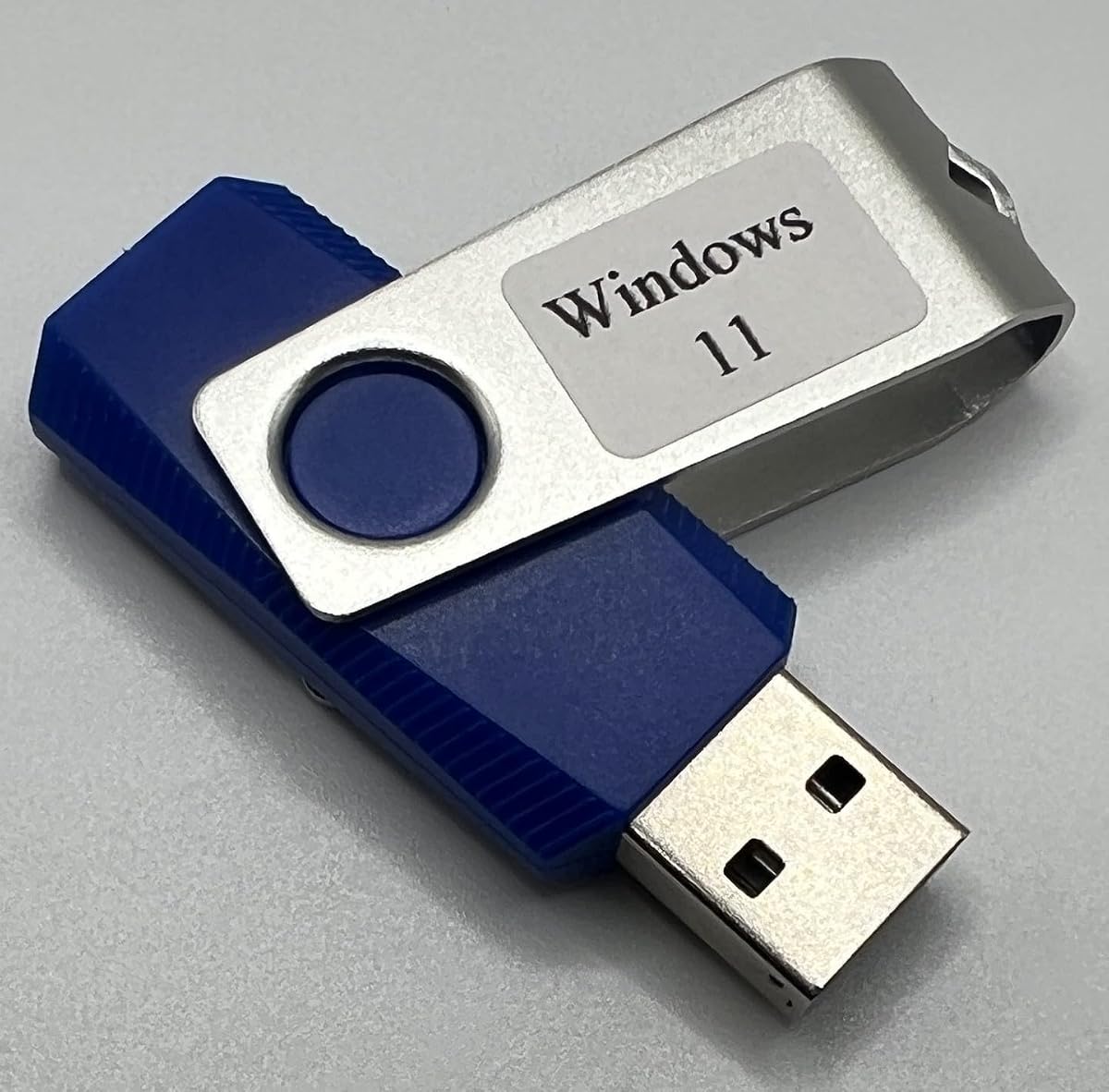


This 64GB bootable USB drive stands out as the top choice for users seeking a versatile installation and recovery solution. With a rating of 4.3 stars it offers reliable performance for reinstalling Windows 11 down to Windows 7.
We may earn a commission when you buy through this link, at no additional cost to you.
The drive includes built-in network drivers which allows users to connect to the internet immediately after installation. It also supports both UEFI and Legacy BIOS systems making it compatible with a wide range of computers.
Users should note that Secure Boot must be disabled in BIOS settings before booting from the drive. Additionally the Automatic Repair feature is not supported which means existing Windows installations cannot be preserved during the process.
This drive is ideal for tech enthusiasts and general users who need a reliable tool for system restoration. Its comprehensive feature set and ease of use make it a standout option in the market.
Supports installation and recovery for Windows 11 10 8.1 and 7 ensuring versatility across different system versions.
Includes WiFi and LAN drivers to enable internet connectivity immediately after Windows installation without extra downloads.
We may earn a commission when you buy through this link, at no additional cost to you.
This bootable USB drive offers an affordable solution for users needing to reinstall Windows 11 without complex technical steps. It holds a 4.0 rating and is designed specifically for setup and recovery tasks.
We may earn a commission when you buy through this link, at no additional cost to you.
The drive supports both UEFI and Legacy BIOS systems and does not require a TPM module for installation. It is handmade and tested locally ensuring quality control for each unit sold.
Users should be aware that the 8GB capacity may limit additional tool storage and it cannot resolve hardware failures like bad RAM or motherboards. Verification of BIOS access is recommended before purchasing.
This drive is perfect for budget-conscious users who need a straightforward Windows reinstallation tool. Its reliability and ease of use make it a strong contender for basic recovery needs.
Offers an affordable alternative for users needing basic Windows reinstallation without unnecessary premium features.
Handmade and tested locally in Texas ensuring each drive meets quality standards before shipping to customers.
We may earn a commission when you buy through this link, at no additional cost to you.
This 32GB bootable USB drive provides a balanced solution for users needing installation and recovery for Windows 11 and 10. It has a 4.2 rating and includes essential tools for system maintenance.
We may earn a commission when you buy through this link, at no additional cost to you.
The drive includes network drivers and data backup capabilities ensuring users can stay connected and protect files during the process. It supports both UEFI and Legacy BIOS systems for broad compatibility.
Users should disable Secure Boot in BIOS settings before booting from the drive. Additionally Automatic Repair is not supported meaning existing Windows installations cannot be kept during reinstallation.
This drive is ideal for users who need a reliable tool for Windows 11 and 10 system recovery. Its combination of features and compatibility makes it a practical choice for many.
Supports installation and recovery for both Windows 11 and Windows 10 providing flexibility for different system needs.
Includes data backup tools to help users secure important files before reinstalling their operating system.
We may earn a commission when you buy through this link, at no additional cost to you.
This premium 64GB bootable USB drive offers advanced features including password reset and hardware testing tools. It holds a 4.2 rating and is designed for both new builds and older computers.
We may earn a commission when you buy through this link, at no additional cost to you.
The drive includes a comprehensive suite of tools for system maintenance and recovery. It supports Windows 11 down to Windows 7 and works with both UEFI and Legacy BIOS systems.
Users should note that Secure Boot must be disabled in BIOS settings before booting from the drive. Installation errors may sometimes require technician diagnosis if issues relate to hard drive problems.
This drive is ideal for users who need a versatile tool for advanced system maintenance. Its wide range of features and compatibility makes it a top choice for tech-savvy users.
Includes a password reset utility to help users regain access to their Windows accounts if credentials are lost.
Comprehensive hardware testing tools allow users to diagnose potential issues before installing a fresh operating system.
We may earn a commission when you buy through this link, at no additional cost to you.
This bootable USB drive stands out for its ability to work with Secure Boot enabled eliminating the need for BIOS changes. It supports Windows 11 and 10 on 64-bit systems with clear instructions.
We may earn a commission when you buy through this link, at no additional cost to you.
The drive downloads genuine Windows versions directly from Microsoft ensuring users get the latest official updates without outdated ISOs. It includes US-based support for real assistance via live chat or email.
Users should note that Legacy BIOS is not supported in the current version which may limit compatibility with older computers. The Windows product key is not included requiring users to use existing licenses.
This drive is ideal for users who want a seamless installation experience without modifying BIOS settings. Its focus on security and official sources makes it a reliable choice for modern PCs.
Works with Secure Boot enabled allowing users to boot from the drive without disabling security features in BIOS.
Downloads genuine Windows 11 or 10 directly from Microsoft ensuring users get the latest official versions without piracy.
We may earn a commission when you buy through this link, at no additional cost to you.
This recovery and repair USB drive focuses on providing essential tools for Windows 11 system maintenance and restoration. It has a 3.9 rating and is designed for 64-bit systems with UEFI compliance.
We may earn a commission when you buy through this link, at no additional cost to you.
The drive includes multiple recovery options such as system repair fresh installation and data recovery tools. Detailed instructions are included to guide users through proper boot setup and recovery procedures.
Users should note that the drive is limited to Windows 11 and has a lower rating compared to other options. This may indicate limitations in compatibility or ease of use for some users.
This drive is ideal for users who specifically need Windows 11 recovery tools and clear instructions. Its focus on system repair makes it a specialized option for targeted recovery needs.
Provides multiple recovery options including system repair and fresh installation tailored specifically for Windows 11 users.
Includes detailed recovery instructions to help users navigate system repair procedures and proper boot setup configurations.
We may earn a commission when you buy through this link, at no additional cost to you.
This bootable USB drive includes an activation license key which simplifies the process of installing Windows 11 and 10. It holds a 3.4 rating and offers tools for recovery and password resets.
We may earn a commission when you buy through this link, at no additional cost to you.
The drive supports both UEFI and Legacy BIOS systems and includes video instructions to guide users through the installation process. It also offers network drives and hardware testing tools.
Users should note that Secure Boot must be disabled in BIOS settings before booting from the drive. The lower rating may indicate limitations in reliability or ease of use compared to other options.
This drive is ideal for users who want a complete solution including a license key for activation. Its combination of features and included instructions makes it a practical choice for many.
Includes a license key for installation simplifying the activation process for users without existing Windows licenses.
Includes video instructions to help users navigate the installation process and configure BIOS settings correctly.
We may earn a commission when you buy through this link, at no additional cost to you.
This 64GB bootable USB drive includes a comprehensive WinPE utility suite for system backup troubleshooting and repair. It has a 4.2 rating and supports Windows 11 down to Windows 7 Home and Pro editions.
We may earn a commission when you buy through this link, at no additional cost to you.
The drive allows users to boot into the WinPE utility to backup important files and repair boot issues. Detailed instructions and a video guide are included to help users start their PC from the USB.
Users should note that Secure Boot must be disabled in BIOS settings before booting from the drive. Automatic Repair is not supported which means existing Windows installations cannot be kept during the process.
This drive is ideal for users who need a versatile tool for system maintenance and recovery. Its WinPE utilities and broad compatibility make it a practical choice for many scenarios.
Includes a comprehensive WinPE utility suite for backing up files and repairing boot issues effectively.
Includes a video guide to help users understand how to boot from the USB drive and navigate the interface.
We may earn a commission when you buy through this link, at no additional cost to you.
This 30-in-1 bootable USB drive offers a wide range of installation and recovery options for multiple Windows versions. It has a 4.0 rating and is designed for compatible 64-bit PCs and laptops.
We may earn a commission when you buy through this link, at no additional cost to you.
The drive provides access to installation and recovery options for startup failures boot errors and system crashes. It is ready-to-use allowing users to select installation or recovery options directly from the boot menu.
Users should note that Secure Boot may need to be disabled in BIOS settings on newer computers. A Windows license or activation key is not included requiring users to have an existing license.
This drive is ideal for users who need a versatile tool for multiple Windows versions and recovery scenarios. Its ready-to-use nature makes it convenient for quick system maintenance tasks.
Offers a wide range of installation and recovery options supporting multiple Windows versions for versatile use.
Designed as ready-to-use bootable media eliminating the need to download files or create media manually.
We may earn a commission when you buy through this link, at no additional cost to you.
This bootable USB flash drive is designed specifically for Windows 11 Pro and Home editions on 64-bit systems. It has a 3.8 rating and includes user guides for easy setup and installation.
We may earn a commission when you buy through this link, at no additional cost to you.
The drive is built with high-quality components and uses professional production tools to ensure reliability. It is compatible with all major PC brands and is scanned for viruses and spyware.
Users should note that the drive is limited to Windows 11 and has a lower rating compared to other options. This may indicate limitations in compatibility or ease of use for some users.
This drive is ideal for users who specifically need a Windows 11 installation tool without additional features. Its focus on compatibility and cleanliness makes it a practical choice for targeted use.
Designed specifically for Windows 11 Pro and Home editions providing a focused solution for modern users.
Built with high-quality components and scanned for viruses ensuring a clean and reliable installation experience.
We may earn a commission when you buy through this link, at no additional cost to you.
Choosing the right bootable Windows 11 USB drive requires considering several key factors to ensure compatibility and functionality for your specific needs.
Ensure the USB drive supports the specific Windows versions you need such as Windows 11 10 or older versions. Some drives offer broader compatibility while others are focused on specific operating systems.
Select a drive that aligns with your system requirements to avoid installation issues during setup.
Check if the drive supports systems without TPM modules as Windows 11 typically requires this feature. Additionally verify if Secure Boot must be disabled in BIOS settings to boot from the USB.
Choose a drive that offers flexibility with these security requirements to ensure it works with your hardware.
Confirm that the USB drive supports both UEFI and Legacy BIOS systems to maximize compatibility across different computer models. Older systems may require Legacy BIOS support while newer ones use UEFI.
Select a drive with dual support to ensure it works with both new and older computers effectively.
Look for drives that include essential tools like network drivers password resets and data recovery options. These features add value and can simplify troubleshooting and maintenance tasks.
Prioritize drives with comprehensive toolsets to handle various system issues without additional downloads.
Consider the storage capacity of the USB drive as it affects how many tools and files can be stored. Larger capacities offer more flexibility for additional utilities and data backups.
Select a capacity that meets your needs for tools and temporary data storage during the process.
Check if the drive includes clear instructions video guides or customer support to assist with setup. Good documentation can significantly reduce the complexity of installation and troubleshooting.
Choose a drive with comprehensive guides to ensure a smooth and hassle-free experience.
Verify that the drive is scanned for viruses and malware to ensure a clean installation process. Security is critical when dealing with system recovery and installation tools.
Select a drive from a reputable source that prioritizes security and quality control.
Check if the product includes customer support services or a warranty to address any issues that may arise. Reliable support can help resolve installation problems quickly.
Choose a drive with accessible support options to ensure assistance is available when needed.
To use the USB drive insert it into a USB port on your computer and restart the system. Access the boot menu or BIOS settings to select the USB drive as the primary boot device following the included instructions.
Follow the on-screen prompts to proceed with Windows installation or recovery processes. Ensure you have backed up important data before starting the process as it may overwrite existing files.
Store the USB drive in a cool dry place when not in use to prevent physical damage. Avoid exposing it to extreme temperatures or moisture to ensure long-term reliability.
Many of the drives in this guide are designed to bypass TPM requirements allowing installation on systems without this module. However always check the specific product details to confirm compatibility with your hardware configuration.
Most of the drives listed support both UEFI and Legacy BIOS systems ensuring compatibility across a wide range of computers. Verify the specific product specifications to ensure it matches your system type.
Some drives include data recovery tools that allow users to backup files before reinstalling Windows. Check the product features to confirm it includes data recovery capabilities for your needs.
Most drives do not include a Windows product key requiring users to use an existing license or purchase one separately. A few options may include a license key so verify the product details before purchasing.
Most drives require Secure Boot to be disabled in BIOS settings before booting from the USB. One option works with Secure Boot enabled so check the product description for specific requirements.
Yes most of the drives support both UEFI and Legacy BIOS systems making them compatible with older computers. Verify the product specifications to ensure Legacy BIOS support is included.
These drives are designed for PCs with Windows operating systems and are not compatible with Macs or Chromebooks. Always verify the product compatibility list before purchasing to ensure it fits your device type.
Ensure the USB drive is properly inserted and the boot order is set correctly in BIOS settings. Refer to the included instructions or video guides for troubleshooting steps to resolve boot issues.
Our top picks include the 64GB Bootable USB Drive 3.2 for overall versatility the 8GB Bootable USB Drive for budget-conscious users and the 64GB Bootable USB Driver 3.2 for premium features.
When choosing a drive prioritize compatibility with your system type whether UEFI or Legacy and ensure it includes the tools you need for installation or recovery.
Remember that product availability and pricing may change so check current listings for the most accurate information before making your purchase.