
Canon Canoscan Lide 300
4.2Editor score
Auto Scan Mode
USB connectivity
Compact design
This guide compares the top 1117 flatbed scanners for home and office use, evaluating resolution, speed, and connectivity to help you choose the right device.
Choosing the right flatbed scanner can transform how you manage digital documents and preserve precious memories. A good scanner offers high resolution, fast scanning speeds, and reliable software integration for seamless workflows.
We evaluated ten top-rated models based on optical resolution, scanning speed, connectivity options, and user feedback. Our comparison covers everything from compact photo scanners to large format devices for professional needs.
Each pick highlights key strengths and ideal use cases to help you find the perfect fit. Please note that prices and availability may change frequently, so verify current details before purchasing.
4.2Editor score

3.7Editor score

3.7Editor score
Here is a side-by-side comparison of all ten models to help you quickly identify the best option for your specific scanning needs and budget constraints.




The Epson Perfection V39 II is a standout photo scanner designed for clarity and convenience. With a 4800 dpi optical resolution, it captures fine details effectively.
We may earn a commission when you buy through this link, at no additional cost to you.
Its standout features include Easy Photo Fix technology for restoring faded images and seamless cloud storage integration via Epson ScanSmart software for modern workflows.
While it is optimized for photos and documents, the high-rise lid supports scanning books and albums easily. The USB power ensures portability without bulky adapters.
This scanner is ideal for home users wanting vibrant scans without complexity. Its balance of resolution and ease of use makes it a strong top recommendation.
Easy Photo Fix restores color to faded images with one click, ensuring memories remain vibrant over time.
Epson ScanSmart software enables direct scanning to cloud services, streamlining digital archiving tasks efficiently.
We may earn a commission when you buy through this link, at no additional cost to you.
The Canon Canoscan Lide 300 offers excellent value for everyday document digitization. Its Auto Scan Mode detects content automatically to simplify the process.
We may earn a commission when you buy through this link, at no additional cost to you.
Key strengths include straightforward connectivity and reliable PDF conversion. It handles text documents well with minimal user input required.
Limitations include basic software and lack of network options. These are acceptable trade-offs given its budget-friendly positioning.
This model suits users needing simple scanning without extras. It remains a solid choice for home offices focused on paper reduction.
Auto Scan Mode identifies document types automatically, reducing manual configuration steps significantly.
Priced under typical models, it delivers reliable performance without compromising core scanning essentials.
We may earn a commission when you buy through this link, at no additional cost to you.
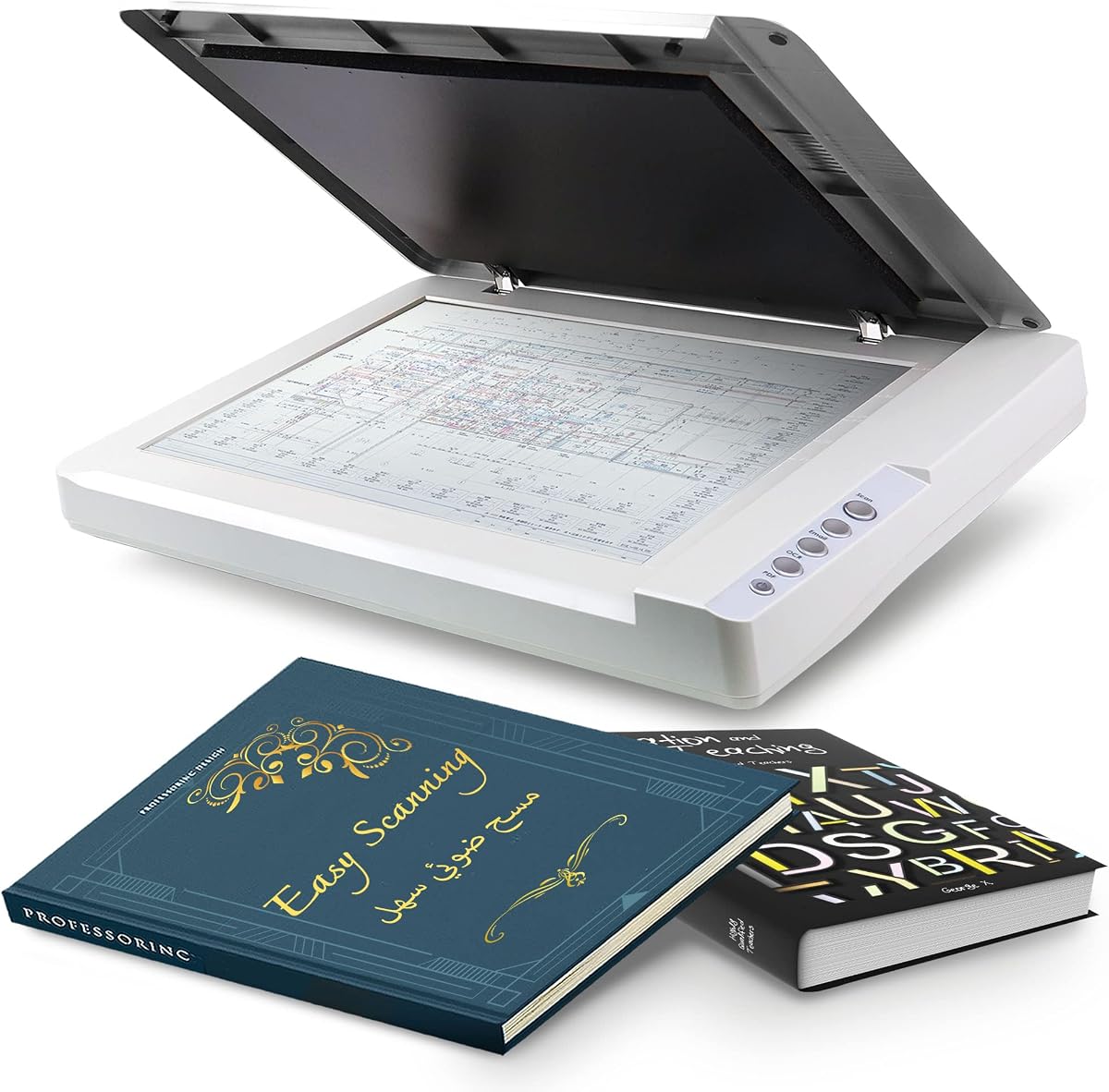
The VIISAN 3120 handles oversized documents with ease. Its A3 format and frameless design enable scanning of large items like maps and blueprints effectively.
We may earn a commission when you buy through this link, at no additional cost to you.
Strengths include 1200 dpi resolution and a rapid 8-second scan time. The frameless glass supports thick items like books without obstruction.
The CIS sensor restricts 3D items which users must note. Software requires specific drivers for full resolution on certain systems.
This scanner is perfect for schools and businesses needing large digitization. Its speed and size capacity justify the premium for professionals.
The frameless glass enables scanning of oversized items like maps and blueprints without edge clipping.
At 200 dpi, it scans A3 documents in eight seconds, boosting productivity for high-volume workflows.
We may earn a commission when you buy through this link, at no additional cost to you.
The VIISAN VF3240 is built for high detail and speed. It offers 2400 dpi resolution for capturing fine lines in technical drawings precisely.
We may earn a commission when you buy through this link, at no additional cost to you.
Key strengths include its four-second A3 scan time at lower resolution and frameless glass for edge-to-edge scanning. It supports Windows and Mac effectively.
Windows users may see 1200 dpi on A3 via software which is a constraint. The CIS sensor also restricts 3D items like books or acrylic.
For architects and engineers needing precise digitization this is ideal. Its speed and clarity make it a top choice for CAD workflows.
The 2400 dpi resolution ensures every line in technical drawings is captured with exceptional accuracy.
Auto Scan function starts scanning when the lid closes, speeding up continuous scanning workflows significantly.
We may earn a commission when you buy through this link, at no additional cost to you.
The Epson Perfection V19 II delivers high resolution in a small package. It features 4800 dpi optical resolution perfect for detailed photo scans and document digitization.
We may earn a commission when you buy through this link, at no additional cost to you.
Key strengths include built-in kickstand for vertical storage and Easy Photo Fix for restoring memories. One-touch scanning simplifies daily tasks effectively.
It lacks network options and is USB powered. However, its portability and resolution make it versatile for home use and small offices.
This model suits users needing space-efficient photo scanning. It remains a reliable choice for preserving memories and digitizing documents.
The built-in kickstand allows vertical storage, freeing up valuable desk space when not in use.
Easy Photo Fix technology restores color to faded photos with a single click, revitalizing old memories.
We may earn a commission when you buy through this link, at no additional cost to you.
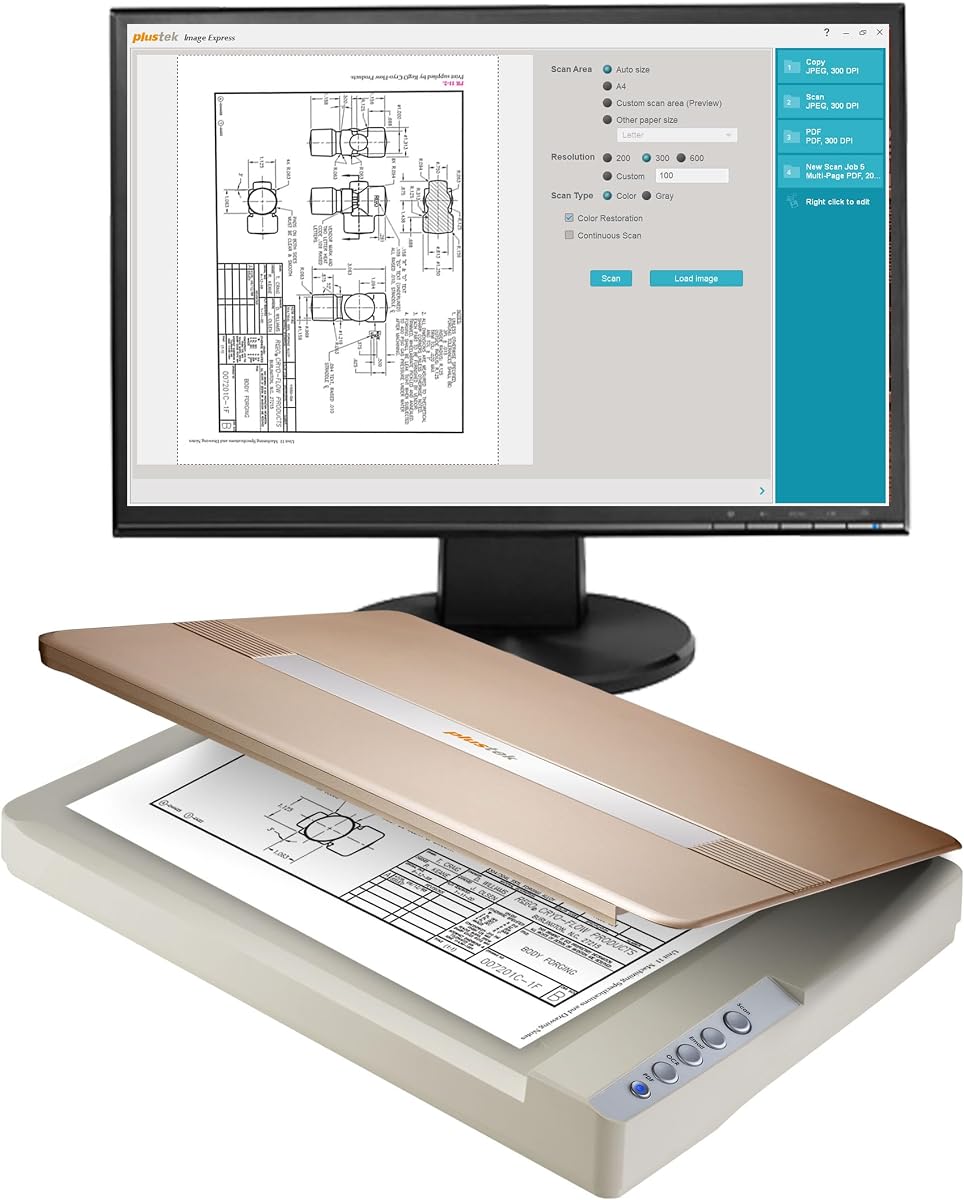
The Plustek OpticPro A320E handles large format documents well. It supports 12×17 inch scans ideal for maps, drawings, and oversized items.
We may earn a commission when you buy through this link, at no additional cost to you.
Strengths include robust file management and OCR functions for searchable PDFs. Batch scanning allows multiple images to be saved efficiently.
It is pricey and requires driver downloads. Linux support also requires contacting the seller. Still, its capacity is unmatched for professional needs.
This scanner is best for professionals managing large archives. Its workflow tools and size make it ideal for high-end document digitization.
Doc Action software streamlines saving to various formats, destinations including email and FTP folders efficiently.
Multiple images can be scanned in one session and saved to multiple PDF files for efficient workflow.
We may earn a commission when you buy through this link, at no additional cost to you.
The Plustek OpticSlim 1680 prioritizes speed in large format scanning. It scans tabloid size documents in three to five seconds for high throughput.
We may earn a commission when you buy through this link, at no additional cost to you.
Key strengths include intuitive one-key operation and dual view settings for quick adjustments. Software compatibility is broad with TWAIN and ICA support.
Driver downloads are required from the website which adds steps. Lack of network limits remote use but local workflows remain efficient.
This model suits busy offices needing fast large scans. Its speed and ease of use make it a practical choice for daily tasks.
Color mode tabloid scans finish in five seconds, boosting productivity in high-volume scanning environments.
Four pre-configured buttons allow quick touch operations, minimizing manual setup for routine scanning tasks.
We may earn a commission when you buy through this link, at no additional cost to you.
The Plustek OS1180 is designed for efficient scanning in schools and libraries. Its LED light source saves energy and eliminates warm-up time for immediate use.
We may earn a commission when you buy through this link, at no additional cost to you.
Strengths include ABBYY OCR for high accuracy and pre-set one-touch buttons. 48-bit color ensures vivid graphics and documents.
It scans A3 in nine seconds which is slower than newer models. However, the simplicity and OCR make it suitable for educational archives.
This scanner is ideal for institutions needing reliability. Its ease of use and accurate text conversion make it a solid pick.
Enhanced OCR with ABBYY ensures searchable PDFs, increasing productivity for document management tasks.
The LED light source saves energy and requires no warm-up time, allowing instant scanning on demand.
We may earn a commission when you buy through this link, at no additional cost to you.
The Epson DS-1630 combines flatbed and sheet-fed capabilities. It features a 50-page ADF for duplex scanning of documents up to 25 ppm.
We may earn a commission when you buy through this link, at no additional cost to you.
Key strengths include network connectivity and seamless cloud integration like Dropbox. A three-year warranty with Advance Exchange minimizes downtime risks.
It is optimized for documents not photos. The cost is higher, but throughput and warranty justify it for office environments needing high volume.
This scanner suits offices prioritizing document flow. Its duplex capabilities and network features make it ideal for professional workflows.
The 50-page ADF supports duplex scanning, allowing double-sided documents to be digitized efficiently.
A three-year limited warranty with Advance Exchange ensures minimal downtime during critical scanning operations.
We may earn a commission when you buy through this link, at no additional cost to you.
The Plustek OpticSlim 2700 offers fast flatbed scanning. It scans in three seconds for 300 dpi color mode, providing quick results for daily tasks.
We may earn a commission when you buy through this link, at no additional cost to you.
Key strengths include built-in PDF buttons for editable files and auto rotate functionality. One-touch buttons help streamline work efficiently.
It has basic specs and limited OS versions. Still, speed and usability make it a strong option for quick document scans.
This model suits home users needing fast scans. Its convenience features and speed justify its position as a top budget friendly option.
Color mode scanning at 300 dpi completes in just three seconds, accelerating daily document digitization tasks.
A dedicated PDF button allows easy scanning to searchable, editable files without needing extra software.
We may earn a commission when you buy through this link, at no additional cost to you.
Selecting the right scanner involves evaluating resolution, speed, connectivity, and workflow features to match your specific needs.
Optical resolution determines how much detail your scanner captures. Look for models with 600 dpi or higher for photos and documents. 1200 dpi and above is ideal for preserving fine details in artwork or large formats.
Higher resolution ensures better enlargement quality. Prioritize optical resolution over interpolated values.
Speed matters for high-volume workflows. Consider models that offer rapid scanning times like four to eight seconds for A3 documents. Batch scanning and ADF features improve throughput.
Faster scanners reduce waiting time. Balance speed with your resolution requirements for optimal productivity.
Connectivity options like USB, Ethernet, or Wi-Fi affect how you integrate the scanner. Software compatibility with Windows, Mac, and Linux ensures smooth operation. Features like OCR and cloud support add value.
Choose scanners with drivers for your OS. Network connectivity is essential for shared office environments.
Determine if you need standard letter size or larger A3 formats. Large format scanners handle maps and blueprints but occupy more space. Compact models are easier to store in smaller offices.
Match the scan area to your typical document sizes. Consider desk space and portability needs.
Build quality impacts longevity. Look for models with solid warranties and customer support. LED light sources are energy-efficient and have no warm-up time compared to traditional bulbs.
A good warranty protects your investment. Prioritize brands with reliable service and spare parts availability.
Prices vary from budget-friendly models to premium professional devices. Balance cost with features you actually need. Avoid overpaying for specs you won't use regularly.
Assess total cost of ownership. Warranty and software features add value beyond initial price.
Consider your primary use case like photos, documents, or mixed workflows. Photo scanners often have restoration tools while document scanners focus on speed and OCR. Ensure compatibility with your workflow.
Choose a scanner tailored to your specific needs. Specialized features enhance your daily scanning experience.
Think about where your scans go after digitization. Cloud integration and searchable PDF support simplify file management. Some models support FTP or network folders for enterprise use.
Prioritize models that streamline file distribution. Seamless integration reduces manual handling steps.
Prepare your documents by removing staples, clips, and dust before scanning. Ensure items are flat and aligned properly on the glass to avoid distortion or errors.
Select the appropriate scanning settings like resolution and file format. Use higher DPI for photos and lower for text to save space. Always preview scans to check quality before finalizing.
Maintain your scanner by cleaning the glass with a soft cloth regularly. Update drivers and software to ensure compatibility. Store the device in a dry, dust-free environment when not in use.
A3 scanners support larger documents measuring up to 11.7 by 16.7 inches, making them ideal for maps and blueprints. Letter size scanners are limited to 8.5 by 11 inches, which suits standard paperwork. Choose A3 if you need to digitize oversized items frequently.
Most flatbed scanners come with proprietary software for advanced features like OCR and file conversion. However, they also work with standard TWAIN or WIA drivers for compatibility with third-party applications. Check OS support before purchasing to ensure smooth operation.
Many models feature a high-rise or removable lid that allows scanning of thick items like books. Flatbed glass is essential for these items since feeders cannot handle bound materials. Ensure the model supports the thickness of your books.
Use scanners with Optical Character Recognition (OCR) software. This feature converts scanned text into editable and searchable PDF files. Many models include bundled software like ABBYY or Epson Document Capture for this purpose.
Wireless models are less common but available from some brands. Most flatbeds connect via USB or Ethernet. If wireless is crucial, check for models with built-in network adapters or consider cloud scanning software options.
For archiving photos, aim for at least 1200 dpi optical resolution. Higher resolutions like 4800 dpi preserve fine details and allow for high-quality enlargements. Always save images as TIFF or PNG files to maintain quality.
With proper care, flatbed scanners can last several years. LED light sources reduce wear compared to bulbs. Regular cleaning of the glass and avoiding overuse extend lifespan. Warranty coverage also impacts long-term reliability.
Some models include duplex features via auto document feeders (ADF) for scanning both sides. Flatbed-only models require manual flipping. Check product specs for duplex support if you process double-sided documents frequently.
Choosing the right flatbed scanner depends on your specific needs for resolution, speed, and format. The top picks offer excellent balance across budget, standard, and large format requirements.
Prioritize models that support your workflow with features like cloud integration and OCR. Evaluate size and durability based on your office or home environment needs.
Prices and availability may change, so verify current deals before purchasing. With these tools, digitizing documents and photos becomes efficient and reliable.