
CyberPower CP1500PFCLCD PFC Sinewave UPS Battery Backup and Surge Protector
4.5Editor score
Pure sine wave output for active PFC
Color LCD display panel
Six battery backup outlets included
Discover the top battery backup for workstation PC options tested for reliability and performance. Compare features and specs to protect your critical
Choosing the right battery backup for workstation PC systems is essential for maintaining productivity during power outages. A reliable uninterruptible power supply ensures your data remains safe and your hardware operates smoothly without unexpected shutdowns.
We evaluated ten leading models based on output capacity, waveform quality, and protective features. Each product was assessed for its ability to support active PFC power supplies and deliver consistent voltage regulation under various load conditions.
Every pick highlights key specifications and real-world benefits to help you decide. Keep in mind that availability and pricing can shift over time, so verify current details before making your final purchase decision online.
4.5Editor score

4.4Editor score

4.7Editor score
The following table provides a quick side-by-side view of each model. Compare core specifications and ratings to identify the unit that matches your workstation power needs and budget constraints effectively.


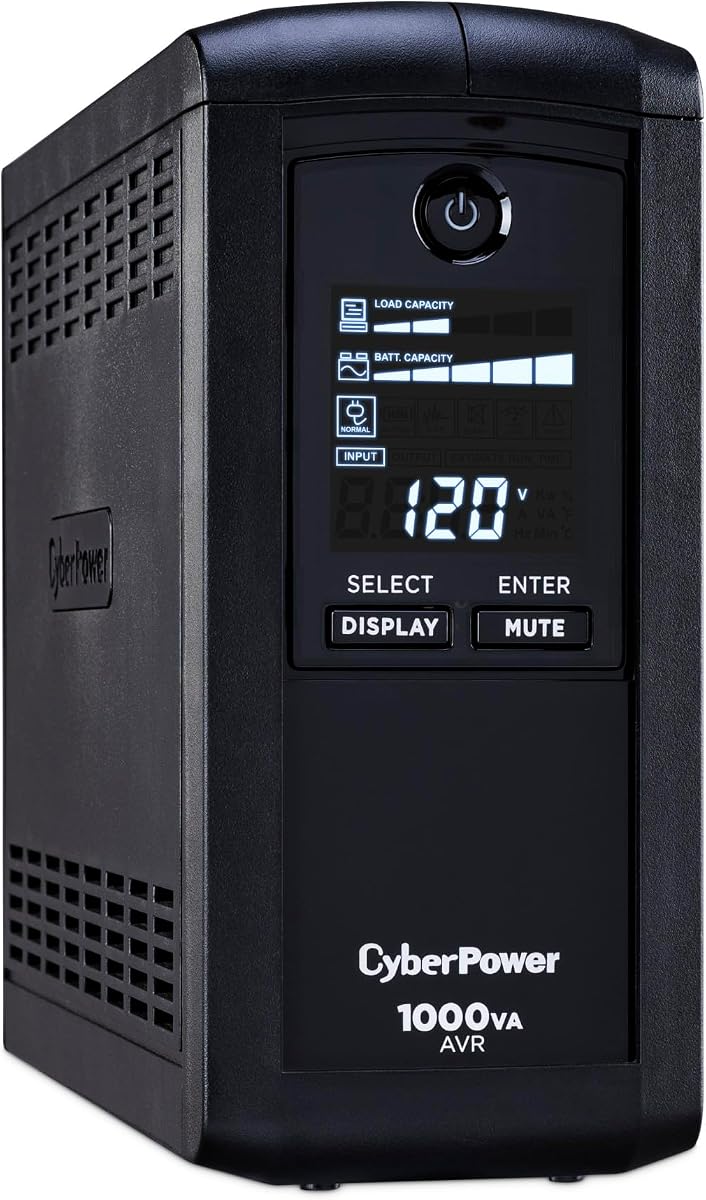


The CyberPower CP1500PFCLCD stands out as a top choice for workstations needing reliable power backup. With a 4.5 rating, it combines pure sine wave output with robust surge protection. Its design ensures compatibility with active PFC power supplies found in modern systems.
We may earn a commission when you buy through this link, at no additional cost to you.
This unit offers twelve outlets split between backup and surge protection. The color LCD panel provides detailed real-time status updates. Automatic voltage regulation corrects minor fluctuations without draining the battery. It also includes USB ports for quick phone charging.
While the device is larger than slim models, the trade-off is worth it for stability. The switch to battery can produce audible noise which some users might find distracting. However, this is standard for line-interactive UPS units in this class.
Ideally suited for professionals needing consistent power without overspending. This model balances cost and performance effectively. It is a strong recommendation for any workstation environment where data integrity matters.
The pure sine wave output ensures seamless operation with active PFC power supplies preventing compatibility issues.
The color LCD panel displays battery conditions and alerts for potential issues before they cause equipment downtime.
We may earn a commission when you buy through this link, at no additional cost to you.
The GOLDENMATE 2000VA/1600W Lithium UPS offers exceptional longevity with its LiFePO4 battery. Rated 4.4, it delivers high capacity power suitable for demanding workstations. The advanced battery technology reduces long-term costs significantly over traditional units.
We may earn a commission when you buy through this link, at no additional cost to you.
This unit provides eight outlets with surge protection and backup power. It includes a pure sine wave output ensuring safe operation for sensitive electronics. The communication port allows automatic shutdown integration with Windows PCs for added safety.
The initial investment is higher due to lithium technology. Also the device is heavier due to the transformer and battery. These factors are acceptable given the extended lifespan and reduced maintenance requirements over time.
Perfect for users seeking a durable long-term solution. This model minimizes replacement costs and ensures reliable power. It is the ideal choice for critical workstation setups needing extended runtime.
LiFePO4 batteries offer over 3000 cycles and a lifespan of more than ten years.
Connecting to a PC allows the UPS to initiate automatic shutdown during power outages.
We may earn a commission when you buy through this link, at no additional cost to you.
The CyberPower BRG1500AVRLCD2 is a premium option with a 4.7 rating. It features a five-year warranty and supports remote management cards. This unit delivers reliable backup power for high-value workstation equipment.
We may earn a commission when you buy through this link, at no additional cost to you.
It includes twelve outlets with split protection. The color LCD provides clear status updates. USB ports allow charging of mobile devices. The AVR function maintains stable voltage without using battery power unnecessarily.
The price is higher than standard models but reflects the extended warranty. Remote management requires an optional card which adds cost. These are reasonable trade-offs for enterprise-grade reliability and support.
Best for businesses requiring maximum uptime and support. This model ensures critical systems stay online longer. It is a top recommendation for professional environments.
A five-year warranty provides extra peace of mind for critical equipment.
Remote management cards enable centralized monitoring and control for multiple units.
We may earn a commission when you buy through this link, at no additional cost to you.
The CyberPower CP1500AVRLCD3 provides significant power capacity for complex setups. Rated 4.5, it offers twelve outlets and an intelligent LCD screen. This model handles demanding workloads well without compromising protection.
We may earn a commission when you buy through this link, at no additional cost to you.
Its simulated sine wave output is suitable for conventional supplies. The LCD displays battery status and estimated runtimes. AVR corrects minor fluctuations efficiently. USB ports add convenience for charging peripherals.
Users seeking pure sine wave may find this limiting. The weight requires stable shelving or floor placement. These trade-offs are acceptable for the high outlet count and display.
Ideal for workstations with multiple peripherals. This unit provides ample capacity and monitoring. It is a solid choice for office environments.
Twelve outlets provide flexibility for connecting many devices simultaneously.
The LCD screen shows critical power and battery data clearly.
We may earn a commission when you buy through this link, at no additional cost to you.
The CyberPower CP1000PFCLCD offers pure sine wave in a compact form. Rated 4.2, it includes a color LCD panel and ten outlets. This model fits well under standard workstation desks.
We may earn a commission when you buy through this link, at no additional cost to you.
Its 600W limit suits average desktop configurations. The color display alerts users to issues. USB ports support mobile devices. AVR helps prolong battery life.
Users with high-end GPUs should verify wattage needs. The standard warranty matches entry models. These constraints suit small office setups effectively.
Best for compact workstations needing sine wave. This unit balances size and protection well. It is a great fit for tight spaces.
Pure sine wave ensures safe operation for active PFC power supplies.
The design fits easily under desks without taking up floor space.
We may earn a commission when you buy through this link, at no additional cost to you.
The CyberPower AVRG900LCD features unique data line protection. Rated 4.6, it safeguards electronics connected via telephone lines. This model is ideal for older modems or phone systems.
We may earn a commission when you buy through this link, at no additional cost to you.
It provides twelve outlets split for backup and surge. The LCD displays clear status. AVR ensures stable voltage. It is UL certified for safety.
The wattage limits high-performance hardware. The waveform is simulated for basic PCs. These limitations are manageable for office tasks.
Best for workstations with legacy phone lines. This unit adds essential protection. It is a strong choice for mixed setups.
Safeguards against surges traveling through telephone lines.
Utilizes compact components for efficient power management.
We may earn a commission when you buy through this link, at no additional cost to you.
The CyberPower CP1000AVRLCD offers detailed monitoring via its LCD. Rated 4.5, it includes nine outlets and battery capacity info. This unit supports reliable power management.
We may earn a commission when you buy through this link, at no additional cost to you.
It uses simulated sine wave for standard PCs. The display shows runtimes and load. AVR protects the battery. It includes a three-year warranty.
Lacking USB ports is a minor drawback. The waveform is not pure. These are acceptable trade-offs for the display quality.
Best for users prioritizing monitoring. This unit keeps you informed. It is a great fit for networked offices.
The LCD displays estimated runtime and load capacity clearly.
AVR corrects fluctuations to extend the battery lifespan.
We may earn a commission when you buy through this link, at no additional cost to you.
The CyberPower EC850LCD features ECO mode to save energy. Rated 4.4, it offers twelve outlets and clear display. This model reduces costs when peripherals are idle.
We may earn a commission when you buy through this link, at no additional cost to you.
It cuts power to peripherals when the PC sleeps. The display provides battery and power info. It includes a three-year warranty. Surge protection keeps gear safe.
Lower wattage limits powerful setups. No USB charging is standard here. These trade-offs suit energy-conscious users.
Best for green initiatives in offices. This unit helps lower bills. It is a smart choice for sustainability.
Automatically powers down peripherals to reduce energy costs.
Spaced outlets accommodate larger plugs efficiently.
We may earn a commission when you buy through this link, at no additional cost to you.
The CyberPower ST900U stands out with its slim profile. Rated 4.5, it offers twelve outlets and efficient design. This model fits tight spaces under desks.
We may earn a commission when you buy through this link, at no additional cost to you.
It uses simulated sine wave for standard protection. The high efficiency reduces power consumption. It includes a three-year warranty. Surge protection safeguards electronics.
Standby tech is basic for heavy loads. The capacity is lower than premium units. These trade-offs are acceptable for the footprint.
Best for space-constrained workstations. This unit saves room. It is a great choice for small offices.
Slim profile fits easily under desks or on shelves.
High efficiency design reduces power consumption.
We may earn a commission when you buy through this link, at no additional cost to you.
The CyberPower CP850AVRLCD is a solid entry option. Rated 4.5, it includes an LCD display and nine outlets. This model provides essential protection.
We may earn a commission when you buy through this link, at no additional cost to you.
It uses simulated sine wave for standard systems. The display shows status and capacity. AVR protects against minor issues. The three-year warranty adds value.
Low capacity limits high-end hardware. The waveform is not pure. These trade-offs suit basic office needs.
Best for small workstations on budget. This unit covers essentials. It is a great choice for beginners.
Provides essential surge and battery protection at a low cost.
The LCD keeps track of battery health clearly.
We may earn a commission when you buy through this link, at no additional cost to you.
Selecting the right UPS depends on your hardware needs and environment. Understanding key factors ensures you get reliable power when you need it most.
Ensure the VA and wattage rating meets your PC and monitor draw. Check system specs to avoid overloading the unit during a power outage.
Aim for at least 50% headroom over your system total wattage.
Active PFC power supplies need pure sine wave output for safe operation. Conventional supplies may use simulated sine wave units.
Prioritize pure sine wave for modern gaming or workstation PCs.
Consider runtime and battery cycle limits. LiFePO4 batteries last longer but cost more than lead-acid options.
Check warranty coverage for battery replacement intervals.
Count the outlets you need. Ensure there are enough backup outlets for your PC and essential peripherals.
Look for spacing that fits bulky power adapters.
An LCD panel helps track battery health and status. Remote management cards support network monitoring.
Prioritize displays that show estimated runtime clearly.
Check joule ratings to ensure adequate protection. The unit should safeguard against common electrical surges.
Look for connected equipment guarantees for peace of mind.
Measure your workspace for fit. Consider weight and height if placing on a shelf or under desk.
Ensure ventilation space is available around the unit.
Review warranty terms for electronics and batteries. Longer coverage indicates higher build quality.
Look for five-year warranty options on premium models.
Install the UPS on a stable surface with room for ventilation. Plug it into a grounded outlet and allow it to charge fully before connecting devices.
Connect critical devices like your PC and monitor to battery backup outlets. Peripherals can go to surge-only ports if needed.
Test the unit periodically by unplugging it. Replace the battery every two to three years or if the unit alerts you.
Standby units switch to battery only during outages. Line-interactive units use AVR to regulate voltage without switching. Line-interactive provides better protection for fluctuating power.
It depends on your PC wattage. A 500W load on a 600W unit lasts about 10-15 minutes. Higher wattage systems drain batteries faster.
Yes, line-interactive UPS units use AVR to correct low voltage. Standby units switch to battery during brownouts which drains charge.
Yes but check wattage limits. Gaming PCs need more power. Use a unit with high VA and pure sine wave for safety.
It is recommended for unattended shutdowns. Connect USB to PC and use provided software. This saves data safely during outages.
Lead-acid batteries need replacement every two to three years. Check the unit for alerts. Replace immediately if warnings appear.
The CyberPower CP1500PFCLCD and GOLDENMATE Lithium UPS offer top value and performance. The BRG1500AVRLCD2 remains a premium pick for advanced needs.
Prioritize pure sine wave and capacity. Match features to your specific setup for maximum reliability.
Prices and availability change. Verify current details before purchasing to ensure best value.