
Anker 2.4G Wireless Ergonomic Mouse, Right Hand Vertical Mouse USB Receiver
4.2Editor score
2.4GHz wireless connection
Adjustable DPI settings
Power-saving mode
This guide compares the top ergonomic mice for wrist pain based on design, connectivity, and comfort features to help you find the right tool.
Finding the right ergonomic mouse can significantly reduce wrist pain during long work sessions. These devices promote a natural handshake grip to align your forearm and minimize strain on your joints.
We evaluated ten leading models based on comfort, connectivity options, and build quality. Each pick offers unique features designed to support different hand sizes and usage patterns for maximum relief.
Every selection highlights key benefits and potential drawbacks to help you decide. Prices and availability may change, so check the latest details before making your final purchase decision online.
4.2Editor score

4.4Editor score

4.4Editor score
This side-by-side comparison helps you evaluate the top ten ergonomic mice available today. We look at key specifications like DPI, connectivity, and design to find the best match for your needs.



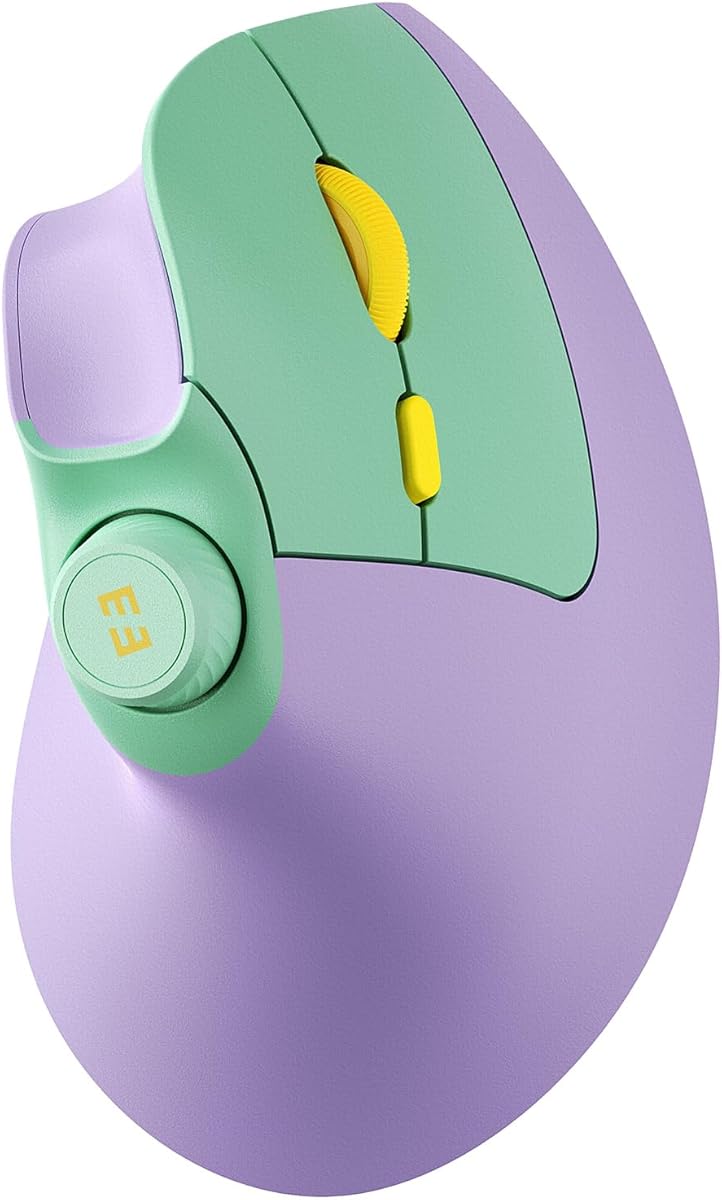

The Logitech Lift Vertical Ergonomic Wireless Mouse stands out as a top choice for anyone seeking relief from wrist pain. With a 4.4 rating from users, it combines comfort and functionality in a sleek graphite design that fits small to medium hands perfectly.
We may earn a commission when you buy through this link, at no additional cost to you.
Its vertical shape promotes a natural handshake position which reduces forearm strain significantly. The soft textured grip and snug thumb rest provide all-day comfort while the SmartWheel ensures smooth and seamless scrolling through documents and web pages.
While it offers excellent ergonomics, the device is designed specifically for right-handed users which may limit its versatility. The premium price might also be a consideration for budget-conscious shoppers looking for basic ergonomic features.
If you prioritize certified ergonomic design and high-quality build, this mouse is an excellent investment. It is ideal for professionals who spend long hours at their desks and value quiet operation and reliable wireless connectivity.
The 57 degree vertical angle encourages a neutral wrist posture that reduces muscle tension during extended use.
Connect via Bluetooth Low Energy or Logi Bolt USB for flexible pairing with Windows, macOS, or Chrome OS devices.
We may earn a commission when you buy through this link, at no additional cost to you.
The Anker 2.4G Wireless Ergonomic Mouse offers a reliable entry point into the world of vertical mice. Users appreciate its simple setup and comfortable design that helps reduce wrist strain without breaking the bank.
We may earn a commission when you buy through this link, at no additional cost to you.
It features adjustable DPI settings that allow you to switch between different sensitivity levels easily. The next and previous buttons make web browsing more efficient and the power-saving mode helps extend battery life significantly.
However, it lacks Bluetooth connectivity which means you need a free USB port for the receiver. Also, the click sounds are noticeable which might be distracting in quiet environments like libraries or shared offices.
For those seeking an affordable ergonomic solution, this mouse provides great value. It is suitable for everyday users who want basic comfort improvements and do not need advanced multi-device features.
Plug in the USB receiver and start using the mouse immediately without needing to install drivers or pair via Bluetooth.
Choose from 800, 1200, or 1600 DPI to match your preference for cursor speed and precision.
We may earn a commission when you buy through this link, at no additional cost to you.
The TECKNET Ergonomic Mouse is designed for users who switch between multiple devices frequently. Its dual connectivity options and silent click features make it a strong contender for productivity-focused individuals.
We may earn a commission when you buy through this link, at no additional cost to you.
With six adjustable DPI levels up to 4800, you can adapt the cursor speed for various tasks from detailed editing to quick browsing. The silent clicks ensure your work environment remains peaceful even during extended use sessions.
One limitation is that side buttons are not compatible with macOS which limits functionality for Mac users. Additionally, it requires AAA batteries rather than offering a rechargeable option which adds to long-term maintenance.
If you need a versatile mouse for multiple devices, this model offers excellent flexibility. It is perfect for those who value quiet operation and high precision without paying a premium price.
Press the bottom button to switch between Bluetooth and USB modes quickly for improved workflow efficiency.
The nearly silent clicks help avoid disturbances in shared workspaces or libraries during intense work sessions.
We may earn a commission when you buy through this link, at no additional cost to you.
The UGREEN Ergonomic Wireless Mouse combines dual connectivity with a focus on quiet operation. It is a practical choice for those who want flexibility in how they connect their devices to the mouse.
We may earn a commission when you buy through this link, at no additional cost to you.
It offers four DPI levels allowing you to switch between different speeds easily. The PTFE glide feet ensure smooth movement across various surfaces and the silent buttons help keep your workspace distraction free.
The design is relatively basic compared to other models on this list which might not appeal to everyone. It also relies on a single AA battery which limits power longevity compared to rechargeable options.
For users who value simple functionality and quiet clicks this mouse delivers good performance. It is suitable for general office work where multi-device switching and smooth tracking are priorities.
Choose between Bluetooth or 2.4G wireless to fit your device setup and preference for stability.
Built-in PTFE glide pads reduce friction for effortless cursor control on any desktop surface.
We may earn a commission when you buy through this link, at no additional cost to you.
The ProtoArc EM11 NL Wireless Ergonomic Vertical Mouse offers a rechargeable solution for ergonomic comfort. Its design aims to reduce wrist strain through a natural vertical angle and comfortable grip for small to medium hands.
We may earn a commission when you buy through this link, at no additional cost to you.
You can connect up to three devices simultaneously using Bluetooth or USB which adds flexibility for hybrid workflows. The quiet click mechanism helps maintain focus by minimizing noise during regular use.
Buttons are not programmable which may limit customization for users who rely on shortcuts. Also, forward and back buttons do not work on Mac systems which could be a drawback for Apple users.
This mouse is ideal for users who prefer rechargeable devices to avoid battery replacements. It fits well for those who need reliable multi-device support without high cost or complexity.
Use the included Type-C cable to recharge the built-in 500mAh battery and avoid disposable battery waste.
Switch between up to three devices smoothly for enhanced workflow productivity.
We may earn a commission when you buy through this link, at no additional cost to you.
The Lekvey Ergonomic Mouse emphasizes comfort with a rechargeable design and ergonomic shape. Users report significant wrist pain reduction after a short adjustment period making it a solid pick for daily use.
We may earn a commission when you buy through this link, at no additional cost to you.
It features dedicated Page Back and Page Forward buttons which streamline web browsing tasks. The plug and play setup via USB receiver ensures you can start using it immediately without driver issues.
It does not support Bluetooth connectivity which means you must have a USB port available. The adjustment period can be challenging for those used to traditional mice but leads to long-term comfort.
If comfort and long battery life are your priorities this mouse delivers well. It is recommended for users who value ease of setup and a sustainable rechargeable power source.
Enjoy over 150 hours of continuous use on a single charge with the built-in rechargeable battery.
Plug and play with a USB receiver means no need for complicated pairing or driver installation.
We may earn a commission when you buy through this link, at no additional cost to you.
The TECKNET Ergonomic Mouse delivers strong performance with both Bluetooth and USB options. It combines a rechargeable battery with high DPI settings making it versatile for various tasks.
We may earn a commission when you buy through this link, at no additional cost to you.
Users appreciate the whisper-quiet clicks that allow for distraction free work in shared spaces. The durable design withstands millions of clicks and the 6 adjustable DPI levels cater to different precision needs.
Mac users may find that side buttons do not work which limits functionality on that platform. Also as with any vertical mouse, there is a learning curve to adjust to the new grip style.
This model is perfect for those seeking a balance of features and affordability. It suits professionals who need reliable connectivity and long battery life without sacrificing comfort.
Charge via USB-C to reduce waste from disposable batteries and save money over time.
Switch from 800 to 4800 DPI to handle detailed editing or fast gaming with ease.
We may earn a commission when you buy through this link, at no additional cost to you.
The seenda MOU-302 stands out for its unique volume control knob which adds convenience for media and multitasking. It combines ergonomic design with practical features that enhance user experience.
We may earn a commission when you buy through this link, at no additional cost to you.
With multi-device connectivity you can connect to three devices simultaneously using Bluetooth or USB. The silent clicks and long battery life support quiet and continuous work sessions without interruptions.
Some users may find the design slightly bulky compared to sleeker models. Battery life can vary based on usage patterns so charging habits may need adjustment for heavy users.
If you need extra control features like volume adjustment this mouse offers excellent utility. It is great for streamers remote workers or anyone who values convenience in their workspace.
Adjust music volume directly from the mouse without switching windows for smoother multitasking.
Recharge quickly using the USB-C port to keep your mouse powered for long workdays.
We may earn a commission when you buy through this link, at no additional cost to you.
The Logitech MX Vertical Wireless Mouse is a premium choice designed with ergonomist-approved features. It offers a 57 degree vertical angle that significantly reduces muscle strain while maintaining performance.
We may earn a commission when you buy through this link, at no additional cost to you.
Its 4000 DPI high-precision sensor results in less hand movement and fatigue during use. The textured rubber surface ensures a comfortable grip and the cursor speed switch allows instant DPI adjustment.
The premium price point may be steep for budget-conscious buyers looking for basic features. Also, customization options are limited compared to some gaming mice which could restrict advanced users.
For professionals seeking top-tier ergonomics and build quality this mouse is worth the investment. It is best for those who spend long hours working and want a reliable ergonomic solution.
Reduce muscular activity by ten percent compared to standard mice for better posture.
The 4000 DPI sensor provides high accuracy for detailed tasks with reduced hand fatigue.
We may earn a commission when you buy through this link, at no additional cost to you.
The TECKNET 2.4G Wireless Ergonomic Vertical Mouse focuses on reliable USB connectivity and comfort. It features a 60 degree vertical angle designed to align the forearm and reduce wrist strain.
We may earn a commission when you buy through this link, at no additional cost to you.
With programmable buttons and adjustable DPI levels it supports efficient workflows. The silent left and right buttons ensure a quiet workspace while the rechargeable battery reduces maintenance needs.
It does not support Bluetooth which limits connectivity options for wireless setups without USB ports. New users may need a few days to adjust to the vertical shape before full comfort is achieved.
This mouse is suitable for those who prefer stable USB connections and rechargeable power. It is a solid choice for general office tasks requiring reliable performance and ergonomic benefits.
Use the built-in battery to avoid frequent replacements and reduce waste.
Left and right buttons operate quietly for a distraction-free environment.
We may earn a commission when you buy through this link, at no additional cost to you.
Choosing the right ergonomic mouse depends on several factors including hand size connectivity preferences and budget. This guide helps you evaluate the key elements to find the best fit.
Different mice are designed for small medium or large hands so measuring your palm and wrist can help you select the right size. A proper fit ensures the ergonomic angle supports your natural posture without causing pressure points.
Always check manufacturer recommendations for hand length to avoid discomfort or ineffective relief from strain.
Decide whether you prefer Bluetooth or USB receiver connectivity based on your device ports and workflow. Bluetooth saves ports but may introduce latency in some setups whereas a USB receiver offers a stable connection.
If you switch between multiple devices consider models with multi-device support for smoother transitions.
Adjustable DPI levels allow you to control cursor speed and accuracy which is crucial for detailed work or gaming. Higher DPI provides faster movement but may reduce precision so look for models with customizable settings.
Choose a mouse with enough DPI range to match your daily tasks and personal preference.
Rechargeable models reduce waste and cost over time but require regular charging while battery-powered ones are simple to replace. Consider how long the battery lasts and how easily you can access charging options.
If you hate battery replacements a rechargeable model with USB-C charging is ideal.
Look for essential features like side buttons for navigation or volume control if they improve your workflow. Ensure buttons are accessible without stretching your hand too much to prevent additional strain.
Check compatibility with your operating system since some buttons may not function on Mac.
Durable materials and a good warranty indicate reliability and support for long-term use. High-quality mice often withstand millions of clicks and offer peace of mind with manufacturer guarantees.
Prioritize models with at least a year of warranty to protect your investment.
Balance your budget with the features you need since ergonomic mice range from affordable to premium prices. Investing in a quality mouse can reduce health costs related to wrist injuries in the long run.
Select a model that meets your core requirements without unnecessary extras that drive up cost.
Read verified user reviews to understand real-world performance and comfort over time. High ratings often reflect consistent quality but pay attention to comments about durability and ergonomics.
Look for feedback from users with similar hand sizes to ensure suitability.
When first using an ergonomic mouse, take time to adjust your grip naturally without forcing your hand. Allow yourself a few days to adapt to the vertical angle before expecting full comfort benefits.
Clean the mouse regularly with a soft dry cloth to remove dust and oils that can affect sensor performance. Avoid using harsh chemicals that might damage the textured surfaces or buttons.
Store the mouse in a cool dry place when not in use to preserve battery life and prevent moisture damage. If using a rechargeable model, charge it periodically to maintain battery health over time.
An ergonomic mouse promotes a natural handshake position that keeps your forearm and wrist aligned. This reduces rotation and muscle strain that typically occurs with traditional flat mice.
Most vertical mice are designed for right-handed use and may require an adjustment period. They are ideal for people who experience discomfort with standard mice but might not suit left-handed users.
A DPI setting between 800 and 1600 is typically sufficient for general office work. Higher DPI values are better for gaming or detailed design tasks where cursor speed and precision matter.
Most ergonomic mice are plug-and-play and do not require additional drivers. However, some models offer software for advanced customization which can be installed from the manufacturer's website.
Many ergonomic mice work with Mac but some features like side buttons may be limited. Always check compatibility notes before purchasing to ensure full functionality on your system.
Most users adjust within one to two weeks of consistent use. Starting with short sessions and switching back to your old mouse can help ease the transition process.
The Logitech Lift and Anker mice stand out as top choices for their balance of comfort and features. Each model offers unique benefits to suit different budgets and workflow requirements.
Prioritize hand fit and connectivity options when making your decision to ensure long-term satisfaction. Investing in an ergonomic mouse can greatly improve your daily computing experience.
Prices and availability may vary so check the latest details before purchasing. Your health and productivity are worth the investment in the right tool.