
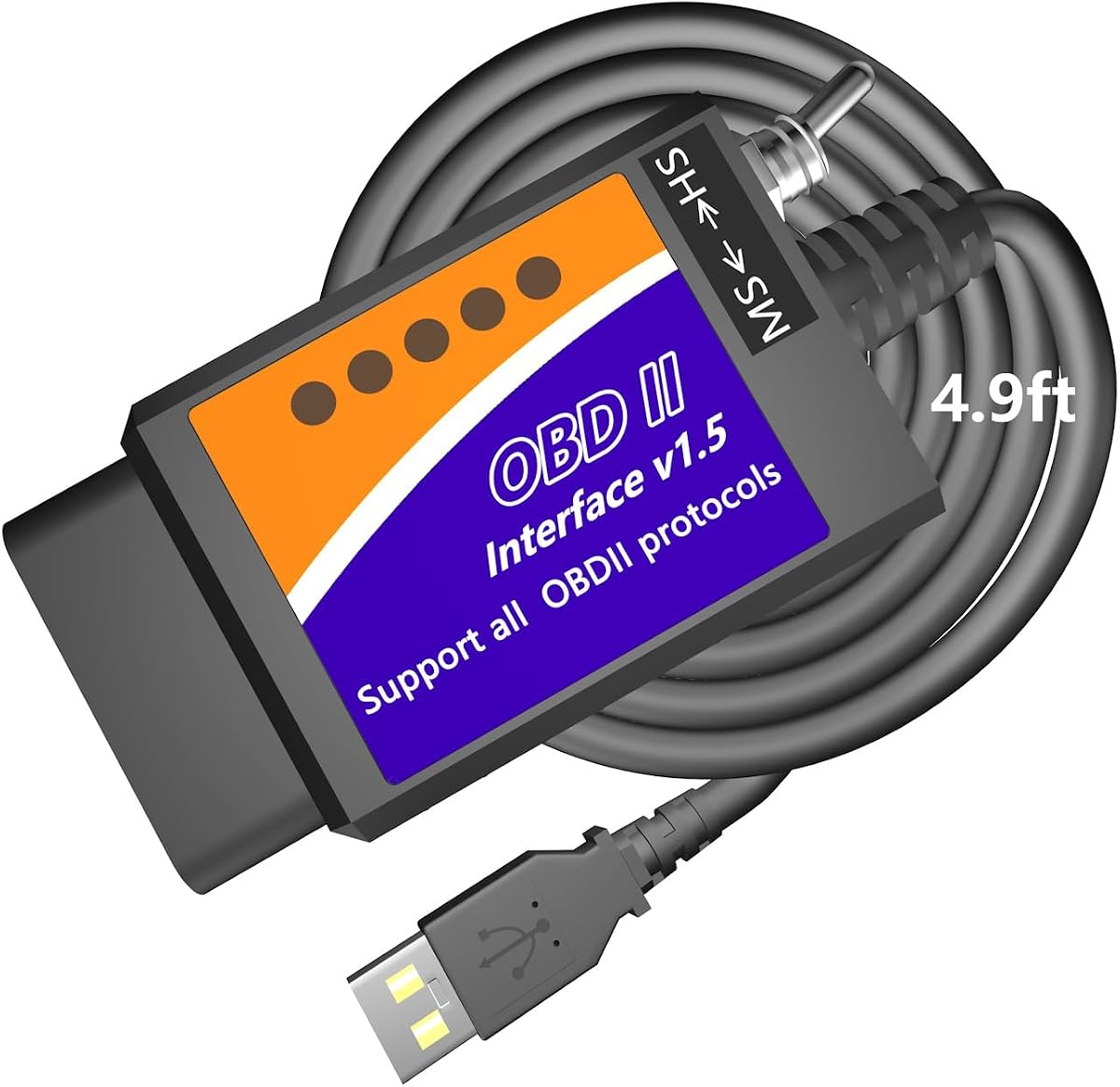
ELM327 USB Adapter OBD2 Scanner for Windows, ELMconfig FoCCCus Diagnostic Scan Tool with MS-Can/HS-Can Switch
4.4Editor score
Compatible with many Ford brands
Supports J1850PWM protocol
Budget friendly option
This comprehensive guide compares the top Forscan USB OBD2 Adapter options for Ford, Mazda, Lincoln and Mercury vehicles to help you choose the right diagnostic
Finding the right diagnostic tool for your vehicle can be challenging with so many options available on the market today. A quality Forscan USB OBD2 adapter ensures stable connections and reliable data transmission for accurate troubleshooting of your car systems.
We evaluated ten top-rated adapters based on compatibility with Forscan software, connection stability, data transfer speeds, and overall user satisfaction. Each product was selected for its ability to work seamlessly with Ford and related brand vehicles using standard OBD2 protocols.
Each review highlights specific strengths and potential limitations to help you make an informed decision. Please note that product availability and pricing may change over time so verify current details before making your purchase decision.
4.4Editor score

4.7Editor score

4.7Editor score
The following comparison table provides a side-by-side overview of all ten adapters evaluated in this guide. Review the key specifications and features to quickly identify which model aligns best with your diagnostic requirements.




The Vgate vLinker FS stands out as a top choice for users seeking reliable Forscan compatibility. With a strong rating of 4.7 stars it delivers consistent performance during extended diagnostic sessions. Its optimized design ensures no lag or crashes when accessing complex vehicle modules.
We may earn a commission when you buy through this link, at no additional cost to you.
This adapter supports high speed data transfer up to 3 Mbps enabling complete DTC retrieval without truncation. It automatically identifies and connects to HS CAN and MS CAN buses for seamless multi module access. The 18V ECU programming support makes it versatile for advanced users working on select older vehicles.
While it requires separate software installation this is standard for professional grade tools. Users should ensure their system meets compatibility requirements especially regarding operating systems. Some may find setup slightly involved but the stability gained is worth the initial effort.
Ideal for Ford Lincoln Mazda and Mercury owners this adapter balances performance and ease of use. It is recommended for anyone needing dependable data streaming and advanced diagnostic capabilities. The combination of speed and reliability makes it a standout choice in this category.
The adapter is specifically designed to work flawlessly with Forscan software ensuring reliable performance during long diagnostic sessions.
It automatically identifies and connects to supported CAN buses removing the need for manual switching during diagnostics.
We may earn a commission when you buy through this link, at no additional cost to you.
The OBDLink EX is a premium adapter designed specifically for Forscan users seeking dealership level diagnostics. Its custom design ensures full compatibility with all Ford protocols modules and advanced features. This makes it a powerful tool for serious enthusiasts and professionals alike.
We may earn a commission when you buy through this link, at no additional cost to you.
With maximum throughput speeds up to 20 times faster than toggle switch adapters this device offers exceptional performance. The electronic switch allows simultaneous access to all CAN buses enabling advanced functions not possible with standard adapters. The connection remains rock solid avoiding data corruption or dropped packets.
The main drawback is the higher price point compared to other options. However the performance gains justify the investment for users needing reliable advanced diagnostics. Ensure you have the necessary software installed to unlock all capabilities.
This adapter is ideal for those who prioritize speed and reliability over cost. It works with all Forscan compatible vehicles and is recommended by the Forscan team. For advanced users needing full vehicle access this is a top tier choice.
It supports all Ford protocols modules and advanced features providing deep access to vehicle systems.
The electronic switch enables simultaneous CAN bus access allowing advanced functions impossible with toggle adapters.
We may earn a commission when you buy through this link, at no additional cost to you.
The OHP FORScan ELM327 adapter offers a practical solution for Ford owners needing accurate diagnostics. It reads interprets and clears diagnostic trouble codes across engine transmission ABS and more. Each code includes a fault description to help identify root causes effectively.
We may earn a commission when you buy through this link, at no additional cost to you.
This device supports bus speeds from 19200 baud to 500000 baud with a default of 38400 baud for ELM327. It works with various Ford Mazda Lincoln and Mercury models from 1996 onwards. However it is designed for 12V vehicles only excluding heavier trucks.
A key limitation is its Windows only compatibility which excludes macOS and mobile devices. Users must ensure their system meets the requirements and may need to install FTDI drivers manually. Despite this it remains a solid choice for desktop based diagnostics.
Best for DIY mechanics who prefer a wired connection this adapter empowers confident troubleshooting. It avoids dealer costs by enabling efficient self service repairs. Verify vehicle compatibility before purchasing to ensure it meets your specific needs.
It reads and interprets codes with descriptions helping you identify root causes without a mechanic.
The adapter supports Windows XP to 10 but is not compatible with macOS or mobile devices.
We may earn a commission when you buy through this link, at no additional cost to you.
The VGATE vLinker FS USB is a specialized adapter designed for Forscan users. It supports FEPS 18V programming voltage and reaches 3 Mbps transmission rate for smoother graphics. The serial buffer handles large frames ensuring reliable data during extended sessions.
We may earn a commission when you buy through this link, at no additional cost to you.
This adapter features automatic electronic switching for seamless access to HS CAN MS CAN and Ford car networks. It includes battery saver technology with auto sleep mode and protection against over voltage over current and over temperature. This allows it to be left plugged in safely.
While it offers wide compatibility with 99% of models after 2000 users must download required apps separately. Setup may vary by vehicle model and some features need an Extended License. Ensure your system supports USB 2.0 or 3.0 for optimal performance.
Ideal for owners wanting advanced features this adapter balances stability with user friendly protection. It supports many third party apps and comes with a one year warranty. For reliable diagnostics and configuration this is a strong contender.
Auto sleep mode and over voltage protection allow safe unplugged use without damaging car batteries.
It supports 99% of models after 2000 and most OBD2 compliant vehicles from 1996.
We may earn a commission when you buy through this link, at no additional cost to you.
The ELM327 USB Adapter offers an affordable entry point for Ford owners. It features MS CAN and HS CAN toggle switches for rapid troubleshooting. The USB connection provides stability exceeding wireless options for professional grade DTC programming.
We may earn a commission when you buy through this link, at no additional cost to you.
This tool unlocks hidden features like global window functions Bambi mode and tire size calibration. It supports all OBD2 protocols including J1850PWM and various CAN variants. Compatibility covers most Ford Lincoln Mazda and Mercury models from 1996 onwards.
Users must install the CH340T USB driver and relevant software before use as it is not plug and play. This adds a step but ensures reliability. Note it is not suitable for trailers or semi trailers.
Best for cost conscious users this adapter delivers essential diagnostic capabilities. It works with ELMconfig FF2 and FoCCCus on Windows systems. For basic to intermediate needs this is a practical and affordable solution.
It enables access to global window functions Bambi mode and other hidden vehicle features.
Supports all OBD2 protocols including J1850PWM ensuring broad vehicle compatibility.
We may earn a commission when you buy through this link, at no additional cost to you.
This Elm327 USB adapter provides a budget friendly option for Forscan users. It works with Ford Lincoln Mazda and Mercury vehicles covering 99% of models after 2000. The MS and CAN switch enables access to various vehicle preset anomalies.
We may earn a commission when you buy through this link, at no additional cost to you.
Users can access special functions like global window features Bambi mode and reverse tilt mirrors. It supports all Windows versions from XP to 10 and handles standard OBD2 protocols. The connection speed reaches up to 500 kbit/s for reliable data.
Note that new 2019+ Mazda 3 and CX-30 models are not supported yet. Drivers must be installed before connecting to the vehicle. While affordable this adapter still offers essential diagnostic and modification features.
Best for casual users needing basic diagnostics this adapter delivers value. Ensure your vehicle is within the supported range before purchasing. For those seeking a low cost solution it meets many common needs.
It enables access to features like global windows and reverse tilt mirrors for customization.
Supports all Windows versions from XP to 10 ensuring broad system compatibility.
We may earn a commission when you buy through this link, at no additional cost to you.
The MOCATEC USB OBD Adapter stands out with its 4.9ft cable length. This extra length reduces cramped positioning allowing you to rest laptops on knees. It is designed to access hidden factory configurations for Ford Lincoln and Mercury vehicles.
We may earn a commission when you buy through this link, at no additional cost to you.
This adapter enables customization of everyday driving options like global window control Bambi mode and heated steering wheel settings. It also supports reading and clearing fault codes and monitoring live sensor data. Compatibility covers models from 1996 to 2025.
Users should note that successful programming depends on vehicle modules not just the adapter. The tool is Windows only and requires driver and software installation before use. Clear tutorials are provided to guide users safely.
Best for those needing physical reach this adapter combines comfort with diagnostic power. Verify module availability for your specific model before attempting modifications. It is a solid choice for detailed vehicle customization.
The 4.9ft cable prevents cramped positioning compared to shorter standard cables.
It unlocks hidden factory settings like daytime running lights and tire calibration.
We may earn a commission when you buy through this link, at no additional cost to you.
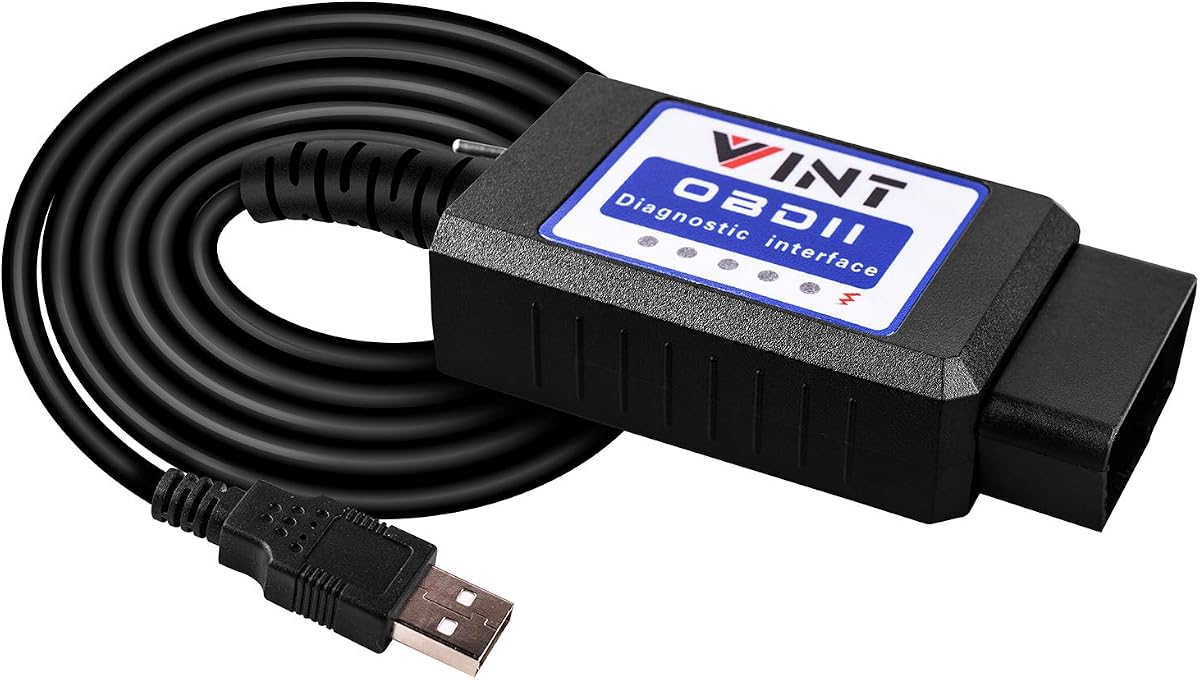
The AntiBreak elm 327 adapter features a reliable FTDI chip for stable connections. Its V1.5 hardware design helps avoid data corruption and dropped packets during diagnostics. The USB cable connection ensures consistent performance even during extended sessions.
We may earn a commission when you buy through this link, at no additional cost to you.
This adapter supports all Ford F150 and F250 models after 2000 and most from 1996. The MS CAN and HS CAN switch enables fast operation at up to 500 kbit/s for professional grade programming. It is compatible with multiple software options including Forscan and Elmconfig.
Users must install the CH340T USB driver and relevant software before connecting. While affordable it provides essential features for modification and fault reading. Ensure your system meets OS requirements before purchasing.
Best for budget conscious users needing reliability this adapter offers strong hardware. It simplifies access to existing modules without needing complex setup. For basic diagnostics this is a dependable option.
The built-in FTDI chip ensures reliable data transfer avoiding corruption and packet loss.
The improved switch smoothly accesses and communicates with vehicle modules efficiently.
We may earn a commission when you buy through this link, at no additional cost to you.
This Vgate vLinker FS model offers an excellent rating of 4.8 stars. It supports Forscan with automatic electronic switching for simultaneous CAN bus access. This allows access to advanced functions without manual toggling during diagnostics.
We may earn a commission when you buy through this link, at no additional cost to you.
The adapter supports FEPS 18V programming voltage output and reaches 3 Mbps transmission rate for smooth graphics. It is improved to support USB 2.0 and USB 3.0 interfaces for better compatibility. The connection remains rock solid without dropped packets.
Users should note this requires separate software installation and may need specific setup. The trial license for extended features varies by user. Verify your system meets hardware requirements before use.
Ideal for users seeking high reliability this adapter delivers consistent performance. It balances speed with advanced configuration capabilities. For those prioritizing performance this is a top rated choice.
Auto switching allows simultaneous access to all CAN buses for advanced functions.
3 Mbps rate and 3Mhz baud rate ensure smooth real-time data streaming.
We may earn a commission when you buy through this link, at no additional cost to you.
This OBD2 Adapter is favored by Ford owners for its flawless scanning and programming. It features a convenient MS CAN and HS CAN toggle switch for easy access to built data. The constant speed of 500kbit/s ensures reliable communication.
We may earn a commission when you buy through this link, at no additional cost to you.
Users can apply endless mods like Bambi Mod and reverse tilt mirrors. It supports software like FoCCCus ELMconfig and FF2 for extended functionality. The adapter retrieves both generic and manufacturer specific diagnostic trouble codes.
Setup requires connecting to internet and updating drivers before first use. It is limited to Windows systems which may exclude some users. Despite this it remains a robust tool for modification and diagnostics.
Best for Ford truck and car owners this adapter delivers extensive capabilities. Verify software compatibility for your specific vehicle before purchasing. For thorough vehicle control this is a trusted option.
The MS CAN and HS CAN switch simplifies access to vehicle built data.
It retrieves both generic and manufacturer specific codes for thorough diagnostics.
We may earn a commission when you buy through this link, at no additional cost to you.
Selecting the right adapter depends on several technical factors that affect performance and compatibility. Understanding these elements ensures you invest in a tool that meets your diagnostic needs effectively.
Ensure the adapter supports Forscan and any additional software you plan to use. Some adapters are optimized specifically for certain tools improving stability and feature access.
Check manufacturer recommendations to confirm software support before purchasing.
Most adapters in this guide require Windows systems which limits use on macOS or mobile devices. Verify your computer meets the OS requirements listed for each model.
If you use macOS or mobile look for compatible alternatives or consider using a virtual environment.
Adapters with automatic electronic switching are generally more convenient than manual toggle switches. This feature allows simultaneous access to HS CAN and MS CAN buses.
Automatic switching reduces human error and speeds up diagnostics significantly.
Higher transfer speeds like 3 Mbps enable smoother real-time data streaming. This is important for advanced users needing large data packets without truncation.
Basic users may find standard speeds sufficient but faster adapters offer better future-proofing.
Confirm the adapter covers your specific make model and year range. Most support Ford Lincoln Mazda and Mercury vehicles from 1996 onwards.
Always check compatibility lists as newer models may have limited support depending on the adapter.
Many adapters require specific USB drivers like FTDI or CH340T for proper recognition. Ensure you can install these on your system before connecting the device.
Pre-installed drivers or auto-detection can simplify setup for less technical users.
Look for adapters with protective features like over-voltage protection and robust connectors. These factors extend the lifespan of the tool during regular use.
A durable design is especially important if you leave the adapter plugged in for long periods.
Choose brands offering clear documentation technical support and reasonable warranties. This ensures help is available if connection issues arise after purchase.
Lifetime firmware updates are a bonus that keeps the tool compatible with new vehicle models.
Start by installing the required USB drivers and diagnostic software on your computer. Follow the specific instructions provided by the manufacturer to ensure proper setup.
Plug the adapter into your vehicle's OBD2 port usually located under the dashboard. Connect the USB end to your laptop and launch the diagnostic software.
After the connection is established follow the software prompts to read codes or modify settings. Always disconnect the adapter properly after use and store it in a dry place.
Most adapters in this guide require Windows systems and do not support macOS natively. You would need to run Windows through a virtual machine or Boot Camp to use them on a Mac. Some users have reported mixed results using compatibility layers.
No the software must be downloaded separately from the official Forscan website. Some adapters come with a free trial license but a full license may require registration. Always check what is included before purchasing.
These USB adapters are designed for computers and do not work with phones or tablets directly. Wireless Bluetooth OBD2 adapters exist for mobile use but this guide focuses on USB options. Ensure your target device supports the adapter type.
HS CAN and MS CAN refer to different communication buses in Ford vehicles serving different systems. HS CAN handles high-speed systems like engine and transmission while MS CAN manages lower-speed features. Your adapter must support both for full access.
Basic code reading is straightforward but modifying settings requires understanding vehicle systems. Mistakes can affect vehicle performance so research before making changes. Many online resources exist to guide new users safely.
With proper care adapters can last several years as they contain no moving parts. Protection features like over-voltage help prevent electrical damage. Keep connectors clean and avoid physical stress to maximize lifespan.
Risks include potential data corruption or incorrect module changes if misused. Always follow guides and understand implications before modifying settings. Use on battery powered vehicles and disconnect during electrical work.
Common causes include driver installation errors wrong COM port settings or software mismatch. Check Device Manager for port conflicts and ensure drivers are correctly installed. Restarting both computer and vehicle may also help resolve temporary issues.
We evaluated ten top adapters based on compatibility performance and user feedback. The Vgate vLinker FS and OBDLink EX lead in reliability while budget options offer solid basic functionality.
Prioritize software compatibility and system requirements to ensure smooth operation. Features like automatic switching and data speed matter if you need advanced capabilities.
Remember to verify current product details and availability before purchasing. Prices and specs may change so confirm the latest information from the seller directly.