
Redragon BM4195 AI Wireless Optical Computer Office Mouse
3.9Editor score
5 DPI levels
Type-C charging
3 device modes
This guide compares the top AI smart wireless mouse options for 2026, evaluating voice typing, translation, and productivity features.
AI smart wireless mice are transforming how we interact with computers by integrating voice commands and translation tools directly into your workflow. These devices promise to reduce typing fatigue and enhance productivity through advanced software features that process speech locally or via cloud services.
We evaluated ten leading models based on voice recognition accuracy, connection stability, battery life, and software capabilities. Each product was analyzed for its ability to handle multilingual tasks and support various operating systems seamlessly without requiring complex setup procedures.
This list provides detailed insights into what each model offers including specific features like offline processing or presentation modes. Please note that product specifications and availability can change so verify current details before making your final purchase decision.
3.9Editor score

4.1Editor score

5.0Editor score
The following table offers a side by side comparison of all ten models highlighting their key specifications and unique capabilities for office and creative workflows.


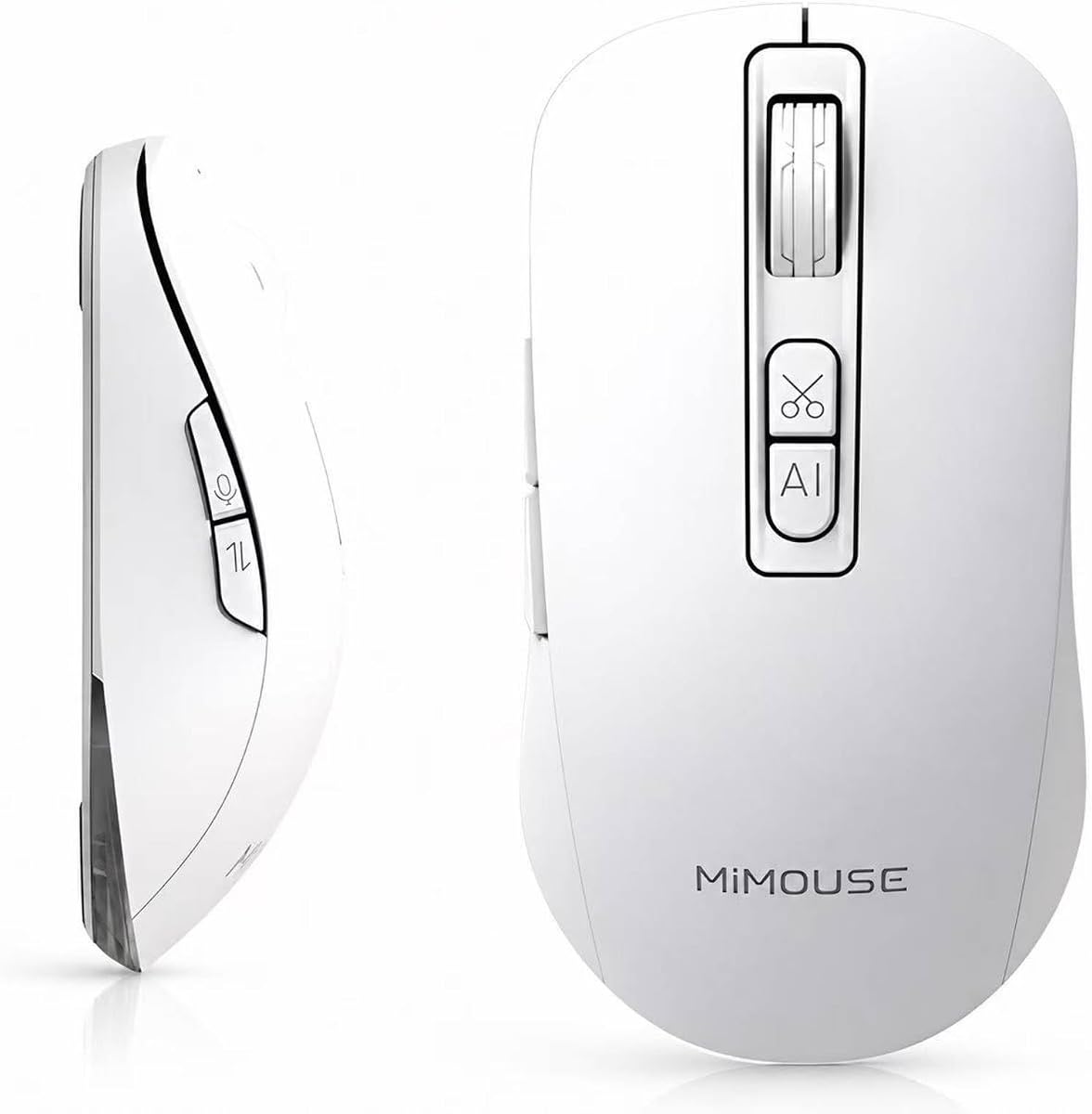


This ergonomic wireless mouse stands out with its powerful voice typing capabilities and integration of ChatGPT functions. It holds a solid rating and offers a comprehensive suite of tools for dictation and text translation.
We may earn a commission when you buy through this link, at no additional cost to you.
Users benefit from 98% accuracy and support for over twenty languages. The device includes features like AI writing assistance and local data processing which enhances security and privacy during daily workflows.
While the setup requires downloading an app and pairing the device the resulting workflow efficiency makes it worthwhile. The silent clicks and ergonomic shape ensure comfort during extended work sessions.
Ideal for professionals and students who need fast note taking and translation tools. This model is a strong recommendation for those seeking a multifunctional productivity hub.
The mouse supports real-time transcription and translation with near zero latency. It handles voice commands for file navigation and weather checks efficiently.
Data is processed locally without cloud storage ensuring maximum privacy. This feature is vital for users handling sensitive or confidential information.
We may earn a commission when you buy through this link, at no additional cost to you.
The Redragon BM4195 offers a cost-effective entry into the AI mouse category with essential voice typing and translation features. It is designed for basic office tasks and seamless connectivity.
We may earn a commission when you buy through this link, at no additional cost to you.
Users can toggle between Bluetooth and 2.4G connections for up to three devices. The 500mAh battery supports long use and the Type-C port ensures quick charging times.
While it lacks the advanced AI toolset of higher priced models it delivers reliable performance for everyday use. The adjustable DPI levels allow for precise cursor control across different screen sizes.
This model suits budget-conscious buyers needing a reliable wireless mouse with basic voice capabilities. It is a practical choice for students and general office work.
The device allows effortless switching between desktops and tablets. This flexibility supports users working across multiple environments.
Low-power design ensures ultra-long standby time. The battery supports power throughout the workday without frequent recharging.
We may earn a commission when you buy through this link, at no additional cost to you.
This model combines a full-size Bluetooth mouse with a detachable air mouse and touchpad unit. It offers unique features like presentation mode and intelligent audio recording for professional settings.
We may earn a commission when you buy through this link, at no additional cost to you.
The magnetic design allows it to transform into a presentation tool. Users can highlight slides and record meetings without holding a separate clicker or recorder.
The battery lasts up to twenty days and the device is incredibly light at seventy grams. This portability makes it easy to carry for business travel.
It is ideal for presenters and professionals who need more than just a cursor. This device replaces several gadgets on your desk and enhances meeting efficiency.
Walk freely while presenting using the touchpad and laser pointer. This feature keeps eye contact with the audience and reduces podium dependence.
A single charge lasts up to twenty days of everyday use. This reduces battery anxiety for business travelers on the go.
We may earn a commission when you buy through this link, at no additional cost to you.
This ergonomic wireless mouse stands out with its powerful voice typing capabilities and integration of ChatGPT functions. It holds a solid rating and offers a comprehensive suite of tools for dictation and text translation.
We may earn a commission when you buy through this link, at no additional cost to you.
Users benefit from 98% accuracy and support for over twenty languages. The device includes features like AI writing assistance and local data processing which enhances security and privacy during daily workflows.
While the setup requires downloading an app and pairing the device the resulting workflow efficiency makes it worthwhile. The silent clicks and ergonomic shape ensure comfort during extended work sessions.
Ideal for professionals and students who need fast note taking and translation tools. This model is a strong recommendation for those seeking a multifunctional productivity hub.
The mouse supports real-time transcription and translation with near zero latency. It handles voice commands for file navigation and weather checks efficiently.
Data is processed locally without cloud storage ensuring maximum privacy. This feature is vital for users handling sensitive or confidential information.
We may earn a commission when you buy through this link, at no additional cost to you.
The LTC OM021 is designed for comfort and quiet operation in shared workspaces. It features ergonomic shaping and silent clicks to reduce hand strain and noise.
We may earn a commission when you buy through this link, at no additional cost to you.
It supports BT 5.0 and 2.4GHz wireless connectivity for flexible use with MacBooks and PCs. The adjustable DPI allows users to tailor cursor sensitivity to their needs.
Software support enables key customization and DPI adjustments. A 500mAh battery with Type-C charging ensures you stay powered throughout the workday.
This model is well suited for office environments where quiet and comfort are priorities. It offers reliable performance for standard daily tasks and translation.
Silent click design ensures peace in libraries or shared offices. This allows focus without disturbing those around you.
Lightweight and ergonomic shape reduces hand strain during extended use. Ideal for professionals spending hours on their PC.
We may earn a commission when you buy through this link, at no additional cost to you.
This model is part of Logitech's well-known M750 series with an AI edition label. It features Logi Bolt connectivity for stable connections across laptops and desktops.
We may earn a commission when you buy through this link, at no additional cost to you.
The battery life reaches up to twenty-four months with the USB receiver. Users can rely on Logi Options plus for software customization on Windows and macOS.
It uses standard AA batteries which are easy to replace. The Bluetooth low energy technology supports flexible connectivity with different devices.
This mouse is a reliable choice for those who prefer established brands. It offers steady performance and long battery life for everyday office work.
Up to 24 months of use with the Logi Bolt receiver. This reduces the need for frequent battery changes.
Supported by Logi Options plus on Windows and macOS. This allows for seamless cross-platform configuration.
We may earn a commission when you buy through this link, at no additional cost to you.
This RGB equipped model shares features with other AI mice but includes visual styling. It supports voice typing and multiple AI functions via a dedicated app.
We may earn a commission when you buy through this link, at no additional cost to you.
The device includes silent clicks and ergonomic shape for comfort. Local processing ensures privacy without storing cloud data for user files.
Users can utilize various tools like AI Q&A and design support. The setup requires the GAMINJA app which auto-pairs once installed.
It fits those who want style and privacy in their office setup. This model is practical for coding and writing with its responsive performance.
100% local processing with no cloud storage ensures maximum privacy. This protects voice records and text files from external access.
Press and hold the scroll wheel for six seconds to activate pairing. Launch the app for instant use after pairing.
We may earn a commission when you buy through this link, at no additional cost to you.
This mouse offers a centralized AI platform supported by models like ChatGPT and Gemini. It handles transcription and writing tasks for professionals needing deep integration.
We may earn a commission when you buy through this link, at no additional cost to you.
The battery life lasts up to thirty days and supports charging while in use. The device connects to three devices simultaneously via Bluetooth and 2.4G.
Data remains locally encrypted and under full user control. This privacy focus supports security-conscious users and enterprise environments.
It is ideal for lawyers and writers who need advanced summarization tools. This mouse is a robust tool for heavy-document workflows.
Access powerful models like ChatGPT and Claude within one app. This allows for diverse AI tasks without multiple subscriptions.
Data is locally encrypted and fully controlled by you. Cloud access is reserved only for your own security.
We may earn a commission when you buy through this link, at no additional cost to you.
This model highlights productivity with AI art creation and PPT generation by voice. It features real-time transcription and summarization for academic and business use.
We may earn a commission when you buy through this link, at no additional cost to you.
The mouse connects to three devices via Bluetooth and USB. It supports seamless transitions with zero lag for multi-device users.
A premium ergonomic shape ensures secure grip for all-day comfort. Five DPI levels allow for precise control in graphic design and presentations.
It is a great choice for students and researchers needing transcription tools. This mouse simplifies workflow with its intelligent AI assistance.
Generate PPTs and copywriting by voice without a keyboard. This revolutionizes workflow for fast content generation.
Connect up to three devices simultaneously. Seamless transitions between desktop and iPad are possible without lag.
We may earn a commission when you buy through this link, at no additional cost to you.
This simple model focuses on basic voice-to-text and translation. It helps convert spoken words into text efficiently for daily office work.
We may earn a commission when you buy through this link, at no additional cost to you.
The mouse includes silent clicks to reduce distractions during meetings. Its rechargeable design keeps the desk simple and works with most computers.
Text summary tools help organize rough ideas and reports. However the product carries a low rating which suggests potential reliability issues.
It may suit those needing a simple entry point into voice typing. We recommend checking reviews carefully before purchase.
Turns spoken words into text for emails and notes. This makes everyday office work faster and easier.
Rechargeable wireless design keeps your desk simple. This avoids cable clutter and works naturally with computers.
We may earn a commission when you buy through this link, at no additional cost to you.
Choosing an AI smart wireless mouse requires evaluating several technical aspects to ensure it meets your specific workflow needs.
The core function of these mice is voice typing. Look for models that promise high accuracy rates like 98% and support speeds of 400 words per minute. Accuracy ensures that your dictation is transcribed correctly without constant editing.
Prioritize devices with high accuracy to reduce manual corrections.
Many users need to communicate across multiple languages. The best mice support over 200 languages and offer real-time translation. This feature is crucial for international meetings and multilingual work environments.
Ensure the model supports the specific languages you require.
Privacy is a major concern for business and creative professionals. Mice that process data locally without cloud storage protect your voice records and text files. This prevents sensitive information from being stored on external servers.
Choose local processing for maximum security and privacy.
A long battery life reduces interruptions. Look for capacities like 600mAh or claims of up to 30 days of use. USB-C fast charging is also a valuable feature to minimize downtime.
Select a device with long endurance and fast charging.
Flexibility in connecting to multiple devices is key. Models should support Bluetooth and 2.4G wireless connections. The ability to switch between three devices instantly enhances productivity across laptops and desktops.
Verify that the mouse supports your preferred connection modes.
The software app defines the mouse functionality. Check if it supports features like AI Q&A PPT generation or code assistance. The ability to customize keys allows you to streamline your specific workflow.
Review the app capabilities to ensure it matches your needs.
Since you use this device for hours comfort is vital. An ergonomic shape reduces hand strain during extended use. Silent clicks are also beneficial for shared office environments or libraries.
Prioritize ergonomic designs and silent mechanisms for comfort.
Ensure the mouse works with your operating system. Most models support Windows and macOS but some may not work on Chromebooks. Verify compatibility to avoid connectivity issues with your hardware.
Check OS compatibility before purchasing to avoid issues.
To begin use connect the USB receiver or pair via Bluetooth using the provided app. Most models require pressing and holding the scroll wheel for several seconds to enter pairing mode. Follow the on-screen instructions to finalize the connection.
Download the dedicated software app from the official link. This app is necessary for enabling AI features like voice typing and translation. Customize your key assignments to match your workflow preferences.
Keep the mouse charged using the USB-C port. Clean the optical sensor regularly to ensure accurate tracking. Store the device in a dry place when not in use to prolong battery life.
Some models support offline processing for certain features. However most require an internet connection for cloud-based AI functions like real-time translation. Check the specs for offline capabilities.
Yes most models are compatible with macOS 10.15 or later. Ensure the specific model supports Mac before purchasing. The software usually offers cross-platform support.
Battery life varies by model and usage. Some offer up to 30 days of standby while others provide days of active use. Rechargeable units are standard for most models.
Most AI mice are designed for office productivity not gaming. They offer adjustable DPI but may lack high polling rates required for gaming. Check specifications if you need gaming features.
Voice typing engines generally support various accents but accuracy may vary. It is recommended to speak clearly and use the noise reduction features. Testing is advisable for specific accents.
Warranty periods vary by manufacturer. Some offer 36 months of support while others provide standard limited warranties. Always check the product page for specific terms and conditions.
Some specialized models include presentation modes and air mouse capabilities. Standard AI mice usually function as pointers only. Check for specific presentation features if needed.
Most basic features are free. However some advanced AI capabilities may require subscriptions. Review the software terms to understand any potential costs.
We have reviewed ten distinct models ranging from budget options to premium tools. The Redragon BM4195 offers an affordable entry while the Cheerdots2 stands out for unique presentation features. The Ai Mouse with Voice Typing is a top choice for productivity.
When choosing prioritize accuracy and privacy features like local processing. Battery life and connectivity stability are also critical for seamless workflows. Ensure the device supports the operating systems you use.
Remember to check current specifications and availability before buying. Prices and features can change so always verify the latest details from the manufacturer or retailer. This ensures you make the best decision for your needs.