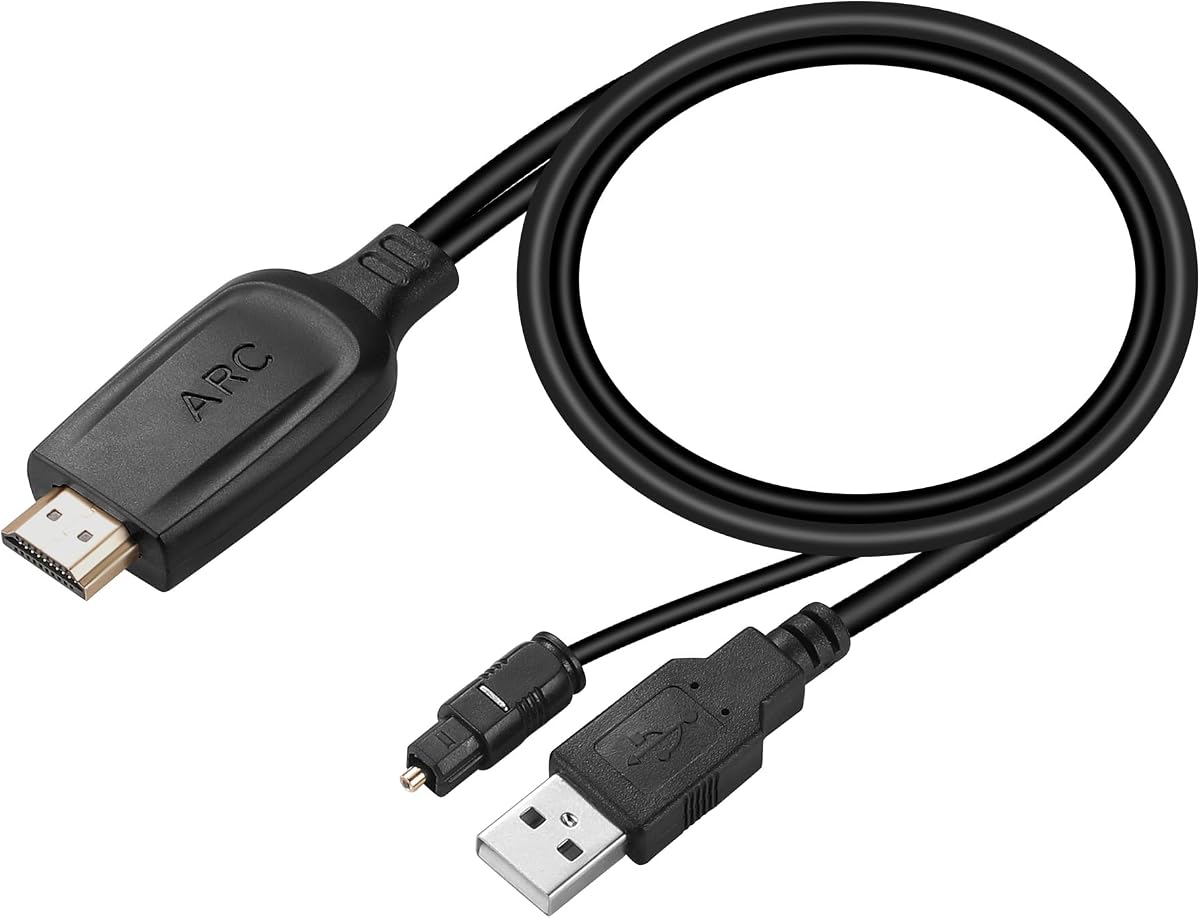
Unstincer 192KHz HDMI ARC to Optical Audio Converter
4.2Editor score
Compact plug and play design
Supports Dolby 5.1 audio
Affordable price point
This guide compares the top ten HDMI ARC adapters for soundbars to help you find the perfect solution for connecting legacy audio gear to modern televisions.
Modern televisions often lack dedicated audio outputs, making it difficult to connect older soundbars or home theater systems. An HDMI ARC adapter solves this compatibility issue by converting digital signals into formats your existing equipment can use.
We evaluated ten highly rated adapters based on audio quality, compatibility with major TV brands, ease of setup, and customer feedback. Each product was analyzed to ensure it meets the specific needs of home theater enthusiasts seeking reliable performance.
Each review highlights key features, pros, and cons to help you make an informed decision quickly. Please note that product availability and pricing fluctuate frequently, so always verify current details before completing your purchase online today.
4.2Editor score

4.9Editor score

4.3Editor score
This table provides a quick side-by-side overview of the top ten adapters to help you compare key specifications at a glance before diving into detailed reviews.


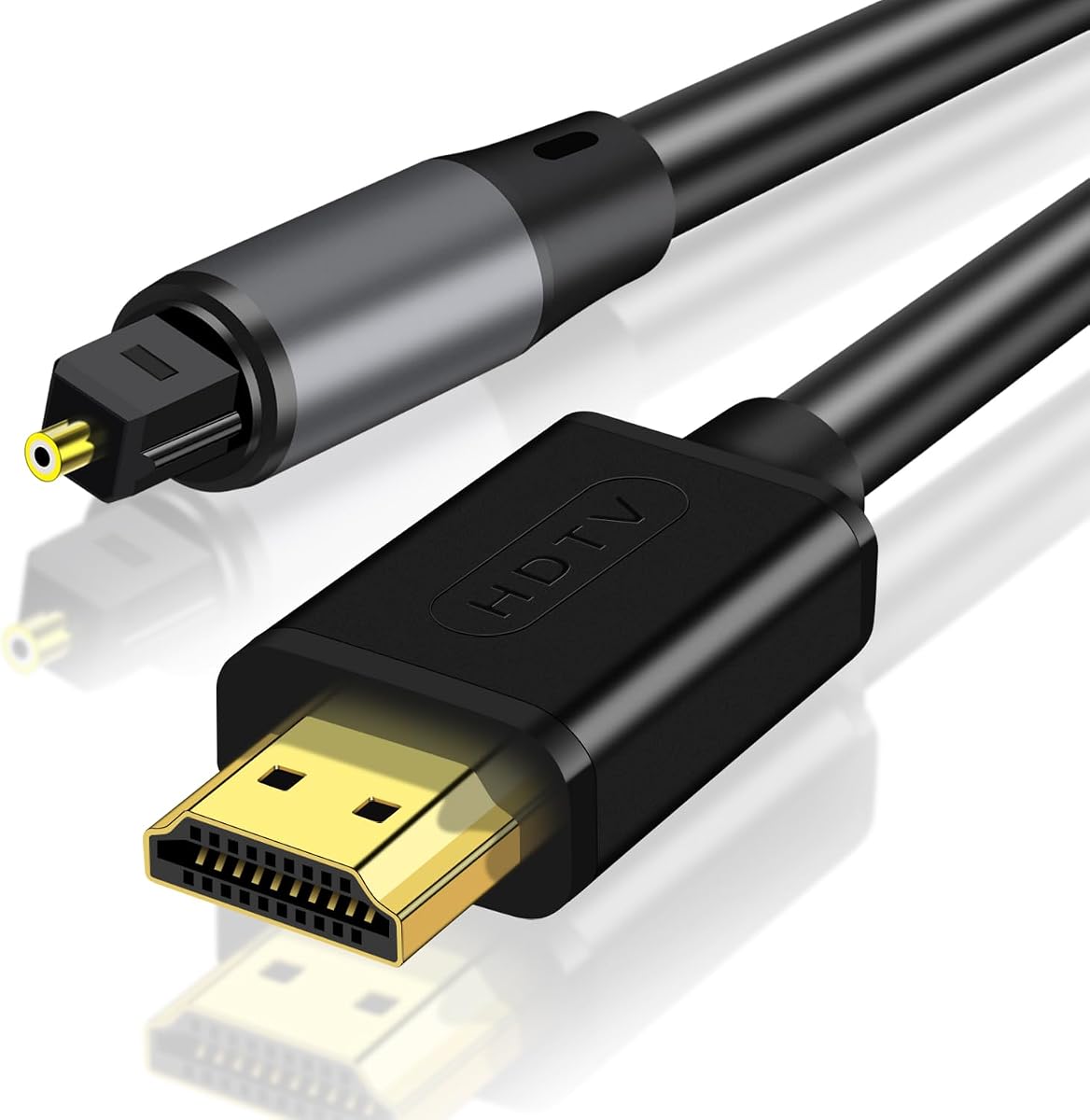
This adapter stands out as a top choice for users connecting standard ARC TVs to optical soundbars. With a high customer rating of 4.9, it delivers clean digital audio with virtually no signal loss during playback.
We may earn a commission when you buy through this link, at no additional cost to you.
Its key strength lies in the included 4.9-foot optical cable which offers flexible placement options. The gold-plated connectors ensure long-term durability against oxidation, keeping your signal path clear for years.
A minor trade-off is the lack of eARC support, which limits compatibility with the latest high-bandwidth TVs. However, this is acceptable for most users with standard ARC ports who need reliable connectivity.
It is ideal for homeowners seeking a straightforward, durable solution without complex software. The high rating confirms it meets expectations for performance and ease of use in typical home theater setups.
The included 4.9ft optical cable allows you to place your soundbar across the room without needing additional extensions.
It decodes PCM, AAC, and Dolby surround sound ensuring your TV's output is always playable by your system.
We may earn a commission when you buy through this link, at no additional cost to you.
Designed for enthusiasts who need high fidelity, this extractor handles eARC signals to deliver uncompressed audio to optical inputs. It supports 192kHz sampling to preserve detail in music and movie soundtracks effectively.
We may earn a commission when you buy through this link, at no additional cost to you.
The bundle includes both optical and HDMI cables making setup faster for new buyers. A status LED confirms that the device is powered and receiving signal correctly to avoid connectivity issues.
You must ensure your TV output is set correctly to ARC mode as CEC volume control is not supported over optical. This limitation is standard for optical connections but adds a step to initial configuration.
It is best for users with eARC TVs who refuse to upgrade their legacy soundbars. The high bandwidth support ensures you get the best possible audio quality from older hardware.
The box includes HDMI and optical cables allowing you to connect immediately without buying extra accessories.
It connects to eARC ports for higher bandwidth than standard ARC delivering better sound quality from modern TVs.
We may earn a commission when you buy through this link, at no additional cost to you.
Budget-conscious shoppers will appreciate this converter which delivers reliable performance without a high price tag. It supports 192kHz audio sampling to ensure high fidelity even at a lower cost compared to premium units.
We may earn a commission when you buy through this link, at no additional cost to you.
The built-in optical cable reduces cable clutter and simplifies the connection process significantly. A visible LED indicator helps you confirm the device is active and processing audio signals correctly.
You may need to restart your TV after initial setup if sound does not play immediately. Additionally, remote volume control is not supported due to the optical connection limitations standard in this category.
This is the perfect choice for users needing a simple bridge for their home theater without extra features. It balances cost and quality effectively for most standard soundbar connections.
It offers high-quality audio conversion at a fraction of the cost of premium high-end adapters on the market.
The built-in optical cable saves you from searching for compatible cables separately making setup much faster.
We may earn a commission when you buy through this link, at no additional cost to you.
This adapter excels at providing analog audio outputs which are useful for older speakers or headphone amplifiers. It features both L/R stereo and a 3.5mm port offering great flexibility for various audio devices.
We may earn a commission when you buy through this link, at no additional cost to you.
The aluminum metal casing provides excellent durability and heat dissipation ensuring stable performance during long use. It supports high-speed HDMI cables maintaining 4K60Hz video pass-through effectively for gaming.
Since it lacks an optical output it might not suit users with digital-only soundbars. You must ensure your HDMI cable meets the 1.4 standard to avoid signal degradation or video issues.
It is ideal for users needing analog connections for legacy systems alongside modern gaming setups. The aluminum build ensures it stays cool even during intense streaming or gaming sessions.
It offers both RCA and 3.5mm jacks making it easy to connect older speakers or amps without digital inputs.
It supports 4K60Hz video passthrough allowing you to game at high frame rates without video lag issues.
We may earn a commission when you buy through this link, at no additional cost to you.
This converter is highly rated for its compatibility with major brands like LG and Sony making it a safe choice for many users. It supports 24-bit/192kHz audio ensuring high fidelity for music and movie playback.
We may earn a commission when you buy through this link, at no additional cost to you.
The plug and play design requires no drivers or software installation simplifying the setup process significantly. It includes a USB power cable ensuring you have what you need to start using it immediately.
While it supports high sample rates optical output limits the surround channels compared to direct HDMI. However, for stereo and basic 5.1 setups this adapter delivers reliable and clear performance consistently.
It is a top recommendation for LG and Sony owners needing a simple audio solution. The high rating reflects its ability to connect legacy audio gear with modern TVs reliably.
The 24-bit/192kHz sampling ensures every detail in your soundtrack is preserved for an immersive experience.
It works well with Samsung LG and Sony TVs ensuring you won't face connection issues with major brands.
We may earn a commission when you buy through this link, at no additional cost to you.
This extractor offers both optical and coaxial outputs which provides flexibility for different digital audio receivers or amplifiers. It supports 24-bit/192kHz audio ensuring high-fidelity sound for discerning home theater enthusiasts.
We may earn a commission when you buy through this link, at no additional cost to you.
The independent status indicator gives you visual confirmation that the ARC/eARC connection is active. It also uses a Type-C power cable which is common with modern TV USB ports for convenient power delivery.
You must connect it to the specific eARC port on your TV for it to work correctly. Remote volume control is not supported as optical and coaxial links do not carry CEC signals.
It is ideal for users needing to connect multiple digital devices simultaneously. The dual output capability makes it versatile for complex home theater setups with various digital audio inputs.
You can connect both optical and coaxial devices allowing you to share audio between multiple receivers.
The Type-C power cable is easy to source and compatible with most modern TV USB ports.
We may earn a commission when you buy through this link, at no additional cost to you.
This adapter is distinguished by its included 6.6-foot optical cable which offers excellent placement flexibility. It supports 24-bit/192kHz audio ensuring high-quality sound transmission without needing additional cables.
We may earn a commission when you buy through this link, at no additional cost to you.
It supports universal TV brands ensuring it works with most ARC enabled devices you own. The setup is straightforward requiring no software installation or complex configuration steps to get started quickly.
The optical connection does not support CEC so you must adjust volume on the soundbar directly. Also note that it does not support Dolby Atmos which limits advanced surround sound experiences for some users.
It is perfect for users who need extra length to route audio to distant speakers. The high audio quality supports ensures you get premium sound even with a standard optical connection.
The 6.6ft optical cable allows you to place your soundbar far away from the TV stand easily.
It supports 192kHz audio to deliver crisp sound that rivals more expensive dedicated receivers.
We may earn a commission when you buy through this link, at no additional cost to you.
This adapter is praised for its ability to pass through Dolby and DTS surround signals for a cinematic experience. It supports 192kHz resolution to ensure clear channels and immersive audio quality during playback.
We may earn a commission when you buy through this link, at no additional cost to you.
Advanced audio processing eliminates interference ensuring your sound remains clean even with long cable runs. It works well with gaming consoles like PS5 and Xbox for synchronized audio without delay.
You will need to enable CEC in settings for older ARC TVs but newer eARC TVs work automatically. The lack of CEC volume control is a standard trade-off for optical adapters in this category.
It is a great choice for gamers and movie fans needing surround sound support. The clear channel indicators help confirm your audio format is being processed correctly by your system.
It passes through 5.1 surround sound allowing you to enjoy cinema quality audio from any streaming app.
Designed for gaming it delivers clear synchronized audio so you never miss a sound effect during gameplay.
We may earn a commission when you buy through this link, at no additional cost to you.
This converter offers a dual output setup allowing you to connect digital optical and analog AUX devices simultaneously. It supports 5.1 surround sound ensuring you get the full audio experience from your TV.
We may earn a commission when you buy through this link, at no additional cost to you.
It comes with a free HDMI 2.0 cable and USB power cable saving you the hassle of finding compatible ones. The setup is hassle-free requiring no drivers to ensure instant use for all users.
You must ensure your TV is set to HDMI ARC output format for it to work correctly. Remote volume control is not supported so you will need to adjust volume on your connected device.
It is ideal for users needing analog inputs for legacy speakers alongside optical soundbars. The included cables make it a complete and ready-to-use solution for most home theater setups.
It includes an HDMI 2.0 cable saving you from buying extra accessories to get started immediately.
You can connect both an optical soundbar and analog speakers at the same time easily.
We may earn a commission when you buy through this link, at no additional cost to you.
This adapter provides a long 6.6-foot optical cable making it easy to hide wires behind walls or furniture. It supports 24-bit/192kHz audio ensuring your TV output is converted to high quality sound.
We may earn a commission when you buy through this link, at no additional cost to you.
It is compatible with most TVs offering universal support for various brands and models. The plug and play setup means you just connect the cables and power to start enjoying audio immediately.
While it does not support Dolby Atmos it handles standard PCM and DTS formats effectively. The optical connection also lacks CEC volume control so you must use your soundbar remote for adjustments.
It is a solid choice for users needing extra cable length for clean installations. The high audio quality ensures you get immersive sound without investing in a new sound system.
The long cable allows you to route audio behind furniture for a clean professional looking setup.
It works with most TVs ensuring you can use it with whatever brand you currently own.
We may earn a commission when you buy through this link, at no additional cost to you.
Selecting the right adapter requires understanding your TV's ports and your soundbar's inputs to ensure compatibility and performance.
Check if your TV has an ARC or eARC port. eARC offers higher bandwidth for uncompressed audio while ARC supports standard surround formats. Most adapters work with both but eARC specific models may offer better fidelity for high-end setups.
Always verify the specific port label on your TV before purchasing to ensure the adapter supports the required signal type for your setup.
Determine if your soundbar needs optical Toslink coaxial or analog AUX inputs. Some adapters offer dual outputs for maximum flexibility while others focus on a single high-quality port for stability and ease of use.
Choose an adapter that matches your soundbar's primary input to avoid needing extra converters or adapters that complicate your setup.
Look for adapters supporting 24-bit/192kHz sampling rates to ensure high-resolution audio is preserved. This prevents compression artifacts and ensures clear sound especially for music and cinematic surround formats.
Prioritize units that support 5.1 surround formats like Dolby and DTS to enjoy immersive movie soundtracks through your system.
Consider the physical distance between your TV and soundbar to select the right cable length. Some adapters include longer optical cables which saves you from buying extensions for clean installations.
Ensure the included cables are sufficient for your room layout to avoid signal loss or messy wire management across the room.
Adapters with metal casing or gold-plated connectors provide better durability and heat dissipation. Aluminum housings prevent overheating during long use which helps maintain consistent signal performance over time.
Select a unit with robust connectors to ensure a stable connection that won't degrade quickly over years of daily use.
Most adapters require external USB power which should be drawn from your TV or a wall adapter. Ensure your TV has an available USB port or you have a charger ready for continuous operation without issues.
Always include a power source in your setup plan since unpowered adapters often fail to pass audio correctly from your TV.
Optical and coaxial connections do not support CEC meaning your TV remote cannot control soundbar volume. Be prepared to adjust volume using the soundbar's own remote or physical controls on the unit.
Understand this limitation before buying so you are not frustrated by the lack of remote volume control after setup.
Look for plug-and-play units that require no drivers or software installation for instant audio use. Most modern adapters work immediately once the audio output is set correctly in your TV settings menu.
Choose a brand with clear instructions to ensure you can enable ARC settings easily without needing technical support assistance.
Begin by connecting the HDMI cable from your TV's ARC or eARC port to the adapter input. Ensure you use a high-speed HDMI cable to avoid signal issues during high-resolution video playback.
Plug the optical cable from the adapter into your soundbar's digital input. Secure the connectors firmly to prevent loose connections that might cause audio dropouts or intermittent signal loss.
Connect the USB power cable to a TV port or adapter and turn on your TV. Navigate to audio settings to enable HDMI ARC output and set the format to PCM or Dolby for best results.
Yes you should use a high-speed HDMI cable (HDMI 2.0 or higher) for the best signal quality. This ensures that the ARC signal is transmitted effectively without interference or connection issues.
The adapter requires a TV with ARC or eARC support. If your TV lacks this feature you will not be able to use it as the ARC signal originates from the TV.
No optical connections do not carry CEC signals so your TV remote cannot control soundbar volume. You will need to use the soundbar's own remote or physical buttons.
Check that your TV audio output is set to ARC and that the audio format is enabled. Ensure the adapter is powered via USB and that all cables are securely connected.
Most adapters work with consoles like PS5 or Xbox if they are connected to an ARC enabled TV. Ensure the console audio is routed through the TV settings for the adapter to pick up the signal.
Yes most models support 5.1 surround formats like Dolby and DTS if your TV and soundbar support them. Check product specs to confirm compatibility with your desired audio format.
We reviewed ten top adapters to help you connect legacy audio gear to modern televisions effectively. The HDMI ARC to Optical Adapter leads our list with its high rating and included premium cables for flexibility.
Prioritize audio quality and cable length when selecting an adapter to ensure a clean setup that meets your needs. Look for high sampling rates and durable build materials to guarantee long-term performance reliability.
Remember to verify your TV's ARC port type before purchasing to avoid compatibility issues with your current setup. Prices and stock change frequently so always check the latest details before completing your order today.