
HP Ultrabook 14 Laptop Computer Business Study & Home 2025
4.1Editor score
Quad Core Intel Processor
8GB RAM Memory
Lifetime Office Included
Finding a laptop with lifetime Microsoft Office included can save you significant money over time. Many users prefer owning software outright rather than paying monthly subscriptions. This guide highlights models that bundle genuine Office licenses with capable hardware for work and study.
We evaluated ten real products available online to create this definitive list. Each entry was selected based on processor power, memory capacity, storage options, and the specific Office version provided. Our goal is to help you navigate the market and choose a reliable machine.
Every pick below shows key specs and user ratings to aid your decision. Keep in mind that inventory and pricing fluctuate frequently on major retail platforms. Always verify current availability and bundle details before finalizing your purchase to ensure you get the latest configuration.
4.1Editor score

4.3Editor score

5.0Editor score
As an Amazon Associate we earn from qualifying purchases.
The following table provides a side by side overview of all ten selected models. You can quickly compare display sizes, processor types, memory amounts, and storage capacities to find the right fit for your specific needs.



This HP laptop ranks highly for users needing a big screen without a huge price tag. It delivers a 17.3 inch HD+ display paired with solid memory and storage options for daily tasks.
We may earn a commission when you buy through this link, at no additional cost to you.
The 8-core Intel processor handles multitasking well while 16GB RAM ensures smooth switching between apps. The lifetime Office license adds significant value for students and small business owners.
While the screen quality is good it lacks Full HD resolution which some users might prefer for media. The external drive is handy but adds bulk to your carrying bag.
Ideal for office work and home use this model balances cost and performance effectively. Consider this if screen real estate matters most to your workflow.
The included Office suite allows immediate work on documents without waiting for installations. This setup streamlines the unboxing experience significantly.
Wi-Fi 6 connectivity ensures stable internet speeds for video calls and cloud uploads. This keeps you connected during remote work sessions.
We may earn a commission when you buy through this link, at no additional cost to you.
This compact 14 inch laptop offers excellent value for students or travelers on a tight budget. It combines a slim profile with sufficient memory for smooth everyday performance.
We may earn a commission when you buy through this link, at no additional cost to you.
The quad-core processor handles basic tasks efficiently while 16GB RAM prevents slowdowns during heavy browsing. Lifetime Office inclusion makes it ready for academic or professional work immediately.
Internal storage is limited compared to larger models but the external drive compensates for file needs. Screen size may feel small for those used to wider workspaces.
Best for portability and value this machine fits well in backpacks for daily commute. It serves as a reliable secondary device or primary tool for light duties.
The green color option adds a unique touch to a standard device. Slim design aids in easy transport across campus.
Copilot AI support helps automate tasks and boost productivity through natural language commands. This future-proofs the machine for upcoming software updates.
We may earn a commission when you buy through this link, at no additional cost to you.
This model stands out with exceptional memory and storage capacity designed for power users. It features a high end 32GB RAM configuration that handles demanding workflows effortlessly.
We may earn a commission when you buy through this link, at no additional cost to you.
The 2TB SSD provides ample space for large files and fast system responsiveness. Lifetime Office 2024 ensures you have the latest tools for documentation and analysis.
While it comes at a higher cost the included accessories like the USB hub add immediate value. Lack of backlit keyboard might be a downside for low light environments.
Perfect for heavy multitasking and media storage this laptop offers premium specs at a competitive level. Consider it if you need substantial local storage without external drives.
The 2TB drive eliminates the need for cloud storage in many cases. This speeds up file access significantly for large projects.
A dedicated Copilot key allows instant access to AI features with one press. This enhances workflow efficiency for creative tasks.
We may earn a commission when you buy through this link, at no additional cost to you.
This model offers a touchscreen interface that enhances interaction with Windows 11 Pro. It combines a standard business size with versatile input options for presentations.
We may earn a commission when you buy through this link, at no additional cost to you.
The 1TB SSD provides solid storage for applications and files without external drives. Copilot AI chat integration adds an intelligent layer to daily productivity tasks.
Display resolution is HD which may appear less sharp compared to newer standards. Battery performance is decent but not exceptional for all-day use away from outlets.
Suitable for hybrid work this laptop bridges traditional typing and touch input methods. Ideal for users who prioritize interactive screen capabilities in office settings.
Touchscreen support allows direct navigation and annotation which aids teaching or presentations. This feature adds a unique functional dimension.
Windows 11 Pro includes advanced tools for data encryption and device management. These are critical for secure business environments.
We may earn a commission when you buy through this link, at no additional cost to you.
This model stands out with a sharp 1080p display ideal for visual tasks. It pairs this screen with a lightweight chassis that makes transport easy for commuters.
We may earn a commission when you buy through this link, at no additional cost to you.
The 16GB RAM ensures smooth operation for multiple browser tabs and documents. Lifetime Office access guarantees productivity tools without monthly subscriptions.
Webcam performance is functional but not outstanding for high quality video calls. The lack of touch limits interaction to keyboard and mouse inputs.
Best for media consumption and detailed work the Full HD screen delivers clear visuals. Consider it if display quality is a priority over touch features.
The 1920×1080 resolution offers sharper text and images than HD panels. This reduces eye strain during long reading sessions.
Weighing only 3.52 lbs this laptop is easy to carry in a bag. It supports up to 10 hours of usage.
We may earn a commission when you buy through this link, at no additional cost to you.
This student focused laptop provides a touch interface at an entry level price point. It offers essential hardware specifications suitable for school work and general browsing.
We may earn a commission when you buy through this link, at no additional cost to you.
The 12GB RAM provides balanced performance for typical user scenarios without lag. Lifetime Office 2021 ensures you can create documents and spreadsheets immediately.
Storage space is somewhat limited for media files so cloud solutions may be necessary. WiFi standards are older compared to modern 6 specifications.
Suitable for students on a budget this model covers basic academic needs effectively. It serves as a reliable tool for assignments and research tasks.
The bundled Office suite supports all major educational document types. This simplifies homework submission and project creation.
Touchscreen capability allows direct scrolling and selection which improves usability. This is helpful for quick navigation tasks.
We may earn a commission when you buy through this link, at no additional cost to you.
This premium offering delivers a spacious 17.3 inch screen for expansive multitasking. It targets users who need a desktop replacement without a permanent monitor.
We may earn a commission when you buy through this link, at no additional cost to you.
The 512GB SSD ensures fast boot times and sufficient local storage for apps. Wi-Fi 6 support guarantees fast and stable internet connectivity for cloud tasks.
Webcam capabilities are standard which may limit use in professional video meetings. Lack of backlit keys restricts usage in dimly lit environments.
Ideal for home office setups this laptop combines a large screen with modern connectivity. Consider it if display area is more important than mobility.
The larger display allows side by side window viewing for enhanced efficiency. This is great for research and reference tasks.
Wi-Fi 6 ensures quick file transfers and smooth streaming without lag. This keeps your workflow uninterrupted during peak hours.
We may earn a commission when you buy through this link, at no additional cost to you.
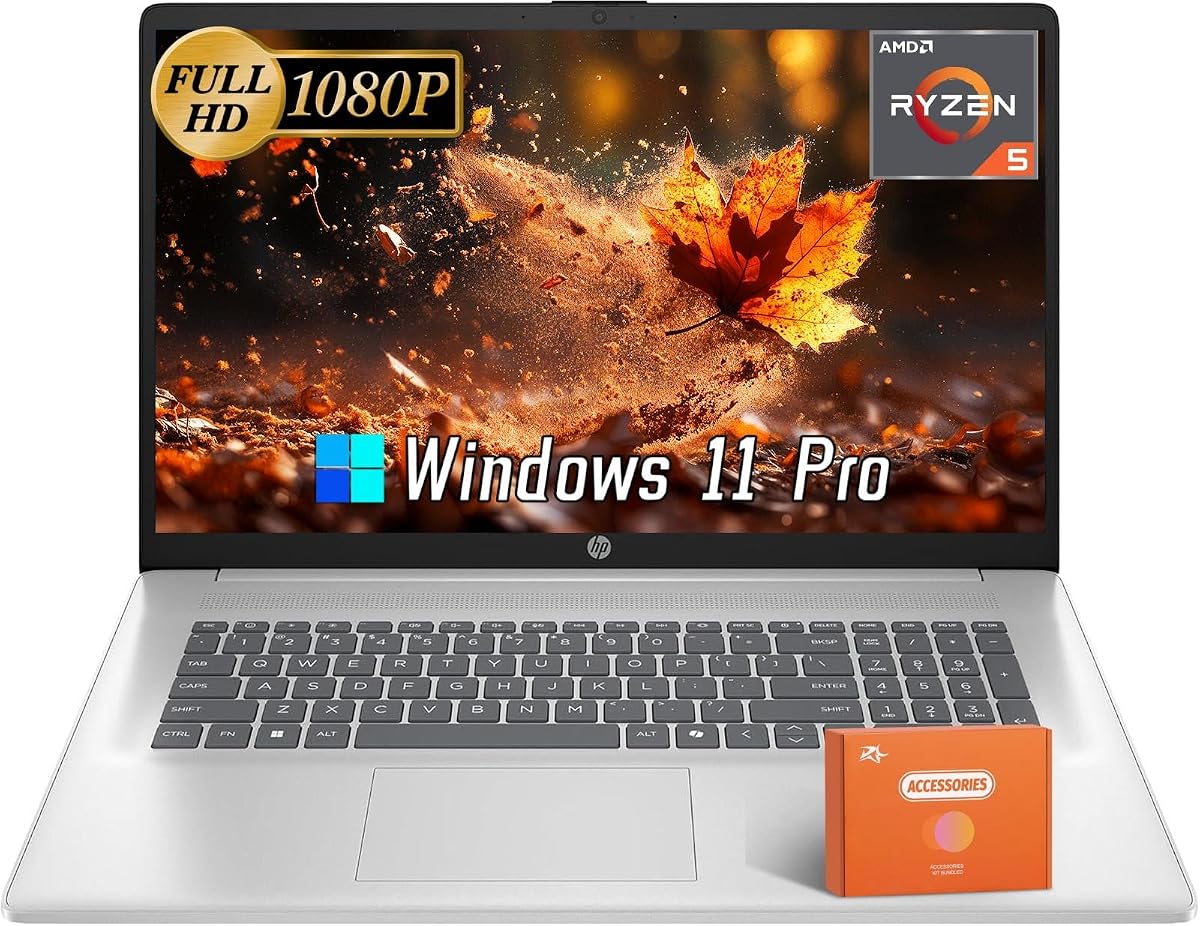
This model distinguishes itself with an AMD processor that offers efficient performance for tasks. It brings a full HD+ resolution to a 17 inch panel for better clarity.
We may earn a commission when you buy through this link, at no additional cost to you.
The AMD Radeon graphics handle light multimedia and design tasks effectively. Anti-glare coating reduces reflections making it suitable for outdoor or bright room use.
Pricing may be higher than Intel equivalents due to the AMD configuration. Accessory inclusion often depends on the specific seller listing at time of purchase.
Best for users preferring AMD architecture this laptop delivers solid performance and screen quality. Consider it if visual clarity is a primary concern.
The Ryzen 5 processor provides balanced power and battery management for daily work. This improves overall system responsiveness significantly.
The screen finish minimizes glare from lights or windows allowing clearer viewing. This is beneficial for long duration tasks.
We may earn a commission when you buy through this link, at no additional cost to you.
This laptop features a capable Intel i5 processor that handles daily multitasking easily. It supports efficient productivity through balanced memory and storage specifications.
We may earn a commission when you buy through this link, at no additional cost to you.
Intel Iris Xe graphics allow for light media editing and smoother display rendering. The included USB hub expands connectivity options without external cables.
Resolution remains HD+ which might not satisfy high fidelity image needs. Keyboard lacks backlighting which is a minor inconvenience in darker settings.
Best for general office tasks this machine offers reliable performance for business users. Consider it if CPU speed is more important than screen resolution.
The i5 processor boosts application launch times and overall system responsiveness. This improves the user experience during daily workflows.
Extra USB ports allow connecting multiple peripherals simultaneously without adapters. This supports efficient docking station setups.
We may earn a commission when you buy through this link, at no additional cost to you.
This model supports graphics tasks with its Radeon integrated graphics and large screen. It provides a versatile setup for users needing visual clarity and performance.
We may earn a commission when you buy through this link, at no additional cost to you.
The Ryzen processor and anti-glare panel combine to offer comfort during long sessions. Lifetime Office ensures you are ready for work out of the box.
Device weight is significant which impacts transport convenience compared to slim models. Battery life is decent but may require frequent charging during heavy use.
Ideal for stationary work this laptop delivers a desktop-like experience in a portable form. Consider it if you need visual performance over extreme portability.
The 17.3 inch screen allows detailed viewing for charts and design work. This improves productivity for data heavy roles.
Ryzen chips optimize power usage to extend battery life during moderate loads. This supports work on the go without adapters.
We may earn a commission when you buy through this link, at no additional cost to you.
Selecting the right laptop requires balancing hardware performance with software value. This guide outlines key factors to consider before purchasing a machine with a bundled Office license.
The processor determines how fast your laptop runs applications and handles multitasking. Look for modern Core i3 or i5 models for daily office work and productivity tasks.
A newer generation chip ensures better long term support and faster speeds over time.
Memory or RAM affects how many apps you can open simultaneously without slowdowns. Aim for at least 8GB for basic tasks but 16GB offers better stability for multiple tabs.
More RAM helps prevent freezing when switching between documents and browsers frequently.
Storage type and size impact boot times and file access speeds. SSD drives are much faster than traditional hard drives for loading systems quickly.
Ensure there is enough space for your files plus the Office suite and updates.
The screen size and resolution determine how much content you can see at once. Larger screens aid multitasking but require more desk space for comfortable use.
Full HD resolution provides sharper text than HD panels for prolonged reading.
Verify whether the bundle includes a perpetual license or a trial version. A lifetime license means you own the software without paying monthly subscription fees later.
Check if Office 2021 or 2024 is included to ensure compatibility with modern files.
Modern laptops may lack older ports so check for USB-C HDMI or SD slots. Having enough USB ports prevents the need for dongles when connecting peripherals.
Bluetooth support is essential for wireless mice and headphones used during work.
Battery duration determines how long you can work away from a power outlet. Look for claims of at least 6 to 8 hours for reliable daily use.
Real world usage often differs so consider models with fast charging features.
Most business models come with Windows 11 Pro for better security and features. Ensure the system is genuine and activated before you start using it daily.
Windows 11 Pro offers encryption tools that protect your data on the device.
Begin by setting up your user account and ensuring Windows 11 Pro is activated. Check the start menu to verify that Office applications like Word and Excel are present.
Avoid installing Office 365 separately as it may override the existing lifetime license key provided with the laptop.
Keep your laptop clean by wiping the screen with a soft microfiber cloth regularly. Store it in a dry place to prevent moisture damage to internal components.
Yes these bundles include a perpetual license that allows you to use the software indefinitely. You do not need to pay monthly fees to keep accessing Word or Excel features.
Resetting the machine may require you to reinstall Office using the original activation steps. Keep your user guide handy to reactivate the license quickly without issues.
It is not recommended to install Office 365 alongside this license as it might conflict with the activation. Stick to the pre installed version to avoid rendering the license invalid.
You receive security updates and critical patches for the version included with your laptop. Major feature updates typically require purchasing the next version later.
Yes the hardware carries the manufacturer standard warranty covering defects. Office license terms usually remain tied to the device or user depending on the agreement.
These laptops often include Windows 11 Pro which supports business security and management tools. The Office license covers business documents making it suitable for commercial work.
Students benefit greatly from the bundled Office apps for assignments and research. The hardware specs are generally sufficient for college level coursework and web browsing.
We have reviewed ten distinct models offering lifetime Office licenses to help you find the right fit. From budget friendly 14 inch options to powerful 17 inch workstations there is a choice for every need.
Prioritize memory and storage based on your daily workload to ensure smooth performance. A larger screen or touchscreen feature may be worth the extra cost depending on your role.
Remember that inventory changes frequently so verify current specs before buying. This guide serves as a solid reference for making an informed decision today.