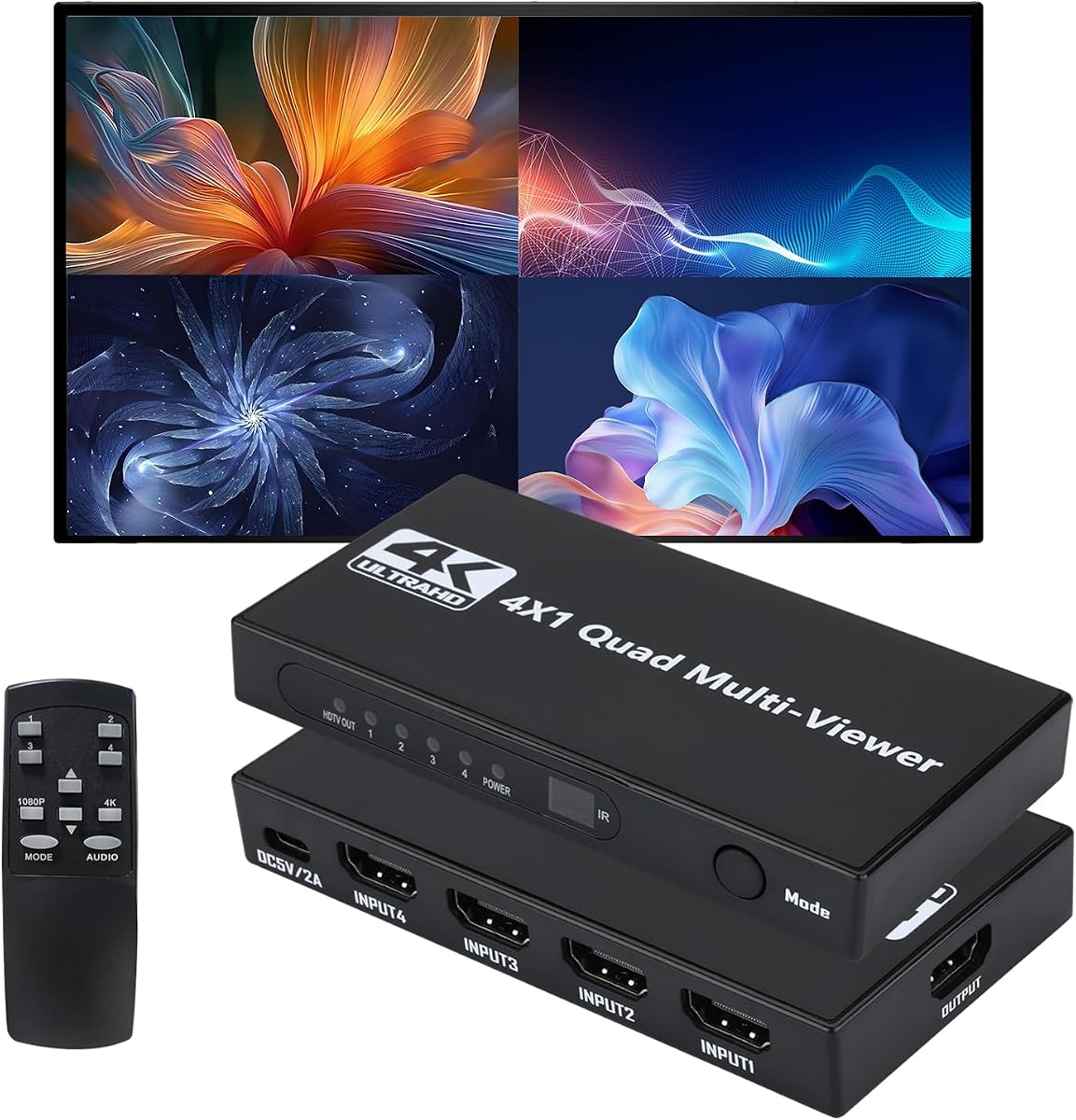
HDMI Multiviewer Switch, 4 in 1 Out HDMI Quad Multi-Viewer switcher
4.8Editor score
Twelve display modes available
Supports 4K at 30Hz
IR remote control included
This comprehensive guide compares the top ten HDMI multiviewer models available in October 2026, evaluating their features and performance for seamless video
Finding the right HDMI multiviewer can transform how you monitor multiple video sources on a single screen. Whether you manage security cameras or gaming setups, a quality unit ensures smooth transitions without signal loss or lag during critical moments.
We evaluated ten leading models based on resolution support, viewing modes, audio handling, and connectivity options. Our analysis focuses on real-world performance, ease of setup, and compatibility with common devices like consoles and PCs to help you choose wisely.
Each pick highlights specific strengths like 4K support, remote control convenience, or advanced matrix routing. Keep in mind that availability and specifications can shift over time, so verify details before purchasing to ensure the device meets your current setup requirements.
4.8Editor score

4.3Editor score

4.0Editor score
This side-by-side comparison outlines the key specifications and capabilities of each HDMI multiviewer model to help you identify which unit aligns best with your specific display and source requirements.




The PORTTA HDMI Multiviewer Switch stands out as a top choice for users seeking reliable multi-source monitoring without complex setups. It supports four inputs to one output, making it ideal for home offices or gaming setups requiring multiple console views.
We may earn a commission when you buy through this link, at no additional cost to you.
Its six viewing modes including quad split and picture-in-picture offer flexibility for different workflows. The seamless switching ensures no frame drops when changing sources, which is crucial for live monitoring or gaming scenarios where timing matters.
While it caps at 1080p which may limit ultra HD enthusiasts, the included Toslink and 3.5mm audio outputs provide decent sound separation. The IR remote makes navigation easy without reaching for the device itself during use.
Buy this unit if you need dependable 1080p performance with multiple viewing layouts. It balances cost and functionality well, making it a strong candidate for both casual and professional applications needing consistent video switching.
You can switch between six modes including quad split and PIP for flexible source management.
Instant transitions between inputs ensure continuous monitoring without interruptions or lag.
We may earn a commission when you buy through this link, at no additional cost to you.
OREI offers a straightforward solution for basic multi-screen needs with this compact unit. It connects four HDMI inputs to one display making it suitable for casual setups or small monitoring tasks requiring clear image division.
We may earn a commission when you buy through this link, at no additional cost to you.
The inclusion of VGA output adds value for older displays that do not support HDMI directly. Five display modes provide enough variety for most users without overwhelming them with unnecessary features or complex navigation menus.
While audio support is limited to analog 3.5mm, this remains adequate for general media consumption or system monitoring. The IR remote simplifies switching between sources without needing to manually press buttons on the unit itself.
Choose this model if you prioritize simplicity and cost-effectiveness over advanced features like 4K. It delivers consistent 1080p performance and fits well in budgets where high-end processing is not a primary requirement.
Legacy monitors benefit from the added VGA port for broader device compatibility.
IR remote and front buttons offer intuitive source selection for quick access.
We may earn a commission when you buy through this link, at no additional cost to you.
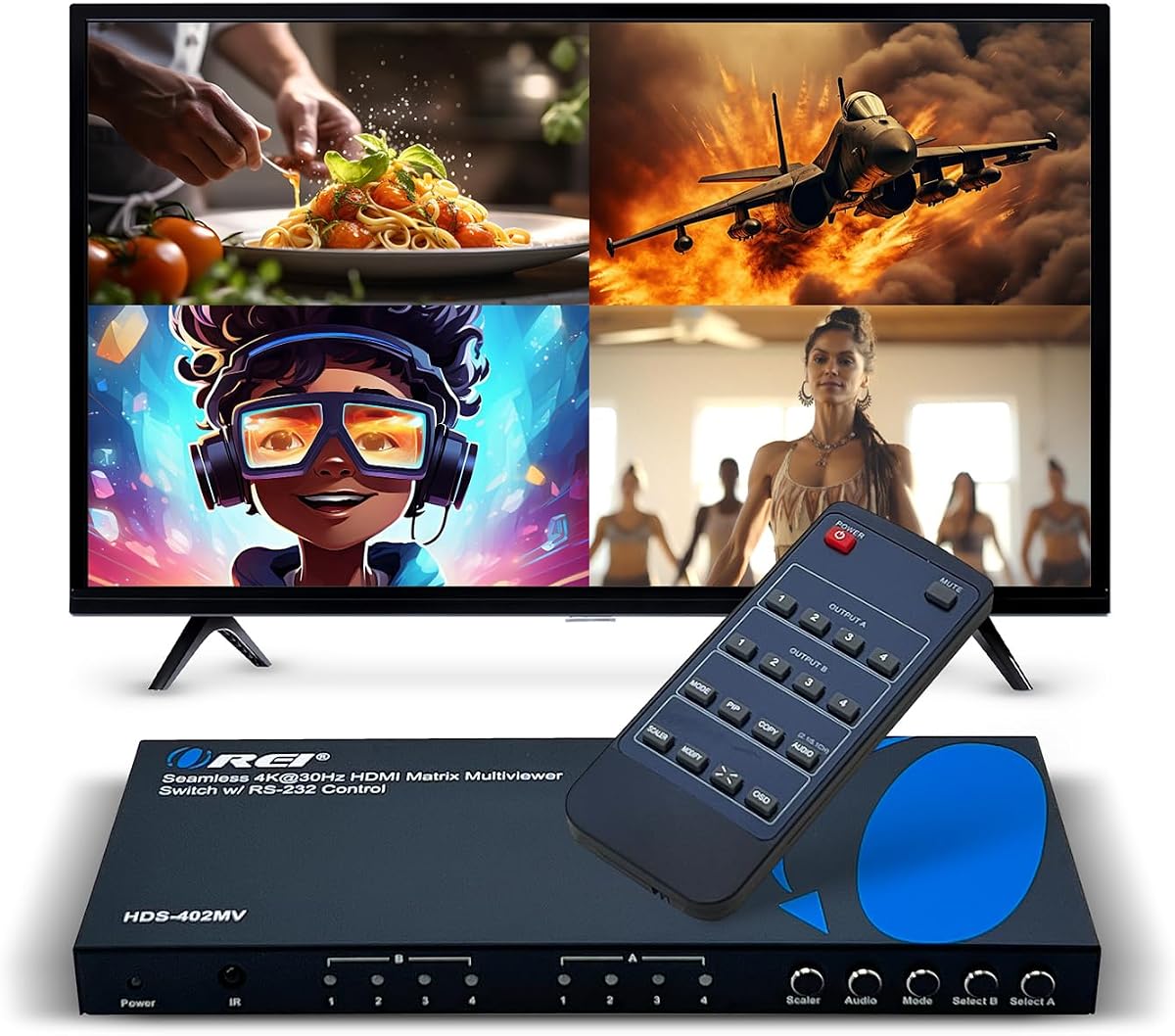
This OREI model bridges the gap between consumer and professional use by offering 4K support alongside advanced control options. Its RS-232 interface allows integration into larger systems for automated switching or remote management tasks.
We may earn a commission when you buy through this link, at no additional cost to you.
Audio extraction provides flexibility for routing sound to external speakers or amplifiers separately from the video feed. The EDID management ensures sources adapt correctly to the display preventing resolution mismatches or black screen issues during setup.
Though 4K is limited to 30Hz which may affect fast motion clarity, it remains sufficient for static or slow moving content. The dual voltage supply ensures operation worldwide making it ideal for international setups or travel configurations.
Consider this unit if you require more than basic switching and need control interfaces like RS-232. It suits users managing professional environments where video quality and system integration take precedence over cost savings.
RS-232 port enables integration with automation systems for advanced workflow control.
Built-in audio extractor allows sound to be sent independently to speakers.
We may earn a commission when you buy through this link, at no additional cost to you.
For users needing two monitors from one source setup this unit offers a flexible 4×2 configuration. It supports four inputs split across two outputs providing redundancy or mirrored displays for professional or security monitoring applications.
We may earn a commission when you buy through this link, at no additional cost to you.
The inclusion of RS-232 ensures compatibility with control systems that require automated switching capabilities. Mounting brackets simplify installation in rack environments where space conservation and organized cabling are critical for efficient operation.
Audio output options allow you to route sound to external devices while video displays remain unaffected. The dual voltage supply supports global usage which is helpful for international setups or mobile professional deployments.
Buy this if you need dual display flexibility without complex matrix routing. Its 4K support and control interface make it suitable for environments requiring reliable multi-output video management and professional integration.
Supports two independent outputs for mirrored or split screen monitoring.
Mounting brackets included for secure rack installation and clean setups.
We may earn a commission when you buy through this link, at no additional cost to you.
This OREI model delivers premium performance with full 4K at 60Hz support ensuring smooth motion for high definition content. Its HDCP 2.2 compliance means it can handle protected content from streaming services without compatibility issues.
We may earn a commission when you buy through this link, at no additional cost to you.
Advanced audio support includes formats like Dolby Digital and DTS providing rich sound for media applications. RS-232 and OSD controls offer flexibility for both direct user interaction and system-level automation in complex environments.
The high price point reflects its robust feature set and build quality suitable for demanding use cases. Dedicated support ensures assistance is available if you encounter issues during configuration or ongoing operation.
Select this unit if you require top-tier resolution and audio fidelity without compromising on control options. It serves users who need reliable 4K switching with advanced features for professional or high-quality home theater setups.
Ensures compatibility with protected streaming content for seamless viewing.
On-screen display allows precise adjustments for source positioning and layout.
We may earn a commission when you buy through this link, at no additional cost to you.
This unit offers an impressive balance of features with 4K at 60Hz support and eight distinct viewing modes. Seamless switching ensures smooth transitions between sources which is vital for monitoring setups requiring constant visibility.
We may earn a commission when you buy through this link, at no additional cost to you.
Universal compatibility spans security cameras and gaming consoles making it versatile across different environments. Dual control methods including remote and onboard buttons provide flexibility depending on your physical setup needs and access preferences.
While support options may be limited compared to premium brands the feature set remains robust for most users. Its plug-and-play design simplifies initial setup without needing complex configurations or driver installations on your devices.
Choose this model if you want high resolution and multiple modes without overspending. It fits well for users who need reliable performance and flexibility in a mid-range package without premium brand pricing.
Remote and buttons allow switching based on your preferred interaction method.
4K at 60Hz delivers crisp video for detailed monitoring or media viewing.
We may earn a commission when you buy through this link, at no additional cost to you.
Designed with portability in mind this model fits easily into tight spaces without sacrificing functionality. Twelve display modes offer extensive layout options allowing you to tailor the screen view to specific monitoring requirements.
We may earn a commission when you buy through this link, at no additional cost to you.
High customer ratings reflect reliability and ease of use which are critical for daily operations. The 4K at 30Hz support ensures high resolution even if motion speeds remain moderate in your primary viewing scenarios.
While it lacks 4K 60Hz the current features are sufficient for most static or slow motion content needs. Setup is simple with plug-and-play compatibility requiring no drivers or software installations on your connected devices.
Buy this for small setups requiring maximum screen flexibility in a compact form. Its high rating and mode variety make it a strong contender for home offices or compact workspaces needing reliable multi-source display.
Small footprint allows installation in confined spaces without clutter.
Twelve modes provide versatile layouts for various monitoring or viewing tasks.
We may earn a commission when you buy through this link, at no additional cost to you.
J-Tech Digital brings professional-grade features to the home theater with 4K at 60Hz support and robust audio extraction. This ensures cinematic quality without compromising on signal integrity or sound clarity during extended viewing sessions.
We may earn a commission when you buy through this link, at no additional cost to you.
OSD customization allows you to adjust PiP windows and layouts precisely for personal preference. Eight display modes provide enough variation for different content types while the durable design ensures long-term reliability under regular use.
Lifetime technical support adds confidence to the purchase ensuring help is available whenever configuration challenges arise. However the higher price may deter budget-conscious buyers looking for basic multi-view functionality.
Select this unit for home theater enthusiasts seeking quality and longevity. Its advanced audio support and build quality make it ideal for environments where visual and sound fidelity are top priorities.
On-screen menus let you adjust layouts for personalized viewing comfort.
Dedicated audio outputs allow connection to external sound systems easily.
We may earn a commission when you buy through this link, at no additional cost to you.
This OREI model is well-suited for gamers needing 1080p at 60Hz for smooth frame rates. Compatibility with popular consoles like PlayStation and Xbox ensures hassle-free integration with existing gaming setups.
We may earn a commission when you buy through this link, at no additional cost to you.
Dual audio output via HDMI and 3.5mm lets you choose between TV speakers or headphones easily. Five display modes are sufficient for basic quad-view gaming without introducing unnecessary complexity or lag in signal processing.
The IR remote provides convenient control during gameplay without needing to reach behind the device. While it lacks 4K this remains a solid choice for mid-range setups prioritizing performance over ultra high resolution.
Choose this for console gaming where 1080p performance and ease of setup matter most. It delivers consistent results for competitive or casual gaming requiring multiple sources on one screen.
Works smoothly with major gaming systems for plug-and-play operation.
Multiple audio outputs allow easy switching between speakers and headphones.
We may earn a commission when you buy through this link, at no additional cost to you.
This 4×4 matrix represents a professional solution for complex video wall or routing needs. It handles four inputs to four outputs allowing any source to appear on any screen with seamless switching.
We may earn a commission when you buy through this link, at no additional cost to you.
LAN and web control enable remote management through your network which is ideal for distributed environments. Ten video wall presets simplify layout changes without needing manual recalibration for common display configurations.
While expensive and requiring configuration knowledge it offers unmatched flexibility for commercial or high-end setups. Support from the manufacturer ensures you have assistance when implementing complex routing strategies.
Buy this for environments needing full video matrix capabilities and remote management. It serves professional control rooms or large-scale installations where reliability and scalability are essential requirements.
Route any input to any output for maximum display flexibility.
LAN and web controls allow managing the system from anywhere on network.
We may earn a commission when you buy through this link, at no additional cost to you.
Selecting the right HDMI multiviewer requires understanding your resolution needs, input counts, and control requirements to ensure seamless integration with your existing display setup.
Check if the device supports the resolution your sources output such as 1080p or 4K. Some models limit 4K to 30Hz which may affect motion clarity in high frame rate scenarios.
Ensure the unit matches your display capabilities to avoid downscaling or signal loss issues during normal operation.
Determine how many HDMI inputs you need versus outputs. Most standard units offer 4×1 while professional setups may require 4×2 or full matrix routing.
Confirm the outputs match your display connections whether single screen or multi-monitor setups.
Look for audio extraction options if you need sound separate from the display. Toslink or 3.5mm outputs allow connecting external speakers for better quality.
Verify audio format support such as Dolby Digital if you plan to use the device for media or gaming.
Consider whether you need simple IR remote control or advanced interfaces like RS-232 or LAN for automation. Complex setups often require programmable control for seamless integration.
Ensure the unit provides intuitive navigation for changing source layouts quickly.
Review the available display modes such as quad view or picture-in-picture to match your workflow needs. More modes offer flexibility for different tasks.
Ensure layouts are easy to adjust and remember for consistent performance during use.
Verify if the device offers dual voltage supply for international use or specific regional requirements. Plug types can vary significantly between regions.
Check HDCP compliance for streaming content compatibility to avoid signal restrictions.
Look for reputable manufacturers offering solid warranties and technical support. Quality build ensures longevity under regular switching usage.
Warranty terms typically range from one to two years depending on the brand and model tier.
Balance features against cost since premium models offer higher resolution and control options. Entry level units suit basic monitoring needs without advanced processing.
Prioritize features that directly impact your workflow to avoid overspending on unnecessary capabilities.
Connect all HDMI sources to the input ports and link the output to your display using high-quality cables to ensure stable signal transmission without dropouts or interference during use.
Power the unit using the provided adapter and allow it to initialize before switching sources. Use the remote or buttons to cycle through layouts and adjust audio settings as needed for optimal output.
Keep the device well-ventilated to prevent overheating and avoid placing it near heat sources. Regularly check cable connections to maintain consistent performance over time.
Many models support 4K at 30Hz or 60Hz depending on the specific unit. Higher refresh rates may require premium hardware to handle bandwidth efficiently without compromising signal integrity or performance levels.
Standard HDMI cables work for most setups but high-speed certified cables ensure stable 4K transmission. Using low-quality cables can lead to signal degradation or flickering in multiviewer modes.
Switching shows one source at a time while multiviewer displays multiple sources simultaneously on one screen. Both serve different needs like monitoring versus active playback depending on your workflow.
Some models include Toslink or 3.5mm audio outputs to separate sound from video. Check the specs before buying if you need external audio routing for speakers or amplifiers.
Most units include an IR remote for basic control. Advanced models offer RS-232 or LAN interfaces for integration with automation systems in professional environments.
Yes most HDMI multiviewers support consoles like PlayStation and Xbox. However some may limit 4K6 60Hz for gaming to maintain signal stability across multiple sources.
The PORTTA and OREI models stand out for their balance of features and reliability across different use cases. Each unit offers specific strengths depending on whether you prioritize 4K support or budget efficiency.
Prioritize resolution and control interfaces that match your setup requirements. Avoid overspending on features you won't use and focus on consistent performance and easy integration.
Always check current availability and specs before purchasing as models may change. Verify compatibility with your devices to ensure a smooth setup experience.