
Samsung T7 Portable SSD
4.7Editor score
Fast PCIe NVMe Technology
Shock Resistance and Fall Protection
Universal Compatibility
This guide compares the top external SSD for Mac Mini M4 based on speed, compatibility, durability, and value for creative professionals and developers.
Choosing the right external SSD for Mac Mini M4 is crucial for maximizing performance and storage. You need a drive that matches the M4 chip speed while offering reliable connectivity and lasting durability for daily professional use.
We evaluated ten top models focusing on transfer speeds, build quality, and macOS compatibility. Each product was analyzed for its ability to handle 4K workflows, time machine backups, and seamless integration with the Apple ecosystem without bottlenecks.
Every pick in this list shows key specs and real-world benefits. Prices and stock change frequently, so verify current availability before buying. Our goal is to help you find the perfect storage solution for your specific workflow needs today.
4.7Editor score
4.8Editor score

3.9Editor score
Here is a side-by-side comparison of all ten external SSDs tailored for Mac Mini M4 users. We highlight key specifications to help you quickly identify which drive matches your speed and capacity needs.






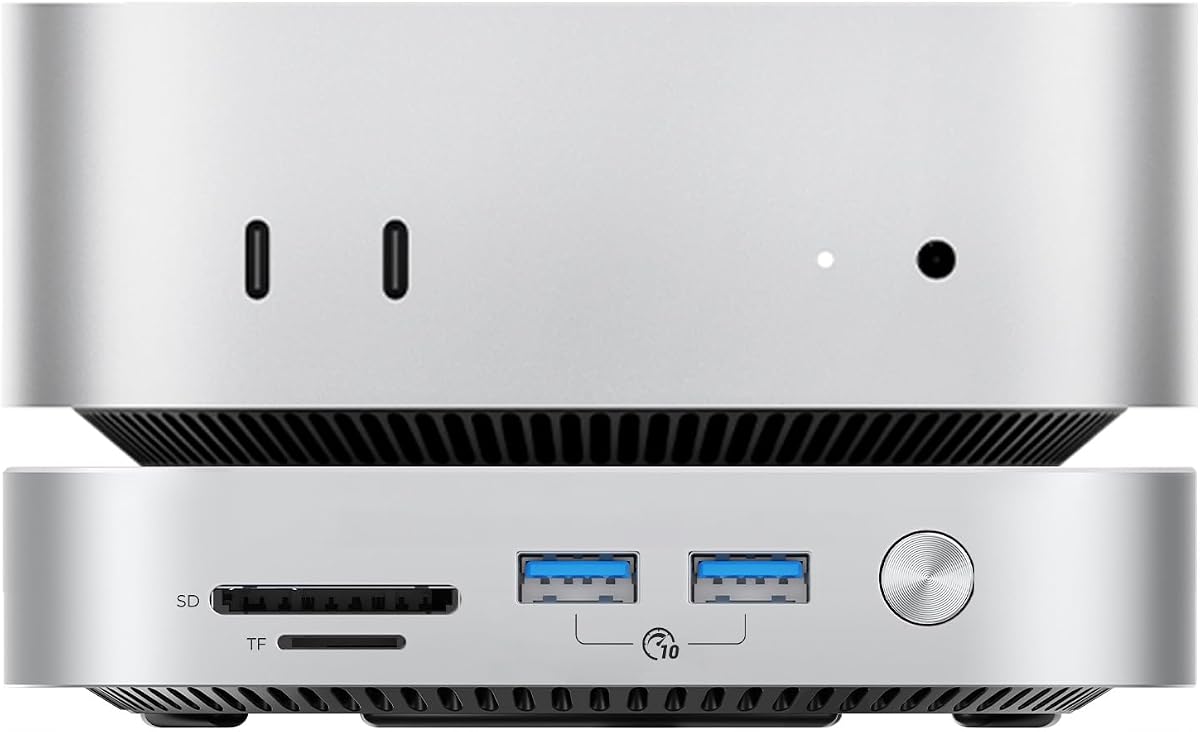
The ORICO 2TB External SSD stands out as an exceptional storage expansion for Mac Mini M4 users. With a 3200MB/s speed and optimized Apple ecosystem support, it offers a powerful solution for creative workflows needing reliable storage.
We may earn a commission when you buy through this link, at no additional cost to you.
Its intelligent cooling system ensures sustained peak speeds even during heavy 4K or 8K data transfers. The aerospace-grade aluminum body not only looks elegant but also dissipates heat effectively to maintain performance under load.
While the number of USB-C ports could be more flexible, the included cables and anti-slip base add real convenience. The 3-year warranty provides peace of mind for professionals relying on this drive daily.
If you need fast, reliable, and well-integrated storage for your Mac Mini, this ORICO model is the top recommendation. It balances speed, durability, and Apple-specific optimization better than most competitors.
Certified for macOS Sonoma and M-series chips, this drive offers plug-and-play setup without driver hassles. It also supports Time Machine backups seamlessly for effortless data protection.
The aluminum body with thermal channels keeps the drive cool even under heavy workloads. This ensures consistent high speeds without throttling during long video editing sessions.
We may earn a commission when you buy through this link, at no additional cost to you.
The Samsung T7 Portable SSD delivers outstanding performance at an affordable price point. Its fast PCIe NVMe technology makes file transfers almost twice as fast as older models, ideal for budget-conscious Mac Mini users.
We may earn a commission when you buy through this link, at no additional cost to you.
Built to withstand drops up to 6 feet, this drive ensures your data stays safe during travel. The compact aluminum unibody design fits easily in pockets or small bags without adding bulk.
While it lacks Thunderbolt speeds, its USB 3.2 Gen 2 performance is more than sufficient for most everyday tasks. Samsung’s reputation as the world’s #1 flash memory brand adds trust to this value pick.
Choose the T7 if you want reliable fast storage without overspending. It’s a perfect balance of speed, durability, and affordability for students or casual professionals.
With read and write speeds up to 1050MB/s and 1000MB/s respectively, this drive handles large files with ease. It significantly reduces wait times when working with high-resolution media.
Shock resistance and fall protection make it ideal for mobile use. The sleek design ensures it fits comfortably in any bag or pocket for on-the-go storage needs.
We may earn a commission when you buy through this link, at no additional cost to you.
For professionals demanding top-tier performance, the SanDisk PRO-G40 is unmatched. Its Thunderbolt 3 interface delivers up to 3000MB/s read speeds, enabling fast handling of large 8K video files and complex projects.
We may earn a commission when you buy through this link, at no additional cost to you.
The IP68 dust and water resistance paired with 4000lb crush resistance makes it the most rugged option. This ensures data safety even in the harshest field environments or industrial settings.
While the price is steep, the 4TB capacity and premium build justify it for heavy users. Mac users benefit from the drive coming pre-formatted in APFS for immediate use.
If speed and durability are non-negotiable, this drive is the premium choice. It excels in professional workflows where any delay is costly.
With speeds up to 3000MB/s read and 2500MB/s write, this drive can move 50GB in a minute or less. The 4TB capacity provides massive storage for extensive media libraries.
IP68 dust and water resistance alongside 4000lb crush resistance ensures reliable performance. The cool aluminum core maintains super-fast speeds even under continuous heavy loads.
We may earn a commission when you buy through this link, at no additional cost to you.
The Lexar 2TB ES3 External SSD offers a strong combination of speed and durability. Its 1050MB/s read speeds make file transfers significantly faster than traditional hard drives.
We may earn a commission when you buy through this link, at no additional cost to you.
With drop resistance up to 2 meters and double layer graphite sheets for cooling, it protects data effectively even during intense use. The USB-C interface ensures modern compatibility.
While it doesn’t support Thunderbolt, its performance is solid for everyday workflows. The included 2-in-1 cable adds convenience for connecting to various devices without adapters.
Ideal for office or daily use, this SSD is reliable and well-priced. It’s a great choice if you need a sturdy, fast drive for regular backups and storage.
With 9.5x faster performance than HDDs, this drive enables quick file access and backups. It’s perfect for expanding storage without sacrificing speed.
Drop resistance and advanced heat dissipation ensure reliable operation. The sleek design adds to its appeal as a durable everyday storage solution.
We may earn a commission when you buy through this link, at no additional cost to you.
The Sandisk Extreme Portable SSD offers speeds close to 2000MB/s, making it ideal for moving large files quickly. Its compact design fits effortlessly into small bags or pockets.
We may earn a commission when you buy through this link, at no additional cost to you.
IP65 rating and drop protection ensure durability in various conditions. The encryption feature adds security for sensitive files, essential for professionals handling confidential data.
While the price is on the higher side, the speed and security features justify it. It’s perfect for users needing fast portable storage for creative work or travel.
If you want reliable high-speed storage with added security, this SSD is a top choice. Its performance and portability make it a versatile tool for many users.
With transfer speeds up to 2000MB/s, this drive moves 1000 high-res photos in under a minute. It’s perfect for efficient workflows needing quick access to large media files.
256-bit AES encryption keeps private files secure with password protection. IP65 rating protects against spills and drops for reliable use anywhere.
We may earn a commission when you buy through this link, at no additional cost to you.
The Lexar ES3 1TB Portable SSD is a lightweight yet powerful storage option. At just 42g and 10.5mm thick, it’s easier to carry than a card.
We may earn a commission when you buy through this link, at no additional cost to you.
It supports USB 3.2 Gen 2 speeds up to 1050MB/s, ensuring quick file transfers. The included encryption software protects sensitive data, adding an extra layer of security.
Despite its small size, it offers broad compatibility with laptops and gaming consoles. The Type-C cable simplifies setup for plug-and-play convenience.
Ideal for travelers or users prioritizing portability, this SSD balances performance with compact design. It’s a great choice for those needing fast reliable storage on the go.
Supports USB 3.2 Gen 2 for transfer speeds up to 1050MB/s. This enables efficient workflows needing fast file access without waiting.
Lightweight 42g design fits easily in pockets. Data protection includes 256-bit AES encryption software to safeguard your important files.
We may earn a commission when you buy through this link, at no additional cost to you.
The SSK Portable SSD 1TB delivers consistent high-speed transfers without slowdowns. Its SLC caching technology ensures steady performance even during large file operations.
We may earn a commission when you buy through this link, at no additional cost to you.
Lightweight at 36.6g, this drive is easy to carry. The 2mm aluminum case helps with heat dissipation to maintain safe operating temperatures.
LED lights indicate activity, adding convenience during file transfers. The included cables make it versatile for both USB-C and USB-A ports.
Ideal for users needing reliable continuous performance, this SSD is a solid choice. It offers great value for those prioritizing speed stability and lightweight design.
With 10Gbps read speeds up to 1050MB/s, this drive avoids slowdowns. SLC caching ensures reliable performance for large files and continuous operations.
At just 36.6g and thin profile, it’s highly portable. Aluminum case improves heat dissipation and ensures cool reliable performance during use.
We may earn a commission when you buy through this link, at no additional cost to you.
The Crucial X10 2TB Portable SSD offers impressive speeds up to 2100MB/s for fast data access. Its durable design includes IP65 protection, making it ideal for travel and outdoor use.
We may earn a commission when you buy through this link, at no additional cost to you.
It connects effortlessly with Windows Mac and Android devices. The bonus Mylio Photos plus and Acronis True Image software add extra value for photo and backup needs.
With a compact matte finish and broad compatibility, this drive fits many workflows. It’s a great option for students gamers or anyone needing fast reliable storage.
Choose this SSD if you want speed durability and cross-platform flexibility. It’s a versatile choice for diverse users needing dependable storage solutions.
Read speeds up to 2100MB/s deliver faster performance than hard drives. Ideal for creators students and gamers needing quick file access.
IP65 dust and water resistance ensures reliable use. Compatible with Mac Windows Android and gaming consoles for seamless cross-device storage.
We may earn a commission when you buy through this link, at no additional cost to you.
The Samsung T9 Portable SSD provides fast sustained speeds up to 2000MB/s. Its advanced thermal guard keeps the drive cool during heavy continuous use.
We may earn a commission when you buy through this link, at no additional cost to you.
It works seamlessly with desktops cameras and gaming consoles. The Magician Software helps monitor health and update firmware to keep performance optimal.
While it needs specific ports for full speed, its versatility is impressive. Samsung’s reputation ensures reliability for professional and casual users alike.
Choose this SSD for fast reliable storage that adapts to any need. It’s a powerful option for users needing sustained performance without throttling.
Sustained read and write speeds up to 2000MB/s ensure uninterrupted project work. Perfect for creators needing fast reliable storage for heavy processes.
Dynamic Thermal Guard controls heat to maintain ideal temperatures. This ensures steady performance during long sessions without slowdowns.
We may earn a commission when you buy through this link, at no additional cost to you.
The SABRENT Rocket Nano XTRM delivers Thunderbolt 3 speeds up to 2700MB/s in a compact design. It’s ideal for professional video editing needing uninterrupted high-speed transfers.
We may earn a commission when you buy through this link, at no additional cost to you.
Its aluminum body includes a silicone sleeve for added protection during travel. Both Thunderbolt and USB cables are included for flexible connectivity.
Although it requires Thunderbolt 3 for top speeds, it remains compatible with USB ports. The free 5-year warranty extension adds excellent long-term value.
If you need compact Thunderbolt performance for demanding workflows, this SSD is a top pick. It balances speed portability and durability for professionals on the move.
Up to 2700MB/s over 40Gbps interface enables fast 4K/6K editing and RAW file backups. Seamless fallback to USB 3.2 ensures compatibility.
Shirt-pocket size with aluminum chassis improves heat dissipation. Silicone sleeve adds drop and scratch protection for reliable field use.
We may earn a commission when you buy through this link, at no additional cost to you.
Selecting the right external SSD for your Mac Mini M4 involves understanding speed, compatibility, durability, and capacity needs. This guide breaks down the key factors to consider before making a purchase.
Transfer speed determines how fast you can move files and access data. Thunderbolt 3 or 4 interfaces offer the fastest speeds suitable for 4K/8K video editing, while USB-C 3.2 Gen 2 provides good performance for most general tasks. Ensure the SSD matches your Mac Mini M4 ports to avoid bottlenecks.
Choose a drive that aligns with your workflow’s speed needs. Thunderbolt is best for professional media editing, while USB-C is sufficient for backups and everyday file storage.
Compatibility ensures your SSD works seamlessly with macOS and the M4 chip. Look for drives certified for macOS Sonoma and Time Machine support to avoid driver issues. Optimized drives provide plug-and-play convenience and better performance.
Prioritize SSDs that are explicitly marketed for Mac compatibility to ensure seamless integration. This reduces setup time and prevents potential software conflicts.
Capacity affects how much data you can store locally. Consider your current usage and future growth to choose between 1TB 2TB or 4TB options. Larger capacities are ideal for video editors or those handling large datasets.
Select a capacity that matches your workload. A balance between price and size helps avoid overspending or running out of space too quickly.
Durability is essential if you carry your SSD or work in varied environments. Look for shock resistance, drop protection, and IP ratings for dust and water resistance. These features safeguard your data from physical damage.
Choose an SSD with adequate protection based on your usage. Rugged designs are beneficial for field work or frequent travel.
Build quality impacts long-term reliability and heat dissipation. Aluminum bodies are effective at dissipating heat during high-speed transfers, preventing throttling. Good thermal management ensures sustained performance without overheating.
Look for SSDs with aluminum cases or cooling technologies. This maintains speed during extended use and protects internal components.
A portable SSD should be lightweight and compact for easy transport. Consider size and weight if you plan to carry it daily. Smaller drives are convenient for travelers and remote workers.
Opt for a compact design if mobility matters. Lightweight SSDs add less bulk to your bag while still delivering strong performance.
Warranty coverage protects your investment against defects. Many SSDs come with 3 to 5-year warranties and free extensions. Good customer support helps resolve issues quickly.
Choose SSDs with reliable warranty terms and accessible support. This adds peace of mind for long-term use and reduces risk.
Price varies based on speed capacity and brand. Evaluate the value relative to your needs to avoid overspending. Sometimes mid-range drives offer the best balance of performance and cost.
Consider the total value including warranty and features. This ensures you pay for what you truly need without excess.
To start using your external SSD, simply connect it to your Mac Mini M4 via the appropriate cable. Most drives are plug-and-play and will appear on your desktop automatically. If needed, format the drive using Disk Utility to ensure macOS compatibility.
For optimal performance, avoid exposing your SSD to extreme temperatures or physical shocks. Keep it in a protective case when traveling and store it in a dry place. Regularly back up important data to prevent loss in case of hardware failure.
Maintain your SSD’s health by safely ejecting it before unplugging. Avoid keeping files fragmented and run occasional health checks if your drive includes monitoring software. Proper care extends the lifespan and keeps transfer speeds consistent over time.
The ORICO 2TB External SSD stands out as the best overall due to its Apple ecosystem optimization and high speeds. For budget options, the Samsung T7 offers excellent value. For premium needs, the SanDisk Professional 4TB PRO-G40 provides top-tier performance.
Not necessarily. USB-C 3.2 drives work well for most tasks. Thunderbolt is recommended only if you frequently handle large 4K/8K video files. Choose based on your speed needs and port availability.
Use Disk Utility on your Mac to format the SSD to APFS or exFAT. APFS is best for macOS only. exFAT works for both Mac and Windows. Follow the formatting wizard for simple setup.
Yes, most compatible external SSDs support Time Machine. Ensure the drive is formatted correctly and connected securely. macOS will prompt you to use it for backups automatically.
1TB is sufficient for general use and light media. 2TB suits creative pros handling larger files. 4TB or more is ideal for heavy video editors. Consider your file volume and growth.
Many models include shock resistance and drop protection. Look for IP ratings and aluminum bodies for extra durability. Using a protective case further reduces risk during transport.
Some may throttle if they overheat. SSDs with aluminum bodies and thermal management maintain speeds better. Keep airflow clear and avoid extreme heat during transfers.
USB 3.2 Gen 2 offers up to 10Gbps speeds. Thunderbolt provides up to 40Gbps. Thunderbolt is faster and better for professional workflows. USB is more common and cost-effective.
The top three picks cover different needs effectively. The ORICO 2TB offers the best balance for most Mac Mini users. The Samsung T7 is perfect for budget-conscious buyers. The SanDisk Professional 4TB PRO-G40 excels for demanding professionals.
Prioritize speed and compatibility based on your workflow. For video editing, faster drives and Thunderbolt interfaces are key. For everyday backups, USB-C SSDs provide great value and reliability.
Remember that prices and availability change often. Check current offers and stock before buying to ensure the best deal. With the right SSD, your Mac Mini M4 becomes even more powerful and versatile.