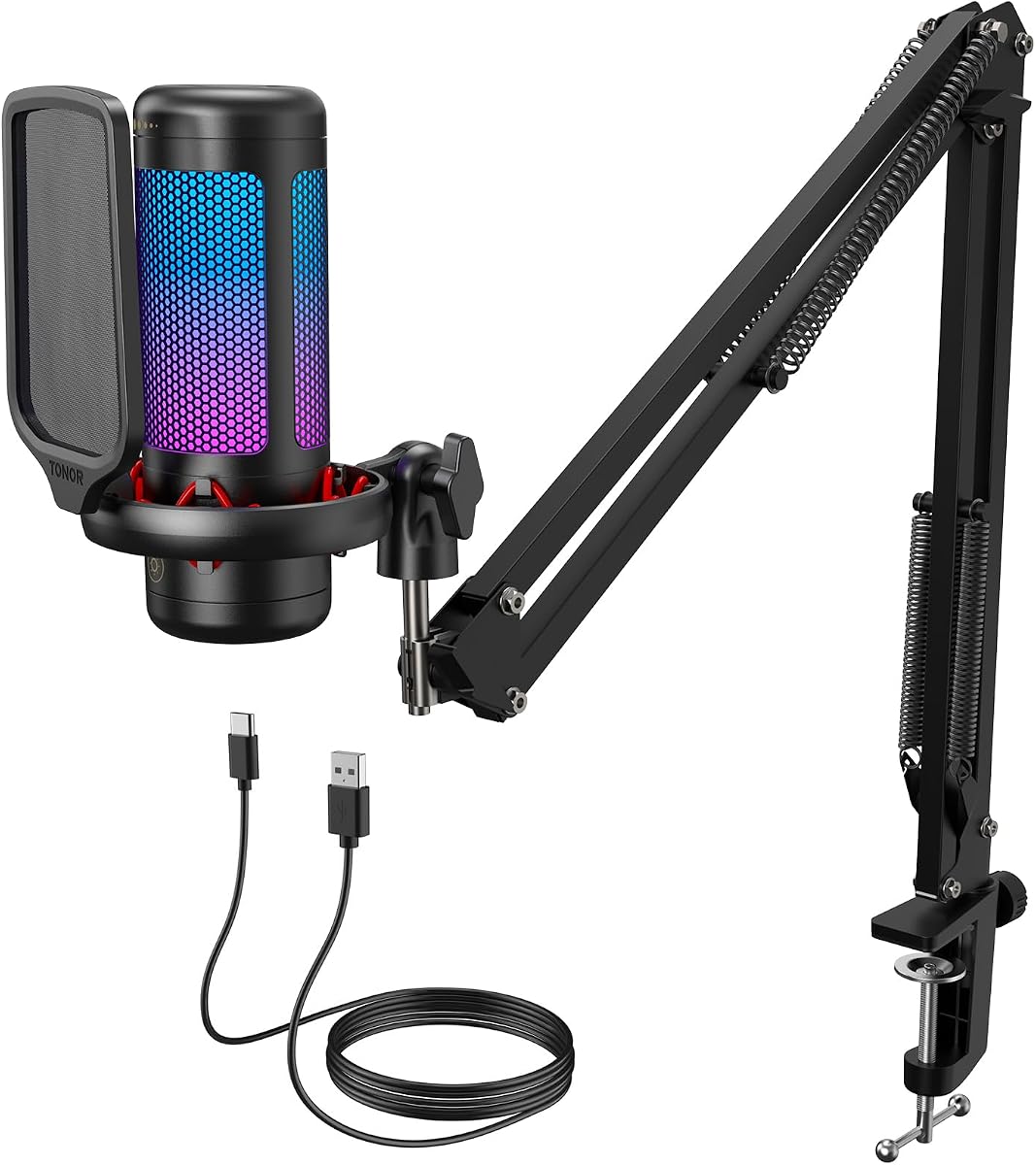
TONOR Gaming Microphone Set
4.5Editor score
RGB lighting modes
Tap mute function
Metal boom arm included
This guide compares the top cheap boom microphone options for streaming and podcasting to help you find clear audio quality without overspending on equipment.
Finding a reliable cheap boom microphone is essential for streamers and podcasters who need clear audio without breaking the bank. Quality sound ensures your audience stays engaged and your voice comes through clearly during calls or recordings.
We compared ten top-rated options based on build quality, sound clarity, connectivity, and included accessories. Each product offers unique features like RGB lighting, AI noise cancellation, or dual USB and XLR outputs to suit different setups.
Every pick highlights key strengths and trade-offs to help you decide quickly. Note that stock and availability change often, so verify current listings before purchasing to ensure you get the right model for your needs.
4.5Editor score
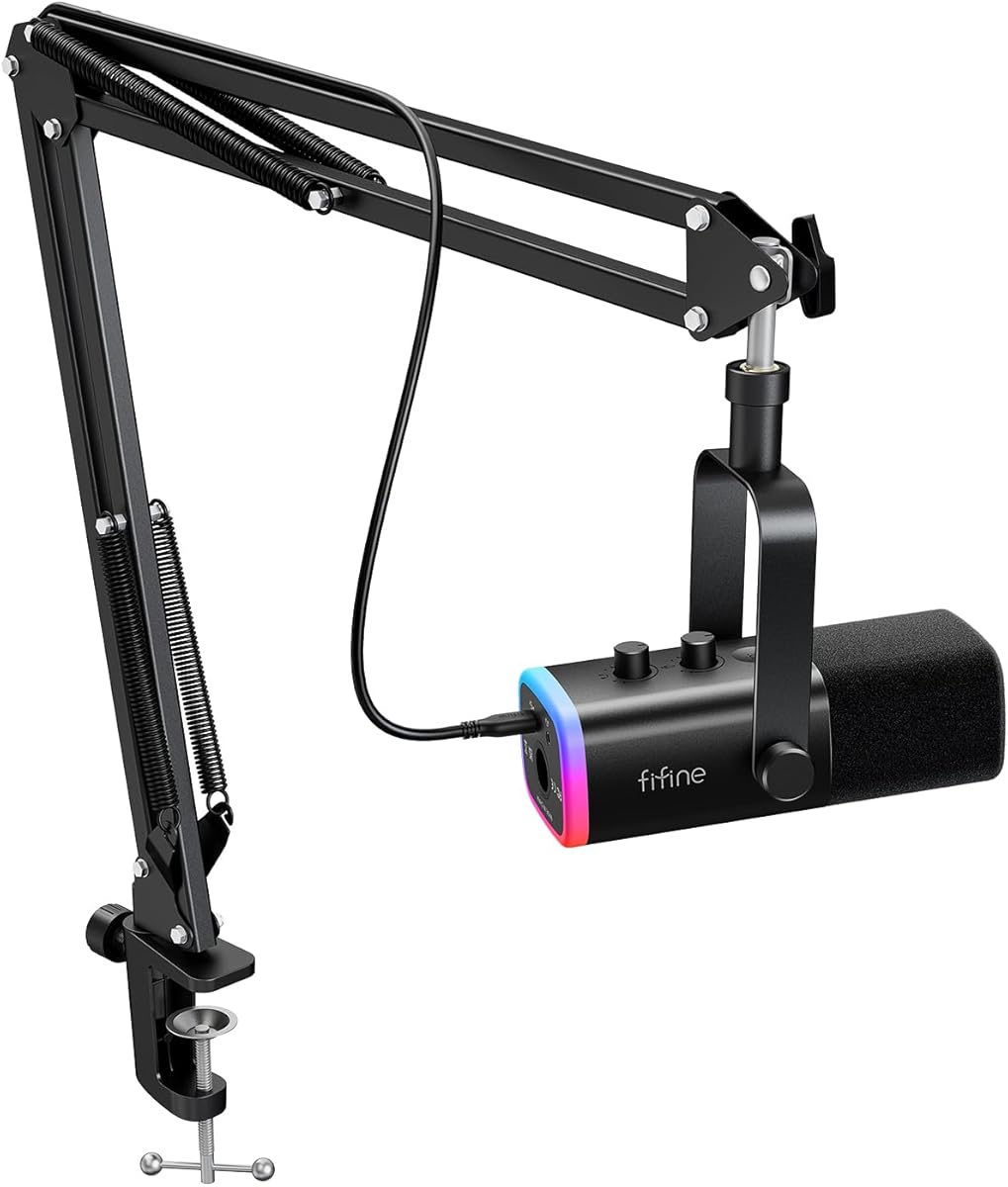
4.5Editor score

4.5Editor score
The following table outlines key specifications for each model to help you compare connectivity, build, and included accessories at a glance.


The TONOR TC310+ ranks first for its balanced mix of features and ease of setup. It delivers clear audio quality and includes essential accessories like a boom arm, shock mount, and RGB lighting for a professional look.
We may earn a commission when you buy through this link, at no additional cost to you.
Its core strengths lie in the built-in tap mute and gain knob for quick adjustments without software. The RGB lighting adds a visual flair that streamers appreciate, while the all-in-one design saves time on assembly.
Trade-offs include sensitivity to ambient noise due to its condenser capsule and lack of XLR support. These are acceptable for home studios where background noise is managed with basic acoustic treatment.
Buyers seeking an affordable kit that looks great and works out of the box will find this model ideal for streaming and voice chat on PC.
Four lighting modes including breathing and gradient effects enhance desk aesthetics without requiring external lighting gear.
Tap the top of the mic to mute instantly, ensuring no awkward moments during live calls or streams.
We may earn a commission when you buy through this link, at no additional cost to you.
The FIFINE AM8T stands out with its dual USB and XLR outputs, offering versatility for both beginners and advanced users. Its dynamic capsule ensures clearer audio in noisy environments compared to condenser models.
We may earn a commission when you buy through this link, at no additional cost to you.
Key strengths include the included boom arm, headphone jack for zero-latency monitoring, and RGB lighting. The dynamic design minimizes picking up room noise, which is a major plus for home studios without soundproofing.
The XLR cable is not included, requiring an extra purchase for analog setups. The mic is also slightly heavier, so ensuring your clamp is secure is important to avoid desk tipping.
This model is best for streamers who want future-proofing with XLR and reliable performance without overspending on high-end studio gear.
Less sensitive to room acoustics, making it ideal for untreated rooms where background noise is common.
Plug in headphones to hear your voice live and adjust distance or volume instantly for consistent quality.
We may earn a commission when you buy through this link, at no additional cost to you.
The FIFINE K688CT offers premium sound integrity suitable for professional podcasts. Its robust metal construction and dynamic capsule deliver consistent audio with minimal distortion even at high volumes.
We may earn a commission when you buy through this link, at no additional cost to you.
Strengths include intuitive controls like tap-to-mute and gain adjustment along with a heavy-duty boom arm that keeps the mic stable. The cardioid pattern ensures your voice stays the focus while rejecting ambient noise.
It costs more than basic models and lacks RGB lighting, which may disappoint gamers focused on aesthetics. However, the audio quality justifies the investment for content creators prioritizing voice clarity.
This kit is ideal for podcasters who need reliable performance and plan to upgrade to XLR setups later without replacing the microphone.
Handles loud sound pressure levels without clipping, perfect for energetic broadcasts or vocal performances.
Included windscreen and shock mount reduce mechanical noise and plosives for cleaner recordings out of the box.
We may earn a commission when you buy through this link, at no additional cost to you.
The MAONO A04 is designed for high-fidelity capture with a 192kHz/24-bit chipset. It comes with a full set of accessories including a scissor arm, shock mount, and pop filter for immediate use.
We may earn a commission when you buy through this link, at no additional cost to you.
Its high sampling rate ensures smooth and flat frequency response ideal for studio voiceovers and podcasting. The magnetic anti-interference ring on the cable helps maintain signal quality over long runs.
You need to keep the mic close to your mouth within six inches for optimal results. The setup is not compatible with Xbox, limiting console gaming users who need wired solutions.
This model suits creators who value detailed audio quality and a complete kit without needing extra purchases for mounting or noise reduction.
Everything from shock mount to pop filter is included so you can start recording immediately after unpacking.
Captures subtle vocal nuances thanks to high sample rates, making it great for professional voice work.
We may earn a commission when you buy through this link, at no additional cost to you.
The InnoGear mic features advanced noise cancellation to minimize background chatter during sessions. It includes customizable RGB lighting and a large gain knob for precise volume control at the base.
We may earn a commission when you buy through this link, at no additional cost to you.
Its capsule amplifies clarity significantly and zero-latency monitoring helps you stay aware of your audio output. The design fits well in gaming setups where visual appeal and clear comms are priorities.
Like most condensers, it may pick up mechanical keyboard noise if positioned too close. Also, the USB-C cable is included but longer lengths may be needed for distant desks.
This mic is a strong choice for streamers who want visual flair and clear voice without needing external software for muting or EQ.
Built-in DSP filters out constant background noise like fans or AC to keep your voice front and center.
Four RGB modes including single-color gradient breathing syncs with gaming rigs for an immersive setup.
We may earn a commission when you buy through this link, at no additional cost to you.
The V-Moda BoomPro is a versatile accessory that turns standard headphones into headsets. It features a detachable boom with a clip-on controller for mute and volume adjustments.
We may earn a commission when you buy through this link, at no additional cost to you.
Its robust construction includes gold-plated connectors and a lightweight cable to prevent tangling. The mic is compatible with most devices using 3.5mm jacks including PCs and consoles.
It does not include a boom arm and relies on your headset fit which may shift during intense gaming. Sound quality is decent but not comparable to dedicated USB microphones.
Buyers with good quality headphones who need occasional voice clarity will find this affordable option reliable for communication and casual streaming.
Works with Crossfade series and most 3.5mm jacks so you do not need a new headset.
Detachable boom makes it easy to stow in a bag for gaming on the go.
We may earn a commission when you buy through this link, at no additional cost to you.
The FIFINE T669 bundle includes a sturdy scissor arm and double pop filter for polished recordings. Its cardioid capsule captures clear audio from the front while ignoring side noise.
We may earn a commission when you buy through this link, at no additional cost to you.
The arm extends over 30 inches allowing flexible positioning and the pop filter minimizes plosives during speech. Setup is simple with USB and no extra drivers needed for most systems.
The clamp fits desks up to two inches which may not suit thicker furniture. Sound quality is best in quieter environments as condensers pick up ambient noise.
This package is ideal for podcasters who want a full studio feel and maximum reach without buying components separately.
Two layers of mesh reduce harsh bursts of air for cleaner vocal recordings.
13 inch arm with full rotation lets you move the mic out of camera view when needed.
We may earn a commission when you buy through this link, at no additional cost to you.
This cable boom mic replaces standard headset cables with added controls like mute and volume. It features a flexible SteelFlex arm that you position for consistent mouth clearance.
We may earn a commission when you buy through this link, at no additional cost to you.
It includes a Y-adapter for devices with separate mic and audio ports making it versatile for PCs and older consoles. The controller sits inline so adjustments are quick without touching your headset.
The mic quality is functional but lacks the richness of USB options and it relies on your headphone drivers for audio. The boom arm is small and not as stable as desk clamps.
This is a great low-cost solution for gamers who want hands-free mute and volume control on their existing headsets.
Rotary volume wheel and mute switch let you manage audio on the fly without software.
Separate mic and headphone jacks ensure compatibility with PCs and desktop setups.
We may earn a commission when you buy through this link, at no additional cost to you.
The TONOR Dynamic Mic uses AI noise cancellation to filter keyboard clatter and ambient sounds. It supports both USB and XLR so you can upgrade your setup later without replacing the mic.
We may earn a commission when you buy through this link, at no additional cost to you.
Its dual outputs provide flexibility for direct PC connection or audio interfaces. RGB lighting and gain controls add gaming flair while headphone monitoring ensures real-time feedback.
XLR cables must be purchased separately which adds to the total cost. Like other USB mics it does not work with Xbox without a specific adapter.
This model suits streamers who need effective noise suppression and plan to build a higher-end studio over time.
Advanced algorithms suppress background sounds so your voice remains clear in noisy rooms.
Switch from USB to XLR for professional audio interfaces without buying a new microphone.
We may earn a commission when you buy through this link, at no additional cost to you.
The ZealSound K66K is designed for cross-device use including iOS with adapters. It offers built-in noise reduction and echo knobs for on-the-fly sound shaping without software.
We may earn a commission when you buy through this link, at no additional cost to you.
Its heavy-duty boom arm extends up to thirty inches and includes a windscreen for better voice capture. The top-address design helps maintain consistent levels when positioned correctly.
Mobile use requires adapters which can be fragile. The condenser capsule needs quiet rooms to avoid picking up background noise during recordings.
This kit is ideal for podcasters who travel or record on multiple devices and want flexible audio controls built-in.
Adjust echo and noise reduction directly on the mic for creative control during live streams.
Plug in headphones to check levels instantly without delay to avoid recording mistakes.
We may earn a commission when you buy through this link, at no additional cost to you.
Selecting the right microphone requires balancing sound quality connectivity and build against your specific use case and budget limits.
USB mics offer plug and play simplicity for PC and console setups while XLR models provide professional quality with mixers. Dual connectivity options give you flexibility to upgrade without replacing the mic.
Choose USB for ease and XLR for future growth depending on your recording needs and available hardware interfaces.
Condenser capsules capture more detail and are ideal for quiet studios but sensitive to background noise. Dynamic capsules reject ambient sound better which suits home offices or gaming rooms.
Opt for dynamic if your space is noisy and condenser if you prioritize vocal nuance in controlled environments.
Boom arms with clamps free up desk space and allow precise positioning for consistent audio. Check arm length and weight capacity to ensure stability during adjustments.
A sturdy metal arm with smooth joints is best for long-term use and avoiding mic tipping.
Kits that include pop filters shock mounts and cables save money and time. Verify if windshields and adapters are present to avoid extra purchases.
Full kits are more cost-effective for beginners than buying components separately later.
Built-in noise reduction or mute buttons help manage audio quality live. Physical controls reduce reliance on software settings during recordings.
Prioritize mics with hardware mute and gain knobs for quicker adjustments on the fly.
Verify that your mic works with your console PC or mobile OS. Some condensers are not supported by Xbox or older systems without adapters.
Check compatibility lists before buying to avoid returns due to unsupported hardware.
Metal construction ensures longevity and reduces vibration noise compared to plastic models. Look for reinforced cables and sturdy clamps for daily use.
Invest in durable materials to prevent wear and tear over time.
RGB lighting can enhance your stream visual appeal but is not required for sound quality. Decide if you value aesthetics or prefer a minimal setup.
If you stream publicly RGB may add value but skip it for budget-focused studio work.
Position the mic within two to six inches from your mouth for optimal gain and minimize background pickup. Use the boom arm to angle the capsule toward your lips rather than your side.
Use the built-in mute buttons or software controls to silence audio during breaks. Adjust gain knobs to prevent distortion from loud talking or gaming calls.
Clean the pop filter and windscreen regularly to remove dust and moisture. Store the cable neatly to prevent kinks and avoid placing heavy objects on the boom joints.
Many USB microphones work with PlayStation via USB ports but Xbox often requires specific adapters or XLR setups. Check the product compatibility list before purchase to ensure your console is supported.
Dynamic microphones are better for gaming rooms with background noise as they reject ambient sound. Condenser mics capture more detail but may pick up keyboard or fan noise.
Dual output mics work via USB without extra cables. You only need an XLR cable if you connect to an audio interface or mixer instead of a PC.
Place the mic closer to your mouth and lower the gain to reduce background pickup. Using a pop filter and noise reduction features can also improve clarity in noisy environments.
Some mics support USB-C or Lightning adapters for iOS and Android. Verify adapter compatibility and whether your phone supports external audio recording before buying.
Most kits include a basic boom arm but check the specs for material and clamp size. Heavy-duty arms provide better stability especially if your desk is thick or uneven.
Clean the mic grille and accessories regularly and store them in a dry place. Avoid exposing the mic to extreme temperatures or direct sunlight to prevent material degradation.
RGB lighting is purely cosmetic and does not affect sound. It can improve your stream aesthetic but may drain extra power on some USB models.
This roundup highlights ten affordable options ranging from basic setups to professional kits with AI noise cancellation. Each model offers distinct features to fit varied budgets and setup needs.
Prioritize dynamic capsules if your room is noisy and choose condenser mics for quiet studios. Check included accessories to ensure you have everything needed for immediate use.
Always verify stock and current listings before ordering as availability changes frequently. Investing in a quality boom mic enhances your communication and production value significantly.