
Polymaker Polydryer
4.4Editor score
Passive storage with hygrometer
Compatible with multiple diameters
Sealed design prevents re-absorption
Discover the top 3D Printer Filament Dryer Box models of October 2026. This guide compares features, capacity, and performance to help you choose the right
Finding the right 3D Printer Filament Dryer Box is essential for consistent print quality. Moisture absorption causes stringing and layer adhesion issues. A good box actively dries filament while storing it safely.
We compared ten top models based on heating speed, capacity, sealing quality, and user feedback. Our analysis covers budget-friendly options and premium units with advanced temperature control for various materials.
Each pick highlights key strengths and ideal use cases. Note that prices and stock fluctuate. Check current listings for the best deals on these essential 3D printing accessories before making your final decision.
4.4Editor score

4.4Editor score

4.7Editor score
This side-by-side comparison highlights key specifications for each model. Use this table to quickly identify which unit fits your spool size, material requirements, and workspace constraints.




The Creality Space PI SE is a top choice for balancing performance and cost. It holds a 4.4 rating from users who appreciate its efficient heating and clear monitoring. This model solves moisture issues effectively for common filaments.
We may earn a commission when you buy through this link, at no additional cost to you.
Its upgraded PTC solution heats the chamber uniformly using a built-in fan. This ensures consistent drying across the spool. The real-time humidity monitoring helps track when filament is ready. You can set temperatures between 45 and 65 degrees Celsius.
While it handles one spool well, it lacks the multi-spool capacity of premium models. The knob interface is simple but less flexible than touch screens. These trade-offs are acceptable given the affordable price point.
This dryer is ideal for hobbyists printing PLA PETG or ABS. It fits most standard 1kg spools. If you need active drying on a budget, this unit delivers reliable results without breaking the bank.
The PTC heater circulates hot air 360 degrees for even drying. This prevents hotspots that could damage sensitive materials during the process.
Built-in sensors track humidity in real time. This feature helps you decide when to stop drying or when storage is sufficient.
We may earn a commission when you buy through this link, at no additional cost to you.
The Space Pi X4 is a powerhouse for serious makers printing multiple materials. With a 4.6 rating, users love its capacity to hold four 1kg spools. The dual chambers dry filament 30 percent faster than single units.
We may earn a commission when you buy through this link, at no additional cost to you.
It reaches 85 degrees Celsius, supporting high temperature materials like PC and ASA. The touch UI makes setting temperatures easy. During pauses, the sealed enclosure prevents moisture from re-entering the spools immediately.
The unit requires significant desk space and comes at a premium price. Not every user needs four spools dried at once. However, for farms or multi-material workflows, the efficiency gains justify the cost.
Choose this if you print ABS PC or high temp composites regularly. It supports 1.75mm and 2.85mm diameters. The dual function of active drying and passive storage makes it a complete solution.
Two independent 200W PTC heaters allow faster heat up times. This design ensures even drying for multiple spools simultaneously without delay.
The 85 degree max temperature unlocks advanced engineering filaments. Users can dry PC PA and other tough materials effectively.
We may earn a commission when you buy through this link, at no additional cost to you.
The Polymaker Polydryer focuses on storage rather than active drying. Rated 4.4, it is ideal for keeping already dry filament safe. The built-in hygrometer lets you check conditions without guessing.
We may earn a commission when you buy through this link, at no additional cost to you.
Its airtight seal locks out humid air effectively. You can feed filament without breaking the seal. This helps maintain dryness between prints or overnight. Desiccant packs help keep internal humidity low.
Because it lacks a heater, it cannot dry wet spools. You must dry filament elsewhere first. For this reason it is less versatile than active dryers. But it excels as a long term storage container.
Choose this if you live in low humidity or dry filament in an oven. It fits most 1kg spools. The simple design makes it easy to use for beginners.
The visible humidity reading helps you judge storage conditions. You can replace desiccants when humidity rises too high.
The sealed enclosure prevents moisture absorption during storage. This keeps filament stable between printing sessions without external intervention.
We may earn a commission when you buy through this link, at no additional cost to you.
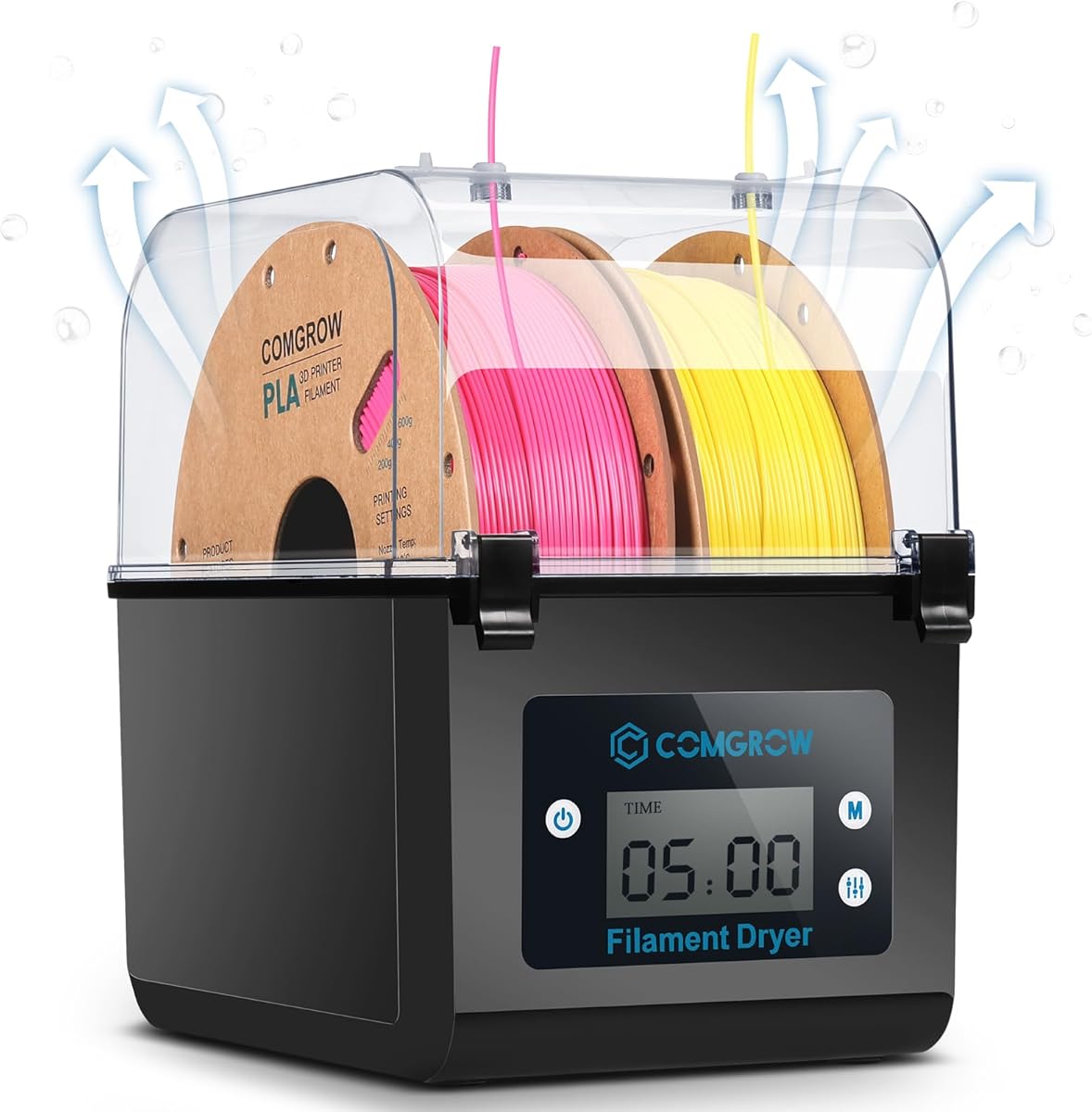
The Comgrow unit offers dual spool storage at a reasonable cost. With a 4.4 rating, users find it effective for PLA ABS and silk filaments. The 2-inch screen makes monitoring easy.
We may earn a commission when you buy through this link, at no additional cost to you.
It sets a maximum of 50 degrees Celsius, which suits common plastics. The silicone sheath helps feed filament smoothly. However the motherboard may shut down if errors occur or work mode is not set.
The 50 degree limit restricts high temperature materials. The auto shut off can interrupt long drying cycles if not managed. These are manageable with proper user awareness and attention to settings.
Ideal for casual users needing two spools dried simultaneously. It works well for standard diameters. The sealing ensures dryness during pauses if the hole is closed properly.
The outlet uses a silicone cable sheath for smooth feeding. This reduces stress on the filament during printing operations.
Real-time temperature and humidity display helps track progress. You can adjust time and temp via touch buttons easily.
We may earn a commission when you buy through this link, at no additional cost to you.
The Creality Space PI features a generous 3.7-inch touch screen for control. Rated 4.4, it supports 12 material presets including composites. This simplifies setup for different filament types.
We may earn a commission when you buy through this link, at no additional cost to you.
The power off memory keeps settings safe during outages. You can run cycles up to 48 hours. The 110W PTC ensures uniform heating. However it holds only one spool at a time.
Single spool limits throughput for large batches. The fan noise can be distracting in quiet spaces. These issues are minor for users who prioritize convenience and preset accuracy.
Use this for complex materials like PA-CF or PLA-CF. The presets remove guesswork. It fits standard 1.75mm and 2.85mm spools effectively.
Twelve presets save time setting temperatures manually. Just press one key to choose the material type.
Settings are retained after power loss. This ensures continuous drying without needing to reset after interruptions.
We may earn a commission when you buy through this link, at no additional cost to you.
The SUNLU S1 Plus uses a fan to help discharge excess water quickly. Rated 4.3, it is a reliable entry level unit. The LCD shows time temperature and humidity clearly.
We may earn a commission when you buy through this link, at no additional cost to you.
The fan design reduces weather impact on prints. You can adjust settings for specific environments. The 55 degree max suits PLA PETG and TPU well. It fits standard 1.75mm and 2.85mm spools.
Temperatures are limited to 55 degrees. This excludes ABS and ASA. The interface is functional but not advanced. Still it offers good value for casual printing needs.
Ideal for beginners learning to manage moisture. The support team is available for troubleshooting. Keep spools dry between sessions with this simple tool.
The built-in fan speeds up moisture discharge. This reduces drying time compared to passive heating units.
Displays temperature time and humidity accurately. Buttons allow quick adjustment of drying parameters.
We may earn a commission when you buy through this link, at no additional cost to you.
The SUNLU SP2 is designed for efficiency with large spools. Rated 4.4, it heats to 70 degrees in just 15 minutes. The 250W PTC ensures consistent dryness.
We may earn a commission when you buy through this link, at no additional cost to you.
The base detaches to serve as sealed storage. You can feed filament while it dries. The included hygrometer tracks humidity levels. This adds value to the unit.
Its size requires more workspace than compact units. The price is higher than basic dryers. However the speed and storage combination justify the cost for professionals.
Use this for ABS PA and other hygroscopic materials. It handles small to large spools well. The rollers support various spool sizes securely.
Rollers hold larger spools up to 3kg. This prevents warping and supports bulk filament use.
The storage base lifts off after drying. This allows for sealed storage without transferring the spool.
We may earn a commission when you buy through this link, at no additional cost to you.
The Sovol SH02 dries two spools simultaneously. Rated 4.3, it includes nine material presets for convenience. The safety cut-off at 130 degrees protects against overheating.
We may earn a commission when you buy through this link, at no additional cost to you.
The sealing was improved over the previous model. This protects filament from dust and moisture even when off. The 150W heater reaches 70 degrees in 25 minutes.
The fan speed is lower than premium models. There is no active humidity control. For simple dual spool drying, it is effective and safe.
Ideal for users with two printers sharing one dryer. The presets reduce setup time. The compact design fits well on smaller desks.
Overheat protection cuts power at 130 degrees. This prevents damage to the unit and filament.
Two filament holes allow PTFE pipe setup. This enables simultaneous drying for two separate printers.
We may earn a commission when you buy through this link, at no additional cost to you.
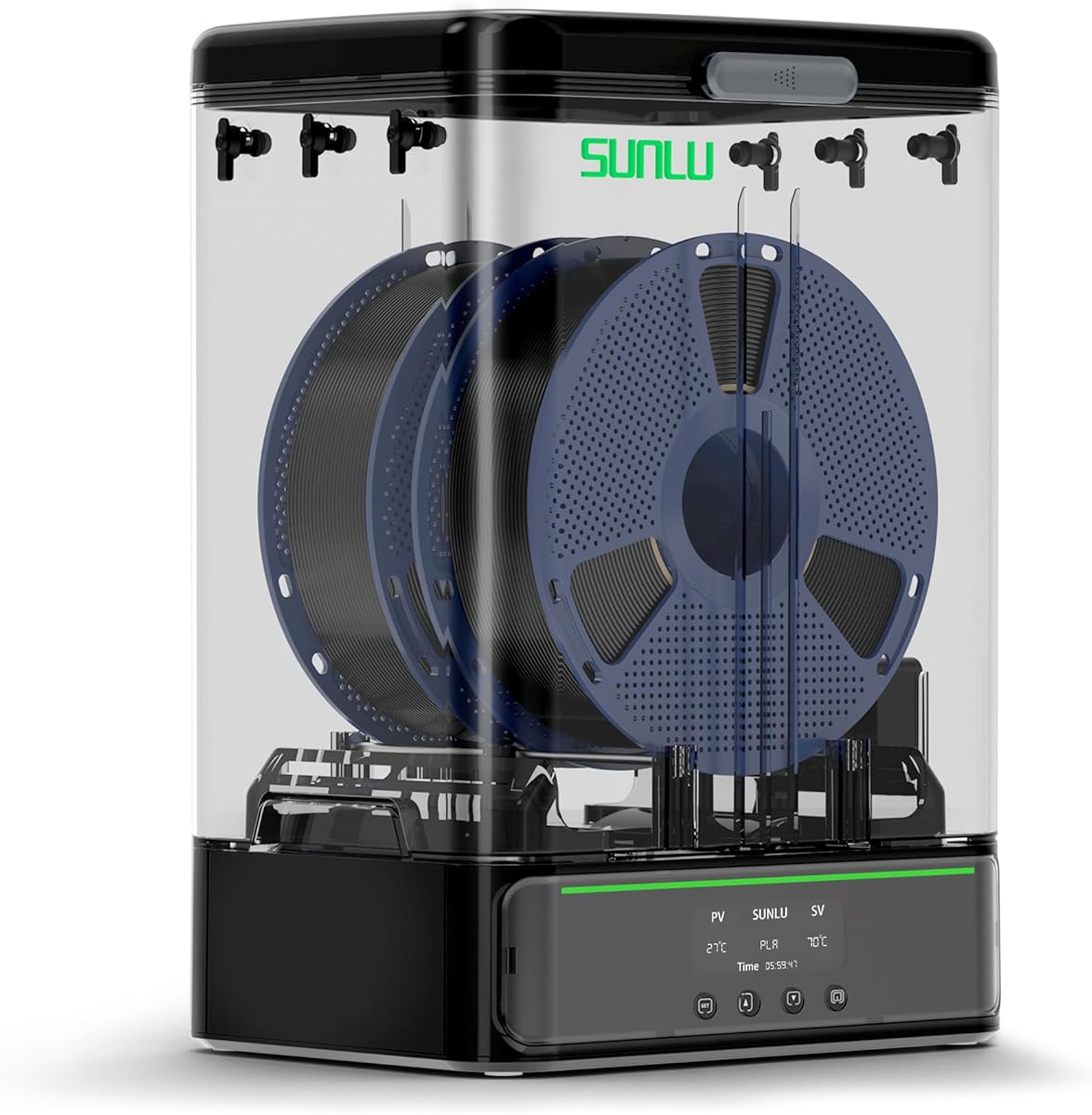
The SUNLU S4 is a top tier unit rated 4.7. It handles four 1kg spools at once. The 350W heater ensures fast heating and drying for multiple loads.
We may earn a commission when you buy through this link, at no additional cost to you.
Auto humidity control starts drying only when needed. This saves energy compared to constant heating. The triple fan system balances temperature to within 3 degrees.
The multi-layer security keeps temperatures safe. Users can print worry-free. Setup may require attention to ensure all sensors work correctly.
Choose this for multi-color or multi-machine printing. It supports 99 percent of market filaments. The reliability makes it a strong long term investment.
Three built-in fans ensure uniform heat. This balances temperature inside the box for consistent results.
The dryer adjusts based on humidity levels. It stops below 25 percent to prevent over drying.
We may earn a commission when you buy through this link, at no additional cost to you.
The SUNLU S1 Plus White focuses on quiet performance. Rated 4.7, it runs at under 10 decibels. This makes it ideal for office or home use.
We may earn a commission when you buy through this link, at no additional cost to you.
The LCD monitor is clear and bright. You can set drying times from 1 to 99 hours. The rollers help feed spools smoothly during printing.
It does not match the capacity of larger units. The temperature range is limited. But for single spool needs, the quietness is a major advantage.
Choose this if noise is a concern. It fits standard sizes well. The white finish matches many modern printers.
The unit operates below 10 decibels. This ensures no disturbance during sleep or work.
Drying time ranges from 1 to 99 hours. This allows for flexible scheduling and drying cycles.
We may earn a commission when you buy through this link, at no additional cost to you.
Selecting the right filament dryer requires balancing capacity temperature range and budget. This guide explains key factors to consider before buying a unit.
Determine how many spools you need to dry at once. Budget units hold one spool while premium units may hold four. For multi-color or multi-material setups, multi-spool models save significant time and reduce handling effort.
Choose a unit that matches your typical workflow volume.
Check the maximum temperature. PLA and PETG require 50 degrees while ABS and ASA need 65 to 70. High temperature materials like PC need up to 85 degrees. Adjustable controls allow fine-tuning for different needs.
Verify the range supports your most common filaments.
PTC heaters are more efficient than heating pads. Faster heat up means less waiting before printing. Models with fans circulate air for even drying. This prevents hot spots that could damage the filament.
Look for PTC tech with fan assistance.
Active dryers should also work as storage. Airtight seals prevent moisture re-absorption. Some units have separate storage bases or lids. This ensures filament stays dry between printing sessions without extra bags.
Prioritize strong sealing for long term storage.
Touch screens offer precision while knobs are simpler. Presets for specific materials reduce errors. Display screens should show humidity and temperature clearly. This helps track progress without opening the box.
Pick an interface that fits your comfort level.
Overheat protection prevents fires and damage. Look for thermal switches and software limits. Units with memory retain settings after power loss. Safety features give peace of mind during long cycles.
Ensure the unit has reliable safety mechanisms.
Measure your spool size. Some units handle 3kg spools while others fit only 1kg. Check diameter compatibility like 1.75mm or 2.85mm. Ensure the unit fits your desk space comfortably.
Verify physical dimensions before purchase.
Fans and heaters produce noise. Quiet models are better for offices. Loud fans may be disruptive during sleep. Consider decibel ratings if noise is a concern.
Check noise specifications for sensitive environments.
Set the temperature according to your filament type. Consult the manufacturer chart or preset list. For PLA use 50 degrees. For ABS use 65 or higher. Allow the unit to reach the target temp before inserting spools.
Thread the filament through the outlet tube carefully. Ensure the spool sits on the rollers to unwind smoothly. Close the lid tightly to maintain sealing. Start the drying timer based on humidity levels.
After drying, store the spool in a sealed environment if not using immediately. Clean the interior regularly to prevent dust build up. Replace desiccants if included. Inspect seals periodically to ensure they remain intact.
Yes but active drying uses electricity constantly. For storage use the sealed mode or detachable base. This saves energy while keeping humidity low. Monitor the hygrometer periodically to confirm levels stay dry.
No active drying does not damage PLA when set correctly. PLA is safe at 50 degrees. Excessive heat above 60 degrees may cause softening. Use the manufacturer preset or manual temp control to avoid damage.
Most wet filaments dry within 6 to 12 hours. High temperature materials may require longer. Check humidity levels on the display. Stop drying once humidity stabilizes to prevent over-drying.
Not all units support 2.85mm. Check compatibility before buying. Many modern units support both 1.75mm and 2.85mm. The outlet tube should accommodate the diameter without tightness.
Active dryers use heaters to remove moisture. Passive dryers store filament dry but do not heat. Active units are better for printing immediately. Passive units require pre-drying in an oven.
Humidity monitoring shows when filament is dry. It prevents guessing and over-drying. Some units auto-stop when humidity drops. This saves energy and ensures optimal storage conditions.
Unplug the unit before cleaning. Use a soft dry cloth to wipe surfaces. Avoid water near electronics. Remove dust from vents regularly. Check the sealing gasket for debris.
Yes desiccant adds extra protection. Use silica gel packets inside the box. Replace them when humidity rises. Desiccant helps keep filament dry during pauses.
Our top picks cover various needs from budget to premium. The Creality Space PI SE offers balance while the SUNLU S4 delivers multi-spool power. The Polymaker Polydryer suits passive storage needs.
Prioritize capacity and temperature range for your specific filaments. If you print ABS or PC ensure 85 degree support. If you print PLA only 50 degrees suffices. Choose units with auto humidity control for convenience.
Check current listings for stock availability. Prices fluctuate based on demand. Verify warranty terms before purchase. With the right dryer your print quality will improve significantly.