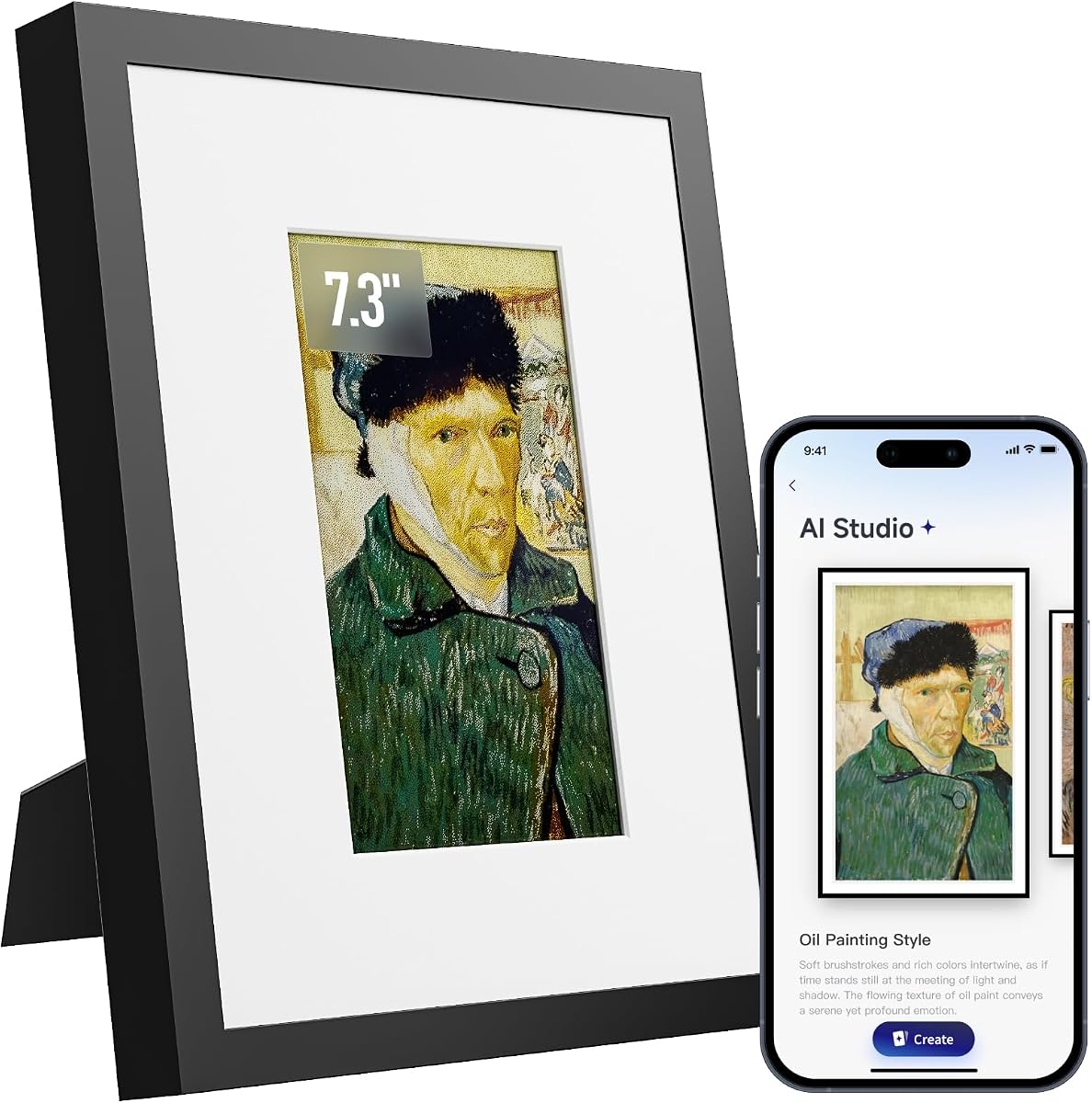
SwitchBot AI Art Frame 7.3
3.8Editor score
Electronic Ink Display
Long Battery Life
AI Generated Art
Digital frames have evolved into smart displays that bring photos to life. The best models offer high resolution, easy sharing, and unique AI features. These frames turn memories into dynamic art that enhances any room decor beautifully.
We evaluated ten leading frames based on display quality, sharing options, and AI capabilities. Our comparison covers E Ink and LCD screens, cloud storage limits, and battery life. This guide helps you find the right frame for your specific needs today.
Each pick highlights key strengths and ideal use cases for different buyers. Prices and availability change frequently so verify details before purchasing. Read on to explore our top recommendations for enhancing your home with digital art.
3.8Editor score
4.4Editor score

4.7Editor score
As an Amazon Associate we earn from qualifying purchases.
This table provides a quick side-by-side comparison of all ten selected frames. Review the key specifications and ratings to find the model that fits your space and budget requirements.


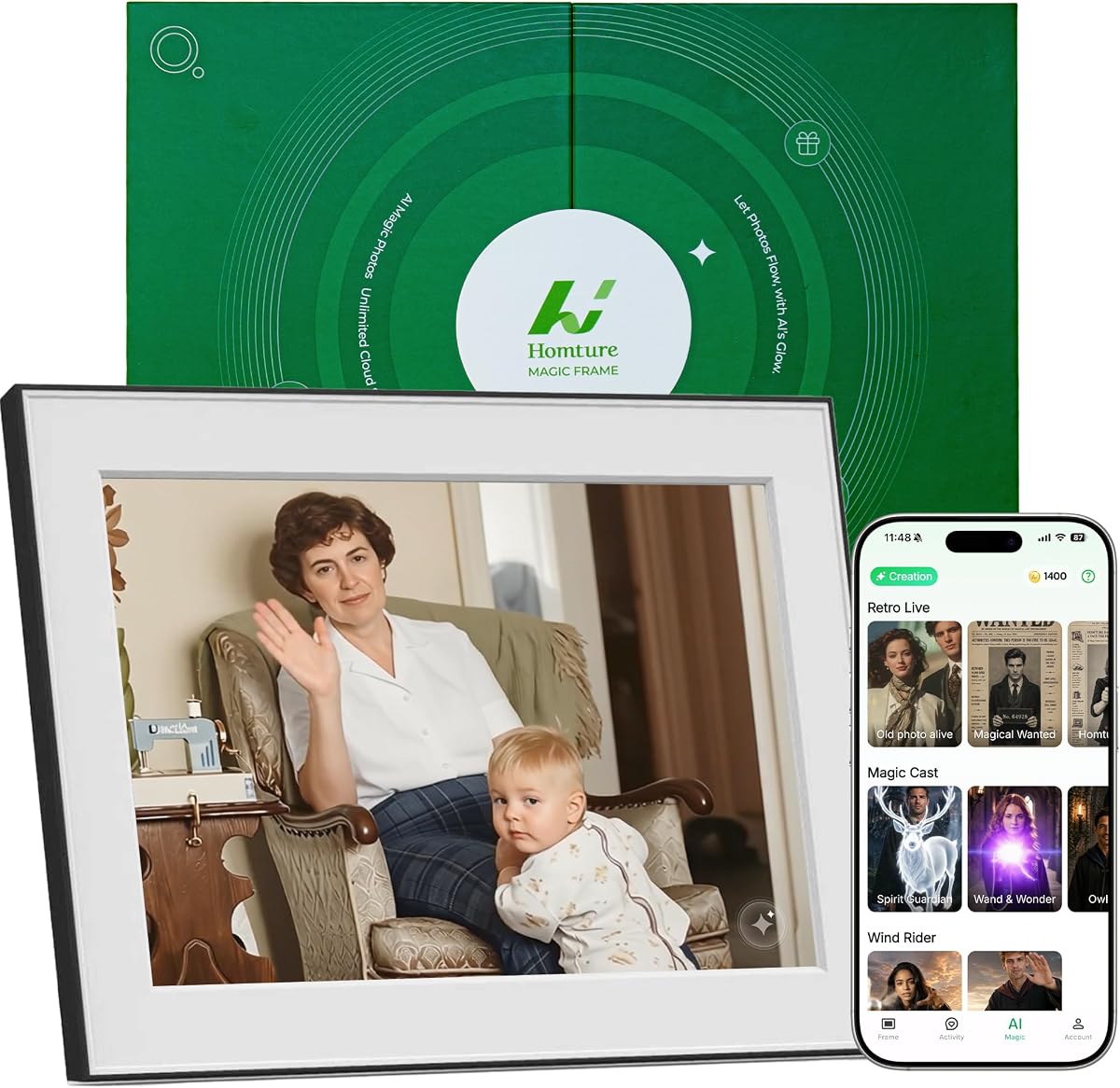
This frame stands out for its ability to bring old photos to life with AI. It uses a 10.1 inch IPS touch screen to display vivid images and videos. Users appreciate the ease of sharing memories through the dedicated app.
We may earn a commission when you buy through this link, at no additional cost to you.
The AI photo to video feature is a major highlight. It turns static images into animated moments with effects like waving or colorizing. This adds a dynamic element that traditional frames lack. The unlimited cloud storage ensures you never run out of space.
One trade-off is the credit system for AI generation. While the box includes enough credits for twenty photos, additional usage requires purchasing more. This might limit frequent users who want to create many AI videos. But it is manageable for casual sharing.
This frame is perfect for families who want to preserve memories creatively. It is especially suitable as a gift for parents or grandparents. The combination of high quality display and magical AI effects makes it a top choice.
AI tools let you colorize black and white photos and add motion effects to static images.
Free unlimited cloud storage means you can upload all your favorite photos without worrying about limits.
We may earn a commission when you buy through this link, at no additional cost to you.
This frame focuses on wireless convenience and battery longevity. It features an electronic ink display that looks like paper. This reduces eye strain and allows placement anywhere without power cords. The long battery life supports this mobility.
We may earn a commission when you buy through this link, at no additional cost to you.
The electronic ink screen is designed for a refined viewing experience. It has no glare and works well in various lighting conditions. You can generate personalized artworks using AI prompts through the app. Alexa integration adds voice control for changes.
Users should note the display resolution is lower than LCD screens. This means images look best from a distance and are not as sharp. The AI generation also requires a monthly subscription fee. These factors make it less ideal for photo enthusiasts.
Ideal for art lovers who value battery life and placement freedom. It is a great gift for those who prefer a minimalist setup. The unique features justify the premium price for specific use cases.
Built in rechargeable battery allows you to place the frame anywhere without worrying about outlets.
Generate custom art pieces with AI prompts to keep your display fresh and engaging.
We may earn a commission when you buy through this link, at no additional cost to you.
The Frameo 10.1 inch model is praised for its ease of use. It features a touch screen and simple sharing via the app. With a 32GB memory, it stores thousands of photos easily. The high user rating reflects its reliability.
We may earn a commission when you buy through this link, at no additional cost to you.
Its sharing capabilities are robust and secure. You can invite family to send photos instantly from anywhere. The auto rotate feature adapts the display to your mounting choice. A calendar sync adds practical value for daily planning.
One limitation is the fifteen second video limit in the app. You can bypass this using a microSD card but it adds steps. Basic features like calendar sync are functional but not advanced. This keeps costs down for most users.
This frame is the best choice for budget conscious buyers. It delivers essential features without unnecessary complexity. It makes an excellent gift for parents or anyone new to digital frames.
Only invited family members can send content to your frame keeping memories safe and private.
Swipe through photos and adjust settings easily with the intuitive touch screen design.
We may earn a commission when you buy through this link, at no additional cost to you.
This frame offers a unique color E Ink display with a wooden finish. It creates a warm and natural look for any room. The unlimited cloud storage is a significant benefit for heavy users. Users rate it highly for its battery life.
We may earn a commission when you buy through this link, at no additional cost to you.
The E Ink screen reduces glare and eye strain effectively. You can create custom AI artwork using text or voice prompts. The unlimited cloud feature allows sharing without extra costs. Battery life extends up to three years on low settings.
Resolution is limited due to E Ink technology so images are less sharp. Some AI features may require a subscription which adds cost. It is not ideal for high definition photos but great for artistic displays. Battery life is a major selling point.
Choose this frame for its artistic appeal and long battery. It suits those who value aesthetics over high definition. The wooden design blends well with home decor styles.
A handmade wooden frame design that complements home decor and looks elegant.
Turn your own doodles or photos into creative artwork using AI tools.
We may earn a commission when you buy through this link, at no additional cost to you.
The 15.6 inch frame provides a large viewing area for photos. It uses an IPS screen for bright colors and clear details. The 64GB storage allows many photos and videos to be stored locally. Video playback includes sound for a rich experience.
We may earn a commission when you buy through this link, at no additional cost to you.
Sharing is easy via the Frameo app or external drives. You can upload videos via SD card without time limits. The auto rotate feature ensures images look correct in any orientation. It is a versatile choice for large group viewing.
One downside is the fifteen second limit on app video uploads. You must use SD cards for longer videos. The frame is also heavy which can make wall mounting challenging. It is better suited for desktop or shelf display.
Ideal for families with many memories to display. The large screen and storage are great for high volume. It works well in shared spaces like living rooms.
Enjoy vivid colors and sharp details on the 15.6 inch full HD screen.
Built-in 64GB plus SD support means you can store countless memories.
We may earn a commission when you buy through this link, at no additional cost to you.
This frame supports both WiFi and non-WiFi transmission. You can use SD cards for uploading without internet. This makes it accessible for users uncomfortable with apps or WiFi. The display is large and clear for viewing.
We may earn a commission when you buy through this link, at no additional cost to you.
The 15.6 inch panel offers vivid colors and high resolution. You can react to photos with emojis through the app. This adds a fun interactive element for families. It comes in gift ready packaging suitable for holidays.
Non-WiFi mode requires physical transfer which adds a step. App videos are limited to fifteen seconds. These constraints are manageable but reduce convenience. It is a good alternative for those with limited internet.
Choose this if you need flexible sharing options. It works well for those who prefer physical media. The large screen makes photos easy to see.
Upload photos via WiFi or SD card to suit your technical comfort.
Send emojis to family to show appreciation for shared photos.
We may earn a commission when you buy through this link, at no additional cost to you.
This frame is compact with a wooden finish for a classic look. It uses E-Paper technology for zero glare and low power use. AI tools optimize photos for better color and contrast. It is great for small spaces like desks.
We may earn a commission when you buy through this link, at no additional cost to you.
The E-Paper screen mimics printed photos accurately. It works well in bright light without reflection. You can sync photos via an app easily. Battery life is long so charging is infrequent.
The small screen limits viewing distance and detail. Resolution is lower than larger models. This frame is not for large groups or wall displays. It suits individual use on a nightstand.
Pick this for a small elegant display. It is perfect for personal photos on a desk. The design blends seamlessly with home decor.
E-Paper technology ensures a comfortable viewing experience even in bright light.
Automatic optimization ensures your photos look their best with accurate colors.
We may earn a commission when you buy through this link, at no additional cost to you.
This frame offers high quality display and creative AI templates. It includes 64GB local storage plus free unlimited cloud. Users rate it highly for its performance and features. Sharing is easy with the app for family members.
We may earn a commission when you buy through this link, at no additional cost to you.
The four magical AI templates add fun to photos. You can create effects like spellcasting or living paintings. Touch controls make navigation smooth. Battery life and storage capacity support heavy use.
AI video creation uses credits which may run out. Purchasing more credits adds to the cost. Video upload limits exist on the app. These are minor downsides for a high quality frame.
Choose this for a rich feature set. It is great for creative families who enjoy photos. The display quality is excellent.
Four unique AI styles turn photos into engaging animated videos.
64GB local storage plus free unlimited cloud means you keep all memories.
We may earn a commission when you buy through this link, at no additional cost to you.
This frame is designed with seniors and simplicity in mind. It features a simple interface with large fonts for readability. Sharing is secure and easy with the app. Auto rotate adapts images to your placement choice.
We may earn a commission when you buy through this link, at no additional cost to you.
The 10.1 inch screen provides clear images. 32GB storage holds many memories. The warranty and support are reliable. It connects easily to WiFi for sharing. This makes it accessible for less tech savvy users.
Video uploads are limited to fifteen seconds. This may be a hurdle for some users. The features are basic compared to higher end models. But simplicity is a plus for targeted users.
Pick this for ease of use and support. It is ideal for elderly family members. The design prioritizes functionality.
Large fonts and simple interface make it easy for everyone to enjoy.
Control who can view your photos to keep memories safe.
We may earn a commission when you buy through this link, at no additional cost to you.
This frame stands out with a motion sensor feature. It wakes up when you approach to show photos. The Full HD screen is sharp and vibrant. Storage is generous with 64GB local plus unlimited cloud.
We may earn a commission when you buy through this link, at no additional cost to you.
AI video creation is included with starter credits. You can transform photos into dynamic memories easily. Sharing is private and compliant with GDPR standards. This adds security to family sharing.
Motion sensor works well but uses battery power. Video upload limits apply for the app. These trade offs are minor for the convenience. It is a smart choice for tech savvy users.
Choose this for interactive features. It brings a modern touch to your home. The design is intuitive and easy to use.
Frame activates as you approach to greet you with photos.
Compliant cloud service ensures your photos remain private and safe.
We may earn a commission when you buy through this link, at no additional cost to you.
Choosing a digital frame involves evaluating display, storage, sharing and AI. This section breaks down key factors to help you decide.
Display types vary from LCD to E Ink. LCD offers vibrant colors and video while E Ink saves battery and looks like paper. Consider your need for video versus battery life.
Choose LCD for movies and E Ink for long battery life.
Look for sufficient local storage or cloud plans. Larger families need more space for photos and videos. Ensure the model supports SD cards for expansion.
Select frames with ample space to keep memories safe.
Sharing should be easy and secure. App based sharing allows remote uploads but requires internet. Some frames offer offline modes via SD cards for flexibility.
Prioritize secure sharing to keep family photos private.
AI tools can colorize old photos or turn them into videos. Check if these features need subscriptions or credits. Good AI enhances memory preservation significantly.
Choose AI features that fit your creativity needs.
Battery life matters for wireless placement. Some frames run months on a charge while others need constant power. Ensure WiFi is stable or support offline options.
Long battery supports flexible placement in your home.
Interfaces should be intuitive for all ages. Touch screens simplify navigation while remote apps help share. Check for senior friendly features if needed.
Simple controls ensure everyone can enjoy the frame.
Prices vary based on features and size. High resolution frames cost more but last longer. Assess subscription needs to find true total cost.
Balance upfront cost with long term value.
A good warranty protects your investment. Look for lifetime support options and replacement policies. Quality support adds peace of mind.
Ensure coverage matches your usage expectations.
To start set up the frame by connecting it to WiFi and downloading the app. Add your photos to the cloud or transfer them via SD card. Choose a spot with stable lighting to avoid glare.
For battery powered frames monitor the charge. Recharge when needed to keep it running. Clean the screen with a soft cloth to avoid scratches. Avoid direct sunlight to preserve colors.
Regularly update the app and firmware to maintain performance. Share new photos frequently to keep the display fresh. Adjust brightness for night use to reduce eye strain.
Most require WiFi for app sharing but some support SD cards offline. Check model specs before buying.
They can colorize old photos and add motion to make them dynamic.
Cloud storage is convenient but SD cards offer local control.
Good models last years with proper care and updates.
Yes models with simple interfaces and large fonts work best.
Use the app to invite family members to upload remotely.
Some features require subscriptions while others are free.
LCD offers color while E Ink saves battery.
Our top picks offer variety for different needs. The Magic Frame leads in creativity and AI features.
Prioritize storage and display quality for long term use.
Check current prices and deals to find the best value.