
Alienware 34 Curved Gaming Monitor – AW3425DWM
4.6Editor score
180Hz refresh rate
1ms response time
WQHD resolution
FreeSync Premium support
Finding the right curved gaming monitor can transform your experience by wrapping your field of view in rich detail and smooth motion. A good model offers high resolution, fast refresh rates, and accurate colors to keep you immersed in every scene.
We evaluated ten popular models based on panel technology, refresh rates, response times, and connectivity options to help you find the best fit. Our comparison covers ultrawide formats, OLED advancements, and traditional LCD options from leading brands.
Each pick highlights specific strengths like HDR performance, color coverage, or ergonomic design so you can prioritize what matters most. Please note that availability and pricing fluctuate frequently so always check current listings before making a final decision.
4.6Editor score

4.5Editor score

4.3Editor score
As an Amazon Associate we earn from qualifying purchases.
The following table provides a side-by-side comparison of all ten models to help you quickly identify key differences in panel type, refresh rate, and certification standards.





This model delivers immersive ultrawide visuals with WQHD resolution and a smooth 180Hz refresh rate that keeps action fluid. It features a 1500R curve that enhances depth without distorting the image too much for general gaming.
We may earn a commission when you buy through this link, at no additional cost to you.
Colors are vibrant thanks to DCI-P3 95% coverage and VESA DisplayHDR 400 certification which ensures bright highlights in supported content. AMD FreeSync Premium and VESA AdaptiveSync help reduce tearing when paired with compatible graphics cards.
The dedicated console mode and hardware-based low blue light solution help preserve eye comfort during long sessions without washing out colors. While HDR is present, it is basic compared to higher-end models that offer TrueBlack certification.
Competitive gamers and console users seeking reliable performance without OLED costs will appreciate this balanced mix of speed and visual fidelity. It is a solid choice for those who want premium features at a more accessible price point.
The 34-inch panel with WQHD resolution provides ample screen real estate for multitasking or wide field of view games without needing multiple monitors.
Built-in eye comfort features reduce blue light emissions while maintaining color accuracy so you can play longer without strain.
We may earn a commission when you buy through this link, at no additional cost to you.
This model combines QD-OLED technology with a 240Hz refresh rate and 0.03ms response time for incredibly fast and smooth gameplay. The 1800R curve wraps around your vision to enhance immersion while maintaining clarity across the wide panel.
We may earn a commission when you buy through this link, at no additional cost to you.
Vibrant colors come from DCI-P3 99.3% coverage and Delta E<2 accuracy ensuring shades appear exactly as creators intended. Infinite contrast and TrueBlack 400 HDR deliver deep blacks and bright highlights that make dark scenes pop with detail.
Adaptive sync technologies like NVIDIA G-SYNC Compatible and AMD FreeSync Premium Pro prevent tearing and stuttering even in fast-paced titles. The only trade-off is that OLED panels carry a risk of burn-in over time if static elements remain visible too long.
Serious competitive gamers and media enthusiasts who want the best motion clarity and color performance will find this model unmatched. It is an excellent investment for those who prioritize speed and image quality above all else.
Quantum Dot OLED technology provides pure blacks and vibrant hues without the backlight bleed common in LCD panels.
The 240Hz refresh rate and near-zero response time eliminate blur so fast action looks crisp and responsive.
We may earn a commission when you buy through this link, at no additional cost to you.
This QD-OLED monitor offers stunning visuals with 1800R curve and 175Hz refresh rate for smooth immersive gaming experiences. It features NVIDIA G-SYNC ULTIMATE certification which ensures tear-free gameplay and full HDR support on compatible systems.
We may earn a commission when you buy through this link, at no additional cost to you.
Color performance is exceptional with Quantum Dot technology delivering wider gamut and peak luminance than standard OLED panels. Creator Mode allows switching between DCI-P3 and sRGB for accurate content creation work while maintaining high fidelity.
Adjustable stand with height, tilt, and swivel options along with 360° ventilation and cable management enhance comfort and setup aesthetics. While static elements can leave temporary marks the included settings help manage burn-in risk over time.
Creators and gamers seeking top-tier color accuracy and HDR performance will appreciate the premium features and robust build. It is ideal for users who want a versatile display that excels in both entertainment and professional workflows.
Switching between color spaces and adjusting gamma settings allows professionals to match industry standards precisely.
Customizable lighting and ergonomic adjustments ensure the monitor fits any setup while reducing fatigue.
We may earn a commission when you buy through this link, at no additional cost to you.
This model uses IPS Nano color technology to deliver 98% DCI-P3 coverage for rich and accurate visuals. The 1900R curve is subtle and provides a comfortable viewing angle without excessive distortion on the 34-inch screen.
We may earn a commission when you buy through this link, at no additional cost to you.
NVIDIA G-SYNC synchronization eliminates screen tearing and stuttering so gameplay remains fluid. The 120Hz refresh rate is sufficient for most titles though fast-paced competitive shooters may prefer higher rates.
AlienFX lighting adds customizable flair with four zones including the logo and stand strip to match your setup. Anti-glare coating helps reduce reflections in bright rooms while maintaining sharp image clarity.
Users who value color accuracy and compatibility with older NVIDIA GPUs will find this model reliable and comfortable. It is a strong option for those who prefer IPS panels and do not require the fastest refresh rates available.
Nano color technology ensures wide gamut coverage and accurate tones for gaming and creative tasks.
Customizable lighting zones allow you to personalize the aesthetic of your gaming station.
We may earn a commission when you buy through this link, at no additional cost to you.
This bundle pairs the acclaimed AW3423DW monitor with essential cables and a cleaning kit for a complete setup. The QD-OLED panel delivers deep blacks and vibrant colors with 1800R curve for maximum immersion.
We may earn a commission when you buy through this link, at no additional cost to you.
Performance is driven by 175Hz refresh rate and 0.1ms response time ensuring smooth motion even in fast action. NVIDIA G-Sync Ultimate certification provides tear-free visuals and HDR support for enhanced contrast.
The included DisplayPort and HDMI cables plus cleaning tools mean you can start using it immediately without extra purchases. ComfortView Plus reduces blue light to help maintain eye comfort during long sessions without impacting color.
Buyers who want everything needed to start gaming right away will appreciate the convenience and value of this bundle. It is ideal for new setups where convenience and completeness matter as much as display performance.
All necessary cables and accessories are included so you can connect and clean your display immediately.
Quantum Dot OLED tech provides vivid colors and deep contrast for a stunning visual experience.
We may earn a commission when you buy through this link, at no additional cost to you.
This bundle adds a headphone extender and cleaning kit to the AW3423DW monitor for a more connected experience. The 1800R curved display wraps your vision and delivers immersive visuals with deep blacks and vivid colors.
We may earn a commission when you buy through this link, at no additional cost to you.
With 175Hz refresh rate and 0.1ms response time the monitor handles fast-paced scenes smoothly. NVIDIA G-SYNC Ultimate ensures tear-free gameplay and HDR support brings out details in dark and bright areas.
Premium materials and AlienFX RGB lighting add style while tilt swivel and height adjustments ensure ergonomic comfort. The headphone extender simplifies audio setup especially when you want to plug in gaming headsets quickly.
Users seeking a complete package with audio convenience will find this bundle useful for quick setup. It suits those who value convenience and want a premium display paired with extras to round out their station.
The included headphone extender makes connecting audio devices faster and reduces cable clutter.
Height tilt and swivel adjustments let you position the screen for comfortable long-term viewing.
We may earn a commission when you buy through this link, at no additional cost to you.
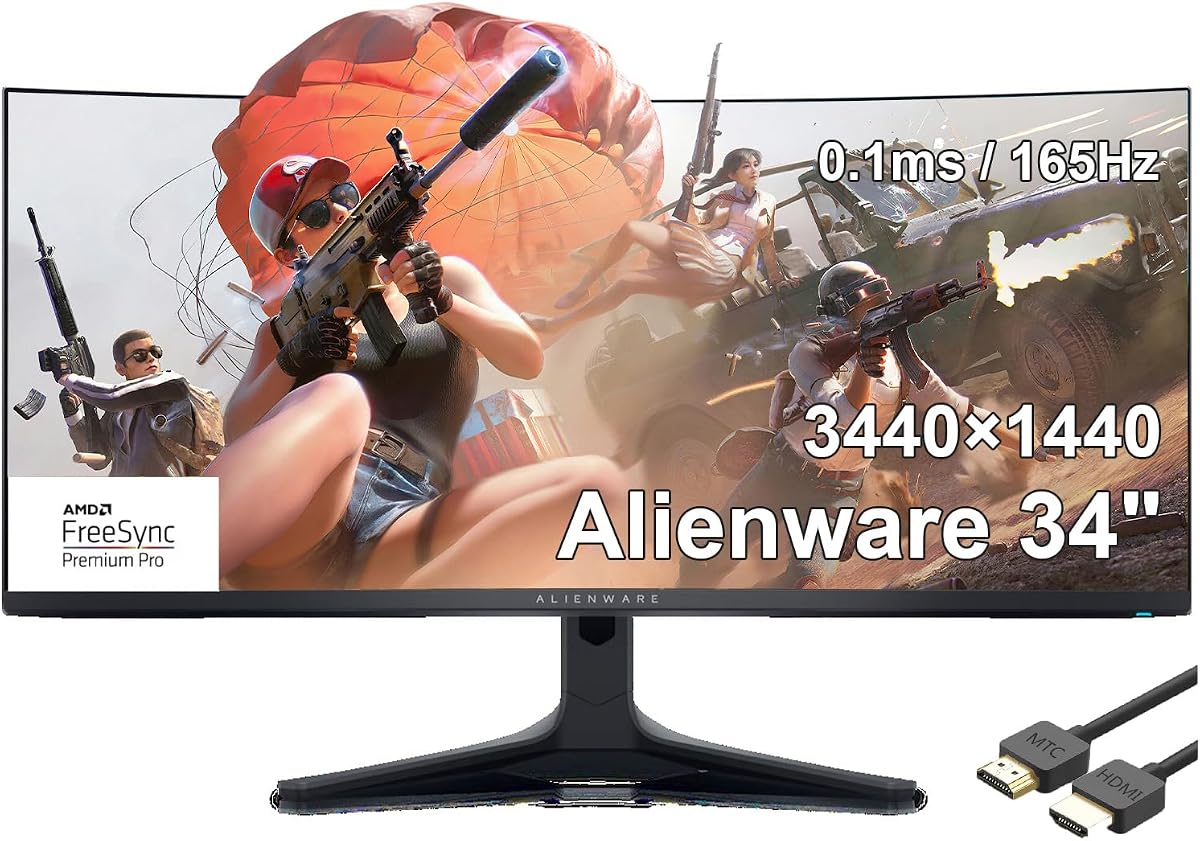
This model brings QD-OLED benefits at 165Hz refresh rate for smooth motion and rich colors. The 1800R curve enhances depth while maintaining a natural perspective across the 34-inch ultrawide screen.
We may earn a commission when you buy through this link, at no additional cost to you.
AMD FreeSync Premium Pro provides adaptive sync support for AMD graphics cards ensuring tear-free visuals. Color accuracy is strong with 1.07 billion colors available for nuanced gradients and detailed imagery.
The included MTC HDMI cable simplifies connectivity for consoles and laptops without needing extra purchases. It is slightly slower than the highest refresh models but still delivers compelling performance for most users.
Gamers using AMD systems who want premium image quality without excessive cost will find this a great fit. It balances performance and value while still offering the immersive benefits of OLED technology.
FreeSync Premium Pro ensures smooth variable refresh rates for AMD GPU owners.
The 1800R curve wraps your field of view for a more immersive gaming experience.
We may earn a commission when you buy through this link, at no additional cost to you.
This 32-inch QD-OLED monitor offers stunning 4K resolution for crisp detail and vibrant colors. It delivers infinite contrast with deep blacks and high peak brightness making HDR content stand out.
We may earn a commission when you buy through this link, at no additional cost to you.
Design and build quality are premium with a clean look that fits modern setups. The OLED panel ensures accurate colors and fast response times that benefit both gaming and media consumption.
It is smaller than typical ultrawides but maintains an immersive feel thanks to the high pixel density and curve. This makes it suitable for desks with limited width but where image clarity is a priority.
Creative professionals and gamers seeking high resolution with OLED fidelity will appreciate this model. It is a strong choice for users who value sharpness and color performance over extreme screen width.
High pixel count delivers sharp text and fine detail for productivity and gaming.
QD-OLED panel provides perfect blacks and vivid colors for realistic visuals.
We may earn a commission when you buy through this link, at no additional cost to you.
This 27-inch IPS panel offers up to 280Hz refresh rate for lightning fast motion clarity. It provides 1440p resolution with 95% DCI-P3 coverage for vivid colors and accurate tones.
We may earn a commission when you buy through this link, at no additional cost to you.
AMD FreeSync Premium Pro and NVIDIA G-Sync compatibility ensure smooth visuals across different GPU platforms. The integrated USB hub gives convenient access to multiple ports for peripherals and device charging.
AlienVision overlays like Night Vision and Clear Vision help enhance visibility in dark scenes or remove haze. This bundle includes cables and a cleaning kit to make setup easier and keep the screen clean.
Competitive gamers who prioritize refresh rate and response time will find this model excellent. It is also a great fit for smaller desks where a flat screen is preferred over curved ultrawides.
Ultra-fast refresh and response times minimize blur for precise aiming and tracking.
Built-in USB hub reduces cable clutter by powering devices directly from the monitor.
We may earn a commission when you buy through this link, at no additional cost to you.
This 40-inch WUHD display offers immense screen real estate with a 1000R curve that deeply wraps your vision. It provides 180Hz refresh rate and 1ms response time for smooth fast-paced action.
We may earn a commission when you buy through this link, at no additional cost to you.
VESA DisplayHDR 600 delivers deeper blacks and brighter whites for improved contrast in varied scenes. The 21:9 aspect ratio with 4K-like resolution ensures sharpness and room for multitasking or wide game views.
It is larger than typical ultrawides so it requires a spacious desk and careful setup planning. The deep curvature enhances immersion but may require more adjustment to sit comfortably at all viewing angles.
Users who want maximum screen size and deep immersion will find this a powerful option. It suits home theaters or battlestations where desk space allows for a truly expansive display.
The 1000R curve mimics the natural field of view for a deeply immersive experience.
Wide Ultra HD resolution provides crisp details and ample room for multitasking.
We may earn a commission when you buy through this link, at no additional cost to you.
Choosing the right monitor depends on balancing panel technology refresh rates and connectivity to match your gaming style and hardware.
LED panels offer reliability and brightness while OLED options provide infinite contrast and fast response times. Consider your budget and whether you prioritize color accuracy or contrast when selecting the panel type.
For most gamers IPS provides accurate colors and good viewing angles whereas OLED delivers unmatched HDR and blacks. Choose based on whether you play in dark rooms or need high brightness for daylight use.
Higher refresh rates like 165Hz or 240Hz make motion appear smoother and reduce blur in fast scenes. Ensure your graphics card can push frames at these rates to fully utilize the monitor.
Competitive shooters benefit most from higher rates while story games may feel great at 120Hz. Match the rate to your use case and hardware capabilities for the best experience.
Response times of 1ms or lower minimize ghosting and blur so fast actions remain sharp. OLED panels typically achieve near-zero response times while IPS models may vary.
For competitive play lower response times are critical to maintain visual clarity. Check manufacturer claims and independent reviews for real-world performance.
Ultrawide ratios like 21:9 expand your field of view and enhance immersion while curved designs deepen the effect. Select a size that fits your desk and viewing distance without overwhelming your space.
Larger screens like 34 or 40 inches require more desk depth to avoid excessive head movement. Consider whether you prefer a wider single view or a sharper focused screen.
HDR certification like TrueBlack or 400 indicates better brightness and contrast for supported content. Wide color gamuts such as DCI-P3 ensure vivid and accurate tones for games and media.
Prioritize HDR if you watch movies or play HDR titles regularly. For general gaming DCI-P3 coverage ensures colors match creative intent.
G-Sync and FreeSync prevent screen tearing and stuttering by syncing the GPU and monitor refresh rates. Ensure your graphics card supports the chosen standard for best performance.
G-Sync Ultimate certification offers full support while FreeSync Premium Pro adds HDR benefits. Match the sync type to your GPU vendor for seamless visuals.
Ports like DisplayPort and HDMI determine which consoles and laptops can connect at full specs. USB hubs and audio outputs add convenience for peripherals and headphones.
Check that the ports support your desired refresh rate and resolution. Bundles that include cables can save time and ensure compatibility.
Adjustable stands with tilt and height help you position the screen for comfort and reduce neck strain. VESA mount compatibility offers flexibility for arm mounts if space is limited.
Design elements like RGB lighting and cable management enhance aesthetics and clutter control. Choose a design that complements your setup and allows for clean cable routing.
Connect the monitor using a high-speed cable and enable the appropriate refresh rate in your system settings for smooth visuals. Calibrate color if needed using preset modes or software tools to match your preferences.
Avoid static images on OLED panels for long periods to reduce burn-in risk by using screen savers or auto dimming. Adjust brightness and blue light filters based on time of day to support eye comfort.
Clean the screen gently with a soft lint-free cloth and approved cleaning solution avoiding harsh chemicals or paper. Position the monitor at arm's length with the top of the screen at or slightly below eye level.
For competitive shooters higher refresh rates like 240Hz deliver smoother motion and faster reactions. However 165Hz is still excellent for most titles and balances cost with performance well.
Curvature enhances immersion by wrapping the screen around your vision without degrading image quality. The 1800R curve is a common balance for ultrawide panels while deeper curves suit larger sizes.
OLED panels can suffer burn-in if static elements stay visible for hours without mitigation. Most modern monitors include pixel shifting and dimming to reduce risk during typical use.
Match adaptive sync to your GPU vendor for best results. NVIDIA users prefer G-Sync while AMD users benefit from FreeSync Premium Pro for tear-free visuals.
Use built-in presets like sRGB or DCI-P3 and adjust brightness and gamma in the on-screen menu. For professional work a colorimeter and software ensure precise accuracy.
Curved ultrawides enhance multitasking by expanding screen real estate without requiring multiple monitors. Text and images remain clear when viewed from the center for focused work.
Many models support standard VESA mounts for flexible arm mounting and space-saving setups. Check the specific model for mount hole size and included accessories before purchasing.
Use HDMI 2.1 or DisplayPort 1.4 to support 4K at high refresh rates. Bundles often include appropriate cables but verify compatibility before buying.
The top picks highlight exceptional value and performance across different price points and panel technologies. The AW3425DWM offers great budget features while QD-OLED models deliver premium contrast and speed.
Prioritize what matters most to your gameplay whether that is refresh rate color accuracy or HDR performance. Matching your GPU and viewing habits to the right model ensures satisfaction over time.
Monitor pricing and availability change frequently so verify current specs and stock before completing your purchase. Taking time to choose the right fit will reward you with immersive gaming experiences.