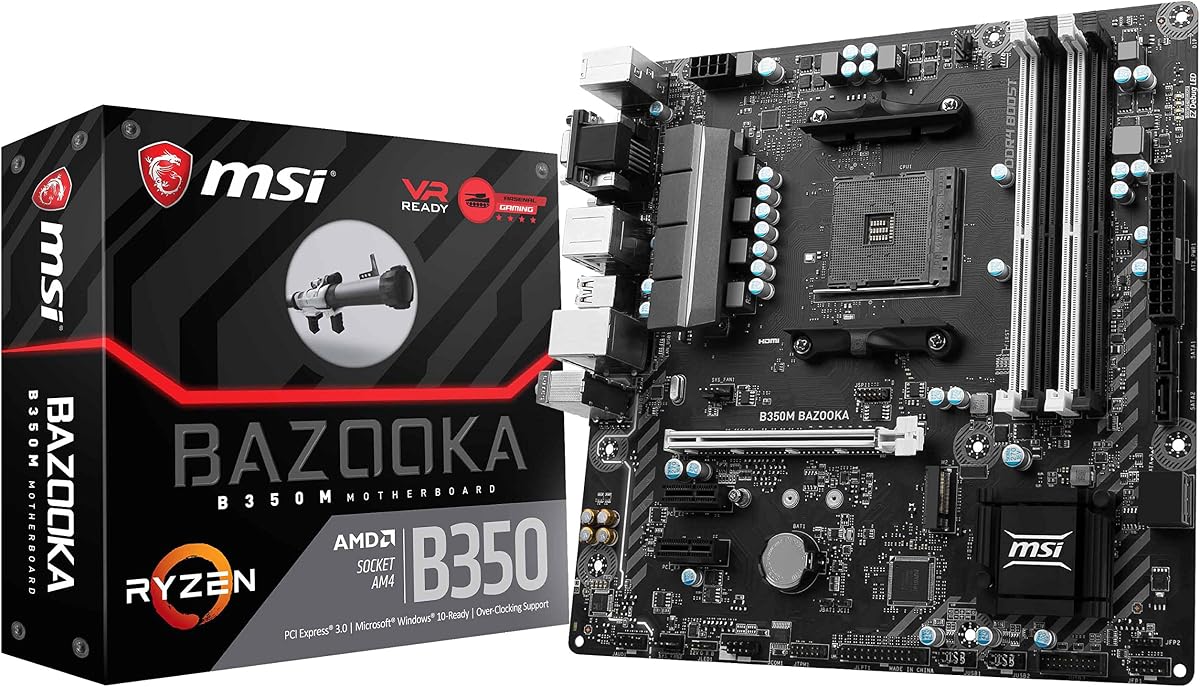
MSI Gaming B350
3.9Editor score
Affordable pricing
Gaming audio tech
EZ Debug LEDs
This guide compares the top AMD B350 motherboards for performance and value, helping you choose the right AM4 board for your Ryzen build today.
Finding the right motherboard is crucial for any PC build. The AMD B350 chipset offers a balance of features and affordability for Ryzen processors. It supports essential connectivity and overclocking capabilities for enthusiasts looking to maximize their hardware potential.
We evaluated ten top-rated models based on user feedback and technical specifications. Each board was assessed for power delivery, cooling solutions, and connectivity options. This list covers a range of form factors and feature sets to suit different budgets.
Every pick highlights key strengths and potential limitations for buyers. You will see detailed reviews and comparison tables to aid your decision. Please note that product availability and pricing can change frequently over time.
3.9Editor score

4.4Editor score
4.5Editor score
The following table provides a side-by-side overview of the selected models. It highlights key specifications such as form factor, connectivity options, and special features to help you quickly identify the best fit for your needs.



This MSI board offers a solid entry point for Ryzen builds. It holds a 3.9 rating from users who appreciate its gaming features. The Micro-ATX form factor saves space while providing essential connectivity.
We may earn a commission when you buy through this link, at no additional cost to you.
The standout qualities include Game Boost and X-Boost for performance tuning. Studio grade sound aims to enhance immersion during gameplay. Debug LEDs help troubleshoot issues quickly during setup.
Some users note the audio could be better than premium options. The lower rating reflects mixed experiences with BIOS features. However, for budget gamers, it remains a viable choice.
Buy this if you want gaming tools without high costs. It suits small cases and entry-level Ryzen CPUs well. Check compatibility before purchasing for your specific processor.
Game Boost allows quick performance tuning from the BIOS. X-Boost optimizes USB ports for faster data transfer speeds.
EZ Debug LEDs indicate which component is causing boot issues. This simplifies the process of identifying hardware conflicts.
We may earn a commission when you buy through this link, at no additional cost to you.
The ASUS Prime B350-Plus balances value and features well. It earns a 4.4 rating for reliability and protection tech. The ATX size fits most standard mid-tower cases easily.
We may earn a commission when you buy through this link, at no additional cost to you.
Key strengths include 5X Protection III for longevity. SafeSlot Core prevents GPU damage from heavy weights. FanXpert 2+ ensures optimal cooling with custom fan profiles.
It lacks integrated Wi-Fi which limits wireless connectivity. The VRM is adequate but not for extreme overclocking. For most users, it offers enough power for Ryzen CPUs.
Choose this for a reliable home PC on a budget. It works well with standard cooling and storage needs. Verify BIOS version for best processor support.
5X Protection III includes overvoltage and ESD guards. This extends the lifespan of connected components.
The dedicated header supports multi-color LED strips. This allows for easy customization of your build aesthetics.
We may earn a commission when you buy through this link, at no additional cost to you.
The ASUS B450 Prime delivers stability for business or home use. It rates 4.6 with users valuing its lifecycle support. The Micro-ATX form factor fits compact builds perfectly.
We may earn a commission when you buy through this link, at no additional cost to you.
Aura Sync RGB allows color sync across supported devices. 5X Protection III ensures durability under daily loads. SafeSlot Core reinforces PCIe slots for heavy graphics cards.
It is an older chipset than B550 or A520. This may limit PCIe 4.0 support for newer GPUs. However, for general use, it remains robust and reliable.
Ideal for those needing dependable uptime and longevity. It suits office PCs or budget gaming rigs. Check CPU compatibility carefully before installation.
Corporate Stable Model offers advance replacement and long lifecycle. This is rare for consumer-grade motherboards.
Aura Sync headers synchronize lighting effects easily. This enhances visual consistency across your system components.
We may earn a commission when you buy through this link, at no additional cost to you.
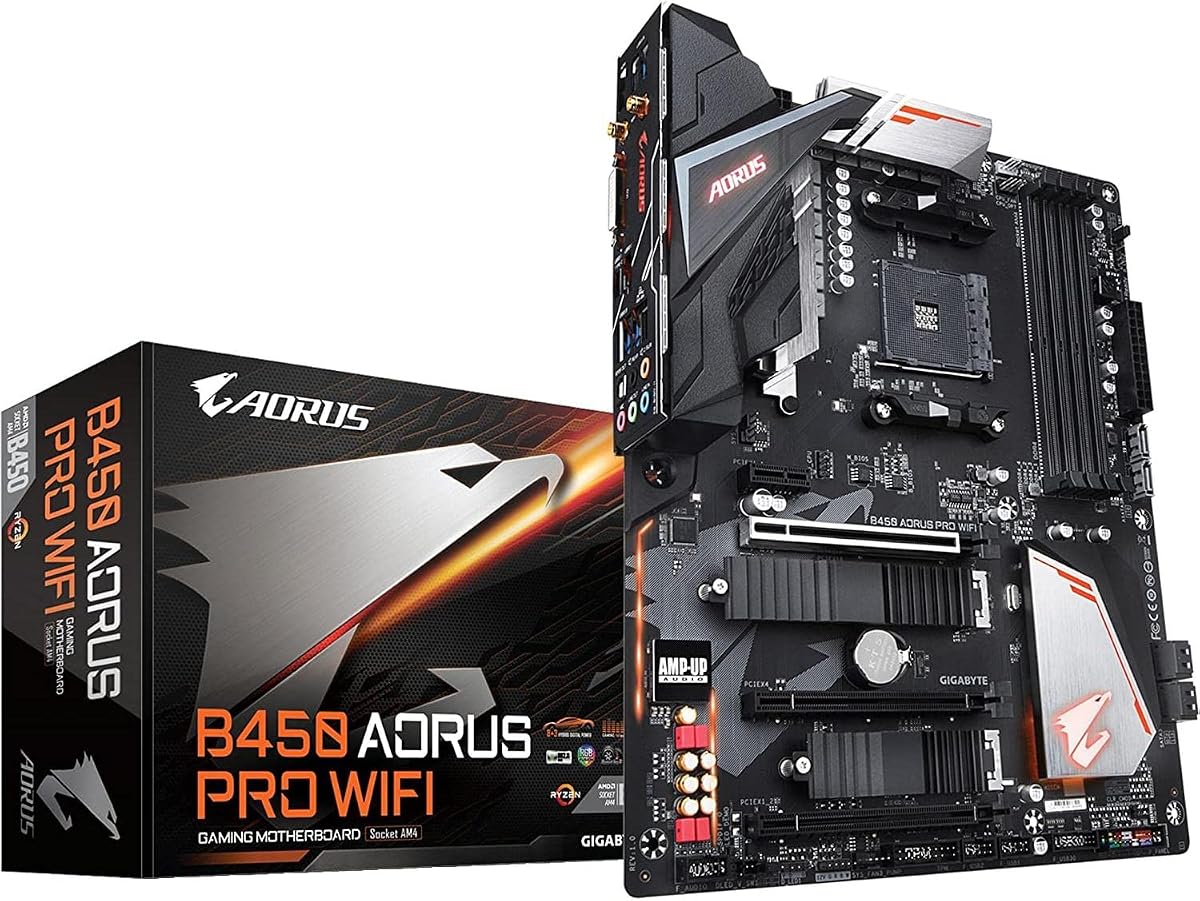
This GIGABYTE board stands out for integrated wireless connectivity. It earns a 4.5 rating for features and design. The ATX board accommodates large components and cooling systems.
We may earn a commission when you buy through this link, at no additional cost to you.
Wi-Fi supports 11AC with up to 1.73 Gbps speeds. Thermal Guard prevents M.2 overheating during heavy tasks. Alc1220 codec offers high-fidelity audio output for gamers.
Windows 10 is required for optimal Wi-Fi driver support. The layout might be tight in smaller cases. But for wireless builds, it eliminates the need for adapters.
Buy this if you lack Ethernet ports in your setup. It suits media centers and wireless gaming PCs. Ensure your OS is up to date.
Dual Thermal Guards protect M.2 drives from throttling. This maintains storage speed during prolonged usage.
WIMA capacitors enhance signal purity for better sound. This provides an immersive experience for music and games.
We may earn a commission when you buy through this link, at no additional cost to you.
The ROG Strix B550-F targets high-performance enthusiasts. It holds a 4.6 rating for build quality and features. The ATX form factor supports advanced cooling and expansion.
We may earn a commission when you buy through this link, at no additional cost to you.
Power stages ensure stable power for Ryzen 5000 series. WiFi 6E provides future-proof connectivity with low latency. Flashback allows BIOS updates without CPU installed.
The price is higher than entry-level boards. Some may not need Gen 2 RGB features. But for top-tier performance, it delivers reliability.
Ideal for builders targeting 1440p gaming or streaming. It handles demanding CPU and GPU loads well. Prioritize this for modern system builds.
12+2 stages with ProCool connector reduce resistance. This improves efficiency under heavy load.
PCIe 4.0 enables faster storage and GPU speeds. This ensures longevity for your gaming setup.
We may earn a commission when you buy through this link, at no additional cost to you.
This GIGABYTE model offers compact performance on a budget. It rates 4.4 for value and basic features. The Micro-ATX design suits small form factor builds.
We may earn a commission when you buy through this link, at no additional cost to you.
It supports Ryzen 5000 series with BIOS update. Dual M.2 slots provide ample storage expansion. 3+3 power phase ensures stable power for mid-range CPUs.
Basic VRM might limit extreme overclocking potential. USB port count is lower than larger boards. For basic builds, it covers essential needs well.
Choose this for budget gaming or home office PCs. It maximizes space while keeping costs down. Verify BIOS compatibility for Ryzen 5000 series.
Dual M.2 slots fit two NVMe drives easily. This maximizes storage in limited case space.
Four DIMM slots support up to 128 GB RAM. This allows for heavy multitasking tasks.
We may earn a commission when you buy through this link, at no additional cost to you.
The B550 Gaming X prioritizes ease of assembly and upgrades. It holds a 4.5 rating for build-friendly features. ATX size provides room for cable management.
We may earn a commission when you buy through this link, at no additional cost to you.
Q-Flash Plus updates BIOS without CPU or RAM. This saves time when installing older processors. 10+3 power phase handles overclocking well.
Limited cooling on VRM heatsinks under stress. Front USB-C adds modern connectivity. Overall it balances features and build experience well.
Ideal for enthusiasts who upgrade hardware often. It suits gaming setups needing stable power. Check cooling needs before overclocking CPUs.
Q-Flash Plus requires only a power source. This simplifies updates for older CPU users.
Front USB-C allows easy access for peripherals. This supports modern devices like controllers.
We may earn a commission when you buy through this link, at no additional cost to you.
The PRO-VDH WiFi offers a balanced mid-range experience. It holds a 4.5 rating for ProSeries stability. The Micro-ATX board fits smaller cases efficiently.
We may earn a commission when you buy through this link, at no additional cost to you.
Core Boost delivers precise current to the CPU. Flash BIOS Button updates firmware without CPU installation. 2oz copper PCB helps dissipate heat effectively.
RGB headers are limited compared to gaming boards. Rear I/O ports are standard rather than premium. For reliable daily use, it performs consistently.
Buy this for general gaming or workstations. It supports Ryzen 5000 well after updates. Ensure power supply is adequate for CPU needs.
Flash BIOS Button uses a USB stick for updates. This avoids boot loop issues during upgrades.
Audio Boost includes dedicated components for sound. This improves clarity and immersion for media.
We may earn a commission when you buy through this link, at no additional cost to you.
This model emphasizes cooling for stable performance. It rates 4.3 for value and thermal design. The Micro-ATX layout supports compact builds.
We may earn a commission when you buy through this link, at no additional cost to you.
Frozr AI cooling adjusts fans based on temps. Passive cooling keeps the chipset quiet and cool. Steel Armor protects the GPU slot from stress.
Connectivity options are somewhat limited compared to higher tier boards. But for simple setups, it covers essential needs well. It supports high memory overclocking easily.
Choose this for budget-friendly reliable systems. It suits silent builds and basic gaming. Ensure your case has adequate airflow.
Frozr AI adjusts system fans for efficiency. This lowers noise while maintaining safe temperatures.
DDR4 Boost supports speeds over 4400 MT/s. This enhances bandwidth for data-heavy tasks.
We may earn a commission when you buy through this link, at no additional cost to you.
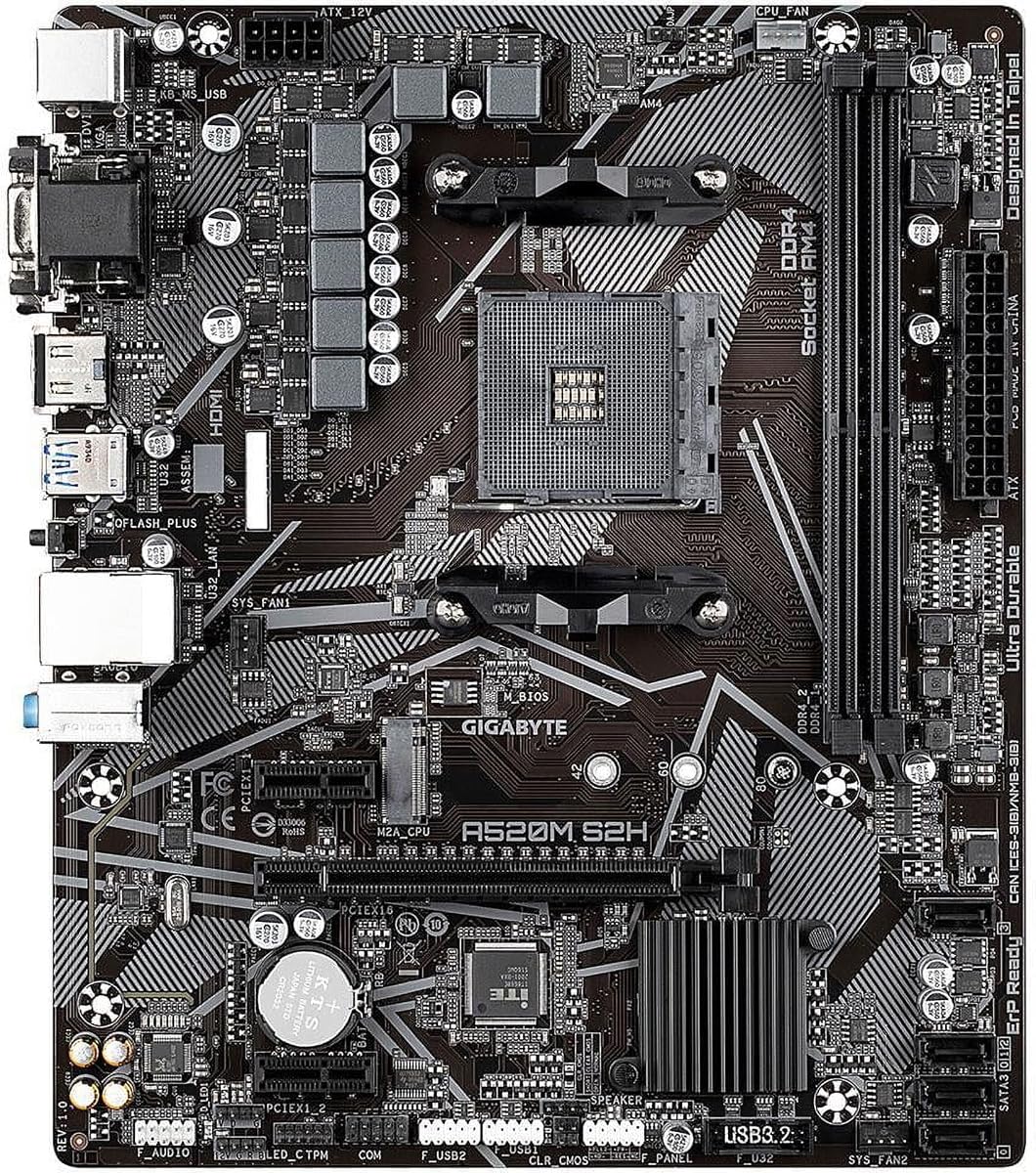
The A520M S2H is an entry-level AM4 board. It earns a 4.5 rating for reliability and features. Micro-ATX size fits budget cases easily.
We may earn a commission when you buy through this link, at no additional cost to you.
Digital PWM ensures stable power for CPUs. Q-Flash Plus allows easy BIOS updates without hardware. Three display outputs support multi-monitor setups.
Lacks PCIe 4.0 support which limits storage speed. Power design is basic compared to B-series chips. But it covers basics for mainstream processors well.
Buy this for office PCs or budget gaming. It supports Ryzen 3000/4000 series efficiently. Check GPU needs before finalizing your build.
D-Sub, DVI, and HDMI ports allow multi-monitor use. This works well for productivity tasks.
Q-Flash Plus updates BIOS with USB power only. This simplifies processor swaps for users.
We may earn a commission when you buy through this link, at no additional cost to you.
Selecting a motherboard requires understanding key technical factors. This guide outlines the essential features to consider for performance and compatibility.
Ensure the board uses the AM4 socket to match your CPU. Newer Ryzen processors may need a BIOS update.
Check the manufacturer support list to confirm your CPU model works out of the box.
Micro-ATX boards save space while ATX offers more expansion slots. Choose based on your PC case size.
Standard cases support both but ensure the board fits your specific chassis.
VRM phase count affects stability during overclocking. More phases generally mean better performance for high-end CPUs.
Look for robust heatsinks on the VRM to manage heat effectively.
M.2 slots are crucial for fast NVMe SSDs. Check if they support Gen4 or Gen3 speeds.
More slots provide flexibility for multi-drive setups in modern builds.
USB Type-C and high-speed USB 3.2 improve peripheral support. Audio jacks and Ethernet speed matter for gaming.
Prioritize boards with enough ports for your mouse keyboard and drive needs.
Onboard Wi-Fi saves the cost of a separate adapter. Bluetooth connectivity is also useful for wireless devices.
Consider Ethernet speed like 2.5Gb if you stream large files regularly.
High-quality audio codecs enhance immersion during gaming. Some boards include shielding to reduce electrical interference.
This feature is important for headsets and surround sound setups.
Flashback buttons allow BIOS updates without CPU installation. This is critical for using new CPUs on older boards.
Check for tools that simplify tuning and monitoring system health.
Install the motherboard first to ensure clear access to standoffs. Secure it tightly to prevent shorts and connection issues.
Update the BIOS immediately to support the latest Ryzen CPUs. Use the manufacturer tool or USB Flashback feature if available.
Keep the system clean and ventilated to maintain cooling. Dust accumulation can throttle performance and reduce component life.
B350 boards can support Ryzen 5000 series but require a BIOS update. Some older models may not support this architecture. Always check the product support page before buying.
Yes B350 chipsets allow CPU overclocking. You can adjust multiplier and voltage settings in BIOS. Performance depends on the board VRM and cooling quality.
B450 usually offers better compatibility and newer features. It often supports Ryzen 3000 and 5000 more easily. B350 is cheaper but may need more BIOS updates.
Most B350 boards do not have onboard Wi-Fi. You need a separate PCIe or USB adapter. Newer models like A520 might include it but check specs carefully.
Most boards support DDR4 speeds up to 3200MHz or higher. Check specific model specs for maximum OC speeds. Using higher speed RAM may need XMP tuning.
Some boards have a Flashback button for BIOS updates. Connect power and USB drive then press the button. This works for updating firmware without installed hardware.
Yes most modern boards support M.2 NVMe SSDs. Check slot specs for Gen3 or Gen4 speeds. Thermal guards are recommended for faster drives.
Yes AMD CrossFire is supported on many B350 boards. Ensure PCIe slots are wired correctly for multiple GPUs. Check model details for lane configurations.
This guide highlights top options for various needs and budgets. The ASUS Prime B350-Plus offers great value for general users.
Prioritize features like M.2 slots and VRM cooling for longevity. Choose boards with Flashback if you plan to upgrade CPUs later.
Always check current availability and specs before buying. Prices and support change frequently so verify details on the product page.