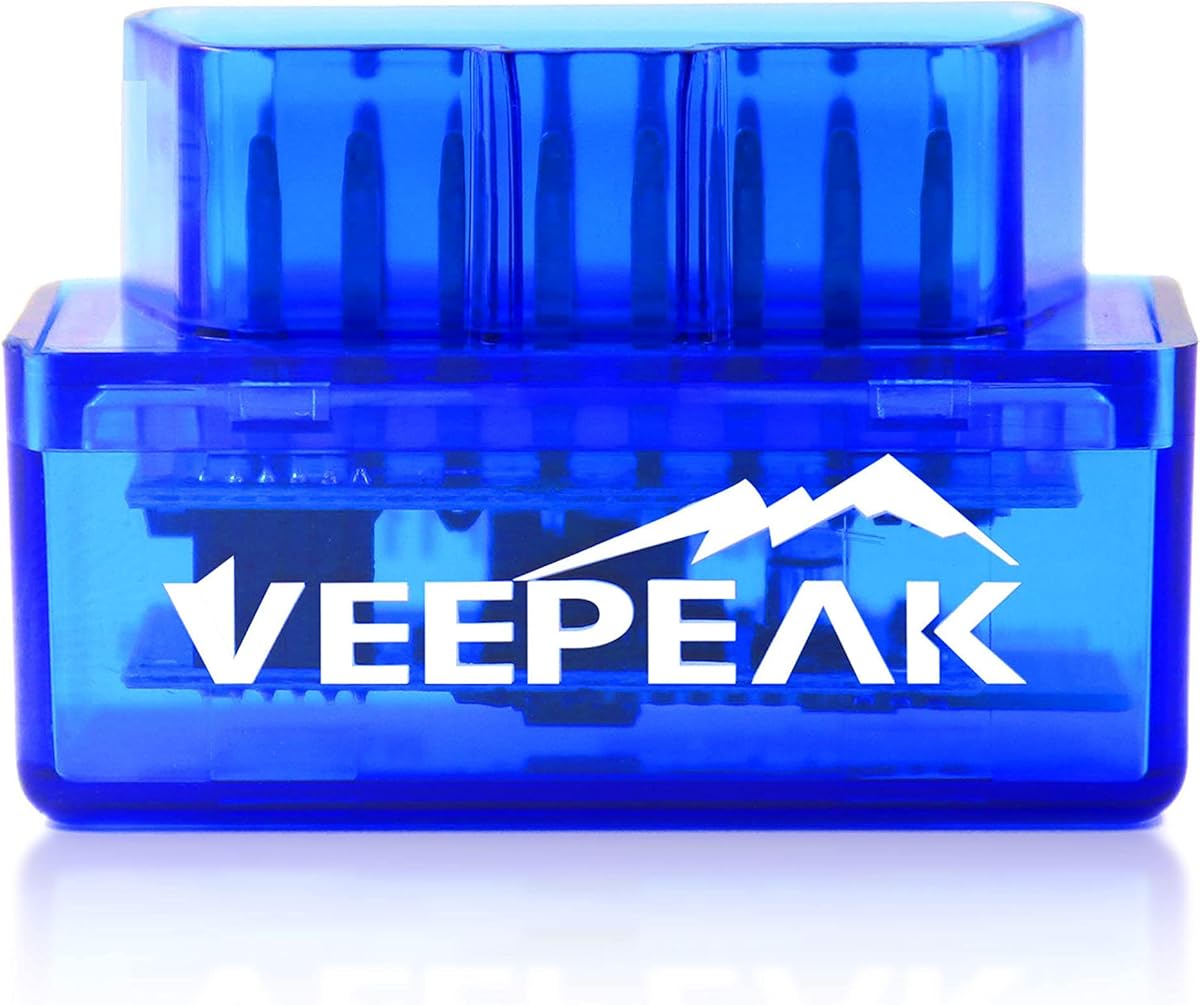
Veepeak Mini Bluetooth OBD2 Scanner Code Reader for Android (NOT for iOS)
4.4Editor score
Compact design fits easily
Compatible with Android devices
Requires third-party app
This guide compares the top ten Android Obdii Scanner Tool options to help you diagnose check engine lights and monitor vehicle health effectively today.
Finding the right Android Obdii Scanner Tool can save you time and money by letting you diagnose issues before heading to a mechanic.
We compared ten top-rated scanners based on connectivity, supported protocols, ease of use, and overall diagnostic capabilities for modern vehicles.
Each pick highlights specific strengths and weaknesses so you can choose the best fit for your car and budget without paying for unnecessary features.
4.4Editor score

4.5Editor score

4.6Editor score
This side-by-side comparison helps you see how each Android Obdii Scanner Tool stacks up against the others in terms of key features and capabilities.


The Veepeak OBDCheck BLE is a solid entry-level Android Obdii Scanner Tool that connects via Bluetooth LE to your smartphone. It has a strong rating from users who appreciate its simplicity and wide app compatibility for basic diagnostics.
We may earn a commission when you buy through this link, at no additional cost to you.
Its main strengths lie in its ability to read and clear generic trouble codes and view live sensor data without needing a dedicated display unit. You can use it with popular third-party apps like Torque or OBD Fusion to visualize your vehicle data effectively.
While it lacks advanced functions like ABS or SRS diagnostics out of the box, this trade-off keeps the price low for users who only need to check engine codes. It is also important to ensure you do not pair it in your phone settings but within the app.
This device is best for casual car owners who want an affordable way to monitor their vehicle health and understand check engine lights. It offers great value for the price if you are willing to install a compatible app from the app store.
Connects quickly from within your chosen app without requiring complex pairing in system settings for iOS and Android devices.
Works with many popular third-party apps allowing you to customize the interface and features based on your specific needs.
We may earn a commission when you buy through this link, at no additional cost to you.
The OBDLink MX+ is a high-performance Android Obdii Scanner Tool designed for users who need professional-grade diagnostics on their smartphone. It is highly rated for its speed and ability to connect with a wide variety of vehicle manufacturers effectively.
We may earn a commission when you buy through this link, at no additional cost to you.
It stands out due to enhanced OEM support for brands like Ford and GM allowing you to access more parameters than generic scanners. Features like over-voltage protection ensure your phone and the device are safe during use even if battery voltage spikes.
The main drawback is the higher cost compared to basic readers which might not be justified if you only need to clear check engine lights. It also requires some technical knowledge to make the most of its advanced capabilities across different platforms.
Professionals or tech-savvy car enthusiasts should choose this tool if they need reliable data and compatibility with multiple operating systems. It is a robust investment for those who plan to dive deep into vehicle diagnostics regularly.
Provides deeper access to manufacturer-specific data for popular brands making it more versatile than standard generic OBD tools.
Built-in over-voltage protection helps prevent damage to your device or vehicle electronics during the diagnostic process.
We may earn a commission when you buy through this link, at no additional cost to you.
The Veepeak OBDCheck BLE+ offers a bit more versatility than the standard BLE version by supporting both Bluetooth LE and classic Bluetooth. This makes it a reliable choice for an Android Obdii Scanner Tool that needs to work with various older and newer apps.
We may earn a commission when you buy through this link, at no additional cost to you.
It provides essential functions like reading trouble codes and viewing live data without requiring a dedicated handheld unit. Users can connect to their vehicle easily and use apps to track engine performance and readiness status for emissions testing.
The limitation here is that it still relies on third-party apps for specific functions and does not include advanced diagnostics like ABS or SRS codes on its own. You may need to purchase some apps separately to unlock full functionality depending on your vehicle.
This scanner is perfect for someone who wants a flexible tool that works with many apps and is easy to carry in the car. It balances cost and functionality well for drivers who need to monitor their vehicle health without breaking the bank.
Supports both BLE and classic Bluetooth giving you more options when connecting to different smartphone apps and vehicles.
Its small size allows you to leave it plugged in without it blocking controls or taking up much space in the cabin.
We may earn a commission when you buy through this link, at no additional cost to you.
The BlueDriver OBD2 Scanner is a top-tier Android Obdii Scanner Tool that turns your smartphone into a professional diagnostic device. It is widely praised for providing technician-verified repair reports that help you understand exactly what is wrong with your car.
We may earn a commission when you buy through this link, at no additional cost to you.
Its standout features include access to enhanced diagnostics like ABS and SRS systems which are often missing on cheaper scanners. You can also view live data and freeze frames to analyze vehicle behavior over time without needing a subscription to access key data.
While it requires a higher initial investment the lack of subscription fees makes it a cost-effective choice for long-term use. Some users might find the reliance on a smartphone inconvenient if they prefer a standalone display but the app is intuitive.
We recommend this tool for anyone serious about maintaining their vehicle and avoiding unnecessary repairs at the shop. It offers a balance of professional power and user-friendly design that suits both DIY mechanics and regular car owners.
Provides unlimited technician-verified repair reports matched to your VIN with clear definitions and confirmed fixes for issues.
Access advanced systems like ABS SRS and TPMS on supported vehicles giving you a much more complete view of your car.
We may earn a commission when you buy through this link, at no additional cost to you.
The ANCEL AD310 is a classic Android Obdii Scanner Tool alternative that works without a phone using a built-in display to show results. It is known for its durability and fast performance making it a favorite among mechanics who need reliability.
We may earn a commission when you buy through this link, at no additional cost to you.
Its main advantage is that you do not need to rely on a battery or Bluetooth connection to diagnose issues. You can simply plug it into the OBDII port and it powers on to read codes quickly on its large clear screen.
The cable is sturdy but can be a bit cumbersome to manage compared to wireless options especially if you need to sit in the driver seat while reading data. It also does not support live data graphing which limits detailed analysis on the fly.
This device is ideal for users who prefer a dedicated tool they can keep in the trunk and use without worrying about pairing with a phone. It is a great budget option for quick code checks and maintenance verification.
Built with thick flexible insulation and a sturdy case ensuring it withstands drops and heavy use in a workshop environment.
Reads and clears trouble codes quickly allowing you to verify repairs without waiting around for the device to process data.
We may earn a commission when you buy through this link, at no additional cost to you.
The FOXWELL NT301 is a professional Android Obdii Scanner Tool that focuses heavily on live data graphing to help you spot engine issues. It is designed to give you mechanic-level insights right on its own bright color screen without a phone.
We may earn a commission when you buy through this link, at no additional cost to you.
It excels in its ability to visualize sensor data like oxygen sensor readings and fuel trims in real time graphs. This feature is very useful for diagnosing intermittent issues that might not show up when just reading static codes.
A helpful tool for emissions testing is the dedicated I/M readiness check which lets you know if your car is ready for smog tests. However it is a standalone unit meaning you cannot use it to stream data to other apps or devices later.
Choose this scanner if you want to see live data trends visually and prefer a dedicated device over a phone app. It is a strong option for DIYers who want to understand their vehicle performance in more depth.
View and log live sensor data in easy to read graphs allowing you to spot suspicious values instantly while driving.
Dedicated hotkeys and indicators help you quickly determine if your vehicle is ready for annual emissions testing.
We may earn a commission when you buy through this link, at no additional cost to you.
The BlueDriver OBD2 Scanner Next-Gen version builds on the original with expanded vehicle coverage for newer model years like 2024. It remains a powerful Android Obdii Scanner Tool option for those who want technician-verified repair reports and no subscription fees.
We may earn a commission when you buy through this link, at no additional cost to you.
Its strengths include improved communication with select newer models and the same robust set of features from the previous version. You still get access to ABS and SRS data and live monitoring as you drive to keep your vehicle healthy.
Some users have noted a lower rating recently possibly due to connectivity updates or expectations with the new model. It is worth checking current user reviews for your specific vehicle before purchasing to ensure the expanded features meet your needs.
This updated tool is great for owners of newer vehicles who need enhanced compatibility without sacrificing the ease of use the brand is known for. It is a reliable choice for serious car owners who need consistent results.
Optimized for today's vehicles including enhanced communication on select 2024 plus Nissan and Mazda models.
Get unlimited technician verified repair reports matched to your VIN with definitions causes and confirmed fixes for issues.
We may earn a commission when you buy through this link, at no additional cost to you.
The XTOOL A30D is a powerful Android Obdii Scanner Tool that offers bi-directional control allowing you to actively test components. It is designed for more advanced users who need to perform resets and checks beyond just reading trouble codes.
We may earn a commission when you buy through this link, at no additional cost to you.
It includes 19 reset functions like EPB and oil resets which are usually found on expensive professional tools. You can also send commands to the vehicle to test wipers or headlamps directly from your smartphone without disassembly.
The bi-directional features can be complex for beginners who just want to clear a check engine light quickly. It also requires pairing with an app on your phone which might be a hurdle if you prefer a standalone unit.
This tool is excellent for DIY enthusiasts who work on their own cars and need professional-level features at a lower price. It helps avoid costly shop visits for routine maintenance and complex diagnostics.
Sends commands directly to the ECU to actively test components like fuel pumps valves and headlamps right from your phone.
Includes EPB Reset Oil Reset TPMS Reset and more helping you handle routine maintenance tasks yourself effectively.
We may earn a commission when you buy through this link, at no additional cost to you.
The Veepeak Mini is the most affordable Android Obdii Scanner Tool option on this list making it perfect for strict budgets. It works only with Android devices but provides essential diagnostic information that helps you understand engine status quickly.
We may earn a commission when you buy through this link, at no additional cost to you.
Its compact design ensures it fits easily into the OBDII port without blocking any controls or getting in your way while driving. You can read and clear check engine light codes and view live sensor data using compatible third-party apps.
The lack of iOS support is a limitation if you use an iPhone or tablet for diagnostics but it keeps the cost low for Android users. It also does not support advanced diagnostics so it is not suitable for ABS or transmission issues.
Choose this tool if you need a simple inexpensive way to monitor your vehicle health and you are using an Android phone. It is a reliable basic reader for drivers who just need to know if there is a check engine problem.
Designed to be a cost effective solution for basic engine diagnostics without sacrificing core functionality for Android users.
Its small profile allows it to be plugged in permanently without obstructing foot space or distracting from the dashboard.
We may earn a commission when you buy through this link, at no additional cost to you.
The OBD2 Scanner Diagnostic Tool with Bluetooth 5.4 is a newer Android Obdii Scanner Tool that leverages modern wireless technology. It offers a comprehensive solution for diagnosing vehicles with visual data displays that make understanding results easier.
We may earn a commission when you buy through this link, at no additional cost to you.
Its key strength is the latest Bluetooth connectivity which provides a stable and fast connection to your phone. The app included helps interpret check engine lights and suggests fixes making it approachable for beginners who want to save on repair bills.
While it supports many languages and offers good visual charts it is a newer product so long term reliability data is limited compared to established brands. It is best used for general diagnostics and maintenance checks.
This scanner is a great choice for tech users who want the latest connectivity standards and a user-friendly interface to analyze vehicle data. It balances modern features with simplicity for everyday car owners.
Features upgraded Bluetooth 5.4 providing faster and more reliable connections to ensure seamless diagnostic sessions.
Displays detected data in clear easy to read charts helping beginners quickly grasp their car status.
We may earn a commission when you buy through this link, at no additional cost to you.
Selecting the right scanner involves looking at several factors to ensure it meets your vehicle needs.
Android Obdii Scanner Tool options come with Bluetooth LE classic Bluetooth or wired connections. Bluetooth is convenient but ensure it supports your phone version for stable data.
Bluetooth connectivity is essential for modern tools. Check if the device works with your specific OS to avoid pairing issues.
Different vehicles use different communication protocols like KWP2000 or J1850. A good scanner should support all standard OBDII protocols to read codes from many makes.
Full protocol support ensures compatibility with most cars. Choose a tool that lists all protocols if you own multiple vehicles.
Basic scanners read engine codes while advanced tools access ABS and SRS systems. Decide if you need to see airbag or brake codes for a complete diagnosis.
Check for system coverage before buying. Advanced systems may require specific app features or hardware upgrades.
Many scanners require third-party apps to display data. Research which apps work well with the hardware you are considering to ensure a smooth experience.
App compatibility is key for usability. Read reviews to see if the required apps are free or need subscriptions.
Live data helps you see sensor values as they change. This feature is vital for finding intermittent issues that do not trigger a trouble code.
Prioritize tools that show live data graphs. Real time insights make diagnosis faster and more accurate.
Advanced scanners offer resets for oil or parking brakes. These features save money at the shop but are rarely found on basic readers.
Look for reset options if you do maintenance. They add value but may complicate the interface.
Durability matters for tools that get used often. Check for sturdy connectors and reliable wireless modules to avoid connection failures.
Invest in a robust build. It ensures consistent performance over time.
Prices vary widely from cheap readers to professional tools. Balance your budget with the features you actually need for your car.
Value is more than low cost. Choose a tool that fits your needs without hidden fees.
Plug the scanner into the OBDII port located under the dashboard. Ensure your car is in ignition on mode to power the device and read codes.
Open the app and connect via Bluetooth. Wait for it to find your vehicle before selecting the system you want to check for errors.
Read the trouble codes to see what is wrong. If the issue is fixed clear the codes to turn off the light and monitor live data.
Basic scanners often cannot read ABS codes but advanced tools like BlueDriver or OBDLink MX+ can access them. Always check the product specs to confirm system coverage for safety lights.
Most tools do not require a subscription but some may charge for specific app features. Devices like BlueDriver offer full access without a monthly fee so always check before buying.
Some tools are iOS only or Android only. Verify that the scanner supports your phone model before purchase to avoid connection issues.
You can clear codes but they will come back if the problem is not fixed. Clearing the light is only a temporary fix if the issue remains.
Most cars from 1996 onwards are compatible. Check the scanner website for a compatibility list to ensure it works with your make and model.
Live data shows sensor values like temperature and speed in real time. It helps you spot issues that do not show up in trouble codes alone.
Most scanners are easy to use with simple apps. Just plug in and follow the on screen instructions to read and clear codes quickly.
Wireless scanners draw power from the vehicle so no battery is needed. Standalone tools might need power but most are powered by the car system.
Choosing the best Android Obdii Scanner Tool depends on your need for advanced features like ABS access or live data graphing.
Prioritize compatibility with your phone and vehicle make to ensure you get the diagnostics you need without extra costs.
Always verify current features and availability before buying as tools change and prices may vary over time.