
AOC 24 Gaming Monitor FHD 200Hz
4.6Editor score
24 inch FHD panel
200Hz refresh rate
Frameless design
Choosing the right monitor can transform your computing experience significantly. AOC offers a wide range of displays suited for gaming, work, and entertainment. Understanding the differences between panel types and refresh rates is essential for making an informed decision that fits your needs.
We have evaluated ten standout models from AOC based on performance, build quality, and value. Our analysis covers key specifications such as resolution, response time, and connectivity options. This list aims to help you find the perfect display whether you are a competitive gamer or a creative professional.
Each pick highlights specific strengths and ideal use cases to guide your selection process. Detailed reviews break down pros and cons to ensure transparency. Please note that prices and availability may change over time, so verify current details before purchasing your preferred model.
4.6Editor score

4.6Editor score
4.4Editor score
As an Amazon Associate we earn from qualifying purchases.
The following table provides a side-by-side overview of the top ten AOC monitors currently available. Compare key specifications like size, resolution, and refresh rate to identify the model that best aligns with your specific requirements and budget constraints.


The AOC Q27G41ZE stands out as a top choice for gamers seeking high performance without breaking the bank. With a 27-inch QHD IPS panel, it delivers sharp visuals and vibrant colors ideal for both competitive play and media consumption. Its high refresh rate ensures smooth motion during intense gaming sessions.
We may earn a commission when you buy through this link, at no additional cost to you.
This monitor boasts a 240Hz refresh rate via DisplayPort and an ultra-fast 0.3ms MPRT response time. These specs minimize motion blur and input lag, giving players a competitive edge. Adaptive-Sync technology supports both AMD and NVIDIA GPUs to eliminate screen tearing effectively.
While the contrast ratio is standard for IPS panels at 1000:1, the brightness of 300 nits makes it suitable for well-lit rooms. The tilt adjustment range is somewhat limited compared to models with full ergonomic stands. However, the frameless design enhances immersion significantly during multi-monitor setups.
If you prioritize visual clarity and speed in a 27-inch form factor, this model is highly recommended. It balances performance and affordability well. Ensure your GPU can drive QHD at high frame rates to fully utilize its capabilities before making your purchase decision today.
The QHD resolution provides a perfect balance between detail and performance for most gaming setups.
High refresh rates and low response times are critical for fast-paced shooter games.
We may earn a commission when you buy through this link, at no additional cost to you.
The AOC 24G42HE offers exceptional value for budget-conscious gamers who refuse to compromise on speed. Its Full HD resolution on a 24-inch screen ensures sharp text and clear images. The 200Hz refresh rate provides smooth gameplay that outperforms many competitors in this price range.
We may earn a commission when you buy through this link, at no additional cost to you.
With a wide color gamut covering 116% sRGB, this monitor delivers rich and accurate colors for movies and games alike. The frameless design maximizes screen space and reduces distractions. It also supports console gaming with up to 120Hz frame rates for a smoother experience on next-gen consoles.
The lack of height adjustment means users might need a separate stand for optimal ergonomics. Additionally, the FHD resolution might feel less sharp compared to QHD models for productivity tasks. However, the low input lag and adaptive sync support make it a strong contender for competitive gaming.
This monitor is perfect for entry-level gaming setups or secondary screens where cost is a primary concern. It ensures fluid motion and vibrant visuals without the premium price tag. Consider your desk space and primary use case before finalizing this cost-effective choice for your desk setup.
Optimized for consoles to unlock higher frame rates and reduce latency for a better experience.
Wide color gamut ensures images pop with life and accuracy across various media types.
We may earn a commission when you buy through this link, at no additional cost to you.
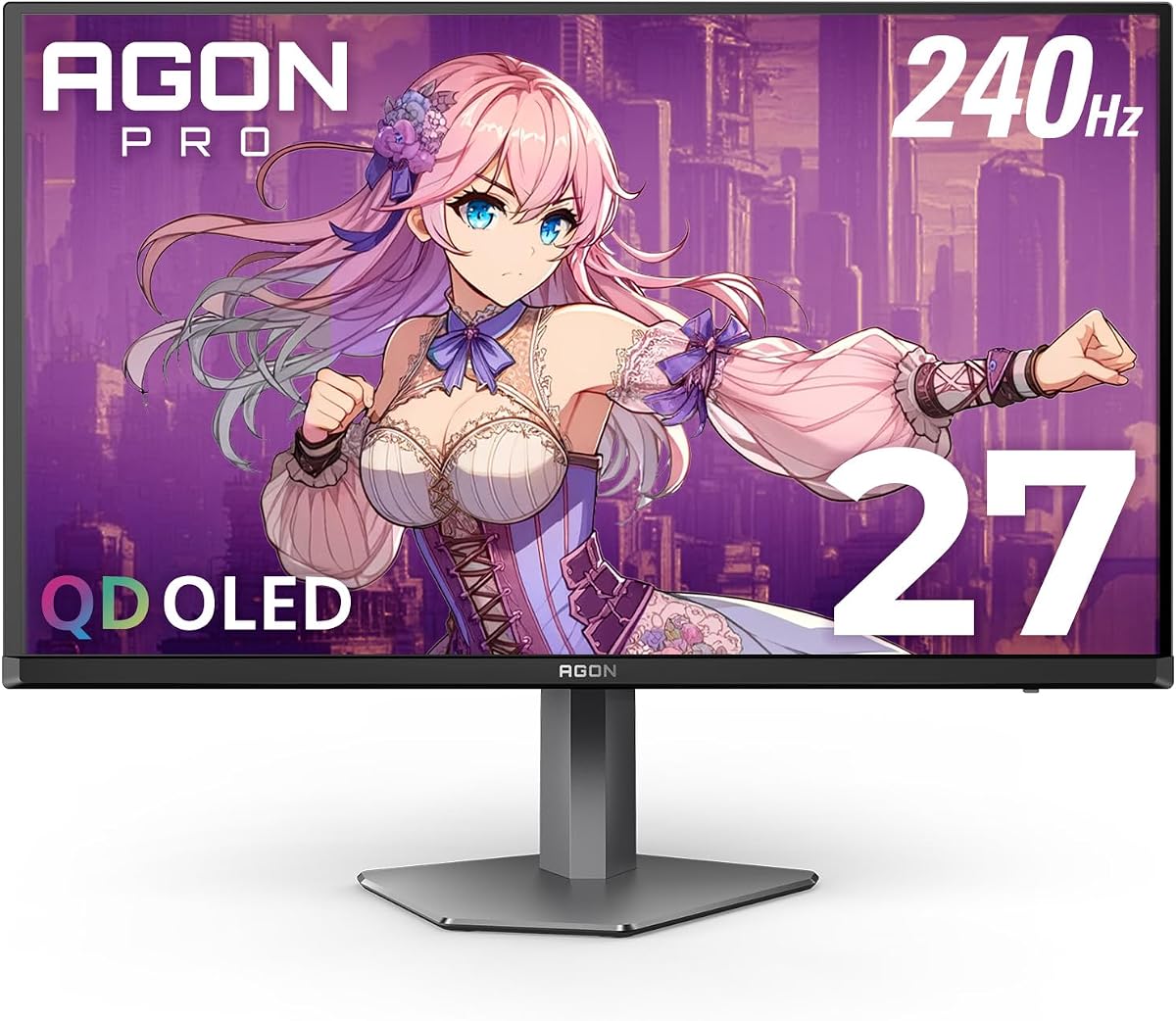
The AOC Agon Pro AG276QZD2 represents the pinnacle of display technology with its Quantum Dot OLED panel. It delivers genuine blacks and extreme color accuracy that LCD panels simply cannot match. The self-luminous pixels allow for infinite contrast ratios and over 1.07 billion colors for stunning visuals.
We may earn a commission when you buy through this link, at no additional cost to you.
With a 240Hz refresh rate and a 0.03ms response time, motion clarity is unprecedented. This ensures that fast-moving objects remain sharp without ghosting or blurring. HDR10 support enhances dynamic range making bright highlights and dark shadows pop with realistic detail during gameplay.
One concern with OLED technology is the potential risk of burn-in over extended periods of static image display. The price is also significantly higher than standard IPS or VA options. However, for enthusiasts seeking the best possible image quality and speed, these trade-offs are often acceptable.
Choose this monitor if you demand the highest fidelity for single-player immersive games and media consumption. The ambient lighting adds a unique touch to your gaming setup aesthetic. Ensure you have a high-end GPU to drive the resolution and refresh rate effectively for an optimal experience.
Self-luminous pixels provide perfect blacks and infinite contrast for a truly immersive visual experience.
Integrated lighting at the back enhances immersion and syncs with other compatible devices in your setup.
We may earn a commission when you buy through this link, at no additional cost to you.
The AOC U27B3A is tailored for professionals who prioritize screen real estate and sharpness over gaming speed. Its 27-inch 4K UHD resolution allows for displaying multiple windows side by side comfortably. This makes it ideal for tasks like coding, design work, or spreadsheet management.
We may earn a commission when you buy through this link, at no additional cost to you.
IPS technology ensures consistent colors across wide viewing angles which is vital for collaborative work environments. Built-in speakers save desk space by eliminating the need for external audio devices during presentations or calls. The frameless design offers a sleek modern look that fits well in office settings.
However, this model is limited to a standard 60Hz refresh rate which might not satisfy gaming enthusiasts. The brightness is typical for office use but might struggle in very bright environments without anti-glare treatment. Lack of ergonomic adjustability is another limitation for long-term comfort.
It serves well as a dedicated work monitor for users who need high detail and connectivity without gaming features. Consider your primary workload before choosing this model over higher refresh rate alternatives. Ensure your computer supports 4K output to utilize the full resolution capabilities provided by this panel today.
High resolution supports multitasking by allowing larger and more content visible on one screen.
Built-in speakers provide convenient audio for video calls and media without extra peripherals.
We may earn a commission when you buy through this link, at no additional cost to you.
The AOC 27G51Z brings high refresh rates to a larger 27-inch screen for immersive gaming experiences. Running at up to 260Hz overclocked, it delivers exceptionally smooth motion for competitive shooters and racing games. The IPS panel provides wide viewing angles ensuring the image looks good from different positions.
We may earn a commission when you buy through this link, at no additional cost to you.
Adaptive-Sync technology keeps the refresh rate synchronized with your GPU to prevent screen tearing. This results in a fluid gameplay experience without stuttering during fast action. Tilt adjustability and VESA mount support allow users to position the monitor precisely to suit their ergonomic needs.
One drawback is the lower resolution for a 27-inch screen compared to QHD options. Pixel density is lower which might make text look slightly less sharp during productivity tasks. However, for gamers focused on frame rates rather than resolution this trade-off is often worth the performance gain.
Select this monitor if you need a large screen with top-tier speed for esports titles. The flicker-free technology reduces eye strain during extended sessions. Verify your graphics card can sustain high frame rates at 1080p to fully utilize this monitor's capabilities.
A larger 27-inch panel fills your peripheral vision more than smaller monitors for better immersion.
Reduces eye fatigue allowing for longer gaming sessions without discomfort or strain.
We may earn a commission when you buy through this link, at no additional cost to you.
The AOC CQ32G4VE offers an immersive gaming experience with its large 32-inch curved screen. The 1500R curvature wraps around your field of view drawing you deeper into the game. QHD resolution ensures details remain sharp even on the larger display surface.
We may earn a commission when you buy through this link, at no additional cost to you.
VA technology provides high contrast ratios making dark scenes look rich and detailed. The wide color gamut enhances vibrancy ensuring games and movies look lifelike. Connectivity options include multiple HDMI and DisplayPort slots to accommodate various devices easily.
VA panels can sometimes suffer from ghosting on dark moving objects compared to IPS. The lack of height adjustment limits ergonomics which might cause neck strain over time. These factors are acceptable trade-offs for users prioritizing immersion and contrast in a home theater or gaming setup.
This monitor is ideal for those who want a cinematic feel for their gaming setup. Ensure your room setup supports the curve for the best visual impact. Check current warranty terms as AOC often includes zero-bright-dot coverage for added peace of mind.
A 1500R curvature creates a natural field of view that mimics how the human eye sees.
Deep blacks and high contrast provide better shadow detail than standard IPS panels.
We may earn a commission when you buy through this link, at no additional cost to you.
The AOC C32G2ZE combines a large curved screen with a high refresh rate for dynamic gaming. The 32-inch size provides ample space while the 1080p resolution keeps performance requirements manageable for many GPUs. A 240Hz refresh rate ensures motion remains smooth even in the most intense competitive scenes.
We may earn a commission when you buy through this link, at no additional cost to you.
AMD FreeSync Premium support helps reduce stuttering and tearing during gameplay. Low latency modes enhance responsiveness giving you a competitive edge in fast-paced titles. The frameless design offers a modern look that blends well with most desk aesthetics.
Full HD on a 32-inch panel results in lower pixel density which may make text look fuzzy. VA pixel response times can show more ghosting than IPS or OLED panels. These limitations make it best suited for gaming rather than text-heavy productivity work.
Choose this if you prioritize size and speed over pixel sharpness. It is great for casual gaming and media consumption where resolution is less critical. Verify your PC can output high frame rates at 1080p to enjoy the full potential of this display.
A 240Hz refresh rate delivers incredibly smooth motion for competitive gaming advantages.
The 32-inch curved screen expands your view to make games feel more realistic.
We may earn a commission when you buy through this link, at no additional cost to you.
The AOC Q27G4ZD brings OLED performance to a more accessible price point than previous models. It features a 27-inch QHD panel that delivers deep blacks and vivid colors instantly. The 240Hz refresh rate ensures that competitive gaming remains fluid without visual artifacts.
We may earn a commission when you buy through this link, at no additional cost to you.
G-Sync compatibility provides seamless synchronization with NVIDIA GPUs for tear-free visuals. HDR10 support enhances dynamic scenes making explosions and shadows look more realistic. The color accuracy is exceptional suitable for content creation as well as gaming.
Despite the value it remains a premium product with a higher price tag than standard LCDs. Risks of burn-in exist if static elements remain on screen for hours daily. Using screen savers or hiding taskbars can mitigate these concerns over the long term.
This monitor is best for users who want OLED quality without the highest tier price. Ensure your GPU is powerful enough to handle QHD at high refresh rates. Check warranty terms carefully as OLED panels often have specific coverage policies.
Delivers perfect blacks and infinite contrast for a stunning visual experience in games.
240Hz ensures smooth motion that competitive gamers rely on for split-second reactions.
We may earn a commission when you buy through this link, at no additional cost to you.
The AOC Agon Pro AG276QZD2-2 includes extra features like a USB hub for peripheral connectivity. This reduces cable clutter by allowing USB devices to plug directly into the monitor. Height adjustment options improve ergonomics compared to many fixed stands in this category.
We may earn a commission when you buy through this link, at no additional cost to you.
With a 240Hz refresh rate and OLED panel it offers top-tier speed and image quality. HDR400 certification ensures high dynamic range content looks detailed and vibrant. FreeSync Premium Pro and G-Sync support guarantee a smooth experience across different graphics cards.
The added features come at a higher price point which may not suit all budgets. Complex setups might require more planning regarding cabling and display settings. However, for enthusiasts who value connectivity and ergonomics these benefits often justify the cost.
Consider this model if you need a hub for your peripherals and a fully adjustable stand. It is a high-end choice for serious gamers and professionals who require both quality and convenience. Review your GPU compatibility before purchase to ensure all features work as intended.
USB hub built-in simplifies connections for controllers and webcams without extra cables.
Height adjustable stand allows for better posture during long work or play sessions.
We may earn a commission when you buy through this link, at no additional cost to you.
The AOC 22B30HM2 is a budget-friendly option for small desks or entry-level gaming. Its 21.5-inch screen fits easily in compact spaces without overwhelming the room. A 100Hz refresh rate provides smoother motion than standard 60Hz monitors for a noticeable upgrade.
We may earn a commission when you buy through this link, at no additional cost to you.
VA panel technology ensures deep blacks and decent contrast for the price. Features like blue light filter and flicker-free help reduce eye strain during long use. The VESA mount option allows you to attach a third-party arm if the stock stand limits flexibility.
The small size and lower refresh rate make it unsuitable for competitive gaming at high levels. Text might look slightly less crisp compared to higher pixel density panels. However, for general use and casual gaming it offers excellent value and reliability.
Pick this if you need a secondary screen or a budget primary display. The renewed label indicates a potential refurbished condition so check warranty details. Verify the condition and return policy before purchasing to ensure it meets your expectations for longevity.
Fits perfectly in smaller offices or dorm rooms where space is at a premium.
Filters reduce blue light to help you focus for longer periods without headaches.
We may earn a commission when you buy through this link, at no additional cost to you.
Selecting the right AOC monitor involves balancing several factors to match your specific needs. This guide outlines key considerations to help you navigate the variety of options available in the market.
Resolution determines the clarity and sharpness of the image on your screen. Higher resolutions like 4K offer more detail but require more powerful graphics cards to maintain performance. Full HD is ideal for casual users while QHD strikes a balance for gaming and productivity.
Consider your GPU capabilities and primary use case when selecting a resolution.
Refresh rate refers to how many times per second the screen updates its image. Higher rates like 144Hz or 240Hz provide smoother motion crucial for competitive gaming. Standard 60Hz is sufficient for office work and general media consumption.
Gamers should prioritize higher refresh rates to gain a competitive edge during play.
Response time measures how quickly pixels can change color and affects motion blur. Lower response times like 1ms or less are preferred for fast-paced games to prevent ghosting. Most modern monitors meet this standard adequately for casual use.
Look for response times under 5ms if you play any fast action games regularly.
Panel types like IPS, VA, and OLED each have unique strengths. IPS offers wide viewing angles and good colors while VA provides high contrast. OLED delivers perfect blacks and instant response but comes at a higher cost.
Choose based on whether you prioritize color accuracy, contrast, or speed for your use.
Screen size impacts immersion and how much content you can display. Larger screens like 32 inches offer more space but require adequate desk depth. Smaller screens fit compact setups and may be more cost-effective for basic needs.
Measure your desk space before purchasing to ensure the monitor fits comfortably.
Connectivity options determine which devices you can connect to your monitor. HDMI and DisplayPort are standard for PCs and consoles. Additional features like USB hubs can simplify your cable management and reduce clutter.
Check your devices ports to ensure they match the monitor available inputs.
Ergonomic features like tilt, height, and swivel adjustments improve comfort during long use. A stand that allows full adjustment reduces neck strain and helps maintain good posture. VESA mount compatibility lets you use third-party arms for flexible positioning.
Prioritize adjustable stands if you work or game for several hours at a time.
Special features like adaptive sync, HDR support, and built-in speakers add convenience. Adaptive sync reduces screen tearing while HDR enhances visual quality for compatible content. Built-in speakers can save space but usually offer basic audio quality.
Evaluate these features based on whether they add real value to your workflow.
Proper setup ensures you get the best performance from your AOC monitor. Start by placing the monitor on a stable surface at eye level to reduce neck strain. Connect your computer via the highest quality cable available such as DisplayPort for high refresh rates.
Calibrate your display settings for optimal colors and brightness. Use the OSD menu to adjust sharpness and gamma according to your room lighting. Enabling game modes can help reduce motion blur and enhance visuals during specific game genres.
Regular cleaning maintains the lifespan and appearance of your monitor. Use a soft microfiber cloth to wipe the screen gently without applying too much pressure. Avoid cleaning chemicals directly on the screen as they may damage the coating over time.
G-Sync is an NVIDIA proprietary technology that requires a certified module in the monitor. Adaptive Sync is a standard that supports both AMD FreeSync and NVIDIA G-Sync compatible modes. Both technologies reduce screen tearing by matching the refresh rate to the frame output.
For casual gaming, a standard 60Hz monitor is often sufficient to play most games comfortably. Higher refresh rates like 144Hz offer smoother visuals but require a GPU capable of rendering more frames. You may not notice a major difference unless you play fast-paced competitive titles.
OLED panels can suffer from burn-in if static images remain on screen for long periods. Modern OLED monitors include features like pixel shifting to mitigate this risk. It is advisable to use screen savers and hide taskbars during long static sessions.
Many AOC monitors feature high color accuracy and wide gamuts suitable for creative work. Models with 4K resolution provide excellent detail for photo and video editing. Check specific color coverage specs like sRGB or DCI-P3 before buying for professional tasks.
For refresh rates above 60Hz, DisplayPort is often the preferred cable type for stability. HDMI 2.0 or higher can also support high refresh rates depending on the resolution. Always use high-quality certified cables to ensure signal integrity at high bandwidths.
Screen flickering can be caused by incorrect refresh rates or cable issues. Check that your refresh rate matches the monitor capabilities in display settings. Replacing the cable or updating graphics drivers often resolves flickering issues quickly.
Most AOC gaming monitors come with VESA mount compatibility for wall or arm mounting. The mounting bracket itself might not be included so check the product details. Ensure you use a mount rated for the weight and size of your specific monitor.
AOC typically offers a standard three-year warranty covering defects and bright dots. Some models include advance replacement services for added convenience. Always register your product after purchase to ensure your warranty is active and valid.
We have reviewed ten top AOC monitors ranging from budget-friendly options to premium OLED displays. Each model offers unique strengths catering to different needs such as speed, resolution, or immersive size. Your choice should depend on your specific use case and budget constraints.
Prioritize features like refresh rate and panel type based on whether you game or work. High-end models provide exceptional image quality while budget picks deliver value for casual users. Consider ergonomics and connectivity to ensure the monitor fits your setup comfortably.
Prices and availability change frequently so check current listings before making your final decision. Use the provided links to explore each model further for detailed specifications. Investing in the right display will significantly enhance your computing and entertainment experience.