
VAYDEER Volume Control Knob
4.5Editor score
One-click mute function
Driver free plug and play
Sturdy metal shell construction
This guide compares the top Bluetooth Volume Control Knob models for productivity and entertainment, evaluating connectivity, build quality, and customization
Finding the right Bluetooth Volume Control Knob can transform how you interact with your digital audio and multimedia tasks. These devices offer tactile precision that keyboards cannot match, allowing for smooth adjustments and dedicated shortcuts without breaking your workflow or focus.
We have analyzed ten leading models based on connectivity options, build quality, and software customization capabilities. Our comparison highlights how each knob handles volume, media control, and system functions across different operating systems and usage scenarios for diverse users.
Each pick showcases specific strengths like RGB lighting, macro programming, or battery life to match your needs. Please note that availability and pricing may change frequently, so verify the latest details on the product pages before making your final purchase decision.
4.5Editor score

4.7Editor score

3.7Editor score
The following table provides a side-by-side comparison of all ten products included in this guide. It highlights key specifications such as connectivity types, material build, and special features to help you quickly identify the model that best fits your desk setup and workflow requirements.


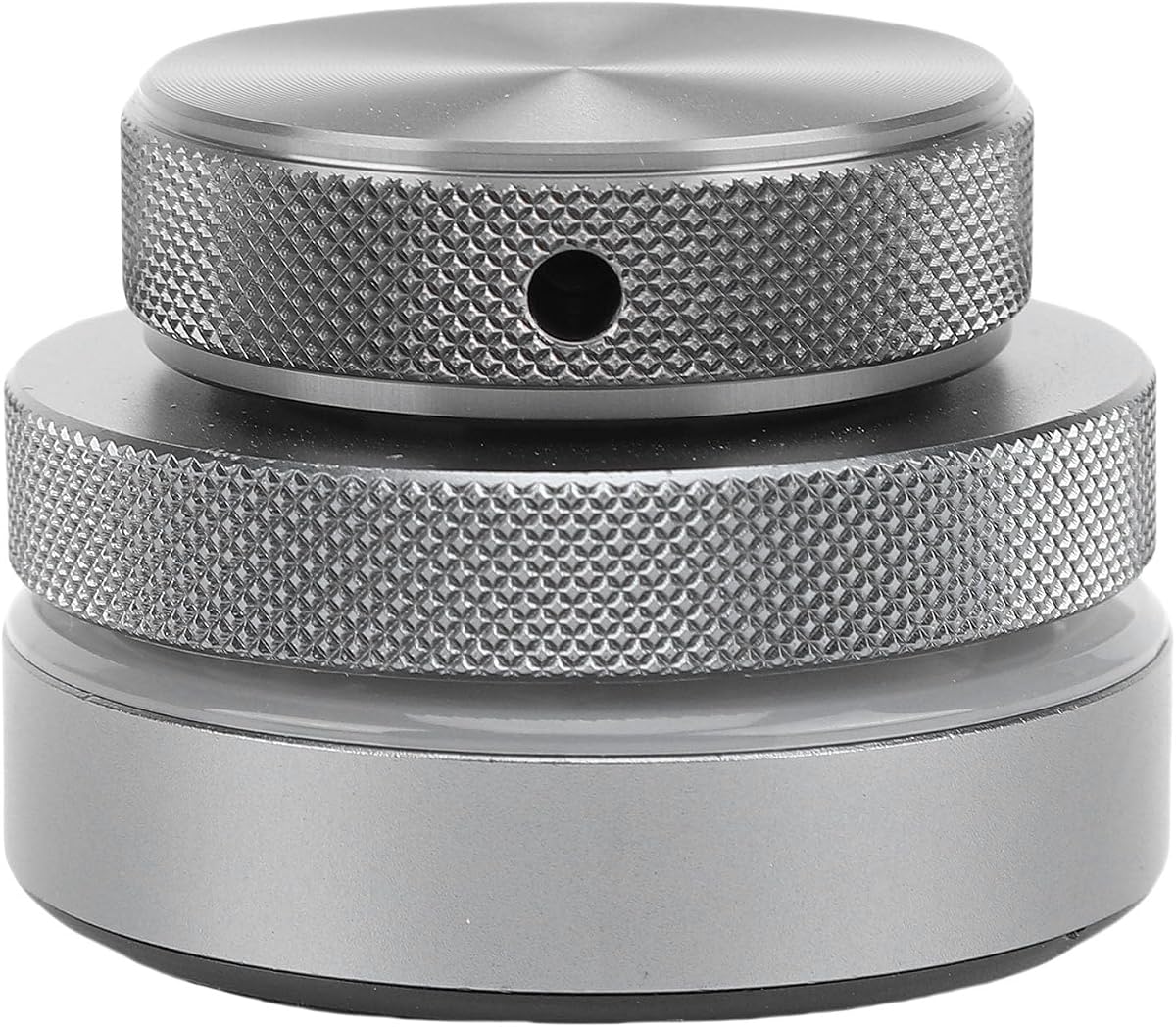
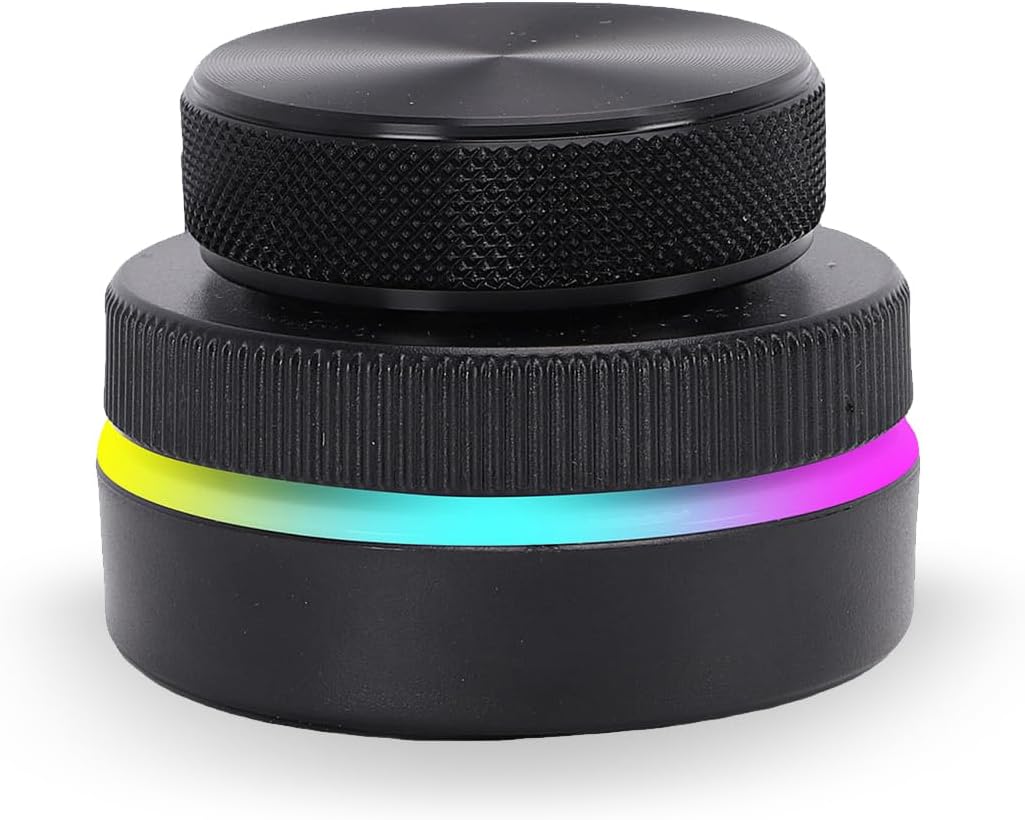
The LICAEVEY Volume Control Knob stands out as a top choice for users seeking a versatile multimedia controller. With a high rating and robust feature set, it offers a blend of physical precision and digital flexibility that enhances daily computing tasks effectively.
We may earn a commission when you buy through this link, at no additional cost to you.
Its flexible connection options including Bluetooth and USB C ensure you can switch between devices without hassle. The ability to customize keyboard shortcuts into a single turn or press streamlines complex workflows making it ideal for power users and content creators.
While the RGB lighting adds visual appeal, some users might find the initial setup of macros slightly involved. However, the built-in storage for these settings means you only need to configure it once, and the durable 360 degree shaft ensures long-term reliability.
This knob is perfect for anyone wanting to elevate their desk setup with tactile control over audio and apps. If you value customization and seamless connectivity across phones and PCs, this model delivers exceptional value and performance.
Customizing complex shortcuts to a single key input saves time and reduces repetitive strain during long work sessions.
Supporting multiple connection types ensures you can use the knob with almost any modern device without compatibility issues.
We may earn a commission when you buy through this link, at no additional cost to you.
The Anticater VK-01 brings a premium feel to desktop audio control with its CNC aluminum construction and precision grip. Although it has a lower rating than some competitors, its build quality and macro capabilities appeal to professionals who value durability and custom workflows.
We may earn a commission when you buy through this link, at no additional cost to you.
Its triple-mode connectivity allows seamless switching between Bluetooth and wired options ensuring you never lose connection during critical tasks. The macro software is intuitive enabling you to assign specific functions to the dial for a truly personalized experience on Windows or Mac.
The main trade-off is the reliance on software to unlock full potential which might deter those seeking plug-and-play simplicity. Additionally the price is higher than basic models but the durable metal body justifies the investment for long-term heavy use.
Choose this knob if you want a sophisticated accessory that looks as good as it performs. It is best suited for users who prioritize build quality and are willing to configure software for advanced customization.
The anodized aluminum body provides a sleek look and resists wear better than plastic alternatives found in cheaper models.
Assigning functions to the dial allows for deep integration with creative apps and system controls beyond simple volume adjustment.
We may earn a commission when you buy through this link, at no additional cost to you.
The Jiawu USB Volume Control Knob targets tech enthusiasts with Bluetooth 5.1 and programmable functions. Its aluminum alloy body gives it a sleek look that fits well on modern desks while offering essential sound controls like mute and track switching.
We may earn a commission when you buy through this link, at no additional cost to you.
This model supports dual connectivity modes giving you the freedom to connect wirelessly or via USB cable. The RGB lighting adds a touch of flair to your setup allowing you to create unique effects that match your mood or theme.
Since detailed reviews are not yet available we rely on its specs to suggest it is a solid mid-range option. The lack of public feedback means you might want to check warranty terms before buying to ensure customer support is responsive.
If you want a stylish knob with modern connectivity and some customization options this could be a good fit. It works well for general media use and casual browsing tasks requiring quick adjustments.
Bluetooth 5.1 ensures stable connections and improved range compared to older versions making it reliable for daily use.
RGB lighting effects allow you to integrate the device into your existing gaming or office setup seamlessly.
We may earn a commission when you buy through this link, at no additional cost to you.
The Razer Wireless Control Pod is designed for users invested in the Razer ecosystem but works broadly for audio control. It lets you manage Chroma effects and EQ presets directly from your desk which is a unique feature for desktop setups.
We may earn a commission when you buy through this link, at no additional cost to you.
Its clickable dial and source button allow quick switching between devices or modes without touching your computer. The durable aluminum build withstands daily wear and the battery life is impressive enough to avoid frequent changes during standard usage.
However the dependency on Razer software might limit some features if you do not use their headsets. Also using AAA batteries is convenient but rechargeable options are becoming more popular for similar devices in this category.
Consider this if you already use Razer peripherals and want unified control over lighting and audio. It is a specialized tool that adds significant value to a Razer-centric desk environment.
Adjusting Chroma brightness without opening an app saves time and keeps your focus on the main task.
The source button allows rapid transitions between connected devices reducing the need to navigate system settings.
We may earn a commission when you buy through this link, at no additional cost to you.
The Bluetooth Volume Control Knob in Silver offers a compelling mix of features at a competitive price point. With Bluetooth 5.3 and a zinc alloy build it promises stable connections and a premium tactile feel that resists slipping on the desk.
We may earn a commission when you buy through this link, at no additional cost to you.
Its RGB lighting supports millions of colors allowing for extensive personalization of your desk ambiance. The battery can last up to 90 days on standby which is ideal for users who do not use the knob constantly but want it ready when needed.
While the rating is lower than top tier models the specs suggest solid performance for basic needs. Some users might find the functionality limited compared to programmable options but it covers essentials like volume and media control reliably.
This is an excellent entry-level choice for those wanting Bluetooth convenience without spending a lot. It suits casual users or secondary desk setups where basic audio control is sufficient.
The upgraded 5.3 chip reduces latency ensuring responsive control when adjusting volume or changing tracks.
Extended standby time means less frequent charging and fewer interruptions to your daily workflow.
We may earn a commission when you buy through this link, at no additional cost to you.
The VAYDEER Volume Control Knob is a reliable wired solution for those who prioritize simplicity and stability. Its one-click mute function is a standout feature for quick silencing during calls or meetings without looking at the screen.
We may earn a commission when you buy through this link, at no additional cost to you.
Being driver-free means it starts working immediately after plugging into a USB port. This plug-and-play nature reduces setup time and ensures compatibility across Windows and Mac systems without requiring additional software downloads.
The metal shell and anti-slip base provide a sturdy feel that prevents movement during use. While it lacks wireless capabilities the reliability of a wired connection is a plus for stationary desk setups where cables are not an issue.
This model is perfect for users who want a straightforward volume tool without complexity. It is also marketed as a great gift for music fans or tech lovers looking for a practical accessory.
Pressing the knob to mute offers an instant way to handle unexpected noise or private moments during work.
The anti-slip mats and metal weight ensure the knob stays exactly where you place it while you adjust audio.
We may earn a commission when you buy through this link, at no additional cost to you.
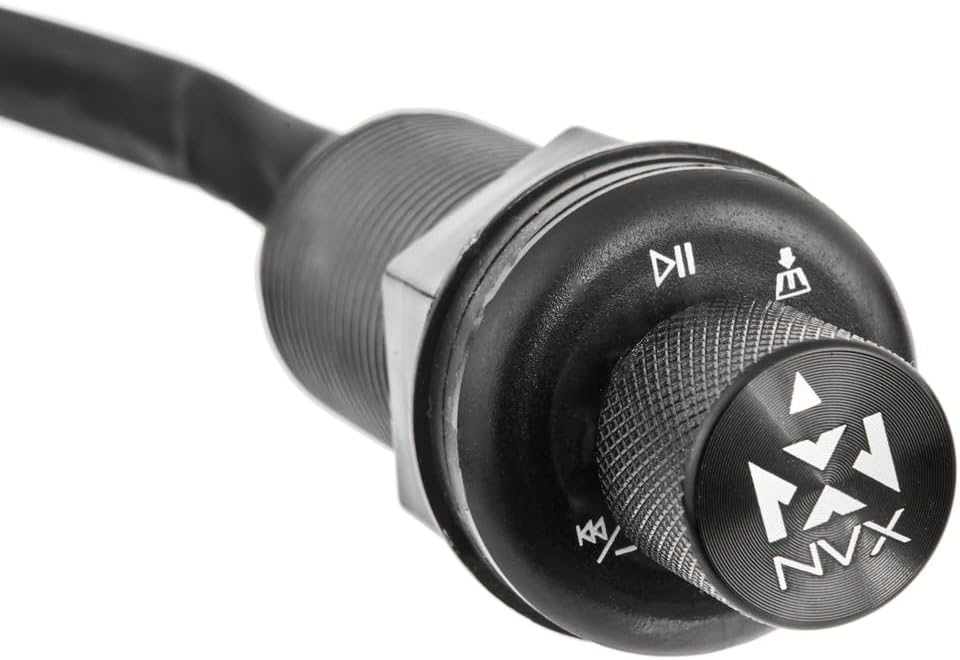
The NVX Universal Bluetooth Audio Receiver is designed specifically for automotive use rather than desktop setups. It adds Bluetooth control and physical knobs to older radios with AUX inputs making it a great upgrade for car audio enthusiasts.
We may earn a commission when you buy through this link, at no additional cost to you.
Installation options include flush or under dash mounting which keeps the interface accessible but tidy in your vehicle. Controls for volume tracks and pause ensure you can manage music safely without taking your hands off the wheel.
While not a desktop volume knob this device serves a unique niche for drivers wanting tactile control. The Bluetooth readiness allows modern smartphones to connect easily to older car stereo systems without extra dongles or wires.
If you want to modernize your car's audio interface with physical controls this unit fits the bill. It is best suited for vehicles lacking built-in Bluetooth or hands-free control options.
Mounting options ensure the knob sits securely in your dash maintaining a clean look while providing easy access.
Works with any device that has an AUX input making it a versatile solution for various car models.
We may earn a commission when you buy through this link, at no additional cost to you.
The Volume Control Knob with 2.4G connectivity offers a flexible option for users needing both wireless and wired modes. Its aluminum alloy knob provides a smooth tactile feel that is comfortable for all-day use across various operating systems.
We may earn a commission when you buy through this link, at no additional cost to you.
The RGB lighting adds a personalized visual element to your setup enhancing both functionality and aesthetics. Seamless switching between wireless and wired ensures you have a reliable connection whether you prefer cable stability or wireless freedom.
Lacking detailed reviews we focus on its broad compatibility and plug-and-play simplicity. It covers essential media controls well and suits users looking for an affordable controller that supports multiple devices without complex setup.
This knob is a strong candidate for those wanting versatility and visual flair on a budget. It works well for general home or office entertainment systems where basic control is sufficient.
Using 2.4G wireless or USB-C ensures you can adapt to different connection needs without changing devices.
The knob design reduces hand fatigue during long sessions allowing for smooth and natural rotation adjustments.
We may earn a commission when you buy through this link, at no additional cost to you.
This Bluetooth 5.1 USB Volume Control Knob focuses on programmability allowing you to tailor functions through an app. The ability to set five functions gives you control over volume and system shortcuts enhancing productivity in a compact package.
We may earn a commission when you buy through this link, at no additional cost to you.
One key mute is a practical feature for quick silence during interruptions or meetings. The RGB lighting is customizable adding to the visual appeal of your desk setup without taking up much space.
Without user ratings we rely on its features to suggest it is versatile for various tasks. The aluminum finish adds a touch of sophistication ensuring it looks good alongside modern tech gear.
Ideal for users who want more control than standard volume knobs offer this model bridges the gap between basic and advanced controllers. It suits those willing to spend time setting up custom macros.
Using an app to program functions allows for deeper integration with your specific workflow needs.
One key mute simplifies audio management letting you control sound instantly during urgent situations.
We may earn a commission when you buy through this link, at no additional cost to you.
The VBESTLIFE USB Volume Control Knob adds page turning capabilities which is unique for e-book readers and document workers. This feature allows you to flip pages without touching a keyboard or mouse offering a more immersive reading experience.
We may earn a commission when you buy through this link, at no additional cost to you.
It supports three connection modes including Bluetooth and USB C ensuring flexibility across devices. The built-in memory stores custom mappings so your settings are retained even if you switch computers or lose connection.
While the rating is lower the unique functions make it stand out for specific use cases. The compact design ensures it does not clutter your desk making it easy to move between workspaces or take on the go.
Choose this if you need page turning or software shortcuts alongside volume control. It is a niche device that adds specific value to readers and multitaskers.
The ability to turn pages with a turn reduces interruptions during reading or document review tasks.
Custom mappings are stored in the knob allowing consistent shortcuts across different devices without reprogramming.
We may earn a commission when you buy through this link, at no additional cost to you.
Selecting the right Bluetooth Volume Control Knob involves evaluating connectivity options, build quality, and specific features that match your daily tasks. This guide outlines key factors to consider to ensure you find a model that enhances your workspace.
Look for knobs that support Bluetooth USB or 2.4G wireless depending on your device needs. Bluetooth allows wireless freedom while USB ensures a stable connection without battery concerns.
Choose a model with multiple modes if you switch between devices frequently for maximum flexibility.
Premium knobs often use CNC aluminum or zinc alloy which provides durability and a satisfying tactile feel. Avoid plastic-only models if you plan to use the device daily.
A sturdy metal construction ensures the knob withstands regular rotation and pressure over time.
Some models allow you to program specific shortcuts like mute or brightness through software. This adds value if you want more control than basic volume adjustment.
Check if the app is intuitive and supports your operating system before buying a programmable model.
For wireless models consider battery type and duration. Some use rechargeable internal batteries while others use replaceable AAA cells.
Select a battery life that matches your usage frequency to avoid frequent recharging or battery changes.
RGB lights can add visual appeal to your desk setup and help identify the device in low light. Ensure the lighting modes are customizable to your taste.
A compact design saves desk space and ensures the knob fits well with other peripherals.
Verify that the knob works with your specific OS such as Windows Mac Android or iOS. Some models have specific software for certain systems.
Universal compatibility ensures you can use the device across all your devices without extra steps.
Plug-and-play functionality is a major plus for users who do not want to install drivers. Look for models that are recognized immediately upon connection.
Simple setups reduce frustration and allow you to focus on tasks rather than configuration.
Prices vary based on features and materials so determine your budget beforehand. Higher prices often reflect better build quality and advanced customization features.
Balance the cost with the features you need to ensure you get the best value for your money.
To start using your knob connect it to your device via Bluetooth or USB. If your model requires software install the app to enable customization features and macros.
Once connected test the knob by turning it to adjust volume and pressing it to mute or play media. Explore the settings to map specific shortcuts that improve your workflow efficiency.
Clean the knob periodically with a dry cloth to remove dust and oils. Keep it dry and avoid exposure to liquids to maintain the internal electronics and extend battery life.
Most knobs work plug-and-play without drivers for basic functions. However advanced customization features often require specific apps. Check the product description for software requirements before purchase.
Many models support Android via Bluetooth but functionality may vary. Ensure the product description explicitly states Android compatibility to avoid connection issues.
Battery life varies by model with some lasting months on standby while others require regular charging. Rechargeable models are convenient but those with replaceable batteries offer longer unplugged use.
Yes programmable models allow you to assign functions like browser navigation through an app. This is ideal for power users who want to streamline workflows with custom macros.
Most modern knobs support macOS but some require specific software. Always confirm macOS compatibility in the product details to ensure smooth operation with your setup.
To reset the connection usually hold the power button or unplug and replug the USB cable. Refer to the user manual for specific reset instructions for your model.
Yes they are suitable for controlling game volume and quick mute features. Some models have RGB lighting that syncs with game environments enhancing the overall experience.
We reviewed ten Bluetooth Volume Control Knob models ranging from basic wired options to programmable wireless solutions. The top picks balance build quality connectivity and ease of use to suit various needs.
Prioritize connectivity modes and build quality to ensure a device that lasts. If you need advanced features look for models with macro support and cross-platform compatibility.
Remember to check current availability and pricing before buying as these details change frequently. Selecting the right knob can significantly improve your daily digital interaction experience.