
LG 24U411A-B
4.5Editor score
120Hz refresh rate
Full HD IPS panel
Slim bezel design
Finding a monitor that remains visible in bright sunlight is crucial for professionals who work outdoors or in high ambient light environments. Standard displays often struggle with glare and low brightness making them unusable when direct sun hits the screen. You need a device with exceptional nits and anti glare coatings to ensure clarity.
We evaluated ten top rated monitors based on brightness output color accuracy and outdoor usability. Our analysis focused on models specifically designed to handle harsh lighting conditions without compromising image quality. Each product was assessed for its ability to maintain visibility and color fidelity under intense light exposure.
Each pick in this list showcases specific strengths for different use cases ranging from portable field work to desktop setups. We highlight key specifications like contrast ratios and viewing angles to help you make an informed decision. Please note that prices and availability may change frequently so check current listings before purchasing.
4.5Editor score
4.5Editor score

4.2Editor score
As an Amazon Associate we earn from qualifying purchases.
This side by side comparison highlights the key specifications and capabilities of each monitor to help you identify the best fit for your specific lighting conditions and workflow needs.




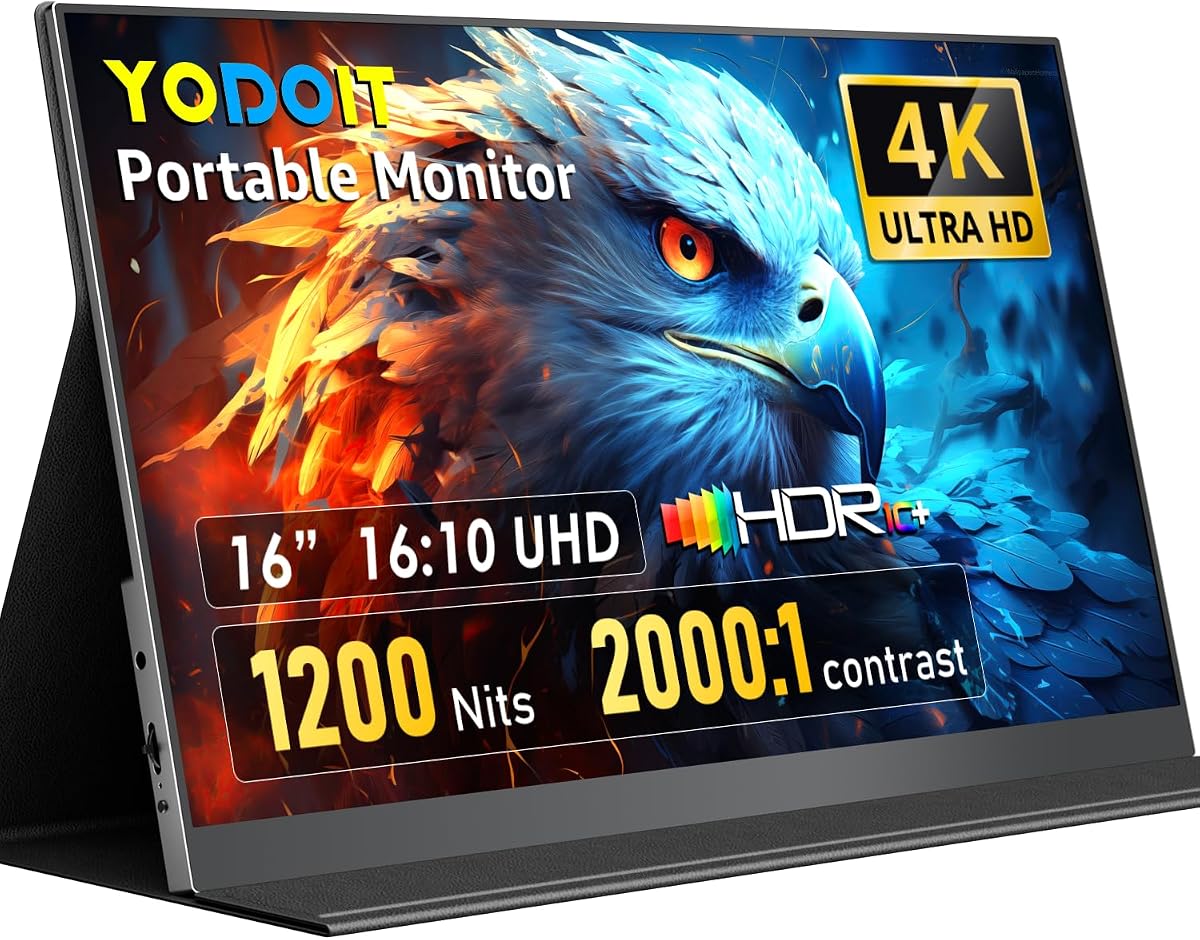
The Yodoit 4K Portable Monitor stands out as the top choice for professionals who need reliable visibility in bright sunlight. With a peak brightness of 1200 nits it dramatically outperforms standard portable displays that often max out at 400 nits. This makes it ideal for outdoor photographers field inspectors and digital nomads who cannot rely on indoor lighting. Its matte anti glare coating further enhances readability by eliminating reflections that would otherwise obscure the screen.
We may earn a commission when you buy through this link, at no additional cost to you.
This monitor delivers a true 4K resolution of 3840 by 2400 pixels on a 16 inch canvas with a 16:10 aspect ratio. This extra vertical space is particularly beneficial for photo editing timelines and tool panels reducing the need for constant scrolling. The IPS panel ensures consistent color accuracy across wide viewing angles while the 2000:1 contrast ratio reveals deep shadow detail and bright highlight nuance. Color coverage reaches 145 percent of the sRGB spectrum ensuring rich and accurate colors for critical work.
While the monitor offers exceptional performance it requires careful connectivity management to achieve full potential. A single USB C cable may not provide enough power to drive the display at peak brightness on all devices so using the included USB C to USB A cable with the power adapter is recommended. Additionally the Mini HDMI connection requires a separate USB C power cable for stable operation. These requirements add slight complexity to the setup process.
For users who prioritize mobility and outdoor visibility this monitor is an excellent investment. It works seamlessly with MacBook Pro Air Windows laptops desktop PCs and gaming consoles like PS5 and Xbox. The built in dual speakers and magnetic smart cover add convenience for presentations and protection. If you need a portable display that performs reliably under direct sunlight this is the best option currently available.
This device is particularly well suited for outdoor creative professionals who need accurate color reproduction on the go. The high resolution and wide color gamut support detailed work without compromising fidelity. The portable form factor allows easy integration into camera bags or laptop sleeves. Overall it balances performance and convenience better than any other product in this category.
The 1200 nit brightness ensures content remains legible even in direct sunlight without requiring shade or adjustments.
With 145 percent sRGB coverage and a 2000:1 contrast ratio this monitor delivers faithful color reproduction for editing tasks.
We may earn a commission when you buy through this link, at no additional cost to you.
The Dell 24 Monitor SE2426H offers a compelling combination of performance and affordability for general desktop use. Its 144Hz refresh rate and 1ms MPRT deliver smooth tear free motion which is beneficial for both work and casual gaming. The IPS technology ensures excellent color accuracy and consistency across wide viewing angles making it suitable for collaborative environments. TÜV Rheinland 3 star eye comfort certification reduces harmful blue light while preserving stunning color quality without compromise.
We may earn a commission when you buy through this link, at no additional cost to you.
The ultra thin bezels maximize your viewing experience by reducing visual distractions and allowing for seamless multi monitor setups. This design choice contributes to a cleaner aesthetic and improves productivity by focusing attention on the content. The display provides consistent views across a wide 178 by 178 degree viewing angle ensuring that colors remain accurate regardless of where you sit. This is particularly useful in office settings where multiple people may view the screen.
While this monitor excels in indoor environments it is not specifically designed for bright sunlight conditions. The standard brightness levels may struggle in high ambient light compared to specialized outdoor displays. However for indoor workspaces with controlled lighting it offers excellent value. The tilt adjustability allows you to find a comfortable viewing position throughout the day reducing neck strain during extended use.
For users seeking a reliable budget friendly monitor with high refresh rates this model is an strong candidate. It meets the needs of office workers gamers and streamers who prioritize fluid motion and eye comfort. The simplicity of setup and connectivity makes it accessible for users of all technical levels. If your primary use case is indoors this monitor delivers impressive performance for the price.
This display is best suited for indoor office or home use where eye comfort and motion clarity are priorities. The high refresh rate ensures smooth scrolling and video playback while the eye comfort features reduce fatigue. It is a practical choice for daily tasks without sacrificing visual quality. While not ideal for direct sunlight it performs exceptionally well in typical indoor conditions.
The 144Hz refresh rate and 1ms response time ensure fluid visuals ideal for fast paced tasks and gaming.
TÜV Rheinland certification confirms reduced blue light emissions without compromising color accuracy or image quality.
We may earn a commission when you buy through this link, at no additional cost to you.
The Dell 27 Monitor S2725QS is designed for creative professionals who require high resolution and accurate color representation. Its 4K UHD resolution paired with IPS technology delivers breathtaking visuals with vibrant colors and excellent depth. The ComfortView Plus feature reduces harmful blue light emissions to under 35 percent ensuring all day comfort without sacrificing color accuracy. This makes it suitable for long editing sessions where visual fidelity and eye health are paramount.
We may earn a commission when you buy through this link, at no additional cost to you.
A smooth tear free experience is achieved through AMD FreeSync Premium support with refresh rates up to 120Hz. The ultra low 0.03ms response time creates a captivating experience for both work and play. The 1500:1 contrast ratio and HDR readiness enhance depth and detail in high dynamic range content. This is particularly beneficial for video editors and designers working with complex color gradients and shadows.
The re-engineered sound quality features spacious audio with greater output power and deeper frequency response than previous generations. This reduces the need for external speakers during presentations or media consumption. The ultra thin bezel and ash white finish contribute to a sleek modern aesthetic that complements professional workspaces. However the standard brightness may not be sufficient for direct sunlight exposure compared to specialized outdoor monitors.
For designers and video editors this monitor provides the resolution and color accuracy needed for professional output. The combination of 4K resolution and 99 percent sRGB coverage ensures that edits translate faithfully to final outputs. The ergonomic design and eye comfort features support extended use without discomfort. While it lacks extreme brightness it excels in controlled lighting environments.
This display is ideal for creative workflows requiring precise color and high resolution detail. The HDR readiness and contrast ratio enhance media production quality. The built in audio adds convenience for collaborative reviews. It is a strong choice for indoor creative professionals who prioritize visual quality over outdoor visibility.
99 percent sRGB coverage ensures vibrant and accurate colors for photo retouching and color grading tasks.
Reduces blue light emissions significantly while maintaining color integrity for extended viewing sessions.
We may earn a commission when you buy through this link, at no additional cost to you.
The Dell 24 Plus Monitor S2425HSM prioritizes user comfort with its comprehensive ergonomic adjustability features. You can adjust height tilt pivot and swivel to suit your preference throughout the day reducing physical strain. The FHD resolution and 1500:1 contrast ratio bring clarity while the 144Hz refresh rate and 1ms MPRT deliver a smooth tear free viewing experience. Integrated dual 3W speakers immerse you in sound with a wider range of frequencies eliminating the need for external audio.
We may earn a commission when you buy through this link, at no additional cost to you.
Visual comfort is a priority with a 4-star TÜV certified display that reduces harmful blue light emissions. Stunning image quality is maintained without compromising colors ensuring a balanced viewing experience. The Dell Display and Peripheral Manager allows you to optimize the performance of your entire Dell PC workspace efficiently. This software integration enhances workflow productivity and simplifies multi monitor configurations.
The ultra thin bezels and ash white finish create a refined minimalist design that fits modern office aesthetics. While this monitor offers excellent indoor performance it is not optimized for bright sunlight conditions. Standard brightness levels may struggle in high ambient light environments compared to outdoor ready displays. However for indoor workstations the combination of ergonomics and visual quality is exceptional.
For users who spend long hours at a desk this monitor provides the adjustability and eye comfort needed. The integrated speakers reduce desk clutter while maintaining audio quality for calls and media. The ergonomic stand supports various viewing angles reducing neck and eye fatigue. It is a practical solution for office environments prioritizing user well being.
This display is best suited for indoor office use where ergonomics and eye comfort are critical. The adjustability allows customization for different body types and desk setups. The integrated audio adds value to the package. While not ideal for outdoor use it excels in providing a comfortable indoor workstation experience.
Full height tilt pivot and swivel adjustments ensure a comfortable viewing angle for any user posture.
Dual 3W speakers deliver clear sound for calls and media reducing the need for external devices.
We may earn a commission when you buy through this link, at no additional cost to you.
The LG 24U411A-B offers exceptional value for users seeking a capable monitor at an accessible price point. Its Full HD IPS resolution delivers sharp and vibrant visuals from virtually any angle making it suitable for various tasks. The 120Hz refresh rate ensures smoother frame transitions which benefits both productivity and gaming. With HDR10 support and up to 99 percent sRGB color gamut coverage this monitor delivers rich and vivid color ideal for immersive experiences.
We may earn a commission when you buy through this link, at no additional cost to you.
The ultra-slim bezels and three side virtually borderless design create a clean modern look that keeps your focus on the screen. The sleek stand and base adds a floating feel perfect for dual setups or a clutter-free workspace. Dynamic Action Sync minimizes input lag for faster reactions which is crucial for competitive gaming. Black Stabilizer brightens dark scenes helping gamers spot enemies hiding in the shadows.
Reader Mode lowers blue light levels creating a more comfortable viewing experience for extended document reading or web browsing. The tilt adjustable display helps you find your ideal viewing angle from negative 5 degrees to 20 degrees. While this monitor performs well indoors its brightness is not high enough to combat direct sunlight glare effectively. For indoor use however it remains a strong budget option.
For students and casual users this monitor provides the features needed for daily tasks without breaking the bank. The combination of smooth motion color accuracy and eye comfort features makes it versatile. The simple setup and slim design save space on smaller desks. It is an excellent entry level choice for home offices.
This display is best suited for budget conscious users who need reliable performance for general computing. The color accuracy and motion handling exceed expectations at this price. While not designed for outdoor brightness it is a practical choice for indoor environments.
120Hz refresh rate and 1ms motion blur reduction ensure sharp fast paced visuals for gaming and video.
Up to 99 percent sRGB coverage delivers rich and vivid colors for creative and media tasks.
We may earn a commission when you buy through this link, at no additional cost to you.
The Acer SB273 G0bi presents stunning high quality images with excellent detail on a generous 27 inch screen. The 1920 by 1080 Full HD resolution in a 16:9 aspect ratio provides ample workspace for multitasking. The zero-frame design provides maximum visibility of the screen from edge-to-edge creating an immersive viewing experience. This is particularly beneficial for presentations and media consumption where visual continuity matters.
We may earn a commission when you buy through this link, at no additional cost to you.
Adaptive-Sync Support matches the refresh rate of your monitor with your graphics card resulting in a smooth tear-free experience in gaming and video playback applications. The fast response time of 1ms VRB ensures that fast-moving action is rendered smoothly without smearing or ghosting. Up to 120Hz refresh rate speeds up the frames per second to deliver smooth 2D motion scenes. This makes the monitor versatile for both work and entertainment.
The 27 inch Full HD widescreen IPS Monitor offers Adaptive-Sync Support for free sync compatible products. However the brightness is rated at 250 nits which is insufficient for direct sunlight exposure. In bright outdoor conditions glare may obscure the content making it better suited for indoor environments. For office or home use the screen size and smooth motion provide significant value.
For users who prioritize screen size and fluid motion on a budget this model is ideal. The zero frame design enhances aesthetics and focus. The adaptive sync ensures compatibility with various graphics cards for optimal performance. It is a practical choice for general computing without spending excessively.
This display is best suited for indoor office or home use where screen real estate is a priority. The smooth motion and responsive performance enhance user experience. While not designed for outdoor brightness it offers strong value for typical indoor settings.
Zero frame design maximizes visibility from edge to edge for a clean and focused viewing experience.
Matches monitor refresh rate with graphics card for smooth tear-free motion in gaming and video.
We may earn a commission when you buy through this link, at no additional cost to you.
Featuring a 32-inch QHD 2560 by 1440 IPS panel this monitor delivers vibrant true-to-life color reproduction. Images remain bright and sharp even at wide viewing angles making it ideal for work entertainment and content creation. A 100Hz refresh rate paired with a 5ms GTG response time ensures smoother more fluid motion with reduced motion blur. This creates a seamless gaming and video experience suitable for casual and professional users.
We may earn a commission when you buy through this link, at no additional cost to you.
HDR10 enhances contrast between light and dark areas while the 99 percent sRGB color gamut delivers more vivid and accurate colors. Games movies and images come to life with this color fidelity. The USB-C multi-device connection allows video transmission and up to 15W device charging via USB Type-C. A single cable connection enhances desktop organization and efficiency reducing clutter on your desk.
Reader Mode reduces blue light to alleviate eye strain during extended viewing. The triple-sided micro-bezel and slim base design create a cleaner desktop while enhancing screen immersion. While the display excels in color and size it does not offer exceptional brightness for direct sunlight conditions. The standard contrast ratio of 1000:1 is adequate for indoor use but not optimized for outdoor glare.
For collaborative workspaces and content creation this large screen offers significant benefits. The USB C connectivity simplifies connections for modern laptops and devices. The color accuracy supports design tasks while the screen size allows multitasking without a second monitor. It is a strong option for indoor professionals.
This display is best suited for indoor collaboration and creative work requiring large screen real estate. The USB C and color accuracy enhance productivity. While not designed for outdoor brightness it provides an immersive indoor experience.
99 percent sRGB coverage and HDR10 support bring vivid and accurate colors to media and creative work.
USB-C connection provides video and power delivery simplifying desk setup for modern laptops.
We may earn a commission when you buy through this link, at no additional cost to you.
The QHD resolution and 1500:1 contrast ratio bring astounding depth and vivid detail to your workspace. A 144Hz refresh rate and 1ms Moving Picture Response Time MPRT deliver a smooth tear-free viewing experience suitable for gaming and video. Integrated dual 3W speakers immerse you in sound with a wider range of frequencies. This eliminates the need for external speakers during presentations or casual entertainment.
We may earn a commission when you buy through this link, at no additional cost to you.
Visual comfort is prioritized with a 4-star TÜV-certified display that reduces harmful blue light emissions while maintaining stunning image quality. You can adjust the monitor to suit your preference throughout the day with height tilt pivot and swivel features. Dell Display and Peripheral Manager optimizes the performance of your entire Dell PC workspace efficiently. This software helps manage multi-monitor setups and display settings seamlessly.
The ash white finish contributes to a sleek modern aesthetic. However the brightness is not sufficient for direct sunlight conditions compared to specialized outdoor displays. For indoor environments the combination of resolution refresh rate and ergonomics provides excellent value. The contrast ratio enhances depth in high dynamic range content improving overall visual experience.
For users seeking high refresh QHD performance with built in audio this model is ideal. The ergonomic stand supports healthy posture during long work sessions. The connectivity options including HDMI and DisplayPort ensure compatibility with various devices. It is a strong choice for hybrid work and entertainment setups.
This display is best suited for indoor use requiring high resolution and smooth motion. The integrated audio and ergonomics add significant convenience. While not designed for outdoor brightness it excels in typical indoor work environments.
144Hz refresh rate and 1ms response time ensure fluid visuals ideal for fast-paced tasks and gaming.
Dual 3W speakers deliver clear sound reducing desk clutter and simplifying setup for calls and media.
We may earn a commission when you buy through this link, at no additional cost to you.
The Acer KB242Y G0bi presents stunning high quality images with excellent detail on a compact 23.8 inch screen. The 1920 by 1080 Full HD resolution in a 16:9 aspect ratio presents clear visuals for various tasks. The zero-frame design provides maximum visibility of the screen from edge-to-edge creating a clean aesthetic. This is ideal for users with limited desk space who need an immersive experience.
We may earn a commission when you buy through this link, at no additional cost to you.
Adaptive-Sync Support matches the refresh rate of your monitor with your graphics card resulting in a smooth tear-free experience in gaming and video playback applications. The fast response time of 1ms VRB ensures that fast-moving action is rendered smoothly without smearing or ghosting. Up to 120Hz refresh rate speeds up the frames per second to deliver smooth 2D motion scenes. This makes the monitor versatile for both work and light gaming.
The 23.8 inch Full HD widescreen IPS Monitor offers Adaptive-Sync Support for free sync compatible products. However the brightness is rated at 250 nits which is insufficient for direct sunlight exposure. In bright outdoor conditions glare may obscure the content making it better suited for indoor environments. For office or home use the compact size and smooth motion provide significant value.
For users with smaller workspaces this monitor offers a balanced combination of size and performance. The zero frame design maximizes screen visibility. The adaptive sync ensures smooth motion without tearing. It is a practical choice for general computing without taking up much desk real estate.
This display is best suited for indoor office or home use where space is a constraint. The smooth motion and compact design enhance usability. While not designed for outdoor brightness it offers strong value for typical indoor settings.
23.8 inch screen fits easily on smaller desks while zero frame design maximizes visible display area.
Matches monitor refresh rate with graphics card for smooth tear-free motion in gaming and video.
We may earn a commission when you buy through this link, at no additional cost to you.
The Newsoul 4K Portable Monitor delivers exceptional brightness with 1200 nits ultra-high output making it 4X brighter than ordinary monitors. This allows clear and delicate content display even in strong light conditions. The 2000:1 excellent contrast delivers significantly brighter highlights alongside deep blacks creating a more realistic vibrant and immersive viewing experience. A white background and power connection are required to achieve peak brightness.
We may earn a commission when you buy through this link, at no additional cost to you.
The 4K resolution of 3840 by 2400 offers four times the detail of Full HD providing more delicate and clear images with stronger detail expressiveness. FreeSync technology eliminates image tearing and stuttering for higher motion clarity and smoother game experience. The IPS matte screen with excellent color performance reduces reflection and protects eyes for long time usage. This is beneficial for outdoor professionals working in varied lighting.
Laptop monitor extender with mountable VESA hole allows customizing your comfortable viewing angle freely. You can mount monitor to desktop or wall and set it to landscape or portrait mode as you need. The aluminum alloy shell offers better heat dissipation than plastic shell and looks stylish and textured. The 16 inch compact size and lightweight travel monitor can be easily packed into your backpack and taken anywhere.
For users prioritizing extreme brightness and portability this monitor is an excellent choice. The plug and play capability eliminates driver installation needs. Connect with MacBook PS5 Xbox Laptop PC Tablet and Phone with ease. While it requires external power for peak performance the clarity it provides is unmatched for outdoor use.
This display is best suited for portable professionals needing high brightness for outdoor work. The 4K resolution and color accuracy support creative tasks on the go. While it needs power it provides a superior viewing experience in direct sunlight.
1200 nit peak brightness ensures visibility even in direct sunlight when powered properly.
USB Type C and Mini HDMI support wide compatibility with laptops phones and game consoles.
We may earn a commission when you buy through this link, at no additional cost to you.
Selecting a monitor for bright sunlight requires attention to specific technical factors beyond standard indoor performance metrics.
Peak brightness is measured in nits and is the most critical factor for visibility in direct sunlight. Standard monitors typically max out at 250 to 400 nits which often wash out under bright conditions. Models designed for outdoor use range from 1000 to 1200 nits to ensure legibility even in harsh environments. Always check the specific peak brightness specification to guarantee sufficient luminance.
For outdoor work prioritize monitors with at least 1000 nits to maintain clear visibility throughout the day.
Even high brightness can be compromised by glossy screens that reflect ambient light. Matte or anti-glare coatings scatter reflections allowing you to view content without squinting or changing angles. This is particularly important for outdoor photography editing or field work where the light source is unpredictable. A matte finish significantly enhances the usability of bright displays.
Choose a monitor with a matte or anti-glare surface to minimize reflections and improve contrast in bright conditions.
IPS panels generally offer better color consistency and wider viewing angles compared to TN or VA panels. When working outdoors you may view the screen from varying angles which can affect color and brightness uniformity. IPS technology ensures that the image remains accurate from any angle supporting collaborative work. This consistency is vital for creative professionals who need reliable color representation.
Opt for an IPS panel to ensure consistent color accuracy and viewing angles in dynamic environments.
Higher resolutions like 4K provide more detail which is essential for editing photos or reviewing documents on a portable screen. Aspect ratios such as 16:10 offer more vertical space for multitasking reducing the need for scrolling. For field work a compact 16 inch screen with high resolution offers the best balance of portability and functionality. Ensure the resolution matches your workflow requirements.
Prioritize 4K resolution and 16:10 aspect ratios for detailed work and efficient multitasking on portable screens.
Professional work demands accurate color representation to ensure edits translate correctly to print or web. A high sRGB coverage such as 145 percent ensures vibrant and precise colors for photo retouching and grading. Even in bright conditions color fidelity must not be sacrificed to maintain quality outputs. Check the color gamut specifications before purchasing for creative tasks.
Select a monitor with high sRGB coverage to ensure accurate and vibrant colors for professional editing and design work.
High brightness and high resolution often require more power than standard portable monitors provide. USB C ports should support sufficient power delivery but many high brightness models need an external adapter. Mini HDMI ports may require separate power cables for stable operation. Ensure you have the necessary cables and power sources for your specific device setup to avoid issues.
Verify power requirements and connectivity options to ensure stable performance and seamless integration with your devices.
Outdoor use subjects monitors to more wear and tear than indoor environments. Aluminum alloy shells offer better heat dissipation and physical protection compared to plastic. Protective cases with magnetic smart covers help prevent scratches and provide flexible stands for varied angles. A durable build ensures longevity and reliability in the field.
Choose models with aluminum bodies and protective cases to ensure durability and long-term reliability in outdoor settings.
A portable monitor should be light enough to carry daily without adding significant weight to your gear. Under 2.5 pounds and thin profiles are ideal for fitting into camera bags or laptop sleeves. Consider the included accessories like covers and cables when evaluating total portability. Lightweight designs enhance mobility for digital nomads and field inspectors.
Prioritize lightweight and thin designs to ensure easy transport and integration with your existing travel gear.
Position your monitor away from direct overhead sunlight if possible to reduce glare on your body and equipment. Use the tilt adjustments to find the optimal angle that minimizes reflections from surrounding surfaces while maintaining visibility.
Always connect external power when maximum brightness is required to ensure the display performs at peak luminance levels. Without additional power the brightness may default to lower settings which can reduce visibility in intense sunlight conditions.
Store the monitor in its protective case when not in use to prevent scratches and damage during transport. The matte screen requires gentle cleaning with a soft dry cloth to avoid damaging the anti-glare coating.
Standard monitors typically output only 250 to 400 nits of brightness which gets washed out by ambient sunlight. This low luminance makes screen content invisible without shade or indoor lighting. Specialized monitors with 1000+ nits compensate for this by producing much brighter light.
Many high brightness monitors require external power because USB-C ports may not deliver enough wattage for full brightness. Using an additional power adapter or USB-C to USB-A cable ensures stable operation. Always check power requirements before relying solely on USB-C.
Matte screens may slightly soften pixels but they drastically reduce reflections that obscure content in bright light. The trade-off is acceptable for outdoor use where visibility takes precedence over sharpness. Anti-glare coatings make the display readable in harsh conditions.
4K resolution is highly beneficial for photo editing and detailed work as it provides more screen real estate and sharpness. It ensures small text and image details remain clear even with brightness adjustments. For general use it enhances productivity significantly compared to lower resolutions.
Use only a soft dry microfiber cloth to wipe away dust and fingerprints without chemicals or water. Rubbing too hard or using harsh cleaners can damage the anti-glare coating permanently. Regular gentle cleaning maintains the screen's clarity and protective qualities.
A 16:10 aspect ratio provides more vertical space which reduces scrolling for photo editing timelines and document review. This extra space improves workflow efficiency significantly compared to standard 16:9 screens. It is particularly useful when working with tall vertical content.
The Yodoit 4K Portable Monitor and Newsoul 4K Portable Monitor stand out for their exceptional brightness and outdoor performance making them ideal for field professionals. These models provide the necessary nits and anti-glare coatings to ensure visibility even under direct sun.
When choosing a monitor prioritize peak brightness and matte finishes to guarantee usability in your specific working conditions. Portability and color accuracy are also key factors for creative professionals who need precise visuals on the go.
Prices and availability for these specialized monitors change frequently so verify current listings before purchasing to secure the best deal for your needs.