
NETGEAR Nighthawk C7000
4.2Editor score
AC1900 Speed
DOCSIS 3.0
USB Connectivity
This guide compares the top Cable Modem WiFi Router Combo units for 2026, evaluating speed, compatibility, and features to help you choose the right model for
Finding the right Cable Modem WiFi Router Combo can transform your home internet experience by eliminating rental fees and boosting performance. These devices combine the functions of a modem and a router into one sleek unit, simplifying your setup while delivering high-speed connectivity. With modern standards like DOCSIS 3.1 and WiFi 6, today's combos offer incredible speed and coverage for streaming, gaming, and remote work.
To compile this list, we analyzed specifications, user feedback, and provider compatibility across ten leading models. We focused on speed capabilities, wireless range, security features, and ease of setup to ensure each recommendation meets diverse household demands. Our goal is to provide a clear, detailed comparison that helps you navigate the crowded market without confusion or unnecessary technical jargon.
Each pick in this guide highlights specific strengths, from budget-friendly options to premium units built for maximum throughput. We include detailed pros and cons along with key specifications so you can match a device to your internet plan and home size. Please note that prices and availability change frequently, so check the current listings before making your final purchase decision.
4.2Editor score

4.1Editor score

3.9Editor score
This table provides a side-by-side overview of all ten models, highlighting key technical specifications and compatibility details. Use this reference to quickly identify which units support your internet provider and offer the speed tiers you need for daily usage without exceeding your budget.





The NETGEAR Nighthawk CAX30 stands out as the top choice for most households seeking a robust Cable Modem WiFi Router Combo. With a solid rating and advanced features, it delivers exceptional performance for streaming and gaming while supporting modern WiFi 6 technology. Its design balances power with user-friendly management tools that simplify network administration.
We may earn a commission when you buy through this link, at no additional cost to you.
This unit supports DOCSIS 3.1 and offers speeds up to 2Gbps on compatible plans, ensuring you get the most from your ISP connection. The dual-band AX2700 WiFi reaches up to 2000 square feet, making it ideal for average-sized homes with multiple connected devices. Four Gigabit ports allow for wired connections where stability is paramount for desktops or consoles.
While it offers impressive speed, the unit is not compatible with DSL or fiber providers, limiting its use to cable internet services. The price point is higher than entry-level models, but the performance gain justifies the investment for heavy internet users who need reliability during peak hours.
Buy this model if you need a fast, reliable combination that supports your current high-speed cable plan and future upgrades. It is best for families with several devices streaming or gaming simultaneously who want to avoid rental fees and maintain control over their network settings.
WiFi 6 provides better capacity and lower latency, ensuring smooth connections even when many devices are online at once.
Built-in WPA3 encryption and firewall protections keep your home network safe from external threats and unauthorized access attempts.
We may earn a commission when you buy through this link, at no additional cost to you.
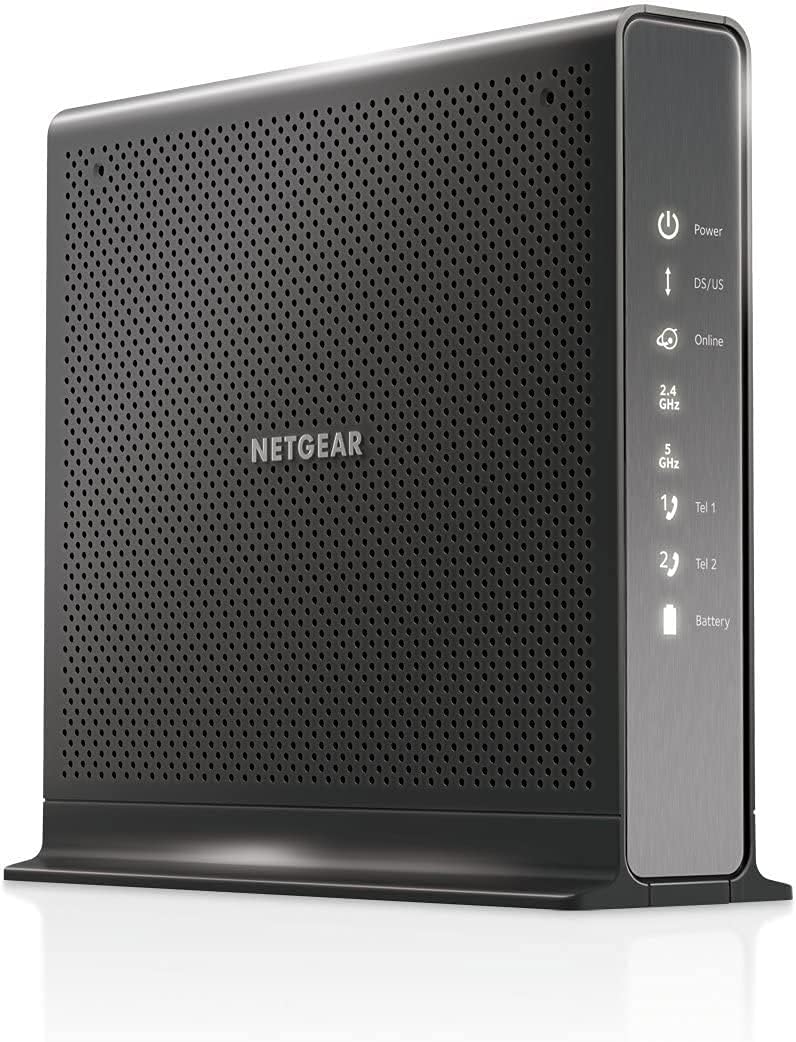
The NETGEAR Nighthawk C7000 is the best budget-friendly option for those who want to save on equipment rental without sacrificing essential performance. It maintains a high user rating due to its reliable connection and straightforward setup process that works well with major cable providers. This model is perfect for households with moderate internet needs and standard plans.
We may earn a commission when you buy through this link, at no additional cost to you.
Supporting DOCSIS 3.0 and AC1900 speeds, this combo delivers up to 800Mbps which is sufficient for most 4K streaming and casual gaming needs. The inclusion of a USB 2.0 port allows for easy storage sharing, adding utility beyond standard connectivity. Its range covers up to 1500 square feet ensuring consistent service throughout a typical apartment or house.
While it lacks the latest WiFi 6 standards, it still handles concurrent connections well thanks to beamforming technology that directs signal toward your devices. The main trade-off is the speed limit of 800Mbps which might not suit future-proofing for very fast plans but remains adequate for current usage patterns.
Choose this model if you are looking to cut monthly rental costs while maintaining stable internet for everyday activities like browsing and streaming. It suits smaller homes or budget-conscious users who do not require the absolute maximum speeds available on the market today.
The Nighthawk app lets you control guest networks and check speeds from anywhere adding convenience to daily network maintenance tasks.
With automatic firmware updates and strong encryption built-in, the device stays secure and up to date without user intervention.
We may earn a commission when you buy through this link, at no additional cost to you.
The Renewed version of the NETGEAR Nighthawk CAX30 offers a smart middle ground between performance and cost for savvy shoppers. It brings the same high-speed capabilities as the new model but at a reduced price point that appeals to value-driven buyers. Users appreciate the balance of modern technology and affordability without compromising on core functionality.
We may earn a commission when you buy through this link, at no additional cost to you.
Certified to work on cable plans up to 2Gbps this unit delivers fast downloads and smooth streaming for all your connected devices. The WiFi 6 AX2700 standard ensures you can connect multiple smartphones and laptops simultaneously without noticeable slowdowns. Four Gigabit Ethernet ports provide flexibility for any wired devices you might have in your home office or entertainment center.
Buying renewed means accepting minor cosmetic imperfections and potentially a shorter warranty compared to brand new items. However, the rigorous testing process ensures the hardware works just as well as new ones making it a risk-free choice for those willing to save a significant amount of money.
This unit is ideal for buyers who want flagship performance but need to stay within a tighter budget. It works well for standard households wanting to upgrade from older modems without paying full retail price for the latest generation equipment.
Choosing renewed allows you to access advanced features like DOCSIS 3.1 without the premium price tag of brand new hardware.
You get identical speed and coverage specs to the new model ensuring your internet experience remains consistent and fast.
We may earn a commission when you buy through this link, at no additional cost to you.
This NETGEAR Nighthawk CAX30 variant is a dependable choice for users who need consistent high-speed internet without the complexity of separate modem and router units. It is rated well for its ability to handle heavy usage patterns typical of modern smart homes with many streaming devices. The design prioritizes ease of use with helpful tools for network management.
We may earn a commission when you buy through this link, at no additional cost to you.
It supports DOCSIS 3.1 to ensure you can utilize gigabit-tier plans effectively. The AC2700 WiFi 6 performance covers up to 2000 square feet ensuring good signal strength in living rooms and bedrooms. Four Ethernet ports allow for hardwired connections that guarantee low latency for competitive gaming and video conferencing.
The unit is restricted to cable internet services and does not support bundled voice plans. This limitation is acceptable for most broadband users but should be checked carefully before purchase to ensure your specific service provider is supported without needing extra adapters.
Choose this model if you want a solid, reliable system that supports your current high-speed cable plan and allows for future upgrades. It is best for families with multiple users who need stable and fast connections for work and leisure activities throughout the day.
The DOCSIS 3.1 tech ensures you maximize your plan speed reducing buffering times during peak hours easily.
WiFi 6 technology manages more connected devices simultaneously than older standards keeping performance consistent for everyone.
We may earn a commission when you buy through this link, at no additional cost to you.
The ARRIS Surfboard G34 brings modern DOCSIS 3.1 standards to users seeking a reliable combo that handles high speeds. Its compact design makes it easy to place in any room while providing robust WiFi 6 coverage for daily internet tasks. Users find the setup simple and activation straightforward through their cable provider.
We may earn a commission when you buy through this link, at no additional cost to you.
It supports plans up to 2.5Gbps making it a strong candidate for high-speed tiers. The dual-band AX3000 WiFi delivers up to 3Gbps wireless performance which is more than enough for streaming multiple 4K streams at once. Four Gigabit ports offer essential wired connections for devices that need stable throughput.
While it offers solid specs some users report mixed experiences with compatibility which is common with DOCSIS 3.1 devices. It is vital to confirm with your provider before purchasing to avoid any network registration issues that might delay your internet setup.
Buy this model if you have a cable plan that supports speeds over 1Gbps and need a compact unit that supports future upgrades. It is ideal for households with high bandwidth needs who want to own their equipment and avoid monthly rental fees.
The DOCSIS 3.1 support ensures this modem stays relevant for years as providers roll out faster internet packages gradually.
Plug-and-play design reduces technical barriers allowing you to get online quickly without professional installation services.
We may earn a commission when you buy through this link, at no additional cost to you.
This renewed C7000 model is perfect for budget-conscious buyers who want to eliminate rental fees without spending a lot upfront. It maintains a good user rating due to its consistent performance and ease of use for standard internet plans. Many users appreciate the reliability it brings to their home network at a fraction of the retail cost.
We may earn a commission when you buy through this link, at no additional cost to you.
It supports plans up to 800Mbps which covers most standard streaming and browsing needs without any slowdowns. The AC1900 WiFi 5 tech provides reliable coverage for most homes ensuring connected devices get consistent signal strength. You also save on rental fees which offsets the initial investment over just a few months.
As a renewed unit it may have some cosmetic wear which does not affect performance but should be noted. It uses older WiFi 5 tech so it may not handle as many concurrent connections as newer models but is still sufficient for normal households.
Select this model if you need a quick affordable solution for cable internet and do not require the latest WiFi speeds. It is best for basic users who stream occasionally and want to stop paying monthly equipment rental charges immediately.
By owning this unit you can stop paying monthly fees which adds up to significant savings over the lifetime of the product.
The unit is tested to ensure it works properly providing stable internet without frequent disconnects or glitches.
We may earn a commission when you buy through this link, at no additional cost to you.
The NETGEAR Nighthawk CAX80 is a top-tier choice for users who want the most powerful wireless performance available in a combo unit. It offers AX6000 speeds and a 2.5 Gigabit port making it suitable for high-end gaming and fast file transfers. This premium model is designed for those who demand reliability and maximum speed from their internet infrastructure.
We may earn a commission when you buy through this link, at no additional cost to you.
It supports plans up to 2Gbps and covers up to 2500 square feet which is excellent for larger homes. The 2.5 Gigabit port allows compatible desktops to get faster wired speeds than standard ports can offer. Advanced security measures keep your data safe while the app helps you manage your network easily.
While the 2.5 Gigabit port is a great feature few devices currently utilize it fully. The higher price means it is only worth it if you need its specific capabilities or have a very large home that requires maximum coverage.
Choose this model if you want the best performance possible and plan to upgrade to faster internet plans soon. It is ideal for power users who need low latency and high throughput for professional work and competitive gaming.
The AX6000 wireless capability ensures that even with many devices online speeds remain consistently high for streaming and work.
Including a 2.5 Gigabit port prepares your network for upcoming faster Ethernet standards for desktop systems.
We may earn a commission when you buy through this link, at no additional cost to you.
The NETGEAR Nighthawk C7100V is uniquely suited for households that need cable voice service alongside their high-speed internet connection. Its ability to handle both data and VoIP calls in one device simplifies your home network and reduces the need for separate hardware. Users appreciate the integration which ensures reliable phone service during internet use.
We may earn a commission when you buy through this link, at no additional cost to you.
It supports plans up to 600Mbps and includes two phone ports for connecting landlines directly to the modem. This allows you to keep your home phone service without extra adapters or boxes. AC1900 WiFi provides standard coverage for most typical homes and ensures streaming works smoothly while on calls.
While it supports voice plans its WiFi 5 tech is not as advanced as newer models. The price is higher due to the voice features which may not be necessary for users who only use cell phones or internet-based calling apps regularly.
Select this model if you require cable voice service and want a single device to manage both internet and phone connections. It is the only practical option for those who need to keep traditional home phone lines active with a reliable connection.
The VoIP ports allow direct connection of home phones ensuring clear call quality even with heavy internet usage.
Power outage protection ensures your phone line stays active during blackouts which is vital for emergency communication needs.
We may earn a commission when you buy through this link, at no additional cost to you.
The NETGEAR C6250 is a compact and affordable option designed for smaller households with standard internet needs. It supports plans up to 300Mbps which is enough for basic streaming and browsing. Its small footprint makes it easy to fit on shelves or desks without taking up much space in your home.
We may earn a commission when you buy through this link, at no additional cost to you.
It delivers AC1600 WiFi speeds that cover up to 1500 square feet ensuring reliable connectivity for apartments or small houses. Two Gigabit ports are included for any wired needs while USB connectivity allows for simple external storage sharing. It supports most major cable providers so compatibility is rarely an issue.
This unit is not suitable for high-speed plans or large homes needing extended range. It has fewer ports than other models which limits wired connections to just two devices but this is sufficient for most simple setups.
Choose this model if you have a small home or apartment and want a simple effective way to own your modem and router. It is best for light users who need basic internet for browsing and occasional video calls.
Built-in parental controls let you manage access schedules and keep your internet safe for all family members easily.
The compact build fits easily into any home decor while maintaining a professional look without cluttering your space.
We may earn a commission when you buy through this link, at no additional cost to you.
The ARRIS SBG7600AC2 is a dependable mid-range combo unit from a trusted name in home networking. It offers a good balance of speed and coverage making it suitable for average families who want stable internet without high costs. Users appreciate the straightforward setup process and reliable performance over time.
We may earn a commission when you buy through this link, at no additional cost to you.
It supports plans up to 800Mbps and provides AC2350 WiFi speeds which are robust for 4K streaming. Four Gigabit ports give you flexibility for wired devices ensuring your gaming consoles and desktops get the fastest connections. The central app helps you manage settings and monitor usage with minimal effort.
Since it uses older DOCSIS 3.0 tech it may not be upgradeable for future gigabit plans. However for most households with standard plans it provides all the necessary features for a smooth online experience without unnecessary complexity or cost.
Choose this model if you want a reliable affordable unit that works well with major cable providers and supports standard usage needs. It is ideal for families who want to save on rental fees and maintain a stable network connection.
The app lets you set time limits and pause internet access for devices helping to manage household usage effectively.
ARRIS has sold millions of modems proving its devices are durable and trusted by many users across the US.
We may earn a commission when you buy through this link, at no additional cost to you.
Choosing the right combination modem and router requires understanding several technical factors to ensure you get the speed and coverage you need. This guide explains the key elements to consider so you can make an informed purchase that suits your home network requirements perfectly.
Always verify that the model you choose is certified to work with your specific internet service provider. Some devices only support certain plans or providers so checking the official compatibility list on the manufacturer or provider website is essential before buying.
Confirm your provider supports the device model to avoid activation issues later.
DOCSIS 3.1 offers higher speeds and better efficiency than DOCSIS 3.0 making it the preferred standard for modern high-speed plans. If you have a plan above 800Mbps look for DOCSIS 3.1 to ensure you can fully utilize your bandwidth.
Select DOCSIS 3.1 for speeds over 800Mbps to maximize your connection potential.
WiFi 6 is the latest standard providing better capacity and performance for multiple devices compared to older WiFi 5 models. If you have many smart devices or frequent heavy usage a WiFi 6 router will handle congestion better.
Prioritize WiFi 6 for modern homes with many connected devices.
Match the combo's max speed rating to your current ISP plan to avoid bottlenecks. A unit rated for 1Gbps will not deliver better performance if your plan is only 300Mbps but it ensures future proofing if you upgrade.
Choose a speed rating that meets or exceeds your current plan.
Consider your home size and layout to ensure the router can cover all rooms effectively. Look for units rated to cover your square footage with a buffer for walls and obstacles that might block signals.
Pick a model with enough range for your entire home.
Check the number of Ethernet ports available if you have devices like gaming consoles or desktops that need wired connections. A standard modem may have fewer ports so ensure it meets your wired device needs.
Ensure there are enough ports for your wired devices.
Look for built-in security options like firewalls and parental controls that help keep your network safe. Some models offer additional paid security subscriptions but basic encryption and protection are essential.
Check for essential security features to protect your data.
Prices range from entry-level to premium so set a budget that balances your needs and financial situation. Remember that buying a unit saves you monthly rental fees which often pay for the hardware over a year.
Compare upfront costs against long-term rental savings.
To install your new combo, start by powering down your old modem and router then disconnect the coaxial cable from the wall. Connect the coaxial cable to the new device and plug in the power adapter. Follow the setup wizard on your computer or app to activate the device with your provider.
Place the unit in a central location in your home to maximize wireless signal coverage for all connected devices. Avoid placing it directly on the floor or inside closed cabinets as heat and metal can block signals and reduce performance significantly.
Regularly check for firmware updates through the admin interface or app to ensure your device stays secure and performs efficiently. A quick reboot every few weeks can clear memory and resolve minor connectivity issues keeping your network running smoothly.
Yes, most cable internet providers require you to activate your own modem before it will connect to their network. This usually involves contacting your ISP or visiting their website to register the modem's MAC address so they can approve the connection on their end.
No, these units are designed specifically for cable internet services that use coaxial cables. Fiber connections typically require an Optical Network Terminal (ONT) provided by the ISP and cannot be used directly with these cable modem combos.
Owning your own modem typically saves you around $10 to $15 per month in rental fees. Over a year this adds up to over $100 which often covers the purchase price of a budget to mid-range combo unit.
WiFi 6 offers better speed efficiency and capacity to handle more devices simultaneously than WiFi 5. It reduces lag and improves performance in busy networks making it a better choice for modern smart homes with many connected gadgets.
Not all combos support voice plans so you must check the compatibility list for your specific ISP. Some models like the C7100V support VoIP but most standard units are for data only and will not work with bundled home phone services.
Upgrading to DOCSIS 3.1 is worth it if you have a plan over 800Mbps or plan to upgrade soon. It provides more bandwidth and better efficiency for high-speed connections and ensures your modem supports future speed increases.
Most modern combos support between 25 to 30+ devices depending on the model and WiFi standard. Newer WiFi 6 models handle more connections better so if you have many smart devices choose a unit with higher capacity ratings.
The NETGEAR Nighthawk CAX30 leads our list as the best overall choice for most households balancing speed coverage and ease of use effectively. It offers the latest technology in a reliable package that simplifies your home network without sacrificing performance.
For those watching their budget the NETGEAR Nighthawk C7000 provides excellent value with proven reliability and enough power for standard plans. If you need maximum speed for large homes the CAX80 offers premium features that justify the higher cost.
Remember to verify your provider compatibility and plan speed requirements before buying to ensure a smooth setup experience. Check current listings for the best deals and take advantage of the savings you gain by owning your own equipment instead of renting.