
Switch 2 Pro Controller Charging Station
3.5Editor score
Dual Charging Station for Pro Controllers
Fast & Stable 5V/2A Charging
LED Charging Indicator Display
This guide compares the top controller charging dock for Switch 2 models for fast charging, LED indicators, RGB lighting, storage, and safe power delivery.
Finding the right controller charging dock for Switch 2 ensures your game sessions never run out of battery power. A good dock provides fast charging, clear status indicators, and enough storage to keep your controllers organized on your desk or TV stand.
We compared ten highly rated charging stations based on charging speed, build quality, compatibility, and extra features like RGB lighting and game storage. Our analysis focuses on real-world usability and safety features to help you pick the best dock for your setup.
Each pick shows key specs, pros, cons, and detailed performance notes so you can decide quickly. Prices and stock change often so verify current details on Amazon before finalizing your purchase for your Switch 2 gaming setup today.
3.5Editor score

4.7Editor score
4.3Editor score
The following table compares all ten models side by side using key specs so you can quickly find the dock that matches your needs for speed, capacity, and extra features.



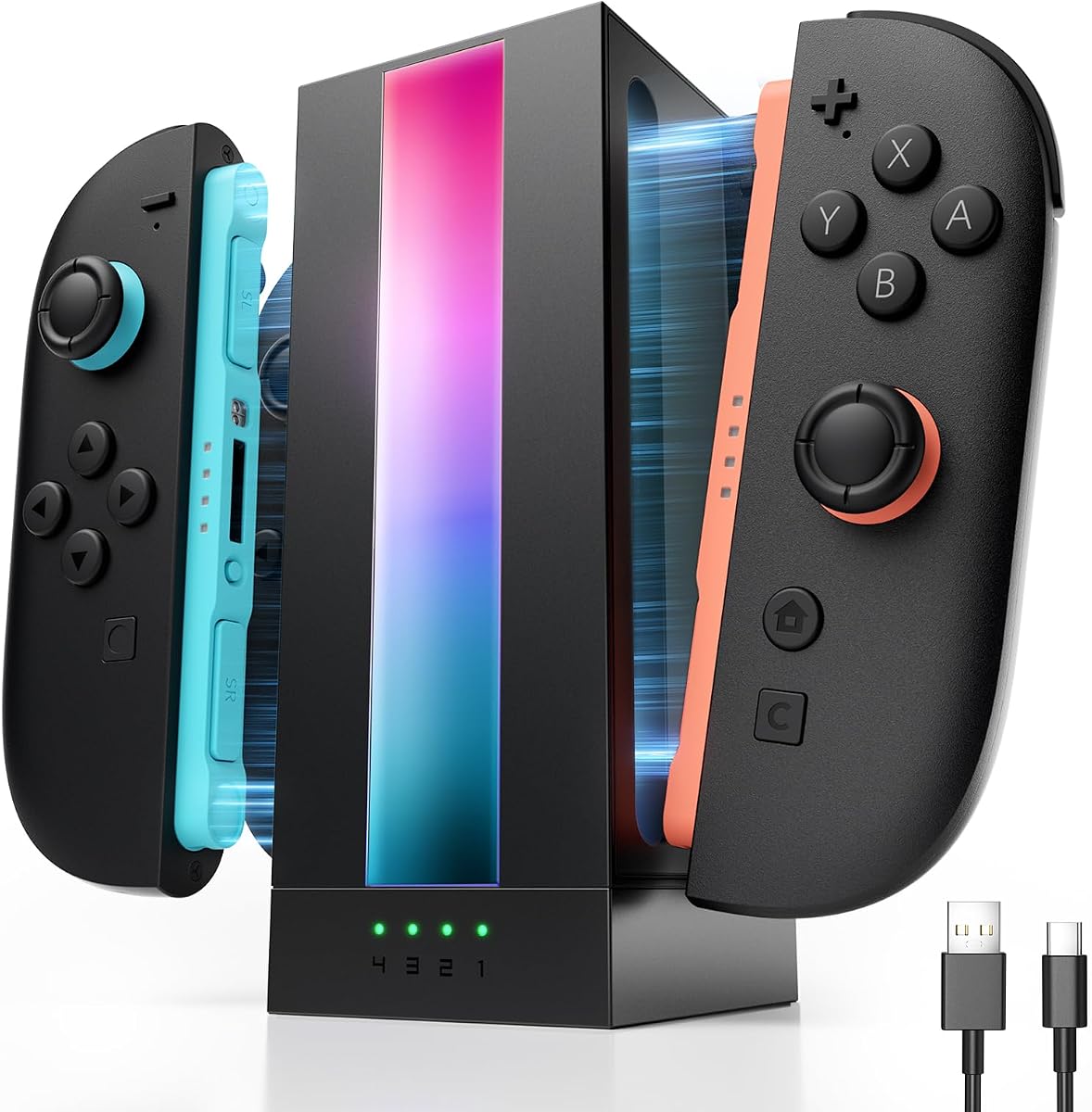
The FASTSNAIL Charging Dock for Nintendo Switch 2 Joy-Con 2 is a top rated magnetic dock with a 4.7 rating that simplifies controller management by charging four Joycons at once with secure alignment.
We may earn a commission when you buy through this link, at no additional cost to you.
Its magnetic alignment lets you drop Joycons in without distinguishing plus or minus sides which prevents damage from repeated plugging while the 9 RGB lighting modes add a customizable visual touch to your gaming desk.
The LED indicators show orange when charging and blue when fully charged and you can turn off the lights with a long press to keep your room dark for nighttime sessions.
This dock is ideal for players who want fast simultaneous charging and a tidy setup and it includes multiple safety protections so your controllers stay safe during long charging cycles.
The magnetic design ensures Joycons sit securely without wobbling and protects the USB ports from wear and tear caused by constant plugging and unplugging during quick swaps.
You can toggle between nine lighting modes or turn them off completely with a touch so the dock matches your mood or stays invisible when you want to focus on the game.
We may earn a commission when you buy through this link, at no additional cost to you.
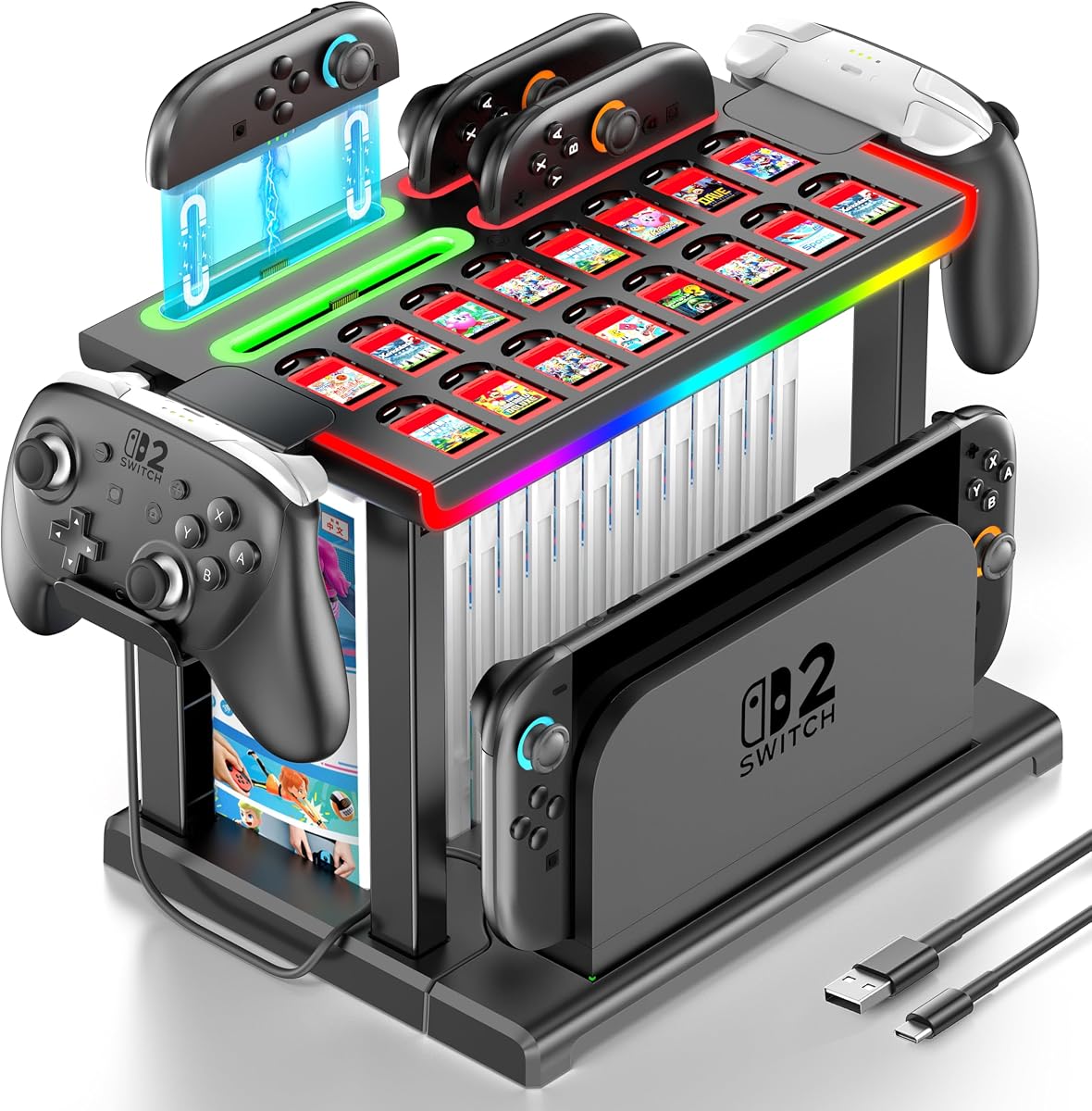
This organizer station combines charging and storage into one unit with a 4.6 rating and it can hold 16 game cases plus controllers so your gaming area stays neat and all your gear is easy to find.
We may earn a commission when you buy through this link, at no additional cost to you.
It charges 4 Joycons in roughly 2 hours and the RGB lighting offers 7 single color modes plus 2 breathing modes that cycle when you press the button to match your mood.
The station is easy to install without tools and the non slip pads keep it stable on any surface while protecting your desk from scratches during daily use.
Choose this if you need maximum storage for games and accessories and want a dock that also looks stylish with customizable lighting effects for your entertainment center.
You can store 16 game cases, 16 game cards, 4 Joycons, and 2 pro controllers at once so everything you need for gaming is in one place without cluttering your table.
Press the button briefly to switch between 9 lighting modes and hold it to turn off the lights so you control the ambiance without needing extra apps or remotes.
We may earn a commission when you buy through this link, at no additional cost to you.
The JSAUX EnergyFlow JoyCon Charging Dock for Switch 2 has a 4.3 rating and delivers 30% faster charging than older docks so your Joycons are ready in about 2.5 hours even when all 4 are connected.
We may earn a commission when you buy through this link, at no additional cost to you.
Each port has an independent LED that flashes green while charging and turns solid when fully charged so you can see the status of each controller at a glance.
Its dynamic RGB light bar adds a stylish touch to your setup and it includes built-in safety chips to prevent overheating overcurrent or overcharging during long charging sessions.
This dock is a premium choice for Switch 2 owners who prioritize speed and efficiency and want a modern dock with clear status lights and robust safety features.
You can charge all four Joycons at once in just 2.5 hours which means less downtime between multiplayer sessions and more time playing without worrying about low battery warnings.
The independent LED for each port lets you quickly identify which controllers still need charging so you do not waste time checking battery levels on the console screen.
We may earn a commission when you buy through this link, at no additional cost to you.
This dual stand is designed specifically to charge two Switch 2 Pro Controllers together with a 3.5 rating and it uses 5V/2A power to keep charging stable while showing status with simple red and green LEDs.
We may earn a commission when you buy through this link, at no additional cost to you.
The compact design fits on most desks without taking up much room and the LED indicators let you know at a glance which controllers are still charging and which are fully ready.
Safety chips inside protect against overheating and short circuits which helps extend the life of your Pro controllers during regular charging cycles.
Buy this if you mainly use Pro controllers and want a no-fuss charger that keeps them organized and powered without needing multiple power bricks or cables.
You can charge two Pro controllers at once so you always have a fully charged controller ready for the next session without waiting for one to finish before starting another.
The red light turns green when charging finishes so you never need to check the console for battery levels and can keep your focus on the game.
We may earn a commission when you buy through this link, at no additional cost to you.
The PowerA Charging Base has a 4.6 rating and is ideal if you own PowerA wireless controllers since it charges Joy-Con and wireless models at the same time with LED indicators showing when they are fully charged.
We may earn a commission when you buy through this link, at no additional cost to you.
It works with official Pro controllers as well so you can mix controllers and still charge them on one base without needing extra adapters or cables for each type.
The bold design looks great next to your TV or on a desk and the LED lights turn off when charging is complete so you know your controllers are ready.
This base is a solid pick for PowerA users who want a reliable multi-controller charger that handles both Joy-Con and wireless styles seamlessly.
You can charge Joy-Con and wireless controllers together and the base also supports official Pro controllers so one dock handles all your main controller types easily.
LED lights on the base show when each controller is charging and turn off when full so you avoid overcharging and keep your setup looking clean.
We may earn a commission when you buy through this link, at no additional cost to you.
This 6 in 1 charging station has a 4.7 rating and it can charge 4 Joycons and 2 Pro controllers at the same time while also supporting PS5 controllers so you can mix systems on one dock.
We may earn a commission when you buy through this link, at no additional cost to you.
You can power it from your console, a USB charging hub, or a wall charger and the built-in IC chip protects against overcurrent and short circuits to keep your devices safe.
The simple plug and play setup makes it easy to use and the package includes a USB-C charging cable and a one year quality promise for extra peace of mind.
This dock is great for households with multiple platforms and you need a single charger that handles Switch Joycons, Pros, and PS5 controllers without buying separate docks.
It charges Nintendo Joycons, Pros, and PS5 controllers so you do not need multiple docks and can keep all your controllers on one charging station.
You can power the dock from your console, a hub, or a wall adapter so you have options depending on where you place your setup.
We may earn a commission when you buy through this link, at no additional cost to you.
The HEATFUN dock has a 3.9 rating and works with official Switch Pro PS5 and Xbox Series controllers so it fits many setups and lets you charge 2 controllers at the same time.
We may earn a commission when you buy through this link, at no additional cost to you.
It includes USB-C adapters that slide into the controller ports and reduce wear on the connectors so your controllers stay safe during regular daily charging cycles.
The LED indicators show status at a glance and the compact design sits neatly on desks and TV stands without taking up extra space in your gaming area.
Choose this dock if you have multiple types of official controllers and want one charger that handles them all with adapters that protect your controller ports.
It works with official Switch Pro PS5 and Xbox Series controllers so you can charge different brands on one dock without buying separate chargers for each.
The included adapters let you dock and charge easily while reducing wear on the controller ports and helping extend the lifespan of your devices.
We may earn a commission when you buy through this link, at no additional cost to you.
This SUPCASE dock has a 4.7 rating and charges 4 Joycons at once with dual-side charging so you can place them either way and the magnetic design keeps them secure during charging.
We may earn a commission when you buy through this link, at no additional cost to you.
It includes 9 RGB lighting modes to personalize your gaming space and a smart chip that stops charging once the controllers are full to prevent overcharging and overheating risks.
LED indicators show real-time status for each Joycon so you know exactly which ones need power and the compact design keeps your area organized without taking up much space.
This dock is a great pick for Switch 2 players who want magnetic alignment dual-side charging and customizable lighting to match their gaming aesthetic.
You can insert Joycons in either orientation and the dock will still charge them so you do not have to worry about aligning plus or minus symbols.
The magnets help Joycons snap into place quickly and securely which reduces wear on the ports and makes charging faster and more reliable every time.
We may earn a commission when you buy through this link, at no additional cost to you.
This 10-in-1 dock has a 4.2 rating and charges up to 4 Joycons plus 2 Pro controllers across Switch 2 1 and OLED models so you can handle all your controller types on one base.
We may earn a commission when you buy through this link, at no additional cost to you.
It offers 11 RGB lighting modes with memory to remember your last setting and includes 2 extra USB 2.0 ports so you can charge phones or transfer data while controllers charge.
The dock takes about 3 hours to fully charge controllers and has clear LED indicators plus a touch switch to turn off charging and lights for a sleep-friendly environment.
This dock is best for users who own multiple Switch models and need one solution that handles all Joycons and Pros with extra USB ports for convenience.
It works with Switch 2 1 and OLED Joycons and Pro controllers so one dock covers your whole controller collection without needing separate chargers.
The 2 extra USB 2.0 ports let you charge other devices or transfer data while your controllers are charging so you get more value from the dock.
We may earn a commission when you buy through this link, at no additional cost to you.
This 2-port dock has a 4.0 rating and lets you charge 2 controllers at once including Switch Pro PS5 and Xbox Series controllers and the LED indicator shows red when charging and green when full.
We may earn a commission when you buy through this link, at no additional cost to you.
It uses a 5V2A power adapter for best performance and includes smart chip protection to keep charging stable and safe while reducing power consumption during idle times.
The base is compact and fits well on desks and TV stands so you can keep your controllers organized and ready for the next gaming session without clutter.
This dock is a solid pick for households with multiple consoles that want one charger that handles official Pro style controllers from different platforms.
It works with Switch Pro PS5 and Xbox controllers so one dock handles controllers from different systems without needing separate chargers for each console.
The LED shows red when charging and green when full so you know at a glance when your controllers are ready to play again.
We may earn a commission when you buy through this link, at no additional cost to you.
Use these key factors to compare docks and find one that fits your controllers, desk space, and charging speed needs.
Check that the dock lists your specific Joy-Con 2 or Pro controllers since some models are built only for Switch 2 or exclude third-party brands. Read the compatibility notes carefully to confirm support before you buy.
Match the dock to your controller type to avoid returns and ensure your controllers sit securely and charge without issues.
Look for docks that specify 5V/2A input and estimated charge times since higher wattage means your controllers reach full battery faster. Some docks include a cable but many need your own wall adapter.
Choose a dock with adequate power input so you avoid slow charging or intermittent failures when your controllers are plugged in for long sessions.
Decide whether you need to charge 2 or 4 controllers at once and choose a dock with enough slots to match your household size and multiplayer habits.
More slots mean less downtime and better organization but also need more desk space and careful cable routing.
Pick a dock with clear status indicators so you can see which controllers are charging and which are full at a glance.
RGB lighting adds style but may not suit a dark bedroom so check if lights are dimmable or can be turned off completely.
Look for docks with non-slip pads and sturdy plastic or metal construction to keep them from sliding and protect your desk from scratches.
Solid builds also prevent controllers from tipping or falling during charging which extends the life of both the dock and the controllers.
Choose docks with built-in smart chips that prevent overcharging, overheating, and short circuits to keep your controllers safe during long charging cycles.
Safety features reduce the risk of battery damage and give you confidence to leave controllers on the dock overnight.
Consider docks with removable adapters or easy cable routing so your desk looks tidy and the controllers sit flush without bulky cases blocking ports.
Good cable design keeps your setup neat and reduces wear on the controller charging ports from repeated plugging.
Some docks include game card slots, USB ports, or storage shelves to keep your accessories organized and your desk clear of loose items.
Extra features add value but weigh whether they fit your needs before spending more on a dock you may not use fully.
Connect the dock to a reliable USB power source such as a wall adapter, charging hub, or console USB port and confirm the dock lights up or shows status indicators before placing controllers.
Insert controllers carefully into the correct slots or use magnetic drop-in options if available and avoid forcing them in case thick cases block full insertion.
Unplug the dock or switch off lights when not in use to reduce power consumption and keep your room dark while the dock stays ready for next-time use.
Not all docks support both generations. Some are built specifically for Joy-Con 2 and may not recognize older models. Always check the compatibility section to confirm support for your exact controller version.
Most docks take about 2 to 3 hours to fully charge Joy-Con 2. High-power docks that support 5V/2A often finish near the lower end of that range when charging up to four at once.
Some docks include slots for both Joy-Con and Pro controllers while others support only one type. Look for multi-slot designs that list both Joy-Con and Pro support in the product details.
Many docks do not include a wall adapter and rely on a USB power source like a console, hub, or your own adapter. Check the package contents to confirm if an adapter is included.
Some docks support PowerA and other third-party models while others are restricted to official Nintendo controllers. Review the compatibility list to ensure your brand and model are supported before purchase.
Most docks use LED indicators that change color when charging finishes. Red or orange often means charging and green or blue means fully charged so you can see the status at a glance.
Our top picks include the FASTSNAIL Magnetic Dock for magnetic convenience, the JSAUX EnergyFlow dock for speed, and the Switch 2 RGB Organizer for maximum storage options.
Prioritize compatibility with your exact controllers and enough slots for your household needs before considering lighting or extra features to ensure long-term usefulness.
Check current availability and prices on Amazon since stock and costs change often so you can secure the dock that best fits your Switch 2 setup today.