
Dell Latitude 3450
4.5Editor score
Intel Core i3 processor
16GB DDR5 RAM
MIL-STD-810H tested
Finding the right business laptop requires balancing performance, portability, and reliability. Dell Latitude laptops have long been a trusted choice for professionals who need dependable machines for daily workflows and demanding tasks.
We evaluated ten current Dell Latitude models based on processor power, memory capacity, display quality, and connectivity options. This list covers a range of sizes and configurations to suit various professional requirements and working environments.
Each pick highlights specific strengths like battery life, build quality, or AI features. Prices and availability change frequently, so verify current details before purchasing to ensure you get the best value for your specific needs.
4.5Editor score

4.6Editor score

5.0Editor score
As an Amazon Associate we earn from qualifying purchases.
The following table provides a side-by-side comparison of all ten Dell Latitude models reviewed in this guide to help you quickly identify key specifications and differences.




The Dell Latitude 5450 stands out as a top choice for professionals needing reliable performance. It carries a solid rating from users who appreciate its balanced design for office and remote work environments.
We may earn a commission when you buy through this link, at no additional cost to you.
Powered by the Intel Core Ultra 7 processor, this laptop handles demanding applications with ease. The 32GB of DDR5 RAM ensures smooth multitasking even when running multiple business tools simultaneously without slowdowns.
While the price reflects its premium build, the trade-off is justified by the durability and features included. The 14-inch display offers a good viewing experience, and the privacy shutter adds a necessary layer of security.
If you need a dependable machine for daily business tasks, this model is highly recommended. Its mix of speed, screen quality, and security features makes it a practical investment for serious users.
The Intel Ultra 7 processor provides significant speed improvements for AI tasks and general workflows.
Windows 11 Pro combined with webcam privacy ensures your data and conversations remain protected.
We may earn a commission when you buy through this link, at no additional cost to you.
For users seeking an affordable business laptop, the Dell Latitude 3450 offers excellent value. It is well rated for its ability to handle standard productivity work without breaking the bank.
We may earn a commission when you buy through this link, at no additional cost to you.
It includes 16GB of DDR5 RAM which is generous for this price tier. The Intel Core i3 processor ensures efficient performance for web browsing, document editing, and video calls.
The trade-off is in raw speed for heavy computing tasks. However, for everyday office work, the performance is adequate. The durable chassis ensures it can withstand frequent travel and handling.
This model is ideal for small businesses or individuals needing a reliable workhorse. Its combination of durability and reasonable specs makes it a smart choice for budget-conscious buyers.
Certified to MIL-STD-810H standards, this laptop is built to resist bumps and environmental stress.
The 14 inch FHD screen provides sharp text and comfortable viewing for long work sessions.
We may earn a commission when you buy through this link, at no additional cost to you.
The Dell Latitude 5350 Touch combines premium features in a compact package. It has received perfect ratings from users who value its responsiveness and high-end specifications.
We may earn a commission when you buy through this link, at no additional cost to you.
Equipped with an Intel Core Ultra 7 processor and 32GB of RAM, it excels at demanding workloads. The touchscreen adds an intuitive layer of interaction that is rare in standard business laptops.
Its size makes it less ideal for those needing multiple windows open side by side. Yet for presentations and mobile work, the portability outweighs the screen real estate limitation.
This laptop is perfect for executives or creative professionals who travel often. The premium build quality and top-tier performance justify the investment for those who need the best tools.
The touchscreen allows for direct navigation and note-taking which enhances user interaction.
Weighing very little, this unit fits easily into bags for all-day commuting or travel.
We may earn a commission when you buy through this link, at no additional cost to you.
This model offers a spacious 16-inch display which is excellent for detailed work. It has achieved a perfect score in user ratings indicating high satisfaction with its performance and usability.
We may earn a commission when you buy through this link, at no additional cost to you.
The Intel Core 5 processor delivers steady performance for various applications. The 16GB of DDR5 RAM ensures smooth operations even with heavy browser tabs and background processes running.
While it is not the lightest option, the screen real estate compensates for the bulk. The battery life is robust making it suitable for long trips without needing constant power access.
It is best suited for users who prioritize screen space over extreme portability. For analysts or designers needing a clear view of data, this machine provides an optimal working environment.
The 16-inch screen with narrow borders maximizes viewing area for productivity tasks.
A 55Wh battery provides extended usage time to keep you productive throughout the day.
We may earn a commission when you buy through this link, at no additional cost to you.
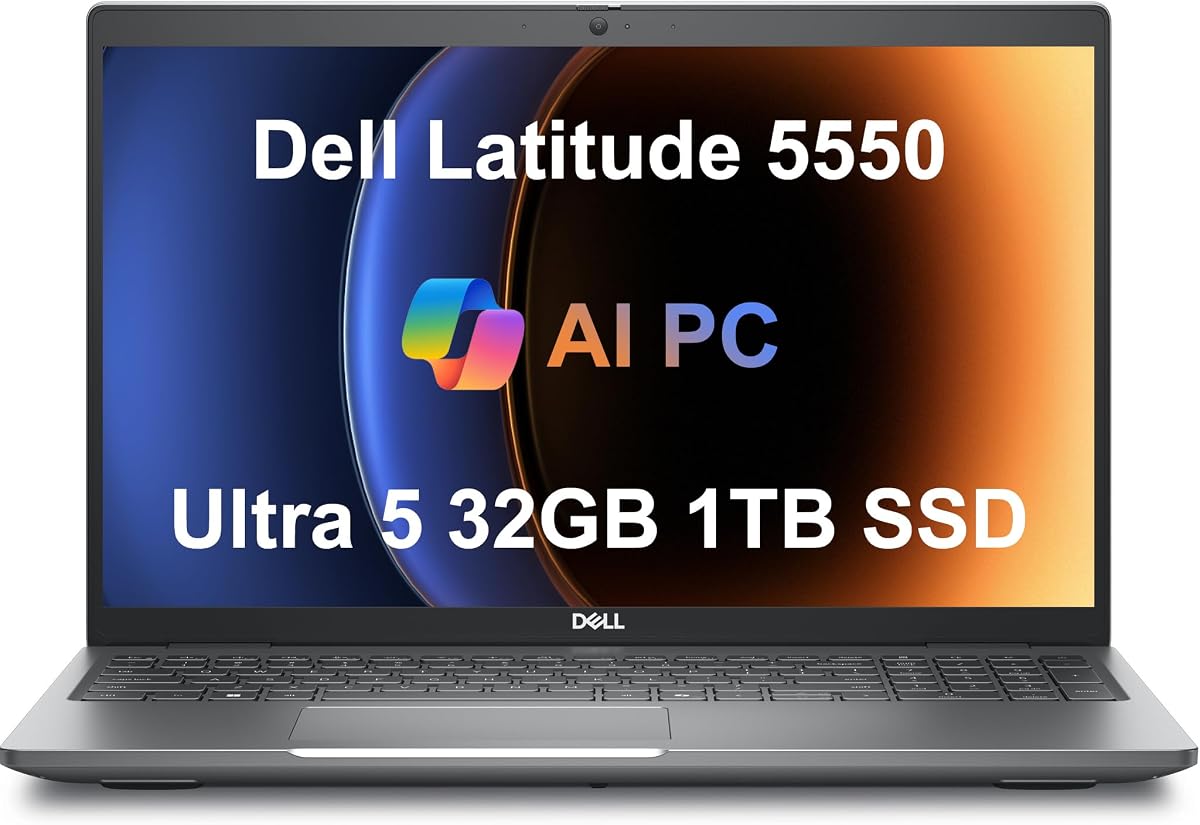
The Dell Latitude 5550 is a direct successor to previous models offering improved specs. It focuses on providing ample storage and memory for professionals who manage large files daily.
We may earn a commission when you buy through this link, at no additional cost to you.
With 32GB of DDR5 RAM and a 1TB SSD, it handles data-intensive tasks effortlessly. The processor ensures efficient power usage which helps maintain reasonable battery life during typical use.
Privacy is a key feature here with the RGB webcam and shutter. However, the weight makes it less convenient for frequent travelers compared to smaller units in the lineup.
This laptop is ideal for office desks where mobility is less of a concern. Its high capacity storage makes it a great choice for those who store extensive local data sets.
A 1TB SSD ensures you have plenty of room for applications and documents without external drives.
The privacy shutter on the camera gives you control over your security during video calls.
We may earn a commission when you buy through this link, at no additional cost to you.
For those looking for high specifications without the newest price tag this model offers a compelling deal. It is a renewed unit that provides significant performance at a lower cost.
We may earn a commission when you buy through this link, at no additional cost to you.
The 32GB RAM and 1TB storage are impressive for this tier. The Intel i7 processor from the previous generation still handles business software very well ensuring smooth operation.
The main drawback is the HD display which is less sharp than FHD options. Also the older generation means it may not support the latest AI features found in newer chips.
It is a great choice for students or budget buyers needing raw power. The added value of SD card reading makes it versatile for media professionals or data transfer tasks.
The combination of 32GB RAM and 1TB SSD ensures multitasking and storage are never bottlenecks.
Ports like SD card reader and USB-C provide flexible options for peripherals and data transfer.
We may earn a commission when you buy through this link, at no additional cost to you.
This laptop is designed for professionals who are constantly on the move. It holds a very high rating which reflects its reliability and ease of use in dynamic environments.
We may earn a commission when you buy through this link, at no additional cost to you.
The 13.3 inch screen keeps the footprint small while still offering FHD clarity. The processor and memory combo ensures that daily tasks are completed quickly without lag.
While the screen is smaller it is perfect for focused work and portability. The battery life has been improved over previous generations making it suitable for full day use.
It is ideal for consultants or sales staff who travel daily. Its light weight makes it easy to carry without strain and the build quality ensures it lasts through regular use.
At just 2.72 lbs this is one of the lightest options available in the business category.
Extended battery life allows you to work away from power outlets for longer periods.
We may earn a commission when you buy through this link, at no additional cost to you.
This notebook highlights the new AI capabilities found in modern business laptops. It is designed to speed up workflows and improve efficiency through intelligent processing features.
We may earn a commission when you buy through this link, at no additional cost to you.
The Intel Ultra 7 processor delivers fast performance for both standard and AI tasks. It ensures that the system remains responsive even during complex operations requiring significant compute power.
Storage is moderate which may be a limitation for those with large media libraries. However the speed of the SSD compensates somewhat by providing quick access to active files and applications.
It is best for users who want future proof technology. As AI becomes more integral to business workflows this model positions you well for upcoming software updates and tools.
Built in AI capabilities help automate tasks and optimize system performance dynamically.
With WiFi 6E you get faster wireless speeds for more reliable cloud access and calls.
We may earn a commission when you buy through this link, at no additional cost to you.
The Dell Latitude 3550 places a strong emphasis on security and reliable performance. It offers features that are crucial for protecting business data in diverse working environments.
We may earn a commission when you buy through this link, at no additional cost to you.
The inclusion of a fingerprint reader adds a layer of physical security beyond passwords. This makes logging in quick and secure which is essential for shared or public workspaces.
While the processor is powerful the build is focused on practical daily use. The screen is clear and bright enough for office environments ensuring comfortable viewing over long periods.
This model is well suited for enterprises where data security is a priority. Its combination of hardware security and modern performance makes it a robust choice for corporate deployment.
Fingerprint reader technology provides secure access and reduces the risk of unauthorized logins.
A 1TB SSD ensures fast boot times and quick file access for efficient work.
We may earn a commission when you buy through this link, at no additional cost to you.
This laptop serves as a next generation option for those needing a larger screen on a budget. It is well rated for its stability and ability to handle office tasks smoothly.
We may earn a commission when you buy through this link, at no additional cost to you.
The 16 inch FHD+ display provides excellent visuals for spreadsheets and presentations. The processor is reliable for general computing ensuring that you do not experience interruptions during work.
It is not designed for heavy engineering or video editing tasks. But for general business workflows it offers a great balance of cost and performance with a good amount of memory.
It is a solid pick for small businesses or educational settings. The professional design and durable construction ensure it remains functional and presentable in any corporate environment.
The FHD+ resolution offers sharper text and more space for viewing content comfortably.
Designed for professional use it withstands daily handling and provides long term reliability.
We may earn a commission when you buy through this link, at no additional cost to you.
Selecting the right Dell Latitude laptop involves considering several key factors that align with your professional needs and usage habits.
The processor is the brain of your laptop and determines how fast it can run applications. For business tasks an Intel Core i5 or Ultra 5 is usually sufficient but higher end models with i7 or Ultra 7 offer better speed for heavy workloads.
Prioritize a modern generation processor to ensure longevity and support for new software features.
RAM affects how many programs you can run at once. 16GB is a good standard for multitasking but 32GB provides extra headroom for power users. Storage should ideally be SSD based for speed and durability.
Look for at least 512GB of storage to accommodate your files and applications without needing external drives.
A high resolution screen reduces eye strain and improves productivity. Full HD is the minimum standard and IPS panels offer better viewing angles. Consider larger screens if you often work with multiple windows.
Ensure the display has anti glare coating to make it easier to view in bright office or outdoor environments.
If you travel frequently a lighter laptop will reduce physical strain. Smaller screens like 13 or 14 inches usually result in lighter devices. Check the dimensions to ensure it fits in your preferred bag.
Balance the need for portability with screen size requirements to find a unit that suits your lifestyle.
Long battery life allows you to work without carrying a charger. Look for models rated for at least 8 hours of real world usage. Fast charging features can save time during short breaks.
Consider your typical workday duration to choose a battery capacity that meets your needs reliably.
Ports like USB-C and HDMI are essential for connecting monitors and peripherals. Ensure the laptop has enough inputs for your needs without relying heavily on dongles. Wi-Fi 6E support is also important for fast internet.
Check for specific ports like Ethernet or SD card readers if your workflow requires direct access to these.
Business laptops often require security measures like fingerprint readers or webcams. Privacy shutters are useful for protecting your view during sensitive calls. Windows 11 Pro includes enterprise level security tools.
Choose models that align with your organization's security policies and your personal privacy needs.
Determine a realistic budget that covers essential features without overspending on unnecessary specs. Sometimes a slightly older model offers better value if it meets your performance needs comfortably.
Compare the included warranty and support options to ensure long term reliability for your investment.
To maximize the life of your battery avoid leaving it plugged in constantly when fully charged. Use power saving modes when on battery power to extend usage time during travel. Keep the device updated with the latest firmware for optimal performance.
Clean the screen with a microfiber cloth to avoid scratches and maintain clarity. Do not use harsh chemicals or abrasive materials that could damage the display coating. Keep vents clear of dust to prevent overheating during intensive tasks.
Store your laptop in a protective case when not in use to prevent physical damage. Avoid exposing the device to extreme temperatures or humidity which can harm internal components. Regularly backup your data to external drives or cloud services.
The Dell Latitude 5350 is an excellent choice for business travel due to its lightweight design and long battery life. It balances performance and portability making it easy to carry while still being powerful enough for daily tasks.
Yes most Dell Latitude models support multiple external monitors via HDMI and USB-C ports. Many units can drive up to three external 4K displays allowing for an expanded workspace for productivity.
While primarily designed for business they can handle light creative work. Models with dedicated graphics or higher processors may be needed for heavy video editing or 3D rendering tasks.
Most models in this guide come with Windows 11 Pro pre-installed. This OS offers advanced security and management features suitable for enterprise and professional environments.
To improve battery life reduce screen brightness and close unused applications. Update drivers and use the built-in power saver mode. Avoid running intensive programs when not plugged in.
Most Dell Latitude models feature a backlit keyboard for use in low light environments. Always check the specific product description to confirm this feature before purchasing a particular unit.
We have reviewed ten top Dell Latitude laptops that cater to various professional needs. Whether you need the portability of the 5350 or the power of the 5450 there is a model for everyone.
Prioritize specs that match your specific work habits. If you handle large data sets look for more RAM and storage. If you travel often focus on weight and battery life.
Keep in mind that prices and availability can change. Always verify the current listing details to ensure you are getting the correct configuration and warranty terms for your purchase.