
Rongta Bluetooth Shipping Label Printer
4.0Editor score
Affordable wireless connectivity
Automatic label identification
Compact portable design
This guide compares the top 10 DHL label printers for small businesses, evaluating connectivity, speed, and compatibility to help you choose the best shipping
Finding the right DHL label printer can streamline your shipping operations significantly. A good printer offers fast throughput, reliable connectivity, and broad platform compatibility to handle your daily volume without delays or errors.
We evaluated ten leading thermal shipping printers based on real-world performance data. Our analysis covers build quality, software support, label handling capabilities, and integration with major e-commerce and logistics platforms.
Each pick below highlights specific strengths and potential limitations to guide your decision. Remember that pricing fluctuates regularly, so check current listings before purchasing to ensure you get the best value available today.
4.0Editor score

4.6Editor score

4.1Editor score
The following table provides a side-by-side comparison of all ten printers evaluated. It highlights key specifications including connectivity options, print resolution, and supported label widths to help you quickly identify the right fit.






The Rollo USB Shipping Label Printer stands out as a top choice for businesses needing consistent performance. It holds a strong rating and delivers high-quality output suitable for daily shipping operations without frustrating interruptions.
We may earn a commission when you buy through this link, at no additional cost to you.
Its commercial-grade construction ensures longevity even under heavy use. The direct thermal technology eliminates ink costs while the 203 DPI head ensures barcodes scan reliably every time. Compatibility spans virtually every e-commerce platform.
The lack of wireless connectivity is a trade-off but ensures stable transfers without pairing delays. For stationary workstations this wired reliability outweighs the convenience of Bluetooth. The included Rollo Ship app adds value by providing competitive shipping rates.
Businesses focused on efficiency and reliability should prioritize this model. It reduces downtime and maintains professional label quality. This printer is an investment in smoother logistics operations that pays off over time.
Built to withstand high-volume shipping environments, this printer minimizes interruptions during peak order times.
Works seamlessly with Shopify, Amazon, eBay, and major carriers ensuring you never face integration issues.
We may earn a commission when you buy through this link, at no additional cost to you.
The Rongta Bluetooth Shipping Label Printer offers exceptional value for new sellers needing basic functionality. It provides wireless convenience at a low entry price point without sacrificing core thermal printing capabilities.
We may earn a commission when you buy through this link, at no additional cost to you.
Its automatic label identification simplifies setup significantly. You save time adjusting sensors manually. The mobile app support allows printing directly from phones which is ideal for flexible workspaces or remote management.
Build quality is functional rather than robust so expect standard durability. Print clarity is good enough for standard shipping labels though not as crisp as higher DPI models. It fits well in small spaces.
Ideal for startups managing moderate volumes this printer balances cost and capability. It removes barriers to entry for those testing markets. Ensure you check label compatibility before purchasing to avoid waste.
Connect via Bluetooth to Android or iOS devices to print labels from anywhere using the dedicated app.
Sensors automatically detect label size reducing setup time when switching between different label types.
We may earn a commission when you buy through this link, at no additional cost to you.
The Rollo Wireless Shipping Label Printer represents the premium tier with robust connectivity options. It supports AirPrint and Wi-Fi allowing seamless integration across mixed device environments including laptops and tablets.
We may earn a commission when you buy through this link, at no additional cost to you.
Its printhead is rated for significantly more labels than average units reducing long term maintenance. The driverless setup on supported devices streamlines deployment across offices. Exclusive shipping rates add operational savings.
High cost may be a barrier for small startups but volume users benefit from reliability. Network configuration requires some attention initially. Once set up it operates smoothly with minimal user intervention.
Established businesses seeking enterprise features should consider this model. The convenience of wireless printing and longevity justify the investment. It delivers professional results without compromising on speed or compatibility.
Print directly from iPhones and iPads without installing extra software or drivers on your network.
The printhead lasts four times longer than standard models reducing replacement needs over several years.
We may earn a commission when you buy through this link, at no additional cost to you.
JADENS Bluetooth Thermal Shipping Label Printer combines high-tech thermal heads with user-friendly features. It delivers crisp outputs without ink and supports various label formats for diverse business needs.
We may earn a commission when you buy through this link, at no additional cost to you.
Connectivity is solid though iOS and Android require the dedicated app for Bluetooth. This ensures stability even if native Bluetooth pairing varies. The driver setup for Windows and Mac is straightforward.
Users must manually calibrate when switching label sizes which is a minor inconvenience. However the build quality is reliable enough for frequent switching. Customer support is available via multiple channels for assistance.
Small businesses wanting a balanced feature set will find this suitable. It handles standard shipping tasks efficiently without complex hardware. Consider checking app compatibility with your phone before ordering.
Accepts both fanfold and roll labels offering flexibility depending on your preferred storage method.
Compatible with major shipping platforms like ShipStation and eBay ensuring smooth workflow integration.
We may earn a commission when you buy through this link, at no additional cost to you.
This Thermal Shipping Label Printer focuses on speed and efficiency for small business operations. Its 150mm/s speed reduces wait times during busy shipping windows while maintaining clear barcode readability.
We may earn a commission when you buy through this link, at no additional cost to you.
The FlashLabel Pro app provides extensive customization tools. Offline storage ensures printing continues even without internet. Dual connectivity options provide flexibility for both mobile and desktop workflows.
The matte finish and compact design fit well on cluttered desks. Overheat protection safeguards the hardware during continuous runs. However it prints black and white only which is standard for shipping.
Ideal for high-volume shippers needing consistent throughput this model delivers. The included labels allow immediate testing. Verify your specific label width fits within supported ranges for best results.
Choose from over 1800 templates to design branded labels quickly without external graphic tools.
Built-in sensors prevent overheating ensuring stable performance during long printing sessions.
We may earn a commission when you buy through this link, at no additional cost to you.
KNAON Bluetooth Thermal Shipping Label Printer offers impressive speed in a portable package. At 180mm/s it exceeds many competitors making it ideal for busy environments where time matters.
We may earn a commission when you buy through this link, at no additional cost to you.
The app provides over 3000 templates and icons for creative labeling. OS support is broad including ChromeOS and Linux which is rare. This versatility suits diverse IT environments.
Its white design is sleek though the app remains necessary for wireless features. Drivers and videos are preloaded on a USB drive for easy setup. The lightweight build aids mobility.
For those moving between locations or needing speed this printer is strong. Ensure your workflow accommodates the app dependency. Testing with your specific label rolls is recommended before full adoption.
Compatible with ChromeOS and Linux expanding its utility beyond standard Windows and Mac setups.
Use extensive icons and fonts to create professional looking product or shipping labels effortlessly.
We may earn a commission when you buy through this link, at no additional cost to you.
MUNBYN Bluetooth Thermal Label Printer distinguishes itself with proprietary DAC technology for superior alignment. It minimizes jams and ensures labels print perfectly centered every time reducing wasted material.
We may earn a commission when you buy through this link, at no additional cost to you.
Operating at 60 dB it is quieter than most office equipment. This makes it suitable for open offices or home environments where noise is a concern. The design supports various label sizes flexibly.
The DAC chip requires understanding for optimal use but pays off in precision. Indicator lights guide connection status clearly. While not the cheapest it offers reliability benefits over cheaper units.
Businesses valuing quiet efficiency and precision should consider this unit. It reduces frustration during high-volume labeling. Ensure you update drivers for the best Bluetooth performance on your system.
The 4-inch DAC chip automatically calibrates to prevent misaligned labels and reduce waste.
Ultra quiet operation keeps your workspace peaceful even during long label printing sessions.
We may earn a commission when you buy through this link, at no additional cost to you.
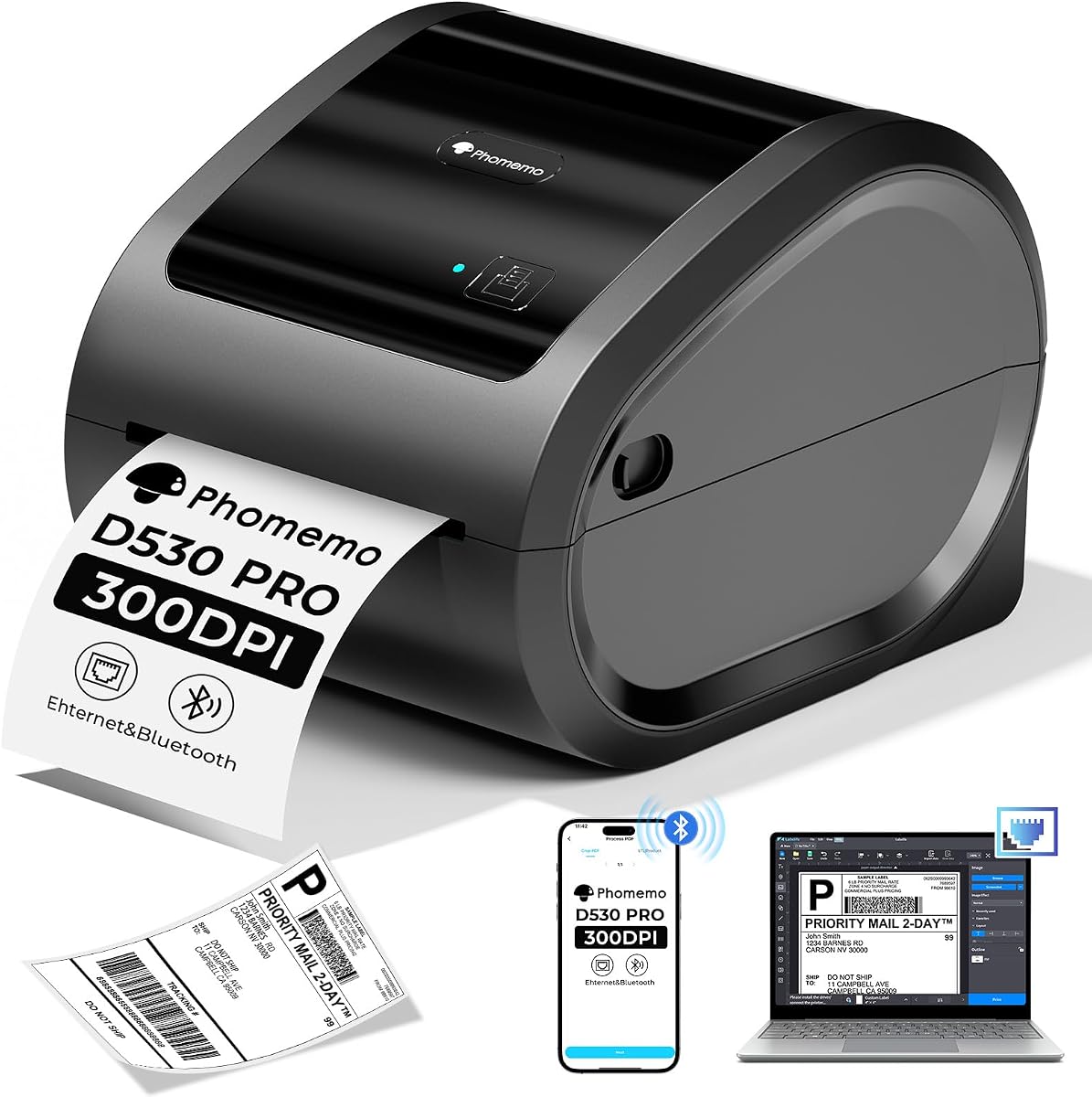
Phomemo 300DPI Ethernet Thermal Label Printer delivers sharp text and barcode clarity. The 300 DPI resolution ensures scans work smoothly even from a distance reducing return rates.
We may earn a commission when you buy through this link, at no additional cost to you.
Ethernet offers stable network connectivity ideal for stationary office setups. The built-in bin holds up to 500 labels saving desk space and reducing clutter. A return function minimizes waste significantly.
Bluetooth is also available but Ethernet ensures reliability for critical tasks. Compatibility covers most major sales platforms seamlessly. The design prioritizes efficiency for consistent daily operations.
Best for offices prioritizing print quality and network stability this model is excellent. It reduces manual handling and boosts throughput. Check your network ports before installation for smooth setup.
High definition printing ensures every character and barcode is crisp and easily scannable.
Return paper towel function helps save every piece of label material reducing operational costs.
We may earn a commission when you buy through this link, at no additional cost to you.
Nelko Bluetooth Thermal Shipping Label Printer fits perfectly into modern compact workspaces. It supports newer Apple silicon chips ensuring smooth Bluetooth operation on M1 and M2 Macs.
We may earn a commission when you buy through this link, at no additional cost to you.
Connectivity via USB and Bluetooth offers flexibility. The speed is adequate for most small business volumes. Driver files are provided on a disk for straightforward installation without web searches.
Label width range is standard but may not suit oversized needs. The design is lightweight and easy to reposition. It balances simplicity with necessary shipping features effectively.
Startups with limited desk space will appreciate its efficiency. Verify your label requirements match its width capabilities. This unit is a strong entry-level choice for daily shipping tasks.
Optimized for M1 and M2 Macs ensuring Bluetooth printing works without compatibility issues.
Drivers and manuals are included on the disk making initial configuration quick and simple.
We may earn a commission when you buy through this link, at no additional cost to you.
DYMO LabelWriter 550 Series Label Printer focuses on simplicity and eco-conscious design. It uses direct thermal printing and comes with plastic-free packaging appealing to sustainable businesses.
We may earn a commission when you buy through this link, at no additional cost to you.
Label recognition is automatic which reduces setup time. However it works only with authentic DYMO labels restricting your choices. This can increase costs compared to generic roll options.
Print quality is decent for standard office labels but not optimized for shipping carriers. The design saves waste by cutting precise quantities. It is less versatile than dedicated shipping printers.
Suitable for offices needing basic address labels rather than shipping. Check if proprietary labels fit your budget and workflow. It serves well for light administrative labeling tasks.
Plastic-free packaging and direct thermal technology reduce environmental impact significantly.
Automatic label detection adjusts settings instantly when you install new label rolls.
We may earn a commission when you buy through this link, at no additional cost to you.
Selecting the right printer requires balancing cost, connectivity, and compatibility. Below are the critical factors to evaluate before making a decision.
Modern printers offer Bluetooth Wi-Fi or USB connections. USB is stable but limits mobility. Bluetooth allows wireless printing from phones but can suffer pairing issues. Wi-Fi is ideal for multi-user environments without cables.
Choose connectivity based on your workspace setup and whether mobile printing is essential.
Resolution determines text clarity and barcode readability. Most printers offer 203 DPI which is sufficient for shipping. Higher DPI like 300 improves precision for small logos or dense text.
Ensure the DPI meets carrier scanning requirements to avoid delivery delays.
Your printer must work with your e-commerce platforms like Shopify or eBay. Most models support major platforms but check app requirements. Some need specific drivers while others work through browser-based apps.
Verify that your shipping platforms are explicitly listed as supported to avoid integration headaches.
Standard shipping labels are 4×6 inches. Some printers support wider or narrower ranges. Check if the model accommodates fanfold rolls or just continuous rolls.
Select a model that fits your preferred label format to save on storage and waste.
Commercial-grade models last longer under daily stress. Look for metal components or reinforced casings. Plastic models may save cost but wear faster.
Invest in durable hardware if you plan to print hundreds of labels weekly.
Many printers rely on dedicated apps for Bluetooth functionality. Check if these apps work well on your operating system. Some include template libraries which save design time.
User-friendly software significantly impacts daily efficiency and reduces training needs.
Initial price is not the only cost. Consider label costs, especially proprietary types. Thermal printers eliminate ink but require specific rolls.
Calculate long-term supply expenses before purchasing to ensure true affordability.
Print speed measured in mm/s affects throughput. Faster units reduce wait times during order processing. 150mm/s is standard but higher speeds exist for peak demand.
Prioritize speed if you handle high volumes to keep shipping windows open.
First install the drivers and download any required apps. Connect via USB or Bluetooth following the provided instructions. Perform a test print to ensure alignment and connectivity.
Use quality thermal paper to prevent jams and ensure clarity. Store labels in a cool dry place to avoid fading or curling. Clean the print head periodically with alcohol swabs to remove dust.
Avoid continuous printing for hours without breaks to prevent overheating. Update software regularly to maintain compatibility. Store the printer in a stable environment away from extreme temperatures.
No most DHL label printers use direct thermal technology which does not require ink or toner. The print head heats special thermal paper to create the image. This eliminates ongoing ink costs.
Yes many models support Bluetooth mobile apps for iOS and Android. Check that your phone's OS is compatible with the specific app. Some require saving labels as PDFs before importing.
The standard size for DHL is 4×6 inches. Ensure your printer supports this width and the corresponding length. Some models handle a range of widths but check the manual for specifics.
Models with commercial-grade build and faster speeds like 180mm/s suit high volume. Look for durable printheads and efficient label handling. Avoid lightweight consumer models for heavy loads.
Most modern thermal printers support eBay and similar marketplaces. However confirm that the software integrates properly with your workflow. Driver support varies by operating system.
Most printers accept generic thermal rolls but proprietary brands might offer better compatibility. Check label dimensions and thickness requirements. Using mismatched paper can cause jams.
Printheads typically last hundreds of thousands of prints. Commercial units may last longer than consumer ones. Avoid printing on dusty or dirty paper to extend life.
Wi-Fi offers stable network connections without pairing. Bluetooth is convenient for mobile devices. Choose based on whether you need mobile access or stationary stability.
We reviewed ten options covering budget to premium tiers. Rollo stands out for reliability while Rongta offers great value. Consider your volume and workspace needs.
Prioritize connectivity and platform compatibility for smooth operations. Invest in quality hardware to reduce long-term downtime. A reliable printer improves logistics efficiency.
Check current prices and promotions before buying. Ensure labels match your specific printer model. With the right choice shipping becomes faster and more efficient.