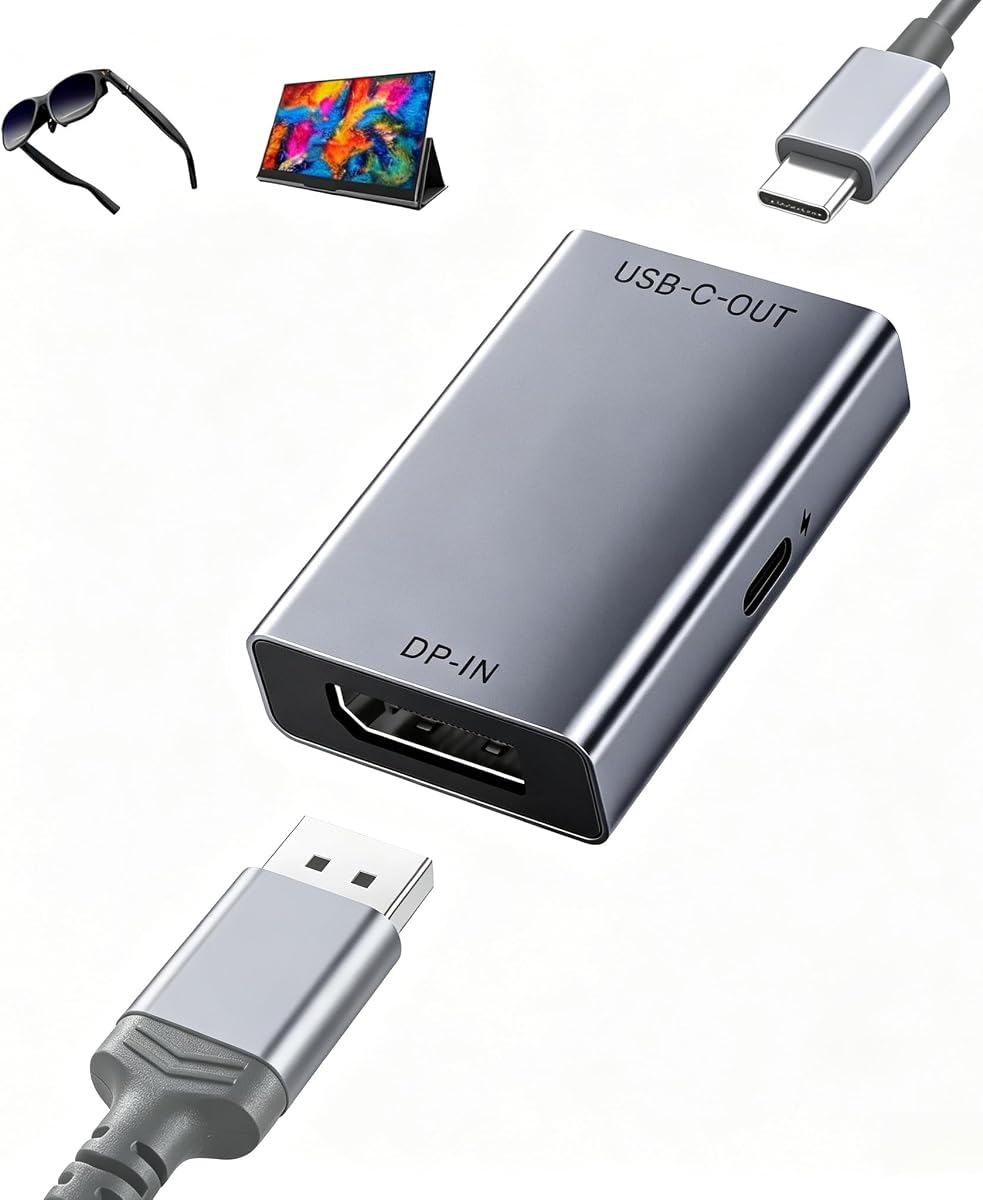
DisplayPort to USB-C Adapter with Power 4K@120Hz for PC to AR Glasses
4.5Editor score
Supports 4K at 120Hz
One-way video transmission
Aluminum alloy housing
Plug and play setup
Discover the top Displayport Adapter for AR Glasses options. This guide compares ten adapters for compatibility, resolution, and power delivery to optimize
Finding the right Displayport Adapter for AR Glasses is crucial for immersive computing. High-quality adapters ensure stable video transmission and proper power delivery for seamless augmented reality experiences.
We evaluated ten leading adapters based on resolution support, compatibility with major AR brands, and build quality. Each product was analyzed for performance in gaming, productivity, and media consumption scenarios.
Each pick highlights key strengths and potential limitations to help you choose wisely. Note that product availability and pricing may change frequently, so check current listings before purchasing your ideal adapter.
4.5Editor score

4.8Editor score

4.2Editor score
This section provides a side-by-side comparison of all ten adapters. Review the specifications and features to determine which model best fits your specific AR glasses and usage requirements today.
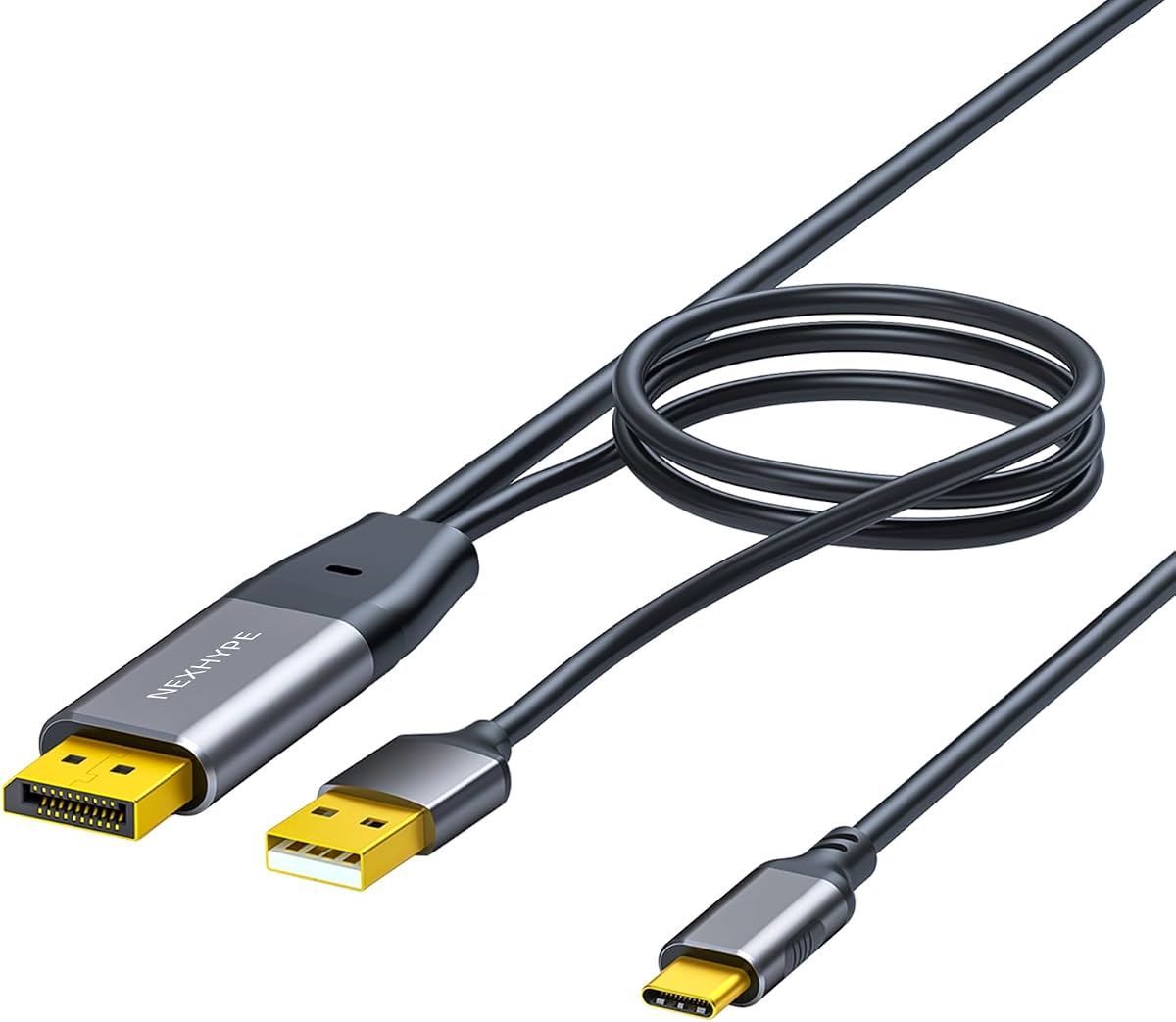


This adapter stands out as a top choice for users seeking reliable high-definition output to their AR glasses. With strong ratings and robust features, it delivers excellent performance for both work and play.
We may earn a commission when you buy through this link, at no additional cost to you.
The graphene shielding ensures signal integrity over the full 6.6ft length, reducing interference. The integrated USB power tail stabilizes the connection, enabling full touch functionality on compatible displays.
Users should note that this adapter works best with GPU DSC support for certain displays. Additionally, compatibility with Nintendo Switch 2 is limited, which may affect console gamers.
Ideal for creative professionals and AR enthusiasts, this adapter balances price and performance effectively. It is highly recommended for those prioritizing touch support and high-resolution clarity.
The graphene shielding and aluminum cooling casing work together to prevent overheating and signal loss during extended use.
The active USB-A power port enables full touch functionality on portable monitors without additional dongles or cables.
We may earn a commission when you buy through this link, at no additional cost to you.
Affordable and effective, this adapter is perfect for users seeking high refresh rates without breaking the bank. It supports 4K at 120Hz, making it ideal for gaming and fast-paced content.
We may earn a commission when you buy through this link, at no additional cost to you.
The aluminum alloy housing ensures durability and effective heat management, crucial for prolonged usage. Its plug-and-play design simplifies setup, requiring no software installation or driver downloads.
While it offers great value, users should be aware it only supports one-way transmission. Additionally, some devices may need external power to function correctly with AR glasses.
This adapter is best suited for gamers and mobile users who prioritize frame rates and portability. It provides a cost-effective solution for enhancing AR experiences with minimal effort.
Enjoy smooth visuals with support for up to 120Hz refresh rates, reducing motion blur in games and videos.
The premium aluminum housing offers excellent protection and thermal management for reliable long-term use.
We may earn a commission when you buy through this link, at no additional cost to you.
For those seeking cutting-edge resolution, this adapter offers support for 8K at 30Hz and 4K at 144Hz. It is designed for high-performance setups demanding the best visual fidelity available.
We may earn a commission when you buy through this link, at no additional cost to you.
The 65W Power Delivery feature ensures connected devices remain charged during use, eliminating the need for extra power sources. The graphene-coated cable adds durability without adding bulk to your setup.
Its short 0.5m length might limit flexibility, and it does not support touchscreens. Users should ensure their devices are externally powered for optimal compatibility and performance.
This adapter is ideal for professional environments and advanced users who need maximum resolution. Its premium features make it a strong choice for those investing in top-tier AR capabilities.
Delivers stunning clarity with support for 8K and high refresh rates for immersive visual experiences.
Keep your devices powered with 65W PD, reducing cable clutter during extended work or gaming sessions.
We may earn a commission when you buy through this link, at no additional cost to you.
This cable offers a reliable connection with an impressive 6.6ft length, ideal for setups requiring extra reach. Its integrated USB power ensures battery-free monitors stay operational without extra adapters.
We may earn a commission when you buy through this link, at no additional cost to you.
The gold-plated connectors and aluminum housing provide excellent durability and corrosion resistance. PVC jacketing allows flexibility for daily use, ensuring the cable withstands various bending conditions.
While reliable, it supports up to 1080P resolution, which may not suit high-end AR use. Large monitors over 15.6 inches might need additional power beyond the integrated supply.
Perfect for casual users and travelers, this adapter balances functionality and flexibility. Its durable build ensures longevity, making it a solid choice for everyday AR applications.
The 6.6ft length allows you to position your device comfortably while maintaining a stable connection.
Integrated USB power delivery supports battery-free monitors and AR glasses without extra charging.
We may earn a commission when you buy through this link, at no additional cost to you.
Gamers will appreciate this adapter's support for 4K at 120Hz and low latency, ensuring responsive gameplay on AR glasses. It also offers 10-bit color accuracy for rich visuals.
We may earn a commission when you buy through this link, at no additional cost to you.
The built-in USB hub allows connection to peripherals like mice and keyboards, though a separate data cable is needed. Its aluminum housing ensures effective heat dissipation during intense sessions.
Be aware that the hub requires a USB 3.0 data cable separately, and the power port may not drive larger monitors. These limitations can be managed with proper setup.
Ideal for enthusiasts and streamers, this adapter delivers premium performance for gaming. It is a versatile solution for those who need both visual quality and peripheral connectivity.
Supports HDR and 10-bit color for professional-grade color accuracy and vibrant media playback.
The USB hub enables direct connection to peripherals for a seamless mobile workstation setup.
We may earn a commission when you buy through this link, at no additional cost to you.
This adapter is designed for portability with a compact 1.6ft length, making it easy to carry. It supports 4K at 60Hz for high-definition viewing on your AR glasses.
We may earn a commission when you buy through this link, at no additional cost to you.
The gold-plated connector ensures stable transmission, while the aluminum housing resists corrosion. Its compact design fits easily into pockets or small bags for travel.
The short cable may limit placement flexibility, and high-power devices might require additional power. Users should be prepared for potential adjustments if using power-intensive hardware.
Great for mobile professionals and travelers, this adapter offers high-quality performance in a small package. It is perfect for users prioritizing portability without compromising on resolution.
The short 1.6ft design ensures easy carrying and storage for on-the-go AR setups.
Delivers crisp 4K visuals for clear and detailed media consumption and productivity tasks.
We may earn a commission when you buy through this link, at no additional cost to you.
This cable delivers reliable performance with a 6ft length, ensuring sufficient reach for comfortable use. It supports 4K at 60Hz for high-quality output on AR glasses and monitors.
We may earn a commission when you buy through this link, at no additional cost to you.
The plug-and-play design simplifies setup, requiring no additional drivers or software. The aluminum casing and gold-plated connectors enhance durability and signal stability over time.
It does not charge monitors or transmit data, relying solely on stable signal transmission. This makes it best suited for displays with their own power supply.
Ideal for users seeking a straightforward and dependable connection, this adapter meets most standard AR needs. It is a great choice for stable daily use without extra complications.
The unidirectional design ensures consistent video and audio quality without signal loss.
Connect directly to your source and display for instant use without driver installation.
We may earn a commission when you buy through this link, at no additional cost to you.
Optimized for handheld consoles like the Switch 2, this adapter enables seamless gameplay casting to AR glasses. It delivers crisp video with high refresh rates for smooth action.
We may earn a commission when you buy through this link, at no additional cost to you.
The PD3.0 pass-through charging keeps devices powered during extended gaming sessions. Its compact aluminum build helps manage heat, though active ventilation is recommended for best performance.
Users should ensure adequate PD power for TV mode activation, as it may generate more heat. Proper ventilation is necessary to prevent overheating during intensive use.
Perfect for gamers and mobile enthusiasts, this adapter offers versatile connectivity for consoles. It is an excellent choice for those wanting to combine portable gaming with AR viewing.
Supports Switch 2 and handheld consoles for casting gameplay to AR glasses and monitors.
PD3.0 pass-through allows uninterrupted play while charging connected devices simultaneously.
We may earn a commission when you buy through this link, at no additional cost to you.
This cable supports 4K at 60Hz and touch functionality, making it ideal for interactive displays. Its 6.6ft length offers flexibility for various desk and portable setups.
We may earn a commission when you buy through this link, at no additional cost to you.
The integrated USB power ensures signal stability for touch screens. It is compatible with many laptop and desktop models, providing a reliable solution for video transmission.
Users should verify DP Alt Mode support before purchasing, as some devices may flicker. It also does not support VR headsets directly, limiting some advanced use cases.
Great for interactive productivity and media, this adapter supports a range of devices. It is a solid choice for those needing touch capabilities and reliable performance on the go.
The USB-A power tail actively stabilizes the signal to enable full touch interactions.
Works with major laptops and desktops offering broad support for different hardware.
We may earn a commission when you buy through this link, at no additional cost to you.
Designed for VITURE users, this adapter enables quick and clean magnetic connections to USB-C displays. It supports high transfer speeds and 4K at 60fps for excellent performance.
We may earn a commission when you buy through this link, at no additional cost to you.
When paired with the Mobile Dock, it allows dual-display setups for enhanced productivity. The magnetic connection simplifies setup and ensures secure attachment without manual alignment.
It is specifically optimized for VITURE products, limiting its use with other brands. Glasses are not included with the accessory, requiring separate purchase for full functionality.
Ideal for VITURE ecosystem users, this adapter provides seamless integration and ease of use. It is perfect for those prioritizing convenience and dual-screen capabilities within the brand.
The magnetic design simplifies connections and ensures a secure fit for portable setups.
When used with the Mobile Dock, it supports simultaneous use on two displays for productivity.
We may earn a commission when you buy through this link, at no additional cost to you.
Selecting the right adapter depends on several technical factors. Understanding these elements ensures compatibility and optimal performance for your specific AR setup.
Ensure the adapter supports the resolution and refresh rate required for your AR glasses. Most models support 4K at 60Hz, while premium options offer 4K at 120Hz or higher for smoother visuals.
Higher refresh rates are crucial for gaming and dynamic content, so check specs carefully.
Adapters with integrated USB power delivery help stabilize the connection and supply power to battery-free devices. This is essential for consistent performance and touch functionality.
Look for options offering sufficient wattage to avoid signal dropouts or extra adapters.
Cable length impacts usability based on your setup. Short cables offer portability, while longer ones provide reach for desktop configurations.
Choose a length that balances convenience with the physical layout of your workspace or travel bag.
High-quality materials like aluminum and gold-plated connectors ensure longevity and stable signal transmission. They also help dissipate heat during extended use.
Prioritize durable housing to protect the adapter from daily wear and tear.
Confirm that your display and source devices support DP Alt Mode and the specific adapter features. Some models are optimized for specific brands like VITURE or Xreal.
Always verify compatibility with your existing hardware to avoid purchasing issues.
Interactive touch capabilities often require active USB-A power tails to function correctly. Check if the adapter explicitly mentions touch functionality before buying.
This feature is important for users needing navigation or annotation capabilities.
Some adapters offer extra features like USB hubs or magnetic connectors. These can enhance versatility but may come with specific setup requirements or limitations.
Assess whether added features align with your usage needs and workflow.
Reputable manufacturers offer warranties and technical support to address potential issues. A solid warranty provides peace of mind regarding product reliability.
Consider customer support accessibility when making your final decision on an adapter.
Begin by ensuring your source device supports DisplayPort output and your AR glasses support DP Alt Mode input. This fundamental compatibility check prevents connection issues.
Connect the DisplayPort end to your PC or laptop and the USB-C end to your AR glasses or monitor. If required, attach the integrated USB-A power cable to a stable power source.
Handle the adapter gently during connection to avoid damaging the connectors. Store it in a cool, dry place when not in use to prolong its lifespan and maintain performance.
No, AR glasses must support DP Alt Mode over USB-C to work with DisplayPort adapters. Check your device specifications to confirm compatibility before purchasing any adapter.
This may occur if the firmware is outdated or the device does not support video input. Updating firmware and ensuring DP Alt Mode is enabled often resolves the issue.
Most adapters are designed for PCs and laptops, and Switch compatibility varies. Some specialized adapters support the Switch, so verify specific model compatibility before use.
Touch support often requires active USB power tails to function. Always confirm that the adapter supports touch if you plan to use interactive displays.
Most adapters are unidirectional and support DP to USB-C transmission only. They generally do not convert USB-C to DisplayPort signals, so check directionality carefully.
Use certified USB-C cables and ensure your source device supports the required bandwidth. Stable power supply and updated firmware also contribute to consistent performance.
Compatibility with consoles like Xbox or PS5 often requires HDMI to DP adapters first. Check adapter descriptions for specific console support before purchasing.
Most adapters support 4K at 60Hz or 120Hz. Premium models may support 8K at 30Hz depending on the hardware and source device capabilities.
This guide reviewed ten top adapters, highlighting standout options for budget, premium, and general use. Each offers unique strengths suited to different AR setup needs.
Prioritize compatibility, resolution support, and power delivery when making your choice. The right adapter enhances your experience with stable performance and vivid visuals.
Always check current listings and specifications before purchasing. Product details can change, so verifying up-to-date information ensures a smooth and successful setup.