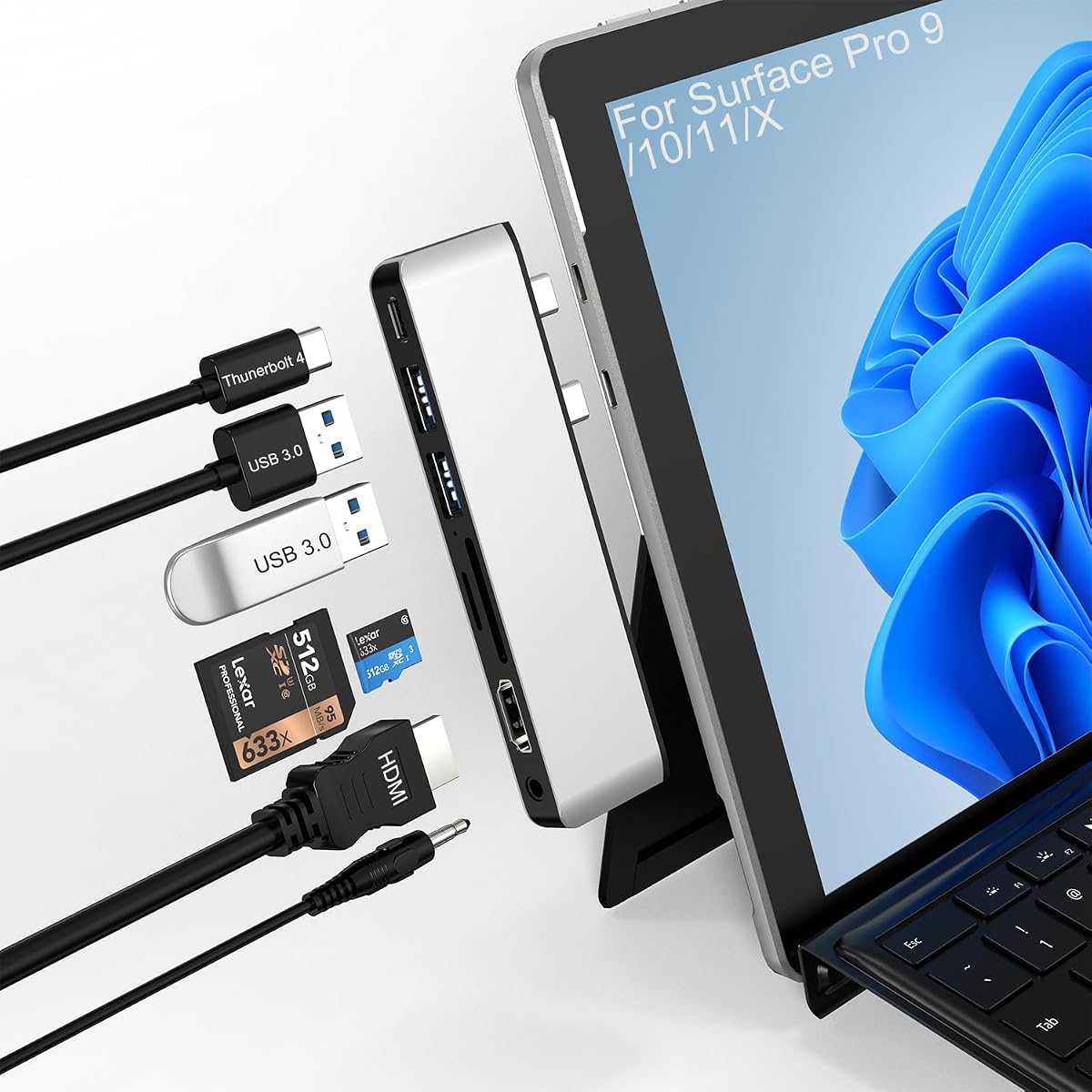
Surface Pro 2026/11/10/9/X Docking Station
4.2Editor score
Thunderbolt 4 support
Triple display modes
Compact aluminum design
This guide compares the best docking station for Surface Pro 11 to help you find the perfect hub for connectivity, displays, and charging needs.
Finding the right docking station for Surface Pro 11 is essential for transforming your tablet into a full workstation. A quality hub expands ports for monitors, drives, and peripherals while ensuring stable power delivery for daily workflows.
We compared ten top-rated models based on port variety, display support, data speeds, and compatibility. This list covers magnetic connectors, triple display options, and high-speed USB-C features to meet diverse professional requirements.
Each pick highlights unique strengths like 4K output or compact design. Prices change frequently so check current listings before buying. These expert insights help you choose the ideal dock for your Surface ecosystem efficiently.
4.2Editor score
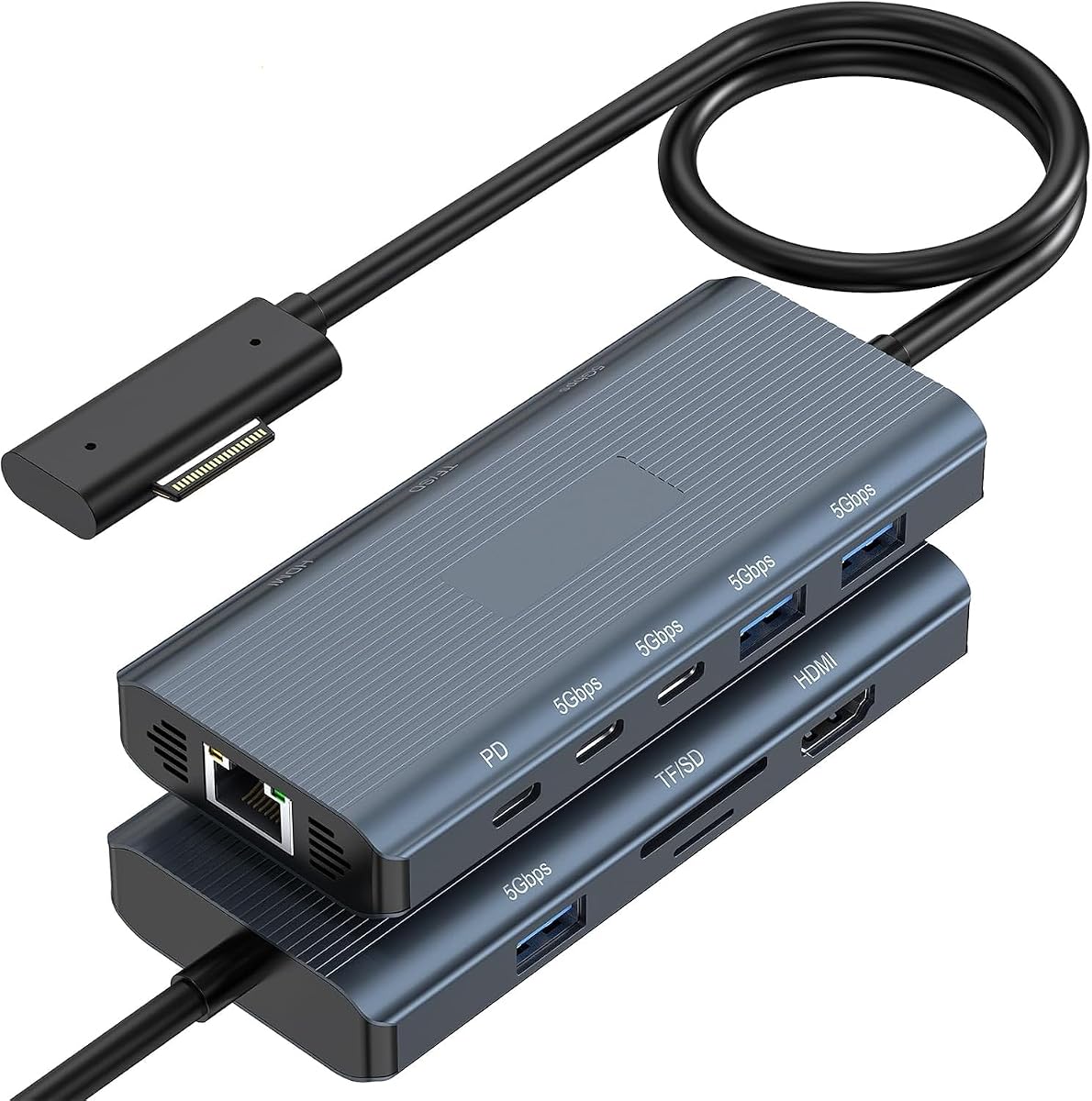
4.8Editor score

4.3Editor score
This table compares all ten models side by side. Review key specs like port counts, display resolution, and charging power to find the best fit for your setup quickly.



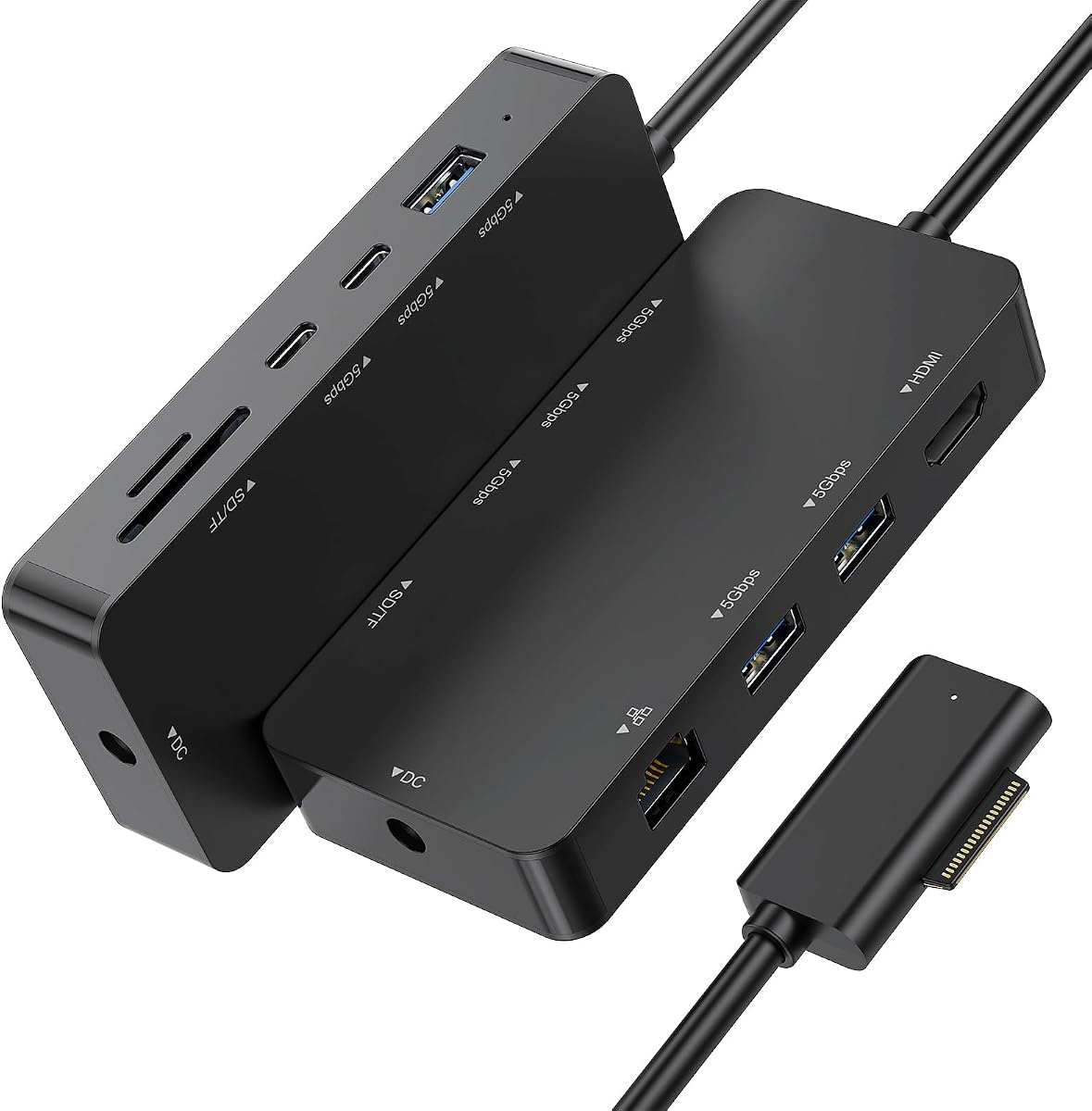
This 11-in-1 dock ranks high with a 4.8 rating. It supports 4K 60Hz displays and includes Gigabit Ethernet for stable network connections. The magnetic connector works seamlessly with Surface Pro 11.
We may earn a commission when you buy through this link, at no additional cost to you.
It offers three USB 3.0 ports and two USB-C data ports for fast transfers. The 100W PD input ensures your device stays powered while running heavy workloads. SD and TF card readers allow easy media access.
The unit requires an external 45W adapter which adds to desk clutter. However the performance gains justify the cable. Ensure proper connection direction for magnetic docking to avoid issues.
Ideal for hybrid workers needing reliable network and dual screen setups. Choose this for balanced features without extreme costs. It delivers solid performance for daily professional needs.
The included Gigabit Ethernet ensures low latency for video calls and large file transfers. It provides a stable wired connection when Wi-Fi fluctuates.
Supports 4K resolution at 60Hz for smooth visuals. Ideal for video editing and multitasking across multiple high resolution screens.
We may earn a commission when you buy through this link, at no additional cost to you.
This 12-in-1 dock supports triple displays via two HDMI and one VGA. It has a 4.1 rating and comes with a power adapter. Good for expanding workspace across three monitors.
We may earn a commission when you buy through this link, at no additional cost to you.
Two USB 3.0 ports and two USB-C data ports offer transfer speeds up to 5Gbps. The included power supply ensures device charging while running peripherals. Audio output connects headphones directly.
The Ethernet port limits to 100Mbps which slows larger downloads. VGA adds flexibility but is older tech. Turn off Surface screen for full triple display use.
Great for office multitasking and spreadsheets. Use if you need extra screens beyond dual setup. Check resolution limits on VGA before buying.
Enables three screen setups to boost productivity. Perfect for comparing data across apps or coding with side panels.
Multiple USB ports handle keyboards and external drives. SD slots let you transfer photos from cameras without adapters.
We may earn a commission when you buy through this link, at no additional cost to you.
This dock uses Thunderbolt 4 for 40Gbps transfer and 4K HDMI. It holds a 4.2 rating and fits compact on desks. Best for users needing fast data on a budget.
We may earn a commission when you buy through this link, at no additional cost to you.
The 100W PD charging via USB-C keeps devices powered. Aluminum case helps heat dissipation. SD and TF slots support up to 2TB cards. Audio jack handles 3.5mm headsets.
It might not fit well with thick protective cases. HDMI is limited to 30Hz which affects video smoothness. Thunderbolt 4 port enables display and data transfer.
Ideal for travel and creative work needing fast storage. Buy if you want high-end speeds without premium cost. Check case compatibility before purchase.
Thunderbolt 4 allows rapid file syncing. Great for video editors moving large footage quickly.
Aluminum design helps cool internal components. Maintains performance during long use sessions.
We may earn a commission when you buy through this link, at no additional cost to you.
With a 4.8 rating this dock supports dual HDMI and VGA for three screens. It has 12 ports including USB 3.0 and USB-C data. Includes a 72W adapter for charging.
We may earn a commission when you buy through this link, at no additional cost to you.
Transfer speeds reach 5Gbps on USB ports. SD/TF slots allow simultaneous card reading up to 104MB/s. Ethernet provides stable 10/100Mbps wired network. Audio jack supports standard headphones.
USB-C ports are data only with no video. VGA limits resolutions when active. Turn off screen for full display use. Ensure adapter remains connected for stable performance.
Perfect for office work with multiple open apps. Buy if triple screens are needed for workflow. Consider adapter power for heavy usage.
SD and TF slots allow easy access to camera cards. Saves time during photo workflows.
Strong user feedback indicates stable function. Trusted for daily use without frequent issues.
We may earn a commission when you buy through this link, at no additional cost to you.
This dock features 12 ports and a 4.8 rating. It allows triple displays using HDMI and VGA. Includes a 72W adapter for charging peripherals. Great for professional workspaces.
We may earn a commission when you buy through this link, at no additional cost to you.
USB-C 3.0 ports offer 5Gbps speeds for drives. SD/TF slots support up to 2TB cards. Audio jack ensures music playback. Ethernet keeps network stable for calls.
USB-C ports handle data only. Requires power connection for optimal function. Turn off device screen for third external display. Adapter adds to desk weight.
Use for video editing or classroom presentations. Choose if you want reliable connectivity without bulk. Verify compatibility with device cases.
Minimalist look reduces desk clutter. Fits neatly on office workstations.
Ethernet ensures low latency for data. Better than wireless for large file transfers.
We may earn a commission when you buy through this link, at no additional cost to you.
A 4.3 rated dock with dual 4K 60Hz HDMI outputs. Supports triple displays via MST. Comes with 100W charging and 1000Mbps Ethernet. Ideal for smooth visual performance.
We may earn a commission when you buy through this link, at no additional cost to you.
USB 3.0 and USB-C data ports enable fast transfers. SD/TF slots support 2TB capacity. Audio/mic jack helps calls. Plug and play setup with no drivers.
Higher cost for 60Hz refresh. Requires 100W power adapter for full function. Triple screens need screen off. Ensure device supports MST features.
Buy for gaming or video editing needing high refresh. Use if wired network speed is key. Check budget before choosing.
60Hz refresh provides better motion handling. Essential for detailed work and animations.
100W ensures device stays charged. Supports heavy workloads without battery drain.
We may earn a commission when you buy through this link, at no additional cost to you.
This 10-in-1 dock has a 4.4 rating. Supports 4K HDMI and 1000Mbps Ethernet. Includes 65W PD power for charging. Works with Surface Pro 11 seamlessly.
We may earn a commission when you buy through this link, at no additional cost to you.
Three USB 3.0 and two USB-C ports provide speeds. SD/TF slots allow file transfer. Audio jack included for headsets. Plug and play with no driver install.
HDMI is limited to 30Hz which may impact video. Requires adapter connection for full power. Compact design helps but needs space for cables.
Ideal for general office and travel use. Choose if you need reliable ethernet. Verify case fit before purchase.
Small form reduces desk space used. Easy to transport for business trips.
1000Mbps Ethernet ensures low latency. Crucial for video conferencing calls.
We may earn a commission when you buy through this link, at no additional cost to you.
With 4.5 rating this dock supports dual HDMI plus VGA for triple screens. It includes 72W charging and multiple USB ports. Plug and play for easy setup.
We may earn a commission when you buy through this link, at no additional cost to you.
USB 3.0 and USB-C data enable high speeds. SD/TF slots support 2TB. Audio jack supports 4-pin headsets. Ethernet ensures stable 100Mbps network.
Requires device screen off for full triple display. Adapter adds weight. Ensure connection fits device port properly. Check compatibility with Laptop models.
Use for creative work needing multiple screens. Buy for reliable connectivity. Verify cable length needs.
Supports many device types easily. Fits into different desk setups.
3.5mm jack works with standard headsets. Good for audio editing.
We may earn a commission when you buy through this link, at no additional cost to you.
This dock features 120W power and triple 4K 60Hz support. It supports HDMI, DP, and USB-C for displays. Includes 1000Mbps Ethernet. Premium build for demanding use.
We may earn a commission when you buy through this link, at no additional cost to you.
Thunderbolt 4 offers 5Gbps data speeds. Multiple USB ports connect peripherals. SD/TF 3.0 cards read up to 480Mbps. Audio/Mic jack supports calls.
120W adapter is heavy for travel. Requires Windows 11 for full features. High cost for top performance. Check OS compatibility before buying.
Ideal for power users needing maximum power. Use if budget allows for top features. Consider travel needs.
120W ensures full speed for devices. No need for separate charger.
60Hz on all monitors for smooth work. Essential for video editing.
We may earn a commission when you buy through this link, at no additional cost to you.
This dock has a 4.7 rating with 4K 60Hz HDMI. It uses magnetic connection for quick setup. Includes 50cm cable. Ideal for flexible positioning.
We may earn a commission when you buy through this link, at no additional cost to you.
USB-C and USB 3.0 offer high speed. Gigabit Ethernet ensures stable network. SD/TF reader handles file access. PD charging keeps device powered.
Cable is shorter than some. Fewer ports than 12-in-1. Ensure magnetic plug fits your model. Check warranty terms.
Buy for simple setups needing 60Hz. Use if magnetic connection is key. Consider port needs.
Quick attach and detach saves time. Reduces port wear over time.
60Hz support ensures smooth visuals. Great for detailed design work.
We may earn a commission when you buy through this link, at no additional cost to you.
Choosing the right docking station requires matching features to your specific needs. This guide covers key factors to consider for performance, connectivity, and reliability.
Look for HDMI and DisplayPort ports supporting 4K resolution at 60Hz for smooth visuals. Some models offer triple displays via MST which increases screen real estate. Ensure the dock supports your monitor refresh rate preferences for video or design tasks.
Check if the dock includes a dedicated power adapter like 100W or 120W to charge your device while running peripherals. Some models charge via USB-C but may limit speed under load. Ensure the adapter supports your device wattage requirements for full performance.
USB 3.0 and USB-C ports should offer 5Gbps or higher speeds for large files. Thunderbolt 4 support ensures maximum transfer rates for video editing. Avoid hubs with only 2Gbps USB speeds if you move media often.
Ethernet ports provide stable connections for video calls and downloads. Gigabit 1000Mbps speeds are preferred over 100Mbps models for faster transfers. Wired connections reduce lag during gaming or remote work.
Magnetic connectors ensure quick plug and play. Check if the dock fits your device model without interference from protective cases. Secure connectors prevent accidental disconnection during use.
Choose docks with enough USB ports for all peripherals. SD and TF card slots add convenience for creators. Ensure you have enough ports for current and future devices.
Aluminum designs help dissipate heat during heavy use. Compact models save desk space but check cable length for flexibility. Ensure the dock is durable for daily professional use.
Ensure the dock supports your Windows version fully. Some features like MST require specific OS settings. Verify compatibility with Surface Pro models to avoid issues.
Connect the power adapter to the dock first to ensure stable power. Then attach the magnetic connector to your Surface Pro 11 carefully aligning the contacts. Ensure the connection clicks securely to prevent disconnection during use.
Plug your monitors into HDMI or DP ports using high quality cables. Connect USB peripherals like keyboard mouse and drives to available ports. Verify all connections work before powering on your laptop.
Clean the connector contacts regularly with a dry cloth to maintain connection. Avoid pulling cables from the dock. Ensure the device stays cool by placing it on a flat surface with airflow.
Some models offer 4K 60Hz HDMI. Others are limited to 30Hz. Check specs before buying for smooth video.
Yes if you use a dock with a dedicated power adapter. Ensure the adapter provides enough wattage for full charging.
Most docks are plug and play. No drivers are required for basic function. Windows installs support automatically.
Yes with docks that support MST. You may need to turn off the Surface screen for triple setup.
Most include 10/100Mbps. Some offer Gigabit speeds. Check specs for faster network needs.
USB 3.0 ports offer 5Gbps. USB-C data ports vary. Check speed details for large file transfers.
Thick cases may block the magnetic connector. Remove case if fit is tight before buying.
Keep contacts clean with a dry cloth. Ensure stable connection to avoid device issues.
Top picks offer strong connectivity with 4K displays and fast Ethernet. The best budget option supports Thunderbolt 4 for creative work. Premium docks provide maximum power for heavy users.
Prioritize refresh rate power delivery based on workflow needs. Triple display options help if you need extra space. Choose the dock that matches your device model perfectly.
Prices change often so check current listings before purchase. Ensure adapter connections remain compatible. Select for reliability and speed for daily use.