TINA2S Fully Assembled Mini 3D Printer
4.6Editor score
Fully assembled out of box
Includes filament and tools
Simple auto leveling
This guide compares the top easy to use 3D printers for beginners and families, highlighting setup speed, auto leveling, and user friendly features to find the
Finding an easy to use 3D printer can transform your creative projects into reality without frustration. Modern machines now feature automated calibration and intuitive interfaces that remove traditional barriers for new users.
We compared ten top models based on setup time, automation features, print quality, and user feedback. Our analysis focuses on devices designed to minimize manual adjustments and maximize reliable printing experiences.
Each pick highlights specific strengths like speed, safety, or ecosystem support. Prices and availability change frequently, so check current listings before purchasing to ensure you get the best value for your needs.
4.6Editor score

4.7Editor score

4.5Editor score
This side by side comparison outlines key specifications for each model to help you quickly identify which printer matches your specific project requirements and skill level.



The Bambu Lab A1 stands out as the leading easy to use 3D printer for beginners and enthusiasts alike. With a strong rating of 4.7 stars from users, it combines speed and precision in a user-friendly package.
We may earn a commission when you buy through this link, at no additional cost to you.
Its standout feature is the full-auto calibration that eliminates manual bed leveling and Z-offset adjustments entirely. Active flow rate compensation ensures smooth prints, while the simplified touchscreen and quiet motor make the experience pleasant.
While the AMS lite multi-color system is sold separately, the base unit delivers excellent single-color performance. The higher price point reflects advanced technology that reduces failed prints and frustration significantly.
This model is ideal for anyone wanting professional results without technical hassles. Its reliability and ease of use make it a top recommendation for home studios and educational settings.
The printer automatically levels the bed and sets offsets, removing the most common barrier for new users.
High acceleration and active noise canceling allow rapid prints without disturbing your workspace environment.
We may earn a commission when you buy through this link, at no additional cost to you.
The FLASHFORGE Adventurer 5M delivers impressive speed with its CoreXY structure and 600mm/s travel speed. Users appreciate the one-click automatic printing feature that simplifies the workflow from setup to finish.
We may earn a commission when you buy through this link, at no additional cost to you.
Its design focuses on efficiency with a 3-second detachable nozzle and dual-sided PEI platform for easy print removal. The smart mobile app allows remote monitoring and adjustments, adding convenience for busy makers.
However, the 3.9 rating suggests some users encounter inconsistency or require more setup than expected. The high speed may compromise surface quality on certain prints without careful parameter tuning.
This printer is best suited for those prioritizing speed and rapid prototyping over perfection. It offers solid value for users willing to fine-tune settings to unlock its full potential.
High acceleration and travel speed reduce print times significantly compared to standard consumer models.
Flash Studio app provides real-time status alerts and remote parameter adjustments for flexible workflow management.
We may earn a commission when you buy through this link, at no additional cost to you.
The Bambu Lab A1 mini offers a compact version of the popular A1 series, designed specifically for easy entry into 3D printing. With a 4.4 rating, it delivers high-speed quality in a smaller form factor.
We may earn a commission when you buy through this link, at no additional cost to you.
It comes with an LED Lamp Kit to inspire immediate creative projects, allowing users to print decorative lights right away. The connected ecosystem with MakerWorld provides thousands of ready-to-print models for instant gratification.
While the build volume is smaller, it suits hobbyists with limited desk space. The reliable performance and quiet operation make it suitable for bedrooms or shared living areas without noise concerns.
This model is ideal for students and casual creators who need a reliable, easy-to-use machine. Its plug-and-play nature ensures that printing starts soon after unboxing.
The included LED kit guides new users through functional prints that light up their room immediately.
Bambu Handy app and MakerWorld provide seamless cloud management and access to millions of pre-made models.
We may earn a commission when you buy through this link, at no additional cost to you.
The Bambu Lab P1S brings premium features to a compact footprint with its enclosed design. It supports advanced filaments like ABS and ASA, which typically require temperature-controlled environments for success.
We may earn a commission when you buy through this link, at no additional cost to you.
With speeds up to 500mm/s and 20000 mm/s² acceleration, it maintains exceptional performance without sacrificing detail. The setup takes just 15 minutes, making it accessible even for first-time users.
While the AMS unit for multi-color printing is separate, the printer's core performance is outstanding. It balances speed, quality, and reliability for more demanding users who need versatility.
This model is recommended for makers needing robust material support and high throughput. Its enclosed nature ensures consistent results on complex projects.
Full enclosure maintains consistent temperature for advanced filaments that warp easily on open frames.
Supports diverse materials from flexible TPU to engineering-grade ABS with proper configuration.
We may earn a commission when you buy through this link, at no additional cost to you.
The AOSEED AI 3D Printer transforms creativity with AI tools that turn photos and doodles into 3D models instantly. It is designed specifically for kids, featuring an enclosed, pinch-resistant safe design.
We may earn a commission when you buy through this link, at no additional cost to you.
With access to over 8,000 human-reviewed models and features like AI MiniMe, children can create personalized figures without design experience. The built-in camera allows parents to monitor prints remotely via smartphone.
Although it prints in single color by default, the ease of use and educational value make it a compelling choice. One-tap printing removes technical steps, ensuring kids stay engaged from idea to creation.
This printer is perfect for families wanting a safe, educational tech gift. It encourages STEM learning while providing fun, safe projects for young minds.
Photos transform into cartoon-style figures automatically, removing the need for 3D modeling skills.
Enclosed chassis and pinch-resistant points protect children during operation while maintaining quiet noise levels.
We may earn a commission when you buy through this link, at no additional cost to you.
The Entina Tina2C is designed for quick entry with setup completed in just 8 minutes. It targets kids and beginners with a fully assembled unit that removes complex assembly steps.
We may earn a commission when you buy through this link, at no additional cost to you.
Access to over 3,500 models and STEM learning modules makes it educational as well as fun. It supports both WiFi and offline printing, offering flexibility for different classroom or home environments.
The small footprint makes it ideal for desks with limited space, but print size is restricted. It is best used for small figurines and educational demonstrations rather than large functional parts.
This model suits classrooms and families wanting immediate results. Its simplicity ensures that learning focuses on creativity rather than troubleshooting mechanical issues.
Fully assembled design and guided app setup enable first print within minutes of unboxing.
Interactive courses and modules integrate engineering concepts into fun creative projects.
We may earn a commission when you buy through this link, at no additional cost to you.
The FLASHFORGE AD5M balances speed and ease of use with its CoreXY structure and 600mm/s capabilities. It emphasizes reliability with features like power loss resume and auto leveling.
We may earn a commission when you buy through this link, at no additional cost to you.
The quick-swap nozzle allows tool-free changes in seconds, simplifying maintenance for novices. Its all-metal structure ensures stability during high-speed printing runs without vibration issues.
While it offers advanced features, users should note that the Orca-flashforge slicer is required for full functionality. It provides solid performance for general use without complex setup requirements.
This printer is recommended for makers needing robust build quality and flexibility. The ability to resume prints after outages saves material and reduces frustration significantly.
Quick-swap nozzle design removes the need for wrenches or screwdrivers during filament or part changes.
Automatic power loss recovery saves the current layer and resumes where it left off during interruptions.
We may earn a commission when you buy through this link, at no additional cost to you.
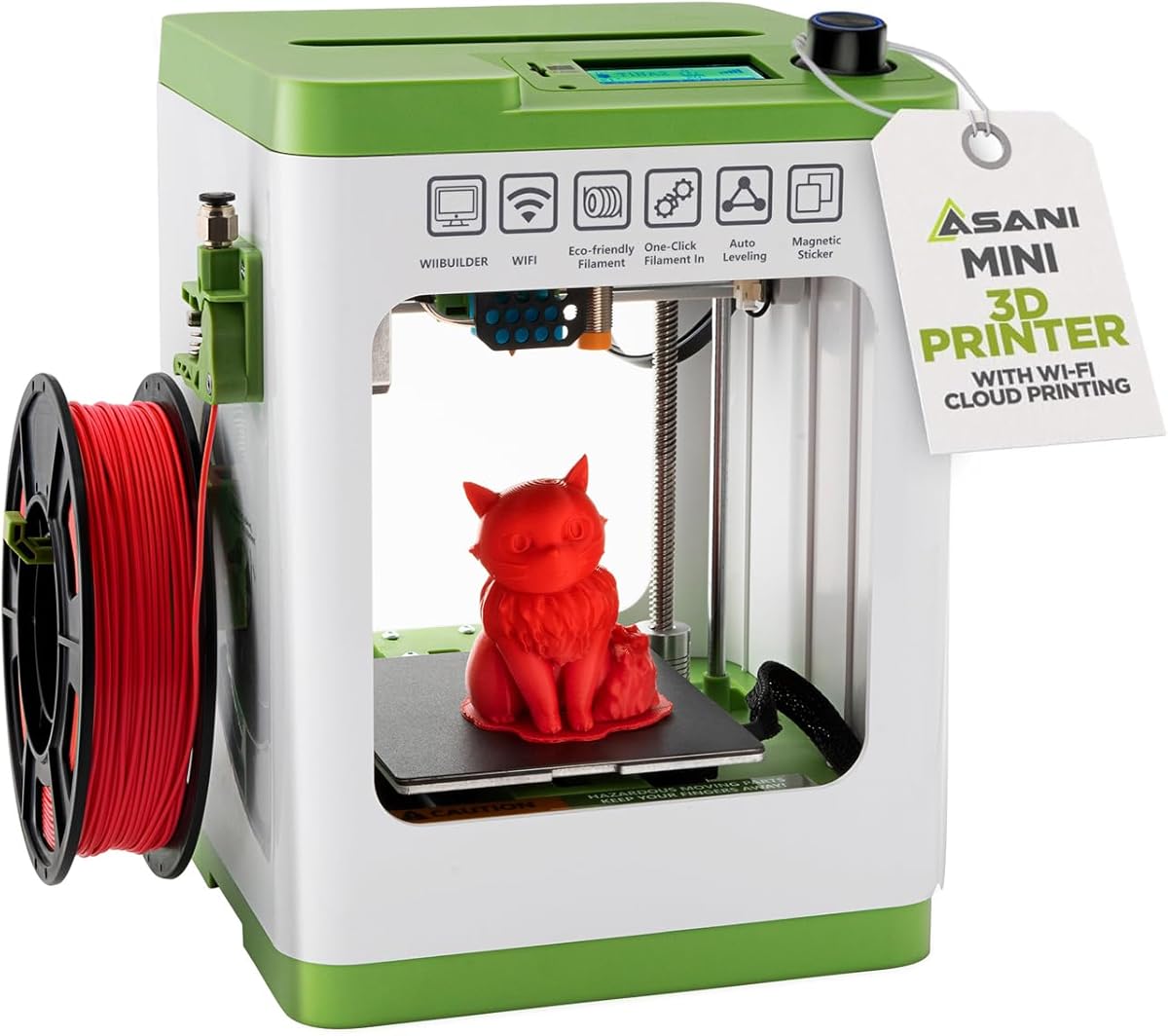
The TINA2S Fully Assembled offers a complete starter kit with everything needed to begin printing. With a 4.6 rating, it is highly favored for its ease of use and value.
We may earn a commission when you buy through this link, at no additional cost to you.
It comes with 10 meters of filament and a microSD card pre-loaded with designs, making it ready right out of the box. The auto-leveling system and flexible magnetic plate simplify the printing process significantly.
Open-source compatibility allows users to use various slicers like Cura or Simplify3D for customization. However, the compact build volume restricts the size of objects that can be printed in one go.
This model is ideal for beginners on a budget who want a reliable introduction. Its all-in-one nature removes barriers for first-time users seeking immediate gratification.
Includes filament and accessories to start printing without additional purchases or searches.
Compatible with multiple slicers allows customization of print settings for advanced users.
We may earn a commission when you buy through this link, at no additional cost to you.
The Creality Ender 3 V3 SE provides affordable access to auto leveling with its CR Touch system. It features a direct drive extruder suitable for various filaments without complex manual leveling.
We may earn a commission when you buy through this link, at no additional cost to you.
With speeds of 250mm/s and a 32-bit silent mainboard, it balances performance and noise levels effectively. The flexible spring steel build plate ensures easy model removal after prints.
While budget-friendly, it requires some calibration for best results compared to more automated models. Users may need to tweak settings for different materials to avoid minor defects.
This printer is best for cost-conscious users willing to learn the basics. It offers a solid foundation for learning 3D printing on a budget.
Low price point with auto leveling makes it an entry point for first-time 3D printing buyers.
Sprite extruder provides better control over filament flow for more consistent printing results.
We may earn a commission when you buy through this link, at no additional cost to you.
The Anycubic Kobra X stands out with native multicolor printing capabilities built into the base unit. This eliminates the need for complex external extruder setups for basic multi-color jobs.
We may earn a commission when you buy through this link, at no additional cost to you.
Its LeviQ 3.0 auto bed leveling uses 49 points to ensure perfect first layers every time. Dual-band Wi-Fi allows stable remote monitoring, while the hardened steel nozzle resists wear from abrasive materials.
Filament is not included, so users must purchase spools separately to start. The expansion ACE Pro system is not compatible with all units, which limits future upgrades.
This model is ideal for those wanting color variety without high complexity. It simplifies the multi-color process for creative projects and home printing.
Native support for multiple colors simplifies the workflow for vibrant prints without external accessories.
Advanced 49-point calibration ensures consistent adhesion across the entire build surface.
We may earn a commission when you buy through this link, at no additional cost to you.
Selecting the right printer depends on balancing ease of use with required features and budget. This section breaks down key factors to consider before purchasing.
Auto leveling is essential for easy use as it removes the need for manual bed adjustments. Look for sensors like CR Touch or full automatic systems that handle offsets without intervention.
Ensure the printer handles calibration automatically to avoid first layer failures and frustration.
High speeds reduce wait times significantly for prototypes and large objects. Acceleration rates above 10,000 mm/s² generally indicate modern, responsive printing capabilities.
Prioritize models with high acceleration if you need quick turnaround on multiple projects.
Enclosed printers protect users from moving parts and heat while improving print quality. Safety features like pinch guards are crucial for households with children.
Check for certifications and closed designs if safety is a priority for your environment.
User-friendly apps and slicers make management and printing easier for beginners. Cloud connectivity allows remote monitoring and file sending without needing a PC.
Select machines with intuitive software to streamline the workflow from design to print.
Determine if you need to print large objects or if a compact model fits your space. Small volumes are fine for figurines but limit functional part creation.
Measure your available space and project needs before choosing size specifications.
Check which materials the printer supports to ensure it meets your project requirements. Some models handle flexible TPU while others are limited to rigid PLA.
Choose a printer that supports the range of materials you plan to use.
Fully assembled printers save time and reduce errors during setup. Some models come ready out of the box while others require significant calibration.
Look for ready-to-use options if you want to start printing immediately after purchase.
Active user communities provide quick troubleshooting help and shared model libraries. Strong manufacturer support ensures long-term reliability and parts availability.
Consider the brand reputation for support and user engagement when selecting a machine.
Start by loading filament securely and calibrating the bed if not fully automatic. Ensure the nozzle height and bed alignment are correct before starting a print to avoid clogs.
Regularly clean the build plate with isopropyl alcohol to maintain adhesion. Check the nozzle for debris after finishing projects to prevent future printing issues.
Store filament in dry, cool places to prevent moisture absorption which affects print quality. Keep the firmware updated to benefit from the latest performance improvements and bug fixes.
Many models feature enclosed designs and pinch-resistant mechanisms specifically designed for kids. However, adult supervision is recommended during printing to ensure safe handling of materials and parts.
No, most models use auto leveling and intuitive interfaces to minimize technical requirements. Beginners can start printing with minimal setup and basic software knowledge.
Print time depends on object size and speed settings. Small items may finish in minutes while larger objects can take several hours.
Most models support PLA, PETG, and TPU. Some higher-end options support engineering filaments like ABS or ASA with proper temperature control.
Clean the build plate after each use and check nozzles weekly. Regular maintenance prevents clogs and ensures consistent print quality over time.
Many modern models offer multi-color printing capabilities either natively or via accessory units. Setup varies but generally includes automatic color switching.
Modern printers often include power loss recovery to resume prints after outages. Filament sensors also pause printing when material runs out to prevent failed projects.
Online libraries like MakerWorld offer thousands of free and paid 3D models. These platforms allow you to download files ready for printing immediately.
The top picks offer a range of options from budget-friendly kits to advanced automated machines. Each model simplifies the printing process through different features like auto calibration and intuitive software.
Consider your specific needs such as print volume, safety requirements, and material preferences. Balancing cost with performance ensures you find a printer that supports your creative goals effectively.
Always check current availability and pricing before purchasing as market conditions change frequently. The right easy to use 3D printer can open doors to endless creative possibilities for any user.