
acer SB240Y G0bi
4.6Editor score
Zero-frame edge to edge design
Up to 120Hz refresh rate
1ms VRB response time
Edge to edge monitors provide immersive viewing experiences by minimizing bezels and maximizing screen real estate. These displays are essential for professionals and gamers who need seamless multitasking and detailed visuals without distractions from physical borders.
We evaluated ten top models based on resolution, refresh rates, panel types, and connectivity options. Our analysis focuses on how each monitor delivers true edge to edge performance across different use cases ranging from office work to competitive gaming.
Each pick highlights key strengths and ideal user profiles to help you find the perfect fit. Please note that pricing and availability fluctuate frequently so verify current details before making your final purchasing decision today.
4.6Editor score

4.4Editor score

4.3Editor score
As an Amazon Associate we earn from qualifying purchases.
The following table provides a side-by-side comparison of all ten selected models. It highlights their key specifications including resolution, refresh rates, and special features to help you quickly identify the best match for your specific needs and budget.




The Dell S3425DW is a standout choice for those seeking a balance between productivity and entertainment. With a WQHD resolution and ComfortView Plus technology it delivers stunning visuals while protecting eye health during long work sessions.
We may earn a commission when you buy through this link, at no additional cost to you.
Its 120Hz refresh rate and 99% sRGB coverage make it versatile for both creative work and gaming. The USB-C port allowing power delivery keeps your desk tidy by reducing cable clutter significantly.
While VA panels typically have slower response times than IPS the 0.03ms claim is impressive. However some motion clarity might still lag behind high-end IPS models in fast-paced competitive gaming scenarios.
This monitor is ideal for professionals and casual gamers who value color fidelity and comfort. Its re-engineered audio system also adds value by eliminating the need for external speakers in a compact setup.
ComfortView Plus reduces harmful blue light without compromising color fidelity ensuring your eyes stay fresh even after marathon sessions.
A single USB-C cable handles video audio and power delivery which minimizes clutter and streamlines your workspace layout effectively.
We may earn a commission when you buy through this link, at no additional cost to you.
The Z-Edge 49 inch offers a panoramic workspace that transforms multitasking and gaming experiences. Its 32:9 aspect ratio and 1500R curvature wrap around your field of view for true cinematic immersion.
We may earn a commission when you buy through this link, at no additional cost to you.
Dual QHD resolution provides ultra-detailed visuals equivalent to two monitors side-by-side without bezels. Features like PIP and PBP allow seamless management of multiple input sources simultaneously.
Gaming tools such as Crosshair and Shadow Balance enhance competitive play. The KVM switch is a unique addition for power users managing multiple systems without extra peripherals.
Ideal for enthusiasts needing massive screen real estate this model excels in immersion. Just ensure your desk can accommodate its size before committing to this expansive setup.
PIP and PBP modes let you run multiple applications side by side boosting productivity without switching windows constantly.
Built-in tools like Crosshair and Timer give you a competitive edge during intense gaming sessions.
We may earn a commission when you buy through this link, at no additional cost to you.
The Dell UltraSharp U4924DW is engineered for professionals who demand reliability and maximum productivity. Its 49-inch DQHD screen showcases content with striking clarity ideal for complex workflows and data analysis.
We may earn a commission when you buy through this link, at no additional cost to you.
USB Type-C enables efficient data transfer and connectivity reducing cable clutter. The Edge WLED backlight technology ensures a smooth display free from distracting banding or uneven lighting.
While its 5ms response time suits action films it may not meet competitive gaming needs. VESA mount compatibility offers flexibility for custom desk setups or wall mounting options.
This monitor is perfect for corporate environments or home offices prioritizing stability. Its high price reflects the premium build quality and features tailored for business users.
Designed for consistent performance this monitor handles demanding daily tasks with ease over long periods.
USB-C support ensures modern connectivity standards making data transfers fast and straightforward.
We may earn a commission when you buy through this link, at no additional cost to you.
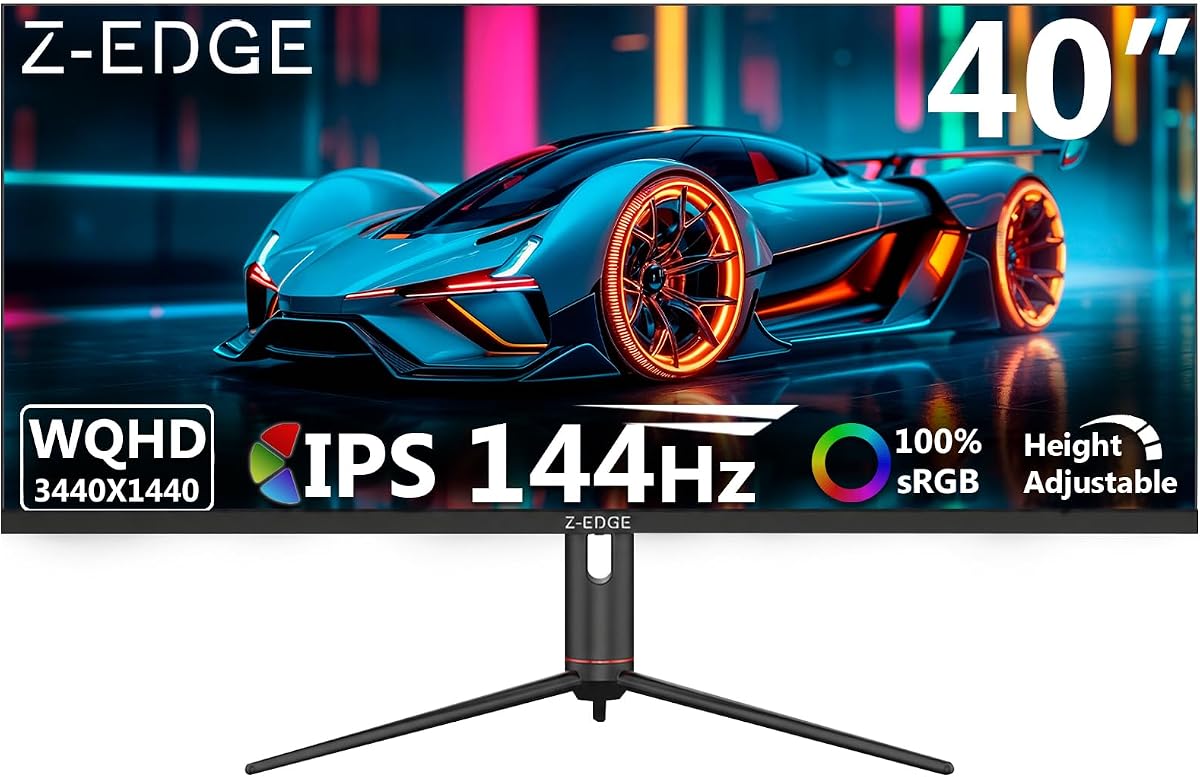
The Z-Edge 40 inch combines ultrawide immersion with IPS panel accuracy. Its WQHD resolution and 144Hz refresh rate deliver fluid motion and vibrant colors perfect for gaming and content creation.
We may earn a commission when you buy through this link, at no additional cost to you.
IPS technology ensures consistent colors from any angle. USB-C connectivity adds versatility while PIP and PBP modes support efficient multitasking during work hours.
Gaming modes like Shadow Balance and Crosshair enhance competitive play. The fully adjustable stand supports comfortable positioning but IPS glow may be noticeable in dark rooms.
This monitor suits creators and gamers valuing color accuracy. It balances performance and ergonomics making it a strong contender for those seeking a versatile daily driver.
IPS panels provide reliable color accuracy regardless of viewing angle ensuring your work looks right from everywhere.
144Hz refresh rate ensures smooth visuals that minimize blur and lag during fast-paced gaming.
We may earn a commission when you buy through this link, at no additional cost to you.
The Corsair XENEON Edge stands out as a unique second display solution designed for PC builders. Its 14.5-inch 2K screen allows internal installation or external mounting for widgets and system metrics.
We may earn a commission when you buy through this link, at no additional cost to you.
Touchscreen capability makes interacting with applications intuitive. It can showcase weather apps chat channels or even run games separately from your main desktop.
Magnets and screws ensure secure internal attachment. While versatile it serves a niche audience focused on PC customization rather than primary workstation needs.
Ideal for enthusiasts wanting a secondary interactive panel. Its standout design and functionality make it a memorable addition to advanced custom PC builds.
Installing this screen inside your case lets you display system stats and chat channels directly on your build.
Multi-touch support allows for intuitive navigation similar to using a smartphone or tablet device.
We may earn a commission when you buy through this link, at no additional cost to you.
The Sceptre Curved 34-inch delivers high refresh rates at a budget-friendly price. Its 240Hz refresh rate and 1ms response time ensure buttery-smooth visuals for competitive gaming and fast-paced action.
We may earn a commission when you buy through this link, at no additional cost to you.
Blue-Light Shift technology protects eyes during long sessions. 100% sRGB performance guarantees accurate colors suitable for multimedia and creative tasks beyond gaming.
Built-in speakers keep your desk clutter-free. While basic they provide immediate audio without extra hardware. Connectivity includes dual HDMI and DisplayPort for versatile device linking.
This monitor is perfect for gamers prioritizing speed over premium build quality. It offers exceptional performance per dollar for those on a strict budget.
240Hz refresh rate ensures every frame moves seamlessly giving you a competitive edge in fast games.
Blue-Light Shift helps reduce strain allowing you to game for longer periods comfortably.
We may earn a commission when you buy through this link, at no additional cost to you.
The LG 45GX950A-B redefines ultrawide gaming with its world-first 5K2K OLED resolution. This massive screen delivers unparalleled clarity and deep blacks that bring every scene to vivid life.
We may earn a commission when you buy through this link, at no additional cost to you.
Dual Mode allows switching between 5K2K and WFHD at 330Hz. This flexibility caters to both cinematic storytelling and ultra-responsive competitive FPS gameplay needs.
0.03ms response time minimizes ghosting effectively. G-Sync compatibility ensures tear-free visuals. However OLED panels carry potential burn-in risks for static content.
Ideal for enthusiasts seeking the ultimate visual experience. Its high-end specs justify the cost for users prioritizing image quality above all else.
Infinite contrast ratio produces deep blacks and vibrant highlights that traditional LCDs cannot match.
Switching to WFHD at 330Hz gives you the speed competitive gamers need instantly.
We may earn a commission when you buy through this link, at no additional cost to you.
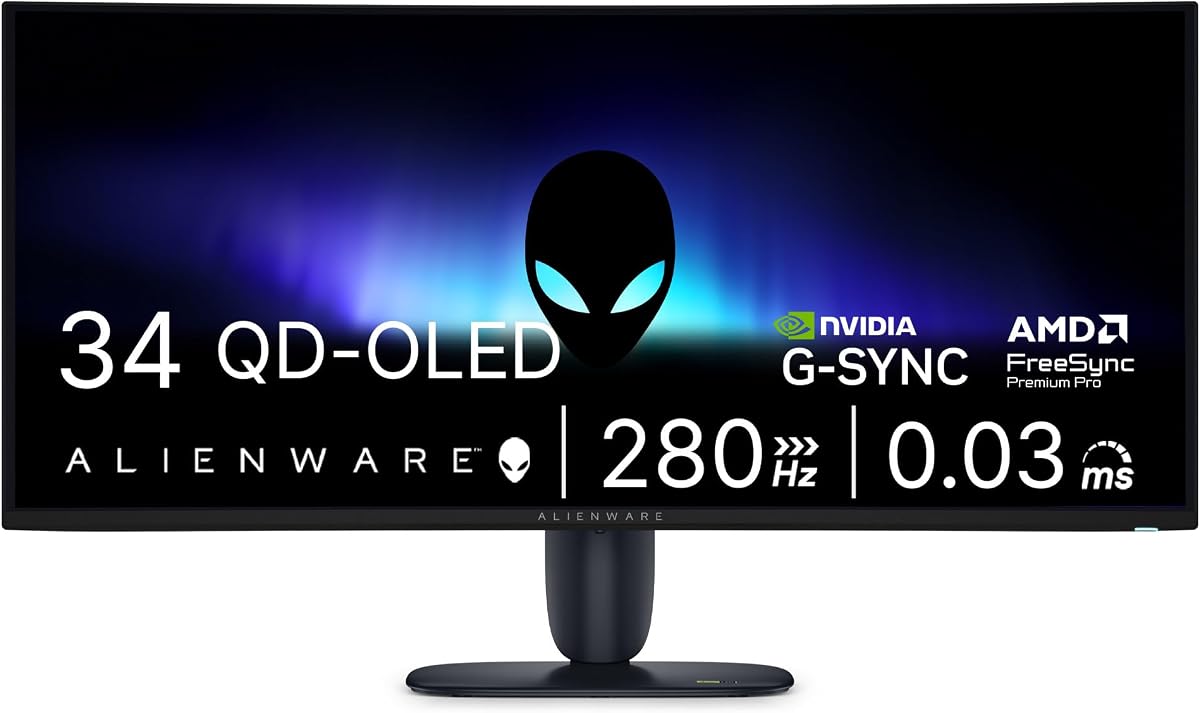
Alienware continues to lead with the AW3426DW featuring QD-OLED technology. Its 280Hz refresh rate and 0.03ms response time offer blistering speed for competitive gaming.
We may earn a commission when you buy through this link, at no additional cost to you.
QD-OLED panels deliver stunning color vibrancy and deep blacks. G-SYNC support ensures a seamless experience free from screen tearing or stuttering during intense sessions.
The build quality is robust and designed to last. However the high cost and inherent OLED burn-in risks mean it is an investment for dedicated gamers only.
Perfect for users demanding the best color and speed. This monitor represents the cutting edge of gaming display technology available today.
QD-OLED tech produces richer colors and brighter highlights than standard OLED panels.
280Hz refresh rates ensure every frame is rendered instantly for competitive advantage.
We may earn a commission when you buy through this link, at no additional cost to you.
The acer SB240Y G0bi delivers stunning edge to edge visuals at a fraction of the cost. Its 1920×1080 resolution and zero-frame design maximize screen visibility for daily tasks.
We may earn a commission when you buy through this link, at no additional cost to you.
IPS panel ensures consistent colors while 120Hz refresh rate supports smooth motion. Adaptive-Sync compatibility matches your graphics card for tear-free video and gaming experiences.
Response time of 1ms VRB reduces ghosting. While it lacks high-end ports its ergonomic tilt and low price make it ideal for entry-level setups or secondary screens.
This monitor is perfect for budget-conscious buyers needing reliable performance. Its simple design and value proposition make it a top choice for casual users.
Zero-frame design ensures uninterrupted viewing that draws you into the content.
120Hz refresh rate is smooth enough for casual gaming and general productivity tasks.
We may earn a commission when you buy through this link, at no additional cost to you.
The Samsung 57" Odyssey Neo G9 is the ultimate enthusiast display. Its Dual 4K UHD resolution equals two monitors side-by-side offering incredible detail and wide field of view.
We may earn a commission when you buy through this link, at no additional cost to you.
Quantum Matrix Technology with Mini LEDs ensures controlled brightness and contrast. 240Hz refresh rate and DP 2.1 support provide next-gen performance for modern GPUs and consoles.
CoreSync lighting projects on-screen colors into the room for immersion. This monitor is a beast requiring significant space and budget to truly shine in a dedicated setup.
Ideal for power users who want the ultimate workstation or gaming rig. Its sheer size and performance make it a statement piece for any serious enthusiast.
CoreSync projects game colors into your room extending the visual experience beyond the screen.
Dual 4K resolution provides pin-sharp detail that transforms multitasking and gaming.
We may earn a commission when you buy through this link, at no additional cost to you.
Selecting the right edge to edge monitor depends on your specific needs and budget. We have compiled key factors to help you make an informed decision.
Screen size and aspect ratio define how much space you have for multitasking. Larger monitors like 49-inch models with 32:9 aspect ratios offer a panoramic view ideal for professionals managing multiple windows. Smaller sizes like 24 inches are better for limited desk spaces while maintaining a wide view.
Consider your desk depth and viewing distance when choosing size to ensure comfort.
Higher resolution ensures sharper text and clearer images. Edge to edge monitors often range from Full HD to Dual Quad HD and 5K2K resolutions. More pixels per inch result in smoother details which is critical for graphic design and high-end gaming.
Choose the highest resolution your budget allows for the best visual clarity.
Refresh rate measured in Hertz determines how many frames the screen shows per second. Gamers need high refresh rates like 144Hz or 240Hz for smooth motion. Response time indicates how quickly pixels change color to reduce blur and ghosting during fast action.
Prioritize high refresh rates if you play competitive games or watch fast content.
Panel types like IPS, VA, and OLED affect color accuracy and contrast. IPS offers wide viewing angles and reliable colors while VA provides better contrast and darker blacks. OLED delivers the deepest blacks and fastest response but comes with higher cost and burn-in risk.
Select a panel based on whether you prioritize color accuracy or contrast.
Curved screens wrap around your field of view reducing the need to turn your head. A tighter curve like 1000R or 1500R is more immersive but can distort flat content like spreadsheets. Flat screens remain versatile for general office tasks.
Opt for curved displays if you primarily game or consume media.
Modern monitors need versatile ports like HDMI 2.1, DisplayPort 2.1, and USB-C. USB-C simplifies setups by delivering video, data, and power through one cable. Check your computer outputs to ensure compatibility before purchasing.
Verify port availability to avoid needing extra adapters.
Extended use can cause eye strain so features like flicker-free technology and blue light filters are vital. Some models offer ComfortView Plus or similar certifications to reduce harmful light emissions. Prioritize eye comfort if you work long hours.
Look for eye care certifications if you spend most of your day in front of a screen.
A sturdy stand with height, tilt, and swivel adjustments improves posture. VESA mount compatibility allows wall mounting or arm attachment for flexibility. Good build quality ensures durability and stability for your investment.
Ensure the monitor supports ergonomic adjustments to maintain a healthy posture.
Place your monitor at arm's length to reduce eye strain and maintain a comfortable viewing angle. Position the top of the screen at or slightly below eye level to support natural neck posture.
Adjust the in brightness and color settings to match your lighting environment. Many models offer preset modes for gaming or office work that optimize visuals automatically without manual tweaking.
Clean the screen with a microfiber cloth to avoid scratches. Avoid harsh chemicals or excessive pressure on the edges which might damage the thin bezels and sensitive panel components.
Edge to edge monitors minimize bezels which maximizes screen space and creates a seamless viewing experience. This design reduces distractions and allows for better immersion during gaming or productivity tasks compared to standard thick bezel designs.
Not all models require high-end computers but higher resolution and refresh rate monitors do need better graphics cards to perform well. A powerful GPU ensures you get smooth visuals without lag especially when using 4K or 5K resolutions.
Yes many models are versatile enough for both tasks. High refresh rates and color accuracy allow for smooth gaming and detailed design work. Some models even include specific modes to switch between work and entertainment settings easily.
IPS panels offer wider viewing angles and more consistent color across the screen. OLED panels provide deeper blacks and faster response times but are more expensive and carry a risk of burn-in over time.
Adjust brightness to match your room lighting and take regular breaks. Use eye comfort features like blue light filters and enable dark modes when possible. Proper distance and height adjustment also reduce physical strain.
Curved screens can improve immersion and reduce head movement for some users. However flat screens remain more versatile for tasks like spreadsheet management or precise geometric work. The best choice depends on your specific workflow.
Most edge to edge monitors support standard VESA mount patterns allowing you to attach them to arms or walls. This adds flexibility to your desk setup but check specific product details before purchasing.
We have explored ten top models ranging from budget-friendly options to premium powerhouses. Each pick delivers a unique blend of speed, clarity, and immersion suitable for different needs.
Prioritize resolution and refresh rates based on whether you focus on creative work or gaming. Don't forget to consider comfort features like eye protection and ergonomic stands for long-term use.
Prices and availability change frequently so always verify the current details before purchasing. Use this guide to find a monitor that elevates your daily digital experience.