
MINISFORUM DEG1
4.5Editor score
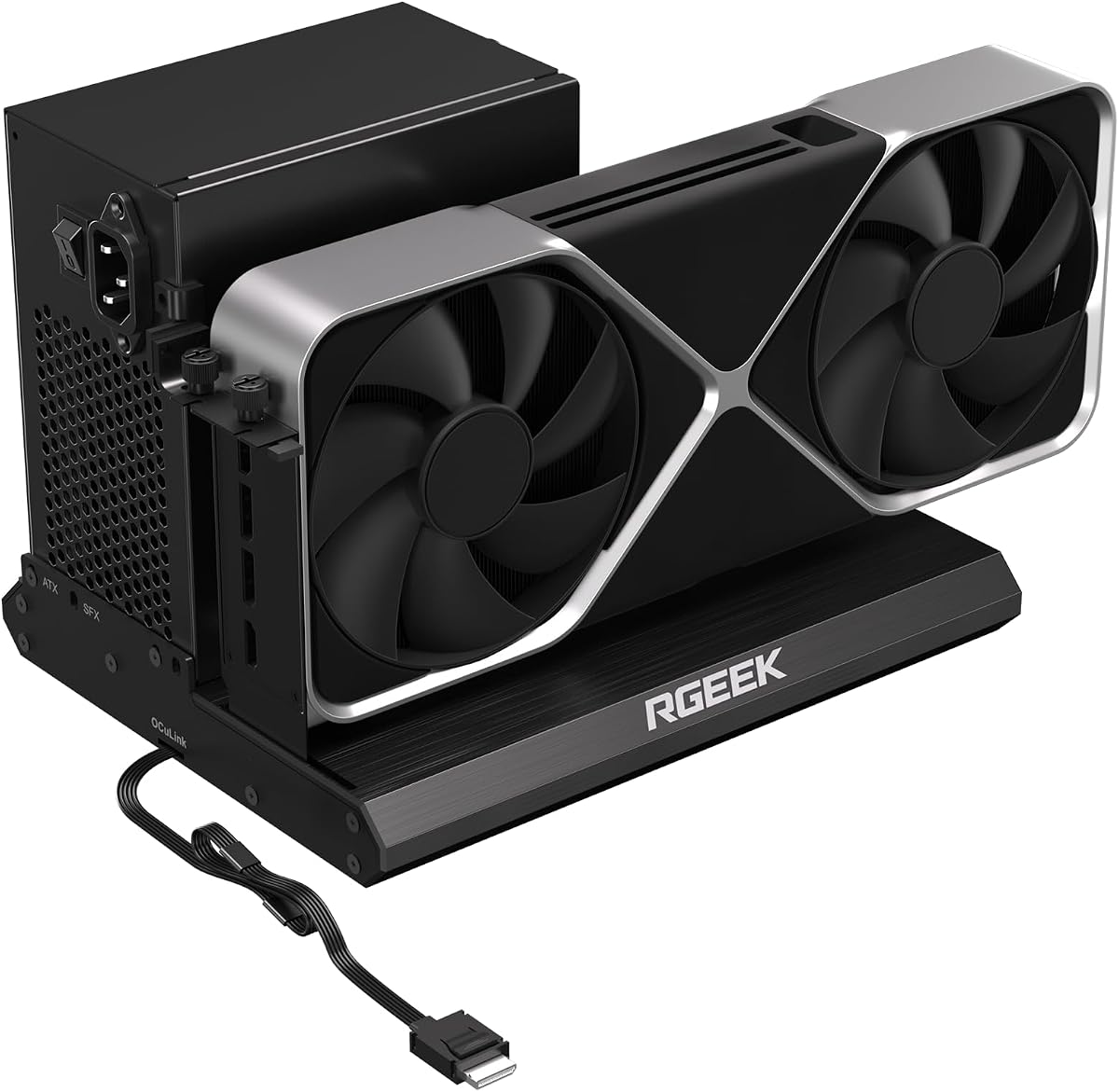
Compact portable design at 14 cm
OCuLink 4i PCIe 4.0 x4 interface
Compatible with ATX and SFX PSUs
This guide compares the top ten eGPU docks for laptops and mini PCs, evaluating bandwidth, compatibility, and design to help you choose the right external
External graphics docks transform laptops into powerful desktop workstations by connecting desktop GPUs. Choosing the right dock depends on interface speed, power compatibility, and physical design for your setup.
We evaluated ten leading models based on bandwidth, connectivity options, and build quality. Our comparison includes Thunderbolt, USB4, and OCuLink variants to cover diverse user needs and budgets.
Each pick highlights key strengths and ideal use cases for gamers, creators, and AI users. Prices and availability change frequently so verify current details before purchasing your ideal dock.
4.5Editor score

4.4Editor score

4.8Editor score
The following table provides a side-by-side comparison of all ten evaluated eGPU docks. It highlights interface types, power compatibility, and unique features to simplify your selection process.




This eGPU dock offers a unique dual-mode interface supporting both USB4 V2 and OCuLink. It provides high bandwidth speeds ideal for demanding workloads like inference and rendering.
We may earn a commission when you buy through this link, at no additional cost to you.
The integrated M.2 NVMe slot allows you to store models directly on the dock ensuring synchronized workspace access when switching between host devices.
Signal stability is enhanced with a built-in re-drive booster which minimizes latency during high-bandwidth tasks and ensures reliable connections.
This dock is perfect for professionals who need flexible connectivity and storage integration to maximize their laptop or mini PC performance.
A hardware switch allows instant switching between TB5 and OCuLink modes without needing to swap cables or tweak software settings.
Storing project files and AI models on the dock reduces file transfers and ensures GPU access is always synchronized across devices.
We may earn a commission when you buy through this link, at no additional cost to you.
This model focuses on streamlined task management with its M.2 slot and dual interface support for Thunderbolt 5 and OCuLink connections.
We may earn a commission when you buy through this link, at no additional cost to you.
Heavy GPU tasks run on the desktop card while your ultrabook handles display and control reducing the need for large file transfers.
The auto-on feature syncs power with your host device providing a smooth plug-and-play desktop experience without manual startups.
It is ideal for users who want a unified workflow that reduces complexity and maintains high performance across multiple tasks.
Storing assets on the dock ensures the GPU accesses files directly while the host manages control improving overall system efficiency.
With rich ports including LAN and USB 3.2 the dock serves as a full hub for your desktop setup.
We may earn a commission when you buy through this link, at no additional cost to you.
The Core X V2 delivers next-gen Thunderbolt 5 performance ideal for managing demanding creative apps and AAA games with minimal bandwidth loss.
We may earn a commission when you buy through this link, at no additional cost to you.
It fits wide graphics cards up to 4 slots and includes active cooling with a 120mm fan that adapts to heavy load scenarios.
The modular design allows easy tool-free GPU swaps and the included Thunderbolt 5 cable simplifies setup for instant boosts.
This dock is best suited for users prioritizing raw Thunderbolt speed and large GPU compatibility for high-end desktop workstations.
Enjoy up to 80 Gbps bandwidth which handles complex rendering and gaming applications more efficiently than previous standards.
The steel chassis with active cooling sustains maximum performance by automatically ramping up during heavy GPU usage.
We may earn a commission when you buy through this link, at no additional cost to you.
This compact dock is designed for portability and easily fits into backpacks for anywhere performance upgrades on supported devices.
We may earn a commission when you buy through this link, at no additional cost to you.
The OCuLink 4i interface delivers up to 64Gbps transfer rates ensuring smooth graphics processing and data exchange.
The Force Power On feature allows stable one-click switching between startup modes without manual adjustments every time.
It is an ideal choice for users seeking a cost effective yet powerful external GPU solution that can travel easily.
Measuring 14 cm long by 6.5 cm wide it offers maximum portability for laptop performance upgrades on the go.
The Force Power On LED enables stable system operation without needing to adjust settings repeatedly.
We may earn a commission when you buy through this link, at no additional cost to you.
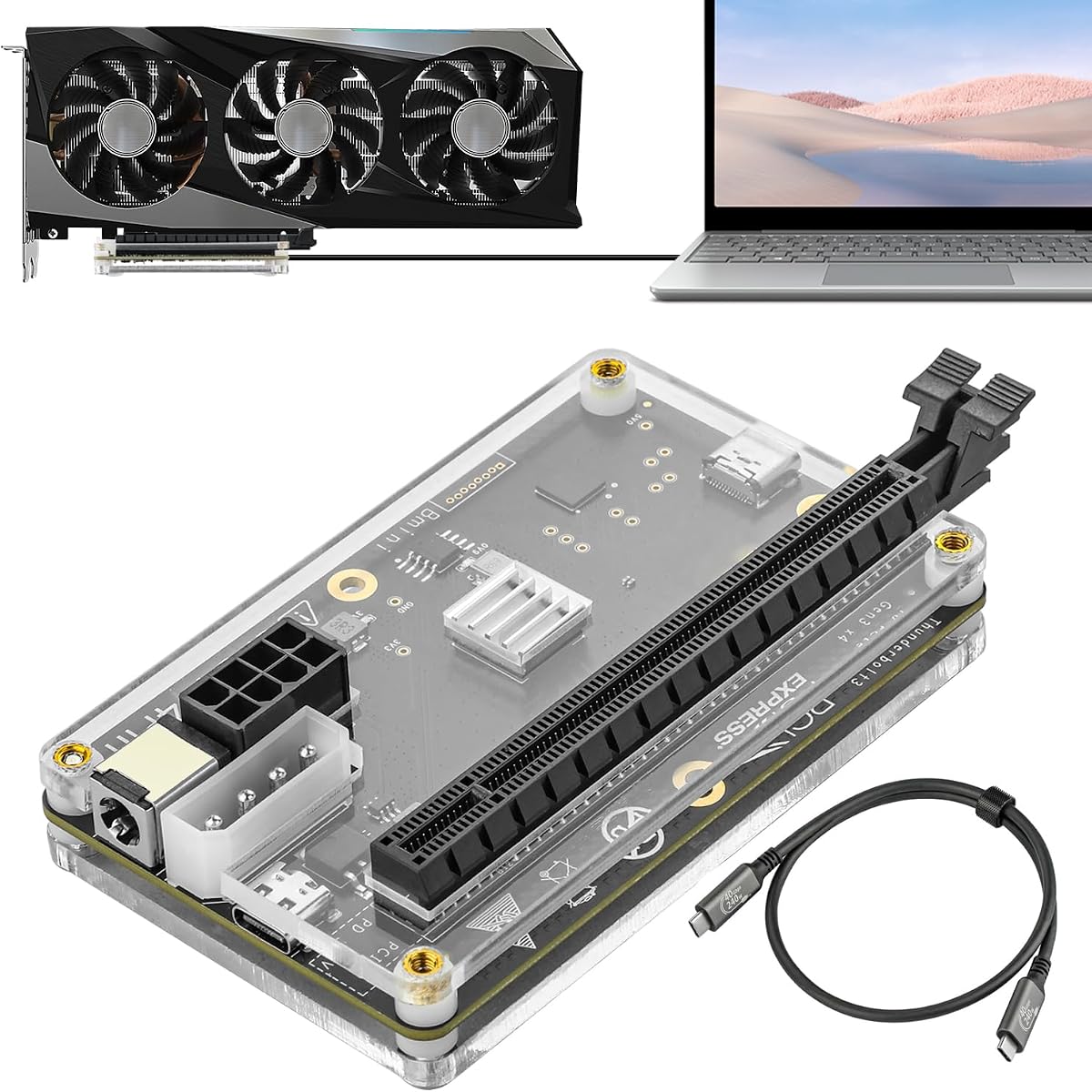
This OCuLink dock offers a simple and effective solution for external GPU connections with a detachable design and included cable.
We may earn a commission when you buy through this link, at no additional cost to you.
The gold-plated contacts ensure superior conductivity and reduced oxidation which helps prevent system crashes during intensive use.
The flat cable design minimizes port damage risks and includes shielding to reduce interference and performance degradation.
It is a practical choice for users who prioritize direct connectivity and stability over extra features or complex setups.
Gold-plated contacts and shielding ensure stable signal transmission for reliable GPU performance over time.
The ultra-thin flat cable eliminates damage risks from rigid connectors and fits neatly in portable setups.
We may earn a commission when you buy through this link, at no additional cost to you.
This dock supports the latest PCIe 5.0 x4 standard offering up to 128Gbps bandwidth for maximum future-ready performance.
We may earn a commission when you buy through this link, at no additional cost to you.
The full aluminum chassis ensures excellent heat dissipation and durability for long-term reliability under heavy loads.
It is backward compatible with PCIe 4.0 and 3.0 so existing GPUs will work seamlessly without adapters.
Ideal for enthusiasts planning upgrades this dock prepares your system for next-generation graphics cards and high-speed tasks.
Achieve up to 128Gbps bandwidth for maximum performance when your host supports the latest PCIe standards.
Full aluminum material dissipates heat efficiently and factory-soldered cables reduce signal loss from adapters.
We may earn a commission when you buy through this link, at no additional cost to you.
This dock offers dual high-speed channels combining OCuLink speed with USB4 compatibility for flexible connection options.
We may earn a commission when you buy through this link, at no additional cost to you.
Its unique design accommodates oversized GPUs up to 370mm long and supports latest 12V-2×6 connectors for modern cards.
The semi-open aluminum chassis ensures efficient cooling while remaining library-quiet compared to standard server-style PSUs.
It is perfect for creators and gamers who need extreme compatibility and silence alongside raw performance power.
The removable top cover allows installation of GPUs up to 370mm length and four slots thick without adapters.
A large low-RPM fan delivers efficient cooling while keeping noise levels minimal during intense work sessions.
We may earn a commission when you buy through this link, at no additional cost to you.
This dock supports a wide range of GPUs including NVIDIA and AMD models and offers four different power input options for flexibility.
We may earn a commission when you buy through this link, at no additional cost to you.
The JHL6340 controller ensures stable connectivity for graphics work and AI tasks even at modest transfer speeds.
It includes a Thunderbolt 4 cable and supports laptops consoles and desktops with TB3 TB4 or USB4 ports.
Best suited for users needing adaptable power solutions and broad GPU compatibility on a budget.
Choose between CPU Molex PD or DC inputs to adapt the dock to different power sources.
Works with most Windows Linux laptops and consoles including Lenovo Legion Go for versatile GPU expansion.
We may earn a commission when you buy through this link, at no additional cost to you.
This dock mirrors the features of the DEG2 series offering dual-mode support and integrated storage for streamlined task management.
We may earn a commission when you buy through this link, at no additional cost to you.
Auto Power-On syncs with your host device to deliver seamless desktop-like operation without manual starts.
The optimized design ensures interoperability across diverse devices minimizing signal degradation and connection faults.
It provides a balanced solution for users needing both Thunderbolt and OCuLink flexibility for varied workflows.
Switch between TB5 and OCuLink instantly with a physical toggle for adaptable performance.
Use the M.2 slot to store files directly reducing transfers between host and GPU.
We may earn a commission when you buy through this link, at no additional cost to you.
This dock supports local AI model deployment including Deepseek-R1 making it useful for users needing on-device inference capabilities.
We may earn a commission when you buy through this link, at no additional cost to you.
It includes an 85W PD charging port to power your laptop while handling data transfers through one cable.
The built-in USB hub functionality allows attaching additional peripherals without needing separate adapters or hubs.
Choose this dock if you need AI deployment support and charging in a compact Thunderbolt solution.
Supports local deployment of AI models like Deepseek-R1 for efficient on-device inference and training.
Attach external devices via USB A and daisy chain ports for a clean multi-peripheral setup.
We may earn a commission when you buy through this link, at no additional cost to you.
Selecting an eGPU dock requires understanding your host device interface and performance needs. Below are key factors to consider.
Bandwidth determines how fast data travels between your laptop and the external GPU. Thunderbolt 5 offers up to 80Gbps while OCuLink supports up to 64Gbps or 128Gbps with PCIe 5.0.
Higher bandwidth minimizes latency and improves frame rates in games and rendering speeds in creative apps.
Check the physical dimensions of the enclosure to ensure it fits your desktop graphics card. Some docks support only dual slot cards while others allow triple or larger heatsinks.
Ensure the chassis supports the length and width of your intended GPU to avoid installation issues.
Most docks require a separate power supply. Verify whether the unit supports ATX SFX or SFX-L power supplies so you can use existing components or upgrade appropriately.
Choosing a dock with flexible PSU options makes future upgrades simpler and more cost effective.
Some docks include extra features like M.2 storage slots or LAN ports. These can streamline workflows by reducing file transfers or adding network connectivity directly to the dock.
Consider if these integrated features match your workflow to avoid paying for unused capabilities.
Ensure the dock supports your operating system. Some models have specific limitations for macOS especially with newer chipsets. Windows and Linux usually have broader support.
Always check manufacturer notes for OS restrictions to avoid incompatibility issues after purchase.
Review the available ports like USB-A or Ethernet. A dock that acts as a hub simplifies your desk setup by reducing cable clutter around your laptop or mini PC.
Select a dock with enough ports to meet your daily peripheral needs without extra adapters.
Enclosures with aluminum chassis and active cooling fans help dissipate heat generated by powerful GPUs. A cooler dock ensures stable performance during long rendering sessions or gaming.
Prioritize docks with robust thermal designs to maintain reliability under heavy load conditions.
Prices vary based on features and interface support. Determine your budget and compare what is included versus what is sold separately such as GPUs or power supplies.
Invest in a dock that offers the best performance to price ratio for your specific use case.
Start by connecting the dock to your host device using the appropriate cable such as Thunderbolt or OCuLink. Ensure the cable is fully seated to prevent signal loss.
Install or update GPU drivers from NVIDIA or AMD website to enable the external graphics card. Restart your system to finalize the setup and configuration.
Maintain the dock by keeping vents clear of dust and ensuring proper airflow. Avoid moving the dock while the system is running to prevent connection interruptions.
Thunderbolt docks use USB-C ports and are more universal but usually have lower bandwidth than OCuLink. OCuLink offers higher data rates and lower latency but needs a specific connector often on mini PCs or handhelds.
Most eGPU docks do not include power supplies. You typically need to purchase a compatible ATX or SFX PSU separately to power the external graphics card and the dock enclosure.
Support varies by Mac model and macOS version. Newer Macs with Apple Silicon do not support eGPUs. Intel-based Macs may work but compatibility depends on Thunderbolt implementation and driver support.
Not all docks support auto-on features. If yours does not you may need to press the power button on the dock manually. Some models sync with the host device but this depends on specific hardware features.
Most OCuLink docks do not support hot plugging. You should shut down your host device before connecting or disconnecting the OCuLink cable to avoid potential connection issues or hardware damage.
Compatibility depends on the dock dimensions. Most support standard dual slot cards but premium models allow larger triple slot or 4-slot GPUs. Always check the dock physical width and length limits.
The top picks include MINISFORUM DEG2 for its dual interface and storage and UGREEN LinkStation for oversized GPU support. MINISFORUM DEG1 offers exceptional value for portable needs.
Prioritize bandwidth and power compatibility that match your hardware requirements. Consider extra features like auto-on or integrated storage if they simplify your daily workflows.
Verify current availability and specifications on official product pages before purchasing. Regular updates may change connectivity options or compatibility features for your specific setup.