
DbillionDa Cat 8 Ethernet Cable 6FT
4.7Editor score
Outdoor Rated Construction
26AWG Stable Conductors
Weatherproof UV Resistant
This guide compares the top rated Ethernet cables and adapters for Mac to help you choose the right wired connection for speed reliability and durability.
Connecting your Mac to a network often requires a reliable Ethernet solution. Modern Macs lack built-in ports so you need quality cables or adapters to ensure stable internet access.
We reviewed ten top products including Cat 8 cables and USB C adapters. Each option was assessed for speed compatibility durability and value to help you make an informed choice for your setup.
Our picks highlight key features and performance strengths for different needs. Prices and availability can change so verify current details before purchasing to ensure you get the best deal available today.
4.7Editor score
4.7Editor score

4.8Editor score
This table provides a quick side-by-side overview of each product's core specifications so you can easily compare speed durability and connectivity features across all ten options.



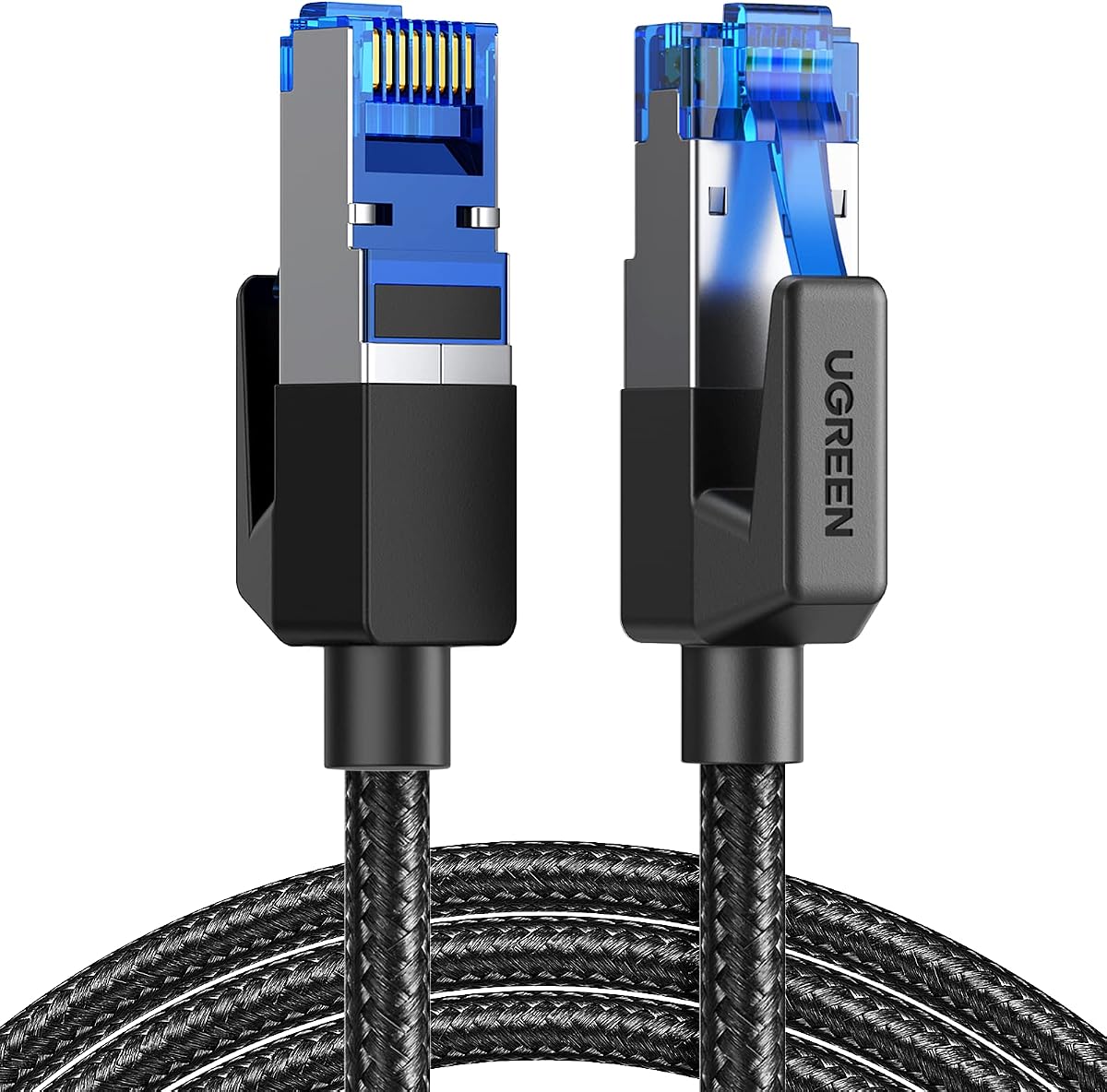
The UGREEN Cat 8 Ethernet Cable stands out as a top performer for Mac users needing fast reliable wired connections. It supports data speeds up to 40Gbps and offers 2000MHz bandwidth ensuring smooth streaming and gaming without lag.
We may earn a commission when you buy through this link, at no additional cost to you.
Its heavy duty braided design provides excellent durability and resistance to tangling. The shielded construction minimizes electromagnetic interference which helps maintain stable network performance even in crowded electronic environments.
While the price is slightly higher than standard cables the performance justifies the investment. The short six foot length might be limiting for larger setups but it is ideal for direct desktop or laptop connections.
This cable is perfect for power users who demand top tier network speeds. If you need a robust solution for your Mac to handle high bandwidth tasks this UGREEN option is highly recommended.
With 40Gbps transfer rates this cable ensures your Mac can handle massive file transfers and 8K streaming without any bottleneck or delay.
The F/FTP shielding reduces crosstalk and interference keeping your connection stable even when other devices are using the network simultaneously.
We may earn a commission when you buy through this link, at no additional cost to you.
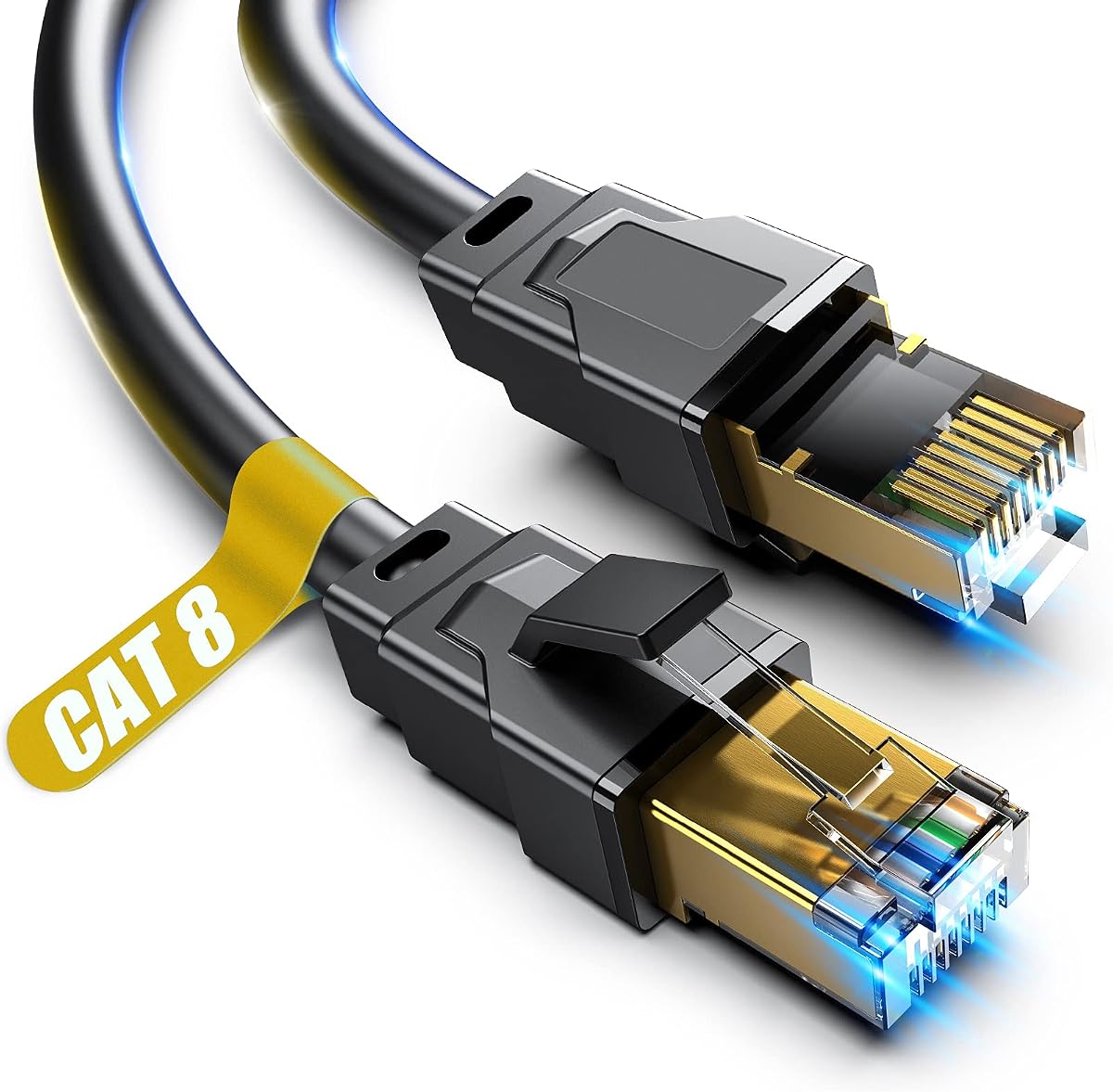
The DbillionDa Cat 8 Ethernet Cable offers exceptional value for Mac users looking for speed without breaking the budget. It delivers 40Gbps speeds and is built for outdoor use with heavy duty weatherproofing.
We may earn a commission when you buy through this link, at no additional cost to you.
Its 26AWG conductors are thicker than standard cables which enhances signal stability and reduces data loss over longer distances. The UV resistant jacket ensures it withstands direct sunlight and harsh elements.
Although the cable feels stiffer due to its outdoor rating it remains effective for indoor setups too. The slightly rougher texture makes it less ideal for aesthetic indoor runs where flexibility is key.
If you need a reliable cable for a home office that might touch outdoor spaces this is a smart choice. It combines high performance with rugged durability at a very competitive price point.
Engineered to withstand rain and sun this cable can be safely used for connecting outdoor routers or garden entertainment systems.
The 26AWG wire thickness ensures minimal signal attenuation which is crucial for maintaining speed in environments with potential electrical noise.
We may earn a commission when you buy through this link, at no additional cost to you.
The Cable Matters Cat 6 Ethernet Cable is a premium choice for Mac users prioritizing build quality and reliability over raw speed. It features a 24 AWG copper core that ensures consistent high speed performance up to 10Gbps.
We may earn a commission when you buy through this link, at no additional cost to you.
Its snagless design protects the connector clips from breaking during repeated plugging and unplugging. This makes it ideal for setups where the cable is frequently moved or adjusted without wear.
While it does not reach the 40Gbps of Cat 8 cables it provides ample speed for most home networks and gaming setups. The black color blends well with modern desk setups and adds a professional touch.
For Mac users who need a cable that lasts years without fraying or signal loss this is a top pick. The investment in quality materials pays off in long term reliability and performance.
The protective boots on the RJ45 connectors prevent breakage and ensure a secure connection every time you plug into your Mac or router.
Supporting PoE allows you to power devices like IP cameras directly through the cable reducing the need for extra power adapters near your Mac.
We may earn a commission when you buy through this link, at no additional cost to you.
The Smolink Cat 8 Ethernet Cable offers a generous 50 foot length making it perfect for connecting Macs that are far from the router. It supports 40Gbps speeds to ensure no loss in performance over distance.
We may earn a commission when you buy through this link, at no additional cost to you.
The nylon braided jacket provides good durability while keeping the cable flexible enough to route under carpets or around corners. This makes it versatile for larger home offices or living rooms.
Managing a 50 foot cable can be challenging as it adds bulk to your desk setup. You may need ties or clips to keep it tidy but the tradeoff is worth it for the reach it provides.
If your Mac is in a remote corner of your office this cable ensures you get the best wired connection possible. It balances length and speed effectively for users who need distance.
The 50 foot span eliminates the need for extensions allowing direct high speed connections across large rooms or floors.
Despite its length the nylon braid keeps the cable flexible enough to hide along baseboards without kinking or damage.
We may earn a commission when you buy through this link, at no additional cost to you.
The Jadaol Cat8 Flat Ethernet Cable is designed for minimal visibility with its thin profile that slips easily under rugs and doors. It provides 40Gbps speed without compromising on performance despite the flat shape.
We may earn a commission when you buy through this link, at no additional cost to you.
The white color blends well with light walls and carpets helping you maintain a clean aesthetic in your workspace. The flat design prevents tangling and makes storage much easier than round cables.
While it is less durable than round round cables it still holds up well for indoor home use. The white jacket may show dirt over time so it is best for clean controlled environments.
This cable is perfect for Mac users who value neatness and want to hide wires behind furniture. It offers a great balance of speed and discreet installation for modern desks.
The thin profile allows you to run the cable along doorframes or under carpet without creating a bump or tripping hazard.
Flat cables do not twist like round ones making them easier to store when not in use or when reorganizing your desk.
We may earn a commission when you buy through this link, at no additional cost to you.
The UGREEN Cat 8 Flat Cable offers a compact 3 foot solution ideal for connecting a Mac directly to a nearby router. It supports 40Gbps speeds and includes braided durability for long term use.
We may earn a commission when you buy through this link, at no additional cost to you.
The flat design keeps your desk area clean by allowing the cable to lie flush against surfaces. This is particularly useful for tight spaces where bulky round cables would get in the way.
Because it is only 3 feet long it requires your modem to be very close to your Mac which limits placement options. If your router is far away this cable will not reach without an extension.
For users with a compact home office setup this cable provides high speed without clutter. It is a great addition for minimalists who want powerful performance in a small package.
The flat profile ensures the cable lies flat on your desk surface reducing visual clutter and keeping your workspace organized.
A cotton braid around the flat cable protects it from fraying even with frequent handling in a busy desktop environment.
We may earn a commission when you buy through this link, at no additional cost to you.
The Ltemziiy Cat 8 Ethernet Cable provides a balanced 8 foot length that suits most Mac users needs. It supports 40Gbps speeds and features cotton braid for durability and tangle resistance.
We may earn a commission when you buy through this link, at no additional cost to you.
The 50 micron gold plated pins ensure a solid connection with minimal oxidation over time. This helps maintain consistent signal quality even after years of daily plugging and unplugging.
While it does not stand out with unique features it performs reliably for everyday use. The thickness is standard which means it is robust but not the most flexible for tight bends.
This cable is a safe choice for users who want a reliable middle ground. It handles gaming and streaming well without costing more than necessary for basic performance needs.
Gold plated connectors resist corrosion which is important for maintaining signal integrity in humid or frequently used environments.
The cotton braid helps keep the cable from tangling which reduces wear and makes routing the cable easier when setting up.
We may earn a commission when you buy through this link, at no additional cost to you.
The Jadaol Cat6/Cat6A Ethernet Cable offers a long 50 foot run at a budget friendly price point. It supports 10Gbps speeds which is sufficient for most standard internet and streaming tasks.
We may earn a commission when you buy through this link, at no additional cost to you.
Attached clips help secure the cable along walls or baseboards to prevent tripping and keep it organized. This adds convenience during installation without requiring separate accessories or tools.
While it does not support 40Gbps like Cat 8 it provides reliable performance for daily browsing and video calls. The white color matches well with light decor though the clips may be stiff to install.
For users needing a long cable on a budget this is a practical option. It delivers consistent performance for home networks where extreme speed is not the primary requirement.
Built-in clips allow you to attach the cable to walls quickly making setup faster and more secure without extra hardware.
With 10Gbps support this cable ensures your Mac can handle standard high speed internet connections without bottlenecking your router.
We may earn a commission when you buy through this link, at no additional cost to you.
The Vabogu Cat 8 Ethernet Cable is available in many lengths including a 6 foot version that fits most Mac setups well. It is built for both indoor and outdoor use with heavy duty shielding and materials.
We may earn a commission when you buy through this link, at no additional cost to you.
Its 26AWG conductors are thicker than average which helps reduce signal loss and heat during high speed data transfer. The UV resistant jacket ensures it does not degrade when exposed to sunlight.
The cable is heavier due to its robust shielding which might be harder to manage than lighter options. However this durability ensures a long life even in tough environments or high traffic areas.
For Mac users who want a future proof cable that can handle various conditions this is a great choice. It combines speed with physical ruggedness for a reliable connection anywhere.
The UV resistant jacket protects the internal wires from sun damage ensuring consistent performance even in direct outdoor light.
Thicker wire conductors allow for better heat dissipation and stable transmission speeds even during intense data usage.
We may earn a commission when you buy through this link, at no additional cost to you.
The TP-Link USB C to Ethernet Adapter solves the lack of Ethernet ports on many modern Macs. It converts your USB-C port into a stable Gigabit connection ideal for travel or secure home setups.
We may earn a commission when you buy through this link, at no additional cost to you.
Its compact design makes it easy to carry in a laptop bag without adding bulk. The plug and play functionality means no drivers are needed for macOS or other operating systems.
While it is limited to 1Gbps speeds it is sufficient for most internet tasks and gaming. Having to carry an extra dongle can be slightly inconvenient but ensures you always have a wired option.
This adapter is essential for Mac users who need reliability when traveling. It provides a secure wired connection wherever you go ensuring uninterrupted access to networks.
The small size fits perfectly in a pocket or laptop sleeve making it ideal for remote work or business trips.
Simply plug it into your Mac and it works immediately without requiring any software installation or system restart.
We may earn a commission when you buy through this link, at no additional cost to you.
Selecting the right Ethernet cable for your Mac requires considering speed requirements cable construction and environmental factors to ensure optimal network performance and durability.
Determine the speed your internet plan and Mac support before choosing a cable. Cat 8 cables support up to 40Gbps which is future proof for high bandwidth needs.
For standard home use Cat 6 cables offering 10Gbps are often sufficient and more affordable for general browsing and streaming.
Measure the distance between your Mac and router to select the correct length. Avoid cables that are too short as they may require adapters that degrade signal quality.
Extra length can be managed with ties but a cable that is too long may create clutter and tripping hazards in your workspace.
Shielded cables like F/FTP or S/FTP reduce electromagnetic interference which is vital for stable connections in rooms with many electronics.
Unshielded cables are lighter but may suffer from signal loss in areas with high electrical noise or close proximity to power lines.
Outdoor rated cables have UV resistant jackets to withstand sun and rain. Use these if you plan to connect devices exposed to outdoor elements.
Indoor cables prioritize flexibility and aesthetics with thinner jackets that are easier to route around furniture and under carpets.
Gold plated connectors resist corrosion and ensure a solid physical connection to your Mac's adapter port over time.
Check that the connector boots are snagless to prevent breakage during frequent plugging and unplugging.
Braided jackets offer better protection against cuts and abrasions. Nylon or cotton braids add durability but may make the cable less flexible.
Flat cables are excellent for hiding under rugs but are generally less durable than round cables for long term physical stress.
Choose brands with proven track records for quality and support. Well known manufacturers often provide better warranty coverage and consistent build standards.
Reading user reviews helps confirm real world durability and performance before making a final purchase decision.
Ensure the cable has RJ45 connectors compatible with your router or adapter ports. Most modern devices support backward compatibility with older Cat standards.
If using a Mac with only USB-C ports verify that your adapter supports Ethernet pass through effectively.
Connect one end of the cable to your router or switch and the other end to your Mac adapter or built-in port. Ensure the connector clicks into place securely for a stable link.
Route the cable along baseboards or under carpets using clips to avoid creating tripping hazards in your workspace. Keep it away from sources of heavy electrical interference.
Regularly inspect the cable for signs of wear such as fraying or bent connectors. Replace damaged cables immediately to maintain optimal performance and prevent network instability.
Most modern Macs rely on Wi-Fi for internet but Ethernet provides a faster and more stable connection. You may need an adapter if your Mac lacks a built-in Ethernet port.
Cat 8 cables offer superior speed and shielding which is ideal for future-proofing and high data transfer tasks. For standard browsing Cat 6 may suffice but Cat 8 ensures top performance.
Yes you can connect a standard Ethernet cable to a USB-C to Ethernet adapter to enable wired connectivity on Macs without an Ethernet port.
Check the cable for damage and ensure it is properly connected. Verify that your router supports the speed of the cable and that there is no obstruction or interference.
Flat cables are convenient for hiding but are generally less durable than round braided ones. Use them for temporary setups or where space saving is more important than ruggedness.
Measure the distance from your Mac to the router and add a few extra feet for movement. Avoid excess length to prevent clutter and signal loss.
The UGREEN Cat 8 and DbillionDa options provide excellent speed and durability for most Mac users. Select based on whether you prioritize indoor aesthetics or outdoor robustness.
Prioritize shielded cables for stability and ensure the connector quality matches your Mac adapter. Investing in a solid cable prevents future network issues.
Check current prices and availability before purchasing as values can fluctuate. Choose the solution that fits your budget and setup needs today.