
EASTBULL 32GB USB3.0 FAT32 Small Flash Drive with a USB-C Adapter (Grey)
4.2Editor score
Compact and lightweight design
Stable fast read and write speeds
Includes lanyards for security
This guide compares the top FAT32 USB Flash Drive options for reliable data storage, fast transfer speeds, and wide device compatibility across various needs.
Finding the right FAT32 USB Flash Drive is essential for seamless data transfer across multiple devices. Whether you need to store documents, media files, or backups, a reliable drive ensures your information stays safe and accessible wherever you go.
We evaluated ten leading models based on compatibility, speed, design, and user feedback. Each product was reviewed to determine how well it handles daily tasks and supports different operating systems without requiring extra software or complex setup processes.
Each pick highlights specific strengths like portability, durability, or speed to help you choose wisely. Keep in mind that prices and availability can change frequently, so check the latest details before making your final purchase decision online.
4.2Editor score

4.5Editor score

4.6Editor score
This side-by-side comparison highlights the key specifications and features of each selected FAT32 USB Flash Drive to help you identify the model that best fits your specific storage and transfer requirements.

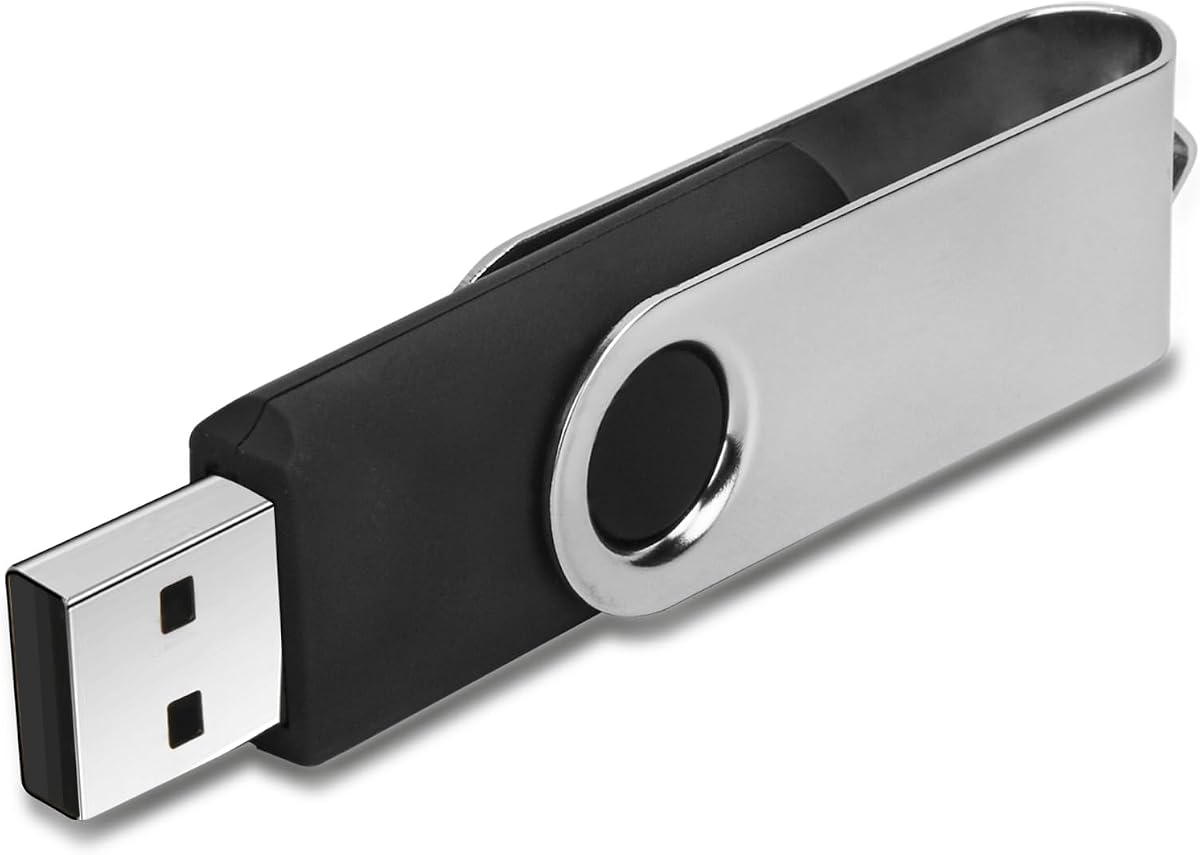


This FAT32 USB Flash Drive stands out as our top choice due to its blend of speed, durability, and modern connectivity. With USB 3.0 performance and a bundled USB C adapter, it bridges the gap between legacy ports and newer devices effortlessly.
We may earn a commission when you buy through this link, at no additional cost to you.
The drive features high-quality A+ chips and undergoes double testing before shipping. Read speeds reaching up to 105MB/s mean you can move large files quickly, while the metal body helps manage heat during extended use in busy environments.
While the 32GB capacity is not for massive storage needs, it is perfect for common tasks like sharing documents or media. The only minor downside is the separate adapter, but its small size makes it easy to keep in your pocket or bag.
If you need a reliable drive that works across laptops, tablets, and TVs without format issues, this is an excellent pick. It balances performance and portability well for students and professionals alike who value quick access to their data on the go.
Read speeds up to 105MB/s and write speeds up to 40MB/s ensure that moving files takes minimal time compared to older USB 2.0 models.
The included USB C adapter allows this drive to connect to modern devices like newer laptops and tablets that have dropped standard USB A ports entirely.
We may earn a commission when you buy through this link, at no additional cost to you.
This option offers a straightforward solution for users who prioritize compatibility over raw speed. Pre-formatted in FAT32, it works immediately with most systems without the need for formatting or driver installation steps.
We may earn a commission when you buy through this link, at no additional cost to you.
The red LED indicator provides visual feedback during transfers, which is helpful when sharing files with older equipment like cassette players or capture cards. Its simple plastic build keeps costs down while maintaining durability for daily carry.
While USB 2.0 is slower than newer standards, it remains sufficient for documents and smaller media files. The main limitation is transfer speed and the potential for wear on the plastic cap over time.
Ideal for office or school settings where multiple users need reliable access to shared resources, this drive simplifies the process. Just plug it in and expect consistent performance across Windows and Mac systems without hassle.
The built-in LED light flashes during data transfers so you can instantly confirm the drive is working without relying on system icons.
Supporting Windows, Mac, and Linux systems makes this a versatile choice for environments with mixed operating systems and varying hardware capabilities.
We may earn a commission when you buy through this link, at no additional cost to you.
This drive is engineered for everyday portability, featuring a sturdy swivel metal cap that eliminates the risk of losing a separate cover. The built-in keychain ensures it stays attached to your keys or bag at all times.
We may earn a commission when you buy through this link, at no additional cost to you.
It supports a wide range of operating systems and devices including TVs and car audio systems. While it uses USB 2.0, the compact size and protective design make it ideal for quick transfers of documents or small media files.
The 16GB capacity is best suited for essential files rather than bulk storage. Its metal body adds a premium feel and protects the internals from minor drops or impacts that might damage plastic alternatives.
If you are looking for a reliable accessory that doubles as a keychain item, this model fits the bill perfectly. It simplifies your digital carry routine by combining storage with everyday items you already bring with you.
The metal swivel cover rotates to hide the USB connector when not in use preventing dust and physical damage to the port.
An integrated keychain loop means you can attach the drive directly to your keyring reducing the chance of misplacing it.
We may earn a commission when you buy through this link, at no additional cost to you.
This USB Flash Drive offers a straightforward and functional design for users needing reliable storage without advanced features. It comes pre-formatted in FAT32 to ensure it works across different systems without requiring extra setup steps.
We may earn a commission when you buy through this link, at no additional cost to you.
The LED indicator provides a clear visual signal when data is being transferred which helps avoid accidental removal during use. Its simple plastic cap protects the connector and keeps the overall unit slim enough for everyday pocket carry.
While the speed is limited to USB 2.0 standards it handles common tasks like document sharing or photo backups with ease. The main limitation is the basic construction which may not withstand heavy physical stress compared to metal alternatives.
This model is a solid choice for students or office workers who need to move files between computers quickly. It balances cost and functionality well making it accessible for those who do not need high-speed performance or premium materials.
The flashing LED light indicates active data transfer so you know when it is safe to unplug the drive safely.
Designed to work with Windows, Mac, and Linux systems it ensures you can access your files on most standard computers and laptops.
We may earn a commission when you buy through this link, at no additional cost to you.
This two-pack offers a practical solution for users who want to separate files or have a backup option readily available. Each drive features a rotating metal clip that protects the connector while keeping the drive secure on your person.
We may earn a commission when you buy through this link, at no additional cost to you.
The different colors allow you to categorize content easily such as keeping personal files on one and work files on the other. LED lights indicate when data is being transferred helping you avoid interrupting critical operations unexpectedly.
While USB 2.0 limits maximum speed these drives are sufficient for standard document and media backups. The clip design means there is no separate cap to lose which simplifies daily carry significantly over time.
Buying in a pack ensures you always have a spare drive handy in case one is misplaced or needs formatting. This is a smart choice for teams or families where multiple storage units are needed without individual purchases.
The black and blue color coding helps you visually distinguish between different sets of files without needing to check contents first.
The rotating metal clip secures the drive to pockets or bags reducing the risk of losing the unit during transit.
We may earn a commission when you buy through this link, at no additional cost to you.
This drive combines high-speed USB 3.0 performance with a remarkably small footprint making it easy to leave plugged in without blocking adjacent ports. The included USB C adapter ensures you can connect to modern devices seamlessly.
We may earn a commission when you buy through this link, at no additional cost to you.
Read speeds reach up to 85MB/s which is a significant improvement over older standards. Its thin profile and metal body provide durability while keeping weight minimal for travel or everyday carry in a pocket.
While write speeds are slightly lower, this drive is efficient for moving files rather than heavy continuous writing tasks. The main risk is its small size which could lead to accidental loss if not secured with a lanyard.
If you need a budget-friendly option that does not sacrifice speed or modern compatibility, this is a strong candidate. It works well for users with newer laptops who still need compatibility with older USB A ports.
Measuring only 0.75 by 0.47 inches the drive stays out of the way when connected to laptops or hubs.
The included USB C adapter bridges compatibility gaps allowing use with modern devices lacking traditional USB A ports.
We may earn a commission when you buy through this link, at no additional cost to you.
TEWENE provides a reliable drive with a sturdy clip that attaches firmly to bags or keys ensuring it stays with you. It leverages USB 3.1 Gen 1 technology to deliver fast transfer speeds suitable for large files and media.
We may earn a commission when you buy through this link, at no additional cost to you.
Read speeds of up to 85MB/s ensure quick access to stored content while the included USB C adapter adds versatility for modern connections. The design focuses on practicality with a clip that resists bending or breaking under stress.
While the write speeds are moderate the drive handles standard file transfers efficiently. The main limitation is the lack of a metal casing which might make it more vulnerable to impacts than all-metal alternatives.
This drive is ideal for users who value secure attachment and modern connectivity. With professional support available and a history of manufacturing experience it offers peace of mind for everyday digital storage needs.
The exclusive clip design allows you to attach the drive to bags or laptops for secure on-the-go access.
USB 3.1 Gen 1 technology provides fast read speeds that reduce waiting time when accessing large media files.
We may earn a commission when you buy through this link, at no additional cost to you.
This premium drive offers exceptional capacity and speed making it ideal for users storing large media libraries or backups. Its sleek metal casing ensures durability while supporting high-speed transfers of up to 150MB/s for quick file access.
We may earn a commission when you buy through this link, at no additional cost to you.
Features like password protection allow you to secure private files using industry-standard encryption methods. It bridges standard USB 3.0 connections and performs well on compatible host systems reducing wait times significantly.
While it may not come formatted in FAT32 out of the box it is a robust choice for modern computing tasks. The higher price reflects the build quality and features which justify the cost for those needing secure storage.
If you prioritize capacity and performance along with security features this drive is a top contender. It is well-suited for professionals or enthusiasts who need reliable storage for work or personal projects without compromise.
Read speeds reaching 150MB/s allow rapid transfer of large files like full-length movies or extensive document archives.
SecureAccess software provides password protection with encryption keeping your sensitive files safe from unauthorized access.
We may earn a commission when you buy through this link, at no additional cost to you.
This pack offers three drives providing excellent value for teams or families needing multiple portable storage options. Each drive features a push-button retractor and a lanyard loop ensuring the connector stays protected during transport.
We may earn a commission when you buy through this link, at no additional cost to you.
Lexar DataShield enhances security by creating password-protected safe areas on the drive where files are automatically encrypted. This feature is ideal for sensitive documents needing extra protection from prying eyes during transit.
With read speeds up to 100MB/s these drives are fast enough for most common transfers. The lightweight design makes them easy to carry around though you may need to purchase a USB C adapter separately for newer devices.
Ideal for users who want both performance and security in a cost-effective package this option stands out. It ensures you have backups available and keeps your critical data protected without needing complex setup steps.
Lexar DataShield creates password-protected areas to encrypt and secure sensitive files from unauthorized access easily.
A lanyard loop and retractor design make it easy to carry the drive securely on keys or bags.
We may earn a commission when you buy through this link, at no additional cost to you.
This reliable drive delivers consistent performance with a strong warranty backing that supports long-term use. With read speeds up to 100MB/s it ensures efficient file transfers while the SecureAccess software provides basic security for your data.
We may earn a commission when you buy through this link, at no additional cost to you.
The compact design makes it easy to carry around and compatible with most standard USB A ports. Its metal and plastic build offers durability for daily carry though it is slightly less robust than all-metal premium options.
While the USB 3.0 standard limits compatibility with the newest USB C ports without an adapter it remains a solid choice for most laptops and desktops. The main limitation is the lack of modern USB C integration directly on the unit.
If you value long-term reliability and peace of mind with a five-year warranty this drive is an excellent pick. It serves well for daily backups or sharing files where proven performance and support matter most to you.
The five-year limited warranty offers extended coverage ensuring you have support for your storage investment for years.
SanDisk SecureAccess software allows you to protect private files with password protection and encryption easily.
We may earn a commission when you buy through this link, at no additional cost to you.
Selecting the right storage device requires understanding several key factors that affect performance and compatibility across your devices.
Choose a capacity that matches your needs. While 32GB is common for general documents and media larger files may require higher capacities to avoid filling up too quickly.
For most users 32GB to 128GB offers a balanced range for everyday tasks without excessive cost.
USB 3.0 and newer standards provide faster transfers compared to USB 2.0 which is slower but still compatible with older devices.
If you transfer large files frequently prioritize USB 3.0 for time savings and efficient workflows.
Ensure the drive is formatted in FAT32 for widest compatibility with TVs cars and older systems that may not support newer formats.
Check if your devices have USB A or USB C ports to avoid needing extra adapters every time you use it.
Metal bodies generally offer better heat dissipation and durability than plastic which can crack or scratch more easily over time.
Features like swivel caps or clips help protect the connector and reduce the risk of losing the drive on the go.
Some drives include software for password protection or encryption that safeguards sensitive data from unauthorized access.
If you store personal or business files consider models with built-in security tools for peace of mind.
Look for keychains lanyard loops or compact shapes that make it easy to carry with your keys or bag without obstruction.
Slim designs are preferable if you plan to leave the drive connected to laptops or hubs frequently.
A solid warranty reflects the manufacturer's confidence in product quality and gives you protection against defects or failures.
Prioritize brands with reliable customer support to address any issues that arise during normal use.
Compare the price against features like speed capacity and build quality to find the best balance for your budget.
Buying in packs can offer better value if you need multiple drives for backups or sharing across teams.
When you first receive the drive plug it into a USB port on your computer and wait for the system to recognize it. If a prompt appears to open the folder simply click to view your files and directories stored inside.
To transfer data open your file manager and drag files onto the drive icon or use copy and paste commands. Wait until the transfer completes fully before ejecting the drive safely to prevent data corruption or loss.
Store your drive in a safe dry place away from moisture direct sunlight or extreme temperatures. Regularly back up important files to another location or cloud service to ensure your data remains safe from hardware failure.
FAT32 is a file system that allows maximum compatibility across various operating systems and devices like TVs and cars. While it cannot store single files larger than 4GB it is ideal for sharing standard documents and media across different platforms.
Yes if the drive comes with a USB C adapter or you purchase a compatible USB A to C adapter separately. Many modern laptops only have USB C ports so an adapter is necessary to connect standard USB A drives.
Most drives have an LED light that flashes during data transfer. If the light does not flash and your computer does not recognize the drive try testing it on another port or computer to verify functionality.
Yes USB 3.0 and newer standards offer significantly faster read and write speeds than USB 2.0. This means less time waiting for large files to copy and transfer especially when dealing with videos or large archives.
Always use the eject option in your operating system before unplugging the drive. This ensures all write operations finish and prevents data loss or file corruption that can occur if you remove it mid-transfer.
Use drives with built-in password protection or install encryption software to secure your files. Additionally keeping regular backups on another device or cloud service ensures you can recover data if the drive is lost or fails.
This is normal because manufacturers use decimal counting while operating systems use binary counting resulting in slightly lower visible capacity. Also the file system overhead takes up a small portion of space for management purposes.
Most flash drives have a lifespan of thousands of write cycles and can last several years with normal use. Avoid exposing them to extreme conditions or physical shocks to extend their functional life as much as possible.
We highlighted top picks including the 32GB FAT32 USB 3.0 with adapter as the best overall for speed and versatility. The EASTBULL option offers great budget value while the SANDISK Ultra Flair provides premium capacity and security.
Prioritize USB 3.0 speeds if you transfer large files frequently and ensure FAT32 compatibility for wider device support. Also consider build quality and security features to match your specific use cases whether for work or personal storage.
Prices and availability can change frequently so always check current listings before making your purchase decision. This guide helps you navigate options confidently to find the reliable drive that best fits your daily digital needs.