
Portable Printers Wireless for Travel, N80 Bluetooth Thermal Printer
4.1Editor score
203DPI resolution
1500mAh battery
USB-C cable included
Traveling often requires printing documents on the go without carrying bulky equipment. An inkless portable printer for travel offers a lightweight solution using thermal technology. These devices eliminate the need for traditional ink cartridges, making them cleaner and more cost-effective for frequent travelers.
We evaluated ten leading models based on portability, print quality, and ease of use. Our comparison focuses on battery life, connectivity options, and paper compatibility to ensure you find the right device. Each product was selected for its ability to handle diverse printing needs efficiently.
This guide details the strengths and weaknesses of every top pick to help you decide. We highlight key features and potential limitations for each model. Please note that product availability and pricing can change, so verify details before purchasing.
4.1Editor score
4.1Editor score

4.6Editor score
As an Amazon Associate we earn from qualifying purchases.
This side-by-side comparison highlights key specifications for all ten selected thermal printers to help you compare their capabilities quickly.





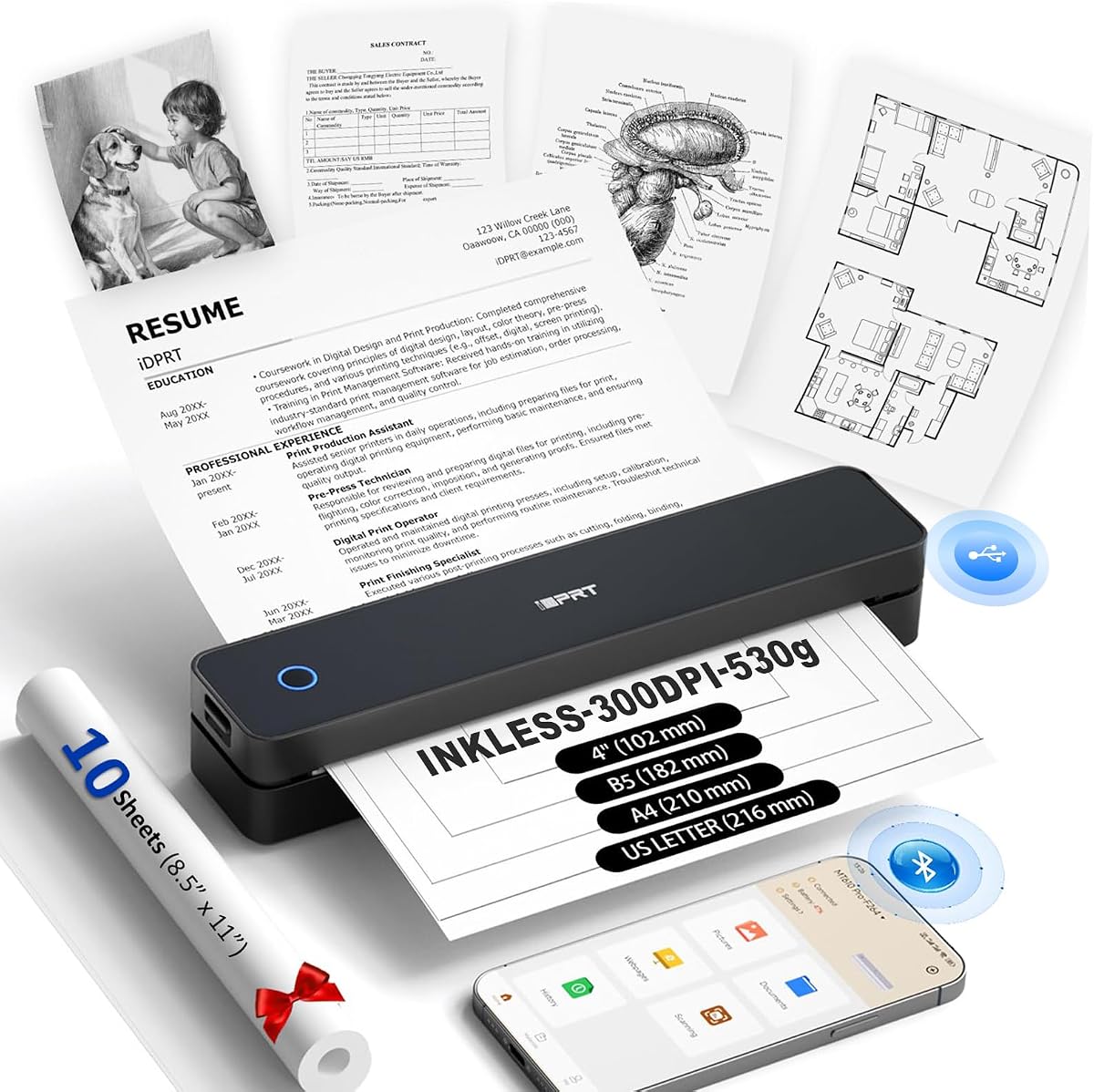
The MT610Pro Wireless Thermal Printer stands out as a top choice for travelers needing reliable printing. With a strong rating, it delivers clear prints without traditional ink. Its lightweight build makes it easy to carry anywhere.
We may earn a commission when you buy through this link, at no additional cost to you.
This device uses advanced thermal technology to provide cost-effective printing. It connects via Bluetooth 5.0 or USB-C, supporting iOS, Android, Windows, and Mac. The included app simplifies mobile printing tasks efficiently.
While the print quality is excellent for documents and QR codes, it only supports black and white output. Users must also purchase specific thermal paper, which may limit immediate availability in some areas.
Ideal for digital nomads and students, this printer offers a practical solution for on-the-go needs. The combination of portability and performance makes it a highly recommended choice for frequent travelers.
The 300DPI resolution ensures text and diagrams are sharp and professional looking for presentations.
The 2000mAh battery supports up to 200 pages per charge, reducing downtime during long trips.
We may earn a commission when you buy through this link, at no additional cost to you.
The D90E Inkless Portable Thermal Printer offers a robust solution for professionals needing reliable on-the-go printing. It features a durable build and includes a travel case for added protection during transit.
We may earn a commission when you buy through this link, at no additional cost to you.
This printer supports 8.5 x 11 US Letter paper and connects via Bluetooth or USB. The Labelnize app facilitates easy mobile printing, while drivers allow seamless connection to PCs for more complex tasks.
Users should note that it is slightly heavier at 2.08 pounds compared to ultra-light options. Additionally, the package does not include a charging adapter, which may require purchasing a compatible one separately.
Despite minor drawbacks, the D90E is excellent for students and teachers. Its compatibility with standard paper sizes and reliable connectivity make it a versatile tool for various environments.
Both Bluetooth and USB options ensure you can print from phones or laptops effortlessly.
The included travel case keeps the device and accessories organized and protected during travel.
We may earn a commission when you buy through this link, at no additional cost to you.
The N80 Bluetooth Thermal Printer is an affordable option for those seeking a lightweight printing solution. It offers essential features for travel at a budget-friendly price without compromising basic functionality.
We may earn a commission when you buy through this link, at no additional cost to you.
This model supports Bluetooth for phones and tablets, while USB-C connects to laptops. The 1500mAh battery provides decent uptime, and the included cable ensures you can start printing immediately.
Resolution is limited to 203DPI, which is sufficient for text but less sharp for detailed graphics. Also, Bluetooth connects only to mobile devices, so laptops require a wired USB connection.
Ideal for students or casual users, the N80 delivers solid performance for the price. Its portability and ease of use make it a great entry point for thermal printing on the go.
You get reliable thermal printing technology without spending a premium on extra features.
Both wireless and wired options ensure you can print from nearly any device you own.
We may earn a commission when you buy through this link, at no additional cost to you.
The A285M Small Inkless Thermal Printer offers exceptional versatility with support for five different paper sizes. This feature makes it suitable for varied tasks from receipts to standard documents without needing multiple devices.
We may earn a commission when you buy through this link, at no additional cost to you.
Weighing just 1.5 pounds, it is easy to pack in a backpack. The built-in paper bin keeps your workspace tidy, and the companion app streamlines the connection process for mobile users.
Users must ensure they use a 5V charger to avoid damaging the battery. Bluetooth connections are restricted to mobile devices, so laptop printing requires a USB cable connection.
For professionals needing different paper formats, the A285M is a practical choice. Its adaptability and compact form factor provide excellent value for diverse printing requirements on the road.
From narrow labels to wide documents, this printer adjusts to multiple sizes seamlessly.
The built-in bin reduces clutter and keeps paper neatly stored inside the device.
We may earn a commission when you buy through this link, at no additional cost to you.
The A285M serves well as a tool for mobile notaries and field workers needing quick document processing. Its ability to handle various paper widths ensures compatibility with different forms and receipts.
We may earn a commission when you buy through this link, at no additional cost to you.
Connectivity is straightforward via Bluetooth for phones or USB for laptops. The lightweight design allows you to carry it effortlessly, while the thermal technology keeps operating costs low over time.
Users must purchase specific thermal paper, which may not be available everywhere. Additionally, the printer only supports black and white output, which is standard for most documents but limits color usage.
If you need a reliable device for frequent on-site document generation, this model is strong. It balances price, performance, and portability to meet the demands of busy professionals.
The compact size and durable build withstand the rigors of daily travel and use.
Connecting to your mobile device is fast, letting you print contracts immediately.
We may earn a commission when you buy through this link, at no additional cost to you.
The Rongta Thermal Portable Printer is a solid choice for students needing affordable, reliable printing. It supports standard paper sizes and integrates well with both Windows and Mac computers.
We may earn a commission when you buy through this link, at no additional cost to you.
Setup involves downloading the RONGTA app for mobile devices to enable Bluetooth pairing. For laptops, a USB connection works smoothly once drivers are installed, ensuring seamless document output.
Note that Chromebooks are not supported, which limits options for some users. The Bluetooth connection also requires using the app rather than pairing directly, adding a small step to the process.
For classroom use or study sessions, this printer provides clear text and forms. Its simplicity and low operating costs make it a budget-friendly choice for educational needs.
Print study materials and assignments quickly without dealing with bulky office machines.
Works seamlessly with both Windows and Mac systems for flexible connectivity.
We may earn a commission when you buy through this link, at no additional cost to you.
The Phomemo M832D features a smart touchscreen that simplifies navigation and settings. This user-friendly interface helps first-time users monitor battery levels and adjust paper settings easily.
We may earn a commission when you buy through this link, at no additional cost to you.
With optimized Bluetooth, connectivity is 50% faster than standard models. The 2600mAh battery supports 200 pages per charge, while the refined print head reduces noise significantly during operation.
Bluetooth works only with phones and tablets, so laptops require a USB cable connection. The app is necessary for initial setup, which adds a minor step before full utilization.
For seniors or beginners, the touchscreen adds significant convenience. It delivers professional-quality prints efficiently, making it ideal for tasks requiring clear output and easy control.
The digital display offers clear feedback on status and settings at a glance.
Optimized wireless speeds reduce waiting time when sending files to print.
We may earn a commission when you buy through this link, at no additional cost to you.
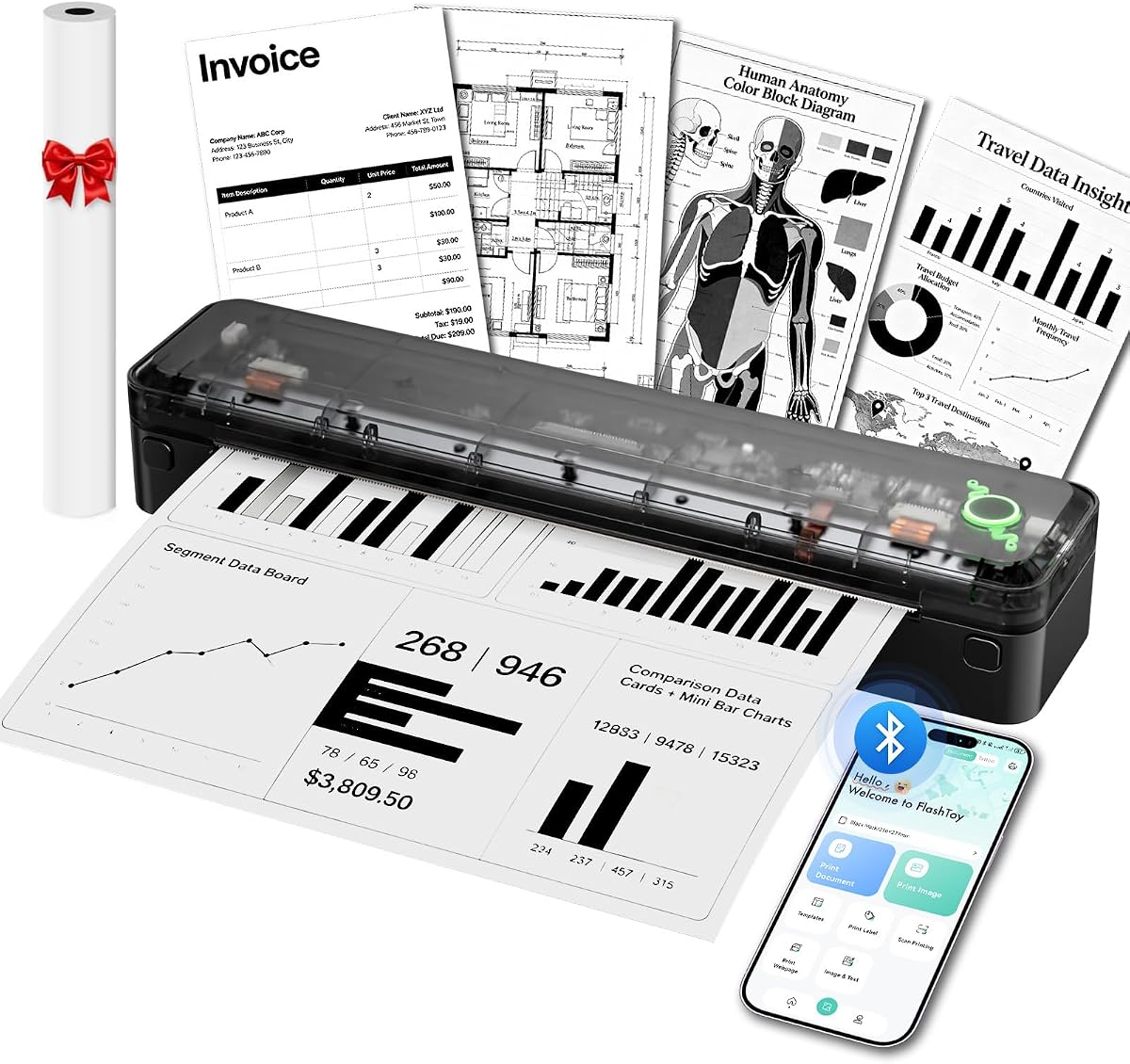
The A8 Portable Thermal Printer stands out with a distinctive graphite translucent design that hints at internal components. It offers robust connectivity and a large battery for extended use.
We may earn a commission when you buy through this link, at no additional cost to you.
With a 3000mAh battery, it supports 200 sheets per charge. The built-in paper compartment keeps your workspace clean, and the print width supports various document sizes for business use.
While the design is stylish, it is slightly heavier than ultra-portable options. PC printing requires a USB connection, which is common for thermal printers but less convenient than wireless.
For remote workers needing durable performance, the A8 is a strong pick. Its balance of style, battery life, and print quality ensures reliability for professional mobile setups.
The frosted graphite cover provides a modern look for mobile workspaces.
Large battery ensures you can print extensively without frequent recharging.
We may earn a commission when you buy through this link, at no additional cost to you.
The Phomemo M85 offers top-tier print quality with a 300 DPI high-definition printhead. It features a large touchscreen and battery, making it a premium choice for demanding users.
We may earn a commission when you buy through this link, at no additional cost to you.
This model includes a carrying case and multiple paper rolls. The touchscreen allows direct template printing after uploading via app, streamlining repetitive tasks for efficiency.
The higher price reflects its premium features and clarity. Users should note that initial setup involves uploading templates to the screen for quick access later.
For professionals needing crisp documents and reliability, the M85 is unmatched. It combines high resolution with long battery life, ensuring quality prints anywhere you travel.
High resolution ensures charts and text appear sharp and professional.
3500mAh capacity supports 200 plus pages for uninterrupted usage.
We may earn a commission when you buy through this link, at no additional cost to you.
The MUNBYN Portable Printer is extremely compact, fitting easily into laptop bags. It offers fast Bluetooth setup and responsive customer support for a smooth user experience.
We may earn a commission when you buy through this link, at no additional cost to you.
Its adjustable paper slot handles various sizes like US Letter and A4. The app provides templates for PDFs and Word docs, enhancing productivity for users on the move.
MacOS users must use USB for connection since Bluetooth is not supported. While thermal paper is required, the printer eliminates messy ink, making it cleaner for daily use.
For travelers needing minimal space and reliable support, this printer fits well. Its balance of portability and functionality makes it a practical tool for mobile offices.
The small form factor ensures it slides into any bag effortlessly.
Quick customer service assistance ensures you get back to work fast.
We may earn a commission when you buy through this link, at no additional cost to you.
Choosing the right thermal printer involves evaluating key factors like size, battery life, and compatibility.
Look for models under 1.5 pounds to ensure they fit comfortably in a backpack. Lightweight devices reduce fatigue during long trips.
Prioritize compact dimensions that slide into briefcases or glove compartments.
Check the mAh rating to estimate pages per charge. Larger batteries like 2000mAh reduce charging needs.
Ensure the device supports enough pages for your daily usage to avoid downtime.
Verify if Bluetooth works with your laptop or only mobile devices. USB-C offers reliable wired connections for PCs.
Confirm app compatibility with iOS and Android to simplify the printing process.
Higher DPI like 300DPI ensures text and graphics appear sharp. Standard 203DPI is fine for basic text.
Select resolution based on document clarity needs for professional reports.
Ensure the printer supports standard sizes like US Letter or A4. Check if it needs specific thermal rolls.
Choose models with adjustable slots for varied document formats.
A user-friendly app simplifies mobile printing. Look for templates and PDF support.
Check driver availability for computers to ensure seamless desktop integration.
Select devices with protective cases to prevent damage during travel. Sturdy materials extend lifespan.
Prioritize models with reliable paper jam resolution features.
Compare features against cost to find the best fit. Budget models may lack premium features but work well.
Consider long-term paper costs when evaluating overall value.
To begin, download the specific app for your printer model. Install the app on your phone and enable Bluetooth.
Load the thermal paper according to the guide. Ensure the paper side facing the print head is correct to avoid smudges.
Charge the device before first use and clean the print head periodically with a soft cloth to maintain quality.
No, inkless thermal printers require special thermal paper. Regular paper will not react to the heat and will produce blank pages.
Thermal paper fades over time when exposed to heat or light. Store prints in cool, dark places or scan them for archival.
Most models offer 100 to 200 pages per charge. Battery capacity ranges from 1500mAh to 3500mAh depending on the model.
Standard thermal portable printers produce black and white output only. Color requires special thermal paper or different technology.
Mobile devices typically use dedicated apps. Computers often require drivers for USB connections. Check the product manual for details.
Clean the print head every 50 to 100 prints using a soft cloth. This prevents dust from affecting print quality.
Most printers support Mac via USB or Bluetooth. Verify driver availability in the product description before purchasing.
Common models support US Letter, A4, and smaller receipt rolls. Adjustable slots allow for various width options.
The MT610Pro offers a balanced solution with high resolution and portability. It stands out as the top choice for most travelers.
If you need a premium feature, the Phomemo M85 delivers superior clarity and battery life. The A8 is a stylish alternative for modern workspaces.
Verify current availability and specific paper needs before purchasing. These printers transform how you handle documents on the go.