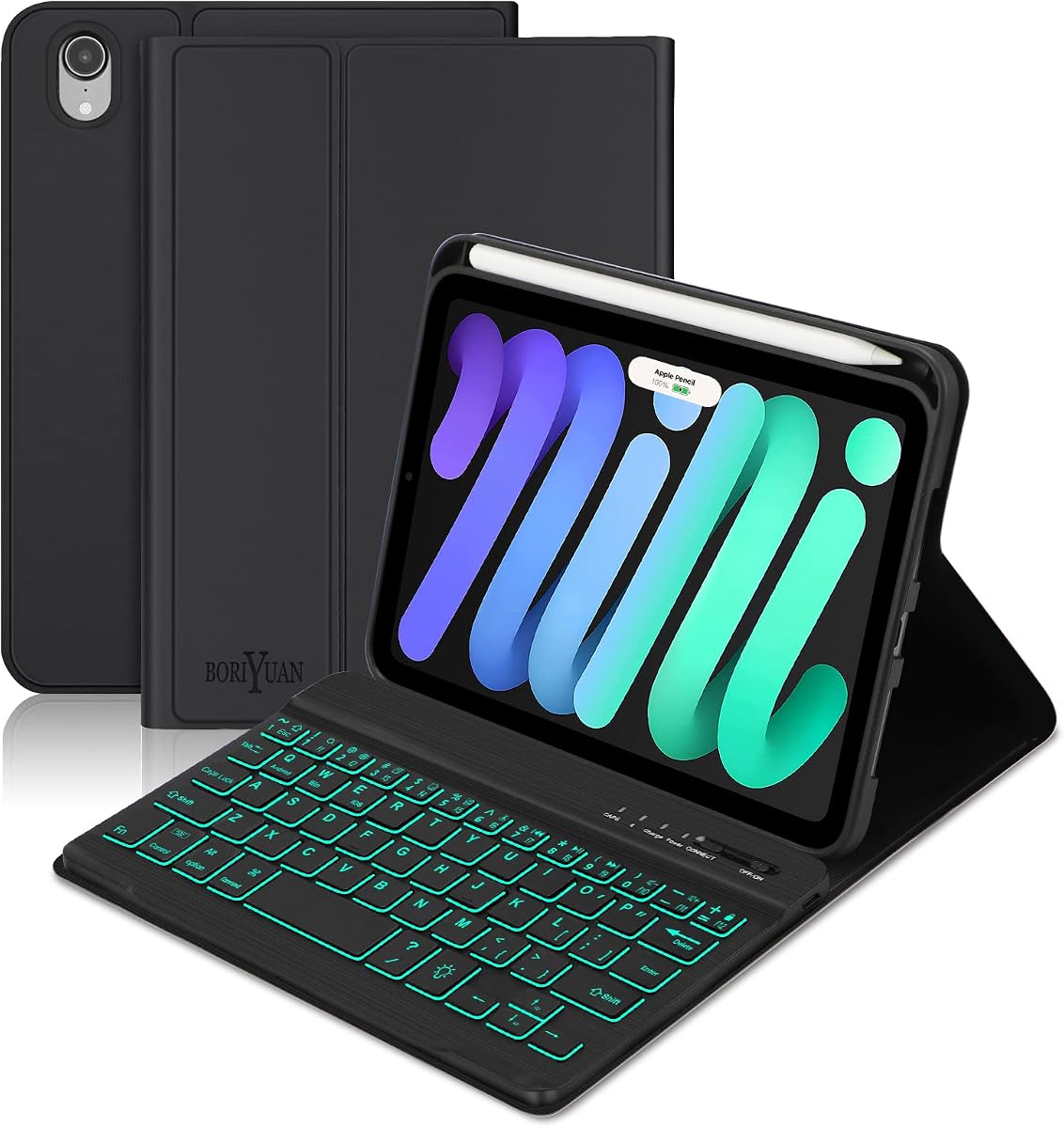
iPad mini 7th Gen 2024 Keyboard Case
4.2Editor score
Detachable wireless keyboard design
Seven color backlight options
Slim protective folio cover
Finding the right accessory for your tablet can transform it into a serious productivity tool. An iPad Mini Folio Case with Keyboard offers typing comfort and protection in one sleek package for professionals and students alike.
We evaluated ten top-rated models based on build quality, typing experience, and additional features like trackpads and adjustable stands. Each option brings unique benefits to help you work efficiently wherever you go.
Each pick below highlights key strengths and potential trade-offs to help you choose wisely. Remember that availability and details can change, so verify specifications before making your final decision today.
4.2Editor score

4.6Editor score

4.3Editor score
As an Amazon Associate we earn from qualifying purchases.
The following comparison table breaks down the core specifications and features of each model to help you quickly identify the best fit for your workflow and budget needs.
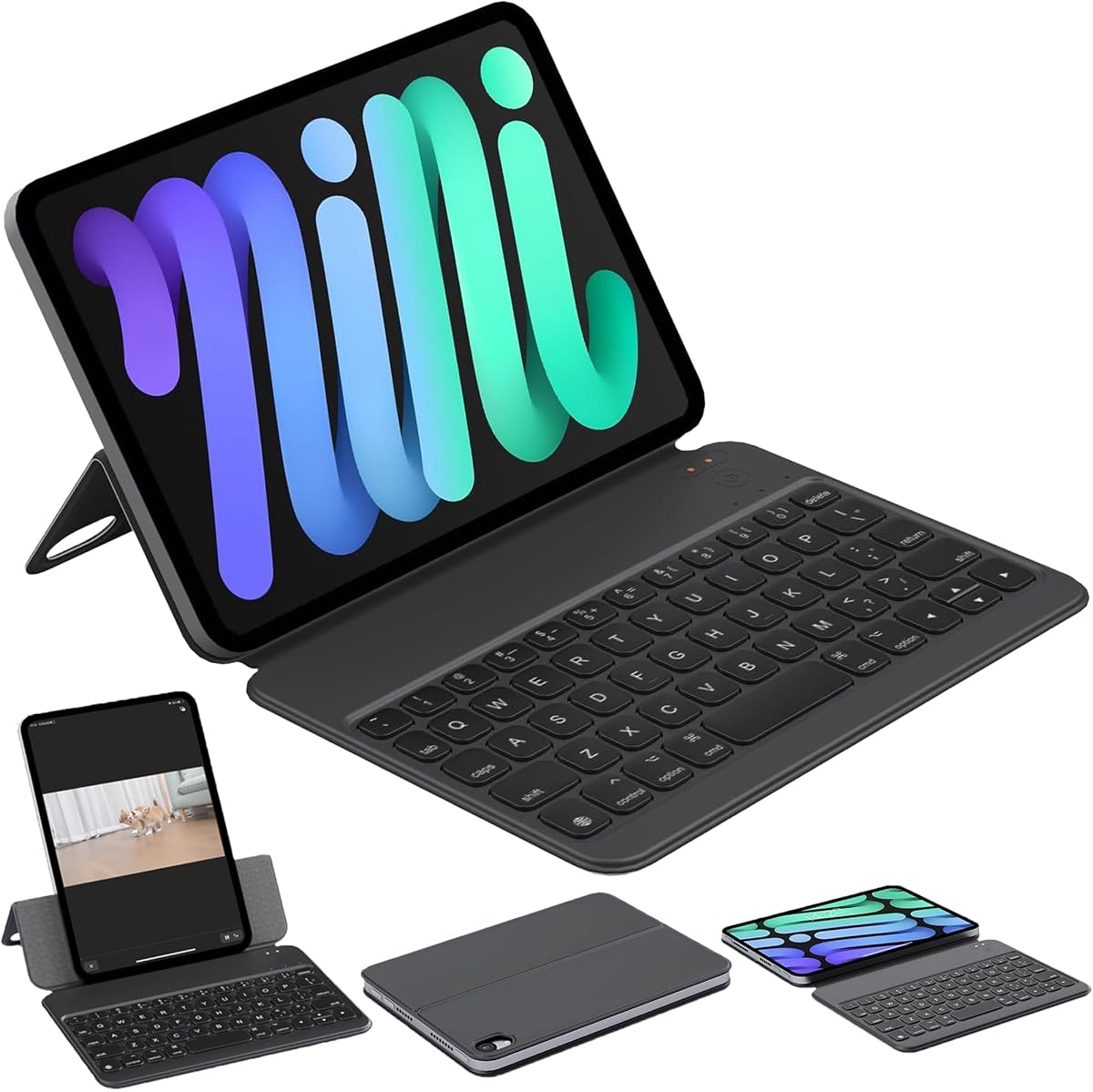


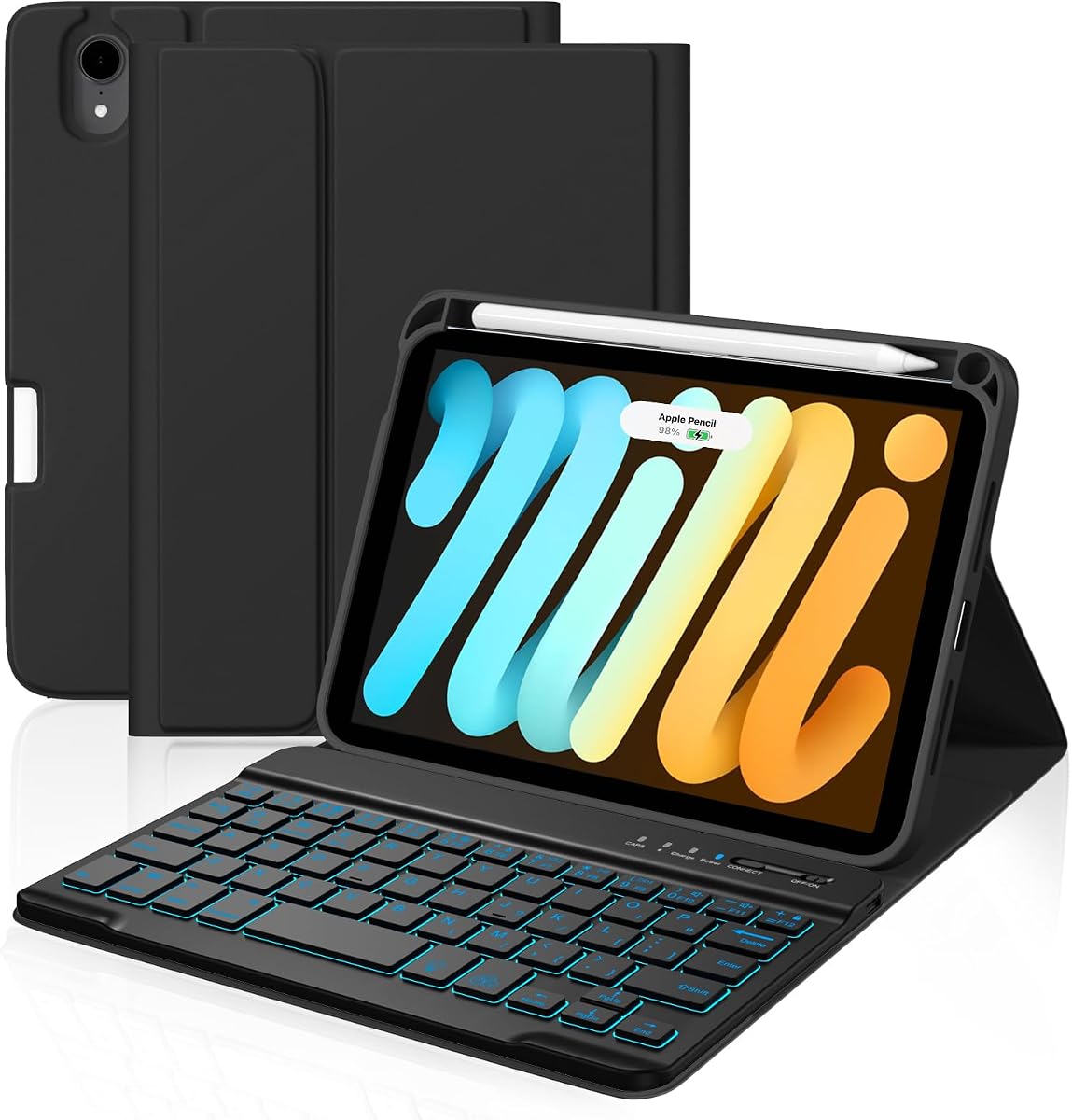
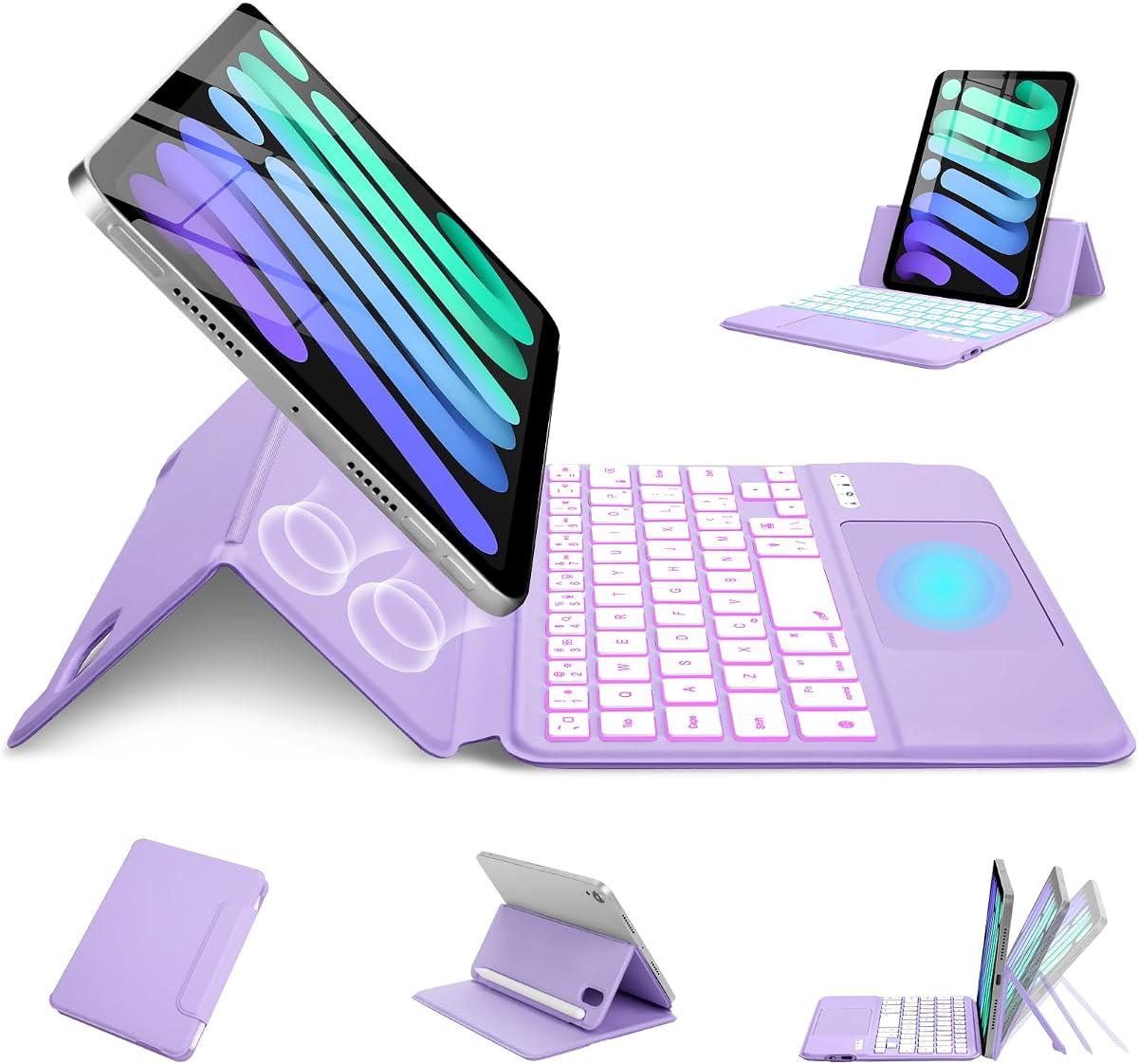
The HOU Keyboard Case offers a straightforward solution for those seeking a lightweight typing add-on for their 8.3-inch iPad Mini. With a rating of 3.9 stars, it stands out for its minimal weight and strong magnetic hold. This model focuses on core functionality without adding unnecessary bulk to your device.
We may earn a commission when you buy through this link, at no additional cost to you.
Its slim profile ensures it is easy to slip into a bag while the magnetic attachment keeps the keyboard secure during transport. The gravity-sensing auto-lock feature prevents accidental touches when the case is folded, adding a layer of convenience. The adjustable shaft allows you to find the perfect angle for various surfaces.
Trade-offs include the lack of a trackpad which means you rely on touch gestures for navigation. The keys are compact and may not suit long typing sessions for everyone. However, the low weight makes up for these minor drawbacks when portability is your top priority.
This case is ideal for students or travelers who need quick typing access without extra heft. If you value simplicity and lightness over advanced features, this model delivers solid performance at an accessible price point.
Weighing only 240 grams, this case adds minimal weight to your iPad for easy carrying.
Approximately 30 magnets ensure the keyboard stays securely attached to your iPad without slipping.
We may earn a commission when you buy through this link, at no additional cost to you.
The Dexnor case transforms your iPad Mini into a laptop-like workstation with its integrated trackpad and floating stand. Rated 4.3 stars, it appeals to users who need precise cursor control and versatile viewing angles. The aluminum alloy hinge ensures stability while the keyboard offers comfortable backlighting.
We may earn a commission when you buy through this link, at no additional cost to you.
Key strengths include the high-precision trackpad that supports multi-finger gestures for efficient navigation. The floating stand design elevates the screen for better ergonomics during long typing sessions. Battery life is impressive with up to 150 hours of use on a single charge.
The keys are slightly smaller than standard sizes which might require adjustment for some typists. The extra features add some weight compared to simpler folio cases. However these trade-offs are justified by the enhanced productivity tools included in the package.
Choose this case if you want a comprehensive solution for work and creative tasks. It bridges the gap between tablet and laptop effectively making it great for professionals on the go.
The multi-touch trackpad allows for scrolling and cursor control similar to a traditional laptop.
A sturdy hinge provides a floating cantilever stand for customizable viewing angles.
We may earn a commission when you buy through this link, at no additional cost to you.
ZAGG brings its reputation for quality accessories to this Slim Book case designed for the iPad Mini. With a 4.0 rating, it balances protection and productivity well. The detachable keyboard offers flexibility allowing you to use the case as a shield when typing is not needed.
We may earn a commission when you buy through this link, at no additional cost to you.
The laptop-style magnetic hinge holds the iPad at multiple angles for comfortable viewing. Keys are designed for smooth ergonomic typing which reduces fatigue during extended use. The slim form factor makes it easy to carry in bags or backpacks.
Some users might find the price higher than generic alternatives on the market. The case may not offer as many lighting options as competitors. Still the build quality and brand reliability often justify the extra cost for many buyers.
This case suits professionals who value brand trust and versatility. If you need a rugged yet slim option that adapts to different usage scenarios ZAGG is a reliable choice.
Remove the keyboard to use the case as a lightweight protective cover for your iPad.
Responsive keys provide a premium typing experience ideal for notes and emails.
We may earn a commission when you buy through this link, at no additional cost to you.
The typecase case stands out with its 360 rotating swivel hinge offering seven distinct modes for various activities. Rated 4.3 stars it appeals to creative users who need flexible viewing orientations. The inclusion of a trackpad and pencil holder enhances its utility for daily tasks.
We may earn a commission when you buy through this link, at no additional cost to you.
Strengths include the sturdy hinge tested for 20,000 cycles ensuring durability over time. The 11-color backlight allows personalization and visibility in different lighting conditions. Users can switch between typing drawing and presenting modes seamlessly.
The rotating mechanism may take time to get used to for some users. The design adds bulk compared to fixed hinge cases. However the versatility it offers often outweighs these minor inconveniences for multitaskers.
Select this case if you need a multi-purpose tool for work and play. The rotating design supports everything from lap typing to portrait reading making it highly adaptable.
Switch between seven modes for typing reading watching and more with the 360 hinge.
Multi-touch trackpad supports scrolling and cursor control for smooth navigation.
We may earn a commission when you buy through this link, at no additional cost to you.
GreenLaw offers a 360 rotating case with a smart touchpad that enhances your iPad Mini with computer functions. With a 4.3 rating it focuses on energy efficiency and style. The case supports multi-gesture navigation and offers a vibrant backlight experience.
We may earn a commission when you buy through this link, at no additional cost to you.
It stands out for its long battery life lasting up to 60 hours without backlight use. The seven color options let you match your mood or environment easily. The free rotation design allows comfortable typing in multiple positions without strain.
A downside is that the Type-C charging cable is not included in the package. Some users report the trackpad needs adjustment for optimal sensitivity. These points should be considered but do not significantly hinder overall usability.
This case is great for users who prioritize battery life and aesthetics. If you want a stylish and efficient setup for your iPad Mini GreenLaw delivers strong value.
The keyboard can work continuously for up to 60 hours on a single charge.
Navigate workflows efficiently with multi-gesture support on the smart touchpad.
We may earn a commission when you buy through this link, at no additional cost to you.
The Ultra Magic case features an upgraded hinge design to prevent tipping and ensure stability on surfaces. Rated 3.8 stars it emphasizes durability with its anti-yellowing fabric material. The magnetic backplate ensures a secure connection between the iPad and keyboard.
We may earn a commission when you buy through this link, at no additional cost to you.
It offers a compact 60-key layout that includes a separate row of shortcuts for media controls. The hinge adjusts up to 130 degrees providing a range of viewing angles. The fabric material keeps the keyboard looking clean and fresh over time.
While stable some users may find the lower rating reflects minor quality inconsistencies. The key layout is compact which might feel cramped for some typists. However the design focus on stability is a strong selling point.
This case is suitable for users who want a no-fuss and durable option. If stability and material quality are your main concerns Ultra Magic is worth considering.
The upgraded hinge shifts the center of gravity to prevent tipping backward.
Anti-yellowing fabric repels dirt and stains for a clean look.
We may earn a commission when you buy through this link, at no additional cost to you.
The Boriyuan case offers a budget-friendly way to add typing capabilities to your iPad Mini. With a 4.2 rating it delivers solid performance for the price. The detachable wireless keyboard allows flexibility while the slim folio cover protects your device.
We may earn a commission when you buy through this link, at no additional cost to you.
It includes seven vibrant backlight colors for typing in low light. The silicone soft shell inside protects the tablet from bumps and drops. Three viewing angles support comfortable landscape use for work or entertainment.
The hinge mechanism is basic compared to more advanced models. It lacks a trackpad which means touch navigation is required. For the price however the value proposition is strong for casual users.
This case is perfect for those starting their search for a keyboard accessory. If you want reliable protection and typing without breaking the bank this is a smart choice.
Designed to be budget-friendly while still offering essential typing and protection features.
The lightweight Bluetooth keyboard can be removed when not in use.
We may earn a commission when you buy through this link, at no additional cost to you.
The Magic-Style case stands out with a 4.6 rating offering premium features in a lightweight design. It includes a smart trackpad with multi-finger gestures for enhanced control. The detachable acrylic case adds protection without bulk.
We may earn a commission when you buy through this link, at no additional cost to you.
Features include a breathing backlight mode that adapts to your environment. The floating stand supports up to 125 degrees providing excellent ergonomics. Smart sleep and wake functions help conserve battery power efficiently.
The higher price reflects the quality and advanced features included. It is tailored for specific iPad Mini models so compatibility must be checked. These are minor hurdles for those seeking top-tier performance.
Choose this if you want a high-quality laptop replacement experience. The combination of weight and functionality makes it a top choice for professionals.
Smart trackpad supports multi-finger gestures for full mouse-like functionality.
Backlight offers a breathing mode with adjustable speed for a comfortable typing experience.
We may earn a commission when you buy through this link, at no additional cost to you.
This model provides a strong battery life with up to 80 hours of continuous use. Rated 4.4 stars it is built for daily productivity without frequent recharging. The built-in pencil holder supports Pencil Pro and Pencil 2nd securely.
We may earn a commission when you buy through this link, at no additional cost to you.
The stain-resistant material keeps the case looking clean after long periods of use. A detachable keyboard allows flexibility for when typing is not needed. The design ensures full access to ports and buttons.
While it lacks flashy features it delivers core performance reliably. Brand recognition may be lower than established names. For those who value functionality and battery life this is a solid option.
This case fits users who want long-term battery performance. If you work for long periods away from a charger this model is ideal.
Equipped with a high-capacity rechargeable battery for up to 80 hours of use.
Built-in holder keeps your Pencil secure and within reach for notes.
We may earn a commission when you buy through this link, at no additional cost to you.
The MePadKey case includes a smart touchpad with multi-finger support for better navigation. Rated 4.0 stars it offers a balanced mix of features for everyday use. The scissor mechanism keys provide smooth responsive typing.
We may earn a commission when you buy through this link, at no additional cost to you.
It supports both horizontal and vertical screens allowing easy switching between work and entertainment. The ultra-thin design makes it easy to carry anywhere. Type-C charging ensures convenient power top.
Users may need to enable tap to click in settings initially. The backlight colors are limited compared to some models. Despite this the responsive touchpad adds significant value for users.
Select this if you want a touchpad without a high price tag. It is a good all-rounder for those who need basic laptop features.
Supports 1 to 3-finger gestures for efficient file editing and web browsing.
Adsorbed vertically for easy switching between work and entertainment modes.
We may earn a commission when you buy through this link, at no additional cost to you.
Choosing the right case involves weighing factors like connectivity, typing comfort, and portability. This section breaks down key considerations to help you find the best match.
Ensure the case matches your iPad model number exactly. The 6th and 7th generations share dimensions but earlier models differ.
Always verify model numbers before buying to avoid fit issues.
Decide between Bluetooth or smart connector options. Bluetooth offers more flexibility while smart connectors are more reliable.
Bluetooth is generally more versatile for detachable designs.
A trackpad transforms your iPad into a desktop substitute. If you manage complex files a trackpad is essential.
Check if the trackpad supports multi-touch gestures you need.
Key size and spacing matter for comfort. Smaller keys save space but may be harder to type on.
Try to test the layout if possible before purchasing.
Long battery life reduces charging interruptions. Look for models that last several days of use.
USB-C charging is a convenient modern standard to prioritize.
Lightweight cases are easier to carry daily. However heavier builds might feel more robust.
Balance weight with protection based on your travel needs.
Versatile hinges allow multiple viewing angles. A floating stand is great for typing on laps.
Check the degree of adjustment to ensure flexibility.
A dedicated slot keeps your stylus safe and accessible. This helps prevent loss during travel.
Ensure it supports your specific pencil generation.
Pair your keyboard via Bluetooth or align magnets with the iPad. Ensure the battery is charged before first use to enable all features.
Clean the case regularly with a dry cloth to prevent dust buildup. Avoid water spills on the keyboard to protect internal components.
Use auto-sleep features to extend battery life. When not in use, fold the case securely to protect the screen and keys.
Most are designed specifically for the 6th and 7th generations. You must verify your model number to ensure a proper fit before purchasing.
No, all featured keyboards are rechargeable via USB-C. A single charge typically lasts weeks depending on usage and brightness settings.
Yes, most models include a holder or magnet for secure attachment. This ensures charging is accessible without removing the case.
Yes, they are universally compatible with all iPad apps. They function as standard input devices without needing special software.
Most trackpads work instantly. Some may require enabling multi-touch settings in the iPad preferences for full functionality.
Quality hinges are tested for thousands of cycles. If it loosens, check if the stand needs adjustment or if parts are damaged.
Each model offers unique advantages ranging from budget-friendly designs to premium trackpad features. Selecting the right one depends on your specific needs.
Prioritize features like trackpads for work or lightweight design for travel. Ensure compatibility with your exact iPad model for a perfect fit.
Prices and availability change frequently so check the latest details on the product pages. Investing in a reliable case boosts productivity and protects your device effectively.