
CENMATE Aluminum 4 Bay
4.3Editor score
Aluminum alloy construction
Up to 80TB capacity
USB 3.0 with UASP
Finding the right JBOD enclosure is essential for expanding your digital storage needs. These devices allow you to connect multiple drives independently without complex RAID setups. They provide flexibility for backups and media libraries.
We evaluated ten top models based on connection speed, drive capacity, and cooling performance. Each enclosure was reviewed for build quality and ease of use. This list covers various sizes from compact desktop units to robust rackmount options.
Every pick highlights specific strengths like hot swap support or hardware RAID options. Prices fluctuate frequently so check current listings before buying. Your ideal match depends on your specific workflow and drive count requirements.
4.3Editor score

4.2Editor score
4.1Editor score
As an Amazon Associate we earn from qualifying purchases.
This table provides a side by side overview of key specifications for all ten selected enclosures to help you compare speed and capacity options quickly.


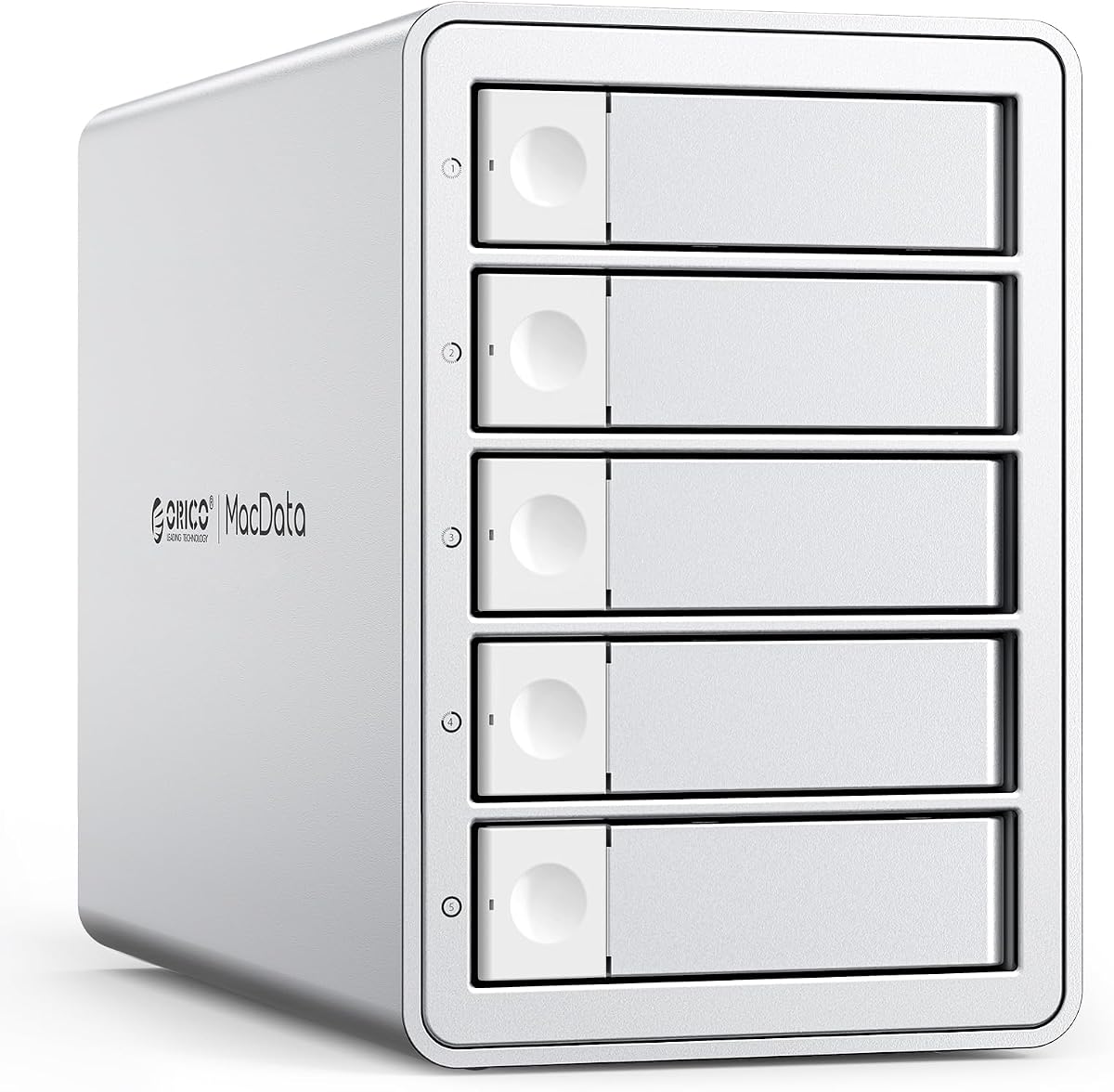


The TERRAMASTER D4-320 offers exceptional performance for direct attached storage needs. It holds up to four drives with a massive capacity limit. Users appreciate the speed and silence during operation.
We may earn a commission when you buy through this link, at no additional cost to you.
Data transmission reaches up to 10Gbps via USB 3.2 Gen2. This ensures quick transfers for large video files or backups. The intelligent fan keeps temperatures low while maintaining quiet decibel levels.
Trade-offs include the lack of hardware RAID capabilities. This means redundancy depends on software solutions or separate backups. However for pure capacity and speed this unit delivers excellent value.
Ideal for professionals needing fast access to multiple independent drives. The plug and play design simplifies setup for Mac and Windows. It remains a top choice for versatile storage expansion.
USB 3.2 Gen2 allows speeds up to 10Gbps for efficient workflows.
Sound absorbing panels reduce noise significantly compared to previous models.
We may earn a commission when you buy through this link, at no additional cost to you.
This enclosure provides reliable storage expansion without a high price tag. It supports both 2.5 and 3.5 inch drives easily. The aluminum chassis ensures durability and effective heat management.
We may earn a commission when you buy through this link, at no additional cost to you.
Equipped with USB 3.0 ports it delivers speeds up to 5Gbps. The included cooling fan prevents overheating during heavy loads. Users can swap drives without shutting down the system.
The fan may produce noticeable noise around 40 to 50 decibels. This makes it less ideal for quiet office environments. However the performance remains stable for most data tasks.
Great for budget conscious users needing desktop storage capacity. The plug and play feature works across Windows and Mac. Technical support is responsive for any setup questions.
Ideal for both personal and enterprise use cases effectively.
Aluminum alloy materials help dissipate heat during operation.
We may earn a commission when you buy through this link, at no additional cost to you.
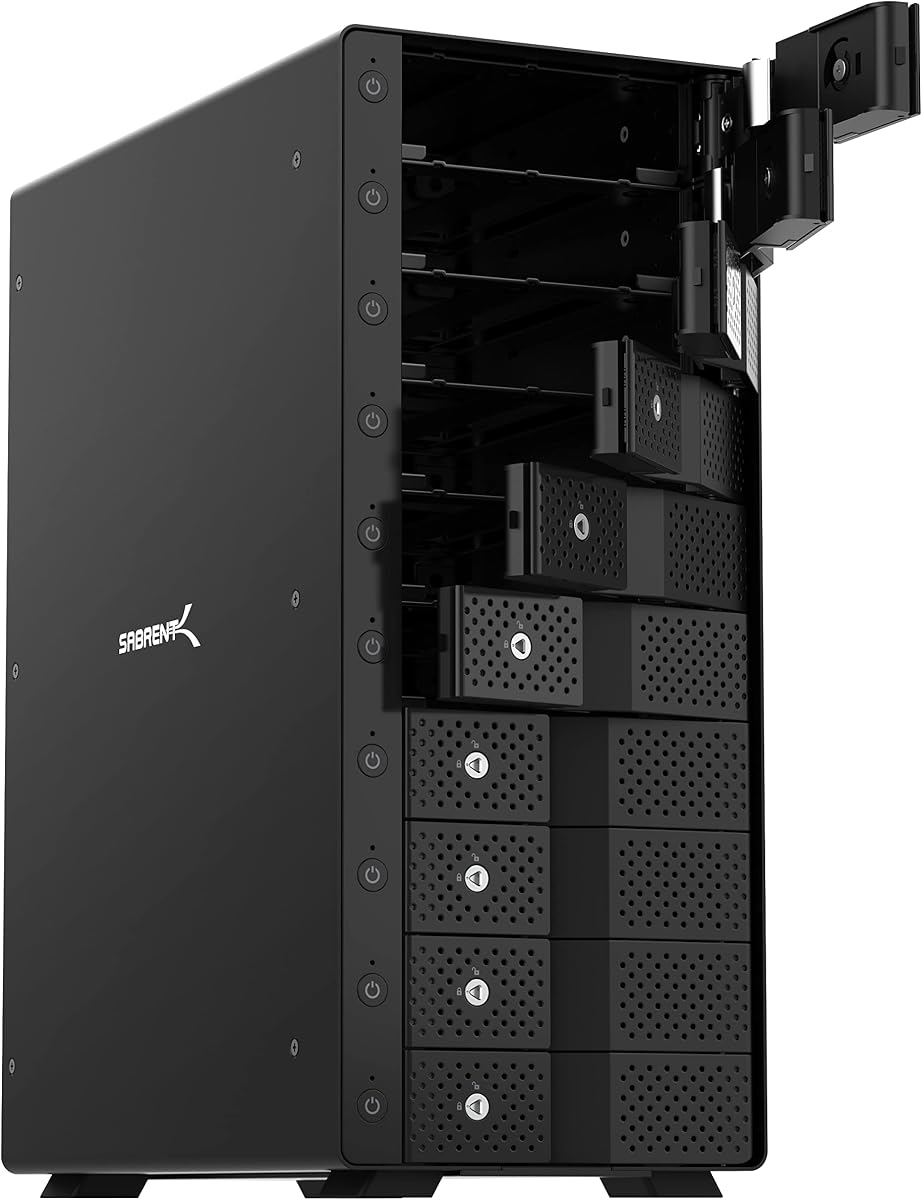
Designed for professionals managing large media libraries or backups. This dock accommodates ten 3.5 inch drives independently. Each drive has its own switch for precise power control.
We may earn a commission when you buy through this link, at no additional cost to you.
Speeds reach up to 10Gbps via USB 3.2 Gen 2. The aluminum build ensures heat dissipation across all ten bays. Tray-less hot swap allows quick access to any drive.
The unit is physically large and carries a premium price tag. It requires significant desk space and adequate power outlets. However for high capacity needs it is unmatched.
Perfect for IT workflows and media production environments. The Kensington slot adds security for valuable data drives. Includes cables for both USB-C and USB-A connections.
Connect up to ten drives over one USB-C cable easily.
Power only the drives you need with individual switches.
We may earn a commission when you buy through this link, at no additional cost to you.
This model supports eight drives with independent power switches. It allows for efficient heat dissipation via a smart fan. The steel housing provides a robust protective shell for drives.
We may earn a commission when you buy through this link, at no additional cost to you.
USB 3.0 delivers speeds up to 5Gbps for standard transfers. It supports both 2.5 and 3.5 inch drives up to 24TB each. Independent switches let you turn off unused drives.
The fan operates quietly with thermal sensor control. However it lacks the modern speed of USB-C interfaces. It remains a sturdy option for fixed desk setups.
Suitable for home labs needing flexible drive management. The manual and auto fan modes adapt to usage. Plug and play simplicity works well across operating systems.
Turn off specific drives to save power or reduce heat.
Built-in thermal sensor adjusts fan speed automatically.
We may earn a commission when you buy through this link, at no additional cost to you.
Unique among this list for including hardware RAID options. It functions as both external storage and a NAS expansion tool. Supports RAID 0 1 5 and JBOD modes via switches.
We may earn a commission when you buy through this link, at no additional cost to you.
Connects via USB Type-C for modern port compatibility. Drive bays are lockable to prevent unauthorized access. It integrates seamlessly with compatible QNAP NAS units.
Not all NAS models support this device for pool merging. Check compatibility lists before purchase to ensure full functionality. Still offers versatile standalone storage for general users.
Great for QNAP users wanting flexible backup solutions. The individual disk mode allows simple file access. Lockable bays add security for shared office environments.
Configure RAID levels easily through physical switches on device.
Protect your data with physical locks on each drive bay.
We may earn a commission when you buy through this link, at no additional cost to you.
Designed specifically for server environments needing massive storage. It mounts in standard racks for organized data center setups. Includes a redundant power supply for continuous operation.
We may earn a commission when you buy through this link, at no additional cost to you.
Provides twelve slots for 3.5 inch SATA drives. Data transfers use USB 3.2 Gen 2 for high throughput. Compatible with Windows computers and servers easily.
Requires a physical rack and proper cooling environment. It is not suited for home desktop use due to size. Ideal for IT admins managing enterprise data.
Best for organizations needing reliable expandable storage. The power redundancy ensures uptime during failures. Connects to main servers for central management.
Professional design fits standard server racks for organization.
Redundant PSU ensures operation even if one unit fails.
We may earn a commission when you buy through this link, at no additional cost to you.
This workstation offers massive capacity up to 110TB total. It includes a built-in power supply eliminating adapter clutter. Hardware RAID supports multiple modes for data safety.
We may earn a commission when you buy through this link, at no additional cost to you.
Supports 2.5 and 3.5 inch drives with high capacity limits. The aluminum alloy shell and silent fan ensure durability and cooling. Setup is simple with instant plug and play.
Speeds are capped at USB 3.0 rates for transfers. For large backups this is sufficient but slower than USB-C. The power supply adds weight and bulk.
Ideal for video editors and creative professionals. The RAID modes protect against drive failures. Built-in power keeps the workspace clean and tidy.
Configure RAID 0 1 3 5 10 JBOD or Clone modes easily.
No external power adapter needed for cleaner desk setups.
We may earn a commission when you buy through this link, at no additional cost to you.
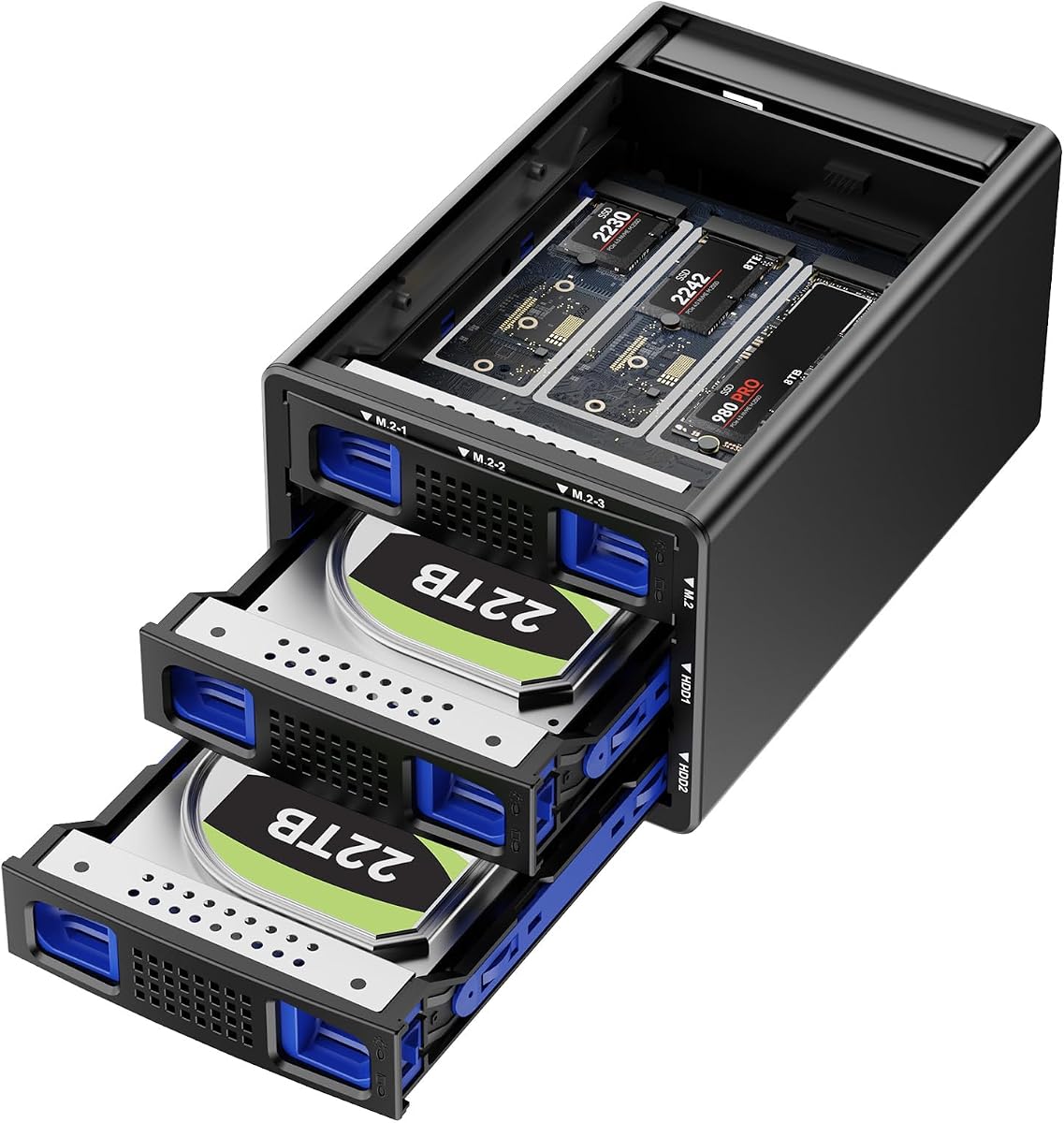
A unique hybrid design combining traditional drives with NVMe SSDs. It supports two SATA drives and three M.2 NVMe SSDs. This setup balances massive capacity with high speed.
We may earn a commission when you buy through this link, at no additional cost to you.
Data transfers reach up to 10Gbps via USB 3.2 Gen 2. It includes silent fans to cool both drive types effectively. RAID modes allow redundancy or speed prioritization.
Resetting RAID arrays requires holding a specific button. Users must manage different drive types carefully during setup. The aluminum chassis maintains structural integrity.
Perfect for users wanting both archive and active storage. The speed of NVMe works well for editing. Tool-free trays make swapping drives easy and fast.
Combine HDD capacity and SSD performance in one enclosure.
Full load read rates reach up to 300MB per second.
We may earn a commission when you buy through this link, at no additional cost to you.
Focused on security with eight hardware RAID configuration options. It includes a built-in power supply for smooth operation. The aluminum enclosure protects drives from dust and bumps.
We may earn a commission when you buy through this link, at no additional cost to you.
Supports up to 22TB per drive for massive capacity. Data transfers use USB 3.0 with stable rates. Independent safety locks prevent accidental drive ejection.
Setup involves careful selection of RAID modes via switches. Power usage is higher due to internal supply. However security is prioritized over raw speed here.
Excellent for business backups and sensitive data. The silent fan keeps noise down during work hours. Compatibility with Mac and Linux is seamless for sharing.
Choose from eight modes including Clone or Clear for backups.
Independent safety lock prevents unexpected hard disk ejection.
We may earn a commission when you buy through this link, at no additional cost to you.
Delivers high performance for Mac and Windows PC users. The USB-C interface supports Thunderbolt 3 for top speed. It fits any standard 2.5 or 3.5 inch drive.
We may earn a commission when you buy through this link, at no additional cost to you.
Performance reaches up to 947MB per second read speeds. This is ideal for large video files and editing workflows. The unit ships with a USB-C cable for connection.
SoFTRAID software is not included in the package. Users must rely on external software for RAID configurations. Ratings reflect this limitation compared to others.
Best for Apple users needing high speed external storage. The compact design saves desk space. Ensure your host port supports 10Gb/s for full speed.
Connect via USB-C for next-level performance with 10Gb/s bandwidth.
Experience up to 947MB per second transfer speeds easily.
We may earn a commission when you buy through this link, at no additional cost to you.
Selecting the right JBOD enclosure requires balancing capacity, speed, and physical design to match your workflow needs.
The connection interface determines how fast data moves between drives and your computer. USB 3.2 Gen 2 offers up to 10Gbps which is ideal for large media files. USB 3.0 provides 5Gbps which is sufficient for standard backups. Always check your computer's ports to ensure compatibility with the enclosure's cable type.
Look for USB-C or Thunderbolt support if you need maximum transfer rates for professional work.
Each enclosure supports a specific maximum capacity per drive and total capacity. Some models allow up to 20TB or 30TB per disk while others may be lower. For massive storage needs prioritize enclosures that support high capacity drives to future proof your setup.
Ensure the total combined capacity meets your project requirements without needing frequent replacements.
Many enclosures are JBOD meaning each drive operates independently without redundancy. Others include hardware RAID controllers for data mirroring or striping. Decide if you need independent access or if data safety through redundancy is a higher priority for your specific use case.
Choose hardware RAID if you need protection against individual drive failures during operation.
A sturdy enclosure with efficient cooling prevents overheating during heavy use. Aluminum housings dissipate heat better than plastic and add durability. Fans with thermal sensors adjust speed to keep noise down while protecting drives from damage.
Prioritize models with silent cooling solutions if you work in a quiet environment.
Tool-free trays or tray-less designs make installing drives much faster and simpler. Hot swap support allows you to change drives without turning off the system. This feature is crucial for users who frequently swap out drives for different projects or clients.
Select a model with tool-free installation to save time during setup and maintenance.
Some units include built-in power supplies while others rely on external adapters. Built-in power reduces cable clutter but adds weight. External adapters may be easier to replace but take up more desk space.
Consider your workspace layout when choosing between built-in or external power solutions.
Most modern enclosures work with Windows Mac and Linux without extra drivers. Verify that the file system is compatible with your operating system for seamless access. Plug and play functionality ensures you can start using the device immediately after connection.
Confirm OS support to avoid issues with file systems or driver installations.
Enclosures come in desktop rackmount or portable sizes depending on your needs. Desktop units are common for home offices while rackmount models fit into server rooms. Ensure the dimensions fit your available space and mounting requirements before buying.
Match the physical size to your workspace to avoid overcrowding or installation issues.
Connect the enclosure to your computer using the provided USB or USB-C cable. Ensure you use a high quality cable that supports the data speed advertised by the manufacturer. Connect the power adapter securely to the unit and plug it into a grounded outlet.
Install drives by sliding them into the tool-free trays until they lock in place. For hot swap units you can insert or remove drives while the system is running. Always eject drives safely through your operating system before removing them if hot swap is not supported.
Keep the enclosure in a well ventilated area to prevent overheating. Clean dust from the vents regularly using compressed air to maintain airflow. Avoid stacking heavy items on top of the unit to prevent damage to the drives or casing.
No a JBOD enclosure connects drives directly to a computer via USB without network capabilities. A NAS connects via Ethernet and allows multiple users to access files over a network. JBOD is simpler for individual backups while NAS serves shared environments.
Most modern enclosures support both 2.5 inch and 3.5 inch drives in the same unit. You can use SSDs alongside HDDs for a mix of speed and capacity. Ensure the physical dimensions fit the drive bays correctly before installation.
Most JBOD enclosures are plug and play and do not require additional drivers. They are recognized immediately by Windows Mac and Linux systems. Drivers may only be needed for advanced RAID configuration on specific hardware models.
Hot swap allows you to replace drives without powering off the enclosure or computer. This is essential for maintenance or adding storage without interrupting active workflows. It improves efficiency in environments where data access is constant.
Since JBOD does not provide hardware redundancy you must manage backups carefully. Use software RAID or copy critical data to a secondary external drive. Regular backups are vital since drive failures can lead to data loss without mirroring.
Yes JBOD enclosures are excellent for storing backup files due to their high capacity. You can create separate volumes for different backup sets easily. They are reliable for long term storage when kept in a cool stable environment.
We covered ten top models ranging from budget options to high capacity professional units. Each offers unique features like hot swap support or hardware RAID flexibility. Selecting the right one depends on your specific speed and storage needs.
Prioritize connection speed and drive capacity limits to ensure your setup handles workload demands. Consider cooling performance and build quality for long term reliability in daily use.
Prices and availability change regularly so verify current listings before purchasing. Check warranty details to ensure you are protected if issues arise after use.