
Dell Inspiron 15.6 FHD Business Laptop
4.7Editor score
10-Core Intel i5 Processor
Numeric Keypad Included
Windows 11 Home
Explore our expert guide comparing the best laptop with keypad and touchscreen for productivity, featuring detailed specs, pros, cons, and top picks for every
Finding a laptop with keypad and touchscreen capabilities is essential for modern professionals and students who need efficient data entry and intuitive navigation. These devices combine the precision of a numeric keyboard with the flexibility of touch interaction, making them ideal for spreadsheets, creative work, and multimedia consumption. Whether you are managing finances, designing graphics, or attending virtual classes, having both input methods ensures you can tackle any task with confidence and speed.
Our team evaluated ten top models based on performance, display quality, build durability, and user experience. We analyzed processor speeds, memory configurations, storage options, and connectivity features to ensure each recommendation meets high standards for reliability and efficiency. Each product was scrutinized for its ability to handle multitasking, battery longevity, and overall comfort during extended work sessions to provide you with a comprehensive overview of the current market.
Each entry in this guide highlights unique strengths and potential trade-offs to help you identify the perfect fit for your specific needs. From budget-friendly options to high-performance machines, we cover a wide range of configurations suitable for various workflows and preferences. Please note that availability and pricing can fluctuate frequently, so we recommend checking the latest details directly on the product pages before making your final decision.
4.7Editor score

4.0Editor score

5.0Editor score
The following comparison table provides a side-by-side look at the key specifications and features of all ten laptops featured in this guide to help you quickly identify the model that best matches your performance requirements and budget constraints.


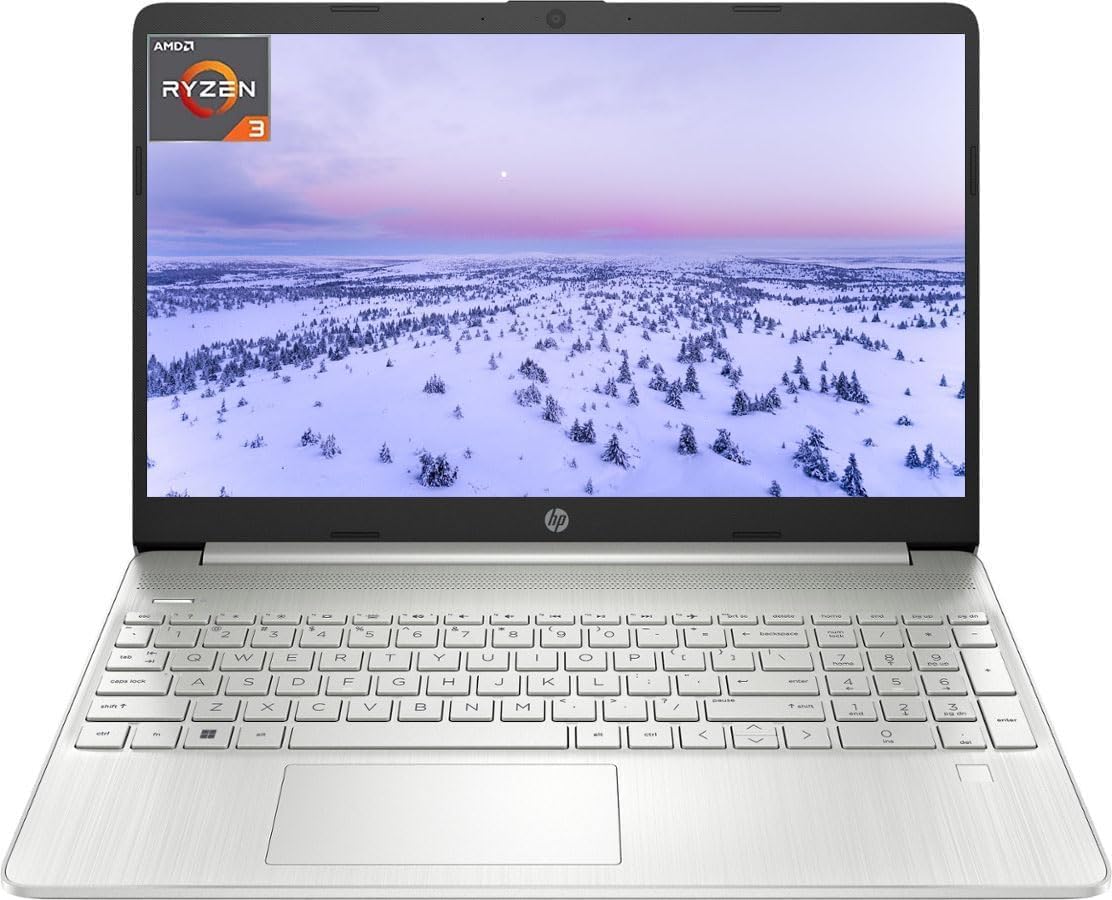

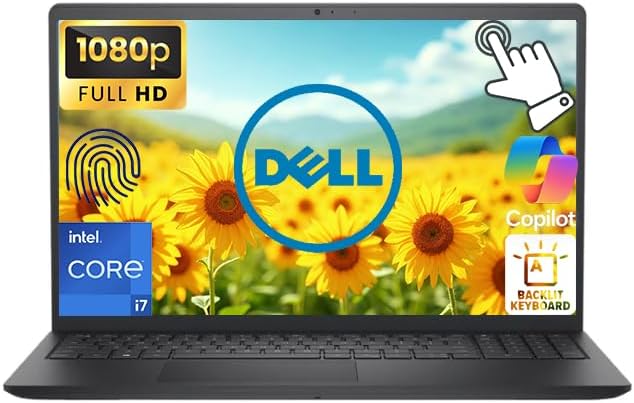


This HP laptop stands out as a powerful workstation for users who need robust performance and tactile input options. Rated highly for its ability to handle multiple applications simultaneously, it features a generous amount of memory and storage that prevents bottlenecks during heavy workloads. The combination of a responsive touchscreen and a full numeric keypad makes it an excellent choice for financial professionals and students who deal with spreadsheets frequently.
We may earn a commission when you buy through this link, at no additional cost to you.
The AMD Ryzen 7 7730U processor provides the necessary computing power to keep your system running smoothly even when you have numerous browser tabs and applications open. The 1TB NVMe SSD ensures that files load quickly and the system boots up without delay, saving you valuable time at the start of each workday. Additionally, the Full HD IPS touchscreen offers clear visuals and accurate color reproduction which is beneficial for both work and entertainment.
While the laptop performs exceptionally well, users should be aware that battery life can vary depending on the intensity of tasks being performed. The weight is also slightly higher than ultra-thin models which may matter if you travel frequently. However, for stationary or semi-mobile work setups, these trade-offs are acceptable given the performance benefits and the convenience of having a numeric keypad integrated into the keyboard layout.
We recommend this device for professionals and students who prioritize performance and input versatility over extreme portability. If you need a reliable machine that can handle demanding tasks while offering the flexibility of touch controls and efficient data entry, this model is a top contender in its category.
The full-size keyboard includes a dedicated numeric keypad which significantly speeds up tasks involving numbers such as accounting or data entry.
With 32GB of RAM you can switch between heavy applications like video editing software and web browsers without experiencing slowdowns.
We may earn a commission when you buy through this link, at no additional cost to you.
This HP model offers a premium computing experience with a large display that is perfect for multitasking and detailed work. The combination of a Core i7 processor and 32GB of RAM ensures that the system remains responsive even during intensive operations. Users have praised its performance for handling modern applications and creative tools without lag making it a reliable choice for demanding business environments.
We may earn a commission when you buy through this link, at no additional cost to you.
The 17.3 inch HD+ touchscreen provides an immersive viewing experience that enhances productivity by giving you more screen real estate for your applications. The built-in speakers and microphone are tuned for clear audio which is essential for video conferencing and media consumption. Additionally the inclusion of Windows 11 Home with AI Copilot features helps streamline workflows and optimize efficiency for daily tasks.
While the large screen is a major advantage it does contribute to the overall weight and size of the device which may not be ideal for frequent travelers. The battery life is optimized for endurance but users working unplugged for long periods should plan accordingly. Despite these minor drawbacks the performance and display quality make it a standout option for those who prioritize workspace comfort.
This laptop is highly recommended for professionals who need a powerful desktop replacement with the added convenience of touch input and a numeric keypad. If you value screen space and processing power over lightweight portability this device delivers an exceptional user experience.
The large 17.3 inch screen allows for side-by-side window management which is ideal for research and data analysis tasks.
Integrated AI capabilities help manage your workload more efficiently by streamlining routine tasks and optimizing system resources.
We may earn a commission when you buy through this link, at no additional cost to you.
Dell offers a compelling budget-friendly option that does not compromise on essential features for everyday productivity. The laptop features a 10-Core Intel i5 processor that provides sufficient power for multitasking and general business applications. Users appreciate the inclusion of a numeric keypad and touchscreen which are often missing in lower-priced models making this a versatile choice for students and small business owners.
We may earn a commission when you buy through this link, at no additional cost to you.
The Full HD touchscreen display ensures that content looks sharp and vibrant which enhances both work and entertainment experiences. With 8GB of RAM and a 256GB SSD the system boots quickly and handles standard office tasks with ease. The design is sleek and professional fitting well into office environments or home setups without taking up too much space.
While the memory and storage are adequate for most users heavy multitaskers might find the limits quickly when running many applications simultaneously. However for typical usage patterns such as web browsing document editing and streaming the performance is more than sufficient. The express charge feature is a nice addition that allows you to get back to work quickly if the battery runs low.
We recommend this laptop for anyone looking for a reliable and affordable device with touch and numeric keypad capabilities. It strikes a great balance between cost and functionality making it an excellent entry point for those who need these specific features without breaking the bank.
You get access to modern processor technology and essential inputs at a price that is significantly lower than many competitors.
The combination of a touch display and numeric keypad provides multiple ways to interact with your content efficiently.
We may earn a commission when you buy through this link, at no additional cost to you.
This Dell Inspiron model is designed specifically with business users in mind offering a robust set of features to support professional workflows. The inclusion of Windows 11 Pro provides enhanced security and management features that are beneficial for organizational environments. With 16GB of RAM and a 1TB SSD this laptop handles storage and memory demands gracefully ensuring smooth operation during daily tasks.
We may earn a commission when you buy through this link, at no additional cost to you.
The Express Charge capability is a standout feature that allows you to recharge the battery to 80 percent in just one hour which is perfect for busy professionals on the go. The numeric keypad is integrated seamlessly into the keyboard design making it easy to input data without needing an external device. The Full HD touchscreen adds versatility allowing you to navigate interfaces intuitively or interact with content directly.
While the display is clear and functional it does not offer high refresh rates which might be noticeable for users who are used to faster screen transitions. The webcam quality is standard and sufficient for video calls but may not match the resolution of dedicated cameras. Overall these trade-offs are minor considering the solid build quality and professional feature set offered by this machine.
This laptop is an excellent choice for businesses and professionals who need a secure and efficient tool for their daily operations. The combination of professional OS features and reliable hardware makes it a trustworthy investment for sustained use.
Windows 11 Pro offers advanced security and encryption options that are crucial for protecting sensitive business data.
Express Charge technology minimizes downtime by quickly replenishing battery power so you can stay productive throughout the day.
We may earn a commission when you buy through this link, at no additional cost to you.
HP provides a versatile laptop that is well-suited for home office environments where screen real estate is a priority. The 17.3 inch display offers a spacious workspace which helps reduce eye strain during long working hours. Users appreciate the inclusion of Microsoft 365 which allows immediate access to essential productivity tools without additional subscription costs.
We may earn a commission when you buy through this link, at no additional cost to you.
The fingerprint reader adds a layer of security and convenience allowing you to log in quickly without typing passwords repeatedly. The backlit keyboard ensures that you can type comfortably even in low-light conditions which is helpful for evening work sessions. Connectivity is well-covered with various ports and wireless options to support your peripherals and internet access needs.
The storage capacity is on the lower side which might require external drives for users with large media libraries or extensive document collections. The processor is designed for efficiency rather than heavy performance so it is best suited for standard office tasks and browsing. However for typical home use these limitations are often manageable with proper file management.
This model is recommended for users who need a large screen and essential productivity features at a competitive price. It serves well as a secondary workstation or a primary device for light to moderate workloads in a home setting.
Access to Microsoft 365 apps ensures you have the necessary tools for document creation and collaboration from the start.
The built-in fingerprint reader simplifies the login process while keeping your data secure from unauthorized access.
We may earn a commission when you buy through this link, at no additional cost to you.
This HP laptop is tailored for users who need a reliable and affordable solution for daily computing tasks. The Intel Core i3 processor provides sufficient power for web browsing and document editing while keeping power consumption low. The inclusion of a numeric keypad makes it a practical choice for those who work with numbers regularly without needing an external keypad.
We may earn a commission when you buy through this link, at no additional cost to you.
The touchscreen display offers an intuitive way to interact with content which is helpful for navigation and media consumption. A privacy shutter on the camera provides peace of mind during virtual meetings ensuring that your privacy is maintained when the camera is not in use. The design is sleek and portable making it easy to carry around for classes or meetings.
The display resolution is standard and may not be as sharp as higher-end models but it remains clear enough for general use. The S Mode of Windows limits the installation of apps to the Microsoft Store which some users may find restrictive. However the system can be switched out of S mode if you need more flexibility with software installations.
We recommend this laptop for students and casual users who prioritize value and essential features over high-end performance. It is a solid option for anyone looking for a lightweight machine with touch and numeric input capabilities.
The built-in camera shutter allows you to physically block the lens when you are not in a video call.
Having a dedicated numeric section on the keyboard speeds up data entry tasks significantly compared to using the main keys.
We may earn a commission when you buy through this link, at no additional cost to you.
The HP OmniBook 3 offers a modern and portable design with a high-resolution display that enhances visual quality. The 2K IPS touchscreen provides sharp details and vibrant colors which make it ideal for creative work and media consumption. AI noise reduction technology ensures that your voice is clear during calls which is a valuable feature for remote workers and students.
We may earn a commission when you buy through this link, at no additional cost to you.
Weighing just over three pounds this laptop is easy to carry and fits comfortably in most backpacks. The GaN power adapter is efficient and compact reducing the bulk of your travel kit. The performance is well-balanced with 16GB of RAM allowing for smooth multitasking and handling of modern applications without lag.
While the display is excellent the keyboard layout does not include a dedicated numeric keypad which may be a drawback for users who rely on frequent number entry. Battery life is optimized for efficiency but heavy usage will naturally drain it faster than light browsing. Overall the portability and screen quality are standout features for this model.
This laptop is a strong recommendation for users who prioritize display quality and portability in their daily workflow. It is an excellent choice for creative professionals and travelers who need a reliable machine without the weight of traditional business laptops.
The 2K resolution delivers crisp text and images making it easier to read documents and view detailed content.
The lightweight design and efficient adapter make this a great companion for commuting and business travel.
We may earn a commission when you buy through this link, at no additional cost to you.
Dell delivers a high-performance business laptop that combines processing power with essential security features. The Core i7 processor ensures that demanding applications run smoothly and the 1TB SSD provides ample storage for your files and software. A fingerprint reader adds quick and secure access to your device which is convenient for professionals working in shared environments.
We may earn a commission when you buy through this link, at no additional cost to you.
The backlit keyboard with a numeric keypad makes it easy to work in dimly lit settings and input data efficiently. Windows 11 with AI Copilot offers assistance for optimizing workflows and keeping your tasks organized. The touchscreen interface adds another layer of interaction that complements the physical keyboard for a versatile user experience.
While the performance is top-notch the price may be higher than some alternatives for budget-conscious buyers. Battery life is standard for this class of device so you should keep a charger handy for long work sessions. However the build quality and feature set justify the investment for those who need reliability and speed.
This laptop is recommended for professionals who require a robust machine with strong processing capabilities and input flexibility. It is a trustworthy tool for business tasks that demand high performance and data security.
The fingerprint reader allows for secure and quick logins enhancing both safety and convenience.
AI Copilot features help streamline tasks and keep your workflow organized efficiently.
We may earn a commission when you buy through this link, at no additional cost to you.
This Dell Inspiron model stands out for its high memory capacity which is rare in this price range. The 32GB of RAM allows for extreme multitasking making it suitable for users who run multiple virtual machines or heavy applications. The Windows 11 Pro operating system adds professional features that are useful for business and development tasks.
We may earn a commission when you buy through this link, at no additional cost to you.
The Full HD IPS touchscreen provides clear visuals and wide viewing angles which are beneficial for presentations and media work. A numeric keypad is integrated into the design ensuring efficient data entry for accounting or engineering work. The 1TB SSD offers plenty of space for storing large projects and files without needing external drives.
The processor is from an older generation which may limit peak performance compared to the newest models but it remains capable for most tasks. The design is functional but not as sleek as newer ultrabooks which might matter for users prioritizing aesthetics. However the raw performance potential makes it a compelling choice for specific workloads.
We recommend this laptop for power users who need maximum RAM for virtualization or complex workflows. It is a practical option for students and professionals who prioritize performance specs over the latest hardware generation.
With 32GB of RAM you can handle virtual machines and heavy multitasking without performance drops.
Windows 11 Pro offers management and security tools that are essential for business environments.
We may earn a commission when you buy through this link, at no additional cost to you.
HP offers a visually appealing laptop with a distinct Moonlight Blue finish that stands out in professional settings. The device is equipped with essential features like a numeric keypad and touchscreen which support efficient workflow and interaction. The Intel processor handles standard tasks well ensuring smooth operation for web browsing and document editing.
We may earn a commission when you buy through this link, at no additional cost to you.
The FHD IPS display ensures that colors are accurate and text is readable from various angles which is important for collaborative work. Bluetooth 5.4 connectivity provides stable connections for wireless peripherals and audio devices. The included USB-C hub adds versatility allowing you to connect more devices without needing extra accessories.
The storage and processor are geared towards light usage so heavy multimedia work or gaming might be limited. However for general productivity and schoolwork the performance is reliable and energy efficient. The stylish design and functional features make it a pleasant device to use daily.
This laptop is recommended for users who want a stylish and functional machine for home or office use. It is a great choice for those who value aesthetics and essential input features without needing top-tier performance.
The Moonlight Blue finish gives this device a modern look that stands out from typical gray or black laptops.
Included USB-C hub expands connectivity options so you can easily connect external drives and monitors.
We may earn a commission when you buy through this link, at no additional cost to you.
Selecting the right laptop requires balancing performance needs with input features. This guide highlights key factors to consider.
The processor is the brain of your laptop and determines how fast it can run applications. For business tasks you should look for modern i5 or Ryzen 5 models or better. This ensures that your system remains responsive even with multiple programs open.
Prioritize a processor with multiple cores for better multitasking capabilities.
RAM and storage drive how smoothly your system runs and how many files you can keep locally. 16GB of RAM is a good standard for multitasking. SSDs are faster than traditional drives making your system feel snappy and responsive.
Ensure you have enough storage space for your files and applications.
A high-quality display reduces eye strain and makes work more enjoyable. Look for Full HD resolution and IPS panels for better viewing angles. Touchscreens should be responsive and have good clarity for accurate input.
Choose a display size that fits your portability and workspace needs.
A numeric keypad is essential for anyone working with data entry or accounting. Check that the keys are comfortable and the layout is ergonomic. Backlighting is a useful feature for working in low-light conditions.
Ensure the keyboard supports the specific tasks you perform daily.
Laptops need to connect to monitors peripherals and the internet. USB-C ports are modern and versatile for data and charging. HDMI ports allow for easy external display connection for presentations.
Verify that the laptop has the ports you need for your workflow.
If you plan to use your laptop away from a power outlet battery life is critical. Aim for models that can last at least eight hours on a single charge. Fast charging features can minimize downtime when the battery runs low.
Consider your daily usage habits to find the right battery capacity.
The operating system determines the software you can run and the security features available. Windows 11 Pro offers advanced security useful for business. Home versions are sufficient for most general users.
Ensure the OS version supports the applications you need.
Physical durability and weight matter if you move your laptop often. A sturdy build ensures longevity and protects internal components. Lightweight designs are easier to carry but may sacrifice port selection.
Choose a build that balances durability with your mobility needs.
To get the most out of your touchscreen laptop learn the basic gestures like tapping swiping and pinching to zoom. These gestures can replace mouse clicks for faster navigation. Practice these moves to improve your efficiency when working on the screen.
Keep your keyboard and screen clean by using a microfiber cloth to remove dust and fingerprints. Avoid using harsh chemicals that could damage the coatings on the display. Regular cleaning helps maintain the functionality of both the touch surface and the keys.
Maximize battery life by adjusting your brightness and closing unused apps when not in use. Use the power management settings to optimize performance based on your needs. These simple habits will help extend the overall lifespan of your device.
No not all models include a numeric keypad. Many ultrabooks omit it to save space. It is important to check the specifications before purchasing if you need this feature.
Touchscreens are optional but can improve interaction with media and apps. They add versatility to navigation. If you prefer using a mouse they are not strictly necessary.
Use a soft microfiber cloth to wipe the screen gently. Do not spray liquid directly onto the display. Avoid using alcohol or abrasive cleaners that could damage the coating.
A numeric keypad speeds up data entry tasks significantly. It reduces hand movement and improves typing accuracy. This is especially useful for accounting and data entry roles.
Most touchscreens support active styluses for drawing or writing. Check the manufacturer details to see if a specific stylus is required. It enhances productivity for creative tasks.
You can disable the touchscreen in the device manager settings. This can help conserve battery if you prefer using a mouse. It is useful to turn it off when not in use.
The numeric keypad works in Windows and most standard applications. Some specialized apps may remap keys. Generally it functions reliably for data entry across the system.
Yes they are great for students who take notes or work on spreadsheets. The touchscreen aids in reading and navigation. The keypad helps with math and data tasks.
We have explored ten top laptops that combine touch capabilities with numeric keypads to suit various needs. The HP 15.6 FHD Touchscreen Laptop leads for overall performance while the Dell Inspiron 15.6 FHD Business Laptop offers great value. The HP 17.3 Touchscreen Business Laptop stands out for those needing a larger display.
When selecting a model prioritize the processor and memory that match your workload requirements. A good keyboard and clear display are essential for comfort during long sessions. Ensure connectivity options meet your peripheral needs.
Prices and stock change frequently so review the current details before making a purchase. We hope this guide helps you find a reliable device for your work and entertainment.