
HP OmniBook 3 14 inch
4.1Editor score
Snapdragon X X1-26-100 processor
Up to 41 hours battery life
2K OLED display with AI features
OLED technology has revolutionized laptop screens by offering deep blacks and vibrant colors that make content stand out. These displays are ideal for creators and professionals who need accurate visuals for their work or entertainment needs.
We compared top models based on performance, screen quality, battery life, and build durability. Our selection includes diverse options from major brands, ensuring you find a machine that fits your specific workflow and portability requirements.
Each pick highlights key strengths and potential trade-offs to help you make an informed decision. Remember that product availability and stock levels can change quickly, so check current listings before making your final purchase choice.
4.1Editor score

4.0Editor score

4.0Editor score
As an Amazon Associate we earn from qualifying purchases.
This side-by-side comparison highlights the unique strengths of each model to help you visualize the differences in performance, screen quality, and portability across the entire selection.


The Lenovo IdeaPad Pro 5-2025 stands out as a top choice for creators who need vivid visuals and strong processing power. With a 16-inch 2.8K OLED display and RTX graphics, it handles demanding tasks efficiently while maintaining a premium look.
We may earn a commission when you buy through this link, at no additional cost to you.
This laptop excels in performance thanks to the AMD Ryzen AI 7 350 processor which delivers excellent multitasking capabilities. The OLED panel offers stunning contrast and color accuracy making it perfect for video editing and design work.
While the build quality is robust and durable it may feel slightly heavier than ultra-light alternatives. The battery life is decent but using the OLED screen at full brightness will drain it faster than standard panels.
If you need a reliable machine for professional creative work this model offers the right balance of power and screen quality. It is an excellent investment for anyone who values display fidelity and computing speed.
The OLED panel ensures deep blacks and vibrant colors that are essential for accurate content creation and media consumption.
The Ryzen AI processor provides dedicated hardware to speed up creative apps and improve overall system responsiveness.
We may earn a commission when you buy through this link, at no additional cost to you.
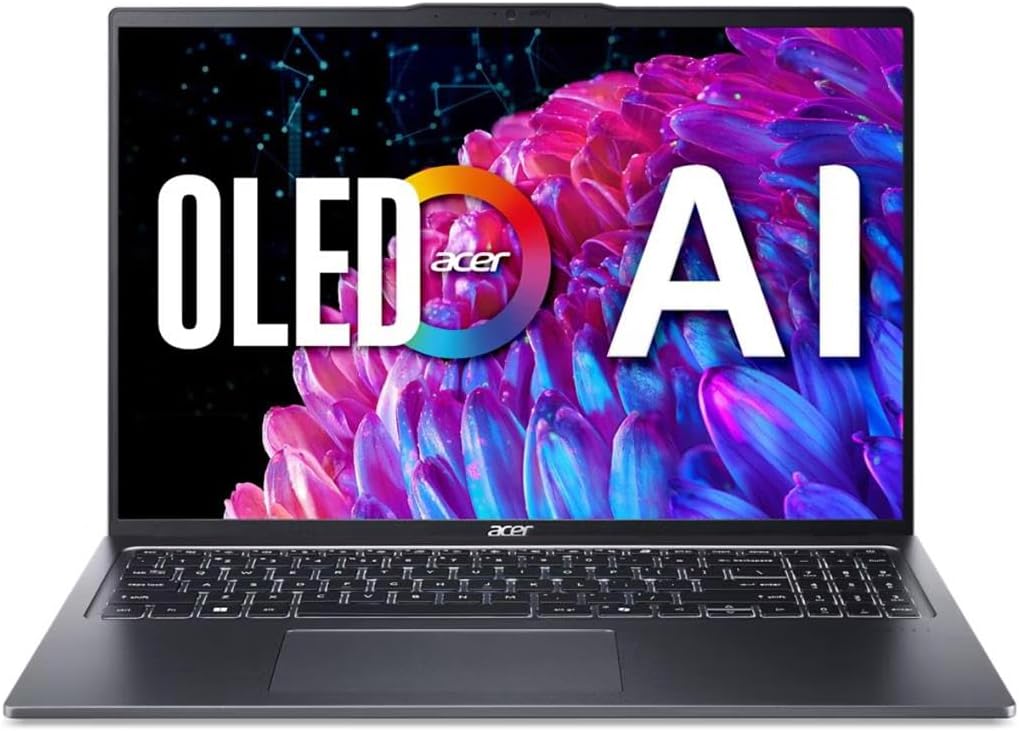
The Acer Swift Go 16in OLED offers a high-resolution display that impresses with its clarity and color depth. It is designed for professionals who want a sharp screen without compromising on portability and build quality.
We may earn a commission when you buy through this link, at no additional cost to you.
Powered by the Intel Core Ultra 5 processor this laptop handles everyday tasks with ease. The 3.2K OLED panel is a highlight providing crisp visuals for both work and entertainment purposes.
The limited 8GB RAM might be a constraint for users running many applications simultaneously. However for standard productivity and media consumption this configuration is usually sufficient for most tasks.
Consider this model if you prioritize display quality and connectivity options like Thunderbolt 4. It is a strong contender for those who need a reliable laptop for daily office work.
The display is certified for eye comfort allowing longer work sessions without strain while maintaining color accuracy.
Features include a fingerprint reader and backlit keyboard which enhance usability and security for professional environments.
We may earn a commission when you buy through this link, at no additional cost to you.
The ASUS Vivobook S16 combines powerful specs with a premium build to deliver a top tier user experience. It features ample memory and storage making it suitable for power users who run demanding applications frequently.
We may earn a commission when you buy through this link, at no additional cost to you.
Battery life is a standout feature offering up to 21 hours of usage which is rare in high-performance laptops. The OLED display provides deep contrast and vivid colors that enhance both work and leisure activities.
The higher price tag reflects the superior components and build quality but it may not fit every budget. Additionally OLED brightness can vary depending on content so it is good to test it in your preferred environment.
Invest in this laptop if you need a versatile machine that handles multitasking effortlessly. It is perfect for professionals who value long battery life and high-quality visuals in a portable form factor.
The large battery capacity ensures you can work through the day without needing to find a power outlet constantly.
Copilot+ PC features leverage AI to streamline tasks and improve efficiency across various applications.
We may earn a commission when you buy through this link, at no additional cost to you.
The HP OmniBook 3 offers an impressive balance of price and performance making it accessible for a wide range of users. It features a 2K OLED display that looks great for media consumption and everyday tasks.
We may earn a commission when you buy through this link, at no additional cost to you.
Battery life is exceptional on this model providing up to 41 hours of usage which is ideal for travelers. The Snapdragon processor ensures efficient performance while maintaining low power consumption for all-day work.
The 256GB storage might feel limited for users with large libraries of files but external drives can easily mitigate this. Additionally ensuring software compatibility with Snapdragon architecture is important before buying.
Choose this laptop if you want an affordable OLED experience with top tier battery life. It is a smart pick for students and professionals who prioritize portability and endurance.
The efficiency of the Snapdragon chip allows for extended use on a single charge without compromising performance.
Built-in AI tools help with productivity tasks like transcribing meetings and organizing notes automatically.
We may earn a commission when you buy through this link, at no additional cost to you.
This variant of the ASUS Vivobook S16 is equipped with the Intel Core Ultra 9 processor which offers substantial computing power. It is designed for users who require high performance for complex tasks and demanding workflows.
We may earn a commission when you buy through this link, at no additional cost to you.
The inclusion of 32GB RAM and 1TB SSD ensures you have plenty of room for multitasking and storage needs. The Intel Arc graphics handle most visual workloads effectively making it versatile for various applications.
While it shares many features with the AMD version the Intel chip may run hotter in some scenarios. The premium price reflects the higher-end components and durability certifications included in the design.
Select this laptop if you prefer Intel architecture and need top-tier performance in a thin design. It is a robust choice for professionals who need reliability and speed.
The chassis meets MIL-STD-810H standards ensuring it can withstand drops and rough handling during travel.
Quick charge technology restores significant battery life in minutes ensuring you stay productive throughout the day.
We may earn a commission when you buy through this link, at no additional cost to you.
The HP OmniBook 5 features a touchscreen OLED panel that adds interactivity to your workflow. This model balances performance and battery life well making it suitable for both work and entertainment.
We may earn a commission when you buy through this link, at no additional cost to you.
With 16GB RAM and 512GB storage it offers a solid foundation for modern applications. The Snapdragon processor ensures efficient energy use allowing for extended periods of productivity on the go.
The touchscreen functionality is great for creative tasks but can impact battery life if used constantly. Users should be aware of software compatibility with Snapdragon architecture to ensure smooth operation.
Opt for this device if you want a large touch display with good battery performance. It is a versatile option for professionals who need flexibility in their device interaction.
The touch-enabled screen allows for intuitive navigation and precise input during design or media viewing tasks.
The Snapdragon X Plus processor delivers responsive performance while keeping power consumption low for all-day use.
We may earn a commission when you buy through this link, at no additional cost to you.
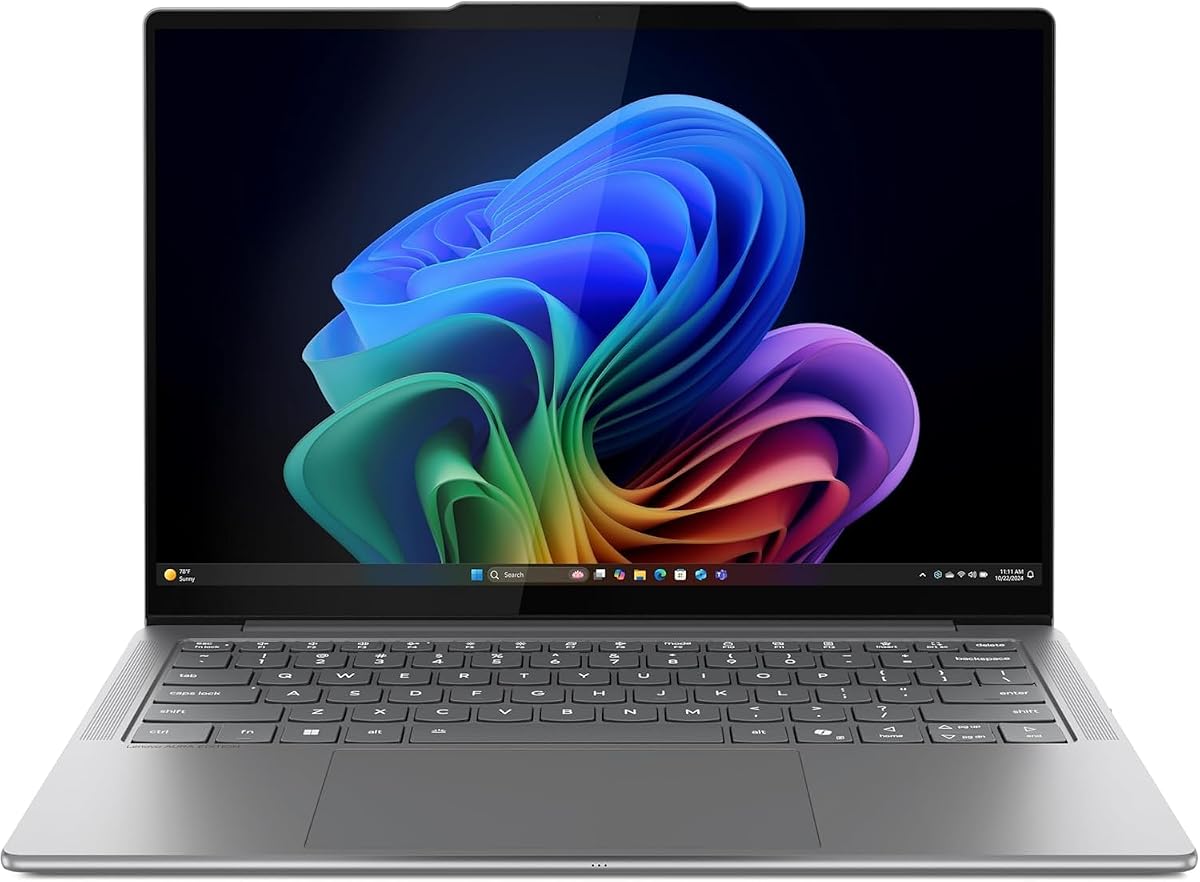
The Lenovo Slim 7i is engineered for maximum portability without sacrificing performance. Its slim profile and lightweight chassis make it easy to carry anywhere while still providing robust computing power.
We may earn a commission when you buy through this link, at no additional cost to you.
With 32GB RAM this device handles heavy multitasking effortlessly. The OLED touchscreen offers vivid visuals making it a pleasure to use for creative or professional tasks on the move.
While it has limited ports this is common for ultra-thin laptops but may require adapters for some users. The smaller screen size is a trade-off for the compact form factor but remains effective for most uses.
Choose this model if you travel frequently and need a powerful machine in a small package. It is perfect for consultants or writers who need a reliable tool on the road.
Advanced thermal design keeps the laptop quiet and cool even during intensive work sessions.
The chassis and keyboard are designed to support creators with ergonomic comfort during long typing or editing sessions.
We may earn a commission when you buy through this link, at no additional cost to you.
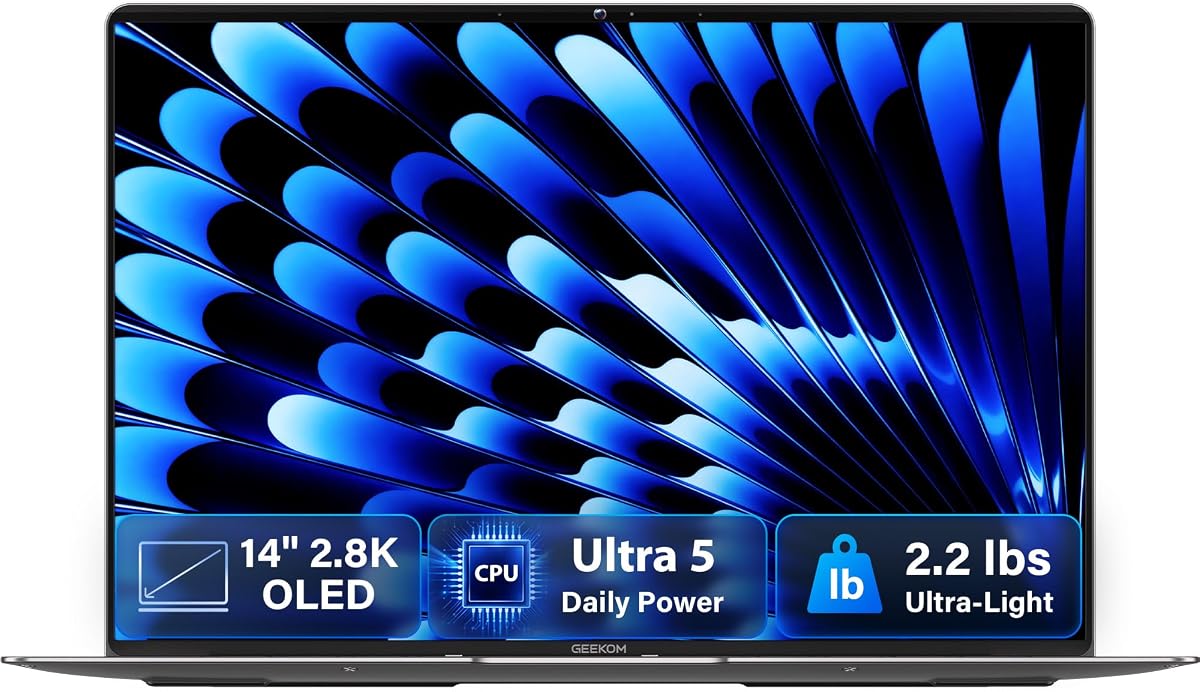
The GEEKOM GeekBook X14 Pro impresses with its incredibly light build and high-resolution OLED screen. It offers a premium feel thanks to the magnesium alloy chassis and durable hinge design.
We may earn a commission when you buy through this link, at no additional cost to you.
With 16GB RAM and 512GB SSD it handles daily tasks and creative work with ease. The display provides sharp visuals and accurate colors making it suitable for media viewing and design work.
While the brand is less known than major competitors the build quality and warranty support offer confidence in the product. Lack of an Ethernet port means you rely on Wi-Fi which is standard for this form factor.
Select this laptop if you want a lightweight machine with a vivid display. It is a great alternative for users seeking portability and value without sacrificing screen quality.
Aerospace grade magnesium and CNC machining ensure a durable and professional look that withstands daily use.
USB4 ports allow for high-speed data transfer and multi-monitor setups without needing a dock.
We may earn a commission when you buy through this link, at no additional cost to you.
The Lenovo Legion 5a is a powerful gaming laptop that uses an OLED screen for stunning visual fidelity and smooth motion. It is designed to handle modern gaming and content creation tasks with ease.
We may earn a commission when you buy through this link, at no additional cost to you.
The RTX 5060 GPU ensures high performance in games and rendering applications. With 32GB RAM and Wi-Fi 7 connectivity this machine is future-proof and ready for demanding workloads.
Gaming laptops are typically heavier and have shorter battery life due to power-hungry components. However the performance gains make this acceptable for users who prioritize power over portability.
Buy this if you want a premium gaming experience with a high refresh rate OLED display. It is a top choice for gamers and editors who need fast graphics performance.
The 165Hz OLED panel provides smooth motion and deep colors for realistic visuals during games.
Wi-Fi 7 offers faster speeds and lower latency for online gaming and large file transfers.
We may earn a commission when you buy through this link, at no additional cost to you.
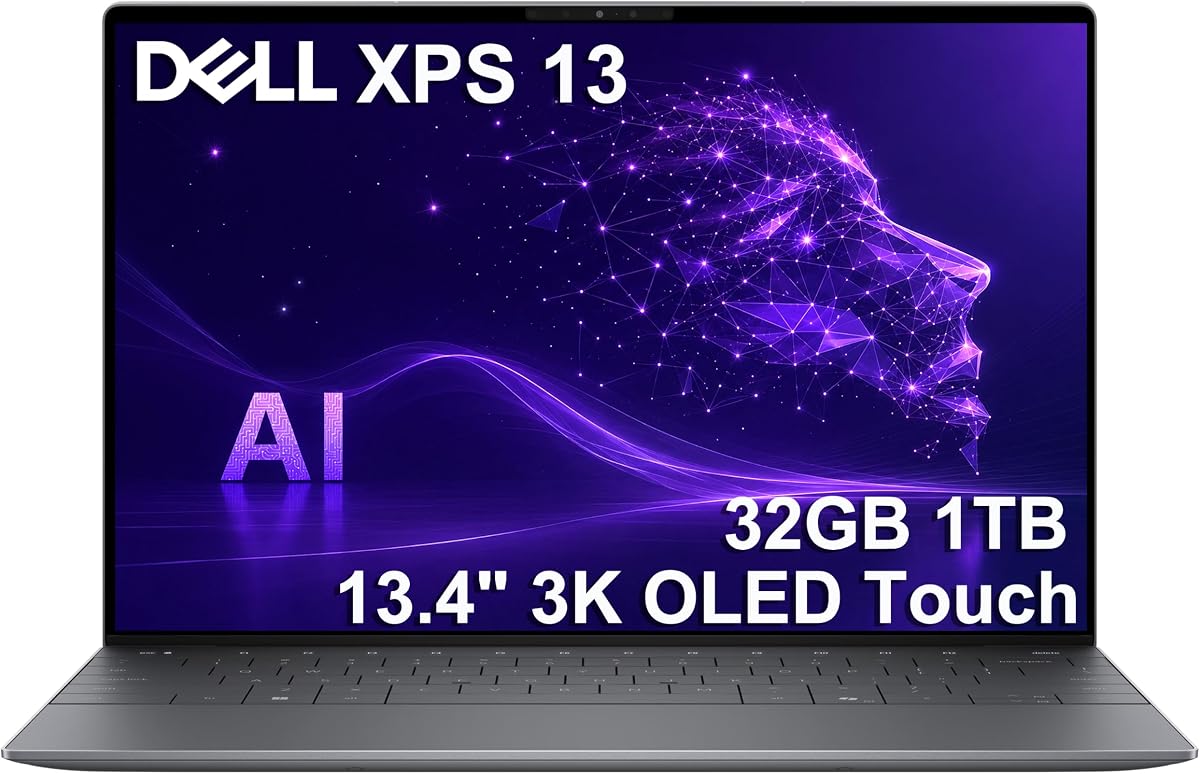
The Dell XPS 13 9345 is a premium business laptop offering high-end features in a compact form. It stands out with exceptional battery life and a high-resolution OLED display that is perfect for professionals.
We may earn a commission when you buy through this link, at no additional cost to you.
Running on Snapdragon X Elite it delivers desktop-class power with incredible energy efficiency. The 32GB RAM ensures seamless multitasking while the OLED screen provides crisp visuals for reports and presentations.
It is expensive and has limited ports which may require adapters for peripherals. However the battery life and build quality justify the cost for business users who need a reliable mobile workstation.
Choose this device if you need a powerful and efficient machine for business use. It is ideal for executives who travel often and need a laptop that lasts all day.
Windows 11 Pro provides advanced security and management tools needed for professional environments.
The Snapdragon X Elite processor ensures long battery life while maintaining high performance for work tasks.
We may earn a commission when you buy through this link, at no additional cost to you.
Selecting the right laptop with an OLED display involves weighing various factors to ensure it meets your needs.
OLED panels offer true blacks and high contrast making them ideal for media and creative work. Choose a size that fits your workspace; 14 inch models are great for portability while 16 inch options offer better screen real estate.
Focus on resolution and refresh rate to ensure clarity and smoothness during use.
Look for modern processors like Ryzen AI or Core Ultra for balanced performance and efficiency. The CPU should match your workload whether it is basic browsing or heavy video editing.
Ensure the laptop has enough cores to handle multitasking without slowing down.
At least 16GB RAM is recommended for smooth performance with multiple apps. Storage should be ample and fast so opt for at least 512GB SSD for your files and software.
Higher capacity ensures you do not run out of space as your data grows over time.
OLED screens can consume more power so check battery claims carefully. Models with efficient processors like Snapdragon may offer longer endurance for travel.
Always consider real-world usage rather than manufacturer specs alone when estimating battery life.
A solid chassis protects your investment during travel. Check weight and dimensions if you plan to carry it daily to ensure it fits your bag.
Materials like aluminum or magnesium alloy often provide a good balance of strength and lightness.
Ensure the laptop has enough ports for your needs like USB-C HDMI or SD card readers. Fast networking like Wi-Fi 6E or Wi-Fi 7 is useful for large file transfers.
Having versatile connectivity options reduces the need for extra dongles.
Look for features like fingerprint readers IR cameras or privacy shutters to protect your data. These are essential for business users who handle sensitive information.
Windows Hello support adds convenience to secure logins.
OLED laptops vary widely in price so determine your budget before shopping. A good warranty provides peace of mind against defects and hardware failures.
Consider extended warranty options if you plan to use the device heavily for work.
To protect your OLED screen set your brightness to a comfortable level to reduce potential burn-in over time. Use dynamic wallpapers or screensavers to avoid static images remaining on the screen for too long.
Clean the display with a soft microfiber cloth and avoid harsh chemicals that might damage the coating. Store your laptop in a cool dry place to prevent any heat related issues with the battery.
Update your drivers regularly to ensure optimal performance and stability for your device. Restart your system occasionally to clear memory and keep apps running smoothly.
OLED panels are less susceptible to burn-in than older technologies but static images displayed for hours can still cause issues. To avoid this use screen savers and adjust your settings to reduce static content display.
Yes OLED screens can use more power especially when showing bright or full white screens. However modern power management features help mitigate this making many OLED laptops still capable of all-day use.
High refresh rates like 120Hz or 165Hz make motion smoother and reduce blur during scrolling or gaming. This creates a more responsive feel which improves the overall user experience significantly.
Absolutely OLED displays offer excellent color accuracy and contrast ideal for graphic design and video editing. They provide a visual advantage over standard IPS panels for creative workflows.
It is good practice to check for driver updates once a month or whenever you notice performance issues. Keeping drivers current ensures compatibility with new software and fixes potential bugs.
No many OLED laptops come without touch features so you must check the specifications before buying. Touchscreen models usually have a higher price point but offer extra interactivity for your workflow.
Most manufacturers offer a standard one year warranty covering parts and labor. Some premium brands may offer extended options or onsite service plans that are worth considering for business users.
Processors like Snapdragon or Intel Core Ultra are optimized for efficiency which helps extend battery life. They balance performance with power consumption to keep the laptop running longer between charges.
We have explored ten excellent options ranging from budget-friendly choices to premium powerhouses. The Lenovo IdeaPad Pro 5 and HP OmniBook 3 stood out for their balance of performance and value.
When selecting a device consider your primary use case whether it is gaming creative work or general productivity. Prioritize features like battery life and RAM to ensure the machine grows with your needs.
Remember to check current availability and stock before finalizing your decision as models change frequently. Investing in a quality OLED laptop will enhance your digital experience for years to come.