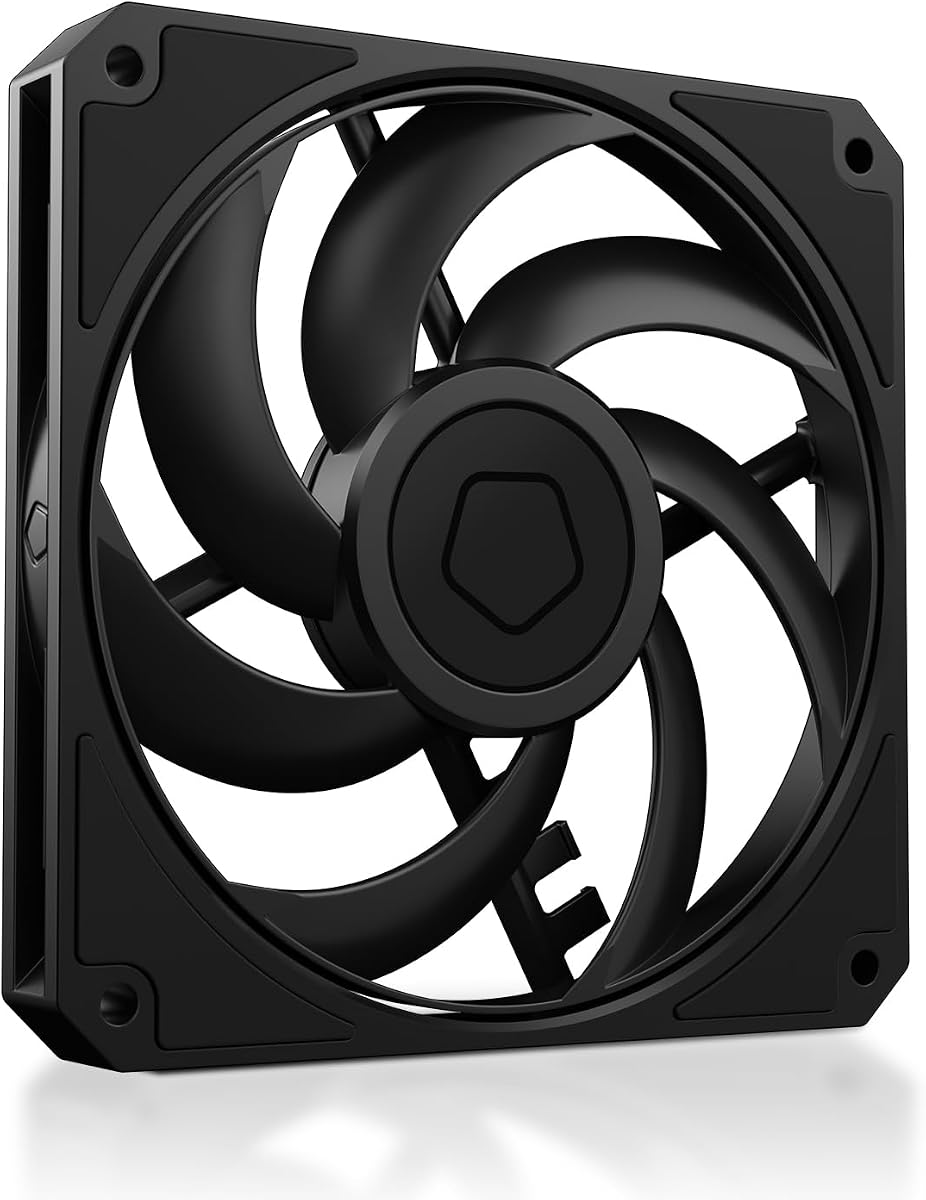
ID-COOLING AM-120-SLIM
4.8Editor score
Ultra slim 15mm design
High airflow up to 59.6 CFM
Hydraulic bearing for quiet operation
This guide compares the top 10 low profile case fans for small form factor builds, focusing on cooling performance, noise levels, and fit for compact PC cases.
Choosing the right cooling solution is critical for small form factor builds. Low profile case fans provide essential airflow while fitting into tight spaces where standard fans cannot fit.
We compared ten top-rated models based on static pressure, noise output, and build quality. Each selection balances performance with reliability for compact PC enthusiasts.
This list showcases expert picks with detailed specifications and real-world usage notes. Keep in mind that availability and pricing may vary by retailer and region.
4.8Editor score

4.9Editor score

4.8Editor score
The following table provides a side-by-side comparison of all ten selected low profile case fans. Review key specifications like dimensions, noise levels, and bearing types to find the perfect match.



This premium slim fan stands out as the top choice for builders seeking reliable cooling. With a 4.9 rating, it delivers award-winning airflow while fitting perfectly into restricted spaces.
We may earn a commission when you buy through this link, at no additional cost to you.
Its Flow Acceleration Channels and Advanced Acoustic Optimisation frame reduce noise significantly. The 4-pin PWM control ensures automatic speed adjustments based on system temperature needs.
The included Low-Noise Adaptor allows further speed reduction if silence is the priority. While more expensive than budget options, the longevity and acoustic quality justify the investment.
Ideal for enthusiasts building ITX systems or HTPCs where noise matters. This fan sets the standard for what a low profile unit should achieve in performance and silence.
The frame design minimizes turbulence and vibration to ensure whisper-quiet operation even at higher speeds.
Engineered for over 150,000 hours of operation, this fan promises long-term reliability for critical cooling tasks.
We may earn a commission when you buy through this link, at no additional cost to you.
A stunning addition to the Noctua lineup, this fan combines top-tier cooling with a modern black look. It is perfect for users who refuse to compromise on style or silence.
We may earn a commission when you buy through this link, at no additional cost to you.
It features the same high-quality bearing and blade design as the brown variant. The chromax.black.swap edition adds self-adhesive pads that let you customize vibration isolation.
While the price is high, the value lies in the premium finish and included accessories. You get the same proven reliability in a color that blends with modern components.
Buy this if you want the best performance with a sleek build aesthetic. It works excellently in dark-themed PC cases or when matching black hardware is a priority.
Black blades and frame match modern components while included pads offer customizable noise dampening options.
The fan stops completely at zero PWM duty cycle for silent idle periods when cooling needs are minimal.
We may earn a commission when you buy through this link, at no additional cost to you.
This model offers incredible value for builders on a tight budget. It delivers robust cooling metrics that rival much more expensive fans in the competitive low profile market.
We may earn a commission when you buy through this link, at no additional cost to you.
The hydraulic bearing ensures smooth operation and extends lifespan compared to cheaper sleeve designs. Its high airflow and static pressure make it versatile for radiators or case exhaust.
While it lacks extra cables or mounts, the fan itself performs admirably. At full speed, noise increases but remains acceptable for active gaming loads on compact systems.
Choose this for cost-effective cooling without sacrificing core performance. It is ideal for SFF builds or radiators where you need multiple fans without breaking the bank.
Delivers over 59 CFM and high static pressure to push air through tight heatsinks and radiators efficiently.
Reduces friction to lower noise levels compared to basic sleeve bearings while maintaining long service life.
We may earn a commission when you buy through this link, at no additional cost to you.
This 3-pack provides an easy solution for multi-fan radiator setups in small cases. The PST feature allows daisy chaining to reduce cable clutter inside tight chassis areas.
We may earn a commission when you buy through this link, at no additional cost to you.
Optimized for static pressure, these fans push air through radiators effectively despite their thin profile. Noise levels are low, making them suitable for quiet home theater PCs.
While the aesthetic is simple, the performance per dollar is hard to beat. You get three reliable units that work well together for balanced cooling airflow distribution.
Pick this set when you need to fill a 120mm radiator triple slot without overspending. It balances performance and cost better than buying individual premium fans separately.
Fan speed can be controlled via PWM PST to keep noise low while ensuring maximum cooling performance across units.
Through high static pressure, the fan guarantees efficient cooling even with increased air resistance on heat sinks.
We may earn a commission when you buy through this link, at no additional cost to you.
Designed with quiet performance in mind, this fan operates with very low minimum RPM for silent use. The frame and blades are optimized to reduce noise during demanding configurations.
We may earn a commission when you buy through this link, at no additional cost to you.
German engineering ensures consistent build quality and reliable operation. The rifle bearing provides a long operating lifetime which adds confidence to your system cooling plan.
Airflow is strong while noise remains low. It fits into many compact cases and provides steady cooling without the high speeds that generate unwanted audible disturbance.
Ideal for users who value silence over raw speed. This fan is perfect for office PCs or home theater systems where distraction-free operation is the primary goal.
Can be operated with very low minimum RPM for very quiet operation during idle or low load periods.
Seven airflow-optimized fan blades reduce noise but ensure performance under demanding thermal configurations.
We may earn a commission when you buy through this link, at no additional cost to you.
For cases that accommodate 140mm fans, this slim model offers excellent low airflow efficiency. Its height of only 16mm ensures it fits where a 25mm fan does not fit.
We may earn a commission when you buy through this link, at no additional cost to you.
The motor design keeps noise to a minimum while maintaining maximum cooling performance. This makes it a smart choice for large chassis setups needing low profile flexibility.
Optimized for static pressure, it performs well on heat sinks and radiators. The PWM PST control allows automatic speed adjustments based on system temperature load.
Select this when space requires a larger fan diameter but thickness is limited. It balances size and slim design effectively for versatile cooling in specific case layouts.
The P14 Slim PWM PST has an installation height of only 16 mm making it suitable for small form factor cases.
Through upgraded engine technology and a newly developed fan design noise is kept to a minimum.
We may earn a commission when you buy through this link, at no additional cost to you.
This fan features four vibration absorbing pads at its corners to reduce noise caused by rotation. It is well designed for small form factor cases and low profile CPU coolers.
We may earn a commission when you buy through this link, at no additional cost to you.
The S-FDB bearing helps maintain low noise levels while extending service life. This ensures maximum cooling performance when needed without introducing distracting audible disturbances.
Its 1500 RPM max speed provides a balance between cooling and silence. It is a perfect match for downward coolers and systems prioritizing low noise operation.
Choose this for reliable performance in space-restricted applications. The bearing design and pads make it a strong choice for those needing quiet airflow.
The four corners of the fan are equipped with four vibrations absorbing pads which perfectly reduce the noise.
The well-designed superior S-FDB bearing can keep the noise of the fan at the lowest level.
We may earn a commission when you buy through this link, at no additional cost to you.
This 92mm fan is ideal for low-profile CPU coolers and compact ITX cases. Its thin 14mm design ensures it fits in areas where standard units cannot.
We may earn a commission when you buy through this link, at no additional cost to you.
The HS-PWM version provides automatic control via PWM with a wide speed range. It stops at 0% PWM for semi-passive operation when cooling needs are minimal.
Renowned A-series design ensures extra-quiet operation despite high speeds. The chromax.black.swap edition adds a sleek look with colored anti-vibration pads for customization.
Pick this for tiny builds needing efficient cooling. It excels on Noctua NH-L9 series coolers and offers reliable performance in tight vertical spaces.
14 mm thin design is ideal for 9 cm low-profile CPU coolers and compact PC cases like HTPC and ITX.
4-pin HS-PWM version allows automatic control via PWM with a wide speed range from 500 to 2500 RPM.
We may earn a commission when you buy through this link, at no additional cost to you.
This FLX version provides multiple speed settings via Low-Noise Adaptors instead of PWM. It offers superior quiet cooling performance like the PWM model but with manual control.
We may earn a commission when you buy through this link, at no additional cost to you.
The 3-pin connector and supplied adaptor allow you to tune the fan for maximum airflow or near-silent operation. It includes extension cables for flexibility in setup.
Ideal for users who prefer manual speed adjustment or have simpler motherboards. The build quality and acoustic performance remain top-tier across all speed options.
Select this if PWM is not available or desired. It provides the same reliability and silence with a different control interface for specific system requirements.
3-pin FLX version provides speed settings via Low-Noise Adaptors to fine-tune the fan for maximum airflow or silence.
Award-winning A-series design with Flow Acceleration Channels ensures superior quiet cooling performance.
We may earn a commission when you buy through this link, at no additional cost to you.
Similar to the standard PWM model, this fan offers high-performance quiet operation for space-restricted applications. It includes a y-cable for running two fans on one header.
We may earn a commission when you buy through this link, at no additional cost to you.
The award-winning A-series design with Flow Acceleration Channels ensures superior cooling. At 1850 RPM, it balances maximum speed with minimal acoustic disruption.
Anti-vibration mounts and screws ensure stable installation. This version provides all the reliability of the Noctua brand for standard low profile cooling needs.
Buy this for a proven solution that balances cost and quality. It works perfectly for HTPCs and ITX builds where space is tight.
Includes y-cable for running two PWM fans on the same header to simplify cable management.
Advanced Acoustic Optimisation frame helps keep noise low while delivering strong cooling performance.
We may earn a commission when you buy through this link, at no additional cost to you.
Selecting the right low profile fan involves checking dimensions, cooling specs, and noise levels. This guide breaks down key factors to ensure your build stays cool.
Always measure your case clearance before buying a slim fan. Standard fans are 25mm thick, but low profile units typically range from 12mm to 20mm.
Check both height and width to ensure the fan fits inside your chassis or on your radiator without interference.
Static pressure measures the fan's ability to push air through resistance. High static pressure is crucial for radiators or heatsinks with dense fins.
For open airflow in standard case intake or exhaust, static pressure matters less but still contributes to efficiency.
Look for decibel (dB) ratings to estimate how loud a fan will be. Lower values indicate quieter operation, which is vital for home theater PCs.
Also check the Sone rating if available; lower Sone values usually translate to less audible noise.
Bearings impact longevity and noise. Fluid Dynamic Bearings (FDB) and Rifle Bearings are common in high-end models for durability.
Avoid basic sleeve bearings in compact builds as they may wear out faster and become noisy over time.
PWM (Pulse Width Modulation) allows your motherboard to adjust fan speed automatically. This helps balance cooling and noise based on temperature.
Ensure your selected fan has a 4-pin connector if you plan to use PWM control headers on your motherboard.
CFM (Cubic Feet per Minute) indicates how much air the fan moves. Higher CFM is better for rapid heat dissipation in high-load scenarios.
Balance CFM with noise; a fan with extreme airflow might be too loud for quiet environments.
Consider how the fan looks inside your case. Colors like brown or black can match your components or build theme.
Some models offer customizable parts like anti-vibration pads to align with your desired color scheme.
Check what is included with your purchase. Some kits offer screw sets, adapters, or vibration dampeners.
These extras can simplify installation and improve noise isolation in your specific build setup.
Install the fan carefully using the provided screws. Ensure the airflow direction points into the case or out of it depending on your cooling strategy.
Secure the connector to a 4-pin PWM header on the motherboard. This allows the system to adjust speeds automatically based on thermal needs.
Clean dust regularly to maintain performance. Use compressed air to blow out the blades and prevent buildup that causes noise.
A low profile case fan is typically less than 20mm thick. It fits where standard 25mm fans cannot, ideal for small form factor cases and compact CPU coolers.
120mm fans move more air and spin slower for less noise. Choose 92mm only if your case or cooler does not support the larger size.
Measure the available space in your case or on your cooler. Ensure the fan thickness fits with room for screws and clearance for other components.
Many models are designed with high static pressure. This helps them push air effectively through radiators and heatsinks despite their thin design.
Most modern motherboards support 4-pin PWM headers. Check your motherboard manual to ensure you have the right connector for speed control.
Slim fans are essential for compact builds. They fit in tight spaces without compromising cooling performance or requiring larger chassis modifications.
Most quiet slim fans operate below 25dB. High-end models can be near silent, while budget fans may be louder at full speed.
Standard screws for 120mm fans are 30mm long. Check if your fan kit includes specific lengths to avoid damage to blades.
This guide covered ten top-rated low profile case fans ranging from premium options to budget-friendly packs. Each offers unique benefits for small form factor cooling.
Prioritize dimensions and static pressure for your specific build layout. A fan that fits perfectly performs better than one that is too large or thin.
Remember that prices change based on market availability. Check current stock before making your final decision to ensure the best deal.