
FLASHFORGE AD5X
4.4Editor score
Multi-Color with IFS
Fully Auto Leveling
600mm/s High Speed
Discover the top 3D printer for figurines and models in October 2026. We compare speed, precision, multi-color capabilities, and ease of use.
Finding the right 3D printer for figurines and models requires balancing speed, precision, and multi-color support. Hobbyists and professionals need machines that deliver sharp details and vibrant results without excessive setup or wasted material during every print job.
This guide compares ten highly rated FDM printers based on speed, calibration automation, and material versatility. We evaluated performance metrics, user feedback, and technical specs to highlight the best options for creating intricate miniatures and custom designs today.
Each pick showcases unique strengths like multi-color printing, high-speed motion, and user-friendly interfaces. Prices and availability change frequently, so verify current offers before purchasing. Our detailed breakdown helps you select the perfect tool for your creative projects without guesswork.
4.4Editor score

4.7Editor score

4.0Editor score
This side-by-side comparison evaluates all ten products on key metrics like speed, build volume, material support, and automation features to help you find the best fit.





The Bambu Lab A1 stands out as the top pick for its unmatched speed and precision. With a 4.7 rating, it delivers high-quality prints effortlessly, making it ideal for figurines and intricate models.
We may earn a commission when you buy through this link, at no additional cost to you.
Its 10,000 mm/s² acceleration ensures rapid production without sacrificing accuracy. Features like full-auto calibration and active flow rate compensation guarantee consistent results. The user-friendly interface simplifies the process for users of all skill levels.
While the AMS lite for multi-color printing must be purchased separately, the base printer remains a powerhouse. Some users note the build volume is modest, but for miniatures and small models, it is perfectly adequate.
If you seek reliability, speed, and ease of use without spending a fortune, this printer is the best choice. It eliminates common setup hurdles, allowing you to focus on creativity rather than technical adjustments.
Full-auto calibration handles Z-offset and bed-leveling, ensuring every print starts correctly without manual tweaks.
Add the AMS lite to unlock multi-color printing, bringing your figurines to life with stunning detail and variety.
We may earn a commission when you buy through this link, at no additional cost to you.
The P2S Combo offers premium features for serious creators. With a 4.7 rating, it combines high speed with the AMS 2 Pro, delivering vibrant multi-color prints and robust material support.
We may earn a commission when you buy through this link, at no additional cost to you.
Its adaptive airflow system optimizes cooling and heat retention for different filaments. The AMS 2 Pro dries filament up to 65°C, ensuring flawless prints. AI failure detection and quick-swap nozzles add convenience.
The higher price reflects its professional capabilities. While multi-color is only available in the combo, the investment pays off in quality and reduced waste. Setup takes just 15 minutes, easing the learning curve.
Choose this if you need top-tier engineering performance and multi-material capabilities. It excels at complex projects and offers a unified workflow from design to finished print.
The AMS 2 Pro includes built-in drying to maintain filament integrity, preventing moisture-related print failures.
Built-in AI monitors prints in real-time, alerting you to failures like spaghetti or filament tangles instantly.
We may earn a commission when you buy through this link, at no additional cost to you.
The Creator 5 Pro is designed for industrial engineering and advanced modeling. It features four independent toolheads, enabling true multi-color printing with minimal waste. With a 4.0 rating, it is built for robustness.
We may earn a commission when you buy through this link, at no additional cost to you.
Its Near-Zero Waste System switches nozzles in seven seconds without flushing filament, saving material and time. The 65°C active heated chamber prevents warping in advanced materials like ABS and PC. Dual HEPA filtration ensures safety.
While the cost is high, the operational savings and speed justify it for professionals. The setup is more involved than entry-level models. It requires a dedicated workspace due to its size.
This printer suits workshops and professionals needing multi-material capabilities. It delivers rapid production speeds while maintaining accuracy and environmental safety.
The FlashSwap changer swaps tools without purging, drastically reducing material costs and waste.
Active heating maintains up to 65°C, preventing warping and enabling use of engineering-grade filaments.
We may earn a commission when you buy through this link, at no additional cost to you.
The P1S brings the Bambu Lab experience at a competitive price. With a 4.5 rating, it delivers high-speed printing with an enclosed design for better material compatibility. It supports up to 16 colors with the AMS.
We may earn a commission when you buy through this link, at no additional cost to you.
Its 500mm/s speed and 20,000 mm/s² acceleration ensure quick project turnaround. The fully enclosed body improves performance for advanced filaments like ABS. Auto bed leveling simplifies the setup process.
Users note that multi-color printing requires an AMS purchase. While it supports various filaments, it is not recommended for carbon-fiber reinforced polymers. This makes it ideal for standard and some advanced prints.
This printer balances speed and quality perfectly. It is a robust choice for creators needing reliability without a premium price tag.
The fully enclosed body maintains consistent temperatures, enabling reliable prints with advanced filaments like ABS.
Automatic bed leveling ensures a perfect first layer every time, reducing setup time and failed prints.
We may earn a commission when you buy through this link, at no additional cost to you.
The AD5X delivers impressive value for its price. With a 4.4 rating, it features IFS technology for multi-color printing and fully auto leveling. It is perfect for hobbyists looking for vibrant results.
We may earn a commission when you buy through this link, at no additional cost to you.
Its 600mm/s speed and 300°C nozzle handle a wide range of filaments. The 220x220x220mm build volume offers ample space for multiple models. Automatic leveling ensures consistency without manual adjustments.
While not fully enclosed, it remains versatile for standard materials. Some users find the software slightly complex initially. However, the high-speed capabilities make up for minor learning curves.
For budget-conscious buyers wanting multi-color capabilities, this printer is unmatched. It provides professional-level features without a steep investment.
The Independent Filament System allows four colors simultaneously, enabling complex designs without manual swaps.
With a 300°C nozzle, you can tackle high-temp filaments, expanding your material options significantly.
We may earn a commission when you buy through this link, at no additional cost to you.
The Snapmaker U1 introduces a revolutionary SnapSwap system. With a 4.5 rating, it enables true multi-color printing via four toolheads that swap in five seconds. It minimizes waste and maximizes productivity.
We may earn a commission when you buy through this link, at no additional cost to you.
The rigid CoreXY motion system ensures stability during high-speed prints. Automated toolhead offset calibration and vibration compensation deliver smooth dimensions. It supports multiple material types for flexible design.
While the cost is higher, the efficiency gains are significant for professionals. Some users note the software ecosystem is still evolving. It offers one-year warranty coverage for peace of mind.
This printer is ideal for creators needing speed and material variety. Its unique toolchanger sets it apart from traditional multi-color systems.
Toolheads swap in five seconds without purging, saving time and materials on every job.
AI-powered print monitoring tracks progress and alerts users to issues in real-time.
We may earn a commission when you buy through this link, at no additional cost to you.
The SPARKX i7 stands out with AI-driven model generation. With a 4.0 rating, its CubeMe feature turns portraits into 3D models instantly. It is perfect for personalized figurines and gifts.
We may earn a commission when you buy through this link, at no additional cost to you.
Arriving 95% pre-assembled, it allows printing within five minutes of unboxing. The built-in AI camera detects failures like spaghetti or filament tangles. Its Quiet Night Mode enables peaceful overnight prints.
While the AI features are impressive, they are basic compared to dedicated software. The multicolor capability comes with 50% less waste. Setup is hassle-free for beginners.
This printer is great for personalized gifts and quick prototyping. Its ease of use and unique AI tools make it a standout choice for hobbyists.
Upload a portrait to generate a unique 3D model instantly, bypassing complex modeling software.
Operates at the sound of a turning page, enabling silent overnight printing without disturbance.
We may earn a commission when you buy through this link, at no additional cost to you.
The Adventurer 5M Pro delivers speed and thermal capability. With a 4.0 rating, it reaches 600mm/s with CoreXY stability and offers a 280°C nozzle for engineering materials. It features 1-click auto printing.
We may earn a commission when you buy through this link, at no additional cost to you.
Its dual filtration and enclosure ensure clean operation under 50dB. The quick-swap nozzle mechanism allows replacements in three seconds. A built-in camera supports real-time monitoring and time-lapse creation.
While it lacks advanced multi-color toolheads, it handles single-material engineering prints well. Some users note the interface is simple. It balances performance and usability effectively.
This printer is suitable for those needing thermal capacity without complexity. It supports broad material compatibility and efficient maintenance workflows.
Tool-free nozzle changes in three seconds streamline maintenance and enable flexible print sizes.
Monitor progress and adjust settings via Flash Studio mobile app for flexible workflow.
We may earn a commission when you buy through this link, at no additional cost to you.
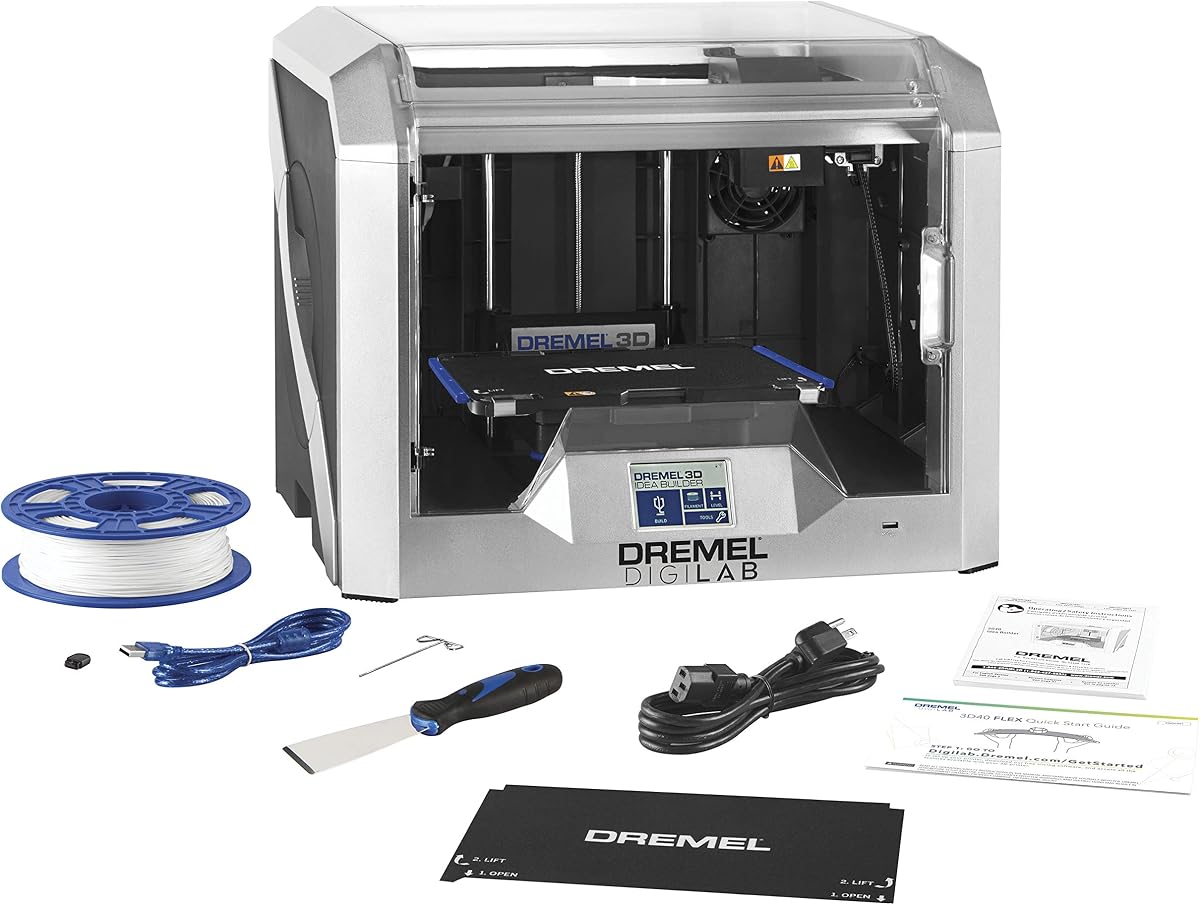
The Dremel 3D40 is built for reliability and ease. With a 4.4 rating, it offers a flexible build plate and fully enclosed housing for safety. It features a 50-micron resolution for quality detail.
We may earn a commission when you buy through this link, at no additional cost to you.
Its 9-point leveling sensor ensures a perfect first layer. The direct drive extruder resists clogs. With over 85 years of brand trust and lifetime access to customer service, it is reassuring.
While it lacks high-speed capabilities, it is dependable for standard prints. The setup is straightforward. It is ideal for educational settings and home offices.
Choose this if you value brand support and simplicity. It delivers consistent results for everyday tasks without technical frustration.
The snap-on flexible plate makes removing models easy without damaging the surface.
Dremel provides lifetime access to customer service, ensuring long-term support.
We may earn a commission when you buy through this link, at no additional cost to you.
The A1 Combo bundles the printer with the AMS Lite. With a 4.6 rating, it offers active flow compensation for precision. It enables multi-color printing out of the box.
We may earn a commission when you buy through this link, at no additional cost to you.
It handles calibrations like Z-shift and vibration automatically. The motor noise cancellation ensures a quiet workspace. Its futuristic design and cutting-edge features appeal to enthusiasts.
While it is a premium option compared to the base unit, the convenience justifies the cost. Users appreciate the streamlined workflow. It remains a compact solution.
This is the ultimate choice for those seeking complete setup. It delivers speed and precision without requiring additional purchases.
Eddy current sensors measure nozzle pressure to compensate flow, ensuring accurate extrusion.
Handles Z-shift and bed level automatically, saving time and ensuring consistency.
We may earn a commission when you buy through this link, at no additional cost to you.
Selecting the right printer requires evaluating speed, material support, and automation features based on your specific project needs.
High-speed printers like those with CoreXY structures and 600mm/s rates reduce wait times significantly. Look for acceleration above 10,000 mm/s² for quick project turnarounds.
Multi-color printers use systems like AMS, IFS, or toolheads to switch materials. Choose a model with zero-waste systems to save material costs.
Figurines require fine details. Look for 50-micron resolution, vibration compensation, and flow calibration features to ensure sharp prints and smooth surfaces.
An enclosed chamber prevents warping on advanced materials. Dual HEPA filtration ensures safe air quality. This is critical for engineering-grade filaments like ABS or PC.
Full-auto leveling and calibration features eliminate manual tuning. AI failure detection saves failed prints and protects your work from unnoticed errors.
Ensure the build volume fits your model size. Check nozzle temperatures above 250°C for versatility. Large build volumes support multiple small models simultaneously.
Consider long-term costs like waste reduction systems and material savings. Premium systems often pay back through efficiency gains and lower filament waste.
Store filament in dry containers to prevent moisture absorption. Keep the enclosure and filters clean for optimal air quality. Use slicer software like Bambu Studio or Flash Studio for best results.
The Bambu Lab A1 offers exceptional precision for miniatures. Its auto-calibration and high-resolution settings ensure fine details. It is easy to use and delivers consistent results for hobbyists.
Yes, an enclosed chamber is recommended for ABS. It maintains stable temperatures to prevent warping. The P2S and Creator 5 Pro offer excellent thermal management for engineering materials.
Multi-color systems like AMS or IFS add $200 to $500. Some combos include it. Consider operational savings to offset the initial investment in multi-color capabilities.
PLA is ideal for detailed figurines due to low warp. PETG offers durability. Engineering filaments require higher temps. Always check temperature compatibility for your printer.
High-speed printers can finish small models in under an hour. Speeds up to 600mm/s reduce time. Look for vibration compensation to maintain quality at high speeds.
Yes, models like the A1 and AD5X offer auto-calibration and quick setup. They simplify the workflow. This makes them accessible for first-time users without technical expertise.
Yes, many multi-material models like Snapmaker U1 support PVA. This allows for intricate designs. Check multi-material compatibility to ensure your supports are removable.
Always check current prices and availability. Models evolve quickly with new firmware. Verify the latest specs and bundles. Our guide helps you navigate the best choices for your projects.