
MAIWO 4 Bay Hard Drive Enclosure
3.5Editor score
Daisy chain expansion support included
HD-TV port for 4K video output
Automatic fan activation at 48C
Finding a reliable storage solution is crucial for modern professionals and enthusiasts who manage large datasets daily. A high quality enclosure ensures your data remains safe while providing easy access to your files whenever you need them most.
We evaluated ten leading models based on build quality transfer speeds cooling efficiency and overall compatibility with various operating systems. Our analysis focuses on real world performance metrics and user feedback to ensure you get the most value for your investment.
Each selection highlights specific strengths that cater to different needs ranging from budget friendly options to premium high performance units. Please note that availability and pricing may fluctuate so checking current listings is recommended before making your final purchase decision.
3.5Editor score

4.3Editor score

4.0Editor score
As an Amazon Associate we earn from qualifying purchases.
The following table provides a side by side overview of the key specifications and features for each model we reviewed to help you quickly identify the best fit for your specific storage requirements.


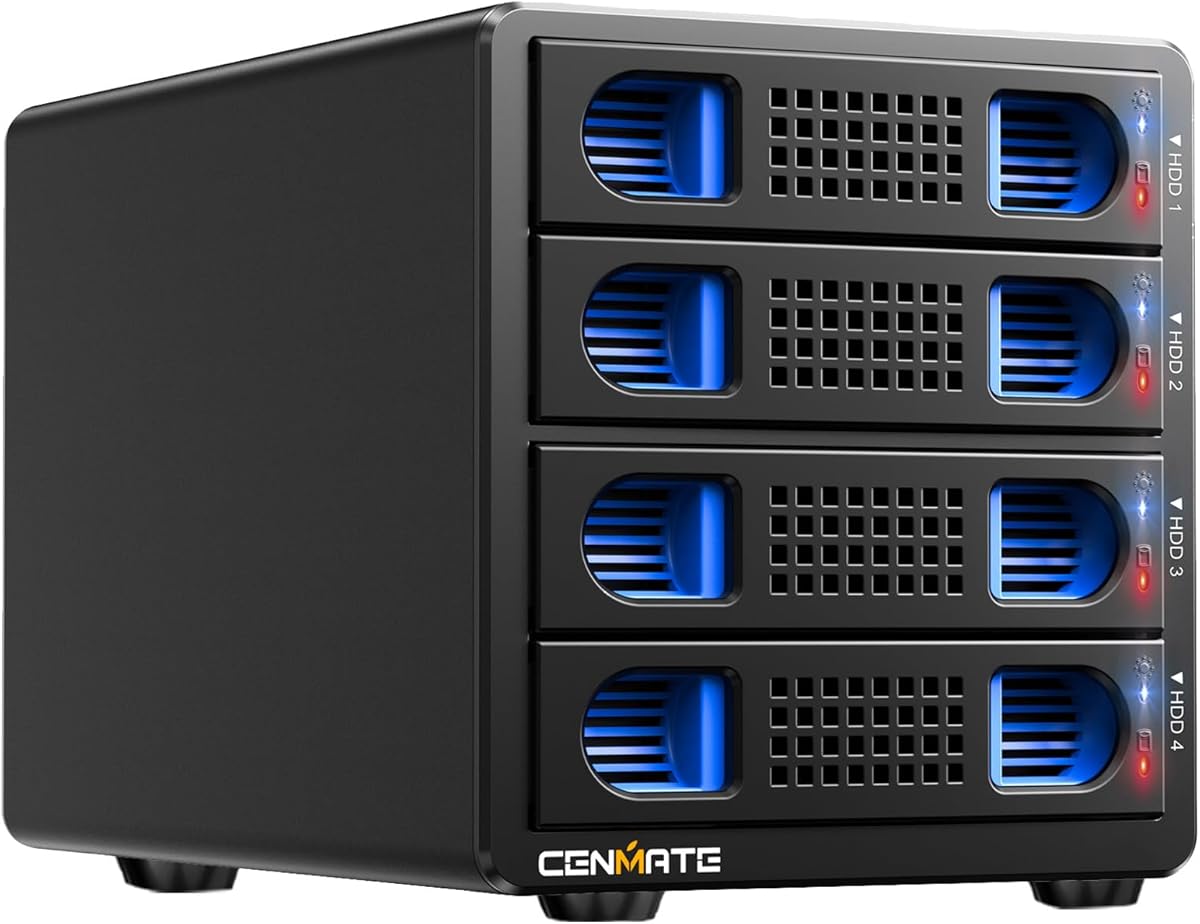
The CENMATE Aluminum 4 Bay Hard Drive Enclosure stands out as a top contender in the market for external storage solutions. With a solid rating of 4.3 stars from verified buyers this enclosure delivers reliable performance for both personal and business applications.
We may earn a commission when you buy through this link, at no additional cost to you.
Its aluminum alloy build ensures efficient heat dissipation which is critical when running multiple hard drives simultaneously. The included cooling fan activates to maintain safe temperatures preventing overheating during extended data transfer sessions.
While the fan noise is rated between 40 and 50 decibels some users may find it slightly distracting in quiet environments. However the stability and speed offered by the USB 3.0 interface make this a worthy trade off for most users.
We recommend this enclosure for individuals or small businesses looking for a straightforward way to expand their storage capacity without complex setup requirements. It is an excellent choice for those who prioritize data security and ease of use.
The combination of aluminum material and active fan cooling keeps drive temperatures in check even under heavy load.
Supports both 2.5 inch and 3.5 inch SATA HDDs and SSDs allowing for flexible storage configurations.
We may earn a commission when you buy through this link, at no additional cost to you.
This model from CENMATE is designed for users who need blazing fast data transfer speeds for large media files or extensive data sets. With USB 3.2 Gen 2 technology it offers up to 10Gbps throughput which is significantly faster than standard USB 3.0 ports.
We may earn a commission when you buy through this link, at no additional cost to you.
The enclosure supports Thunderbolt 3 and 4 interfaces making it highly versatile for modern laptops and desktops that require high bandwidth connections. The aluminum housing helps dissipate heat effectively while the cooling fan ensures consistent performance under load.
Users should be aware that the active cooling system produces a moderate level of noise which might not be ideal for silent workspaces. However the speed advantage it provides is a major benefit for professional workflows involving video editing or large backups.
We suggest this enclosure for power users who need to move large volumes of data quickly and have compatible ports on their systems. It is a robust investment for anyone looking to upgrade their storage infrastructure with future proof connectivity.
Compatibility with Thunderbolt 3 and 4 ensures the device remains relevant as computer ports evolve over time.
Transfer large 4K video files or full system backups in a fraction of the time compared to older USB standards.
We may earn a commission when you buy through this link, at no additional cost to you.
The MAIWO 4 Bay Hard Drive Enclosure offers an interesting feature set at a competitive price point making it an attractive option for budget conscious buyers. It includes unique capabilities like daisy chaining and HD-TV output which are rare in this category.
We may earn a commission when you buy through this link, at no additional cost to you.
Its aluminum alloy design helps manage heat though the fans only activate when the drive temperature exceeds 48 degrees Celsius. This intelligent energy efficient design is generally effective but users running continuous heavy loads should monitor temperatures closely.
The HD-TV port allows you to connect the enclosure directly to a television for media playback which adds significant versatility for home entertainment setups. This dual purpose functionality sets it apart from standard storage enclosures that focus solely on data transfer.
We recommend this product for users who want a cost effective solution with extra connectivity features for home media use. It is best suited for those who do not require enterprise grade reliability but need solid performance for daily storage tasks.
Daisy chaining allows you to connect multiple enclosures to expand your total storage capacity without additional cables.
The HD-TV port enables direct video output to a large screen for an enhanced entertainment experience at home.
We may earn a commission when you buy through this link, at no additional cost to you.
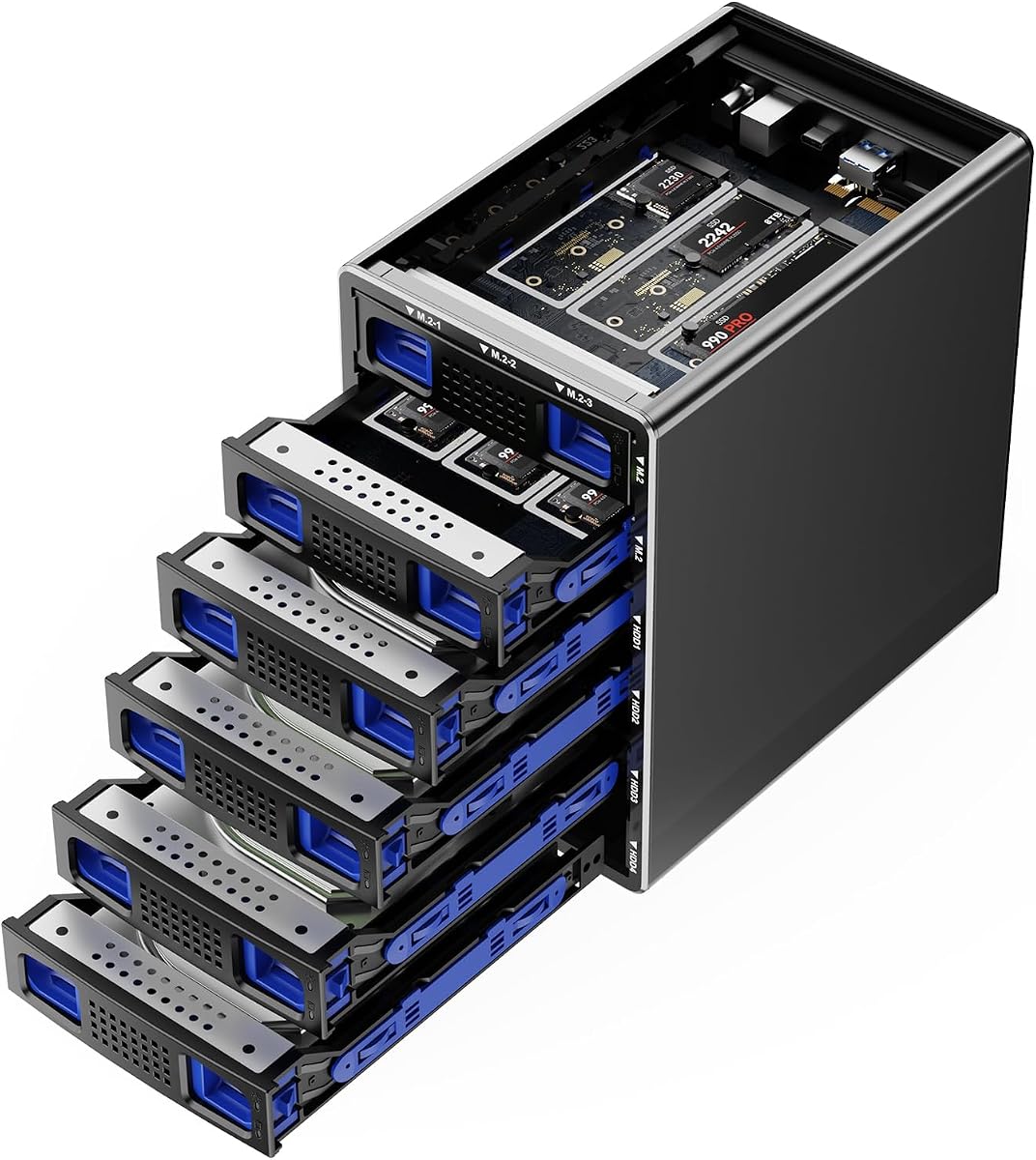
This innovative hybrid enclosure allows you to mix and match traditional hard drives with high speed NVMe SSDs in one unit. It supports four SATA drives and six M.2 slots providing an unmatched total capacity of up to 136TB for extreme storage needs.
We may earn a commission when you buy through this link, at no additional cost to you.
The advanced chip solution ensures stable performance across all drive types while the aluminum construction helps maintain optimal operating temperatures. Silent fans are integrated to cool the system though they may still produce some audible noise during operation.
Users should be prepared for a slightly more complex setup process due to the variety of drive types supported. However the ability to use fast SSDs for active projects and HDDs for archival storage in one box is a powerful convenience.
We recommend this enclosure for advanced users who need both speed and massive capacity in a single external device. It is ideal for content creators who want to keep working files on SSDs while storing archives on larger drives.
Mix high performance NVMe SSDs with high capacity HDDs to balance speed and storage space efficiently.
With support for up to 136TB total you can store nearly a decade of media projects in one enclosure.
We may earn a commission when you buy through this link, at no additional cost to you.
The WAVLINK 4-Bay enclosure distinguishes itself with independent power switches for each drive bay allowing you to control individual drives without shutting down the whole unit. This feature greatly enhances convenience for users who frequently swap drives for different tasks.
We may earn a commission when you buy through this link, at no additional cost to you.
Its support for HDMI 4K output makes it a versatile device for media centers or professional setups where you need to display content directly from the storage device. The aluminum shell provides a premium feel and excellent heat dissipation for long term reliability.
Users need to ensure their computer USB-C port supports video output to utilize the HDMI feature fully. While this may be a minor setup requirement the benefit of having a docking station that doubles as a media hub is substantial for many users.
We recommend this enclosure for professionals who need granular control over their drives and value high speed connectivity. It is a robust choice for media editors who need both fast data access and direct display capabilities.
Independent power switches allow you to turn specific drives on or off without affecting the others.
Connect directly to a TV or monitor via HDMI to play high resolution video content from your storage.
We may earn a commission when you buy through this link, at no additional cost to you.
This docking station is optimized for 2.5 inch drives which are commonly found in laptops and portable external storage devices. Its magnetic cover design allows for tool free access making it quick to swap drives when needed for various projects.
We may earn a commission when you buy through this link, at no additional cost to you.
The built in whisper quiet fan is designed to keep drives cool without producing noise that could disturb a quiet workspace. This feature is particularly beneficial for users who need to run their storage system for extended periods like 24/7.
While it lacks USB-C connectivity and 3.5 inch support it excels at handling portable drives efficiently. The USB 3.0 interface provides decent transfer speeds for most daily tasks though it is not as fast as newer Gen 2 standards.
We recommend this product for users who primarily work with laptop drives or portable SSDs and value a quiet reliable system. It is an excellent solution for small offices or home users who need consistent access to multiple drives.
Specifically designed to accommodate 2.5 inch drives ensuring a perfect fit without extra brackets.
The fan is engineered to be nearly silent ensuring your workspace remains peaceful during operation.
We may earn a commission when you buy through this link, at no additional cost to you.
This model offers dual connectivity with both USB 3.0 and eSATA providing flexibility for systems that may have older ports. The eSATA option can be beneficial for users with legacy hardware that still supports this interface for high speed data transfer.
We may earn a commission when you buy through this link, at no additional cost to you.
The aluminum alloy construction and active cooling fan ensure that the drives remain cool during operation which is vital for data integrity. The JMS567 chipset is known for stability offering reliable performance across different operating systems.
Users should note that hot swapping is not supported with this model meaning you must power down to swap drives safely. While this is a minor inconvenience it ensures safer operation and reduces the risk of data corruption during access.
We recommend this enclosure for users with older systems that rely on eSATA ports or need a reliable backup connection. It is a solid choice for those who value compatibility and stability over the latest connectivity standards.
The inclusion of an eSATA port ensures compatibility with older computers that lack modern USB-C options.
The JMS567 chipset provides a stable connection that minimizes transfer errors during file operations.
We may earn a commission when you buy through this link, at no additional cost to you.
This enclosure is designed for users who need massive storage capacity with support for drives up to 32TB each totaling 128TB. It matches the premium features of other WAVLINK models including independent power switches and HDMI output for versatile usage.
We may earn a commission when you buy through this link, at no additional cost to you.
The 10Gbps transfer speed ensures that accessing files from such large drives is not a bottleneck for your workflow. The temp controlled cooling fans activate only when needed to save energy while maintaining safe operating temperatures for your data.
To use the HDMI feature you need a host device that supports video output over USB-C which is standard on many modern laptops. The aluminum shell provides a premium feel and durability that protects your investment over the long term.
We recommend this enclosure for users who anticipate growing storage needs and want a future proof solution. It is ideal for media archives or business environments where having all data accessible on one device is critical.
Support for 32TB drives per bay allows for unprecedented capacity without needing multiple separate units.
Power switches for each bay let you manage active drives while leaving others in standby mode.
We may earn a commission when you buy through this link, at no additional cost to you.
This enclosure stands out for its support of eight different RAID modes allowing users to configure redundancy or speed based on their specific needs. It supports RAID 0 1 3 5 and 10 as well as CLONE LARGE and NORMAL modes for flexibility.
We may earn a commission when you buy through this link, at no additional cost to you.
The physical switch to change RAID modes requires a reset process which means you need to plan ahead if you want to change configurations. This design ensures data safety during operation but adds a step to the process of altering your storage setup.
Users should be aware that switching RAID modes can result in data loss so backing up data before making changes is critical. The aluminum design and cooling fan keep the drives safe during operation ensuring stability for your configured arrays.
We recommend this enclosure for users who need RAID capabilities but do not want a full NAS system. It is a good middle ground for those who want hardware RAID features without the complexity of network attached storage.
Support for multiple RAID modes gives you control over data redundancy and performance levels.
A physical paddle allows you to select RAID modes easily but requires a power reset to apply changes.
We may earn a commission when you buy through this link, at no additional cost to you.
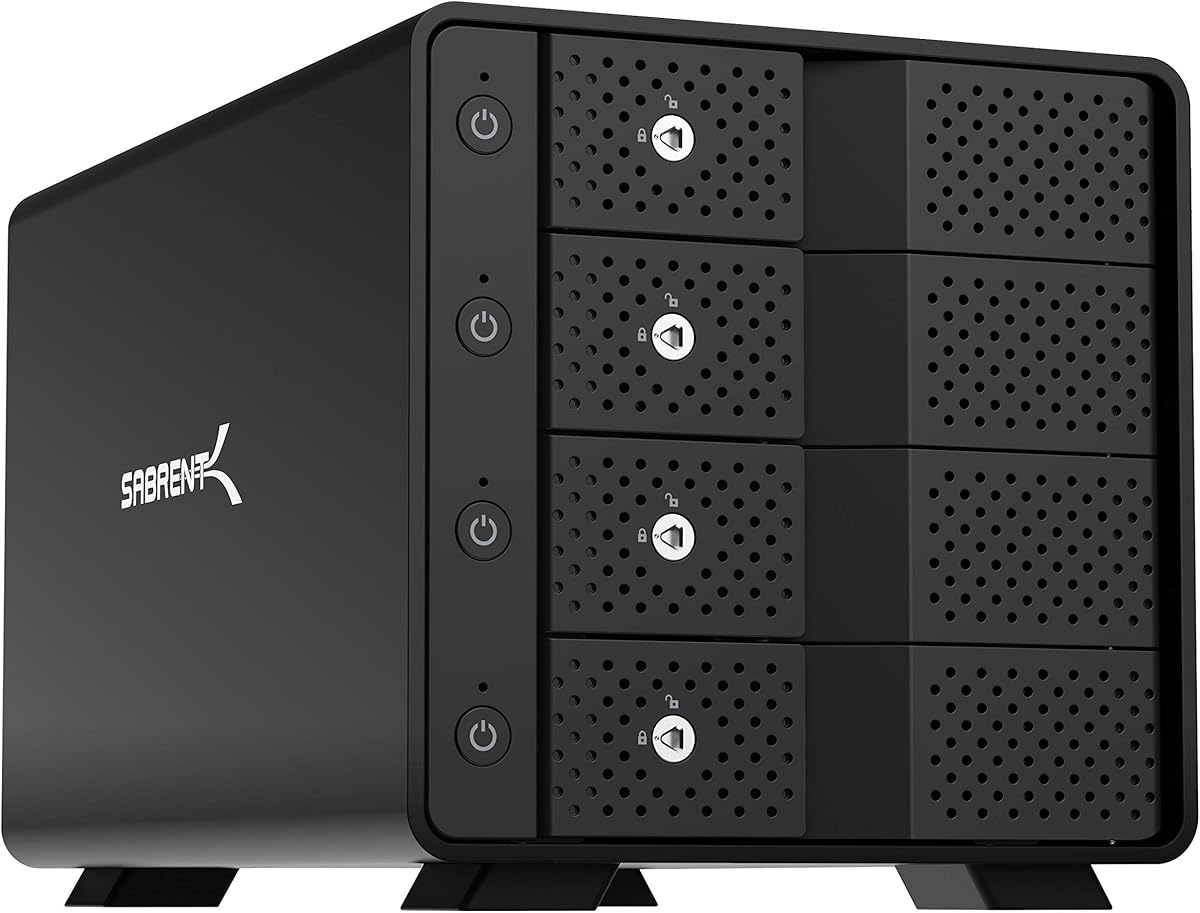
This enclosure places a strong emphasis on security with a locking key and Kensington slot to prevent unauthorized access or theft. It is designed for environments where physical security is a concern alongside data security for business or public use.
We may earn a commission when you buy through this link, at no additional cost to you.
Each of the four bays has its own independent connection to the host computer ensuring that if one drive fails the others remain accessible. This stability is crucial for professional setups where data loss is not an option during critical workflows.
The USB-C interface provides 10Gbps speeds ensuring that your high performance drives are not bottlenecked by the connection. The tool-free design allows you to swap drives quickly without needing extra screws or tools which saves valuable time.
We recommend this enclosure for businesses or individuals who prioritize physical security and connection stability. It is a great choice for offices or field work where devices may need to be secured against physical tampering or theft.
The Kensington slot and locking key provide standard anti-theft protection for your valuable storage equipment.
Separate connections per bay ensure that a failure on one drive does not impact the operation of others.
We may earn a commission when you buy through this link, at no additional cost to you.
Selecting the right enclosure involves considering several technical factors that align with your specific storage needs and environment.
Ensure the enclosure supports the size and type of drives you plan to use such as 2.5 inch or 3.5 inch SATA HDDs and SSDs. Check the maximum total capacity supported to avoid issues when you want to add larger drives in the future.
Look for models that support both sizes if you have mixed drives in your collection for maximum flexibility.
Transfer speeds are critical when you deal with large files like high resolution videos or complete system backups. Models with USB 3.2 Gen 2 offer speeds up to 10Gbps while standard USB 3.0 provides up to 5Gbps.
Higher speeds reduce wait times during data migration and improve overall workflow efficiency for daily tasks.
Multiple drives generate significant heat which can lead to data corruption or hardware failure if not managed properly. Look for enclosures with aluminum chassis and active cooling fans that turn on when temperatures exceed safe levels.
Consider noise levels if you plan to keep the enclosure in a quiet office or living space for long periods.
Hot swapping allows you to add or remove drives without powering down the system which saves time and effort. Check if the model supports this feature if you frequently swap drives for different projects or backups.
If hot swapping is not supported ensure you know how to safely power off the device before changing any drives.
A durable build is essential for protecting your drives from physical damage and managing heat effectively over time. Aluminum enclosures are generally preferred over plastic ones because they dissipate heat better and are more robust.
Choose a model with a solid feel and secure connections to ensure it lasts through years of regular use.
Some enclosures offer extra features like HDMI outputs for media playback or independent power switches for each drive. These can add significant value if you need direct video access or granular control over individual drives.
Evaluate whether these extra features match your actual needs rather than paying for functionality you will not use.
Four drive bays require a stable external power supply to ensure all drives run without power issues. Look for models with reliable DC adapters that provide consistent voltage to prevent unexpected shutdowns.
A stable power supply is crucial for data integrity especially when the enclosure is running continuously for backups.
Most modern enclosures work with Windows macOS and Linux without requiring extra drivers. Verify that the product supports your operating system version to ensure smooth plug and play functionality.
Check for specific notes about macOS if you use a Mac since some older models may have limited support for file systems.
When setting up your enclosure ensure you connect the power adapter before inserting drives to avoid potential power spikes. Place the unit in a well ventilated area to allow the cooling fans to work efficiently and prevent overheating.
For drives that do not come with brackets ensure you use the correct adapters for 2.5 inch drives to secure them properly in the bays. Follow any instructions included in the manual for specific mounting requirements to avoid physical damage.
Regularly check your system for disk errors and monitor drive temperatures to ensure everything is running smoothly over time. Keep the exterior clean of dust to maintain optimal airflow and extend the lifespan of the fans and drives.
Most modern enclosures are plug and play and do not require extra drivers for standard operation on Windows or macOS. However if you plan to use them on older systems or specific Linux distributions checking compatibility beforehand is recommended.
Yes most models support both drive sizes but you may need brackets to secure the smaller 2.5 inch drives properly. Always check the product specifications to ensure the model you choose includes these necessary accessories.
The fans typically produce a low hum between 40 and 50 decibels which is noticeable in quiet rooms but not disruptive in offices. If noise is a major concern look for models with variable fan speeds or silent fan technology.
Product specifications usually state whether hot swapping is supported. If not listed you should assume the device requires a full power cycle to safely remove or add drives.
Yes most enclosures are compatible with Macs but you may need to reformat drives to APFS or exFAT for compatibility. Always check the file system requirements before connecting the drives to your Mac.
With proper care and stable power supply these enclosures can last for many years. The limiting factor is usually the lifespan of the individual hard drives rather than the enclosure itself.
It is always recommended to power down the enclosure before unplugging the USB cable to prevent potential data corruption. Safe removal practices help ensure your data remains safe regardless of the connection type.
Most support up to 80TB to 128TB total depending on the drive sizes you use. Always check the specific capacity limit listed in the product details to ensure it meets your storage requirements.
Choosing the right 4 bay hard drive enclosure with cooling fans depends on your specific needs for speed capacity and build quality. Whether you need the speed of USB 3.2 Gen 2 or the value of a budget friendly model there is a solution for every user.
Consider your operating system environment and whether you need extra features like HDMI output or RAID support before making your final decision. Prioritize models with reliable cooling and build quality to protect your valuable data over the long term.
Always check current availability and compatibility notes before purchasing to ensure the model you choose fits your current setup. This guide aims to provide the necessary information to help you make an informed and confident choice for your storage needs.